
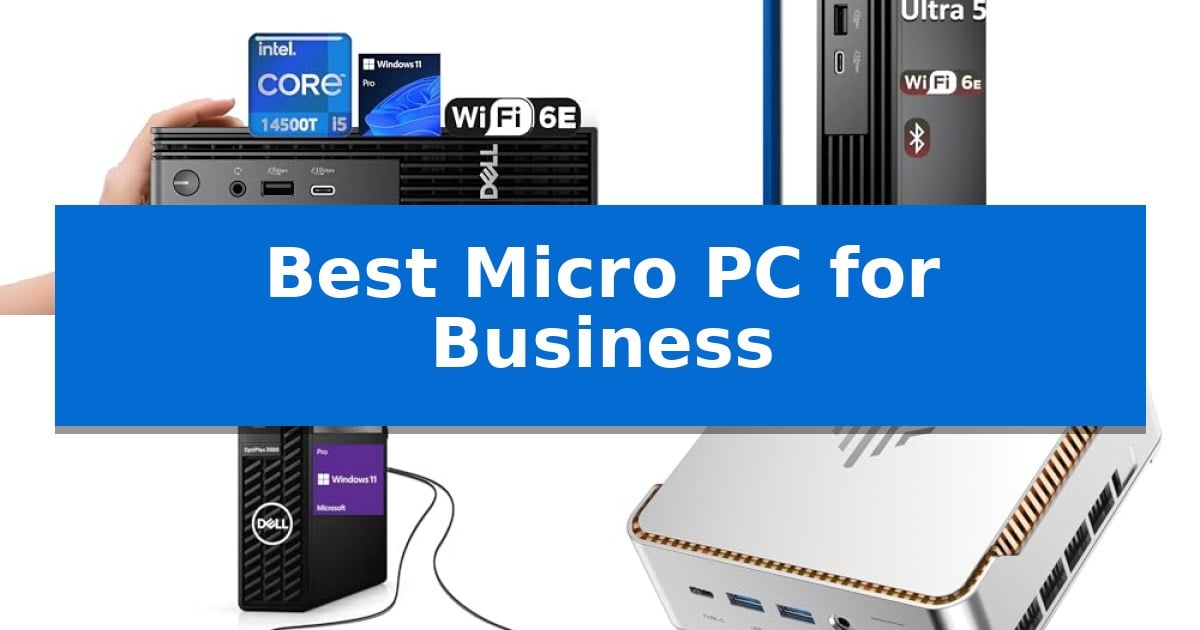
Finding the right hardware for a modern workspace often means balancing raw computing power with limited desk real estate. The Best Micro PC for Business provides a streamlined solution, offering enterprise-grade performance in a footprint small enough to mount behind a monitor or tuck away in a crowded cubicle.
Whether you are upgrading a fleet of workstations or setting up a new hybrid office, selecting a micro-sized desktop requires careful consideration of processing capabilities, port variety, and security features. We have analyzed the leading options to help you identify which model best aligns with your specific professional requirements and space constraints.
You may also want to compare Best Micro PC Cases, Best Micro PC Build, and Best Micro PC Boards.
Best Micro PC for Business
Quick Comparison
| Product | Best For | Key Strength | Score |
|---|---|---|---|
| Dell Pro Micro QCM1250 Business PC | Best Overall | 14th Gen Intel Core i5-14500T processor provides high-core-count performance for multitasking. | 4.9 |
| Dell Pro Micro QCM1250 AI PC | AI-Ready for Enhanced Productivity | Extremely compact 96% smaller footprint than traditional desktops. | 4.9 |
| Dell OptiPlex 3080 Micro PC | Reliable Multitasking for Professionals | Compact 1.4-inch height saves significant desk space. | 4.5 |
| KAMRUI Pinova P2 Mini PC | High-Density Power for Demanding Work | High-performance 12th Gen Intel Core i5-12600H processor for demanding tasks. | 4.3 |
| KAMRUI Pinova P1 Mini PC | Space-Saving Solution for Hybrid Work | Compact 5.06-inch footprint that saves 60% more space than standard mini PCs. | 4.3 |
How We Chose
- Processing power and core architecture for multitasking efficiency.
- Memory and storage configurations that support long-term business use.
- Port selection and display support for multi-monitor setups.
- Security features, including hardware-based encryption and physical locking mechanisms.
- Physical dimensions and mounting versatility for space-constrained desks.
1 Dell Pro Micro QCM1250 Business PC — Next-Gen Performance for Modern Offices
Maximizing desk space without sacrificing computational power is a priority for many professional environments, and the Dell Pro Micro QCM1250 Business PC addresses this by packing a 14th Gen Intel Core i5-14500T processor into an ultra-compact chassis measuring just 1.42 inches in height. This desktop is engineered to handle demanding office workloads and multitasking, utilizing 14 total cores—6 performance and 8 efficient—to maintain responsiveness during complex operations.
Connectivity is a primary strength of this unit, offering a versatile array of ports that includes USB-C 3.2 Gen 2, four USB-A 3.2 Gen 1 ports, and dual DisplayPort 1.4 outputs alongside an HDMI 2.1 port. This configuration supports dual 4K display setups, which is essential for professionals managing multiple data streams or creative projects simultaneously. For network stability, it integrates Wi-Fi 6E and Bluetooth 5.3, ensuring high-speed, low-latency wireless communication.
Security and manageability are built into the foundation of the system, featuring a dedicated hardware TPM security chip to protect sensitive business data. The inclusion of Windows 11 Pro provides enterprise-grade features, including advanced remote desktop support and enhanced encryption capabilities. Physical security is also addressed through an integrated lock slot and padlock loop, allowing for secure anchoring in shared office or public-facing spaces.
The system comes equipped with 16GB of DDR5 RAM and a 256GB PCIe SSD, providing a foundation for fast boot times and efficient file handling. With the ability to support up to 64GB of memory and 4TB of storage, the hardware is positioned to scale alongside growing project requirements, making it a flexible choice for long-term business deployment.
Best for: Professionals and office environments requiring a space-saving, secure, and high-performance desktop capable of driving dual 4K displays.
Skip if: Users who require internal expansion slots for dedicated graphics cards or specialized PCIe add-in cards will find the ultra-compact form factor too restrictive.
PROS
- 14th Gen Intel Core i5-14500T processor provides high-core-count performance for multitasking.
- Comprehensive connectivity including USB-C, dual DisplayPort, and HDMI 2.1 for multi-monitor setups.
- Enterprise-ready security features such as a hardware TPM chip and physical lock slots.
- Scalable memory and storage options supporting up to 64GB RAM and 4TB SSD.
CONS
- Ultra-compact design limits internal hardware customization compared to traditional tower desktops.
- External power supply and peripheral footprint may still require careful cable management.
2 Dell Pro Micro QCM1250 AI PC — AI-Ready for Enhanced Productivity
Maximizing office efficiency often requires hardware that balances raw processing power with a minimal physical footprint. The Dell Pro Micro QCM1250 AI PC addresses this by packing an Intel Core Ultra 5 235T processor into a chassis that is 96% smaller than a traditional desktop, making it a viable solution for space-constrained environments.
This system is engineered for modern business workflows, featuring DDR5 RAM and M.2 NVMe PCIe SSD storage to facilitate rapid multitasking and application responsiveness. Its design prioritizes versatility, weighing only 2.56 lbs and meeting military-grade testing standards, which ensures reliability across diverse settings ranging from front-desk deployments to hybrid office setups.
Connectivity is a core strength of this micro PC, offering a comprehensive array of ports including one USB-C and five USB-A connections. It supports dual 4K displays at 60Hz via DisplayPort and HDMI, while built-in Wi-Fi 6E and Bluetooth provide stable wireless integration for peripherals.
Running Windows 11 Pro, the device includes Copilot AI capabilities to assist with information retrieval and task organization. Enterprise-grade management features are integrated to help IT teams maintain security and enforce policies, providing a stable foundation for professional computing needs.
Best for: Professionals and IT teams requiring a secure, space-saving, and AI-ready computing solution for modern, high-density office environments.
Skip if: Users who require internal hardware expansion, such as multiple PCIe slots or large-form-factor graphics cards, will find the micro-chassis design too restrictive.
PROS
- Extremely compact 96% smaller footprint than traditional desktops.
- Rich connectivity with six total USB ports and dual 4K display support.
- AI-enhanced productivity via integrated Windows 11 Pro and Copilot features.
- Military-grade reliability tested for diverse office environments.
CONS
- Limited physical space for internal component upgrades compared to larger towers.
3 Dell OptiPlex 3080 Micro PC — Reliable Multitasking for Professionals
The Dell OptiPlex 3080 Micro PC offers a space-saving solution for modern offices, measuring just 1.4 inches in height and occupying a footprint of only 39.8 cubic inches. This compact form factor allows it to integrate into crowded workspaces without sacrificing the essential processing power required for daily business operations.
At the heart of this system is a 10th Generation 6-Core Intel i5 processor, which provides the necessary overhead for multitasking, data analysis, and running standard productivity applications. The inclusion of 16GB of DDR4 RAM further supports these workflows, ensuring smooth operation when managing multiple software windows or large datasets simultaneously.
Storage and connectivity are prioritized to maintain professional efficiency. The unit is equipped with a 512GB SSD, which facilitates rapid data access for business software and file management. For network flexibility, the device features built-in Wi-Fi and Bluetooth, enabling quick deployment in environments where wired Ethernet may not be immediately accessible.
As a renewed product, this desktop is processed by a Microsoft Authorized Refurbisher, which includes the benefit of U.S.-based technical support. This provides a practical trade-off for businesses seeking reliable hardware while managing equipment costs, though users should note the 30-day warranty period provided with this specific unit.
Best for: Small to medium-sized businesses needing a compact, reliable desktop for standard office productivity and multitasking.
Skip if: Users requiring high-end graphical performance, extensive internal hardware expansion, or a long-term manufacturer warranty.
PROS
- Compact 1.4-inch height saves significant desk space.
- 16GB DDR4 RAM enables efficient multitasking for professional applications.
- Integrated Wi-Fi and Bluetooth allow for flexible, cable-free office setups.
- 512GB SSD provides fast data access for business files.
CONS
- 30-day warranty is shorter than typical new hardware coverage.
- Renewed status may not suit organizations requiring factory-new equipment.
4 KAMRUI Pinova P2 Mini PC — High-Density Power for Demanding Work
The KAMRUI Pinova P2 Mini PC distinguishes itself with a high-performance 12th Gen Intel Core i5-12600H processor, featuring 12 cores and 16 threads capable of reaching 4.5 GHz. This architecture, paired with 32GB of LPDDR5 RAM, provides a robust foundation for demanding office multitasking and data-heavy applications, making it a compelling choice for professional environments where space is at a premium.
Designed for versatility, this micro PC supports a triple 4K display setup via its HDMI, DisplayPort, and USB 3.2 Gen2 Type-C ports. This configuration is particularly useful for financial analysts or programmers who require extensive screen real estate. The inclusion of WiFi 6 and a Gigabit Ethernet port ensures stable, high-speed network connectivity, which is essential for consistent business operations.
The unit prioritizes a clean workspace with its compact silver chassis and included VESA mount, allowing it to be hidden behind monitors or under desks. Despite its small footprint, it offers significant expansion potential, including two storage slots that support up to 4TB of total storage when configured with additional drives. The system also features advanced management capabilities like Wake-on-LAN and auto power-on for automated office environments.
Connectivity is well-addressed with a total of seven USB ports, including six USB 3.2 ports and one Type-C port, providing ample room for peripherals. With its combination of processing power, memory capacity, and flexible mounting options, the KAMRUI Pinova P2 Mini PC serves as a reliable, space-saving workstation for modern business needs.
Best for: The KAMRUI Pinova P2 Mini PC is best for business professionals and office environments that require high-performance multitasking and multi-monitor support in a space-saving, compact form factor.
Skip if: Skip this model if you require a dedicated discrete GPU for heavy 3D rendering or if you need a system with internal expansion slots for full-sized PCIe expansion cards.
PROS
- High-performance 12th Gen Intel Core i5-12600H processor for demanding tasks.
- 32GB LPDDR5 RAM for efficient multitasking.
- Triple 4K display support for enhanced productivity.
- Versatile mounting options including VESA compatibility to save desk space.
- Extensive connectivity with multiple USB 3.2 ports and WiFi 6.
CONS
- Limited internal upgradeability restricted to M.2 storage slots.
- Integrated graphics may not meet the needs of specialized creative or 3D design workflows.
5 KAMRUI Pinova P1 Mini PC — Space-Saving Solution for Hybrid Work
Maximizing desk space while maintaining the processing power required for modern office workflows is a common challenge for professionals. The KAMRUI Pinova P1 Mini PC addresses this by packing an AMD Ryzen 3 Pro 7330U processor into a compact chassis measuring just 5.06 x 5.06 x 2.01 inches, allowing it to be mounted directly to the back of a monitor using the included VESA bracket.
Equipped with 8GB of RAM and a 256GB M.2 SSD, this micro PC is designed to handle standard business applications, including spreadsheet management, document editing, and web-based communication. The inclusion of Windows 11 Pro ensures compatibility with essential enterprise features such as PXE boot and Wake On LAN, making it a viable option for managed office environments.
Connectivity is a highlight for this model, featuring four USB 3.2 ports, a Gigabit Ethernet port, and a versatile display output configuration that supports 4K@60Hz resolution via HDMI, DP, and Type-C ports. This triple-screen capability allows users to expand their digital workspace, which is particularly beneficial for multitasking across multiple documents or custom business applications.
The device is engineered for reliability in professional settings, offering 7×24 hour technical support and a design that prioritizes improved heat dissipation compared to previous generations. Its small footprint and robust port selection make it a practical, space-saving solution for those looking to declutter their workstation without sacrificing the core functionality needed for daily business operations.
Best for: Small business professionals and office workers who need a compact, space-saving desktop for multitasking and multi-monitor setups.
Skip if: Users who require high-performance dedicated graphics for video rendering or those who need extensive internal hardware upgradeability beyond the pre-installed RAM and SSD.
PROS
- Compact 5.06-inch footprint that saves 60% more space than standard mini PCs.
- Triple-display support with 4K@60Hz output via HDMI, DP, and Type-C.
- Enterprise-ready features including Windows 11 Pro, PXE, and Wake On LAN.
- Versatile connectivity with four USB 3.2 ports and Gigabit Ethernet.
CONS
- Fixed 8GB RAM configuration may limit performance for heavy multitasking.
- 256GB storage capacity may require external drives for users with large project files.
Best Micro PC for Business Buying Guide
Processing Power and Multitasking
The processor is the heart of your business operations. For most office tasks, such as managing spreadsheets, video conferencing, and browser-based workflows, an Intel Core i5 or equivalent processor is typically sufficient.
Look for models that emphasize efficient core architecture, which helps manage background tasks without slowing down your primary applications. Higher core counts are particularly beneficial if you frequently run multiple resource-heavy programs simultaneously.
Memory and Storage Scalability
Business applications are increasingly memory-intensive. Starting with at least 16GB of RAM ensures that your system remains responsive as you switch between various professional tools.
For storage, NVMe PCIe SSDs offer the fastest boot times and file access speeds. Consider whether the micro PC allows for future storage expansion, as this can significantly extend the usable lifespan of your hardware.
Connectivity and Peripheral Support
A micro PC is only as useful as the devices it can connect to. Ensure the unit features a robust selection of USB-A and USB-C ports to accommodate your keyboard, mouse, external drives, and other peripherals.
If your workflow requires multiple screens, verify the device's DisplayPort or HDMI output capabilities. Many modern micro PCs support dual or even triple 4K displays, which is essential for data-heavy roles.
Security and Manageability
Enterprise environments demand high levels of data protection. Look for built-in TPM (Trusted Platform Module) chips that provide hardware-level security for your operating system and sensitive files.
Physical security is also a factor in shared office spaces. Many micro PCs include Kensington lock slots or padlock loops, allowing you to secure the device directly to your desk or mounting bracket.
Physical Footprint and Mounting
The primary advantage of a micro PC is its size. Most of these units are designed to be extremely compact, often weighing under three pounds, which makes them ideal for decluttering your workspace.
Check for VESA mount compatibility, which allows you to attach the PC to the back of your monitor. This creates a clean, all-in-one aesthetic while keeping your desk surface completely clear.
Frequently Asked Questions
Can a micro PC handle heavy creative work?
While micro PCs are excellent for standard office productivity, their compact size can limit thermal headroom for sustained, heavy rendering tasks. They are best suited for administrative, communication, and light creative workflows.
Are these PCs easy to upgrade?
Many micro PCs allow for easy access to RAM and storage slots, but this varies by model. Always check the specific manufacturer documentation to see if the memory and SSD are user-replaceable.
Do I need a special monitor for a micro PC?
No, most micro PCs use standard HDMI or DisplayPort connections that work with any modern office monitor. Ensure your monitor's resolution and refresh rate are supported by the PC's integrated graphics.
How do I secure a micro PC in a public office?
Look for a model with a built-in lock slot. You can use a standard Kensington cable lock to tether the device to a desk or secure furniture, preventing unauthorized removal.
Is Wi-Fi 6E necessary for business?
Wi-Fi 6E provides faster, more stable wireless connectivity in crowded office environments. If your office relies on wireless networking, it is a highly recommended feature for maintaining consistent performance.
Conclusion: Our Top Pick
Selecting the right hardware for your business requires balancing performance with space efficiency. The Dell Pro Micro QCM1250 Business PC stands out as a reliable choice for modern offices, offering a powerful 14th Gen Intel processor and comprehensive connectivity options in a highly compact design.
While other models offer specific advantages like AI-readiness or different processor architectures, this unit provides the most balanced feature set for general professional use. It is an excellent investment for businesses looking to streamline their infrastructure without sacrificing the computing power necessary for daily operations.