
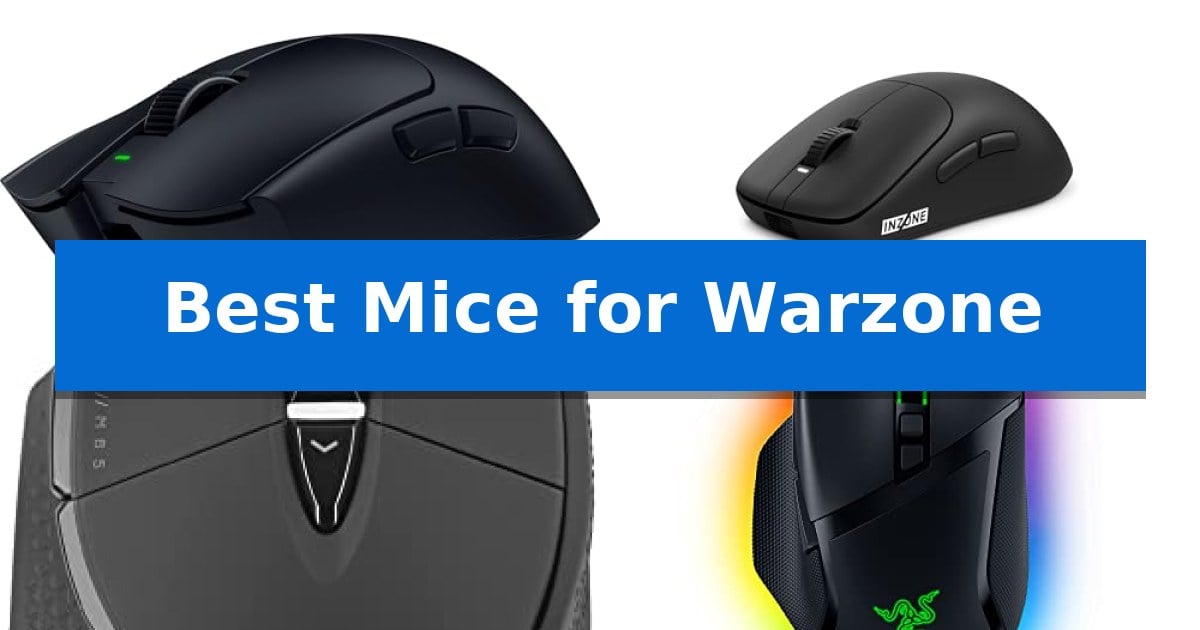
Navigating the fast-paced combat of battle royale requires gear that translates your reflexes into near-instant in-game actions. Finding the Best Mice for Warzone involves balancing sensor precision with the physical weight and ergonomics that suit your specific grip style and sensitivity settings.
Whether you are tracking targets at long range or flicking between enemies in close-quarters engagements, the right hardware makes a tangible difference. We have analyzed the latest gaming mice to help you identify which features—from ultra-lightweight frames to high-polling rate sensors—will best support your playstyle in the arena.
You may also want to compare Best Mice for Video Editing, Best Mice for Ubuntu, and Best Mice for the Money.
Best Mice for Warzone
Quick Comparison
| Product | Best For | Key Strength | Score |
|---|---|---|---|
| Razer Viper V4 Pro Gaming Mouse | Best Overall | Ultra-lightweight 49g design for agile movement | 4.9 |
| Sony INZONE Mouse-A Gaming Mouse | Pro-tuned for competitive accuracy | Ultra-lightweight 48.4g design reduces fatigue during long play sessions. | 4.8 |
| Corsair M65 RGB Ultra Gaming Mouse | Precision sensor for flick shots | 8,000Hz polling rate for ultra-fast input registration. | 4.3 |
| Razer Basilisk V3 Gaming Mouse | Customizable controls for tactical play | 11 programmable buttons for complex macro assignments | 4.3 |
| Logitech G502 HERO Gaming Mouse | Adjustable weight for stable aiming | HERO 25K sensor provides high-precision tracking up to 25,600 DPI. | 4.5 |
How We Chose
- Sensor accuracy and DPI range for pixel-perfect tracking.
- Physical weight and chassis design for fatigue-free movement.
- Polling rate capabilities to ensure minimal input latency.
- Button layout and switch durability for reliable tactical inputs.
- Connectivity options and battery efficiency for uninterrupted play.
1 Razer Viper V4 Pro Gaming Mouse — Ultra-lightweight for rapid tracking
The Razer Viper V4 Pro Gaming Mouse is engineered for competitive play, featuring an ultra-lightweight 49g chassis that is 9% lighter than its predecessor to facilitate rapid, agile movements. This design is specifically built to meet the demands of high-speed tactical shooters where every millisecond of reaction time and physical control matters.
Performance is driven by the Focus Pro 50K DPI Optical Sensor Gen-3, which supports up to 930 IPS and 90 G acceleration. The integration of Frame Sync technology aligns sensor data with your PC to minimize input latency, while the Razer HyperSpeed Wireless Gen-2 provides a stable connection with true 8000 Hz polling rates for consistent tracking.
Durability and tactile feedback are managed through Gen-4 Optical Switches, rated for 100 million clicks, and an optical scroll wheel that ensures precise, consistent actuation. These components are housed in a frame that includes grip tape for enhanced handling during intense sessions.
Users can fine-tune their experience via Razer Synapse 4, allowing for 1-DPI step adjustments and custom sensitivity profiles. The device offers flexible power management, providing up to 180 hours of battery life at 1000 Hz or 45 hours at the maximum 8000 Hz polling rate, with USB-C charging for quick recovery.
Best for: Competitive players who prioritize ultra-lightweight hardware and high-polling rate responsiveness for fast-paced tactical shooters.
Skip if: Users who prefer a heavier mouse with a distinct ergonomic palm-grip shape or those who do not require high-frequency polling rates.
PROS
- Ultra-lightweight 49g design for agile movement
- 8000 Hz polling rate for low-latency responsiveness
- Gen-4 Optical Switches rated for 100 million clicks
- Long battery life up to 180 hours at standard polling
CONS
- High-polling performance significantly reduces battery life
- Symmetrical shape may not suit all grip styles
2 Sony INZONE Mouse-A Gaming Mouse — Pro-tuned for competitive accuracy
Precision in competitive gaming often comes down to weight and responsiveness, and the Sony INZONE Mouse-A Gaming Mouse addresses this with an ultra-lightweight 48.4g design. By utilizing a reinforced polyamide frame with hollow glass microspheres, this mouse provides the structural rigidity necessary for marathon sessions without the fatigue associated with heavier peripherals.
Performance is driven by the 3950IZ sensor, which supports up to 30,000 DPI and tracks at speeds of 750 IPS. To ensure that every movement is registered with minimal delay, the device features an 8000Hz polling rate via its USB dongle. These specifications are paired with optical switches rated for 150 million clicks, replacing traditional mechanical friction with light-based actuation for faster, more consistent input.
Developed in collaboration with Fnatic, the mouse features a tactile scroll wheel with defined, stepped notches to assist with precise weapon switching and navigation. The side buttons are reinforced to prevent flex during intense gameplay, and a dedicated back button allows for quick power toggling and rotation between four onboard profiles. Users can further refine their experience through the INZONE Hub software, which enables customization of DPI, polling rates, and button mapping.
The Sony INZONE Mouse-A Gaming Mouse is a focused tool for players who prioritize low-latency performance and a featherlight feel. While it excels in competitive environments, its design is strictly performance-oriented, stripping away non-essential features to maintain its weight profile.
Best for: Competitive esports players who require an ultra-lightweight mouse with high-polling rate connectivity for maximum precision.
Skip if: Users who prefer a heavier mouse with a high-profile ergonomic shape or those who require a large number of programmable side buttons for complex macros.
PROS
- Ultra-lightweight 48.4g design reduces fatigue during long play sessions.
- 8000Hz polling rate provides ultra-low latency input.
- Optical switches offer consistent, high-speed click performance.
- Custom 3950IZ sensor delivers high-resolution tracking up to 30,000 DPI.
CONS
- Minimalist design lacks extra buttons for complex macro-heavy playstyles.
- Performance-focused build may feel too light for users accustomed to heavier mice.
3 Corsair M65 RGB Ultra Gaming Mouse — Precision sensor for flick shots
Precision is the difference between a successful rotation and a missed opportunity in high-stakes engagements. The Corsair M65 RGB Ultra Gaming Mouse centers its design around an anodized aluminum frame, providing a familiar, durable foundation for rapid movements during intense sessions.
Performance is driven by the CORSAIR MARKSMAN 26,000 DPI Optical Sensor, which supports tracking at 650 inches per second. This sensor is paired with CORSAIR AXON Hyper-Processing Technology, enabling a native 8,000Hz polling rate that registers inputs up to 8x faster than standard gaming mice. These technical specifications ensure that every flick and click is captured with high fidelity.
Usability is enhanced by optical switches for the left and right clicks, engineered for hyper-fast response times and long-term durability. The mouse also features Sensor Fusion Control, which integrates a six-axis gyro and accelerometer to facilitate an ultra-low lift-off distance. This allows for precise tracking even when the mouse is lifted and repositioned during gameplay.
The Corsair M65 RGB Ultra Gaming Mouse is a specialized tool for players who prioritize raw input speed and sensor accuracy. While its aluminum construction offers a distinct feel, users should consider if the wired-only connection and specific ergonomic shape align with their existing desk setup and grip style.
Best for: Competitive FPS players who require high polling rates and precise sensor tracking for rapid flick shots.
Skip if: Users who prefer a wireless setup or those who find a heavier, aluminum-framed mouse less comfortable for extended, low-sensitivity gaming sessions.
PROS
- 8,000Hz polling rate for ultra-fast input registration.
- 26,000 DPI MARKSMAN sensor provides high-accuracy tracking.
- Optical switches offer durable, rapid-response clicking.
- Sensor Fusion Control enables an ultra-low lift-off distance.
CONS
- Wired-only connectivity limits desk cable management options.
- Aluminum frame construction results in a heavier feel compared to ultra-lightweight plastic alternatives.
4 Razer Basilisk V3 Gaming Mouse — Customizable controls for tactical play
Precision and rapid response are essential for maintaining a competitive edge in fast-paced tactical shooters. The Razer Basilisk V3 addresses these needs with its Optical Mouse Switches Gen 2, which provide a 0.2ms actuation speed to ensure that every click is registered instantly without unintended misclicks.
Designed for high-stakes gameplay, this mouse features a Focus+ 26K DPI Optical Sensor that delivers pixel-precise tracking. The inclusion of 11 programmable buttons allows players to map critical in-game actions like pings or equipment usage directly to the mouse, streamlining complex inputs during intense firefights.
The HyperScroll Tilt Wheel offers a distinct advantage for weapon cycling, allowing users to toggle between a free-spin mode for rapid movement and a tactile mode for controlled, precise selection. This mechanical versatility is complemented by an iconic ergonomic design featuring a dedicated thumb rest, which helps maintain comfort during extended gaming sessions.
Customization extends to the visual experience with 11 Razer Chroma RGB lighting zones. These zones integrate with over 150 games, providing dynamic feedback that reacts to in-game events. For optimal performance, users can refine tracking accuracy through the Razer Synapse App and by adjusting Windows pointer settings.
Best for: Players who require extensive button mapping and high-precision sensor tracking for tactical shooters.
Skip if: Users who prefer an ultra-lightweight, minimalist mouse design without a thumb rest or additional programmable buttons.
PROS
- 11 programmable buttons for complex macro assignments
- 0.2ms actuation speed via Gen 2 optical switches
- Focus+ 26K DPI sensor for high-accuracy tracking
- HyperScroll Tilt Wheel with dual-mode functionality
CONS
- Wired-only connection limits cable-free desk setups
- Heavier form factor due to ergonomic thumb rest and additional buttons
5 Logitech G502 HERO Gaming Mouse — Adjustable weight for stable aiming
Precision tracking in fast-paced environments often hinges on sensor accuracy and weight balance. The Logitech G502 HERO Wired Gaming Mouse addresses this with its high-performance HERO 25K sensor, capable of tracking up to 25,600 DPI without smoothing, filtering, or acceleration. This sensor technology provides the consistent input required for tracking targets in competitive shooters.
Customization is a core component of this device, featuring 11 programmable buttons and a dual-mode hyper-fast scroll wheel that allows users to map complex actions directly to the mouse. To further tailor the physical feel, the mouse includes adjustable weights, allowing users to arrange up to five 3.6g weights to achieve a preferred balance and weight configuration.
Reliability during rapid inputs is supported by mechanical switch button tensioning. This system utilizes a metal spring and pivot hinges built into the primary buttons, which are designed to provide a crisp, tactile click feel and rapid feedback. The inclusion of on-board memory enables users to save their settings directly to the device for use across different systems.
Aesthetically, the mouse features LIGHTSYNC RGB lighting, which is fully customizable and capable of synchronizing with in-game events through compatible software. With a wired connection, it ensures a consistent link to the PC, eliminating the need for battery management while maintaining a stable connection for gaming sessions.
Best for: Players who prioritize sensor precision, weight customization, and extensive button mapping for complex keybinds.
Skip if: Users who prefer an ultra-lightweight mouse design or those who require wireless freedom for their desktop setup.
PROS
- HERO 25K sensor provides high-precision tracking up to 25,600 DPI.
- Adjustable weights allow for personalized balance and feel.
- 11 programmable buttons offer extensive control mapping options.
- Mechanical switch tensioning ensures crisp and responsive clicks.
CONS
- Wired-only connection limits cable-free movement.
- Heavier base weight compared to dedicated ultra-lightweight gaming mice.
Best Mice for Warzone Buying Guide
Understanding Sensor Performance
The optical sensor is the heart of any gaming mouse. For fast-paced shooters, you need a sensor that offers high DPI (dots per inch) and IPS (inches per second) tracking to ensure that your crosshair movement remains smooth and accurate, even during rapid flicks.
Look for sensors that support Frame Sync or similar technologies, which align sensor data with your PC's refresh rate to reduce latency. This ensures that your movements are registered exactly when they happen, providing the responsiveness required for competitive play.
The Role of Mouse Weight
Ultra-lightweight designs have become a standard for competitive gamers. A mouse weighing under 50g allows for faster, more agile control, which can reduce wrist fatigue during long sessions and enable quicker adjustments when tracking moving targets.
While lighter is often better for speed, some players prefer a slightly heavier mouse for stability. Models that offer adjustable weights allow you to find the perfect balance between maneuverability and the physical feedback needed for controlled, precise aiming.
Polling Rates and Latency
The polling rate determines how often your mouse reports its position to your computer. A standard 1000Hz rate is common, but many modern mice now offer 8000Hz polling, which significantly reduces input latency.
While the benefits of 8000Hz are most noticeable on high-refresh-rate monitors, it is a valuable feature for players seeking the absolute lowest delay between their physical movement and the game's response. Always ensure your hardware and software are compatible with these higher rates.
Switch Durability and Tactile Feel
In a game where every shot counts, the reliability of your optical switches is paramount. Unlike mechanical switches that rely on physical contact, optical switches use light to register clicks, which eliminates debounce delay and increases the lifespan of the buttons.
Look for switches rated for millions of clicks to ensure long-term consistency. A tactile click feel is also important, as it provides the necessary feedback to confirm that your input was registered, preventing accidental misfires during intense firefights.
Customization and Ergonomics
Your mouse should feel like an extension of your hand. Ergonomic shapes with thumb rests can improve comfort, while programmable buttons allow you to map essential actions like pinging, equipment use, or melee attacks for faster access.
Software integration, such as Razer Synapse or similar hub applications, is essential for fine-tuning your sensitivity, customizing RGB lighting, and creating profiles that automatically switch based on your current game or preferred playstyle.
Frequently Asked Questions
Does a higher DPI always mean better accuracy?
No. While a high DPI allows for faster cursor movement, most competitive players use lower DPI settings for better control. The sensor's ability to track movement without smoothing or acceleration is more important for accuracy.
Is a wired mouse better than wireless for gaming?
Modern wireless technology, such as Razer HyperSpeed, offers performance that is virtually indistinguishable from wired connections. Wireless mice provide more freedom of movement, though they require battery management.
What is the benefit of an optical scroll wheel?
Optical scroll wheels use light-based actuation rather than mechanical parts, leading to more consistent tracking, increased durability, and more precise tactile feedback for weapon switching.
How do I choose the right weight for my mouse?
If you play with a low sensitivity and use large arm movements, an ultra-lightweight mouse is usually preferred. If you use high sensitivity and rely on wrist movements, you might prefer a slightly heavier mouse for added stability.
Can I use my gaming mouse on both PC and Mac?
Most modern gaming mice are compatible with both platforms, but you should check if the manufacturer's configuration software is supported on your specific operating system to ensure you can customize your settings.
Conclusion: Our Top Pick
Selecting the right hardware is a critical step in optimizing your performance. After evaluating the available options, the Razer Viper V4 Pro Gaming Mouse stands out as the top choice for competitive players. Its combination of an ultra-lightweight 49g frame, 8K polling rate, and the highly responsive Focus Pro 50K DPI sensor provides the speed and reliability needed for high-stakes engagements.
While other models offer unique benefits like adjustable weights or additional programmable buttons, the overall balance of performance, weight, and sensor technology makes this mouse a versatile tool for any serious player. It provides the precision and agility required to maintain an edge in the most demanding combat scenarios.