
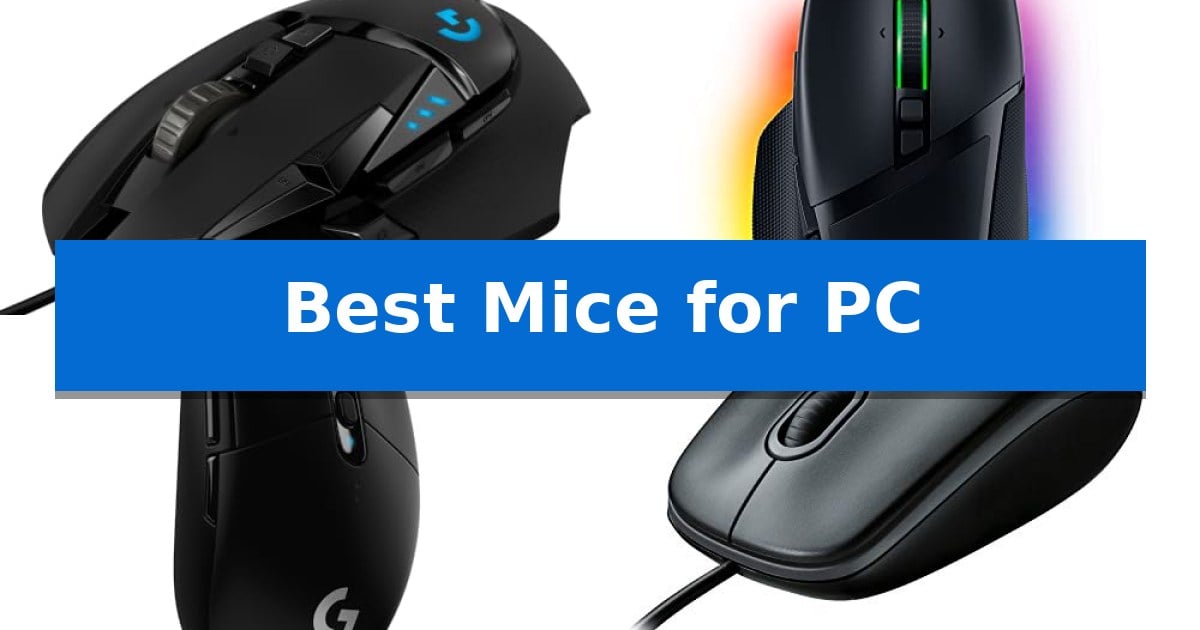
Selecting the right peripheral for your desktop setup is essential for both comfort and efficiency. Whether you are navigating complex spreadsheets or engaging in competitive gaming, the Best Mice for PC options available today offer a range of features tailored to specific user needs, from high-speed sensors to simple, reliable wired connections.
Our guide evaluates several popular models to help you identify which device aligns with your daily tasks. By focusing on critical factors like sensor performance, button layout, and connectivity, we aim to simplify your search for a mouse that enhances your computing experience.
You may also want to compare Best Mice for Overwatch, Best Mice for Office Work, and Best Mice for MOBAs.
Best Mice for PC
Quick Comparison
| Product | Best For | Key Strength | Score |
|---|---|---|---|
| Logitech G502 HERO Gaming Mouse | Best Overall | HERO 25K sensor for high-precision tracking. | 4.9 |
| Razer Basilisk V3 Gaming Mouse | Customizable Controls for Advanced Users | 11 programmable buttons for complex macro assignments. | 4.9 |
| Logitech G305 LIGHTSPEED Wireless Mouse | Lag-Free Performance Without Cables | LIGHTSPEED wireless technology for low-latency performance | 4.8 |
| Logitech B100 Ambidextrous Mouse | Reliable Basic Wired Navigation | Ambidextrous design suitable for both left and right-handed users. | 4.5 |
| Logitech M185 Wireless Mouse | Compact Design for Mobile Work | Ambidextrous contoured design suitable for both left and right-handed users. | 4.4 |
How We Chose
- Sensor accuracy and DPI range for precise cursor control.
- Ergonomic form factor and button placement for long-term comfort.
- Connectivity options including wired stability versus wireless freedom.
- Programmability and software support for custom workflows.
- Build quality and physical dimensions for different hand sizes.
1 Logitech G502 HERO Gaming Mouse — Precision Tracking for Competitive Play
The Logitech G502 HERO Wired Gaming Mouse centers its performance on the HERO 25K sensor, which provides tracking up to 25,600 DPI without smoothing, filtering, or acceleration. This sensor choice is intended for users who require consistent, high-precision input for competitive PC gaming.
Customization is a core design element of this device. It features an adjustable weight system that allows users to arrange up to five 3.6g weights to modify the mouse's balance and feel. Additionally, the chassis includes 11 programmable buttons and a dual-mode hyper-fast scroll wheel, providing users with extensive control options for complex gaming macros or productivity tasks.
The build quality incorporates mechanical switch button tensioning, utilizing a metal spring system and pivot hinges in the primary buttons to deliver a distinct, rapid click response. For aesthetic and functional integration, the mouse is equipped with LIGHTSYNC RGB technology, which allows for customizable lighting effects that can synchronize with other supported software.
Designed with a wired interface, this mouse ensures a consistent connection for users who prioritize reliability over wireless freedom. Its ergonomic shape and programmable features make it a versatile tool for both gaming and general desktop use, provided the user is comfortable with a wired setup.
Best for: Gamers and power users who require high-precision tracking, extensive button programmability, and a customizable weight system.
Skip if: Users who prefer a wireless workspace or those who find a mouse with 11 buttons and adjustable weights to be overly complex for their needs.
PROS
- HERO 25K sensor for high-precision tracking.
- Adjustable weight system for personalized balance.
- 11 programmable buttons for extensive customization.
- Mechanical switch tensioning for crisp click feedback.
CONS
- Wired-only connection limits desk mobility.
- Complex button layout may be excessive for casual users.
2 Razer Basilisk V3 Gaming Mouse — Customizable Controls for Advanced Users
Precision and customization define the Razer Basilisk V3 Gaming Mouse, a wired peripheral engineered for users who demand granular control over their input devices. At its core, the Focus+ 26K DPI Optical Sensor provides high-accuracy tracking without smoothing, ensuring that every movement is registered with pixel-precise fidelity.
The hardware is built around an iconic ergonomic design that includes a dedicated thumb rest, intended to support the hand during extended sessions. Functionality is expanded through 11 programmable buttons, allowing for the assignment of macros and secondary functions that can be managed via the Razer Synapse App.
A standout mechanical feature is the HyperScroll Tilt Wheel, which offers two distinct modes: a free-spin mode for rapid scrolling through long documents or content, and a tactile mode for controlled, precise feedback. This is paired with Gen 2 Optical Mouse Switches, which are rated for up to 70 million clicks and offer a rapid 0.2ms actuation speed to minimize input delay.
Aesthetic customization is handled by 11 Razer Chroma RGB lighting zones, which can be configured with over 16.8 million colors. The lighting system is designed to react dynamically with over 150 integrated games, creating a cohesive visual experience for the user.
Best for: Users who require extensive macro customization and high-precision tracking for competitive gaming or productivity tasks.
Skip if: Users who prefer a lightweight, minimalist design or require wireless connectivity for their workspace.
PROS
- 11 programmable buttons for complex macro assignments.
- HyperScroll Tilt Wheel offers both free-spin and tactile modes.
- Focus+ 26K DPI sensor ensures high-accuracy tracking.
- Gen 2 Optical Switches provide fast 0.2ms actuation.
CONS
- Wired-only connection limits desk placement flexibility.
- Ergonomic thumb rest design is fixed and not adjustable.
3 Logitech G305 LIGHTSPEED Wireless Mouse — Lag-Free Performance Without Cables
The Logitech G305 LIGHTSPEED Wireless Gaming Mouse utilizes LIGHTSPEED wireless technology to provide a 1 ms report rate, aiming to deliver a lag-free experience for competitive play. Its design prioritizes maneuverability, weighing only 3.4 oz while housing the HERO optical sensor, which supports up to 12,000 DPI and 400 IPS precision.
Efficiency is a core focus of this device, as the HERO sensor is engineered to provide up to 10x the power efficiency of previous generations. This allows the mouse to operate for up to 250 hours of continuous gameplay on a single AA battery, with an additional Endurance mode accessible via software that can extend battery life up to 9 months.
Designed for versatility, the mouse includes 6 programmable buttons and on-board memory to store user settings. Its compact form factor features built-in storage for the nano receiver, making it a practical choice for users who need a portable solution for both desktop and laptop environments.
The Logitech G305 LIGHTSPEED Wireless Gaming Mouse balances performance-oriented features like high-speed wireless connectivity and a high-precision sensor with a lightweight, travel-friendly build. It serves as a functional tool for those seeking a wireless setup without sacrificing responsiveness.
Best for: Users seeking a lightweight, portable wireless mouse with high-precision sensor performance for gaming or productivity.
Skip if: Users who prefer a rechargeable internal battery or a larger, ergonomic shape for specific palm grip styles.
PROS
- LIGHTSPEED wireless technology for low-latency performance
- HERO sensor with up to 12,000 DPI sensitivity
- Long battery life of up to 250 hours on one AA battery
- Compact, lightweight design with built-in receiver storage
CONS
- Requires AA battery rather than an integrated rechargeable battery
- Compact size may not suit all hand sizes or grip preferences
4 Logitech B100 Ambidextrous Mouse — Reliable Basic Wired Navigation
Reliable navigation begins with a tool that balances simplicity and functionality. The Logitech B100 Ambidextrous Wired Mouse offers a straightforward, plug-and-play experience designed to function immediately upon connection to any USB or PS/2 port, eliminating the need for complex software installation. This makes it a practical choice for office environments where quick deployment across multiple workstations is required.
Engineered with an ambidextrous shape, this mouse is built to accommodate both left and right-handed users, providing a consistent feel during extended periods of document editing or web navigation. The device features 800 dpi sensitivity, which provides precise cursor control for standard computing tasks. This sensitivity level is optimized for general productivity rather than high-speed gaming, ensuring steady and predictable movement for daily office applications.
Efficiency is further supported by integrated side-to-side scrolling and zoom capabilities, allowing users to navigate spreadsheets and presentations with greater ease. This feature simplifies the process of viewing wide documents or detailed charts without needing to manually drag scroll bars. The design reflects a commitment to durability and environmental responsibility, incorporating certified post-consumer recycled plastic in its construction.
As a wired peripheral, this mouse ensures a consistent connection without the need for batteries, making it a dependable choice for office or home setups. It is backed by a 1-year limited warranty, providing assurance for daily use. By removing the need for battery replacements, users benefit from a maintenance-free experience that remains ready for use at any time.
Best for: Users seeking a reliable, no-frills, ambidextrous wired mouse for standard office productivity and web navigation.
Skip if: Gamers or power users requiring high-DPI sensors, programmable side buttons, or wireless connectivity.
PROS
- Ambidextrous design suitable for both left and right-handed users.
- Plug-and-play connectivity via USB or PS/2 with no setup required.
- Includes side-to-side scrolling and zoom functionality for document management.
- Constructed with certified post-consumer recycled plastic.
CONS
- Wired-only connection limits desk mobility compared to wireless alternatives.
- Fixed 800 dpi sensitivity may not meet the needs of specialized tasks or gaming.
5 Logitech M185 Wireless Mouse — Compact Design for Mobile Work
The Logitech M185 Wireless Mouse provides a streamlined, reliable input method for those looking to move beyond the limitations of a standard laptop touchpad. Featuring a contoured, ambidextrous shape, it is designed to fit comfortably in either hand, making it a versatile choice for users in shared workspaces or those who frequently switch hands during long tasks.
Connectivity is managed through a 2.4 GHz USB-A Nano Receiver, which enables plug-and-play simplicity without the need for complex software installation. Once plugged into a laptop or desktop, it maintains a stable wireless connection up to 33 feet. The device is engineered for efficiency, utilizing a smart sleep mode to extend battery life up to 12 months, and it includes the necessary AA battery to ensure it is ready for immediate use.
Portability is a core strength of this compact mouse, which pairs smooth optical tracking with a responsive line-by-line scroll wheel. It is fully compatible with Windows, Mac, and various laptop systems, ensuring consistent performance across different computing environments. Its small footprint makes it an ideal companion for travel or crowded desks where space is at a premium.
Sustainability is integrated into the manufacturing process, as the device incorporates certified post-consumer recycled plastic in its construction. With a measured product carbon footprint of 3.97 kg CO2e, it offers a functional balance between modern office utility and material considerations.
Best for: Users needing a compact, reliable, and ambidextrous wireless mouse for mobile laptop work or space-constrained desktops.
Skip if: Users who require advanced programmable buttons, high-DPI gaming sensors, or Bluetooth connectivity.
PROS
- Ambidextrous contoured design suitable for both left and right-handed users.
- Plug-and-play setup with a convenient nano USB receiver.
- Long battery life of up to 12 months with smart sleep mode.
- Compact and portable form factor ideal for travel and small workspaces.
CONS
- USB-A receiver requires an available port and lacks Bluetooth connectivity.
- Basic feature set lacks extra programmable side buttons or high-performance gaming sensors.
Best Mice for PC Buying Guide
Sensor Precision and Tracking
The sensor is the heart of any mouse, determining how accurately your physical movements translate to the screen. High-performance sensors, such as those with high DPI (Dots Per Inch), allow for greater sensitivity, which is particularly beneficial for high-resolution displays or gaming where quick, precise adjustments are required.
When choosing, consider whether you need a sensor that supports zero smoothing, filtering, or acceleration. These features ensure that your cursor movement remains consistent, providing a predictable feel that is essential for both professional design work and accurate aiming.
Ergonomics and Comfort
A mouse is a tool you interact with for hours at a time, making its physical shape a primary concern. Ergonomic designs often include contoured grips and thumb rests to support the natural position of your hand, reducing strain during extended sessions.
Consider your grip style—whether you use a palm, claw, or fingertip grip—when selecting a shape. An ambidextrous design offers versatility for both left- and right-handed users, while specialized ergonomic shapes are often optimized specifically for right-handed comfort.
Connectivity: Wired vs. Wireless
Choosing between wired and wireless connectivity often comes down to a trade-off between convenience and maintenance. Wired mice provide a constant, reliable connection without the need for batteries, making them ideal for stationary setups where you never want to worry about charging.
Modern wireless technology has evolved to offer lag-free performance that rivals wired counterparts. If you prefer a clutter-free desk or need a portable solution for a laptop, wireless models with long battery life and efficient power management are excellent choices.
Programmable Buttons and Customization
Many mice feature programmable buttons that allow you to map macros or secondary functions, such as push-to-talk or media controls. This level of customization can significantly speed up your workflow in productivity applications or provide an edge in gaming.
Look for software support that allows you to save these configurations to on-board memory. This ensures that your custom settings remain active even when you move the mouse to a different computer.
Weight and Balance
The weight of a mouse affects how much effort is required to move it across your desk. Some models offer adjustable weights, allowing you to add or remove mass to achieve a personalized balance that suits your specific playing or working style.
Lighter mice are generally favored for fast-paced movements, as they reduce inertia. Conversely, some users prefer a heavier, more substantial feel for better control and stability during precise, slow-speed tasks.
Frequently Asked Questions
Does a higher DPI always mean a better mouse?
Not necessarily. While high DPI allows for faster cursor movement, most users find that accuracy is more important than raw speed. A high-quality sensor that offers consistent, jitter-free tracking is often more valuable than an extremely high DPI rating.
Are wireless mice reliable for gaming?
Yes. Modern wireless technology, such as Logitech's LIGHTSPEED, provides a 1 ms report rate that is virtually indistinguishable from a wired connection, offering the responsiveness needed for competitive play.
How do I know which mouse shape is right for me?
Consider your hand size and how you hold your mouse. If you prefer resting your entire hand on the device, a larger, contoured mouse is usually best. If you prefer a lighter, more agile feel, a smaller or ambidextrous design may be more comfortable.
Can I use a gaming mouse for office work?
Absolutely. Many gaming mice are excellent for productivity because they offer superior sensors, durable switches, and programmable buttons that can be assigned to common office shortcuts.
What is the benefit of adjustable weights?
Adjustable weights allow you to fine-tune the physical feel of the mouse. Adding weight can provide more stability for slow, precise movements, while removing weight can make the mouse easier to flick quickly across the screen.
Conclusion: Our Top Pick
Selecting the right mouse depends heavily on your specific needs, whether you prioritize the high-performance tracking of a gaming-grade sensor or the simple, reliable utility of a basic wired device. For users seeking a balance of precision, customization, and build quality, the Logitech G502 HERO Gaming Mouse stands out as a versatile choice.
With its advanced HERO 25K sensor, adjustable weight system, and 11 programmable buttons, the Logitech G502 HERO Gaming Mouse provides the flexibility required for both demanding gaming sessions and complex productivity tasks. It remains a highly capable option for anyone looking to upgrade their desktop setup.