
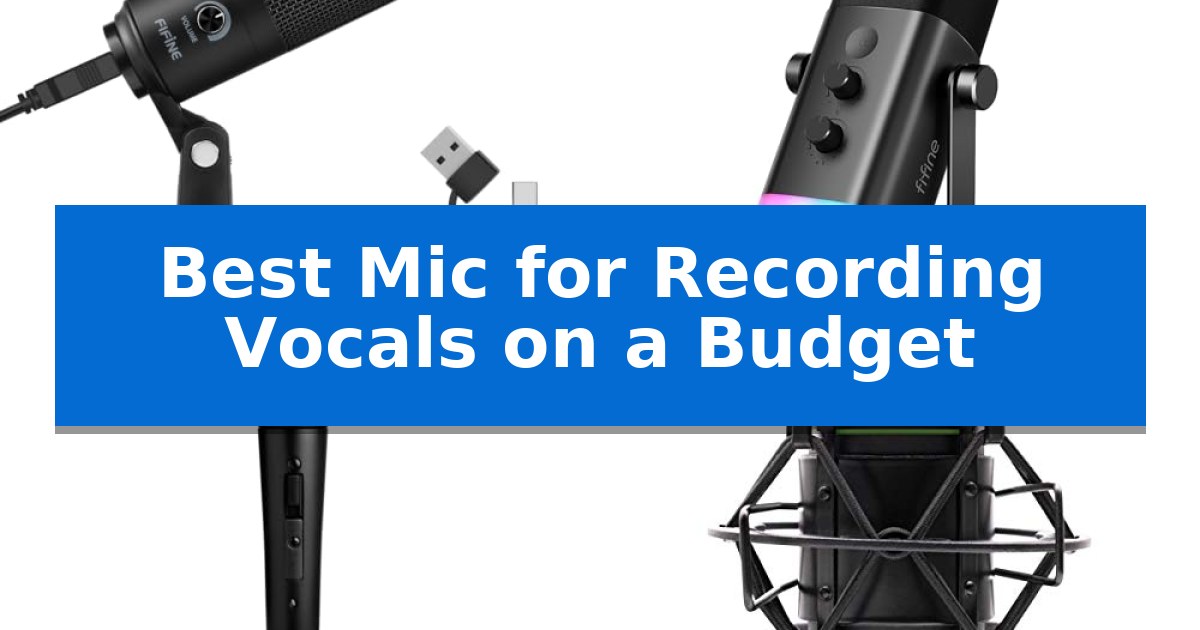
Finding the Best Mic for Recording Vocals on a Budget requires balancing audio clarity with practical connectivity. Whether you are starting a home studio, streaming, or recording voice-overs, the right microphone should capture your voice accurately without requiring expensive external hardware or complex setups.
Our review focuses on essential features like polar patterns, build quality, and ease of use. We have selected five microphones that offer distinct advantages for different recording environments, helping you make an informed choice that fits your specific vocal needs and technical requirements.
You may also want to compare Best Mic for Recording Acoustic Guitar Under $100, Best Mic for Raspberry Pi, and Best Mic for Home Recording Vocals.
Best Mic for Recording Vocals on a Budget
Quick Comparison
| Product | Best For | Key Strength | Score |
|---|---|---|---|
| FIFINE K669B USB Condenser Microphone | Best Overall | Plug-and-play USB connectivity eliminates the need for external audio interfaces. | 4.9 |
| FIFINE AmpliGame AM8 Dynamic Microphone | Versatile Dual USB and XLR | Dual USB/XLR connectivity for flexible setup options. | 4.4 |
| Shure SM58S Dynamic Vocal Microphone | Industry Standard for Live Vocals | Integrated on/off switch for quick and easy signal control. | 4.8 |
| Mackie EM-91C Condenser Microphone | Professional Studio Sound on Budget | Cardioid polar pattern effectively isolates vocals. | 4.7 |
| TONOR TC-777 USB Computer Microphone | Compact Desktop Recording Solution | Plug-and-play USB 2.0 connectivity for immediate use. | 4.7 |
How We Chose
- Audio Output Quality: Assessing the microphone's ability to capture clear, balanced vocal frequencies.
- Connectivity Standards: Evaluating the ease of integration via USB plug-and-play or XLR interface options.
- Build and Durability: Checking for robust construction materials suitable for frequent desktop or studio use.
- Functional Controls: Identifying the presence of onboard features like volume knobs, mute buttons, or gain control.
- Included Accessories: Reviewing the value provided by included stands, cables, or shock mounts.
1 FIFINE K669B USB Condenser Microphone — Simple Plug-and-Play Vocal Setup
Achieving professional-grade vocal clarity for podcasts, streaming, or voice-overs does not require an expensive studio setup. The FIFINE K669B USB Condenser Microphone centers its design on a plug-and-play USB connection that bypasses the need for complex audio interfaces or external phantom power, making it a highly accessible entry point for creators working on a budget.
Built with a durable metal construction, this microphone is engineered to withstand the rigors of daily desk use. It includes a stable tripod stand that provides a secure base for desktop recording, while the integrated mic volume knob allows for immediate, tactile control over input levels. This feature is particularly useful for streamers who need to adjust their sensitivity on the fly without navigating through software menus.
The cardioid polar pattern is specifically tuned to capture audio from the front while minimizing background noise, which helps maintain a clean signal in less-than-ideal recording environments. Because it is a USB-powered condenser microphone, it integrates seamlessly with Windows and Mac systems for applications like Discord, OBS, and Audacity, ensuring that your voice remains the primary focus of your recordings.
While this microphone excels in simplicity and value, users should note that it is designed specifically for computer-based recording and is not compatible with Xbox or mobile phones. By disabling automatic gain control settings in your recording software, you can ensure the most consistent, crisp output from this versatile desktop tool.
Best for: Creators and streamers seeking a simple, all-in-one USB microphone solution for vocal recording on a PC or Mac.
Skip if: Users who require compatibility with gaming consoles like Xbox or mobile devices, or those needing an XLR-based professional studio interface.
PROS
- Plug-and-play USB connectivity eliminates the need for external audio interfaces.
- Integrated mic volume knob provides quick, physical control over input levels.
- Durable metal design ensures long-term reliability for desk-based setups.
- Cardioid polar pattern effectively reduces unwanted background noise.
CONS
- Not compatible with Xbox consoles or mobile phones.
- Requires manual adjustment of software settings to prevent volume fluctuations.
2 FIFINE AmpliGame AM8 Dynamic Microphone — Versatile Dual USB and XLR
Achieving professional-grade vocal clarity on a limited budget requires a versatile tool that adapts to your recording environment. The FIFINE AmpliGame AM8 Dynamic Microphone distinguishes itself by offering both USB and XLR connectivity, allowing you to start with a simple plug-and-play setup and upgrade to a dedicated audio interface later without replacing your hardware.
Designed for creators who need flexibility, this cardioid dynamic microphone focuses on capturing your voice while rejecting unwanted off-axis noise. Its 50Hz-16KHz frequency response ensures a balanced range for podcasting and streaming. When using the USB connection, you gain access to convenient features like a tap-to-mute button with an LED indicator, a headphone jack for real-time monitoring, and a mic gain knob to fine-tune your input levels.
The build quality emphasizes practical utility for home studios. It features built-in 3/8'' and 5/8'' metal threads, making it compatible with most standard microphone stands without requiring extra adapters. For those working in dim lighting, the controllable RGB ring provides aesthetic synergy with other gaming gear, featuring a memory function that retains your preferred light settings after power cycles.
While the XLR mode provides a path for higher-fidelity audio through external mixers, it is important to note that the RGB lighting, mute button, and gain controls are exclusive to the USB interface. This dual-nature design makes it a robust choice for beginners who want to grow their setup over time while maintaining consistent vocal quality.
Best for: Beginner creators and streamers who want a versatile microphone that supports both simple USB plug-and-play and professional XLR audio interfaces.
Skip if: Users who require a dedicated XLR-only studio microphone and have no need for USB connectivity, RGB lighting, or onboard gain controls.
PROS
- Dual USB/XLR connectivity for flexible setup options.
- Onboard controls including tap-to-mute, gain knob, and headphone monitoring.
- Universal mounting with built-in 3/8'' and 5/8'' threads.
- Cardioid polar pattern effectively reduces background noise.
CONS
- Features limited to USB mode, as RGB and function keys remain inactive during XLR use.
- XLR cable not included, requiring a separate purchase for analog connections.
3 Shure SM58S Dynamic Vocal Microphone — Industry Standard for Live Vocals
Achieving professional-grade vocal clarity without an extensive studio budget often starts with selecting a microphone that prioritizes durability and focused sound capture. The Shure SM58S Dynamic Vocal Microphone is engineered to handle the rigors of frequent use while maintaining a consistent, warm vocal profile that helps performers and speakers stand out in a mix.
This microphone utilizes a cardioid polar pattern, which is essential for isolating vocals by rejecting off-axis noise from instruments or ambient room sounds. Its tuned frequency response is specifically tailored for vocal applications, ensuring that speech and singing remain clear and present. For those managing live setups or home recording sessions, the integrated on/off switch provides a convenient way to mute the signal instantly without needing to adjust settings on a mixer or PA system.
Durability is a core design focus, featuring a hardened grille and internal filtering that effectively minimizes plosives and breath noise. This construction makes it a reliable tool for both studio environments and high-energy live performances where handling noise could otherwise interfere with the recording. With its robust build and specialized vocal tuning, it remains a foundational piece of equipment for anyone looking to improve their audio quality.
While this microphone excels in vocal isolation and reliability, it is a dynamic model that requires an XLR connection to a compatible audio interface or mixer. It does not include a built-in USB interface, meaning users will need to ensure their existing hardware supports XLR input to utilize its full potential.
Best for: Performers, podcasters, and speakers who need a reliable, durable microphone with an integrated mute switch for live or studio vocal recording.
Skip if: Users who require a plug-and-play USB microphone and do not have an existing XLR audio interface or mixer setup.
PROS
- Integrated on/off switch for quick and easy signal control.
- Cardioid polar pattern effectively isolates vocals from background noise.
- Hardened grille design reduces plosives and protects the internal capsule.
- Tuned frequency response optimized specifically for vocal clarity.
CONS
- Requires XLR connectivity and an external audio interface or mixer.
- Lacks USB compatibility for direct computer connection.
4 Mackie EM-91C Condenser Microphone — Professional Studio Sound on Budget
Capturing clear, studio-grade audio on a limited budget often requires a balance between cost and build quality, and the Mackie EM-91C Condenser Microphone is designed to address this need. This large-diaphragm microphone provides a reliable entry point for those setting up their first home studio or looking to upgrade from basic integrated equipment.
The Mackie EM-91C utilizes a cardioid polar pattern, which is specifically engineered to focus on sound sources directly in front of the capsule while minimizing background noise. This directional design makes it well-suited for vocal recording, as it helps isolate the performer's voice from ambient room reflections.
Durability is a core focus of the unit's design, featuring a rugged, reliable construction intended to withstand the rigors of frequent use in both home and professional studio environments. The package includes essential accessories, specifically a shock mount to reduce unwanted vibrations and an XLR cable for immediate connectivity to your audio interface.
Choosing this microphone offers a straightforward path to professional-quality sound without the complexity of high-end studio gear. By focusing on essential recording features, it provides a functional solution for creators who prioritize clear vocal capture and long-term hardware reliability.
Best for: The Mackie EM-91C is best for vocalists and podcasters seeking an affordable, durable XLR microphone for home studio recording.
Skip if: Skip this microphone if you require a USB-connected device, as this unit requires an external audio interface for operation.
PROS
- Cardioid polar pattern effectively isolates vocals.
- Rugged construction ensures long-term reliability.
- Includes a shock mount and XLR cable for immediate setup.
- Large-diaphragm design suitable for professional-quality recording.
CONS
- Requires an XLR interface for connectivity.
- No onboard controls for gain or monitoring.
5 TONOR TC-777 USB Computer Microphone — Compact Desktop Recording Solution
Achieving clear audio for podcasts and vocal recordings does not require a complex studio setup. The TONOR TC-777 USB Computer Microphone simplifies the process by offering a plug-and-play design that connects directly to your computer via a USB 2.0 data port, eliminating the need for additional drivers or complicated assembly.
This microphone utilizes a cardioid pickup pattern, which is specifically engineered to capture sound directly in front of the capsule while suppressing unwanted background noise. This directional focus makes it a practical choice for users recording in home environments where ambient sounds might otherwise interfere with vocal clarity.
Designed with the creator in mind, the TONOR TC-777 USB Computer Microphone includes a non-slip tripod stand that provides stability on small desktop surfaces. The package also features a shock mount and pop filter to minimize disturbances from vibrations and plosives during recording sessions, while the adjustable angle allows for precise positioning.
Compatibility is a primary strength, as the device is recognized by Windows, Mac, and gaming consoles like the PS4 and PS5. It integrates seamlessly with common communication software such as Zoom, Skype, and Discord. With a 180 cm (70-inch) cable, users have sufficient reach for various desk configurations, and the unit is backed by a two-year warranty.
Best for: Content creators and remote workers seeking a simple, all-in-one USB microphone solution for vocal recording and teleconferencing.
Skip if: Users who require compatibility with Xbox consoles or those needing an XLR-based professional audio interface for advanced studio setups.
PROS
- Plug-and-play USB 2.0 connectivity for immediate use.
- Includes essential accessories like a pop filter and shock mount.
- Cardioid pickup pattern effectively isolates the user's voice.
- Broad compatibility with Windows, Mac, and PlayStation systems.
CONS
- Not compatible with Xbox gaming consoles.
- Lacks advanced hardware controls beyond basic positioning.
Best Mic for Recording Vocals on a Budget Buying Guide
Understanding Microphone Types
The two primary types of microphones for vocal recording are condenser and dynamic. Condenser microphones are typically more sensitive and capture a wider frequency range, making them ideal for detailed studio vocals in quiet environments. Their sensitivity allows for a crisp, professional sound that picks up subtle nuances in the voice.
Dynamic microphones are known for their durability and ability to handle high sound pressure levels. They are less sensitive to background noise, which makes them a preferred choice for live performances or recording in rooms that are not acoustically treated. Choosing between them depends on your recording environment and the specific vocal style you are capturing.
The Importance of Polar Patterns
Most entry-level vocal microphones utilize a cardioid polar pattern. This design is highly effective because it focuses on capturing sound directly in front of the microphone while rejecting noise from the sides and rear. This directional focus is essential for isolating your voice from ambient room noise, computer fan hum, or other distractions.
When setting up your recording space, ensure the microphone is positioned correctly relative to your mouth. A cardioid mic will perform best when you speak directly into the active side, minimizing off-axis coloration and ensuring your recordings remain focused and clear throughout your session.
Connectivity: USB vs. XLR
USB microphones offer a plug-and-play experience, connecting directly to your computer without the need for additional audio interfaces. This is the most budget-friendly path for beginners, as it eliminates the cost of external preamps or mixers. Many USB models also include onboard headphone jacks for real-time monitoring.
XLR microphones provide a more professional, modular approach. They require an external audio interface to convert the analog signal to digital, but this setup allows for greater control over your signal chain and the ability to upgrade components individually over time. Consider your long-term goals when choosing between these two connection standards.
Essential Onboard Controls
Look for microphones that offer physical controls to streamline your workflow. A gain knob allows you to adjust the input sensitivity directly on the mic, preventing clipping or distortion during loud passages. This is a significant advantage for maintaining consistent levels without having to navigate software menus.
A dedicated mute button is another valuable feature, particularly for streamers or those frequently on conference calls. Having the ability to instantly cut the signal provides privacy and control, while LED indicators often help confirm the current status of the microphone, ensuring you never record while muted by accident.
Build Quality and Mounting
A microphone's physical construction impacts its longevity and stability. Metal construction is preferred for its durability and resistance to accidental drops or bumps. A stable base, such as a weighted tripod or a secure desk stand, is crucial for keeping the microphone in the optimal position during long recording sessions.
If you plan to use a boom arm, check for compatibility with standard thread sizes like 3/8-inch or 5/8-inch. Many budget microphones include these mounting threads, allowing you to easily upgrade your setup later to save desk space and improve the ergonomics of your recording station.
Frequently Asked Questions
Do I need a pop filter for my vocal recordings?
Yes, a pop filter is highly recommended. It helps reduce 'plosive' sounds—the sharp bursts of air that occur when pronouncing 'p' and 'b' sounds—which can cause distortion and clipping in your recordings.
Can I use a USB microphone with a smartphone?
Compatibility varies by model. While many USB microphones are designed for PC and Mac, some may require specific adapters (like an OTG cable) to function with mobile devices. Always check the manufacturer's specifications for device compatibility.
What is the best distance to keep from the microphone?
For most cardioid vocal microphones, a distance of 2 to 6 inches is generally recommended. This proximity helps capture a full, rich sound while minimizing the amount of room ambiance picked up by the capsule.
Do I need 48V phantom power for all condenser microphones?
Most USB-powered condenser microphones do not require external 48V phantom power, as they draw power directly from the USB connection. However, professional-grade XLR condenser microphones typically require phantom power from an audio interface.
How do I reduce background noise in my recordings?
Using a cardioid microphone helps, but you can also improve results by recording in a room with soft furnishings like curtains or rugs to absorb sound reflections. Additionally, lowering the gain and moving closer to the microphone can improve the signal-to-noise ratio.
Conclusion: Our Top Pick
For those seeking the most straightforward and effective solution, the FIFINE K669B USB Condenser Microphone stands out as the best choice. Its robust metal construction and simple plug-and-play design make it an excellent entry point for anyone needing clear vocal capture without the complexity of additional hardware.
The inclusion of an onboard volume knob provides immediate control over your input levels, ensuring your voice remains the focus of your recordings. While it is best suited for desktop use, its ease of installation and reliable output make it a highly practical tool for podcasters, streamers, and vocalists working within a limited budget.