
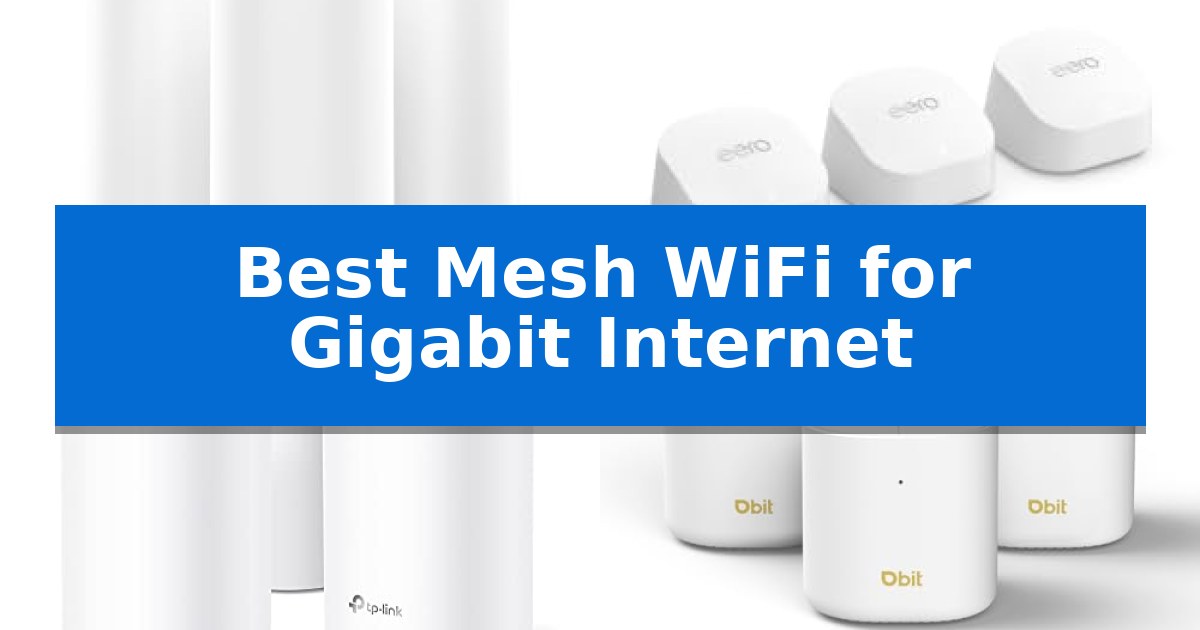
Achieving consistent, high-speed connectivity throughout a modern home often requires more than a standard router. When you pay for high-bandwidth service, you need hardware capable of handling that throughput without creating bottlenecks or dead zones in distant rooms. Finding the Best Mesh WiFi for Gigabit Internet involves balancing raw speed potential with the ability to manage multiple connected devices simultaneously.
A robust mesh system replaces your existing router and extenders with a unified network, allowing devices to roam seamlessly between nodes. Whether you are streaming 8K content, managing a busy smart home, or working remotely, the right system ensures your internet plan's capacity is fully utilized across your entire living space.
You may also want to compare Best Mesh WiFi for Gaming and Streaming, Best Mesh WiFi for Gaming and Smart Homes, and Best Mesh WiFi for Gamers.

Best Mesh WiFi for Gigabit Internet
Quick Comparison
| Product | Best For | Key Strength | Score |
|---|---|---|---|
| NETGEAR Orbi 370 Series Mesh System | Best Overall | WiFi 7 performance delivering up to 5 Gbps. | 4.9 |
| Amazon eero 6+ Mesh System | Affordable Gigabit Connectivity | TrueMesh technology for intelligent traffic routing and coverage optimization. | 4.9 |
| TP-Link Deco S4 Mesh System | Reliable Whole-Home Coverage | Seamless roaming with a single network name across the entire home. | 4.7 |
| DBIT AX1800 WiFi 6 Mesh System | High-Capacity Device Management | 6,500 sq. ft. coverage with three included nodes. | 4.5 |
| Cudy AX3000 Mesh System | Multi-Gigabit Port Flexibility | 2.5GbE WAN port for supporting high-speed internet plans. | 4.9 |
How We Chose
- Maximum throughput capacity and support for high-speed internet plans.
- Effective coverage area and the ability to eliminate signal dead zones.
- Device management capacity to ensure performance during high-traffic periods.
- Ease of setup and ongoing network management via mobile applications.
- Hardware connectivity options, including the availability of multi-gigabit Ethernet ports.
1 NETGEAR Orbi 370 Series Mesh System — Next-Gen WiFi 7 Performance
The NETGEAR Orbi 370 Series Mesh System utilizes advanced WiFi 7 technology to deliver a high-capacity networking solution capable of reaching speeds up to 5 Gbps. Designed to eliminate dead zones, this three-pack system provides coverage for up to 6,000 square feet, ensuring consistent connectivity for up to 70 devices simultaneously, from the basement to the rooftop.
Engineered for modern high-bandwidth demands, the system features Dual-Band technology with Enhanced Backhaul to maintain performance across multiple devices. It includes a 2.5 Gig port to support high-speed internet plans and is compatible with existing cable or fiber modem equipment. The setup process is streamlined through the Orbi app, allowing for quick network configuration and ongoing management of guest access.
Security is integrated directly into the hardware, featuring Advanced Router Protection and automatic firmware updates to help safeguard the network. Users also have access to a 30-day trial of NETGEAR Armor, which provides additional tools for protection against malware and identity theft. The system is designed to be modular, allowing for the addition of extra satellites to extend coverage as needed for larger or multi-storey homes.
Built with future-readiness in mind, this mesh system supports both legacy devices and newer standards, ensuring broad compatibility across your home network. By combining high-speed throughput with comprehensive coverage, it offers a robust infrastructure for 8K streaming, gaming, and video conferencing.
Best for: Large households requiring high-speed, multi-device connectivity and seamless whole-home coverage for gigabit internet plans.
Skip if: Users who require a tri-band or quad-band system for dedicated wireless backhaul or those who prefer advanced manual configuration settings beyond the Orbi app.
PROS
- WiFi 7 performance delivering up to 5 Gbps.
- Extensive 6,000 sq. ft. coverage with a three-pack configuration.
- 2.5 Gig port support for high-speed internet compatibility.
- Integrated security features including automatic firmware updates.
CONS
- Dual-band architecture may not offer the same backhaul efficiency as tri-band alternatives.
- Subscription required for the full suite of NETGEAR Armor security tools after the trial.
2 Amazon eero 6+ Mesh System — Affordable Gigabit Connectivity
Maintaining consistent connectivity across a large home requires a system capable of intelligent traffic management, such as the Amazon eero 6+ Mesh System. This 3-pack configuration utilizes TrueMesh technology to dynamically route data, effectively reducing dead spots and connection drop-offs throughout a coverage area of up to 4,500 square feet.
Designed to handle modern bandwidth demands, the Amazon eero 6+ Mesh System supports internet plans up to a gigabit. It leverages the 160 MHz radio channel to provide increased bandwidth, ensuring that multiple devices can simultaneously handle high-demand tasks like video conferencing, streaming, and remote work without compromising stability.
Beyond its primary networking capabilities, this system functions as a built-in smart home hub. It supports Thread and Zigbee protocols, allowing users to connect compatible smart devices directly to the network and integrate them with Alexa, which eliminates the need for additional standalone hubs.
Installation is managed through the eero app, which provides guided setup steps and remote network management tools. The system is designed to receive automatic updates over time, ensuring the network remains current and secure, while also maintaining backward compatibility with previous-generation eero devices.
Best for: Users seeking a reliable, easy-to-manage mesh network that supports gigabit speeds and integrates smart home devices via a built-in hub.
Skip if: Users who require advanced, granular manual network configuration settings or those who prefer a system without a subscription-based model for premium security features.
PROS
- TrueMesh technology for intelligent traffic routing and coverage optimization.
- Gigabit speed support via 160 MHz radio channel bandwidth.
- Integrated smart home hub supporting Thread and Zigbee devices.
- Simple setup and remote management through the dedicated mobile app.
CONS
- Subscription required for access to advanced online security and network management features.
- Limited manual configuration options compared to traditional high-end routers.
3 TP-Link Deco S4 Mesh System — Reliable Whole-Home Coverage
Eliminating dead zones in large homes requires a robust networking foundation, and the TP-Link Deco S4 Mesh System addresses this by utilizing Deco Mesh technology to create a unified, seamless network. Unlike traditional range extenders that force users to manage multiple network names and passwords, this system provides a single, consistent connection throughout your entire living space.
Designed to handle high-bandwidth demands, the TP-Link Deco S4 Mesh System features AC1900 Dual-Band Wi-Fi 5 speeds, delivering up to 1300 Mbps on the 5 GHz band and 600 Mbps on the 2.4 GHz band. With its 3×3 6-stream capability, the system is engineered to support connectivity for up to 100 devices simultaneously, making it a practical choice for households with numerous smart devices and streaming needs.
Each unit is equipped with 2 Gigabit Ethernet ports, allowing for a wired backhaul configuration that ensures more stable data transmission between nodes. This hardware versatility, combined with universal compatibility across major ISPs, ensures that the system integrates easily into existing setups requiring high-speed throughput.
Management is handled through the intuitive Deco app, which simplifies the initial setup process. The system also includes robust parental controls, enabling users to create unique profiles to manage online time and restrict access to inappropriate content. For added convenience, the system supports Alexa voice commands to toggle guest network access.
Best for: Large homes requiring seamless whole-home coverage for up to 100 devices and high-speed wired backhaul capabilities.
Skip if: Users who require the latest Wi-Fi 6 or Wi-Fi 7 standards for multi-gigabit wireless throughput will find this Wi-Fi 5 system limiting.
PROS
- Seamless roaming with a single network name across the entire home.
- Gigabit Ethernet ports on each unit for stable wired backhaul.
- Robust parental controls for managing family internet usage.
- Wide coverage area of up to 5,500 square feet with the 3-pack.
CONS
- Wi-Fi 5 standard may not fully leverage the potential of the fastest modern multi-gigabit internet plans.
- Requires a separate modem from your ISP for internet connectivity.
4 DBIT AX1800 WiFi 6 Mesh System — High-Capacity Device Management
Managing high-bandwidth demands across a large home requires a robust network foundation. The DBIT AX1800 WiFi 6 Mesh System addresses this by leveraging dual-band AX1800 technology, which provides a combined speed of up to 1.8 Gbps to support intensive tasks like 4K streaming and online gaming without buffering.
This system is engineered for expansive environments, with a three-pack configuration capable of covering up to 6,500 sq. ft. By utilizing seamless roaming, the network ensures devices maintain a stable connection as you move between rooms. The inclusion of OFDMA and MU-MIMO technology allows the system to manage up to 150 connected devices simultaneously, optimizing bandwidth allocation to reduce latency.
Connectivity is a highlight, as each unit features Gigabit Ethernet ports, totaling six across the three-pack. These ports support wired backhaul for high-speed, stable data transfer between nodes. Users can configure these units as a primary router or as individual access points, providing flexibility for various home layouts.
Setup and maintenance are streamlined through an intuitive mobile app. The system supports WPA3 encryption and automatic firmware updates to maintain network security. For physical expansion, users can add nodes via the app or by using the dedicated mesh button for immediate pairing, making it a practical solution for replacing standard routers or extenders.
Best for: Large homes requiring high-capacity device management and consistent coverage across multiple floors or rooms.
Skip if: Users seeking tri-band performance or specialized multi-gigabit WAN ports for internet plans exceeding 1 Gbps.
PROS
- 6,500 sq. ft. coverage with three included nodes.
- Gigabit Ethernet ports on every unit for stable wired backhaul.
- WiFi 6 efficiency with support for up to 150 devices.
- WPA3 encryption and automatic firmware updates for security.
CONS
- Dual-band architecture may be less efficient than tri-band systems in extremely dense wireless environments.
5 Cudy AX3000 Mesh System — Multi-Gigabit Port Flexibility
Managing a high-speed network requires hardware capable of handling increased throughput without bottlenecking at the entry point. The Cudy AX3000 Mesh System addresses this by incorporating a dedicated 2.5GbE WAN port, allowing users to take full advantage of multi-gigabit internet plans that exceed standard 1Gbps limitations.
Beyond its high-speed input, this system utilizes Wi-Fi 6 (AX3000) technology to distribute a dual-band signal across the home. It is engineered to support up to 200 connected devices simultaneously, making it a suitable choice for environments with a high density of smart home hardware and mobile devices. The inclusion of Wired Ethernet Backhaul support ensures that nodes can communicate at maximum speeds, which is essential for maintaining consistent performance in a mesh configuration.
Setup and ongoing maintenance are managed via the Cudy app, which provides guidance for installation and remote network control. The unit is designed with flexibility in mind, as it can function as a standalone router or as part of a larger mesh network by integrating with other Cudy Wi-Fi routers. This modular approach allows for the elimination of signal dead zones in spaces up to 970 sq. ft. per unit.
While the system offers robust connectivity options, users should note that the physical footprint is compact, measuring approximately 4.33 inches in width and length. This design choice prioritizes space-saving placement, though it limits the number of onboard wired LAN ports to one Gigabit connection per unit, which may necessitate an external network switch for users with many wired devices.
Best for: Users with multi-gigabit internet plans who require a flexible, app-managed mesh system to support a high volume of connected devices.
Skip if: Users who require multiple wired Gigabit LAN ports on a single node without the addition of an external network switch.
PROS
- 2.5GbE WAN port for supporting high-speed internet plans.
- Wi-Fi 6 AX3000 performance for efficient multi-device handling.
- Wired Ethernet Backhaul capability for stable node-to-node communication.
- Scalable mesh design compatible with other Cudy routers.
CONS
- Limited wired connectivity with only one Gigabit LAN port per unit.
Best Mesh WiFi for Gigabit Internet Buying Guide
Understanding Mesh WiFi Standards
The WiFi standard (such as WiFi 6 or WiFi 7) dictates the maximum theoretical speed and efficiency of your network. For Gigabit internet, choosing a system that supports at least WiFi 6 is essential to avoid hardware-induced speed caps. WiFi 7 systems offer even higher bandwidth and lower latency, which is beneficial for future-proofing your home network.
Mesh systems use multiple nodes to create a single, unified network name. This is superior to traditional WiFi extenders, which often create separate networks and suffer from significant speed degradation. Look for systems that support wired backhaul, which allows you to connect nodes via Ethernet cables for the most stable and fastest possible performance.
Coverage and Placement
The total square footage coverage is a primary specification, but actual performance depends heavily on your home's construction. Materials like brick, concrete, and metal can significantly impede wireless signals. A system rated for 6,000 sq. ft. may perform differently in an open-concept home compared to a multi-story house with thick walls.
Strategic placement of your mesh satellites is critical. Nodes should be placed in open areas, away from large metal objects or appliances that cause interference. Most modern apps include signal strength indicators during setup to help you find the optimal location for each unit to ensure a strong backhaul connection.
Device Capacity and Traffic Management
Modern homes often have dozens of connected devices, from smartphones and laptops to smart bulbs and security cameras. A high-quality mesh system uses MU-MIMO and OFDMA technologies to manage traffic efficiently, ensuring that high-bandwidth tasks like video calls do not lag when other devices are active.
Check the manufacturer's rating for the maximum number of supported devices. While many systems claim to support 70 to 200+ devices, performance remains most stable when the system has sufficient processing power to handle the concurrent requests of your most active hardware.
Wired Connectivity and Ports
Even in a wireless-first home, Gigabit Ethernet ports are vital. These ports allow you to hardwire high-demand devices like gaming consoles, desktop PCs, or smart TVs directly to the mesh node, freeing up wireless airtime for mobile devices.
If you have an internet plan exceeding 1 Gbps, look for systems featuring a 2.5 Gig port. This ensures that the connection between your modem and the router is not restricted by a standard 1 Gbps port, allowing you to take full advantage of your ISP's speed tier.
Security and Privacy Features
Your mesh router is the gateway to your home network, making security features a top priority. Look for systems that offer automatic firmware updates to patch vulnerabilities as they are discovered. Many manufacturers also provide built-in protection against malware and unauthorized access.
Some systems offer advanced security suites, often through a subscription model, which provide deeper network monitoring and identity theft protection. Regardless of the specific tools, ensure your chosen system supports the latest WPA3 encryption standards to keep your data secure.
Frequently Asked Questions
Do I need a new modem for a mesh WiFi system?
Most mesh systems are compatible with existing cable or fiber modems provided by your ISP. You simply connect the main mesh node to your modem via an Ethernet cable.
Can I mix and match different mesh brands?
Generally, no. Mesh systems rely on proprietary technology to communicate between nodes. It is best to stick to a single brand and series to ensure seamless roaming and network stability.
How many nodes do I need for my home?
This depends on your home's square footage and layout. A 3-pack is standard for most medium-to-large homes, but you can often add individual satellites later if you find specific areas still have weak signals.
Will a mesh system improve my internet speed?
A mesh system will not increase the speed provided by your ISP, but it can ensure that the speed you pay for is delivered consistently to your devices, preventing the drops associated with poor signal coverage.
What is Ethernet backhaul?
Ethernet backhaul is the process of connecting mesh nodes to each other using physical Ethernet cables rather than relying on a wireless connection. This provides the most reliable and fastest performance.
Conclusion: Our Top Pick
Selecting the right mesh system depends on your specific home size, device density, and internet plan speed. For those seeking the latest performance standards and multi-gigabit compatibility, the NETGEAR Orbi 370 Series Mesh System stands out as a high-performance solution that leverages WiFi 7 technology to manage high-bandwidth demands across large areas.
While this system offers advanced features like 2.5 Gig ports and extensive coverage, ensure your home's layout and device requirements align with its capabilities. For smaller homes or those on a tighter budget, other options like the eero 6+ or TP-Link Deco S4 may provide sufficient performance without the higher cost of next-gen hardware.