
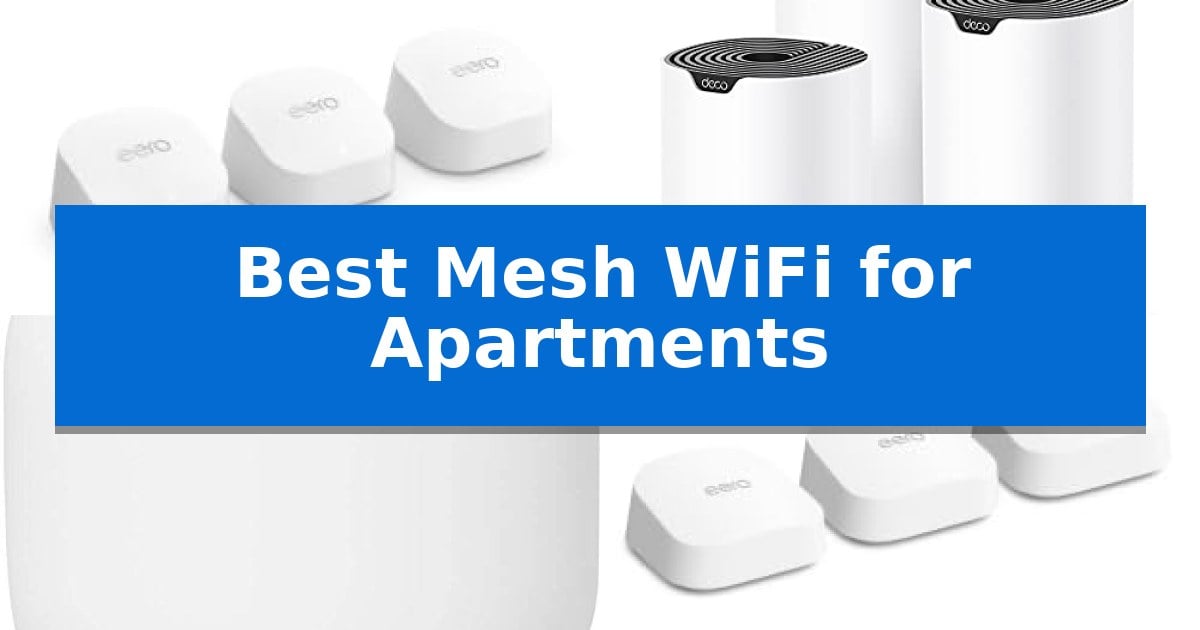
Living in an apartment often means dealing with thick walls, interference from neighboring networks, and limited space for bulky networking equipment. Finding the Best Mesh WiFi for Apartments requires balancing signal penetration with a compact footprint that fits seamlessly into your home layout.
A high-quality mesh system replaces traditional single-router setups by creating a unified network that blankets your entire living area. By choosing the right hardware, you can ensure stable streaming, gaming, and video conferencing without the frustration of dropped connections or inconsistent speeds.
You may also want to compare Best Mesh WiFi for 2Gb Internet, Best Mesh WiFi Extenders for AT&T Fiber, and Best Mesh WiFi Extenders.
Best Mesh WiFi for Apartments
Quick Comparison
| Product | Best For | Key Strength | Score |
|---|---|---|---|
| eero 6+ Mesh WiFi System | Best Overall | Built-in smart home hub for Thread and Zigbee devices | 4.9 |
| TP-Link Deco S4 Mesh WiFi System | Simple Setup for Beginners | Seamless roaming with a single network name throughout the apartment. | 4.4 |
| Google Nest Wifi Router | Reliable Whole-Home Coverage | Compact design that fits easily on shelves or small surfaces. | 4.7 |
| eero 7 Dual-Band Mesh WiFi Router | Future-Proof Performance | Supports internet plans up to 2.5 Gbps with dual 2.5 GbE ports. | 4.3 |
| eero 6 Mesh WiFi Router | Compact Smart Home Hub | Built-in Zigbee smart home hub reduces the need for extra hardware. | 4.3 |
How We Chose
- Coverage efficiency in multi-room layouts
- Compatibility with existing internet service plans
- Ease of setup via mobile applications
- Integration with smart home ecosystems
- Physical dimensions and aesthetic footprint
1 eero 6+ Mesh WiFi System — Gigabit Speeds for Less
Maintaining a stable network in a confined living space requires hardware that balances footprint with signal reliability. The eero 6+ Mesh WiFi System addresses this by utilizing a compact design that integrates a built-in smart home hub, allowing users to connect Thread and Zigbee devices directly without needing additional bridges.
This system is engineered for modern bandwidth demands, supporting Wi-Fi 6 connectivity and the 160 MHz radio channel to facilitate faster data throughput. By leveraging TrueMesh technology, the system intelligently routes traffic across the network to minimize dead spots and signal drop-offs, which is particularly beneficial in apartment layouts where walls or neighboring networks often interfere with performance.
Setup is managed through the eero app, which provides guided installation and remote network management. The system is designed to evolve, receiving automatic updates to maintain security. For those with high-speed internet, the hardware supports Gigabit speeds, ensuring that multiple devices can handle streaming, video calls, and smart home automation concurrently without significant bottlenecks.
The eero 6+ Mesh WiFi System offers a practical balance for users who prioritize ease of use and smart home integration. While it provides robust coverage for up to 4,500 sq. ft., its primary strength lies in its ability to streamline a connected environment within a smaller, dense living area.
Best for: Users living in apartments who need a reliable, easy-to-manage mesh network with integrated smart home hub capabilities.
Skip if: Users who require advanced, granular manual network configuration settings or professional-grade enterprise features.
PROS
- Built-in smart home hub for Thread and Zigbee devices
- TrueMesh technology to reduce dead spots
- Wi-Fi 6 support with 160 MHz channel for increased bandwidth
- Automatic updates for ongoing network security
CONS
- Subscription required for advanced online security and management features
2 TP-Link Deco S4 Mesh WiFi System — Simple Setup for Beginners
Managing connectivity in smaller living spaces often leads to frustrating dead zones caused by thick walls or interference. The TP-Link Deco S4 Mesh WiFi System addresses this by utilizing Deco Mesh technology, which creates a unified network across your apartment to ensure a consistent signal in every room.
This system provides AC1900 Dual-Band Wi-Fi 5 speeds, delivering up to 1300 Mbps on the 5 GHz band and 600 Mbps on the 2.4 GHz band. With the ability to support up to 100 devices, it is well-equipped to handle modern smart home setups, tablets, and streaming devices simultaneously without requiring multiple network names.
Installation is straightforward via the Deco app, which guides users through the setup process on Android or iOS. Each unit includes two Gigabit Ethernet ports, allowing for a wired backhaul connection if you prefer a more stable, hardwired link between nodes. The system also integrates with Alexa for convenient voice-controlled guest network management.
For families, the TP-Link Deco S4 Mesh WiFi System includes robust parental controls that allow you to set time limits and block specific websites for individual profiles. While it offers extensive coverage, users should note that a separate modem is required to connect to your ISP, and performance will ultimately depend on your apartment's layout and physical obstacles.
Best for: Apartment dwellers needing a simple, unified mesh network to eliminate dead zones and manage multiple connected devices.
Skip if: Users requiring the latest Wi-Fi 6 or 6E standards for multi-gigabit internet plans or those who prefer a system with a built-in modem.
PROS
- Seamless roaming with a single network name throughout the apartment.
- Gigabit Ethernet ports on each unit for flexible wired connections.
- Robust parental controls for managing online time and content.
- Easy setup via the dedicated mobile application.
CONS
- Requires a separate modem to function with most ISPs.
- Wi-Fi 5 standard may not fully utilize ultra-high-speed fiber plans compared to newer Wi-Fi 6 systems.
3 Google Nest Wifi Router — Reliable Whole-Home Coverage
Maintaining consistent connectivity in a smaller living space requires hardware that balances footprint with signal reach. The Google Nest Wifi Router addresses this by providing up to 2200 square feet of coverage from a single unit, making it a viable solution for those seeking to eliminate dead zones without deploying multiple bulky nodes.
Designed with a minimalist aesthetic, this router measures approximately 3.56 inches in height and 4.33 inches in width. Its compact form factor allows it to blend into apartment decor, such as on a bookshelf or side table, while its 1-pound weight ensures it remains stable on most surfaces.
The system is built to support reliable connectivity throughout the home. By centralizing the network, it simplifies the management of connected devices, which is particularly beneficial in environments where space is limited and cable management is a priority.
While this model is effective for broad coverage, users should consider their specific layout. The single-pack configuration is optimized for standard apartment floor plans, though users with complex wall materials or very large layouts may need to evaluate their specific signal needs against the rated 2200 square feet capacity.
Best for: Apartment dwellers needing a compact, single-unit solution to provide reliable coverage across a mid-sized living area.
Skip if: Users living in exceptionally large multi-story homes or those requiring advanced wired backhaul ports for multiple high-bandwidth devices.
PROS
- Compact design that fits easily on shelves or small surfaces.
- Provides up to 2200 square feet of coverage from a single unit.
- Minimalist aesthetic suitable for apartment living.
CONS
- Limited to a single-pack configuration in this specific offering.
- No additional Ethernet ports for multiple wired connections.
4 eero 7 Dual-Band Mesh WiFi Router — Future-Proof Performance
Maintaining a consistent, high-speed connection across every room in a multi-bedroom apartment requires a system that can intelligently manage traffic and eliminate signal dead zones. The eero 7 Dual-Band Mesh WiFi Router addresses this by utilizing TrueMesh software, which works alongside TrueRoam and TrueChannel technologies to proactively route your data through the most reliable path available.
Designed for modern high-bandwidth requirements, this system supports internet plans up to 2.5 Gbps. It features two auto-sensing 2.5 GbE ports, ensuring that your wired devices receive the full benefit of your service provider's speed. With a 3-pack configuration, the system provides coverage for up to 6,000 sq. ft., making it capable of blanketing larger apartment layouts with ease.
The eero 7 is built to handle the density of modern smart homes, supporting 120+ connected devices simultaneously. It incorporates Wi-Fi 7 features, including multi-link operation (MLO), to improve performance in crowded wireless environments. For those concerned with network integrity, the system is backward compatible with all previous eero generations and integrates with eero Built-in on select Amazon Echo devices.
Users looking for additional management can opt for an eero Plus subscription, which adds Advanced Security, Ad Blocking, Parental Controls, and integrated tools like Malwarebytes and a VPN powered by Guardian. Each unit is backed by a three-year warranty, providing long-term support for your home network setup.
Best for: Apartment dwellers who require high-speed, multi-device connectivity and expansive coverage for large floor plans.
Skip if: Users who do not have high-speed internet plans exceeding 1 Gbps or those who prefer a tri-band system for more complex network traffic separation.
PROS
- Supports internet plans up to 2.5 Gbps with dual 2.5 GbE ports.
- Covers up to 6,000 sq. ft. with a 3-pack system.
- Utilizes Wi-Fi 7 and multi-link operation for improved efficiency.
- Backed by an industry-leading three-year warranty.
CONS
- Advanced security and parental control features require an optional subscription.
- Dual-band architecture may offer less traffic management flexibility than tri-band alternatives.
5 eero 6 Mesh WiFi Router — Compact Smart Home Hub
Managing connectivity in a multi-room living space requires hardware that balances a compact footprint with reliable signal distribution. The eero 6 Mesh WiFi Router addresses this by integrating a built-in Zigbee smart home hub, allowing users to consolidate their network and smart home device management into a single, space-saving unit that avoids the clutter of additional external bridges.
Engineered for modern connectivity demands, this router supports Wi-Fi 6 standards, which facilitates faster data throughput and improved capacity for environments with many connected devices. It is rated to support 75+ connected devices simultaneously, making it a practical choice for households managing numerous smart accessories, tablets, and streaming hardware within a concentrated area.
The system utilizes TrueMesh technology to intelligently route traffic, a feature designed to minimize drop-offs and buffering in areas prone to signal interference. With a coverage range of up to 1,500 sq. ft., it provides a consistent wireless footprint for standard apartment layouts, ensuring that signal reaches across multiple rooms without requiring extensive cabling.
Setup is managed through the eero app, which provides guided installation steps. The hardware is designed to be cross-compatible with other eero products, allowing for system expansion if coverage needs increase. Additionally, the device receives automatic updates to maintain network security and performance over time, ensuring the router remains current with the latest software improvements.
Best for: Users living in apartments who want to combine high-speed Wi-Fi 6 connectivity with a built-in Zigbee smart home hub for simplified device management.
Skip if: Users who require advanced manual network configuration settings or those with extremely large homes exceeding the 1,500 sq. ft. range per unit.
PROS
- Built-in Zigbee smart home hub reduces the need for extra hardware.
- Wi-Fi 6 support enables faster speeds and higher device capacity.
- TrueMesh technology intelligently manages traffic to reduce dead spots.
- Cross-compatible design allows for easy system expansion.
CONS
- Limited to 1,500 sq. ft. of coverage per single unit.
- Requires app-based setup which may not suit users preferring traditional web-based interfaces.
Best Mesh WiFi for Apartments Buying Guide
Understanding Mesh Coverage
Mesh systems utilize multiple nodes to create a single, seamless network. Unlike traditional range extenders that often create separate networks, mesh technology allows your devices to roam between nodes without losing connection or requiring a manual switch.
For apartment dwellers, the number of nodes is critical. While a single powerful router might suffice for a studio, larger apartments with multiple rooms benefit from a multi-pack system that ensures signal strength remains high even behind solid walls.
The Importance of Wi-Fi Standards
Modern systems support various Wi-Fi standards, such as Wi-Fi 6 or Wi-Fi 7. These standards offer improved efficiency and capacity, allowing your network to handle more connected devices simultaneously without slowing down.
Checking your internet plan speed is essential when selecting a system. If you pay for gigabit speeds, ensure your mesh hardware is rated to support those throughput levels to avoid creating a bottleneck at the router level.
Smart Home Integration
Many mesh routers now include built-in hubs for smart home protocols like Zigbee or Thread. This feature is particularly useful in apartments where space is at a premium, as it reduces the need for additional bridge devices.
By consolidating your smart home management into your router, you simplify your setup and reduce cable clutter, making it easier to manage lighting, security, and climate control from a single interface.
Placement and Interference
Apartments are often crowded with wireless signals from neighbors, which can lead to channel congestion. Mesh systems with intelligent traffic routing, such as TrueMesh, help mitigate these issues by automatically finding the clearest path for your data.
Proper placement of your nodes is key. Avoid placing them inside cabinets or behind large metal objects, as these can significantly dampen the signal. Positioning nodes in open, elevated areas typically yields the best performance.
Scalability and Future-Proofing
One of the primary advantages of mesh networking is the ability to add more nodes if you move to a larger space. Most manufacturers offer cross-compatible hardware, allowing you to expand your network incrementally.
Consider the long-term support provided by the manufacturer, such as automatic security updates. Keeping your firmware current is the most effective way to protect your network from vulnerabilities while ensuring optimal performance over time.
Frequently Asked Questions
Do I need a modem with my mesh system?
Yes, most mesh systems act as routers and require a separate modem provided by your internet service provider to connect to the internet.
Can I use a mesh system in a small studio apartment?
Absolutely. Even in smaller spaces, a mesh system can provide better coverage and more stable performance than a standard ISP-provided router.
How many nodes do I need for a two-bedroom apartment?
A two-pack or three-pack system is typically sufficient for a two-bedroom apartment, ensuring that the signal reaches bedrooms and bathrooms without degradation.
Will a mesh system interfere with my neighbor's WiFi?
Mesh systems operate on standard frequencies and generally use automatic channel selection to avoid interference, functioning similarly to any other wireless router.
Is it difficult to set up a mesh network?
Most modern mesh systems are designed for simplicity, using dedicated mobile apps that provide step-by-step instructions to get your network running in minutes.
Conclusion: Our Top Pick
Selecting the eero 6+ Mesh WiFi System provides a balanced solution for most apartment dwellers, offering gigabit support and a compact design that fits easily into any room. Its ability to manage multiple devices and integrate smart home hubs makes it a versatile choice for modern connectivity needs.
While other options offer different coverage ranges or advanced standards, the eero 6+ stands out for its ease of use and reliable performance. Ensure your internet plan matches the system's capabilities to fully realize the benefits of a mesh network in your home.