
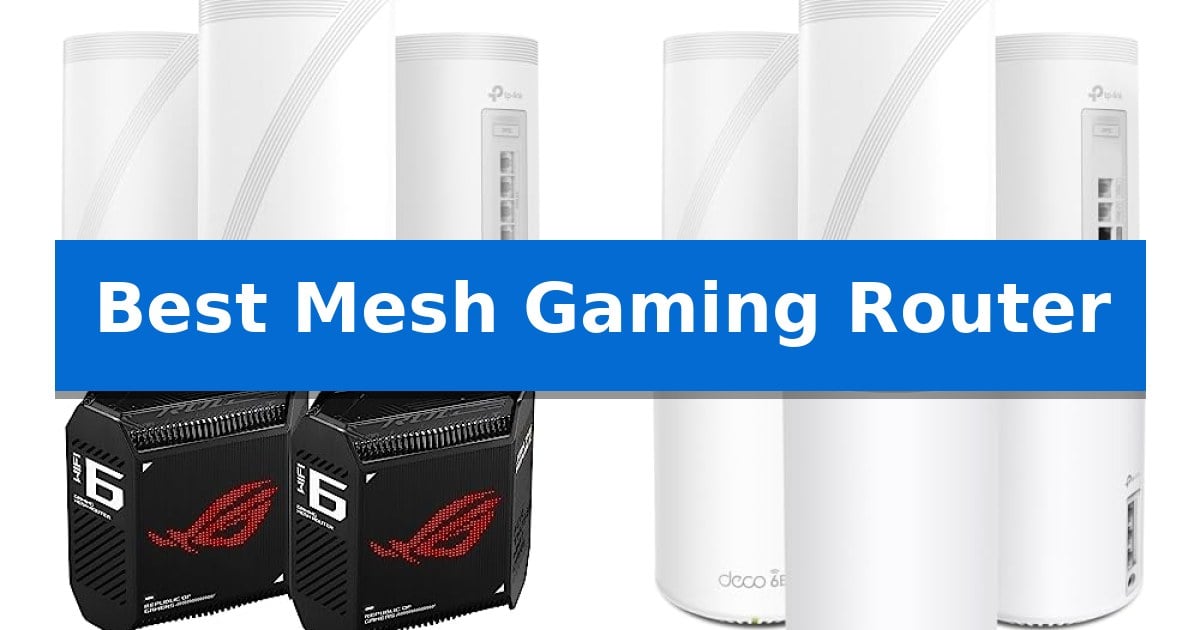
Gamers often struggle with inconsistent wireless performance, where a sudden spike in latency can ruin a competitive match. A Best Mesh Gaming Router setup addresses this by creating a unified, high-capacity network that blankets your entire home, ensuring that your console or PC maintains a stable connection regardless of where you are playing.
Selecting the right system requires balancing raw throughput with advanced features like dedicated backhaul channels and multi-gigabit ports. By moving away from traditional single-router setups, you can eliminate dead zones and prioritize gaming traffic, providing a more reliable foundation for your digital entertainment.
You may also want to compare Best Mesh Gaming Chairs, Best Mesh Back Gaming Chair, and Best Mercedes-Benz OBD2 Scanners.
Best Mesh Gaming Router
Quick Comparison
| Product | Best For | Key Strength | Score |
|---|---|---|---|
| TP-Link Deco BE63 Mesh System | Best Overall | Wi-Fi 7 and 10G port support for high-speed performance. | 4.9 |
| TP-Link Deco BE67 Mesh System | Ultra-Fast Multi-Gig Connectivity | Wi-Fi 7 technology with 14 Gbps tri-band throughput. | 4.9 |
| ASUS ROG Rapture GT6 Mesh System | Dedicated Gaming Backhaul | Dedicated high-performance backhaul for stable tri-band connectivity. | 4.3 |
| TP-Link Deco XE75 Mesh System | Efficient 6GHz Interference Reduction | Dedicated 6 GHz band reduces wireless interference. | 4.3 |
| TP-Link Deco X55 Mesh System | Reliable Whole-Home Coverage | Wi-Fi 6 AX3000 performance for high-speed, multi-device connectivity. | 4.6 |
How We Chose
- Wired and wireless backhaul capacity for data transmission between nodes.
- Availability of multi-gigabit WAN/LAN ports for high-speed internet plans.
- Support for modern wireless standards like WiFi 7 or WiFi 6E to reduce interference.
- Advanced traffic management and security features for protecting gaming sessions.
- Total coverage area and device capacity to ensure consistent performance under load.
1 TP-Link Deco BE63 Mesh System — Future-Ready WiFi 7 Performance
The TP-Link Deco BE63 Mesh System distinguishes itself with a robust 10G WAN/LAN port and Wi-Fi 7 technology, providing a high-capacity foundation for demanding home networks. Designed for both everyday users and performance-focused homeowners, this system leverages tri-band connectivity to deliver combined speeds of up to 10 Gbps, ensuring that high-bandwidth tasks like 8K streaming and AR/VR gaming remain stable across a large footprint.
Covering up to 7,600 sq.ft., the 3-pack mesh system is engineered to support over 200 devices simultaneously. The integration of AI-Roaming technology allows the network to adapt to your movement, creating a unified signal that maintains performance as you transition between rooms. This self-learning algorithm helps optimize speeds by balancing traffic dynamically across the mesh nodes.
Connectivity and security are central to the design, featuring four 2.5G WAN/LAN ports per unit for high-speed wired backhaul. The inclusion of TP-Link HomeShield offers integrated network protection, parental controls, and IoT security. Furthermore, the system supports VPN Client and Server functionality, allowing devices to access remote servers without requiring individual software installations.
Setup is managed through the Deco App, which facilitates quick configuration and ongoing firmware updates to ensure the network remains current. The system is backward compatible with all previous Wi-Fi generations, making it a versatile choice for those looking to upgrade their existing infrastructure while maintaining support for legacy devices.
Best for: Large homes requiring high-speed, multi-device connectivity and future-ready wired networking capabilities.
Skip if: Users who do not have a separate modem or those who do not require the advanced throughput of a Wi-Fi 7 tri-band system.
PROS
- Wi-Fi 7 and 10G port support for high-speed performance.
- Expansive 7,600 sq.ft. coverage with AI-Roaming.
- Supports over 200 devices simultaneously.
- Advanced VPN Client and Server capabilities.
CONS
- Requires a separate modem for internet connectivity.
- Backhaul performance is dependent on having at least two units.
2 TP-Link Deco BE67 Mesh System — Ultra-Fast Multi-Gig Connectivity
Maintaining a stable, high-speed connection across a large home is essential for competitive gaming and 8K streaming. The TP-Link Deco BE67 Mesh System addresses this by utilizing Wi-Fi 7 technology with 8-stream tri-band capabilities, delivering combined speeds of up to 14 Gbps. This system is engineered to handle high-bandwidth demands, ensuring that devices like the PS5 Pro or latest Wi-Fi 7-enabled laptops receive consistent data throughput.
The system provides extensive coverage of up to 8,100 sq. ft., supporting over 200 devices simultaneously. To manage this traffic, each unit is equipped with a 10 Gbps WAN/LAN port, allowing users to fully utilize multi-gigabit internet plans. The inclusion of Multi-Link Operation (MLO) and 320MHz channel width ensures that data streams remain robust, even when multiple users are active on the network.
Setup and management are streamlined through the Deco App, which provides step-by-step guidance for quick installation. The system features AI-Roaming technology, which intelligently switches connected devices to the optimal unit as you move throughout your home, maintaining a unified network name. Security is prioritized through the CISA Secure-by-Design pledge and integrated TP-Link HomeShield services, which include parental controls and quality of service management.
For users requiring advanced network configurations, the TP-Link Deco BE67 Mesh System supports VPN client and server functionality, allowing devices to access remote servers without individual software installations. While the system offers significant performance potential, it requires a separately purchased modem to function, making it a comprehensive choice for those looking to upgrade their existing home infrastructure to the latest wireless standards.
Best for: Large homes requiring multi-gigabit speeds and low-latency connectivity for high-bandwidth gaming and streaming.
Skip if: Users with smaller living spaces or those who do not have access to multi-gigabit internet plans may find the high-end capacity of this system unnecessary.
PROS
- Wi-Fi 7 technology with 14 Gbps tri-band throughput.
- 10 Gbps wired backhaul ports for maximum speed.
- AI-Roaming for seamless device transitions.
- Integrated VPN support for enhanced network flexibility.
CONS
- Requires a separate modem for internet connectivity.
- High-end feature set may exceed the needs of basic home networks.
3 ASUS ROG Rapture GT6 Mesh System — Dedicated Gaming Backhaul
Maintaining stable, high-speed connectivity across a large home requires more than a standard router, especially when managing multiple gaming sessions simultaneously. The ASUS ROG Rapture GT6 Mesh System addresses this with a tri-band WiFi 6 architecture that utilizes a dedicated high-performance backhaul to ensure data traffic remains fluid and responsive.
Engineered for demanding environments, this system leverages nine internal antennas and ASUS RangeBoost Plus technology to provide coverage spanning up to 5,800 square feet. The inclusion of 160 MHz channels enables theoretical speeds of up to 10,000 Mbps, while the 1.7GHz tri-core processor manages complex network traffic without significant overhead.
For users prioritizing wired stability, the unit features a 2.5 Gbps WAN port alongside LAN aggregation capabilities, offering a significant bandwidth advantage over standard gigabit connections. The Triple-Level Game Acceleration feature is designed to optimize traffic from the local device all the way to the game server, reducing potential bottlenecks in the data path.
Security and management are integrated directly into the hardware, featuring a free lifetime subscription to AiProtection by Trend Micro and ASUS Instant Guard. These tools provide persistent network monitoring and secure remote access, ensuring that the mesh network remains protected against external threats without requiring recurring subscription fees.
Best for: Gamers and power users requiring high-speed tri-band coverage and dedicated traffic optimization across large residential spaces.
Skip if: Users living in smaller apartments or those who do not require advanced gaming-specific traffic prioritization features may find more cost-effective, standard mesh systems sufficient.
PROS
- Dedicated high-performance backhaul for stable tri-band connectivity.
- 2.5 Gbps WAN port for ultra-fast wired internet integration.
- Triple-Level Game Acceleration to optimize traffic paths.
- Free lifetime AiProtection security subscription.
CONS
- Large physical footprint compared to standard mesh nodes.
4 TP-Link Deco XE75 Mesh System — Efficient 6GHz Interference Reduction
Managing a high-bandwidth home network requires hardware that can handle modern traffic demands without bottlenecking. The TP-Link Deco XE75 Mesh System addresses this by utilizing the 6 GHz band, which provides a dedicated lane for high-speed data transmission, effectively eliminating interference from legacy devices that often slow down standard networks.
This WiFi 6E Tri-Band system is engineered to cover up to 7,200 square feet, ensuring that signal strength remains consistent across large areas. By leveraging the 6 GHz band as a backhaul, the system maintains stable connections between nodes, which is essential for maintaining low-latency performance during intensive tasks like online gaming or streaming.
The system is built with AI-Driven Mesh technology, which proactively learns your network environment and client behavior to optimize traffic flow automatically. This ensures that devices receive the most efficient connection path without manual intervention, keeping your setup running smoothly as you move throughout your home.
Security and management are integrated directly into the user experience. The TP-Link HomeShield service provides essential network protection, including IoT device identification and parental controls. Setup is handled through the Deco app, which offers visual guidance to get your network operational in minutes, while compatibility with Alexa allows for convenient voice-controlled management of guest networks.
Best for: Large households requiring high-capacity, low-interference connectivity for multiple devices and gaming.
Skip if: Users who do not have WiFi 6E-compatible devices or those living in small apartments where a single high-performance router would suffice.
PROS
- Dedicated 6 GHz band reduces wireless interference.
- AI-driven optimization automatically manages network traffic.
- Extensive coverage of up to 7,200 square feet.
- Integrated security features via TP-Link HomeShield.
CONS
- Requires a separate modem for internet service provider connectivity.
- Physical footprint of the three-node system may be large for some spaces.
5 TP-Link Deco X55 Mesh System — Reliable Whole-Home Coverage
The TP-Link Deco X55 Mesh System utilizes Wi-Fi 6 AX3000 technology to provide a high-performance, whole-home network capable of covering up to 6,500 square feet. This system is designed to eliminate dead zones and buffering by creating a seamless mesh environment that intelligently learns your home's layout to optimize signal distribution.
Equipped with 3 Gigabit Ethernet ports per unit, this system supports Wired Ethernet Backhaul, which allows for more stable connections between nodes. It is built to handle high-density environments, supporting up to 150 connected devices simultaneously, making it suitable for households with numerous smart devices and high-bandwidth requirements.
Security is integrated through TP-Link HomeShield, which provides basic network security, Quality of Service (QoS) management, and parental controls. As a signatory of the CISA Secure-by-Design pledge, the hardware is engineered with advanced security as a core requirement to protect your network traffic.
Setup is managed through the dedicated Deco app, which offers visual guidance to simplify the installation process. The system is compatible with all major internet service providers, functioning as a replacement for traditional routers and range extenders to provide a unified, reliable network experience.
Best for: Large homes requiring seamless Wi-Fi 6 coverage for multiple devices and wired backhaul support.
Skip if: Users who require advanced, hardware-level gaming prioritization features or specific multi-gigabit WAN ports not supported by this standard Gigabit configuration.
PROS
- Wi-Fi 6 AX3000 performance for high-speed, multi-device connectivity.
- 6,500 sq. ft. coverage with seamless roaming across three units.
- Wired Ethernet Backhaul support via 3 Gigabit ports per node.
- TP-Link HomeShield included for integrated security and parental controls.
CONS
- Requires a separate modem for internet connectivity.
- Gigabit-only ports limit speeds for users with multi-gigabit internet plans.
Best Mesh Gaming Router Buying Guide
Understanding Wireless Standards
The transition to newer standards like WiFi 7 is a significant factor for gamers. These standards offer wider channels and improved efficiency, which directly translates to lower latency and higher throughput. When choosing a system, consider whether your devices support these newer bands to take full advantage of the hardware.
While WiFi 6E and WiFi 6 remain highly capable, the newer 6 GHz band is particularly useful for reducing interference in crowded environments. If you live in an apartment complex or a dense neighborhood, prioritizing a system with a dedicated 6 GHz band can provide a cleaner, more stable connection for your gaming hardware.
The Importance of Backhaul
The backhaul is the connection between your mesh nodes. A system that supports wired backhaul—where nodes are connected via Ethernet cables—will almost always outperform a wireless-only setup. This configuration frees up wireless bandwidth for your gaming devices, leading to a much more responsive experience.
If you cannot run cables throughout your home, look for systems that offer tri-band or quad-band connectivity. These systems reserve one entire band specifically for communication between the mesh units, preventing your gaming traffic from competing with the overhead of the mesh network itself.
Multi-Gigabit Connectivity
As internet service providers begin offering plans exceeding 1 Gbps, the physical ports on your router become a potential bottleneck. A Best Mesh Gaming Router should include at least one 2.5G or 10G port to ensure that your local network can actually utilize the full speed of your incoming connection.
Beyond the WAN port, having multiple multi-gigabit LAN ports allows you to hardwire your gaming PC or console directly into the mesh node. This provides the stability of a wired connection while still benefiting from the flexibility of a mesh system.
Traffic Prioritization and Security
Gaming requires consistent data flow, and many modern mesh systems include Quality of Service (QoS) features. These tools allow you to prioritize gaming traffic over other activities like streaming or large file downloads, ensuring your ping remains low even when other household members are active.
Security is equally vital, as gaming networks can be targets for various threats. Look for systems that offer robust parental controls and network security suites that can identify and block malicious traffic at the router level, keeping your gaming environment safe without needing to install software on every individual device.
Placement and Coverage
Even the most powerful mesh system will struggle if the nodes are placed incorrectly. For the best results, nodes should be positioned with a clear line of sight where possible and kept away from large metal objects or appliances that can cause signal degradation.
Most systems use AI-driven roaming to help your devices connect to the strongest node automatically. However, manual placement remains key; ensure that your nodes are spaced out enough to provide overlapping coverage without being so far apart that the signal between them drops significantly.
Frequently Asked Questions
Do I need a modem with these mesh systems?
Yes, almost all mesh systems are routers only and require a separate modem provided by your internet service provider to connect to the internet.
Can I mix and match different brands of mesh routers?
Generally, no. Mesh systems rely on proprietary protocols to communicate between nodes, so it is best to stick to a single brand and product line for your entire network.
Is wired backhaul better than wireless?
Yes, connecting your mesh nodes via Ethernet cable (wired backhaul) provides the most stable and fastest connection, as it removes the overhead of wireless communication between nodes.
How many nodes do I need for my home?
This depends on your square footage and the layout of your home. A 3-pack is usually sufficient for most medium-to-large homes, but you should check the manufacturer's coverage ratings for each specific model.
Do these routers support older devices?
Yes, all modern mesh systems are backward compatible with older WiFi standards, allowing your legacy devices to connect alongside your newer hardware.
Conclusion: Our Top Pick
For those seeking the most robust performance, the TP-Link Deco BE63 Mesh System stands out as the premier choice. Its integration of WiFi 7 technology and 10G port capabilities provides a future-ready foundation that handles high-bandwidth gaming and streaming with ease.
While other systems offer specific advantages like dedicated gaming backhaul or 6GHz interference reduction, the BE63 balances speed, coverage, and port flexibility in a way that suits most high-performance home networks. It is an excellent investment for users who want to ensure their network remains capable as internet speeds and device demands continue to evolve.