
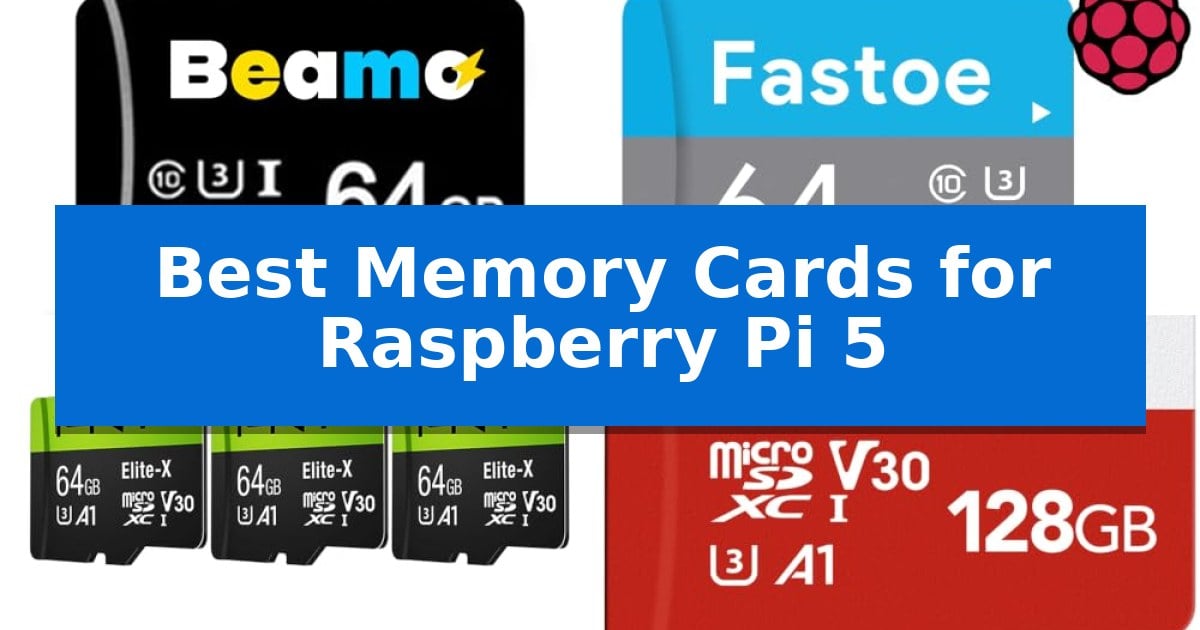
Setting up a new project on your single-board computer often begins with the critical task of choosing reliable storage. Finding the Best Memory Cards for Raspberry Pi 5 requires balancing OS compatibility, read/write speeds, and long-term stability to ensure your system boots reliably every time.
Whether you are looking for a plug-and-play solution that comes with the operating system already installed or a high-capacity card for data-intensive tasks, selecting the right media is essential. We have analyzed several options to help you understand which storage solutions best align with your specific hardware requirements and project goals.
You may also want to compare Best Memory Cards for Point and Shoot Cameras, Best Memory Cards for Photos and Videos, and Best Memory Cards for PC.
Best Memory Cards for Raspberry Pi 5
Quick Comparison
| Product | Best For | Key Strength | Score |
|---|---|---|---|
| Beamo MicroSD Card | Best Overall | Preloaded with Raspberry Pi OS for instant, out-of-the-box functionality. | 4.9 |
| Fastoe MicroSD Card | Official OS Ready to Boot | Preloaded with official Raspberry Pi OS for instant plug-and-play functionality. | 4.9 |
| PNY Elite-X MicroSD Card | Fast App Launch Performance | A1 App Performance for faster application loading. | 4.6 |
| Lexar E-Series MicroSD Card | Reliable High-Speed Storage | A1-rated performance for faster application loading. | 4.8 |
| Gigastone MicroSD Card | High-Capacity Multi-Pack Value | High-capacity 128GB storage per card | 4.4 |
How We Chose
- OS Integration: We assessed whether cards arrive preloaded with the official operating system to streamline the initial setup process.
- Performance Standards: We prioritized cards meeting U3 and Class 10 speed requirements to ensure smooth application loading and data handling.
- Compatibility: We verified that each card is designed to function with the microSD boot requirements of the Raspberry Pi 5 and previous models.
- Capacity and Value: We compared storage sizes and multi-pack offerings to identify options that provide sufficient space for various project workloads.
- Durability: We reviewed the environmental resistance specifications, such as temperature and shock proofing, to ensure data integrity.
1 Beamo MicroSD Card — Preloaded for Instant Setup
Getting a new Raspberry Pi project off the ground often involves the tedious process of imaging an SD card, but the Beamo MicroSD Card 64GB eliminates this step entirely. By arriving with Raspberry Pi OS preloaded, it allows users to simply insert the card and power on their device to begin the initial setup process immediately.
Designed specifically for compatibility with Raspberry Pi 5, 4, 400, and 3 models, this 64GB microSD card serves as a dedicated system drive. It adheres to the U3 / Class 10 speed class, ensuring it meets the standard performance requirements for running the operating system efficiently. The package includes an SD adapter, providing flexibility for users who need to interface with different hardware configurations.
Because this is a specialized system card, it is intended strictly for Raspberry Pi boards rather than general-purpose storage for cameras or mobile devices. Users should ensure their specific board supports microSD boot functionality. The card is shipped inside a protective case, which also serves as a convenient storage solution when the card is not in use.
This solution is ideal for those who want to bypass the need for external imaging tools or manual downloads. While the Beamo MicroSD Card simplifies the deployment of the operating system, users should verify that their specific project requirements align with the included OS version to ensure full compatibility.
Best for: Users who want an immediate, plug-and-play setup for their Raspberry Pi without the need to manually image an operating system.
Skip if: Users who require a high-capacity, general-purpose microSD card for photography, 4K video recording, or other non-Raspberry Pi applications.
PROS
- Preloaded with Raspberry Pi OS for instant, out-of-the-box functionality.
- Includes a convenient SD adapter for broader hardware compatibility.
- U3 / Class 10 speed class ensures reliable performance for system operations.
- Ships in a protective storage case to prevent damage.
CONS
- Not intended for general-purpose use in devices like cameras or smartphones.
- Compatibility is limited to specific Raspberry Pi models.
2 Fastoe MicroSD Card — Official OS Ready to Boot
Setting up a new Raspberry Pi 5 requires a reliable storage medium to ensure the operating system boots correctly and maintains stability. The Fastoe 64GB Raspberry Pi OS Preloaded (Raspbian) MicroSD Card removes the initial setup friction by arriving with the latest official version of the OS already deployed, allowing for a true plug-and-play experience.
Designed specifically for compatibility across the entire Raspberry Pi ecosystem, this 64GB microSD card is engineered to be 100% clean, free from viruses or spyware. By utilizing professional production tools, the manufacturer focuses on maintaining high quality and speed standards, which are essential for the consistent read and write operations required by the Raspberry Pi 5's architecture.
The card's compact form factor ensures it fits seamlessly into the microSD slot of the Raspberry Pi 5, 4B, 400, 3B, 3B+, and Zero 2 W models. With a 1-year manufacturer warranty included, it provides a straightforward, pre-configured solution for users who want to bypass the manual flashing process and begin their projects immediately.
While this card excels at convenience, users should consider their specific storage needs. The 64GB capacity is sufficient for the standard Raspberry Pi OS and various applications, though power users running multiple heavy containers or large media libraries may eventually require additional external storage solutions.
Best for: Users who want an immediate, pre-configured boot solution for their Raspberry Pi 5 without needing to manually flash an operating system.
Skip if: Users who prefer to customize their own OS image or require significantly higher storage capacity for extensive data-heavy projects.
PROS
- Preloaded with official Raspberry Pi OS for instant plug-and-play functionality.
- Broad compatibility across all Raspberry Pi models.
- 100% clean installation free from third-party bloatware or spyware.
- High-quality build designed for reliable operation.
CONS
- Fixed 64GB capacity may be limiting for advanced users with large data requirements.
3 PNY Elite-X MicroSD Card — Fast App Launch Performance
The PNY 64GB Elite-X Class 10 U3 V30 A1 microSDXC Flash Memory Card is engineered for demanding tasks, offering A1 App Performance that allows applications to run directly from the card. This capability delivers a minimum of 1500 IOPS for read operations and 500 IOPS for write operations, ensuring faster launch times for software and operating systems on devices like the Raspberry Pi 5.
Designed for high-speed data handling, this card meets Class 10, U3, and V30 speed class standards. It supports read speeds up to 100MB/s, which facilitates smooth performance during burst mode HD photography and 4K Ultra HD videography. These specifications make it a robust choice for users who require consistent data throughput for intensive computing or media tasks.
Durability is a core design focus, as the PNY Elite-X MicroSD Card is built to be shock proof, temperature proof, waterproof, and drop proof. It is also resistant to X-rays, vibration, humidity, and ESD, providing a high level of physical protection for stored data in various environments. The inclusion of an SD adapter further expands its utility, allowing for seamless integration with full-sized SD host devices.
With a Lifetime Limited warranty, this memory card provides long-term reliability for your hardware setup. Whether used for booting an operating system or storing extensive media libraries, the card's combination of high IOPS and comprehensive environmental protection makes it a practical component for any high-performance single-board computer project.
Best for: Users who require fast app loading and reliable performance for intensive tasks on a Raspberry Pi 5.
Skip if: Users who need massive storage capacities beyond 64GB for large-scale data archiving.
PROS
- A1 App Performance for faster application loading.
- Class 10, U3, and V30 speed ratings for high-speed data transfer.
- Extreme reliability with protection against water, shock, and temperature.
- Includes an SD adapter for broader device compatibility.
CONS
- 64GB capacity may be limiting for users with extensive media storage needs.
4 Lexar E-Series MicroSD Card — Reliable High-Speed Storage
Reliable storage is the foundation of a stable Raspberry Pi 5 setup, ensuring that your operating system and project files remain secure during intensive operations. The Lexar E-Series 128GB Micro SD Card is engineered to meet these demands by leveraging UHS-I technology, which supports transfer speeds up to 100MB/s. This high-speed interface allows for efficient data handling, whether you are booting the OS or managing large project assets.
Beyond raw speed, this card features A1-rated performance, a certification that specifically benefits users by enabling faster application loading times. For those utilizing their Raspberry Pi 5 for media-heavy tasks, the card is capable of 4K Ultra UHD video capture and playback. This makes it a practical choice for high-resolution camera modules or dedicated media server projects where consistent data throughput is required.
Durability is a critical consideration for projects that may be deployed in various environments. The Lexar E-Series 128GB Micro SD Card is built to be waterproof, temperature-proof, shockproof, and magnetic-proof, protecting your data against common environmental hazards. The inclusion of an SD adapter ensures broad compatibility with standard card readers for easier file transfers between your Pi and a desktop computer.
With a generous 128GB capacity, this card provides ample space for complex software environments and extensive media libraries. Lexar reinforces the longevity of this storage solution with a 10-year limited warranty, providing long-term peace of mind for your computing hardware. Note that actual available capacity may be slightly less than 128GB due to the space required for system file management and performance optimization.
Best for: Users requiring a balance of high-speed application loading and durable, high-capacity storage for Raspberry Pi 5 projects.
Skip if: Users who require specialized industrial-grade endurance cards for 24/7 write-heavy surveillance applications may need more specific high-endurance alternatives.
PROS
- A1-rated performance for faster application loading.
- UHS-I technology supporting up to 100MB/s transfer speeds.
- Ultra-durable design that is waterproof, shockproof, and temperature-proof.
- Includes a 10-year limited warranty for long-term peace of mind.
CONS
- Actual available capacity may be less than 128GB due to system file management.
5 Gigastone MicroSD Card — High-Capacity Multi-Pack Value
Selecting the right storage for your Raspberry Pi 5 requires balancing capacity with the specific file system requirements of the hardware. The Gigastone 128GB Micro SD Card 2-Pack provides a reliable solution for users needing multiple high-capacity cards for different projects or operating system images.
These cards feature A1 V30 performance ratings, supporting 4K Ultra HD video recording and playback with read/write speeds up to 95/40 MB/s. This throughput is sufficient for the data-intensive tasks often performed on a Raspberry Pi 5, such as media server hosting or high-resolution camera interfacing.
Durability is a core design focus, as the cards are waterproof, shockproof, temperature-proof, and X-Ray proof. This makes them suitable for deployments in varied environments, including remote sensor nodes or outdoor security setups. The inclusion of two SD adapters adds flexibility for transferring data between the Pi and a standard desktop or laptop.
Compatibility requires attention during setup: these cards are natively formatted to exFAT. While modern operating systems handle this natively, users should ensure their specific Raspberry Pi OS configuration is prepared for this format or reformat to FAT32 if legacy compatibility is required. Each purchase is backed by a 5-year limited warranty.
Best for: Users who need multiple high-capacity storage cards for various Raspberry Pi 5 projects or media-heavy applications.
Skip if: Users who require specific pre-formatted file systems like FAT32 without performing a manual reformat.
PROS
- High-capacity 128GB storage per card
- A1 V30 rating for 4K video performance
- Rugged design featuring waterproof and shockproof protection
- Two-pack bundle provides excellent value for multi-project setups
CONS
- Requires manual reformatting to FAT32 for certain legacy device compatibility
Best Memory Cards for Raspberry Pi 5 Buying Guide
Understanding Speed Classes
When selecting a card, you will encounter terms like Class 10, U3, and V30. These ratings indicate the minimum sustained write speed of the card, which is vital for the Raspberry Pi 5 to perform tasks without stuttering.
A U3 rating guarantees a minimum write speed of 30MB/s, which is generally sufficient for running the operating system and handling standard desktop applications or media playback.
The Importance of Preloaded OS
Some users prefer cards that come with the Raspberry Pi OS pre-installed. This removes the need for external imaging tools and manual flashing, allowing you to simply insert the card and begin the setup wizard immediately.
This is particularly helpful for beginners or those who want to minimize the time spent on initial configuration, though it is always wise to ensure the preloaded version is compatible with your specific board revision.
Capacity Requirements
While 64GB is often considered the sweet spot for a standard desktop environment or a media center, your specific project may require more or less space. Consider whether you are storing large datasets, high-definition video, or simply running a lightweight server.
Remember that a portion of the card's capacity is reserved for system files and management, so the usable space will always be slightly less than the advertised capacity.
Durability and Reliability
Because these cards often run continuously in a server or monitoring setup, features like waterproof, temperature-proof, and shockproof construction are not just marketing terms; they contribute to the longevity of your data.
Look for cards that offer a solid manufacturer warranty, as this provides a level of assurance that the hardware is built to withstand the rigors of constant read/write cycles.
A1 App Performance
The A1 rating signifies that the card is optimized for running applications directly from the storage. This is crucial for the Raspberry Pi 5, as it improves the responsiveness of the UI and the speed at which programs launch.
If you plan to use your board as a desktop replacement, prioritizing an A1-rated card will result in a noticeably smoother user experience compared to standard cards.
Frequently Asked Questions
Can I use any microSD card with my Raspberry Pi 5?
While most microSD cards will physically fit, you should prioritize cards with a Class 10 or U3 rating to ensure the system runs smoothly without performance bottlenecks.
What happens if my card is not preloaded with an OS?
If your card is blank, you can easily download the official Raspberry Pi Imager tool on your computer to flash the operating system onto the card yourself.
Is a 128GB card better than a 64GB card?
It depends on your needs. A 128GB card offers more room for media and large files, but a 64GB card is often more than enough for the operating system and standard software projects.
Do I need an SD adapter?
Most microSD cards come with an SD adapter, which is useful if you need to connect the card to a laptop or desktop computer to flash the OS or transfer files.
Why does my card have less space than advertised?
A small amount of storage is always used by the file system and the operating system for management, which is why the reported capacity in your OS will be lower than the total capacity on the package.
Conclusion: Our Top Pick
Selecting the right storage is a fundamental step in ensuring your projects run efficiently. For those who prioritize convenience and immediate functionality, the Beamo MicroSD Card stands out as an excellent choice due to its preloaded operating system and reliable U3 performance.
While other options offer higher capacities or multi-pack value, the ease of use provided by the Beamo MicroSD Card makes it a strong contender for getting your system up and running without the need for additional imaging software. Always ensure your specific board model is compatible with the card's preloaded OS version before finalizing your purchase.