
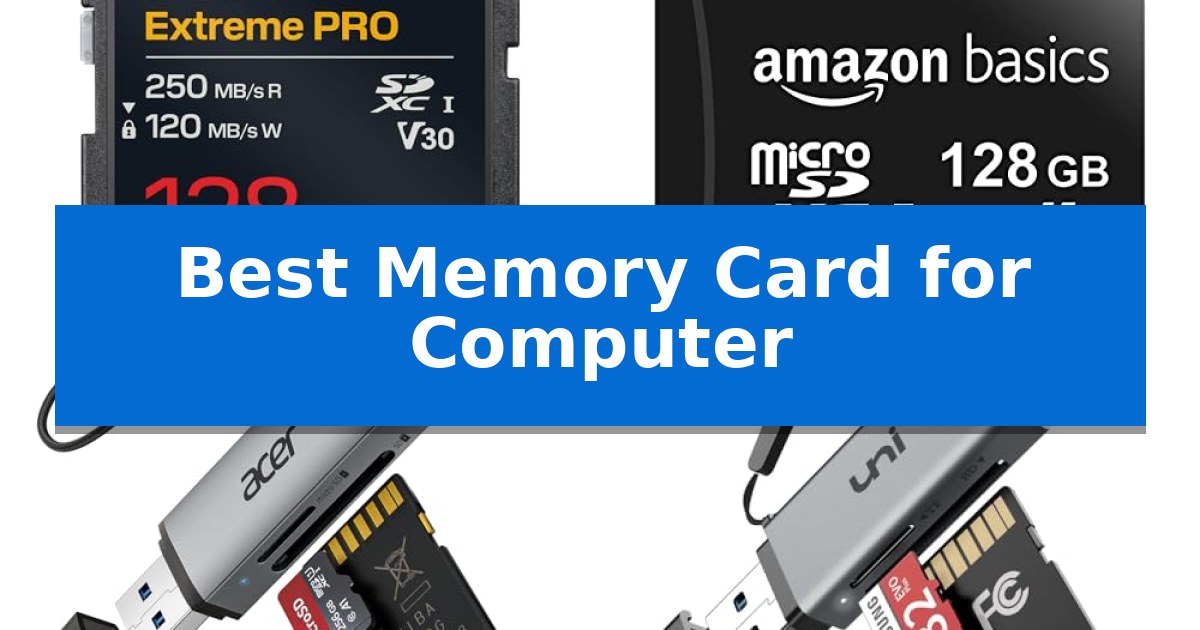
Finding the Best Memory Card for Computer setups requires balancing storage capacity with the specific read and write speeds needed for your workflow. Whether you are transferring high-resolution photography, editing 4K video, or simply expanding your laptop's internal storage, the right card ensures your data is handled efficiently without bottlenecks.
Beyond just the card itself, the interface you use to connect it to your machine plays a critical role in overall performance. We have evaluated a range of storage media and USB-C adapters to help you identify the most reliable solutions for your specific hardware, ensuring seamless compatibility and consistent data throughput for your daily digital tasks.
You may also want to compare Best Memory Card for Compact Digital Camera, Best Memory Card for CCTV, and Best Memory Card for Canon XC10.
Best Memory Card for Computer
Quick Comparison
| Product | Best For | Key Strength | Score |
|---|---|---|---|
| SanDisk Extreme PRO SD Card | Best Overall | V30 and U3 speed class ratings for reliable 4K video capture. | 4.9 |
| Amazon Basics microSDXC Card | Reliable Daily Storage | UHS-I U3 and A2 certified for fast app loading and high-bitrate video. | 4.5 |
| Acer USB-C SD Card Reader | Dual Slot Data Transfer | Simultaneous dual-card reading for microSD and SD slots. | 4.4 |
| uni USB-C SD Card Reader | Compact Multi-Device Connectivity | Dual-slot design allows for simultaneous data transfer from two cards. | 4.5 |
| SanDisk Ultra SDXC Card | Budget Friendly Expansion | 128GB capacity provides significant storage for photos and videos. | 4.9 |
How We Chose
- Read and write speed ratings to ensure efficient file transfers.
- Compatibility with standard SD and microSD form factors.
- Interface versatility, specifically focusing on USB-C and USB-A connectivity.
- Durability features such as shock and temperature resistance for mobile use.
- Form factor and portability for users working across multiple devices.
1 SanDisk Extreme PRO SD Card — Fastest for 4K Video
High-resolution workflows and 4K video production require reliable storage that can keep pace with intensive data demands. The SanDisk 128GB Extreme PRO SD UHS-I Card is engineered to support these tasks, offering a balance of capacity and speed for professionals who need to manage large files efficiently.
This memory card is built for performance, featuring U3 and V30 video speed class ratings that ensure consistent data throughput for 4K UHD and high-resolution still photography. With read speeds reaching up to 250MB/s, moving large projects from the card to a computer is streamlined, reducing downtime during post-production.
Beyond raw speed, the card is designed for durability in challenging environments. It is engineered to be resilient against extreme conditions, providing peace of mind when shooting on location. The inclusion of the SanDisk Memory Zone desktop app further simplifies content management, allowing for organized backups whether using an integrated SD slot or an external card reader.
For those managing extensive libraries, the card supports capacities up to 2TB, capable of holding thousands of minutes of 4K footage. This makes it a practical choice for long-form recording sessions where swapping media frequently is not an option.
Best for: Professional photographers and videographers requiring consistent write speeds for 4K video and rapid file transfers to a computer.
Skip if: Users who require UHS-II or faster interface speeds for high-bitrate cinema cameras may find the UHS-I interface limiting.
PROS
- V30 and U3 speed class ratings for reliable 4K video capture.
- High read speeds up to 250MB/s for efficient file transfers.
- Resilient design built to perform in extreme conditions.
- SanDisk Memory Zone app support for easier content organization.
CONS
- UHS-I interface may be a bottleneck for ultra-high-bitrate professional cinema workflows.
2 Amazon Basics microSDXC Card — Reliable Daily Storage
Managing high-resolution media and demanding applications requires reliable storage that can keep pace with your workflow. The Amazon Basics microSDXC Memory Card with Full Size Adapter offers a versatile solution for users needing consistent performance across varied devices, from high-bitrate video recording to portable gaming consoles.
Engineered for durability, this card is shock-resistant, IPX6 water-resistant, and capable of operating in extreme temperatures ranging from −10°C to +80°C. Its resilience extends to environmental hazards like X-rays and magnetic fields, making it a dependable choice for travel or outdoor use in dashcams and action cameras.
Performance is defined by its UHS-I U3 and A2 certification, which supports read speeds up to 100MB/s. This specification ensures the card meets Video Speed Class V30 requirements, enabling smooth 4K UHD playback and efficient handling of RAW files or burst-mode photography without frame drops. The A2 Application Class rating further benefits users by facilitating faster app loading and more responsive multitasking on Android devices.
The card includes a full-size adapter, allowing it to transition seamlessly from microSD slots in mobile devices to standard SD slots found in many computers and cameras. Whether you are transferring large media files or expanding storage for your Nintendo Switch, this card provides a stable, high-capacity foundation for your digital data.
Best for: Users needing a versatile, durable storage solution for 4K video recording, mobile app performance, and portable gaming consoles.
Skip if: Users requiring professional-grade sustained write speeds for high-end cinema cameras or those whose devices do not support the microSDXC standard.
PROS
- UHS-I U3 and A2 certified for fast app loading and high-bitrate video.
- Rugged design resistant to water, shock, X-rays, and extreme temperatures.
- Includes a full-size adapter for broad device compatibility.
- Optimized for 4K UHD video and burst-mode photography.
CONS
- Read speed capped at 100MB/s, which may be slower than specialized professional cards.
- OS formatting results in slightly less usable capacity than the labeled total.
3 Acer USB-C SD Card Reader — Dual Slot Data Transfer
Efficiently managing digital media across multiple devices requires a reliable bridge between your memory cards and your hardware. The Acer USB-C SD Card Reader simplifies this process with its dual-slot design, allowing for the simultaneous use of both microSD and SD cards. This adapter is built to handle high-speed data transfers, supporting up to 5Gbps to ensure that large photo and video files move quickly between your storage and your computer or mobile device.
Designed for versatility, the reader features a dual-header interface with both USB-C and USB-A connectors. This allows it to function seamlessly with a wide range of hardware, from modern laptops like the MacBook Air and Pro to smartphones such as the iPhone 15 and 16 series. The plug-and-play functionality means you can start transferring files immediately without the need for additional software or drivers, making it a straightforward solution for quick file management.
Portability is a key aspect of this device, which is crafted from heat-resistant aluminum to maintain durability during extended use. Its slim, lightweight profile is complemented by protective covers that shield the ports from dust and liquid when not in use. The inclusion of an attached cord helps keep the unit secure while you are traveling, ensuring it fits easily into a camera bag or laptop sleeve.
Compatibility extends across major operating systems including Windows, macOS, and Android, providing a consistent experience regardless of your primary platform. While it excels at handling standard SD and TF cards, it is important to note that the reader does not support specialized formats like CFexpress, XQD, or Memory Stick, and it is not compatible with Lightning-port devices.
Best for: Photographers and creators who need a portable, dual-slot solution to transfer files between SD/microSD cards and various USB-C or USB-A enabled devices.
Skip if: Users who require support for specialized memory card formats like CFexpress, XQD, or Memory Stick, or those using older devices with Lightning ports.
PROS
- Simultaneous dual-card reading for microSD and SD slots.
- Dual-header design featuring both USB-C and USB-A connectors.
- Plug-and-play operation with no driver installation required.
- Durable heat-resistant aluminum construction.
CONS
- Incompatible with Lightning-port devices.
- Does not support CFexpress, XQD, or Memory Stick formats.
4 uni USB-C SD Card Reader — Compact Multi-Device Connectivity
The uni USB-C SD Card Reader simplifies file management by providing a dual-slot interface that supports both SD and Micro SD cards simultaneously. Designed for modern workflows, this adapter features both USB 3.0 and USB-C connectors, allowing for high-speed data transfers up to 5 Gbps between cameras, drones, and computers.
Equipped with Plug and Play functionality, the device requires no additional drivers or power supplies, making it compatible with a wide range of operating systems including Windows and Mac OS. Its slim, portable profile is enhanced by protective covers at both ends to shield the ports from dust and liquid, while an integrated cord helps prevent loss during travel.
The reader excels in productivity by enabling simultaneous reading and writing across both card slots. This allows users to offload footage from security cameras, dash cams, or wildlife monitors directly to a laptop or Android device without the need for Wi-Fi or proprietary camera software.
Compatibility is a core strength, as the unit supports a vast array of devices including the iPhone 15 Pro series, modern MacBook models, and various Windows-based tablets and laptops. While it covers most common formats like SDXC, SDHC, and MMC, it is important to note that it does not support specialized media such as CFexpress, XQD, or SIM cards.
Best for: Users needing a portable, dual-slot adapter for transferring files between cameras, mobile devices, and computers via USB-C or USB 3.0.
Skip if: Users who require support for specialized professional media formats like CFexpress, XQD, or Memory Stick cards.
PROS
- Dual-slot design allows for simultaneous data transfer from two cards.
- High-speed 5 Gbps transfer rates via USB 3.0 and USB-C interfaces.
- Broad compatibility with modern smartphones, tablets, and computers.
- Plug and Play operation requires no drivers or external power.
CONS
- Limited media support as it does not read CFexpress, XQD, or SIM cards.
- Not compatible with devices using Lightning ports.
5 SanDisk Ultra SDXC Card — Budget Friendly Expansion
Expanding your storage capacity for digital media is a straightforward task when utilizing the SanDisk 128GB Ultra SDXC UHS-I Memory Card. This card provides a reliable solution for photographers and hobbyists looking to increase the space available on their compact or mid-range point-and-shoot cameras.
The card is engineered with proprietary technology that enables transfer speeds up to 140MB/s, allowing for efficient movement of files to your computer when used with compatible hardware. It carries a UHS Speed Class 1 (U1) and Class 10 rating, which ensures the necessary performance for capturing Full HD (1080p) video in real-time.
With a total capacity of 128GB, this card offers ample room for high-resolution images and video files. Its design is optimized for ease of use, and it is fully compatible with the SanDisk SD UHS-I card reader for streamlined data management between your camera and computer.
Built for durability and long-term use, the card includes a 10-year limited manufacturer warranty. Whether you are archiving family photos or recording extended video clips, this memory card provides a stable and high-capacity storage medium for your digital devices.
Best for: This memory card is best for users of compact to mid-range point-and-shoot cameras who need reliable, high-capacity storage for Full HD video and photography.
Skip if: Skip this card if you require professional-grade write speeds for 4K video recording or high-speed burst photography, as this model is optimized for standard Full HD and general-purpose use.
PROS
- 128GB capacity provides significant storage for photos and videos.
- Fast transfer speeds up to 140MB/s for quick file offloading.
- UHS Speed Class 1 (U1) and Class 10 rating ensures stable Full HD video recording.
- Includes a 10-year limited manufacturer warranty.
CONS
- Performance speeds are dependent on the host device's interface capabilities.
- Card reader for optimal transfer speeds is sold separately.
Best Memory Card for Computer Buying Guide
Understanding Speed Classes
Memory cards are categorized by speed classes, such as U3 and V30, which dictate their minimum sustained write performance. For users recording 4K UHD video or managing large RAW image files, selecting a card that meets these standards is essential to prevent frame drops or slow buffer clearing during high-speed bursts.
It is important to note that the maximum read and write speeds advertised are often peak performance figures. Always verify that your computer's SD card slot or external reader supports the same bus interface (like UHS-I) to avoid hardware-level limitations that could throttle your card's potential.
Interface and Connectivity
Modern computers are increasingly moving toward USB-C connectivity, which offers significant advantages in data transfer efficiency. When choosing a card reader, look for models that support USB 3.0 or higher to take full advantage of the card's rated speeds, as older USB 2.0 readers will significantly restrict performance.
Dual-slot readers provide a distinct advantage for professionals who frequently work with both microSD and full-size SD cards. These devices allow for simultaneous data management, which can drastically reduce the time spent waiting for file transfers between different camera systems and your computer.
Capacity Requirements
Storage capacity should be chosen based on your specific media habits rather than just buying the largest available size. For casual document storage or light photo work, 128GB is often sufficient, whereas professional video production may require larger capacities to avoid frequent card swaps during long shoots.
Remember that the usable capacity of a card is slightly less than the labeled capacity due to file system formatting and binary-to-decimal calculation differences. If you are planning to store large amounts of high-bitrate video, opting for a higher capacity tier provides a necessary buffer for your projects.
Durability and Reliability
If you frequently use your memory card in outdoor environments, look for ratings regarding shock resistance, water resistance, and extreme temperature tolerance. These features protect your data from accidental drops or exposure to harsh conditions during travel or field work.
Reliability is also tied to the manufacturer's warranty and the card's intended use case. Cards designed for daily storage may have different endurance ratings compared to those optimized for high-intensity, continuous recording, so ensure your choice aligns with how often you write and overwrite data.
Compatibility Checks
Before finalizing your purchase, always check your computer or device's maximum supported capacity. Some older hardware may not recognize newer, high-capacity cards, leading to potential read errors or the need for firmware updates.
Additionally, ensure that the physical adapter or reader you select is compatible with your computer's port configuration. While many modern readers are plug-and-play, some may require specific OS support or may not be compatible with legacy ports, so verifying your system's specifications is a vital step.
Frequently Asked Questions
What is the difference between SD and microSD cards?
The primary difference is physical size. MicroSD cards are smaller and often used in mobile devices, while full-size SD cards are standard for most cameras. Both can be used in computers with the appropriate adapter or card reader.
Do I need a high-speed card for simple document storage?
No, high-speed ratings like V30 or U3 are primarily for video recording and burst photography. For basic document storage, a standard Class 10 card is usually sufficient.
Can I use a USB-C card reader on a computer with only USB-A ports?
Many modern card readers feature dual-header designs or come with adapters that allow them to connect to both USB-C and USB-A ports, providing flexibility across different computer generations.
Why is the actual storage space less than the advertised capacity?
This is normal and occurs because of how operating systems format drives and the difference between decimal (manufacturer) and binary (computer) calculation methods.
Are all card readers compatible with every operating system?
Most modern USB card readers are plug-and-play and compatible with Windows, macOS, and Android without requiring additional drivers, but it is always best to check the manufacturer's compatibility list.
Conclusion: Our Top Pick
For most users seeking the Best Memory Card for Computer workflows, the SanDisk Extreme PRO SD Card stands out as the most reliable choice due to its high-speed performance and robust build quality. Its ability to handle 4K UHD video and high-resolution stills makes it a versatile option for both creative professionals and everyday users who need consistent data management.
While other options like the Amazon Basics microSDXC card offer excellent value for daily storage, the SanDisk Extreme PRO provides the necessary speed and durability to ensure your data remains safe and accessible. By pairing this card with a high-quality USB-C reader, you can create a streamlined, efficient storage setup that meets the demands of modern computing.