
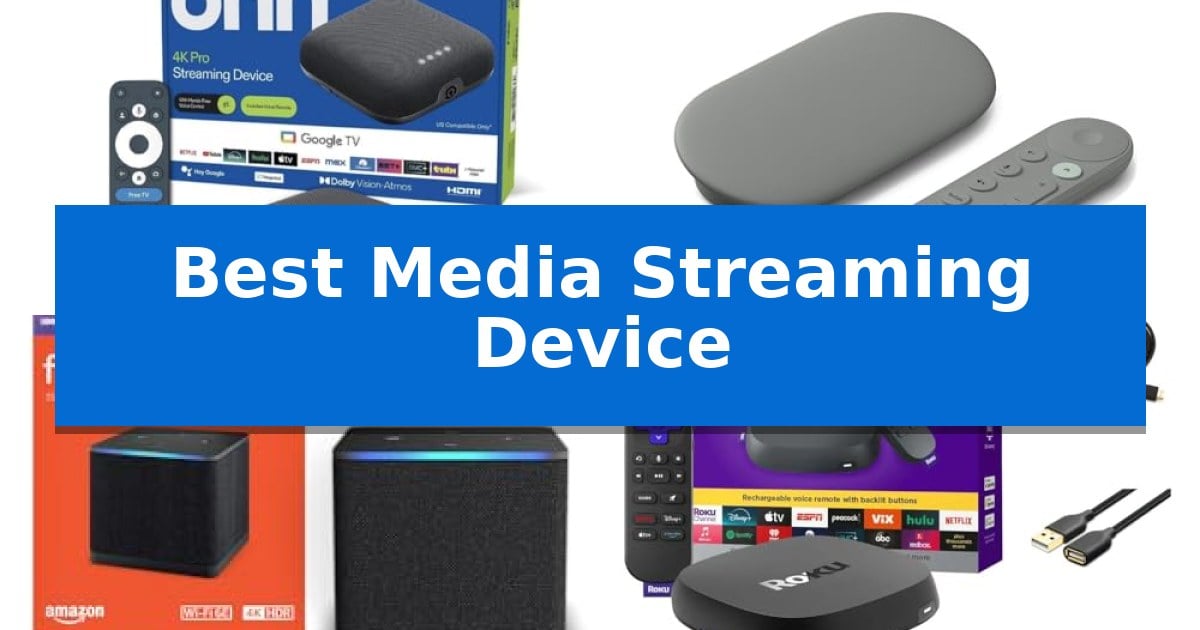
Finding the Best Media Streaming Device can significantly improve how you interact with your home entertainment system. Whether you are looking to consolidate your streaming services, upgrade to 4K resolution, or integrate your television into a broader smart home ecosystem, the right hardware makes a noticeable difference in navigation speed and visual quality.
Our analysis focuses on the technical capabilities and practical utility of current streaming solutions. By evaluating hardware specifications like RAM, storage capacity, and connectivity standards, we aim to clarify which device aligns with your specific viewing habits and existing home network setup.
You may also want to compare Best Media Streamers for Live TV, Best Media Streamer for Home Audio Systems, and Best Media Storage Hard Drives.
Best Media Streaming Device
Quick Comparison
| Product | Best For | Key Strength | Score |
|---|---|---|---|
| onn 4K Pro Streaming Device | Best Overall | 3GB of RAM for smooth multitasking and app performance. | 4.9 |
| Google TV Streamer 4K | Best for Smart Home Integration | 32 GB of internal storage for apps and content. | 4.5 |
| Amazon Fire TV Cube | Best Hands-Free Experience | Hands-free Alexa control for TVs and soundbars | 4.6 |
| Roku Ultra Streaming Player | Best Premium Roku Experience | 30% faster interface and app launch speeds compared to other Roku models. | 4.6 |
| onn 4K UHD Streaming Device | Best Value 4K Pick | 4K Ultra HD resolution support for enhanced visual clarity. | 4.3 |
How We Chose
- Visual and Audio Standards: Assessing support for 4K UHD, Dolby Vision, and Dolby Atmos to ensure cinematic fidelity.
- Hardware Performance: Comparing RAM and processor capabilities to gauge app loading speeds and multitasking efficiency.
- Connectivity Options: Evaluating Wi-Fi standards and the presence of physical Ethernet ports for stable network performance.
- Smart Home Integration: Analyzing voice control capabilities and ecosystem-specific features that allow for centralized device management.
- Storage Capacity: Reviewing internal storage limits to determine how many applications can be installed locally.
1 onn 4K Pro Streaming Device — Best for Advanced Performance
The onn 4K Pro Streaming Device serves as a high-performance entertainment hub, distinguished by its inclusion of 3GB of RAM. This memory capacity, representing a 50% increase over previous iterations, facilitates faster navigation through menus and more fluid multitasking when switching between demanding streaming applications. By prioritizing hardware resources, the device ensures that the interface remains responsive even during intensive media consumption.
Visual and auditory fidelity are central to the user experience, as the unit supports 4K Ultra HD resolution alongside Dolby Vision for enhanced contrast and color depth. Complementing the high-definition visuals, the device features Dolby Atmos support, which delivers multidimensional sound quality intended to replicate a theater-like environment. These standards allow users to leverage the full capabilities of modern high-end displays and sound systems.
Practical usability is addressed through thoughtful hardware design, such as a Find My Remote feature that includes a backlight for operation in low-light environments. With 32GB of internal storage, the device provides significant room for installing a wide library of applications and managing media content without the frequent need to delete files to free up space.
Connectivity options are robust, featuring WiFi 6 for high-speed, stable wireless streaming. For users who prefer a hardwired connection to minimize latency during high-bitrate streaming or gaming, an integrated Ethernet port is included. This dual-connectivity approach ensures that the device can maintain consistent performance regardless of the user's home network configuration.
Best for: Users seeking a high-performance streaming hub with expanded memory and flexible wired or wireless connectivity options.
Skip if: Users who do not require 32GB of storage or advanced Dolby audio/visual standards and prefer a more basic, lower-cost streaming stick.
PROS
- 3GB of RAM for smooth multitasking and app performance.
- 32GB of internal storage for extensive app libraries.
- WiFi 6 and Ethernet port for versatile, high-speed connectivity.
- Dolby Vision and Atmos support for premium A/V quality.
CONS
- Larger physical footprint compared to compact streaming sticks.
2 Google TV Streamer 4K — Best for Smart Home Integration
Modern home entertainment requires a central hub that organizes disparate services into a single, cohesive interface. The Google TV Streamer 4K simplifies this by aggregating content from your various subscriptions directly onto a personalized home screen, ensuring that movies, shows, and live TV are accessible without toggling between multiple apps.
Beyond its primary function as a media player, this device serves as a dedicated smart home control center. It supports 4K HDR with Dolby Vision for high-fidelity visual output, while users with compatible audio setups can utilize Dolby Atmos for immersive sound. The inclusion of 32 GB of storage provides ample space for apps and system responsiveness.
The integration of a voice search remote allows for hands-free navigation, enabling users to quickly find specific titles or manage their watchlist. By syncing with mobile apps and Google search, the system ensures that content you discover on other devices is ready to play the moment you sit down at your television.
While the device is designed for seamless operation, users should note that an HDMI 2.1 cable is required for optimal performance and is sold separately. Its compact footprint—measuring approximately 6.4 by 3 inches—allows it to fit discreetly into most entertainment setups, balancing high-end features with a minimalist aesthetic.
Best for: Users seeking a centralized media hub that doubles as a smart home controller with integrated voice search.
Skip if: Users who already own an HDMI 2.1 cable and prefer a device that includes all necessary connectivity hardware in the box.
PROS
- 32 GB of internal storage for apps and content.
- Integrated smart home control capabilities.
- Supports 4K HDR with Dolby Vision and Dolby Atmos.
- Personalized recommendations based on viewing habits.
CONS
- HDMI 2.1 cable not included in the package.
- Requires separate purchase of high-speed cabling for full performance.
3 Amazon Fire TV Cube — Best Hands-Free Experience
The Amazon Fire TV Cube distinguishes itself through its integrated hands-free voice control, utilizing built-in microphones and speakers to manage compatible TVs, soundbars, and receivers without requiring the remote. This device serves as a central hub for entertainment and smart home management, offering a streamlined interface that prioritizes quick access to apps and personalized content.
Engineered for high-performance streaming, the device features an octa-core processor designed to deliver rapid app startup times. It is the first streaming player to include Wi-Fi 6E support, which facilitates smoother connectivity in network-congested environments. The hardware supports 4K Ultra HD resolution, along with Dolby Vision, HDR, and Dolby Atmos audio to enhance cinematic playback.
Beyond media consumption, the unit acts as an extension of your smart home ecosystem. Users can initiate video calls, monitor live feeds from connected Ring cameras, or check local weather reports directly on the screen. The interface allows for seamless navigation between various inputs, enabling users to switch between streaming services, cable boxes, and gaming consoles with simple voice commands.
Privacy remains a core design consideration, as the device includes a dedicated button to electronically disconnect the internal microphones. This ensures that users maintain control over when the voice-activated features are active, providing a physical safeguard for home privacy.
Best for: Users who want a centralized, hands-free hub to control their entire home entertainment system and smart home devices via voice commands.
Skip if: Users who prefer a simple, compact streaming stick and do not require advanced smart home integration or voice-controlled input switching.
PROS
- Hands-free Alexa control for TVs and soundbars
- Wi-Fi 6E support for improved wireless stability
- Octa-core processor for fast app performance
- Privacy-focused design with a physical microphone disconnect button
CONS
- Larger physical footprint compared to standard streaming sticks
4 Roku Ultra Streaming Player — Best Premium Roku Experience
Navigating the complexities of modern home entertainment requires a device capable of handling high-bitrate content without hesitation. The Roku Ultra Streaming Player addresses this by offering a system that is 30% faster than previous iterations, ensuring that applications launch rapidly and the interface remains responsive during navigation.
Beyond raw speed, this device focuses on delivering a high-fidelity experience by supporting 4K resolution, HDR10+, and Dolby Vision for enhanced picture quality. To complement the visual output, it includes Dolby Atmos audio support, providing an immersive soundscape for compatible home theater setups.
Usability is centered around the Roku Voice Remote Pro, which distinguishes itself with backlit buttons for visibility in dim environments and a rechargeable battery. The remote also integrates hands-free voice controls, allowing users to issue commands by simply speaking to the device, effectively bypassing the need for manual input.
The Roku Ultra Streaming Player is built for modern connectivity, featuring Wi-Fi 6 for stable streaming performance. It includes a USB extension cord and HDMI cable in the box, providing the necessary hardware to integrate the player into an existing entertainment center immediately.
Best for: Users seeking a premium, high-speed streaming experience with advanced remote features like voice control and backlighting.
Skip if: Users who do not require 4K or Dolby Vision capabilities and prefer a more basic, lower-cost streaming solution.
PROS
- 30% faster interface and app launch speeds compared to other Roku models.
- Supports 4K, HDR10+, and Dolby Vision for high-quality video playback.
- Rechargeable Voice Remote Pro includes backlit buttons and hands-free voice control.
- Equipped with Wi-Fi 6 for improved wireless streaming stability.
CONS
- Requires a compatible 4K display and audio system to utilize all Dolby Vision and Atmos features.
5 onn 4K UHD Streaming Device — Best Value 4K Pick
The ONN Android TV 4K UHD Streaming Device simplifies home entertainment by integrating directly into your television's HDMI port, providing an immediate upgrade to 4K Ultra HD resolution. This compact device leverages the Android TV operating system to deliver a broad library of applications via the Google Play Store, ensuring access to diverse content options.
Navigation is streamlined through the included voice remote control, which features a dedicated Google Assistant button for hands-free content discovery and playback control. The device also supports Chromecast built-in, allowing for the seamless casting of movies, shows, and photos from compatible Android or iOS mobile devices directly to the television screen.
Installation is designed for efficiency, requiring only a connection to a Google account and a local Wi-Fi network to begin operation. The system is engineered to provide high-quality audio with enhanced dialogue clarity, contributing to a more balanced and complete sound mix for various media types.
Compatibility is a primary focus, as the unit is designed to function with a wide range of television brands, including Samsung, Sony, Vizio, Hisense, TCL, and others. By including the necessary high-speed HDMI cable, the device ensures a straightforward setup process that minimizes the need for additional hardware purchases.
Best for: Users seeking an affordable, easy-to-install 4K streaming solution that integrates seamlessly with the Android TV ecosystem and voice-activated controls.
Skip if: Users who require advanced gaming hardware, specialized high-end audio output ports, or a device that does not rely on the Google Android TV interface.
PROS
- 4K Ultra HD resolution support for enhanced visual clarity.
- Voice remote control with integrated Google Assistant for simplified navigation.
- Chromecast built-in for easy content sharing from mobile devices.
- Broad compatibility with major television brands including Sony, Samsung, and TCL.
CONS
- Limited to Android TV ecosystem functionality.
- Requires active Google account for initial setup and configuration.
Best Media Streaming Device Buying Guide
Resolution and High Dynamic Range
Modern streaming devices are primarily evaluated by their ability to output 4K Ultra HD content. Beyond basic resolution, support for HDR formats like Dolby Vision is essential for maintaining accurate color depth and contrast in supported media.
When selecting a device, ensure your television supports the same standards. A 4K-capable streamer will not improve the picture quality on a standard 1080p display, though it may still offer a faster interface.
Network Connectivity
Streaming high-bitrate 4K content requires a robust and stable internet connection. Devices featuring Wi-Fi 6 or Wi-Fi 6E provide better throughput and reduced interference compared to older wireless standards.
For users with high-traffic networks, a device with a dedicated Ethernet port is a significant advantage. This physical connection eliminates the variability of wireless signals, ensuring consistent playback without buffering.
Processing Power and Memory
The responsiveness of your streaming interface is directly tied to the device's RAM and processor. A device with higher RAM capacity, such as 3GB, allows for smoother navigation between apps and faster startup times.
Increased internal storage is also beneficial if you frequently install numerous streaming applications or games, preventing the need to uninstall services to make room for new ones.
Smart Home Ecosystems
Many streaming devices serve as hubs for smart home management. Devices integrated with Google Assistant or Alexa allow users to control lighting, security cameras, and other compatible hardware directly through the TV interface.
Consider which ecosystem you are already invested in. A device that communicates seamlessly with your existing smart speakers and mobile devices will provide a more cohesive user experience.
Remote Control Features
The remote is your primary interface with the streaming device. Features like backlit buttons are highly practical for low-light viewing environments, while remote finders prevent the frustration of losing the controller in couch cushions.
Voice search functionality has become standard, but the implementation varies. Look for devices that allow for natural language processing, which makes finding specific shows or managing settings significantly faster.
Frequently Asked Questions
Do I need a 4K TV to use a 4K streaming device?
No, you can use a 4K streaming device on a 1080p TV. The device will downscale the output to match your television's resolution, though you will not benefit from the increased pixel density.
Why is an Ethernet port important?
An Ethernet port provides a wired connection to your router, which is generally more stable and faster than a wireless connection, reducing the likelihood of buffering during high-quality 4K streams.
Can these devices control my other smart home products?
Yes, many modern streaming devices act as smart home controllers, allowing you to use voice commands to dim lights, view security camera feeds, or adjust thermostats directly from your TV.
How much storage do I really need?
If you only use a few major streaming apps, standard storage is sufficient. However, if you plan to download many apps, games, or offline content, look for devices with 32GB of storage.
What is the benefit of Wi-Fi 6?
Wi-Fi 6 offers improved efficiency and faster speeds in environments with many connected devices, helping to maintain a stable connection for your streaming device even when other gadgets are active.
Conclusion: Our Top Pick
Selecting the right streaming hardware depends on your specific needs for performance and smart home integration. For users prioritizing advanced specifications, the onn 4K Pro Streaming Device stands out due to its 3GB of RAM, Wi-Fi 6 connectivity, and the inclusion of an Ethernet port, which collectively ensure a high-performance experience.
While other options offer excellent smart home features or specific ecosystem benefits, the combination of processing power and physical connectivity makes this device a versatile choice for most home theater setups. Ensure your television supports the necessary HDMI standards to fully utilize its 4K and Dolby Vision capabilities.