
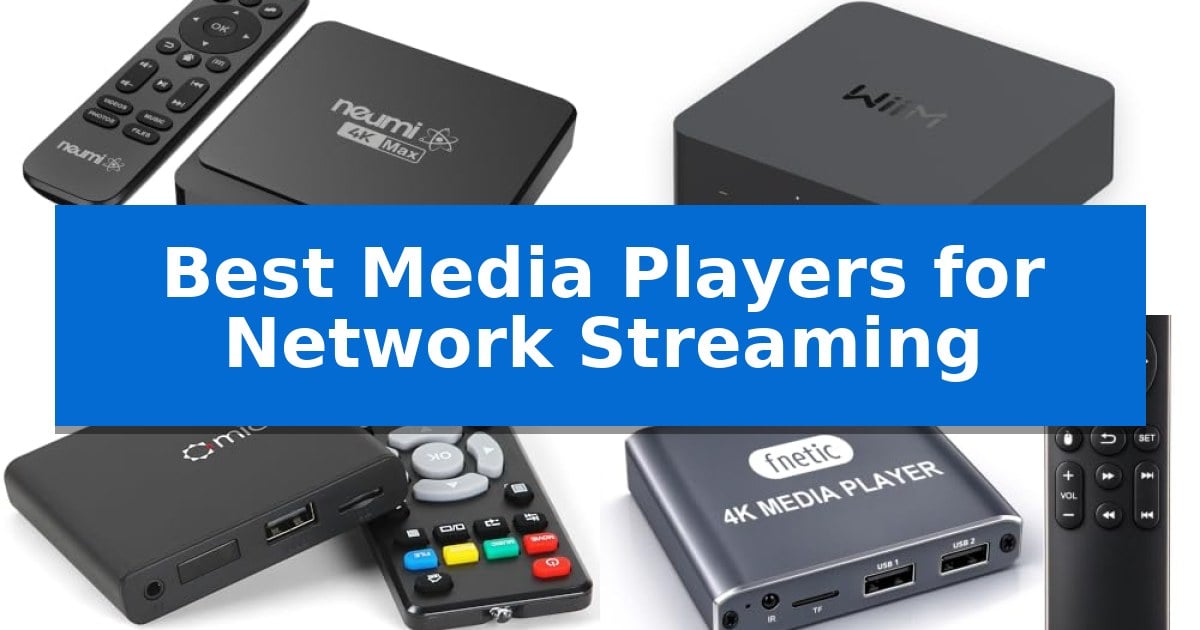
Finding the right hardware to bridge your local media library with your display can be a challenge. Whether you are managing a massive collection of movies on a NAS or looking to stream high-resolution audio, the Best Media Players for Network Streaming provide the necessary interface to handle diverse file formats and network protocols without the complexity of a full PC.
These dedicated players bypass the limitations of smart TV apps by offering broader codec support and reliable connectivity. By focusing on devices that excel at handling network-attached storage and local media playback, you can ensure your home entertainment system remains responsive, organized, and capable of delivering high-quality video and audio exactly when you need it.
You may also want to compare Best Media Players for Music and Movies, Best Media Players for MKV and MP4 Files, and Best Media Players for Laptops.
Best Media Players for Network Streaming
Quick Comparison
| Product | Best For | Key Strength | Score |
|---|---|---|---|
| NEUMI Atom 4K Max Media Player | Best Overall | Direct SMB network playback from NAS or PC shares. | 4.9 |
| WiiM Pro Music Streamer | Best for High-Res Audio Streaming | Supports high-resolution audio up to 24-bit/192 kHz. | 4.8 |
| Micca Speck 4K Media Player | Easiest for Digital Signage | Supports high-resolution 4K Ultra-HD video playback. | 4.6 |
| fnetic 4K Digital Media Player | Best for Continuous Loop Playback | Supports continuous loop and autoplay functionality for signage. | 4.7 |
| AGPTEK Mini Media Player | Compact Pick for Legacy TVs | Dual output support with both HDMI and composite AV for compatibility with modern and legacy displays. | 4.5 |
How We Chose
- Network Protocol Support: We prioritized devices that natively browse and play files from SMB shares or network-attached storage (NAS).
- Codec and Format Compatibility: Each player was assessed for its ability to decode common high-bitrate video and audio formats, including HEVC and FLAC.
- Connectivity Options: We examined the availability of wired Ethernet versus wireless options to ensure stable streaming performance.
- Output Versatility: We looked for devices offering HDMI, optical, and analog AV outputs to ensure compatibility with both modern 4K displays and legacy audio equipment.
- Operational Reliability: We considered features like auto-play, loop playback, and fanless designs for users requiring consistent, unattended performance.
1 NEUMI Atom 4K Max Media Player — Best for Network NAS Streaming
Managing a diverse digital library requires a reliable bridge between your storage and your display. The NEUMI Atom 4K Max Media Player simplifies this by offering direct network integration, allowing you to browse and play media files directly from Windows SMB shared folders on your NAS or PC without needing a complex server setup.
Designed for versatility, this player handles a wide range of formats including MKV, MP4, MOV, and AVI, while supporting high-bitrate 2160p 60Hz HEVC content via its USB or microSD slots. Its connectivity suite is comprehensive, featuring HDMI, optical, and analog AV outputs, ensuring compatibility with both modern 4K displays and older audio-visual equipment. The included learning remote adds convenience by allowing you to control your TV's volume directly.
For those needing a specialized solution, the device excels in unattended environments. It supports auto-play on power-up, continuous folder looping, and even screen rotation for portrait signage, making it a robust choice for digital displays. The fanless, silent design ensures it remains unobtrusive in any home theater or commercial setup.
While it provides extensive file support, users should note that the device is optimized for specific playback scenarios. Network streaming is best suited for 1080p content, while high-bitrate 4K files are intended for local playback via USB or microSD storage. With its compact footprint and included accessories, it is a ready-to-use solution for centralized media management.
Best for: Users who need a dedicated, fanless media player to stream files from a NAS or play high-bitrate 4K content directly from local storage.
Skip if: Users who require a smart TV interface with native streaming app support like Netflix or Disney+, as this device is strictly for local and network file playback.
PROS
- Direct SMB network playback from NAS or PC shares.
- Broad file format support including MKV, MP4, and FLAC.
- Unattended operation features like auto-play and folder looping.
- Versatile output options including HDMI, optical, and analog AV.
CONS
- Network streaming limit of 1080p for optimal performance.
- Requires external storage for high-bitrate 4K content.
2 WiiM Pro Music Streamer — Best for High-Res Audio Streaming
Transforming an existing stereo system into a high-fidelity streaming hub is the primary function of the WiiM Pro Music Streamer. This compact device integrates directly into your current audio setup, providing immediate access to modern streaming protocols like AirPlay 2, Spotify Connect, and TIDAL Connect without requiring a total system overhaul.
The device excels at high-resolution audio delivery, supporting gapless playback up to 24-bit/192 kHz via its digital optical or coaxial outputs. For users invested in high-quality audio, it offers MQA core decoding for TIDAL Master tracks, ensuring that digital files are processed with high fidelity before reaching your amplifier or DAC.
Beyond individual playback, the WiiM Pro Music Streamer facilitates seamless multiroom streaming. It allows you to group multiple devices—including those compatible with Google Cast, Alexa, or AirPlay 2—to synchronize audio playback across different rooms. Control is centralized through voice commands via Alexa, Google Voice, or Siri, or through the dedicated streaming apps.
Designed for versatility, the unit serves as a bridge for legacy equipment, enabling wireless streaming from iOS, Mac, and various Google Cast-enabled applications. Its ability to liberate mobile devices during playback ensures that your phone or tablet remains free for other tasks while music continues to stream directly to your speakers.
Best for: Audiophiles and home audio enthusiasts looking to add high-resolution wireless streaming capabilities to an existing wired stereo system.
Skip if: Users who require a built-in amplifier to drive passive speakers, as this device is a streamer only and requires an external amplifier or active speakers.
PROS
- Supports high-resolution audio up to 24-bit/192 kHz.
- Broad compatibility with AirPlay 2, Spotify Connect, and TIDAL Connect.
- Enables synchronized multiroom audio across diverse smart speaker ecosystems.
- Integrates with Alexa, Google, and Siri for hands-free voice control.
CONS
- Requires an external amplifier or powered speakers to produce sound.
- MQA support is limited to the core decoder for TIDAL.
3 Micca Speck 4K Media Player — Easiest for Digital Signage
The Micca Speck 4K Media Player simplifies content delivery by allowing you to play high-definition videos, music, and photo slideshows directly from a USB flash drive or microSD card. Its compact design and ability to handle resolutions up to 4096×2304 at 30fps make it a versatile tool for enhancing standard displays or setting up dedicated digital signage.
Designed for both modern and legacy hardware, the player features HDMI output for 4K and 1080p displays, alongside a composite AV output for older analog televisions or external audio systems. It supports a wide range of file formats, including H.265/HEVC, H.264/AVC, MKV, and MP4, ensuring broad compatibility with various media libraries.
For professional or commercial environments, the device offers automatic video playback with looping and resume functionality. Users can configure the output with 90, 180, or 270-degree rotation, which is useful for specialized display orientations. The unit supports USB drives up to 8TB and microSD cards up to 1TB, providing significant local storage capacity.
The player is compatible with wireless air mouse remotes, allowing for discreet installation behind monitors or inside cabinets. With its straightforward interface and support for multiple file systems like FAT32, exFAT, and NTFS, it serves as a reliable, dedicated solution for local media playback without requiring a network connection.
Best for: Users needing a dedicated, offline media playback solution for digital signage, menu boards, or simple local video looping on displays.
Skip if: Users who require integrated streaming apps, Wi-Fi connectivity, or smart platform features like Netflix or YouTube support.
PROS
- Supports high-resolution 4K Ultra-HD video playback.
- Includes digital signage features like auto-looping and screen rotation.
- Broad storage compatibility with USB drives up to 8TB and microSD cards up to 1TB.
- Versatile connectivity with both HDMI and analog AV outputs.
CONS
- Lacks network streaming or built-in Wi-Fi capabilities.
- Does not support third-party streaming applications or smart TV operating systems.
4 fnetic 4K Digital Media Player — Best for Continuous Loop Playback
Reliable, continuous playback is essential for digital signage, and the fnetic 4K Digital Media Player is engineered specifically for this purpose. It supports autoplay and loop playback modes, allowing it to run content indefinitely for restaurant displays, museum installations, or reception areas without requiring manual intervention.
This device offers versatile connectivity options, featuring an HDMI port for 4K video output, an analog RCA output for legacy display compatibility, and an optical audio port for high-fidelity digital surround sound. Its H.265/HEVC decoding capability ensures smooth playback of high-resolution video files up to 4096×2304, providing a clear visual experience for viewers.
Designed for simplicity, the fnetic 4K Digital Media Player operates as a plug-and-play solution that requires no network configuration or app installation. Users can manage media files directly from USB storage devices up to 8TB or Micro SD cards up to 1TB, supporting common file systems like FAT32, exFAT, and NTFS.
The unit is built for flexible installation, supporting both landscape and portrait display orientations to suit various signage setups. With its dual USB ports, it also accommodates external peripherals such as a mouse or keyboard, making it a practical choice for environments that demand a straightforward, consistent media playback solution.
Best for: Businesses and installations requiring reliable, automated, and continuous video loop playback for digital signage.
Skip if: Users who require advanced network streaming features, Wi-Fi connectivity, or integrated smart TV applications.
PROS
- Supports continuous loop and autoplay functionality for signage.
- Features 4K Ultra HD playback with H.265/HEVC decoding.
- Includes HDMI, RCA, and optical audio output options.
- Compatible with high-capacity USB drives up to 8TB.
CONS
- Lacks Wi-Fi connectivity and smart app support.
- Requires manual file management via USB or SD card.
5 AGPTEK Mini Media Player — Compact Pick for Legacy TVs
The AGPTEK Mini Media Player is a compact, palm-sized solution designed to bridge the gap between modern digital files and legacy display hardware. By offering both HDMI and composite AV outputs, it enables users to play high-definition content on older televisions that lack smart functionality or internet connectivity, making it a practical tool for offline media playback in offices, showrooms, or travel settings.
This device supports a wide array of video formats, including H.265/H.264, MKV, AVI, and MP4, with a maximum resolution of 1080p at 60Hz. Its versatility is further enhanced by its ability to read files directly from USB flash drives up to 512GB, SD cards up to 128GB, or hard drives up to 8TB formatted in MBR. The inclusion of a multi-functional remote control allows for easy navigation, including features like loop playback, shuffle, and resume functionality.
Built with an aluminum alloy chassis, the player is designed to be durable for transport, serving as a reliable partner for RVs or mobile presentations. It automatically recognizes the connected display type, simplifying the setup process for users who need to switch between digital and analog environments without complex configuration.
While it excels at local media playback, it is important to note that this is a dedicated offline player. It does not support internet-based streaming services, and users requiring advanced professional features like complex PowerPoint transitions are encouraged to look at specialized commercial alternatives. For those needing a straightforward, portable way to display local video, music, or photo archives, it provides a robust and space-saving interface.
Best for: Users who need to play local video files from USB or SD storage on non-smart TVs or older displays using HDMI or AV connections.
Skip if: Users who require internet-based streaming services, 4K resolution support, or advanced professional presentation features like native PowerPoint handling.
PROS
- Dual output support with both HDMI and composite AV for compatibility with modern and legacy displays.
- Broad file format support including H.265, MKV, and AVI for versatile media playback.
- High storage compatibility supporting external hard drives up to 8TB and USB drives up to 512GB.
- Compact, durable design featuring an aluminum alloy body ideal for travel or digital signage.
CONS
- No internet connectivity, limiting its use to local files only.
- Simultaneous output limitation, as video cannot be transmitted via HDMI and AV at the same time.
Best Media Players for Network Streaming Buying Guide
Understanding Network Streaming Protocols
The core advantage of a dedicated media player is its ability to communicate with your Network Attached Storage (NAS) or PC via protocols like SMB. Unlike standard streaming sticks that rely on cloud services, these players act as a direct gateway to your local files, ensuring you maintain full control over your library without relying on internet bandwidth.
When selecting a player, ensure it supports the specific file systems used by your storage drives. While most players handle FAT32 or NTFS, advanced users with large libraries should verify that the device can efficiently index and browse folders over a wired Ethernet connection to avoid the buffering often associated with high-bitrate 4K content.
Video and Audio Format Compatibility
Not all media players are created equal when it comes to file support. A robust player should handle common containers like MKV, MP4, and MOV while supporting modern video codecs such as H.265/HEVC. This ensures that even high-bitrate 4K files play smoothly without stuttering or compatibility errors.
For audio enthusiasts, look for devices that offer RAW surround passthrough or high-resolution audio support. Features like FLAC playback and optical audio outputs allow you to connect the player to a dedicated receiver or soundbar, bypassing the internal speakers of your television for a more immersive experience.
Connectivity and Output Options
The physical ports on your media player determine how well it integrates into your existing home theater. While HDMI is the standard for 4K video, having an optical audio port or analog AV output is essential if you are connecting to older stereo systems or legacy televisions that lack modern digital inputs.
Additionally, consider the number of USB ports available. Having multiple inputs allows you to keep a permanent drive connected for your primary library while leaving a second port open for temporary file transfers or firmware updates via a thumb drive.
Digital Signage and Unattended Playback
Many users require a media player that can run continuously without manual intervention. If you are using a player for a showroom, restaurant menu, or lobby display, look for auto-play and looping capabilities. These features allow the device to start playing specific folders immediately upon power-up.
Advanced signage features, such as 90 or 270-degree screen rotation, are also critical for portrait-mode displays. A fanless, silent design is another important factor for these applications, as it ensures the device remains reliable over long periods of continuous operation without the risk of mechanical failure.
Remote Control and User Interface
The user experience is heavily influenced by the included remote and the on-screen navigation. A learning remote is a significant benefit, as it allows you to consolidate control by programming your TV's volume and power functions directly into the media player's remote.
Some modern players also offer mobile app integration or casting features, which can turn your smartphone into a keyboard or remote. This is particularly useful for searching through large libraries or entering credentials, making the overall management of your media collection much more intuitive.
Frequently Asked Questions
Can these media players connect to my existing NAS?
Yes, many of these players are designed to browse and play files directly from Windows SMB shared folders on your network, making them ideal for NAS integration.
Do I need an internet connection to use these players?
Most of these devices are designed for local playback and do not require an active internet connection to play files from USB drives, microSD cards, or your local network.
Are these players suitable for 4K video?
Yes, several models in our list support 4K resolution at 60fps, provided you are using a compatible HDMI cable and display.
Can I use these for digital signage?
Many models feature auto-play, looping, and screen rotation, making them excellent choices for continuous, unattended playback in commercial or display environments.
What audio outputs are available?
Depending on the model, you can find HDMI, optical, and analog AV outputs, allowing for connections to modern receivers, soundbars, and legacy audio equipment.
Conclusion: Our Top Pick
When evaluating the best options for network-based media, the NEUMI Atom 4K Max Media Player stands out as the most versatile choice. Its ability to natively browse and play files from NAS shares over both Wi-Fi and Ethernet makes it a powerful tool for anyone looking to centralize their media library without the overhead of a dedicated computer.
While other players may offer specific advantages for high-res audio or simple digital signage, the NEUMI Atom 4K Max provides the best balance of format support, network connectivity, and ease of use. It is an excellent solution for users who need a reliable, fanless device that can handle high-bitrate 4K content while remaining simple enough for everyday home entertainment.