
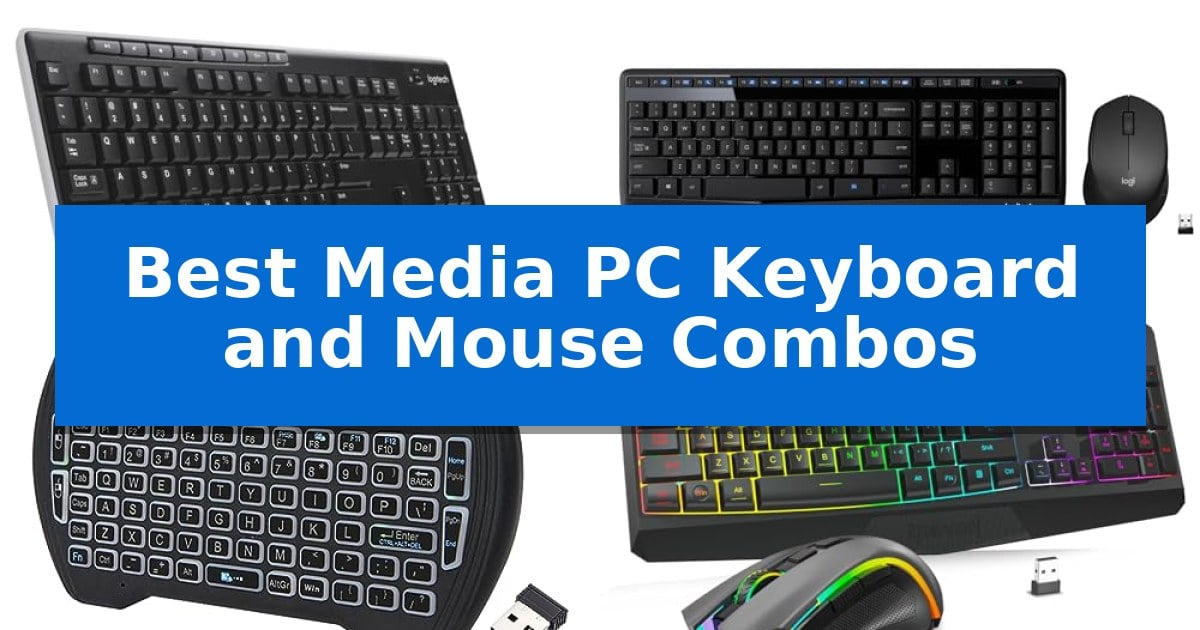
Navigating a media PC from your couch requires a specialized input device that balances comfort with reliable wireless performance. Standard desktop peripherals often lack the range or compact form factor needed for living room environments, where you need to manage volume, playback, and navigation without being tethered to a desk.
Our selection of the Best Media PC Keyboard and Mouse Combos focuses on devices that prioritize seamless connectivity and media-specific functionality. Whether you need a full-sized board for occasional typing or a handheld unit for quick menu navigation, these options help you maintain control of your home entertainment system with minimal clutter.
You may also want to compare Best Media PC Graphics Cards, Best Media PC Builds, and Best Media OS for Raspberry Pi 4.
Best Media PC Keyboard and Mouse Combos
Quick Comparison
| Product | Best For | Key Strength | Score |
|---|---|---|---|
| Logitech MK270 Wireless Keyboard and Mouse | Best Overall | 33 ft reliable wireless range via a single USB-A receiver | 4.9 |
| Logitech MK345 Wireless Keyboard and Mouse | Comfortable Integrated Palm Rest | Long battery life of up to 3 years for the keyboard and 18 months for the mouse. | 4.3 |
| EASYTONE Mini Wireless Keyboard and Mouse | Handheld Couch Navigation | Integrated multi-finger touchpad eliminates the need for a separate mouse. | 4.7 |
| Redragon S101M-KS Wireless Keyboard and Mouse | Versatile Tri-Mode Connectivity | Tri-mode connectivity allows for seamless switching between wired, Bluetooth, and 2.4G wireless. | 4.8 |
| TECKNET Wireless Keyboard and Mouse | Ultra-Slim Space Saver | Ultra-slim and lightweight design for easy portability. | 4.6 |
How We Chose
- Wireless range and signal stability in open-room environments.
- Presence of dedicated multimedia hotkeys or integrated trackpads.
- Ergonomics and physical footprint relative to couch or lap usage.
- Battery efficiency and power management features.
- Compatibility with common media PC operating systems and hardware.
1 Logitech MK270 Wireless Keyboard and Mouse — Reliable Wireless Media Control
Managing a home entertainment setup requires reliable control that works from the comfort of your couch. The Logitech MK270 Full Size Wireless Keyboard and Mouse Combo addresses this with a reliable 33 ft wireless connection via a single USB-A Nano receiver, ensuring you can navigate your media library without being tethered to the screen.
This combo is built for consistent use, featuring a spill-resistant design and durable keys that stand up to daily handling. The keyboard includes a full-size layout with a number pad, arrow keys, and 8 dedicated multimedia hotkeys that provide instant access to volume, play/pause, and internet navigation, making it a practical choice for controlling media playback.
Efficiency is a core design principle here, as the hardware is engineered for longevity. The keyboard offers an impressive 36-month battery life, while the mouse provides up to 12 months of usage. Both devices include physical on/off switches to help preserve power when not in use, reducing the frequency of battery replacements.
The included compact mouse is designed with an ambidextrous shape, making it suitable for both left- and right-handed users. It features smooth cursor control that functions on most surfaces, providing the flexibility needed when using a PC in a living room or office environment. The keyboard also features sturdy tilt legs for adjustable typing angles, enhancing comfort during extended sessions.
Best for: Users seeking a reliable, long-battery-life wireless keyboard and mouse solution for media control and general computing.
Skip if: Users who require a backlit keyboard for dark room environments or those who prefer a more ergonomic, scooped-key design with a built-in palm rest.
PROS
- 33 ft reliable wireless range via a single USB-A receiver
- Long battery life with 36 months for the keyboard and 12 months for the mouse
- 8 dedicated multimedia hotkeys for easy media and internet control
- Spill-resistant design with durable, quiet keys
CONS
- Lacks backlighting for use in low-light media environments
- Standard low-profile keys may not offer the same comfort as premium scooped-key models
2 Logitech MK345 Wireless Keyboard and Mouse — Comfortable Integrated Palm Rest
Managing a home entertainment setup requires reliable input tools that do not clutter your space or require constant attention. The Logitech MK345 Wireless Keyboard and Mouse simplifies this by utilizing a single USB-A Nano Receiver to manage both devices, providing a clean, cable-free environment for your media PC.
The keyboard features a full-size layout with an integrated palm rest, designed for comfortable typing during extended sessions. It includes dedicated media keys for quick control over volume and playback, which is particularly useful when navigating content from a distance. The design is also spill-resistant, adding a layer of durability against accidental mishaps.
Efficiency is a core strength of this combo, with the keyboard rated for up to 3 years of battery life and the mouse for up to 18 months. The included right-handed mouse is contoured for comfort and provides smooth, precise tracking on various surfaces, ensuring reliable navigation through menus and applications.
Compatibility is straightforward thanks to plug-and-play functionality across Windows, macOS, and ChromeOS. With a 2.4 GHz wireless connection offering a range of up to 10 meters, this combo maintains a consistent link for your media center, allowing you to control your system reliably from your couch or desk.
Best for: Users seeking a reliable, low-maintenance wireless input solution for a media PC or home office setup.
Skip if: Users who require a compact, tenkeyless keyboard or those who prefer Bluetooth connectivity over a USB-A receiver.
PROS
- Long battery life of up to 3 years for the keyboard and 18 months for the mouse.
- Integrated palm rest and full-size layout enhance typing comfort.
- Dedicated media keys provide convenient control for entertainment playback.
- Spill-resistant design protects against minor liquid accidents.
CONS
- USB-A Nano Receiver requires an open port and is not compatible with Bluetooth-only devices.
3 EASYTONE Mini Wireless Keyboard and Mouse — Handheld Couch Navigation
Navigating a media PC from the comfort of a couch requires a specialized input device that combines mouse and keyboard functionality into a single, compact form factor. The EASYTONE Backlit Mini Wireless Keyboard and Mouse offers this utility through an integrated multi-finger touchpad and a handheld design that minimizes space requirements in any living room setup.
This device connects via a USB receiver and provides a 10-meter working range, allowing for flexible control of Smart TVs, Android TV boxes, and HTPC systems. To ensure usability in low-light environments, the keyboard features 7-colors backlit keys. The unit is powered by a rechargeable Li-ion battery and includes an auto sleep and wake-up function to manage power consumption.
For enhanced navigation, the device includes 8 hotkeys designed to streamline common tasks like browsing and copying text. Its compact dimensions of 5.9 by 3.9 inches make it highly portable, while the inclusion of a charging port on the top left allows for straightforward maintenance. Compatibility extends across various platforms including Windows, Linux, MacOS, and Android, though users without a standard USB port will need an OTG cable.
While this combo provides a versatile solution for media management, it is important to note that it is designed primarily for casual navigation rather than intensive typing tasks. The 1-year warranty provides a baseline for support, and the plug-and-play setup ensures that the device is ready for use immediately upon connecting the receiver to a compatible host.
Best for: Users seeking a compact, all-in-one handheld controller for navigating media interfaces on Smart TVs, Android boxes, and HTPCs from a distance.
Skip if: Users who require a full-sized keyboard for extended typing sessions or those whose host devices lack a USB port and do not have an OTG adapter available.
PROS
- Integrated multi-finger touchpad eliminates the need for a separate mouse.
- 7-colors backlit keys improve visibility in dark home theater environments.
- Compact handheld design is optimized for couch-based navigation.
- Rechargeable Li-ion battery with auto sleep functionality.
CONS
- Requires OTG cable for devices without a standard USB port.
- Small form factor may be less comfortable for long-form typing.
4 Redragon S101M-KS Wireless Keyboard and Mouse — Versatile Tri-Mode Connectivity
The Redragon S101M-KS Wireless Keyboard and Mouse simplifies media center setups by eliminating cable clutter through its tri-mode connectivity, offering users the flexibility to switch between wired, Bluetooth, and 2.4G wireless modes. This versatility ensures a stable connection whether you are navigating a living room PC or managing a dedicated gaming station.
Designed for both utility and aesthetics, the keyboard features true RGB backlighting with eight distinct patterns and adjustable brightness. It is built for endurance, with a rechargeable battery that lasts up to 300 hours when the lighting is off, and includes a convenient battery indicator to prevent unexpected power loss during use.
The included gaming mouse provides precision control with five adjustable DPI levels reaching up to 4800 DPI, allowing for quick sensitivity shifts. Users can further customize their experience by remapping the seven buttons and adjusting the polling rate between 125Hz and 1000Hz via the dedicated software, making it a highly adaptable tool for various computing tasks.
Practicality is at the forefront of the keyboard design, which incorporates 10 independent multimedia keys and 12 combination keys for rapid media management. The unit also features a splash-resistant build and a WIN lock function, ensuring that the hardware remains functional and focused during intensive use or accidental spills.
Best for: Users seeking a versatile, multi-mode wireless input solution for media PCs or gaming setups that require both media control keys and customizable performance settings.
Skip if: Users who prefer a low-profile, silent typing experience or those who do not require gaming-centric features like high-DPI mouse sensors and RGB lighting.
PROS
- Tri-mode connectivity allows for seamless switching between wired, Bluetooth, and 2.4G wireless.
- 10 independent multimedia keys provide quick and efficient media management.
- Customizable performance via software, including remappable mouse buttons and adjustable DPI levels.
- Long-lasting battery life of up to 300 hours with RGB lighting turned off.
CONS
- Gaming-focused design may not suit minimalist or professional office environments.
- Software dependency is required to access advanced customization features like polling rate adjustments.
5 TECKNET Wireless Keyboard and Mouse — Ultra-Slim Space Saver
Maintaining a clean and organized workspace while managing media playback often requires a streamlined input solution. The TECKNET Wireless Keyboard and Mouse offers a compact, ultra-slim design specifically engineered to minimize desk clutter, making it a practical choice for professionals and students working in constrained environments or those who frequently travel.
This combo utilizes a stable 2.4GHz wireless connection via a single nano USB receiver, providing a reliable link up to 49 feet away. The keyboard features responsive scissor-switch keys designed to match fingertip contours, while both the keyboard and mouse are built for silent operation, reducing noise distractions during focused tasks. To enhance workflow, the keyboard includes 12 multimedia hotkeys for quick access to volume, playback, and web navigation.
Efficiency is further supported by an energy-saving sleep mode that activates during inactivity to conserve battery life. The system requires four AAA batteries in total and is compatible with a wide range of devices, including Windows systems and Android Smart TVs. With a 36-month warranty and a durable construction rated for millions of keystrokes, this set is built for long-term use in home offices or dorm rooms.
Users should note that this is a compact mini keyboard rather than a full-size model, which may impact comfort for those with larger hands. Additionally, the setup requires a device with an available USB-A port, as it does not support Bluetooth connectivity. Multimedia functions may also have limited compatibility with Mac OS environments.
Best for: Professionals and students seeking a space-saving, quiet input solution for compact workspaces or travel.
Skip if: Users who prefer a full-size keyboard layout, have larger hands, or require Bluetooth connectivity for their devices.
PROS
- Ultra-slim and lightweight design for easy portability.
- Silent keys and mouse clicks to minimize noise.
- 12 multimedia hotkeys for efficient media control.
- Stable 2.4GHz wireless connection with a single receiver.
CONS
- Compact mini size may be uncomfortable for some users.
- No Bluetooth support, requires a USB-A port.
- Multimedia keys have limited compatibility with Mac OS.
Best Media PC Keyboard and Mouse Combos Buying Guide
Connectivity and Wireless Range
The most critical factor for a media PC setup is the reliability of the wireless connection. Since your PC may be tucked away in a cabinet or behind a television, the 2.4GHz USB receiver is generally more stable than Bluetooth, as it avoids potential interference and pairing delays.
Ensure your chosen combo offers a rated range that comfortably covers your seating distance. A plug-and-play design is essential, as it allows you to move the receiver between devices without needing to reconfigure software or drivers.
Media-Specific Controls
Look for keyboards that feature dedicated multimedia hotkeys. These buttons provide instant access to volume adjustment, play/pause functionality, and web navigation, which are essential when you are not sitting directly at a monitor.
Some compact models include an integrated touchpad, which eliminates the need for a separate mouse. This is a significant space-saver for users who primarily use their media PC for streaming and browsing rather than intensive productivity tasks.
Form Factor and Ergonomics
The physical size of your keyboard dictates how you will use it. A full-size keyboard with a number pad is better if you occasionally use your media PC for work, but it can be cumbersome to store on a coffee table.
For a dedicated media experience, an ultra-slim or handheld design is often superior. These units are lightweight and designed to be held in one or two hands, making them much more comfortable for extended browsing sessions from a reclined position.
Battery Life and Power Management
Since you do not want to worry about charging your peripherals constantly, prioritize models with long-lasting battery life. Many wireless combos now feature power-saving modes that automatically enter sleep when inactive.
Check if the device uses standard AAA batteries or a rechargeable Li-ion battery. Rechargeable options are convenient if you have a nearby USB port, while replaceable batteries can offer months of usage without needing a cable.
Build Quality and Durability
Living room peripherals are prone to accidental spills and drops. A spill-resistant design is a valuable feature that protects the internal electronics from minor accidents involving drinks.
Consider the durability of the key switches and the overall chassis. A sturdy build ensures that the keyboard can withstand being moved around, stored in bags, or handled frequently by different family members.
Frequently Asked Questions
Do these keyboard and mouse combos work with Smart TVs?
Most of these combos are compatible with devices that support standard USB HID (Human Interface Device) profiles, including many Android TV boxes and Smart TVs with USB-A ports.
Can I use one receiver for both the keyboard and mouse?
Yes, all the models listed use a single nano USB receiver to connect both the keyboard and mouse, which helps reduce the number of occupied USB ports on your PC.
What is the advantage of a trackpad over a separate mouse?
An integrated trackpad allows you to control the cursor without needing a flat surface like a desk or mousepad, making it ideal for use while sitting on a couch or in bed.
Are these keyboards backlit?
Some models, particularly those designed for handheld use or gaming, include backlighting to improve visibility in dark rooms. Check individual product specifications to confirm.
Do I need to install software to use these?
Most of these devices are plug-and-play, meaning they function immediately upon plugging in the USB receiver without the need for additional software or driver installations.
Conclusion: Our Top Pick
For most users seeking a reliable and straightforward solution, the Logitech MK270 Wireless Keyboard and Mouse stands out as the most practical choice. Its combination of a full-size layout, spill-resistant design, and long battery life makes it highly dependable for a media PC setup that sees daily use.
While it lacks the ultra-compact footprint of handheld alternatives, the MK270 offers a familiar typing experience and a reliable wireless connection that minimizes drop-outs. It is an excellent balance of functionality and simplicity for those who want a set-it-and-forget-it input solution for their home entertainment system.