
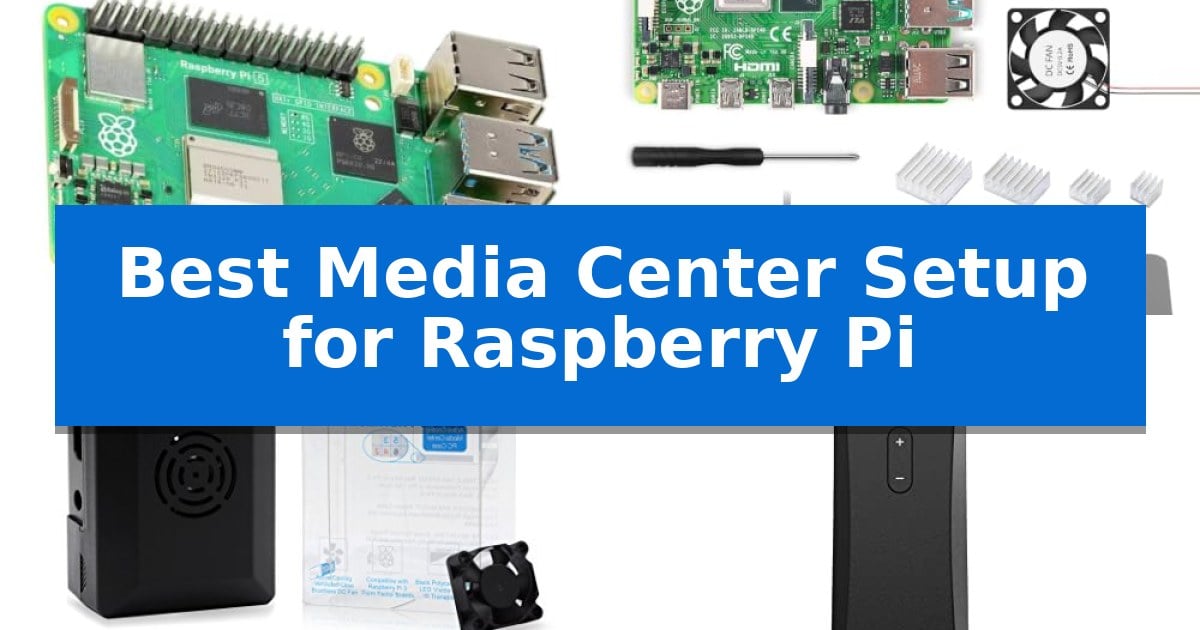
Building a custom home theater requires a reliable foundation that balances processing power with thermal management. Finding the Best Media Center Setup for Raspberry Pi involves selecting components that ensure smooth playback of high-resolution content while maintaining system stability during extended use.
Whether you are streaming local media or setting up a dedicated interface, the right combination of hardware determines your overall experience. This guide evaluates essential components, from high-performance boards to specialized cooling solutions and navigation tools, to help you assemble a functional and responsive media environment.
You may also want to compare Best Media Center PCs for Windows 10, Best Media Center PC Build, and Best Media Center OS for Raspberry Pi.
Best Media Center Setup for Raspberry Pi
Quick Comparison
| Product | Best For | Key Strength | Score |
|---|---|---|---|
| Raspberry Pi 5 Single Board Computer | Best Overall | 3x CPU performance increase over previous models for smoother interface navigation. | 4.9 |
| iRasptek Raspberry Pi 4 Starter Kit | Complete bundle for quick assembly | Comprehensive bundle includes all essential hardware for immediate assembly. | 4.3 |
| LoveRPi Active Cooling Media Case | Optimized for thermal-heavy playback | Dual-speed brushless DC fan for flexible cooling performance. | 4.5 |
| Argon Forty IR Remote | Seamless navigation for home theater | Seamless integration with Argon ONE V2, M.2, and EON cases via built-in IR receivers. | 4.9 |
| JUNEBOX Portable Touchscreen Monitor | Compact display for custom interfaces | Plug-and-play installation via HDMI with no drivers required. | 4.5 |
How We Chose
- Processing capability for high-resolution video decoding.
- Thermal management efficiency to prevent throttling during long playback sessions.
- Physical compatibility with standard home theater enclosures and mounting standards.
- Ease of integration for peripherals like remote controls and touch interfaces.
- Connectivity options for stable network and peripheral performance.
1 Raspberry Pi 5 Single Board Computer — Powerful core for high-res streaming
Building a high-performance media center requires a foundation capable of handling modern multimedia demands, and the Raspberry Pi 5 4GB provides a significant leap in processing power for this purpose. With its 2.4GHz quad-core Cortex-A76 processor, this single-board computer delivers a 3x increase in CPU performance over previous generations, ensuring fluid navigation and responsive media playback.
The device is equipped with a VideoCore VII GPU that supports OpenGL ES 3.1 and Vulkan 1.2, which are essential for rendering rich visuals and maintaining smooth graphics during high-resolution media consumption. Connectivity is equally robust, featuring dual-band 802.11ac Wi-Fi for stable streaming and Bluetooth 5.0 with Low Energy support to easily pair wireless peripherals like remotes or audio equipment.
For those looking to optimize their library access and boot times, the Raspberry Pi 5 4GB includes a dedicated M.2 SSD connector, allowing for faster data transfer compared to traditional storage methods. The inclusion of two USB 3.0 ports and two USB 2.0 ports enables simultaneous 5Gbps data transfer, providing ample bandwidth to connect external drives and other essential media center accessories without performance bottlenecks.
This compact board measures approximately 3.35 by 2.20 inches, making it an unobtrusive addition to any entertainment console. By leveraging its enhanced hardware, users can create a versatile, future-proof media hub that balances power efficiency with the capability to handle demanding multimedia tasks.
Best for: Users who require a compact, high-performance foundation for a custom media center with fast storage and reliable wireless connectivity.
Skip if: Users who prefer a pre-configured, plug-and-play media streaming device with a dedicated remote and pre-installed proprietary software.
PROS
- 3x CPU performance increase over previous models for smoother interface navigation.
- M.2 SSD connector support for significantly faster boot and data transfer speeds.
- VideoCore VII GPU provides hardware-accelerated support for modern graphics standards.
- Dual-band 802.11ac Wi-Fi ensures stable, high-speed network connectivity for streaming.
CONS
- Requires additional accessories like storage and power supplies to complete the setup.
- Compact form factor may require specialized cases for optimal thermal management.
2 iRasptek Raspberry Pi 4 Starter Kit — Complete bundle for quick assembly
Building a custom home theater experience requires a reliable foundation, and the iRasptek Raspberry Pi 4 Starter Kit provides a comprehensive bundle to get your system running immediately. This kit centers on the Raspberry Pi 4 Model B, which features a Broadcom BCM2711 1.5GHz Quad-Core 64-bit ARM Cortex A72 CPU, offering the processing power necessary for media playback and home automation tasks.
The included hardware is specifically chosen to support high-definition media, with the board capable of handling HEVC 4K streams at 60 fps and managing dual 4K displays. Connectivity is handled through dual-band 2.4GHz/5GHz Wi-Fi, Bluetooth 5.0, and a high-speed Gigabit Ethernet port, ensuring stable network streaming for your media library.
Thermal management is critical for consistent performance, and this kit includes a high-quality ABS protective case with a micro-gap design to facilitate airflow. The set also provides four heat sinks and a quiet bearing cooling fan capable of reaching 12,000 RPM, which helps maintain efficiency during intensive computing tasks.
Power stability is ensured by the included 5V/3A USB Type-C power supply, which features integrated noise filtering, over-current, short-circuit, and surge protection. This dedicated power solution is designed to prevent the voltage drops that can occur with generic adapters, providing a reliable power source for the Pi 4B.
Best for: Beginners and hobbyists looking for a complete, all-in-one hardware bundle to assemble a media center or home automation server.
Skip if: Users who require specific high-end storage media, HDMI cables, or specialized software pre-installed, as this is a barebones hardware kit.
PROS
- Comprehensive bundle includes all essential hardware for immediate assembly.
- Efficient thermal management system with a quiet fan and heat sinks.
- Stable power supply with integrated safety protections against surges and shorts.
- Versatile performance capable of 4K streaming and dual-display output.
CONS
- Barebones kit requires the user to provide their own operating system and storage media.
- Assembly required for the case and cooling components.
3 LoveRPi Active Cooling Media Case — Optimized for thermal-heavy playback
Maintaining stable operating temperatures during intensive media playback is the primary challenge for single-board computers, and the LoveRPi Active Cooling Media Center PC Case addresses this with a dedicated brushless DC fan. This case is engineered to provide both physical protection and thermal management for the Raspberry Pi 3 Model B+, Libre Computer Boards, and the ASUS Tinker Board.
The chassis features a matte black design with a glossy front cover, specifically styled to accommodate the IR sensors and LEDs found on compatible boards. Users can configure the cooling system for different environments by connecting the fan to 5V for maximum performance or 3.3V for quiet operation, depending on the thermal load of the media application.
Assembly is simplified through a screw-optional design that utilizes secure latches. The case includes practical accessibility features such as an extended MicroSD card slot for tool-less removal and a dedicated GPIO ribbon cable slot, ensuring that expansion options remain available without compromising the integrity of the enclosure.
Designed to support versatility, the internal space accommodates tall heatsinks up to 12mm, allowing for enhanced passive cooling alongside the active fan. This combination of structural durability and thermal flexibility makes it a focused solution for users building a dedicated media center setup.
Best for: Users building a high-performance media center who require active thermal management and easy access to GPIO and SD card slots.
Skip if: Users who prefer a completely passive, fanless cooling solution or those using a board model not explicitly listed as compatible.
PROS
- Dual-speed brushless DC fan for flexible cooling performance.
- Extended MicroSD slot allows for easy, tool-less card removal.
- Supports tall heatsinks up to 12mm for improved thermal headroom.
- GPIO ribbon cable slot maintains expansion capability while closed.
CONS
- Requires a separate IR receiver (diode and transistor) for Raspberry Pi 3 compatibility.
- Fan noise may be noticeable when running at the 5V maximum performance setting.
4 Argon Forty IR Remote — Seamless navigation for home theater
Transforming a Raspberry Pi into a dedicated home theater hub requires a reliable input method that avoids the clutter of a full keyboard. The Argon Forty IR Remote provides a streamlined solution, specifically engineered to integrate with select Argon enclosures to enable convenient navigation of media playback and system menus from across the room.
This remote is designed for seamless operation with the Argon ONE V2, Argon ONE M.2, and Argon EON cases. These compatible enclosures feature a built-in IR receiver, eliminating the need for external adapters or complex hardware configurations. Once the software setup is complete, users can navigate interfaces like Kodi or LibreELEC with an intuitive button layout.
Beyond basic media playback, the Argon Forty IR Remote supports system-level commands, including safe shutdown scripts to help prevent file corruption. For those interested in DIY automation, the buttons are programmable within Raspberry Pi OS, allowing for custom scripts or specialized project interfaces that go beyond standard media center functionality.
The device maintains a compact, lightweight profile, prioritizing ease of use for home theater setups. It operates on two AAA batteries, ensuring a straightforward power solution for users who prefer a dedicated, ergonomic controller over a traditional PC peripheral for their media center builds.
Best for: Users running media center software like Kodi or LibreELEC on a Raspberry Pi 4 housed in a compatible Argon case.
Skip if: Users who do not own an Argon ONE V2, M.2, or EON case, as the remote requires the built-in IR receiver found in those specific enclosures.
PROS
- Seamless integration with Argon ONE V2, M.2, and EON cases via built-in IR receivers.
- Supports safe shutdown functionality to protect system files.
- Programmable buttons allow for custom scripts and specialized project control.
- Ergonomic, compact design tailored for media center navigation.
CONS
- Requires specific Argon cases to function as intended.
- Batteries are not included in the package.
5 JUNEBOX Portable Touchscreen Monitor — Compact display for custom interfaces
Integrating a dedicated display into your project is a common hurdle when building the Best Media Center Setup for Raspberry Pi. The JUNEBOX Portable Touchscreen Monitor simplifies this by offering a direct, plug-and-play visual interface that eliminates the need for external peripherals.
This 8-inch display features a crisp 1280×800 resolution on an IPS glossy screen, providing a wide 178-degree viewing angle suitable for various mounting positions. Its five-point touch capability allows for intuitive navigation, enabling users to swipe, scroll, and select directly on the screen without requiring a mouse or keyboard.
Designed with versatility in mind, the unit includes a detachable backboard that supports multiple viewing angles. For more permanent installations, the back cover can be removed to reveal compatibility with standard 100/75/50 wall mounts, making it an adaptable choice for embedded projects or smart home control panels.
Setup is straightforward via the HDMI interface and USB power connection, requiring no additional driver installation. The monitor is compatible with a wide range of operating systems including Raspbian, Ubuntu, and Kodi, ensuring it integrates smoothly into most media center environments while offering an energy-saving switch to manage power consumption.
Best for: Enthusiasts building compact, interactive media centers or control panels who need a plug-and-play touchscreen interface.
Skip if: Users requiring touch functionality on iOS devices or those needing a display larger than 8 inches for primary viewing.
PROS
- Plug-and-play installation via HDMI with no drivers required.
- Five-point touch support for responsive navigation.
- Versatile mounting options including a detachable stand and standard wall mount compatibility.
- Wide compatibility with various Raspberry Pi models and Linux-based operating systems.
CONS
- Touch functionality is disabled when connected to iOS systems.
- Requires a USB connection specifically to enable the touch screen feature.
Best Media Center Setup for Raspberry Pi Buying Guide
Processing Power and Media Decoding
The core of your media center is the single-board computer. A processor with high clock speeds and efficient architecture is essential for decoding modern video codecs without stuttering. Look for boards that support hardware-accelerated playback to ensure smooth 4K output.
Beyond raw speed, the GPU integration plays a critical role in rendering interfaces and handling high-resolution graphics. A balanced CPU and GPU combination allows for a responsive navigation experience when browsing media libraries or streaming content.
Thermal Management and Enclosures
Media centers often run for extended periods, which can lead to heat buildup. Active cooling solutions, such as dedicated fans or heatsink-integrated cases, are vital for maintaining consistent performance and preventing thermal throttling.
Choosing an enclosure that provides adequate airflow while maintaining a clean aesthetic is important for living room integration. Some cases also offer specific cutouts for IR receivers or GPIO access, which can simplify the addition of custom hardware.
Connectivity and Storage Expansion
A stable network connection is non-negotiable for streaming high-definition media. Dual-band Wi-Fi and Gigabit Ethernet provide the necessary bandwidth to prevent buffering. Ensure your chosen board supports the latest wireless standards for reliable connectivity.
For those hosting large local media libraries, storage expansion is a key consideration. Look for boards that offer high-speed interfaces like M.2 SSD connectors or USB 3.0 ports to ensure fast data transfer rates and quick boot times for your operating system.
Navigation and Interface Control
Interacting with a media center from a distance requires reliable input methods. IR remotes are a classic choice for home theater setups, offering simple, dedicated buttons for playback control. Ensure your case supports the necessary IR receiver hardware.
For more interactive setups, small touchscreen monitors can provide a dedicated control interface. These displays allow you to manage your media library, adjust settings, and monitor system performance without needing to switch inputs on your main television.
Power Stability and Reliability
Consistent power delivery is often overlooked but is crucial for system stability. Using a power supply that meets the specific voltage and amperage requirements of your board prevents random reboots and potential file corruption during operation.
Quality power supplies often include safety features like noise filters and surge protection. Investing in a reliable power source ensures that your media center remains operational and protected against electrical fluctuations.
Frequently Asked Questions
Does the Raspberry Pi 5 support 4K streaming?
Yes, the Raspberry Pi 5 features improved processing capabilities and GPU support that allow it to handle high-resolution media playback more effectively than previous generations.
Do I need an active cooling fan for a media center?
While not strictly required for light use, active cooling is highly recommended for media centers to prevent thermal throttling during high-bitrate video playback.
Can I use a standard IR remote with any Raspberry Pi case?
Not all cases support IR receivers. You should choose a case specifically designed for media center use that includes an IR window or allows for the installation of an IR sensor.
Is an SSD necessary for a media center?
An SSD is not mandatory, but it significantly improves boot times and responsiveness when navigating large media libraries compared to a standard microSD card.
Are touchscreen monitors compatible with all Raspberry Pi models?
Most portable touchscreens use standard HDMI and USB interfaces, making them widely compatible with various Raspberry Pi models, though you should verify the specific power and resolution requirements.
Conclusion: Our Top Pick
For those seeking the most robust performance, the Raspberry Pi 5 Single Board Computer stands out as the best choice for a media center. Its upgraded CPU and GPU architecture, combined with support for faster storage options like M.2 SSDs, provide the necessary overhead for demanding media tasks and a highly responsive user interface.
While other components like specialized cases and remotes are important for the final build, the board itself remains the critical factor for long-term reliability. By pairing this powerful unit with adequate cooling and stable power, you can create a high-performance media center that meets your entertainment needs for years to come.