
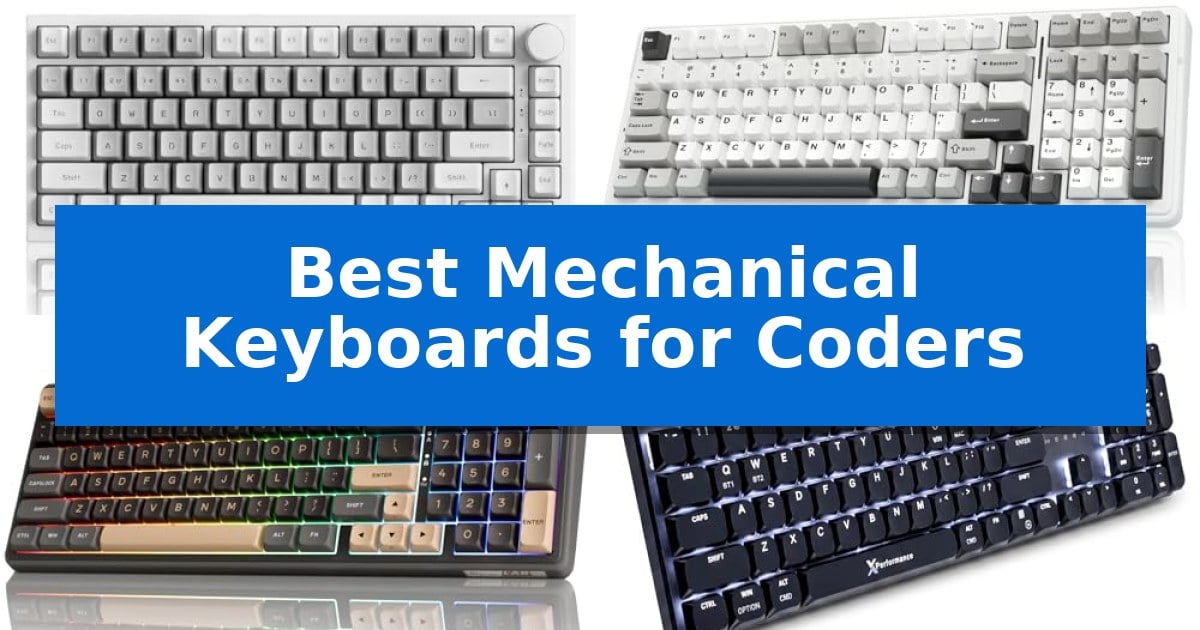
Long hours spent writing code require a tool that minimizes fatigue while maximizing precision. A high-quality mechanical keyboard can transform your development experience, offering tactile feedback that membrane alternatives simply cannot match.
Selecting the Best Mechanical Keyboards for Coders involves balancing layout preferences, switch characteristics, and connectivity needs. We have analyzed five distinct models to help you find a reliable partner for your next coding session.
You may also want to compare Best Mechanical Keyboards, Best Mechanical Keyboard Under $150, and Best Mechanical Keyboard Under $30.
Best Mechanical Keyboards for Coders
Quick Comparison
| Product | Best For | Key Strength | Score |
|---|---|---|---|
| Ajazz AK820 Mechanical Keyboard | Best Overall | Gasket mount design with 5-layer dampening for improved typing acoustics. | 4.9 |
| AULA F99 Mechanical Keyboard | High Capacity Battery for Wireless | Tri-mode connectivity supporting up to five devices. | 4.9 |
| RK ROYAL KLUDGE R98 Pro Mechanical Keyboard | Creamy Switches for Tactile Feel | Gasket mount design with sound-absorbing foam for a refined typing sound. | 4.4 |
| X9 Performance Slim Mechanical Keyboard | Low Profile for Ergonomic Comfort | Triple-mode connectivity allows for seamless switching between four distinct devices. | 4.4 |
| RisoPhy Mechanical Gaming Keyboard | Full Size Layout for Productivity | Tactile blue switches provide clear feedback and high accuracy. | 4.6 |
How We Chose
- Switch tactile feedback and actuation consistency for rapid input.
- Layout efficiency, focusing on compact designs that preserve essential keys.
- Connectivity options including wired, wireless, and multi-device support.
- Build quality and keycap durability for long-term daily usage.
- Ergonomic features such as profile height and adjustable tilt angles.
1 Ajazz AK820 Mechanical Keyboard — Gasket Mount for Quiet Typing
The Ajazz AK820 Mechanical Keyboard utilizes a gasket mount design paired with 5-layer dampening—including Poron, IXPE, and PET foam—to provide a cushioned, consistent typing feel that minimizes finger fatigue during long coding sessions. This architecture is complemented by a flex-cut PC plate, specifically engineered to deliver the distinct, soft "thock" sound profile often sought by keyboard enthusiasts.
Designed with a 75% compact layout, this board retains essential navigation keys, arrow keys, and the F-row while occupying only 12.4 inches of desk space. The inclusion of an anodized aluminum volume knob allows for quick media control, while the hot-swappable PCB ensures that users can replace 3/5-pin switches without soldering, providing a clear path for future customization.
The board comes equipped with HP-Style tactile switches, which feature a pronounced bump at the top of the press to provide immediate physical feedback. These pre-lubed switches are paired with dye-sublimated PBT keycaps, which are resistant to shine and grease, ensuring the surface remains textured and confident even after extended use.
Connectivity is handled via a USB-C interface, and the device supports both web-based and downloadable drivers that save configurations directly to onboard memory. This allows for consistent performance across both Windows and Mac environments, supported by a 20-mode white backlight for visibility in various lighting conditions.
Best for: Coders and writers seeking a compact, customizable mechanical keyboard with tactile feedback and premium acoustic dampening.
Skip if: Users who require a full-sized layout with a dedicated number pad or those who prefer wireless connectivity options.
PROS
- Gasket mount design with 5-layer dampening for improved typing acoustics.
- Hot-swappable PCB allows for easy switch customization without tools.
- 75% compact footprint saves desk space without sacrificing essential function keys.
- Dye-sublimated PBT keycaps resist wear and shine over time.
CONS
- Wired-only connection limits desk placement flexibility.
- No dedicated number pad may hinder data entry-heavy workflows.
2 AULA F99 Mechanical Keyboard — High Capacity Battery for Wireless
The AULA F99 Mechanical Keyboard prioritizes desktop efficiency and typing comfort through its 96% layout, which retains essential navigation keys and a number pad while minimizing the overall footprint. This compact design is supported by a gasket structure and PCB single key slotting, which work alongside an extended integrated silicone pad to provide a softer, more elastic typing feel compared to traditional rigid mounting systems.
Engineered for versatility, the keyboard features tri-mode connectivity, allowing users to toggle between BT5.0, 2.4GHz wireless, and USB-C wired modes. It supports connections to up to five devices simultaneously, facilitating seamless transitions between different workstations. The inclusion of an 8000mAh battery provides substantial power capacity for extended wireless use.
Customization is a core component of the AULA F99 Mechanical Keyboard, which features a hot-swappable PCB compatible with both 3-pin and 5-pin switches. This allows for switch replacement without soldering. The board arrives with pre-lubed linear switches and double-shot PBT keycaps, which are designed to resist fading and maintain character clarity over time.
To address acoustics and performance, the device incorporates five layers of filling silencer to mitigate cavity noise during key presses. Gamers and power users benefit from N-key rollover for simultaneous input registration and macro customization via the dedicated driver, which also controls the 16.8 million color RGB lighting and music-reactive effects.
Best for: Coders and professionals who require a compact, hot-swappable mechanical keyboard with multi-device wireless connectivity and a high-capacity battery.
Skip if: Users who require a full-sized 100% layout or those who prefer a specific tactile or clicky switch profile, as this model comes with pre-lubed linear switches.
PROS
- Tri-mode connectivity supporting up to five devices.
- Hot-swappable PCB for easy switch customization.
- Gasket structure with silicone padding for improved typing feel.
- 8000mAh battery for long-lasting wireless operation.
- Compact 96% layout saves desk space without sacrificing the number pad.
CONS
- Linear switches may not suit users who prefer tactile or clicky feedback.
- 96% layout requires adjustment for users accustomed to standard full-sized spacing.
3 RK ROYAL KLUDGE R98 Pro Mechanical Keyboard — Creamy Switches for Tactile Feel
The RK ROYAL KLUDGE R98 Pro Mechanical Keyboard centers its design around a gasket mount structure paired with five layers of sound-absorbing foam, specifically engineered to deliver a consistent, dampened typing experience. This 96% layout retains a dedicated number pad and arrow keys, providing a space-efficient footprint for developers who require full-size functionality without sacrificing desk real estate.
Performance is driven by pre-lubed linear cream switches, which are hot-swappable to support both 3-pin and 5-pin configurations. The inclusion of MDA profile PBT keycaps offers a sculpted surface that contours to the fingertips, intended to improve comfort during long coding sessions. The double-shot construction ensures that the key legends remain legible over extended periods of heavy use.
For workflow management, the keyboard features a detachable aluminum CNC volume knob and four dedicated indicator lights for status monitoring. Users can utilize the RK online driver to manage macro settings, remap keys, and configure the integrated RGB lighting, which supports over 20 dynamic modes. The device maintains broad compatibility across Windows and macOS environments.
While the keyboard offers a robust feature set, the wired-only connection means it lacks the portability of wireless alternatives. The 96% form factor is a compromise between full-size utility and compact design, which may require an adjustment period for those accustomed to traditional tenkeyless or full-size layouts.
Best for: Coders who prioritize a quiet, dampened typing feel and require a full number pad in a compact desk footprint.
Skip if: Users who require wireless connectivity or a standard full-size layout with dedicated macro keys.
PROS
- Gasket mount design with sound-absorbing foam for a refined typing sound.
- Hot-swappable PCB allows for easy switch customization without soldering.
- MDA profile PBT keycaps provide a durable and ergonomic typing surface.
- Dedicated volume knob and indicator lights for quick system control.
CONS
- Wired-only connection limits desk placement flexibility.
- 96% layout may require a learning curve for users transitioning from standard full-size keyboards.
4 X9 Performance Slim Mechanical Keyboard — Low Profile for Ergonomic Comfort
The X9 Performance Slim Mechanical Keyboard prioritizes a low-profile design to mimic the feel of a premium laptop keyboard while maintaining the tactile precision of mechanical switches. This full-size 107-key unit is engineered to support professional workflows, integrating a dedicated number pad, 15 shortcut keys, and a convenient volume knob for efficient media and data management.
Connectivity is a primary focus, offering users the ability to switch between four devices seamlessly. The keyboard supports Bluetooth (2 devices), 2.4GHz wireless, and wired USB-A/C connections, allowing for immediate transitions between a laptop, desktop, or other peripherals without the need for constant re-pairing or external adapters.
Durability and visibility are addressed through a solid aluminum top case that provides a stable typing surface by reducing flex. For low-light environments, the keyboard features white backlit keys with three adjustable brightness levels, ensuring that characters remain legible during extended work sessions.
Power management is handled by a 2000mAh rechargeable battery, which eliminates the need for disposable batteries and supports multiple days of wireless operation on a single charge. This design choice aims to provide a reliable, clutter-free workspace for users who require consistent performance throughout the work week.
Best for: Coders and office professionals who require a low-profile, multi-device mechanical keyboard with a full-size layout for data-heavy tasks.
Skip if: Users who prefer high-profile mechanical switches or a compact tenkeyless (TKL) layout for better portability.
PROS
- Triple-mode connectivity allows for seamless switching between four distinct devices.
- Low-profile red switches provide a quiet, linear typing experience suitable for office environments.
- Full-size layout includes a number pad, volume knob, and dedicated shortcut keys for enhanced productivity.
- Solid aluminum construction ensures a stable, wobble-free typing platform.
CONS
- Full-size footprint may occupy significant desk space compared to compact mechanical alternatives.
5 RisoPhy Mechanical Gaming Keyboard — Full Size Layout for Productivity
The RisoPhy Mechanical Gaming Keyboard centers its design around responsive blue switches, providing the tactile feedback and distinct click sound that many users prefer for high-accuracy typing tasks. This full-size 104-key layout is built to support extended coding sessions with a stair-up keycap design intended to promote a more natural hand position and reduce fatigue.
For those working in dim environments, the keyboard features rainbow backlighting with five adjustable brightness and speed levels. The double-injection ABS keycaps are engineered for durability, ensuring the legends remain clear over time. To maintain a clean workspace, the keycaps are removable, and the included keycap puller simplifies maintenance.
Practicality is integrated through hydrophobic drainage holes that allow liquid to pass through the chassis, helping to protect the internal components from accidental spills. The unit includes 100% anti-ghosting technology, ensuring every keystroke is registered accurately, and 12 multimedia shortcuts for quick access to system controls.
Stability and ergonomics are addressed with four rubber pads on the underside to prevent sliding and two foldable rear kickstands that allow for an adjustable typing angle. Compatible with a wide range of operating systems including Windows and Mac, this wired keyboard connects via USB for consistent performance.
Best for: Coders who prioritize tactile, clicky feedback and a full-size layout with integrated number pad for data-heavy tasks.
Skip if: Users who require a silent typing experience or those who prefer a compact, tenkeyless, or wireless form factor for their desk setup.
PROS
- Tactile blue switches provide clear feedback and high accuracy.
- Hydrophobic drainage holes offer protection against accidental spills.
- Full-size layout includes a dedicated number pad for increased productivity.
- Adjustable ergonomics with foldable kickstands and non-slip rubber padding.
CONS
- Wired-only connection limits desk placement flexibility.
- Clicky switch profile may be too loud for shared office environments.
Best Mechanical Keyboards for Coders Buying Guide
Understanding Switch Types
Mechanical switches are the heart of your keyboard, dictating the sound and feel of every keystroke. Linear switches provide a smooth, consistent press without a bump, which many coders prefer for quiet, rapid-fire typing.
Tactile switches offer a physical bump at the actuation point, giving you immediate confirmation that a keypress has registered. This feedback can help reduce bottoming out, potentially lowering finger strain during long coding marathons.
Layout and Form Factor
The physical size of your keyboard impacts your desk ergonomics. A 75% or 96% layout is often ideal for coders, as it retains the function row and arrow keys while reclaiming valuable desk space for your mouse.
Full-size keyboards are beneficial if your workflow relies heavily on the numpad for data entry or specific IDE shortcuts. Consider how much space you have available and whether you frequently use the number pad before choosing your layout.
Connectivity and Multi-Device Support
Modern development often involves switching between a primary workstation, a laptop, or even a test tablet. Keyboards with tri-mode connectivity allow you to toggle between devices seamlessly via Bluetooth or 2.4GHz wireless.
Wired USB-C connections remain the standard for reliability and zero-latency performance. If you prioritize a clutter-free desk, look for models that offer robust wireless battery life to avoid frequent charging interruptions.
Keycap Material and Profile
PBT keycaps are a superior choice for programmers due to their resistance to shine and grease. Unlike standard ABS plastic, PBT maintains its texture over millions of keystrokes, ensuring your keys remain legible and comfortable.
The keycap profile, such as Cherry or MDA, changes the shape and height of the keys. A sculpted profile can help guide your fingers to the center of the keys, improving accuracy and reducing the likelihood of typos during intense coding sessions.
Customization and Hot-Swappability
A hot-swappable PCB allows you to change your switches without soldering, providing a path to customize your typing feel as your preferences evolve. This is a significant advantage for coders who may want to experiment with different switch weights.
Software support for macro recording and key remapping is essential for optimizing your development environment. Being able to assign complex command sequences to a single key can significantly streamline your workflow in various IDEs.
Frequently Asked Questions
Why is a mechanical keyboard better for coding than a membrane one?
Mechanical keyboards offer consistent actuation force and tactile feedback, which can improve typing accuracy and reduce the physical effort required to register each keypress.
What does 'hot-swappable' mean?
A hot-swappable keyboard allows you to pull out and replace the mechanical switches without needing to solder them to the circuit board, making it easy to try different switch types.
Are wireless mechanical keyboards reliable for professional work?
Yes, modern keyboards using 2.4GHz wireless or Bluetooth 5.0 provide stable, low-latency connections that are perfectly suitable for professional coding tasks.
Do I need a full-size keyboard for programming?
It depends on your workflow. If you use the number pad frequently for data entry or specific shortcuts, a full-size or 96% layout is recommended. Otherwise, a compact 75% layout is often more ergonomic.
What is the benefit of gasket mounting?
Gasket mounting isolates the plate from the case using soft materials, resulting in a more cushioned, flexible typing experience and a more pleasant, dampened sound profile.
Conclusion: Our Top Pick
For most developers, the Ajazz AK820 Mechanical Keyboard stands out as the most balanced choice. Its 75% layout saves space without sacrificing essential keys, and the gasket-mounted design provides a dampened, comfortable typing experience that is ideal for long coding sessions.
The inclusion of hot-swappable sockets ensures that this keyboard can grow with your preferences, allowing you to swap switches as you refine your ideal setup. While it lacks the wireless capabilities of some other models, its reliable wired performance and high-quality PBT keycaps make it a dependable foundation for any professional development environment.