
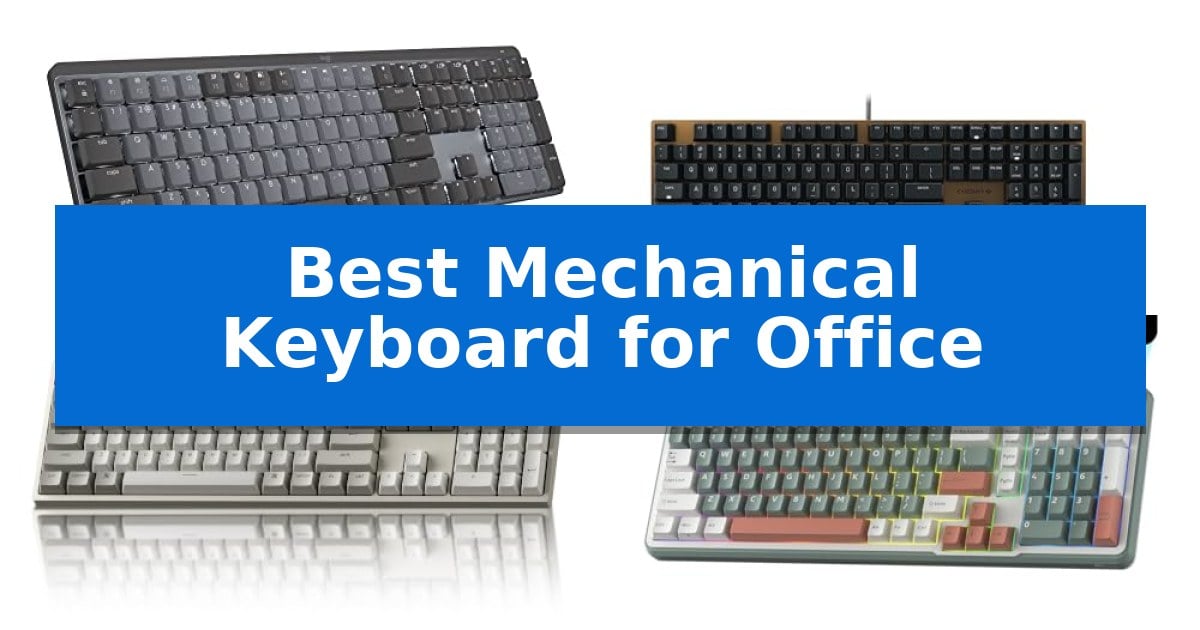
Finding the Best Mechanical Keyboard for Office environments requires balancing tactile satisfaction with the need for a quiet workspace. Unlike gaming-focused boards that prioritize aggressive aesthetics and loud clicks, an office-ready mechanical keyboard should offer a refined typing experience that minimizes disruption while boosting daily productivity.
Our selection focuses on boards that provide consistent feedback, reliable connectivity, and ergonomic layouts suitable for long hours of data entry or document creation. Whether you require a full-size layout with a number pad or a compact design to save desk space, these options prioritize professional utility and build quality to ensure your typing remains precise and comfortable throughout the workday.
You may also want to compare Best Mechanical Keyboard for Laptop, Best Mechanical Keyboard for Gaming, and Best Mechanical Keyboard for Coding.
Best Mechanical Keyboard for Office
Quick Comparison
| Product | Best For | Key Strength | Score |
|---|---|---|---|
| Logitech MX Mechanical Wireless Keyboard | Best Overall | Tactile Quiet switches provide satisfying feedback without excessive noise. | 4.9 |
| Cherry KC 200 MX Mechanical Keyboard | Professional Silent Switch Performance | CHERRY MX2A SILENT RED switches provide a quiet, linear typing feel. | 4.8 |
| Keychron C2 Wired Mechanical Keyboard | Reliable Full-Size Office Layout | Full-size 104-key layout with a dedicated number pad for high-volume data entry. | 4.6 |
| RK ROYAL KLUDGE S98 Mechanical Keyboard | Advanced Noise Dampening Design | 5-layer noise dampening significantly reduces typing sound for quiet office environments. | 4.3 |
| AULA F75 Pro Mechanical Keyboard | Compact Layout with Media Control | Tri-mode connectivity for seamless switching between five devices. | 4.7 |
How We Chose
- Switch Acoustics: Assessing the noise profile of mechanical switches to ensure they are appropriate for shared office settings.
- Layout and Ergonomics: Evaluating the presence of full-size layouts, dedicated media controls, and adjustable typing angles.
- Connectivity Options: Checking for reliable wired or wireless performance, including multi-device pairing capabilities.
- Build Quality and Materials: Reviewing the construction materials, such as aluminum plates and durable keycap finishes.
- Customization and Software: Considering the availability of programmable keys or driver support for workflow optimization.
1 Logitech MX Mechanical Wireless Keyboard — Low-Profile Comfort for Quiet Typing
The Logitech MX Mechanical Wireless Keyboard prioritizes a refined typing experience through its Tactile Quiet mechanical key switches, which provide a distinct physical bump without the disruptive noise often associated with mechanical boards. This design choice ensures that every keystroke feels precise and responsive, making it a suitable tool for maintaining focus in shared office environments.
Beyond its switch mechanism, the keyboard features a low-profile form factor that promotes better ergonomics by reducing the height of the keys relative to the desk surface. This full-size layout includes a dedicated number pad, providing a familiar and efficient workspace for data-heavy tasks. The smart illumination system adds further utility, as the keys automatically light up when your hands approach and adjust brightness based on ambient light levels.
Connectivity and workflow management are central to its design. The device supports multi-device pairing for up to three systems via Bluetooth Low Energy or the included Logi Bolt receiver, allowing for seamless transitions between different operating systems. Users can further streamline their tasks by customizing Fn keys and enabling cross-computer control through the Logi Options+ software.
Power management is handled via USB-C quick charging, offering up to 15 days of use on a full charge with backlighting enabled, or up to 10 months with the lighting turned off. Additionally, the construction incorporates 45% post-consumer recycled plastic in its graphite components, reflecting a focus on material selection for the modern professional workspace.
Best for: Professionals requiring a quiet, low-profile mechanical typing experience with multi-device connectivity for a full-size office setup.
Skip if: Users who prefer a highly portable, ultra-compact keyboard or those who require a specific clicky sound profile from their mechanical switches.
PROS
- Tactile Quiet switches provide satisfying feedback without excessive noise.
- Low-profile design improves ergonomics for extended typing sessions.
- Multi-device pairing allows for easy switching between three systems.
- Smart backlighting adjusts automatically to ambient conditions for efficiency.
CONS
- Full-size footprint may occupy significant space on smaller desks.
- Battery life is dependent on backlighting usage, requiring more frequent charging if illumination is kept at maximum levels.
2 Cherry KC 200 MX Mechanical Keyboard — Professional Silent Switch Performance
The Cherry KC 200 MX Mechanical Keyboard distinguishes itself through the integration of CHERRY MX2A SILENT RED switches, engineered to provide a linear, click-free typing experience suitable for professional environments. This wired keyboard features an anodized metal plate that adds structural integrity to its modern, low-profile aesthetic.
Designed for high-volume office tasks, the unit includes dedicated keys for calculator access and volume control, alongside white status LEDs for Caps, Scroll, and Num Lock. The full N-key rollover and anti-ghosting capabilities ensure that every keystroke is registered accurately, even during rapid data entry or complex shortcuts.
Durability is a core focus of the construction, evidenced by laser-etched, abrasion-resistant keycaps designed to maintain legibility over long-term use. The chassis is supported by two sturdy, non-slip fold-out feet, allowing for adjustable typing angles to suit individual ergonomic preferences.
This keyboard prioritizes a quiet, reliable interface for users who require a consistent mechanical feel without the audible distraction of traditional clicky switches. By combining a robust aluminum surface with specialized silent mechanical components, it serves as a stable, maintenance-focused input device for daily office workflows.
Best for: Office professionals who require a quiet, durable, and reliable mechanical typing experience for high-volume data entry and daily tasks.
Skip if: Users who prefer wireless connectivity, backlighting, or a compact tenkeyless form factor will find this full-sized, wired-only keyboard less suitable for their needs.
PROS
- CHERRY MX2A SILENT RED switches provide a quiet, linear typing feel.
- Anodized metal plate construction offers increased durability and stability.
- Dedicated media and calculator keys improve workflow efficiency.
- Laser-etched keycaps ensure long-term character legibility.
CONS
- Wired-only USB-A connection limits placement flexibility compared to wireless models.
- Full-sized layout occupies more desk space than compact or tenkeyless alternatives.
3 Keychron C2 Wired Mechanical Keyboard — Reliable Full-Size Office Layout
The Keychron C2 Wired Mechanical Keyboard offers a full-size 104-key layout that integrates a dedicated number pad, specifically engineered to streamline data entry and office productivity tasks. By utilizing a wired USB Type-C connection, this keyboard maintains a consistent power supply, eliminating the need for battery management during long work sessions.
Designed with a focus on tactile feedback, the unit features pre-installed tactile switches rated for a 50-million keystroke lifespan. The chassis includes an inclined bottom frame and two-level adjustable feet, allowing users to set the typing angle to 6° or 9° for improved ergonomic support during extended use.
The keyboard is optimized for both macOS and Windows environments. It includes a dedicated key for Siri or Cortana and comes with extra keycaps to ensure proper layout compatibility for both operating systems. Its retro-inspired aesthetic provides a professional look suitable for office environments without the distraction of backlighting.
This model prioritizes reliability through its wired-only design and durable construction. While it lacks wireless connectivity or customizable RGB lighting, its focus remains on providing a stable, responsive typing experience for users who require a standard full-size layout for daily professional workflows.
Best for: Office professionals who require a reliable, full-size wired mechanical keyboard with a number pad and consistent performance.
Skip if: Users who prioritize wireless connectivity, backlighting, or a compact form factor for their workspace.
PROS
- Full-size 104-key layout with a dedicated number pad for high-volume data entry.
- Wired USB-C connection ensures constant power and reliable connectivity.
- Tactile switches rated for 50 million keystrokes for long-term durability.
- Dual-OS compatibility with dedicated keycaps for both Mac and Windows.
CONS
- Non-backlit design may be difficult to use in low-light environments.
- Wired-only operation limits desk cable management flexibility.
4 RK ROYAL KLUDGE S98 Mechanical Keyboard — Advanced Noise Dampening Design
Maintaining a quiet and professional workspace often requires hardware that minimizes audible distractions while providing reliable tactile feedback. The RK ROYAL KLUDGE S98 Mechanical Keyboard addresses this need through its integrated 5-layer noise dampening system, which utilizes IXPE switch dampener pads and dual layers of sound-absorbing foam to significantly reduce hollow acoustic resonance during typing.
Designed with a 96% layout, this keyboard retains essential navigation keys and a number pad while maintaining a more compact footprint than a standard full-sized board. The inclusion of a customizable smart display and a multi-function knob allows users to monitor connection status, battery levels, or adjust system volume and RGB settings directly from the hardware, streamlining common office adjustments without navigating software menus.
Connectivity is handled through a versatile tri-mode approach, supporting Bluetooth 5.0, a 2.4GHz wireless dongle, and a USB-C wired connection. This flexibility ensures compatibility across various desktop and laptop setups, whether you are working in a fixed office environment or switching between multiple devices throughout the day.
The keyboard features hot-swappable PCB technology, allowing for the replacement of 3-pin or 5-pin switches without soldering. This modularity, combined with the pre-lubed linear switches and double-shot PBT keycaps, provides a durable and consistent typing experience suitable for extended daily use.
Best for: Professionals seeking a compact, quiet mechanical keyboard with integrated status monitoring and multi-device connectivity.
Skip if: Users who require a full-sized 100% layout or those who prefer a wired-only connection without the need for wireless features or smart displays.
PROS
- 5-layer noise dampening significantly reduces typing sound for quiet office environments.
- Smart display and knob provide quick access to system settings and status information.
- Hot-swappable PCB allows for easy switch customization without soldering.
- Tri-mode connectivity supports Bluetooth, 2.4GHz, and USB-C for versatile device integration.
CONS
- 96% layout may require an adjustment period for users accustomed to standard full-sized keyboard spacing.
5 AULA F75 Pro Mechanical Keyboard — Compact Layout with Media Control
The AULA F75 Pro Mechanical Keyboard streamlines office workflows by integrating a versatile multi-function knob that toggles between dedicated gaming and office modes. In office mode, this control allows for immediate volume adjustment and media playback, providing a tactile alternative to software-based settings while maintaining a compact 75% layout that preserves essential arrow keys.
Built for a refined typing experience, the keyboard features an advanced structure with an extended integrated silicone pad and PCB single key slotting. This design, combined with five layers of filling silencer, effectively minimizes cavity noise and provides a softer, more elastic feel during long typing sessions. The pre-lubricated LEOBOG reaper switches and stabilizers further enhance the consistency of each keystroke.
Connectivity is highly flexible, offering a tri-mode system that supports Bluetooth 5.0, 2.4GHz wireless, and USB-C wired connections. Users can pair up to five devices simultaneously, switching between them via shortcut keys. The unit is powered by a 4000mAh battery, ensuring extended use, while the side-printed PBT keycaps utilize double injection molding and heat sublimation for increased durability and resistance to fading.
Customization is central to the hardware, as the hot-swappable base accommodates both 3-pin and 5-pin switches, allowing for personalized switch configurations without soldering. The integrated RGB lighting offers 16.8 million colors with 16 pre-set effects, and users can further refine their setup using the F75 driver to program macros, ensuring the keyboard adapts to specific productivity or gaming requirements.
Best for: Professionals and gamers who require a compact, highly customizable keyboard with versatile connectivity and dedicated media controls.
Skip if: Users who require a full-sized keyboard layout with a dedicated number pad for intensive data entry tasks.
PROS
- Tri-mode connectivity for seamless switching between five devices.
- Hot-swappable PCB supports easy customization with 3-pin or 5-pin switches.
- Multi-function knob provides quick access to volume and media controls.
- Advanced silencer structure reduces cavity noise for a solid, quiet typing feel.
CONS
- 75% compact layout lacks a dedicated number pad.
- 6-month warranty period is relatively short for a mechanical keyboard.
Best Mechanical Keyboard for Office Buying Guide
Understanding Switch Types
Mechanical switches are the heart of your keyboard, determining both the feel and the sound of every keystroke. For office use, linear or tactile switches are generally preferred over clicky ones, as they provide a smooth or bump-based response without the high-pitched audible click that can distract colleagues.
When choosing, consider the actuation force and the travel distance. Low-profile switches often provide a shorter travel distance, which can lead to faster typing speeds and reduced finger fatigue during long sessions of drafting emails or reports.
Layout Considerations
The layout you choose should align with your specific tasks. A full-size keyboard includes a dedicated number pad, which is essential for accountants, data analysts, and anyone frequently inputting numerical data into spreadsheets.
Alternatively, compact layouts like 75% or 96% offer a smaller footprint, leaving more room on your desk for a mouse or other peripherals. These layouts often retain the arrow keys and function row, providing a balance between space-saving design and full functionality.
Connectivity and Multi-Device Use
Modern office setups often involve multiple devices, such as a laptop, a desktop, and a tablet. A keyboard with multi-device Bluetooth pairing allows you to switch between these devices seamlessly with a single button press, streamlining your workflow.
For those who prefer a permanent connection, wired USB-C connectivity ensures zero latency and eliminates the need to manage battery levels. Many wireless boards also include a wired mode, offering the best of both worlds.
Keycap Material and Durability
Keycaps are the interface between your fingers and the switch. PBT plastic is widely considered the superior material for office keyboards because it is resistant to the shine that develops on cheaper ABS plastic over time.
Look for double-shot molding or laser-etched legends to ensure that the characters on your keys do not fade after months of heavy use. A durable keycap set maintains a professional appearance and consistent texture for years.
Ergonomics and Comfort
Typing for eight hours a day requires an ergonomic approach to prevent strain. Features like adjustable feet allow you to set the typing angle that best suits your wrist position, reducing the risk of repetitive strain injuries.
Some keyboards also feature dampening foam or gaskets inside the chassis, which not only improves the sound profile by removing hollow echoes but also provides a slightly softer landing for your fingers, enhancing overall comfort.
Frequently Asked Questions
Are mechanical keyboards too loud for an office?
Not necessarily. By choosing models equipped with silent or tactile switches and internal noise-dampening materials, you can enjoy the benefits of a mechanical keyboard without creating excessive noise.
Do I need a full-size keyboard for office work?
If your work involves heavy data entry or frequent use of a number pad, a full-size keyboard is recommended. If your work is primarily text-based, a compact layout can be more ergonomic.
Can I use a mechanical keyboard with both Mac and Windows?
Yes, many modern mechanical keyboards are compatible with both operating systems. Some models even include swappable keycaps and dedicated software to toggle between Mac and Windows layouts.
What is the advantage of hot-swappable switches?
Hot-swappable PCBs allow you to replace individual switches without soldering. This is beneficial if you want to customize your typing feel or replace a faulty switch without buying a new keyboard.
How long do mechanical keyboard batteries last?
Battery life varies significantly based on usage and backlighting. Many wireless models can last several weeks on a single charge with backlighting off, while others may require charging more frequently if RGB lighting is active.
Conclusion: Our Top Pick
For professionals seeking the ideal balance of performance and quiet operation, the Logitech MX Mechanical Wireless Keyboard stands out as the most versatile choice. Its low-profile design promotes a natural wrist position, while the tactile quiet switches provide satisfying feedback without the disruptive noise associated with traditional mechanical boards.
With its robust multi-device connectivity and smart backlighting that adjusts to your environment, this keyboard integrates seamlessly into any professional workspace. While other options offer unique features like hot-swappability or specialized noise dampening, the overall build quality and software integration of the Logitech make it the most reliable partner for daily office tasks.