
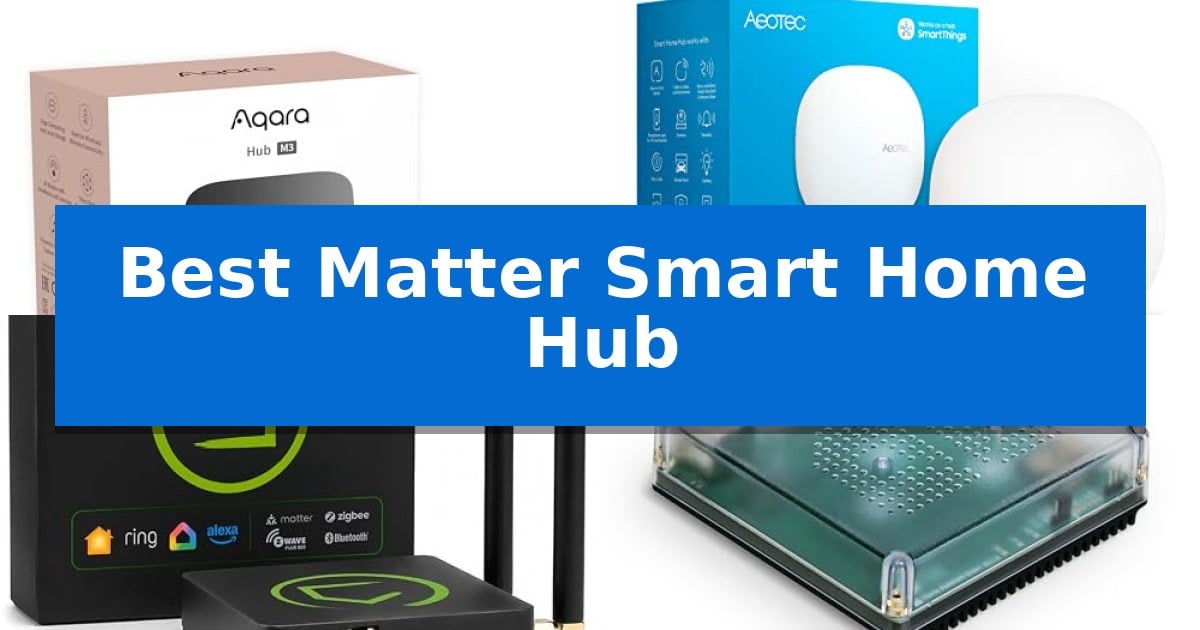
Managing a modern smart home often feels like juggling different apps and incompatible standards. Finding the Best Matter Smart Home Hub is the most effective way to unify your lighting, sensors, and climate controls into one responsive system that works reliably without constant cloud reliance.
Whether you are looking to bridge legacy devices or build a new, privacy-focused network, selecting the right central controller is essential. We have analyzed the latest hardware to help you navigate the complexities of Matter, Thread, and Zigbee integration to ensure your home stays connected and efficient.
You may also want to compare Best Matter Hub for Home Assistant, Best Matter HomeKit Smart Lock, and Best Matte Screen Monitor.
Best Matter Smart Home Hub
Quick Comparison
| Product | Best For | Key Strength | Score |
|---|---|---|---|
| Aqara Smart Home Hub M3 | Best Overall | Local automation and edge computing capabilities reduce cloud dependency. | 4.9 |
| Aeotec Smart Home Hub | Broad Multi-Protocol Compatibility | Broad multi-protocol support including Matter, Zigbee, and Z-Wave Plus. | 4.6 |
| Hubitat Elevation C-8 Pro Hub | Power User Local Processing | Local-first processing ensures automations function without internet connectivity. | 4.9 |
| Home Assistant Green Hub | Official Open-Source Hardware | Local data storage ensures privacy and independence from cloud dependencies. | 4.7 |
| Tapo Smart IR IoT Hub | Legacy Device Integration | Matter-certified for broad ecosystem integration. | 4.6 |
How We Chose
- Protocol Versatility: Evaluation of support for Matter, Thread, Zigbee, Z-Wave, and Bluetooth to ensure broad device compatibility.
- Local Automation Speed: Assessment of the hub's ability to execute routines locally, reducing latency and maintaining functionality during internet outages.
- Ecosystem Integration: Analysis of how well the hub bridges devices into major platforms like Apple HomeKit, Alexa, and Google Home.
- Connectivity Reliability: Review of hardware options including PoE, dual-band Wi-Fi, and wired Ethernet for stable network performance.
- Privacy and Data Control: Examination of local storage and the absence of unnecessary cloud-dependent microphones or cameras.
1 Aqara Smart Home Hub M3 — Advanced Local Automation Control
The Aqara Smart Home Hub M3 serves as a centralized command center that prioritizes local automation and privacy by excluding microphones and cameras. Designed for versatility, it functions as a Matter controller and Thread border router, allowing users to integrate a wide array of devices into their preferred ecosystem, including Apple HomeKit, Alexa, SmartThings, and Home Assistant.
Engineered for stability, the hub offers flexible connectivity options, including dual-band Wi-Fi (2.4/5 GHz) and a Power over Ethernet (PoE) port. Its USB-C port supports external power banks or mini-UPS setups, ensuring the system remains operational during power fluctuations. The device also features 8GB of end-to-end encrypted local storage for configuration data, keeping sensitive automation parameters off the cloud.
The M3 distinguishes itself with a 360° IR blaster that not only sends commands to traditional appliances but also provides status feedback by learning from remote usage. When paired with an Aqara temperature and humidity sensor, it can transform standard IR-controlled air conditioners into smart thermostats. With its Magic Pair technology and included mounting hardware, the hub is built for straightforward installation on walls, ceilings, or flat surfaces.
Supporting up to 127 Aqara Zigbee devices and 127 Thread devices, the hub acts as an Edge Hub that migrates automations from older Aqara hardware to local execution. This shift reduces reliance on internet connectivity for routine tasks, providing a more responsive and reliable smart home experience.
Best for: Users seeking a privacy-focused, multi-protocol hub that prioritizes local automation and advanced IR control for diverse smart home ecosystems.
Skip if: Users who require a hub with built-in voice assistant microphones or those who primarily use third-party Zigbee devices that are not compatible with the Aqara ecosystem.
PROS
- Local automation and edge computing capabilities reduce cloud dependency.
- Multi-protocol support including Matter, Thread, Zigbee, Bluetooth, and Wi-Fi.
- 360° IR blaster with learning and status feedback for legacy appliances.
- PoE and USB-C power options provide flexible and stable installation.
CONS
- Zigbee support is limited to Aqara-branded devices only.
- Power adapter for the USB-C port is not included in the package.
2 Aeotec Smart Home Hub — Broad Multi-Protocol Compatibility
Centralizing a fragmented smart home requires a reliable bridge, and the Aeotec Smart Home Hub provides a versatile foundation by supporting multiple communication protocols in a single compact unit. Measuring just five inches square and one inch tall, this gateway acts as the command center for your connected environment, enabling you to link and manage devices from various brands through the SmartThings app.
The hub is engineered for broad compatibility, featuring native support for Matter, Zigbee, and Z-Wave Plus (V3 model). This multi-protocol approach allows you to integrate a wide array of sensors, switches, and lighting solutions without needing separate bridges for every manufacturer. It also offers flexibility in connectivity, allowing you to link it to your network via wired Ethernet or Wi-Fi for easier placement.
Automation is a core strength of this system, as the Aeotec Smart Home Hub allows you to build custom routines that coordinate your devices throughout the day. A significant benefit is its ability to run many of these automations locally, which can improve responsiveness and reliability by reducing reliance on cloud processing for routine tasks.
Setup is streamlined through the SmartThings app, which is available on Android, iOS, and iPadOS. Once configured, the hub integrates with popular voice assistants like Amazon Alexa and Google Home, providing hands-free control over your smart home ecosystem. It is designed specifically for use in North America and includes a one-year manufacturer warranty.
Best for: Users who need a centralized bridge to manage a mix of Matter, Zigbee, and Z-Wave devices within a single automation ecosystem.
Skip if: Users who do not require Z-Wave support or who prefer a hub that integrates exclusively with a single proprietary ecosystem.
PROS
- Broad multi-protocol support including Matter, Zigbee, and Z-Wave Plus.
- Local automation execution for improved speed and reliability.
- Flexible connectivity options with both Ethernet and Wi-Fi support.
- Unified management via the SmartThings app for Android and iOS.
CONS
- Regional limitation specifically designed for use in North America.
3 Hubitat Elevation C-8 Pro Hub — Power User Local Processing
Maintaining a responsive and private smart home environment requires a hub capable of handling complex logic without external server reliance. The Hubitat Elevation C-8 Pro Smart Home Hub distinguishes itself through its local-first architecture, which executes all automations directly on the device to ensure that routines remain functional even during internet outages.
Designed for versatility, the hub provides multi-protocol support including Matter 1.5, Z-Wave 800 Series, Zigbee 3.0, and Bluetooth. This broad compatibility allows users to integrate over 1,000 devices from 100+ brands without needing additional bridges. The inclusion of two dedicated external antennas enhances signal reach and mesh stability, making it effective for larger homes or environments with high device density.
Advanced users can leverage the AI-assisted routine builder and the robust Rule Machine to create sophisticated, multi-condition automations. Whether managing lighting scenes, geofenced arrivals, or layered security responses, the system translates complex sequences into reliable, hands-free operations. The hub also integrates seamlessly with Amazon Alexa, Google Home, Apple HomeKit, and Ring cameras for unified control.
The Hubitat Elevation C-8 Pro Hub prioritizes user privacy by keeping device data within the home network. Its compact footprint of 3.23 x 2.95 x 0.67 inches allows for discreet placement, while the no-subscription model ensures that all features remain accessible without recurring costs. Continuous platform updates further extend the hub's utility, ensuring long-term compatibility for evolving smart home setups.
Best for: Power users and privacy-conscious homeowners who require local, multi-protocol automation without recurring subscription fees.
Skip if: Users who prefer a plug-and-play experience with minimal configuration or those who rely exclusively on cloud-based ecosystems without interest in advanced rule-based logic.
PROS
- Local-first processing ensures automations function without internet connectivity.
- Broad multi-protocol support covers Matter, Z-Wave 800, Zigbee 3.0, and Bluetooth.
- No subscription required for full access to all platform features and integrations.
- Advanced Rule Machine allows for complex, multi-condition automation logic.
CONS
- Steeper learning curve due to the advanced nature of the rule-based automation engine.
- Manual configuration may be required for users accustomed to simpler, cloud-only smart home hubs.
4 Home Assistant Green Hub — Official Open-Source Hardware
Centralizing your smart home ecosystem requires a reliable foundation, and the Home Assistant Green Hub offers a streamlined approach by providing official, pre-installed hardware designed specifically for this purpose. By focusing on a fanless, silent design that houses a quad-core processor, 4GB of RAM, and 32GB of storage, this hub ensures that your automation logic remains local rather than relying on cloud-based services.
Setting up the device is straightforward, as it requires only a power supply and an Ethernet connection to begin managing your connected devices. The Home Assistant Green Hub acts as a unified control point, allowing you to consolidate various apps and hubs into one interface. This enables complex automations, such as dimming lights based on media activity or adjusting climate control when you leave the premises, all while keeping your data stored locally on the device.
For users looking to expand their network beyond standard connectivity, the hub supports USB expandability, allowing for the addition of Z-Wave, Zigbee, and Thread devices. This modularity ensures that as your smart home grows, the hub can adapt to support additional protocols. Furthermore, the unit is engineered for efficiency, operating on only a few watts of power to maintain a minimal energy footprint in your home.
The Home Assistant Green Hub is built and supported by Nabu Casa, ensuring that the hardware is optimized for the software it runs. Its compact dimensions of 4.41 by 4.41 by 1.26 inches allow it to fit discreetly into most home setups without occupying significant space or creating noise.
Best for: Users seeking a dedicated, locally-controlled, and power-efficient hub to consolidate their smart home automations.
Skip if: Users who require a plug-and-play hub with native, out-of-the-box support for Zigbee or Z-Wave without purchasing additional USB adapters.
PROS
- Local data storage ensures privacy and independence from cloud dependencies.
- Fanless and silent operation makes it suitable for placement in living areas.
- Pre-installed software simplifies the initial setup process.
- USB expandability allows for future-proofing with additional radio protocols.
CONS
- Requires external USB adapters for native Z-Wave, Zigbee, or Thread connectivity.
- Ethernet-only connection limits placement options to areas near a router.
5 Tapo Smart IR IoT Hub — Legacy Device Integration
Integrating legacy electronics into a modern smart home ecosystem often requires a bridge that understands both infrared signals and current connectivity standards. The Tapo Smart IR & IoT Hub serves as a centralized controller, utilizing Matter-certification to bridge the gap between traditional appliances and advanced automation platforms like Alexa, Google Assistant, and Siri.
This compact hub functions as a universal remote for 8,000+ IR brands, allowing users to consolidate control for TVs, air conditioners, fans, and other electronic devices. By mapping remote buttons within the Tapo app, legacy hardware becomes part of a cohesive smart routine, enabling features like location-based control where appliances trigger automatically based on GPS detection.
Beyond simple remote replacement, the device includes a built-in 93 dB alarm that provides audible feedback when connected to motion or door sensors. This dual-purpose design ensures that the hub acts as both a convenience tool for daily routines and a security component for real-time alerts.
Security remains a primary focus, as the hardware is developed under the CISA Secure-by-Design pledge. Whether scheduling pre-cooling for an AC unit or managing energy usage while away, the hub offers a scalable solution for users looking to unify their home environment through a single, Matter-compatible interface.
Best for: Users looking to integrate legacy infrared-controlled appliances into a modern, Matter-compatible smart home ecosystem.
Skip if: Users who do not own infrared-controlled devices or those who require a hub for non-IR smart protocols like Zigbee or Z-Wave.
PROS
- Matter-certified for broad ecosystem integration.
- Universal IR control for over 8,000 appliance brands.
- Built-in 93 dB alarm for audible sensor alerts.
- Secure-by-Design construction following CISA standards.
CONS
- Limited to IR-based legacy devices and standard 2.4 GHz Wi-Fi connectivity.
Best Matter Smart Home Hub Buying Guide
Understanding Smart Home Protocols
The Matter standard is designed to simplify smart home connectivity, but a robust hub must still support older protocols like Zigbee and Z-Wave to maintain compatibility with existing hardware. A high-quality hub acts as a translator, allowing devices from different manufacturers to communicate within a single, cohesive network.
When choosing your hardware, consider whether you need a Thread Border Router capability. This technology creates a self-healing mesh network that improves the responsiveness of your smart devices, ensuring that your commands are executed almost instantly regardless of your home's layout.
The Importance of Local Processing
Many smart home issues stem from a reliance on remote servers. A hub that prioritizes local automation ensures that your lights, locks, and thermostats continue to function even if your internet connection drops. This architecture also enhances privacy by keeping your device data and automation logs within your own home.
Look for hubs that offer encrypted local storage for your configuration parameters. This not only protects your privacy but also allows for faster recovery and setup if you decide to migrate your devices to a new controller in the future.
Connectivity and Placement
Stable network connectivity is the backbone of a responsive smart home. Hubs that offer Power over Ethernet (PoE) provide a significant advantage by combining data and power into a single cable, which reduces clutter and increases connection stability compared to standard Wi-Fi.
If you must use a wireless connection, ensure your hub supports dual-band Wi-Fi and is placed in a central, unobstructed location. Proper placement, typically between 6 to 19 feet from your router, prevents signal interference and ensures consistent communication with all connected sensors and switches.
Integrating Legacy Electronics
Not every device in your home is natively smart. Hubs equipped with an IR blaster can bring legacy appliances like traditional air conditioners, fans, and televisions into your modern automation routines. By learning remote signals, these hubs allow you to control non-smart hardware using voice commands or app-based schedules.
When evaluating IR capabilities, check for feedback and learning features. Advanced hubs can detect when a traditional remote has been used, allowing the system to update the status of the device in your app so that your automated scenes remain accurate and synchronized.
Scalability and Future-Proofing
A smart home is rarely static. Choose a hub that supports a high number of connected devices, such as those capable of managing over 100 Zigbee or Thread endpoints. This ensures that as you add more sensors, lights, and switches, your hub will not become a bottleneck.
Consider the manufacturer's commitment to continuous updates. A hub that receives regular firmware improvements can gain new features and compatibility with emerging standards without requiring you to replace your entire hardware setup.
Frequently Asked Questions
Do I need a hub for every smart device?
No, but a central hub is recommended to consolidate control, improve response times through local processing, and bridge devices that use different wireless protocols.
What is the benefit of Matter certification?
Matter certification ensures that your device will work seamlessly across major ecosystems like Apple HomeKit, Alexa, and Google Home, reducing the need for multiple proprietary apps.
Can I use a smart home hub without an internet connection?
Many advanced hubs support local automation, meaning your pre-configured routines will continue to run even if your internet goes down, though some cloud-based notifications may be unavailable.
How do I know if my existing devices are compatible?
Check if your devices support common protocols like Zigbee, Z-Wave, or Matter. Most hubs provide a list of compatible brands and device types in their documentation or app.
Is it difficult to set up a new smart home hub?
Modern hubs often feature 'Magic Pair' or similar technologies that automatically detect devices upon power-up, making the initial setup process straightforward for most users.
Conclusion: Our Top Pick
For those seeking the most robust and versatile solution, the Aqara Smart Home Hub M3 stands out as the premier choice. Its combination of multi-protocol support, including Matter and Thread, alongside its powerful local automation capabilities and IR blaster functionality, makes it an exceptionally capable center for any modern smart home.
While other options offer specific advantages for power users or those deeply invested in open-source platforms, the M3 provides the best balance of ease-of-use, privacy, and connectivity. By choosing this hub, you ensure a stable, responsive, and future-ready foundation for all your connected devices.