
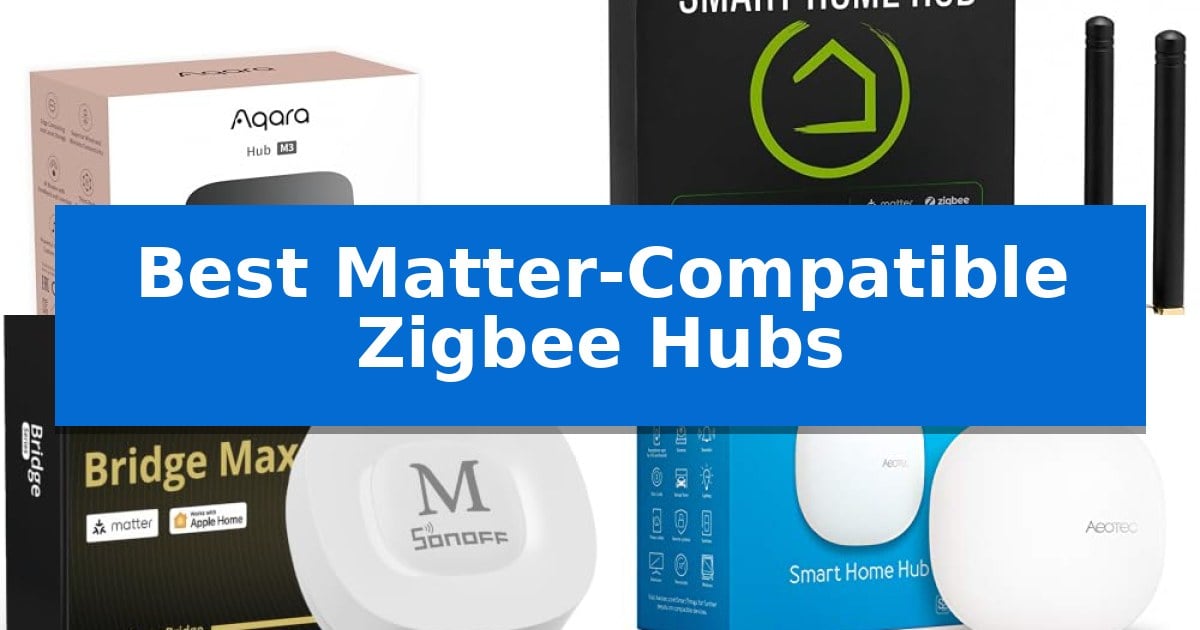
Managing a fragmented smart home often requires juggling multiple apps and proprietary bridges. The Best Matter-Compatible Zigbee Hubs solve this by acting as a central nervous system, allowing your existing Zigbee devices to communicate seamlessly with modern Matter-enabled ecosystems like Apple Home, Alexa, and Google Home.
Transitioning to a unified setup requires selecting hardware that balances local processing power with broad protocol support. Whether you are looking to migrate legacy sensors or build a new automation-heavy environment, these hubs provide the necessary bridge to ensure your devices remain responsive and reliable.
You may also want to compare Best Matter-Compatible Smart Shades, Best Matter-Compatible Smart Plugs, and Best Matter-Compatible Smart Locks.
Best Matter-Compatible Zigbee Hubs
Quick Comparison
| Product | Best For | Key Strength | Score |
|---|---|---|---|
| Aqara M3 Smart Home Hub | Best Overall | Multi-protocol support for Zigbee, Thread, Bluetooth, and Wi-Fi. | 4.9 |
| Hubitat Elevation C-8 Pro Hub | Best for Complex Local Logic | Local-first architecture ensures automations run without internet reliance. | 4.3 |
| SONOFF Bridge Max Smart Hub | Seamless Cross-Platform Bridging | Local web console eliminates cloud dependency for device management. | 4.4 |
| Aeotec Smart Home Hub | Broadest Ecosystem Compatibility | Broad protocol support including Matter, Zigbee, and Z-Wave Plus. | 4.5 |
| THIRDREALITY Smart Bridge MZ1 | Compact Entry-Level Matter Bridge | Enables Zigbee to Matter connectivity for broader ecosystem integration. | 4.3 |
How We Chose
- Matter bridge functionality and ecosystem integration depth.
- Local automation processing capabilities to reduce cloud dependency.
- Support for additional protocols like Thread, Z-Wave, or Bluetooth.
- Connectivity options including PoE, Ethernet, and dual-band Wi-Fi.
- Privacy features such as local data storage and encrypted configurations.
1 Aqara M3 Smart Home Hub — Advanced Local Automation Powerhouse
The Aqara Smart Home Hub M3 serves as a centralized command center for modern smart homes, distinguishing itself with a multi-protocol design that supports both Aqara Zigbee and Thread devices. By acting as a Matter controller and bridge, it allows for the integration of third-party devices into the Aqara Home app, while its Power over Ethernet (PoE) capability and dual-band Wi-Fi ensure stable, flexible connectivity options for any network setup.
Engineered for reliability, the hub prioritizes local automation to maintain functionality even if internet connectivity is interrupted. It features an integrated 360° IR blaster that not only sends commands to traditional appliances but also provides status feedback, effectively turning legacy IR-controlled air conditioners into smart, Matter-compatible thermostats when paired with compatible sensors.
Designed with a focus on privacy and physical security, the unit excludes microphones and cameras, opting instead for 8GB of end-to-end encrypted local storage to house configuration parameters and automation data. Its versatile mounting system allows for installation on walls, ceilings, or flat surfaces, while Magic Pair technology simplifies the initial setup process.
For users managing complex ecosystems, the M3 acts as an Edge Hub, enabling the migration of Zigbee devices from older hubs to a unified, local-first environment. With support for up to 127 Zigbee and 127 Thread devices, it provides a scalable foundation for extensive smart home configurations.
Best for: Users seeking a local-first, multi-protocol hub that bridges Zigbee and Thread devices into a unified Matter-compatible ecosystem.
Skip if: Users who require a hub with built-in voice assistant microphones or cameras, as this device prioritizes privacy by omitting those components.
PROS
- Multi-protocol support for Zigbee, Thread, Bluetooth, and Wi-Fi.
- Local automation capability ensures operation without constant cloud reliance.
- Integrated 360° IR blaster with status feedback for legacy device control.
- PoE and USB-C power options for enhanced installation stability.
CONS
- Limited to Aqara Zigbee devices for direct hub-based Zigbee support.
- Power adapter not included for the USB-C port.
2 Hubitat Elevation C-8 Pro Hub — Best for Complex Local Logic
Managing a smart home requires a hub that can process commands locally, ensuring your automations remain functional even during internet outages. The Hubitat Elevation C-8 Pro Smart Home Hub distinguishes itself by executing all routines directly on the device, which provides near-instant response times for your connected lights, locks, and thermostats.
This hub offers extensive multi-protocol support, including Matter 1.5, Z-Wave 800 Series with Long Range, Zigbee 3.0, and Bluetooth. By utilizing two dedicated external antennas—one specifically for Z-Wave and one for Zigbee—the device maintains robust mesh stability and extended wireless reach, making it well-suited for larger homes or environments with high device density.
For advanced users, the AI-assisted routine builder and Rule Machine enable complex, multi-condition logic without requiring programming knowledge. You can orchestrate sophisticated sequences, such as adjusting climate control and lighting based on geofenced arrivals, while keeping all device data stored securely at home.
Integration with major ecosystems like Amazon Alexa, Google Home, and Apple HomeKit allows for seamless voice control from the start. With no subscription fees required for full platform functionality and a compact footprint of 3.23 x 2.95 x 0.67 inches, it provides a flexible, long-term solution for DIY smart home enthusiasts.
Best for: Users who prioritize local data privacy, complex automation logic, and multi-protocol compatibility without recurring subscription fees.
Skip if: Users seeking a plug-and-play hub with a simplified, consumer-friendly mobile app interface may find the advanced configuration options of this device overly technical.
PROS
- Local-first architecture ensures automations run without internet reliance.
- Multi-protocol support covers Matter, Z-Wave 800 Series, Zigbee 3.0, and Bluetooth.
- No subscription required for full access to advanced features and integrations.
- Dedicated external antennas improve signal consistency in large or dense environments.
CONS
- Advanced rule configuration may present a steeper learning curve for non-technical users.
3 SONOFF Bridge Max Smart Hub — Seamless Cross-Platform Bridging
Managing a fragmented smart home often requires a bridge that can unify disparate protocols without relying on external cloud dependencies. The SONOFF Bridge Max Smart Home Hub (Bridge-M) addresses this by serving as a dedicated gateway that links Zigbee, BTHome, and eWeLink devices to Matter-compatible ecosystems, including Apple Home, Alexa, and Google Home.
Designed for local-first operation, the SONOFF Bridge Max Smart Home Hub (Bridge-M) features a local web console that allows users to configure and manage device bridging directly over their LAN. This approach prioritizes data privacy by removing the necessity for cloud-based configuration or mobile app reliance for core management tasks.
The hub also functions as a localized security controller. By pairing it with Zigbee sensors, users can establish a 90 dB built-in alarm system that triggers upon intrusion detection, providing immediate local alerts. Furthermore, it offers integration with Home Assistant via MQTT, allowing for advanced automation workflows that extend beyond standard ecosystem limitations.
While highly capable as a bridge, it is important to note that the SONOFF Bridge Max Smart Home Hub (Bridge-M) acts as a Matter Bridge rather than a Matter Controller. This means it enables existing Zigbee devices to appear within Matter platforms, but it cannot be used to add or control native Matter devices directly.
Best for: Users seeking to integrate Zigbee and eWeLink devices into Matter-supported ecosystems with a focus on local control and privacy.
Skip if: Users who require a primary Matter Controller to add and manage native Matter-certified devices directly.
PROS
- Local web console eliminates cloud dependency for device management.
- Built-in 90 dB alarm enables a standalone local security system.
- Broad compatibility with Zigbee, BTHome, and eWeLink protocols.
- Home Assistant integration via MQTT for advanced users.
CONS
- No Matter Controller functionality prevents direct management of native Matter devices.
4 Aeotec Smart Home Hub — Broadest Ecosystem Compatibility
The Aeotec Smart Home Hub serves as a centralized gateway designed to bridge diverse smart home protocols, offering native support for Matter, Zigbee, and Z-Wave Plus. By consolidating these standards into a single device, it enables users to manage lighting, sensors, and climate controls through a unified interface.
Integration is managed via the SmartThings app, which provides a platform for building custom automations. A key technical advantage is the hub's ability to execute many of these routines locally, which can improve responsiveness within the home network. The device offers flexible installation options, supporting both wired Ethernet and Wi-Fi connectivity for placement versatility.
Compatibility extends across major ecosystems, including Amazon Alexa and Google Home, allowing for voice-controlled management of connected devices. The hub is designed for North American standards and includes a 1-year manufacturer warranty, ensuring a reliable foundation for complex smart home setups.
While the hub excels at protocol translation, users should note that its physical footprint is compact at 5 inches square, yet it requires a stable network connection to maintain its role as the primary controller for your automated environment.
Best for: Users seeking a centralized controller that bridges Matter, Zigbee, and Z-Wave devices within the SmartThings ecosystem.
Skip if: Users who do not use the SmartThings app or who require a hub that operates entirely offline without any cloud-based account dependency.
PROS
- Broad protocol support including Matter, Zigbee, and Z-Wave Plus.
- Local automation execution for improved speed and reliability.
- Flexible dual-connectivity options via Wi-Fi or Ethernet.
- Seamless integration with Amazon Alexa and Google Home.
CONS
- Requires SmartThings app for all setup and management tasks.
- Regional limitation designed specifically for North American use.
5 THIRDREALITY Smart Bridge MZ1 — Compact Entry-Level Matter Bridge
Integrating legacy Zigbee devices into a modern smart home ecosystem is the primary function of the THIRDREALITY Smart Bridge MZ1. By acting as a dedicated bridge, this device translates Zigbee signals into the Matter protocol, allowing previously isolated hardware to communicate with major platforms like Apple Home, Google Home, and SmartThings.
The THIRDREALITY Smart Bridge MZ1 features a compact, space-saving design that measures approximately 3.14 inches in length and 2.71 inches in height. It utilizes a USB-C power interface for connectivity, ensuring a straightforward installation process. The bridge operates specifically on a 2.4 GHz Wi-Fi network, which is a critical requirement for maintaining a stable connection to your local network.
Management and configuration are handled through the 3R-Installer application. This software facilitates the initial setup and provides OTA (Over-The-Air) support, ensuring the bridge receives necessary firmware updates to remain current with evolving smart home standards. This focus on software-based maintenance helps keep the bridge compatible with connected end devices over time.
While the bridge excels at expanding ecosystem support for Zigbee hardware, users should ensure their existing network environment is prepared for a 2.4 GHz-only device. Its primary utility lies in its ability to bridge the gap between specific Zigbee peripherals and the broader, standardized Matter ecosystem, offering a streamlined path for users looking to unify their smart home controls.
Best for: Users looking to integrate existing Zigbee devices into a Matter-compatible smart home ecosystem using Apple Home, Google Home, or SmartThings.
Skip if: Users who require a 5 GHz Wi-Fi connection for their smart home bridge or those who do not own Zigbee-based end devices.
PROS
- Enables Zigbee to Matter connectivity for broader ecosystem integration.
- Supports OTA updates via the 3R-Installer for ongoing maintenance.
- Features a compact, space-saving form factor with a modern USB-C interface.
CONS
- Limited to operation on 2.4 GHz Wi-Fi networks only.
Best Matter-Compatible Zigbee Hubs Buying Guide
Understanding Matter and Zigbee Integration
Matter is an industry-standard protocol designed to improve interoperability between smart home devices from different manufacturers. By using a hub that acts as a Matter bridge, you can expose your existing Zigbee devices to platforms that would otherwise be incompatible.
This integration allows you to control your lights, sensors, and switches through a single interface, such as Apple Home or Home Assistant, without needing to replace your entire hardware collection.
The Importance of Local Processing
A critical advantage of high-end hubs is local automation. When a hub processes commands locally, your smart home routines continue to function even if your internet connection goes down.
This architecture also provides faster response times because signals do not need to travel to a remote cloud server and back to your device, resulting in a snappier, more reliable user experience.
Protocol Versatility
While Zigbee is the primary focus, many users benefit from hubs that also support Thread, Z-Wave, or Bluetooth. A multi-protocol hub reduces the need for multiple dongles or bridges cluttering your router.
Choosing a hub that supports multiple standards ensures your smart home remains flexible as you add new devices, preventing vendor lock-in and simplifying your network topology.
Connectivity and Placement
The physical connection of your hub impacts overall stability. Hubs offering Power over Ethernet (PoE) or wired Ethernet connections generally provide more consistent performance than those relying solely on Wi-Fi.
Consider the placement of your hub relative to your devices. Most hubs require a central location to maintain a strong mesh network, and some models include mounting hardware to facilitate wall or ceiling installation.
Privacy and Data Security
Smart home security is paramount. Look for hubs that prioritize local data storage for device lists and automation parameters, ensuring your configuration data stays within your home network.
Advanced models often exclude microphones or cameras to minimize privacy risks, focusing strictly on communication and control tasks while utilizing encrypted storage for your settings.
Frequently Asked Questions
Can these hubs control non-Zigbee devices?
Many of these hubs are multi-protocol and can support Thread, Z-Wave, or Bluetooth, but compatibility varies by model. Always check the specific protocol support for the device you intend to add.
Do I need an internet connection for these hubs to work?
Most of these hubs prioritize local processing, meaning your automations will continue to run without internet. However, some cloud-based notifications or initial setup steps may still require an active connection.
Will my existing Zigbee devices work with Matter?
Yes, if the hub acts as a Matter bridge, it can expose your Zigbee devices to Matter-compatible platforms, allowing you to control them through your preferred smart home app.
What is the benefit of PoE on a smart hub?
Power over Ethernet (PoE) allows the hub to receive both power and data through a single cable, providing a more stable and reliable connection compared to wireless alternatives.
Can I replace my old hub with one of these?
Many of these hubs are designed for migration and can supersede older models, allowing you to shift your existing automations to a more modern, local-first platform.
Conclusion: Our Top Pick
Selecting the right hub depends on your specific ecosystem and the complexity of your automation needs. For those seeking a robust, future-ready solution that balances local control with extensive protocol support, the Aqara M3 Smart Home Hub stands out as the most versatile option.
The Aqara M3 Smart Home Hub offers a comprehensive feature set including Thread border router capabilities, a 360-degree IR blaster, and PoE support. It is an excellent choice for users who want to consolidate their Zigbee and Thread devices under one reliable, privacy-focused controller.