
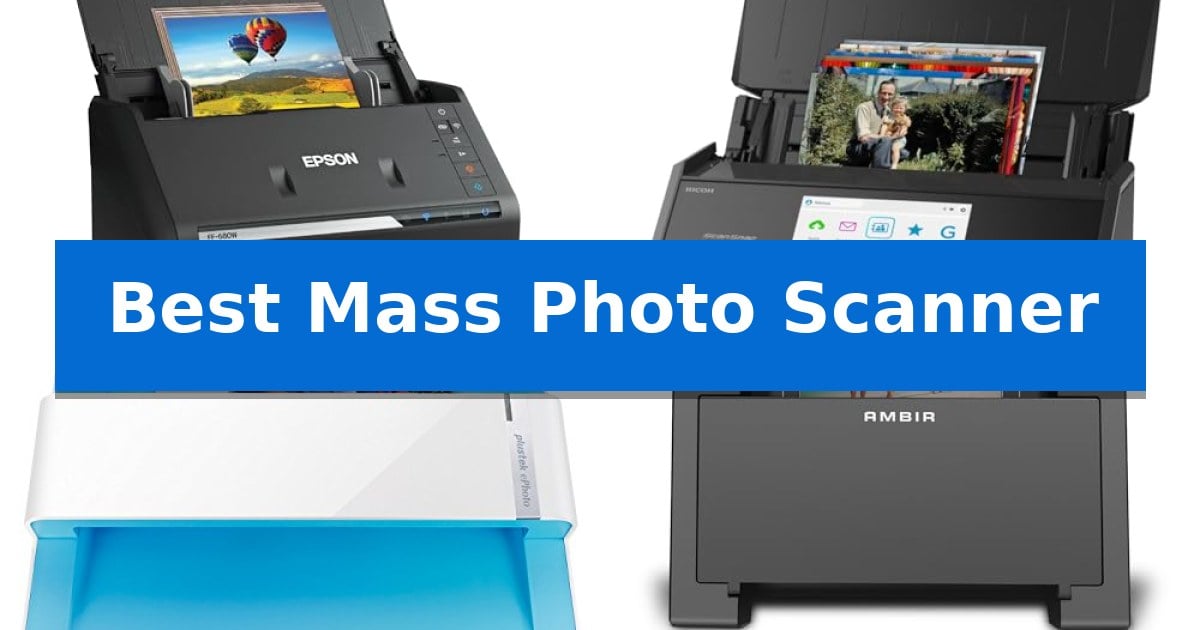
Preserving a lifetime of memories often starts with a daunting stack of physical prints gathering dust in a shoebox. Finding the Best Mass Photo Scanner is the most effective way to transition these fragile keepsakes into a digital format that is easy to share, organize, and protect for future generations.
Whether you are tackling a massive family archive or simply digitizing a collection of vintage postcards, the right hardware makes the difference between a tedious weekend project and a streamlined, automated workflow. We have evaluated the leading scanners designed specifically for high-volume photo digitization to help you choose the tool that fits your specific project needs.
You may also want to compare Best Mass Document Scanner, Best Marshall Speakers for TV, and Best Marshall Speakers.
Best Mass Photo Scanner
Quick Comparison
| Product | Best For | Key Strength | Score |
|---|---|---|---|
| Epson FastFoto FF-680W Photo Scanner | Best Overall | High-speed batch scanning of up to 36 photos at once. | 4.9 |
| ScanSnap iX2500 Photo Edition Scanner | Advanced Touchscreen Workflow | High-speed processing of up to 100 photos per minute. | 4.6 |
| Plustek ePhoto Z300 Photo Scanner | Dedicated Roller-Feed Design | High-speed scanning capable of processing a 4×6 photo in 2 seconds. | 4.7 |
| AMBIR Photo Scanner | Includes Essential Cleaning Kit | Versatile media handling for various photo sizes including panoramic prints. | 4.9 |
| Epson Perfection V19 II Photo Scanner | High-Resolution Flatbed Precision | 4800 dpi optical resolution for high-detail image capture | 4.9 |
How We Chose
- Batch capacity and scanning speed per photo.
- Image resolution options for archival versus sharing purposes.
- Safety features designed to protect delicate or aged prints.
- Software capabilities for automated organization, cropping, and color restoration.
- Connectivity options for seamless integration with existing digital storage workflows.
1 Epson FastFoto FF-680W Photo Scanner — Fastest for Large Batch Scanning
Digitizing a large collection of physical prints requires a device capable of handling high-volume throughput without sacrificing image integrity. The Epson FastFoto FF-680W Photo Scanner addresses this by enabling users to batch-scan up to 36 photos at a time, achieving speeds as fast as one photo per second at 300 dpi.
Beyond raw speed, this scanner incorporates SafeTouch Technology to handle delicate originals with care, supported by an included carrier sheet and microfiber cloth for preparation. The unit features a versatile Precise Picture Imaging System that automates essential post-processing tasks, including color restoration, red-eye reduction, de-skew, and auto-enhancement, ensuring that digitized memories are ready for immediate sharing.
Flexibility is a core design choice, as the scanner supports various output resolutions: 300 dpi for sharing, 600 dpi TIFF for archiving, and 1200 dpi for enlarging. The single-step technology allows for duplex scanning, capturing both the image and any handwritten notes on the back of a photo in one pass. Furthermore, the included Epson ScanSmart software provides OCR capabilities for document management, handling pages up to 240 inches in length.
Connectivity options include both USB and wireless interfaces, allowing for flexible placement in a home or office environment. Users can integrate the device with the Epson FastFoto app to add voice or text overlays to images, or utilize direct cloud integration to automatically upload and back up scans to services like Dropbox and Google Drive.
Best for: Users needing to digitize large physical photo collections quickly while maintaining high-resolution archival options.
Skip if: Users who only need to scan occasional, single photos and do not require high-speed batch processing or document scanning capabilities.
PROS
- High-speed batch scanning of up to 36 photos at once.
- Single-step duplex scanning captures images and back-side notes simultaneously.
- SafeTouch Technology designed for delicate photo handling.
- Versatile resolution options ranging from 300 dpi to 1200 dpi.
CONS
- Dedicated footprint required for a high-speed, multi-feed scanner.
- Software-dependent features for advanced organization and cloud backup.
2 ScanSnap iX2500 Photo Edition Scanner — Advanced Touchscreen Workflow
Preserving physical archives requires a balance of speed and care, and the ScanSnap iX2500 Photo Edition Scanner addresses this by including dedicated photo carrier sheets designed to protect delicate prints during the digitization process. This model is specifically engineered to handle high-volume tasks, capable of scanning up to 100 photos per minute while utilizing an automatic document feeder that accommodates up to 36 photos or 100 documents at a time.
The device centers its user experience around a large 5-inch touchscreen, which serves as the primary interface for selecting personalized scanning profiles. This customization allows users to route digital files directly to specific cloud services, mobile devices, or computer applications without needing constant manual intervention. The inclusion of a Quick Menu feature further streamlines the workflow, enabling a simple drag-and-drop process for organizing and editing scanned data.
Connectivity is handled through either a stable USB-C connection or integrated Wi-Fi 6, providing flexibility for various workstation setups. By automating file optimization, naming, and sorting, the scanner reduces the administrative burden of managing large collections of receipts, business cards, and photographs. The hardware is designed to be a comprehensive solution for those looking to transition from physical storage to a digital-first organization system.
While the unit offers significant throughput, users should consider the physical footprint of the device, which measures approximately 11.5 inches in width and 6.34 inches in height. The reliance on carrier sheets for photos ensures safety but adds a step to the scanning process compared to standard document feeding. This scanner is a robust choice for individuals or offices prioritizing high-speed digitization and cloud-integrated workflows.
Best for: Users who need to digitize large collections of photos and documents quickly with cloud-integrated organization.
Skip if: Users with limited desk space or those who only require occasional, low-volume scanning of single documents.
PROS
- High-speed processing of up to 100 photos per minute.
- Large 5-inch touchscreen for intuitive profile management.
- Dedicated photo carrier sheets for protecting delicate prints.
- Wi-Fi 6 and USB-C connectivity for versatile integration.
CONS
- Physical footprint requires dedicated desk space.
- Carrier sheet usage adds a manual step for photo scanning.
3 Plustek ePhoto Z300 Photo Scanner — Dedicated Roller-Feed Design
Digitizing a large collection of physical memories requires a tool that prioritizes efficiency without sacrificing image clarity. The Plustek ePhoto Z300 Photo Scanner utilizes a specialized roller-feed design that allows users to process stacks of photos individually, significantly reducing the time required compared to traditional flatbed scanning methods.
Equipped with a Toshiba high-quality CCD image sensor, this scanner supports optical resolutions up to 600 dpi. The device is engineered for speed, capable of scanning a standard 4×6 photo in approximately 2 seconds at 300 dpi. It accommodates various media sizes ranging from 3×5 to 8×10 inches, as well as standard letter and A4 documents.
Usability is enhanced through integrated software features, including auto-crop and deskew functions that help ensure digital files are properly aligned. For those dealing with aged or faded prints, the scanner includes image enhancement tools designed to restore visual quality with a single click, simplifying the post-processing workflow.
The Plustek ePhoto Z300 Photo Scanner offers a practical balance for high-volume digitization projects. By automating the feed process, it allows for the conversion of hundreds of images in a single session, making it a functional choice for users looking to consolidate physical archives into digital formats.
Best for: Users who need to digitize large volumes of loose 4×6 or 5×7 photos quickly using an automated feed system.
Skip if: Users who require a flatbed scanner for delicate, fragile, or oversized items that cannot be safely processed through a roller-feed mechanism.
PROS
- High-speed scanning capable of processing a 4×6 photo in 2 seconds.
- Automated feed system is significantly more efficient than manual flatbed scanning.
- Integrated image enhancement software for quick restoration of faded photos.
- Versatile media support for sizes up to A4 and 8×10 inches.
CONS
- Roller-feed mechanism may not be suitable for extremely fragile or brittle vintage photographs.
4 AMBIR Photo Scanner — Includes Essential Cleaning Kit
Preserving physical archives requires a reliable method to transform paper prints into digital files, and the AMBIR Photo Scanner offers a streamlined approach for this task. Designed to handle a wide range of media, this device accepts everything from small 1"×1" snapshots to 8"×10" prints and panoramic images up to 12" in length.
The scanner provides flexibility in output quality, allowing users to select between 300 DPI for standard digital storage or 600 DPI for high-resolution archival needs. To ensure image clarity, the unit features auto crop and deskew capabilities, which help maintain professional-looking results without manual adjustment. The setup process is straightforward, utilizing a single USB connection for both power and data transfer, making it compatible with both Mac and PC systems.
Beyond the hardware, the bundle includes a comprehensive photo cleaning kit featuring a bellow-based blower, microfiber cloth, and anti-static brush to remove dust and debris before scanning. A protective carrier sheet is also included to safeguard fragile prints during the feeding process. Once digitized, the Picture Studio by AMBIR software allows users to organize their collection with custom albums, tags, and favorites.
The software suite further enhances the utility of the scanner by providing advanced editing controls. Users can fine-tune brightness, contrast, exposure, sharpness, and gamma, or apply filters and borders to restore faded photos. With a 2-year manufacturer warranty included, this scanner provides a dedicated solution for those looking to consolidate their physical photo collections into a searchable, digital library.
Best for: Individuals looking to digitize large collections of physical photos into an organized, searchable digital archive with integrated editing tools.
Skip if: Users who require a flatbed scanner for scanning thick photo albums, bound books, or non-flexible media that cannot pass through a feed-based system.
PROS
- Versatile media handling for various photo sizes including panoramic prints.
- High-resolution scanning options up to 600 DPI for archival quality.
- Comprehensive cleaning kit included to protect delicate originals.
- Advanced editing software for restoration and organization.
CONS
- Feed-based design is limited to individual prints and cannot scan bound albums.
5 Epson Perfection V19 II Photo Scanner — High-Resolution Flatbed Precision
Preserving physical archives requires a balance of precision and accessibility, and the Epson Perfection V19 II Photo Scanner addresses this with a 4800 dpi optical resolution sensor designed to capture fine details in old photos and documents. Its compact, lightweight frame measures just 1.5 inches in height, making it a practical addition to a workspace where desk real estate is limited.
Efficiency is central to its operation, featuring one-touch scanning buttons that streamline the digitization process. The device is capable of scanning letter-sized documents in as quickly as 10 seconds, while the Easy Photo Fix technology provides a straightforward method for restoring color to faded images with a single click.
The scanner is built for versatility, utilizing a high-rise removable lid that accommodates bulky items like books or thick documents alongside standard photos and illustrations. Because the unit is USB-powered, it eliminates the need for an external power adapter, enhancing its portability for users who move between different workstations.
While the scanner offers high-resolution output for detailed enlargements, its flatbed design is optimized for individual item processing rather than high-volume batch automation. It serves as a dedicated tool for those looking to convert personal collections into digital formats without the complexity of professional-grade archival equipment.
Best for: Home users and hobbyists who need a compact, high-resolution solution for digitizing individual photos, books, and documents.
Skip if: Users requiring high-speed, multi-page batch scanning or an automatic document feeder will find this flatbed-only design too slow for large-scale projects.
PROS
- 4800 dpi optical resolution for high-detail image capture
- USB-powered portability removes the need for bulky power cables
- High-rise removable lid allows for scanning thick books and artwork
- Easy Photo Fix technology simplifies the restoration of faded colors
CONS
- Flatbed design limits scanning speed for large quantities of photos
- No automatic document feeder for multi-page batch processing
Best Mass Photo Scanner Buying Guide
Batch Processing Capabilities
The primary advantage of a mass photo scanner is the ability to handle multiple prints in a single session. Look for models that feature an Automatic Document Feeder (ADF) capable of holding several photos at once, which significantly reduces the time spent manually feeding individual items.
Consider the physical size constraints of your collection. Some scanners are optimized for standard 4×6 prints, while others offer the flexibility to handle panoramas, postcards, or larger 8×10 photos without requiring manual adjustments for every single piece.
Image Quality and Resolution
Resolution is measured in dots per inch (DPI), and it determines the level of detail captured in your digital files. For standard digital sharing, 300 DPI is typically sufficient, while 600 DPI or higher is recommended for those planning to enlarge prints or create high-quality archival backups.
Beyond raw resolution, consider the scanner's internal imaging system. Features like auto-enhancement, color restoration, and red-eye reduction can save hours of post-processing time by automatically correcting common issues found in older, faded photographs.
Safety and Handling
Older photographs can be brittle or delicate. Scanners that utilize SafeTouch technology or include specialized carrier sheets are essential for preventing damage to your originals during the high-speed transit process.
Regular maintenance is also vital. A scanner that includes a cleaning kit or easy access to the rollers ensures that dust and debris do not interfere with the scan quality or scratch the surface of your precious prints.
Software and Organization
The hardware is only half the equation; the accompanying software determines how easily you can manage your new digital library. Look for features like Optical Character Recognition (OCR) for documents and automated file-naming or tagging systems.
Integration with cloud services like Dropbox or Google Drive allows for instant backups, ensuring your newly digitized memories are protected from the moment they are scanned.
Connectivity and Workflow
Modern scanners offer various ways to connect to your computer or mobile device. Wireless connectivity provides greater flexibility in placement, allowing you to scan directly to a smartphone or tablet using dedicated apps.
Consider whether you need a dedicated photo scanner or a versatile unit that can also handle documents and receipts. If you have a diverse range of materials to process, a scanner with dual-sided capabilities can capture both the image and any handwritten notes on the back of a photo in one pass.
Frequently Asked Questions
Can I scan old, fragile photos safely?
Yes, provided you use a scanner that supports carrier sheets or has specialized handling features like SafeTouch technology to minimize friction on delicate surfaces.
What is the difference between 300 DPI and 600 DPI?
300 DPI is generally sufficient for viewing on screens and standard printing, while 600 DPI provides higher detail suitable for archiving and making larger photographic enlargements.
Do I need a computer to use these scanners?
Many modern photo scanners offer wireless connectivity and dedicated mobile apps, allowing you to scan directly to your smartphone or cloud storage without needing a traditional computer.
Can these scanners handle different photo sizes in one batch?
Many high-end models are designed to handle mixed sizes within a single batch, but it is important to check the specific feeder specifications for your chosen model.
How do I clean the scanner rollers?
Most scanners come with maintenance instructions and cleaning kits. Regular dusting with a microfiber cloth and using the provided blower or brush helps prevent debris buildup that can affect scan quality.
Conclusion: Our Top Pick
For those looking to digitize a large physical collection, the Epson FastFoto FF-680W Photo Scanner stands out as the most efficient solution. Its ability to process batches of up to 36 photos at high speeds, combined with its robust software for auto-enhancement and cloud backup, makes it a powerful tool for preserving family history.
While other models offer unique features like touchscreens or flatbed versatility, the speed and specialized photo-handling technology of the Epson make it the most practical choice for large-scale projects. Ensure your photos are clean and dust-free before starting to achieve the best possible results.