
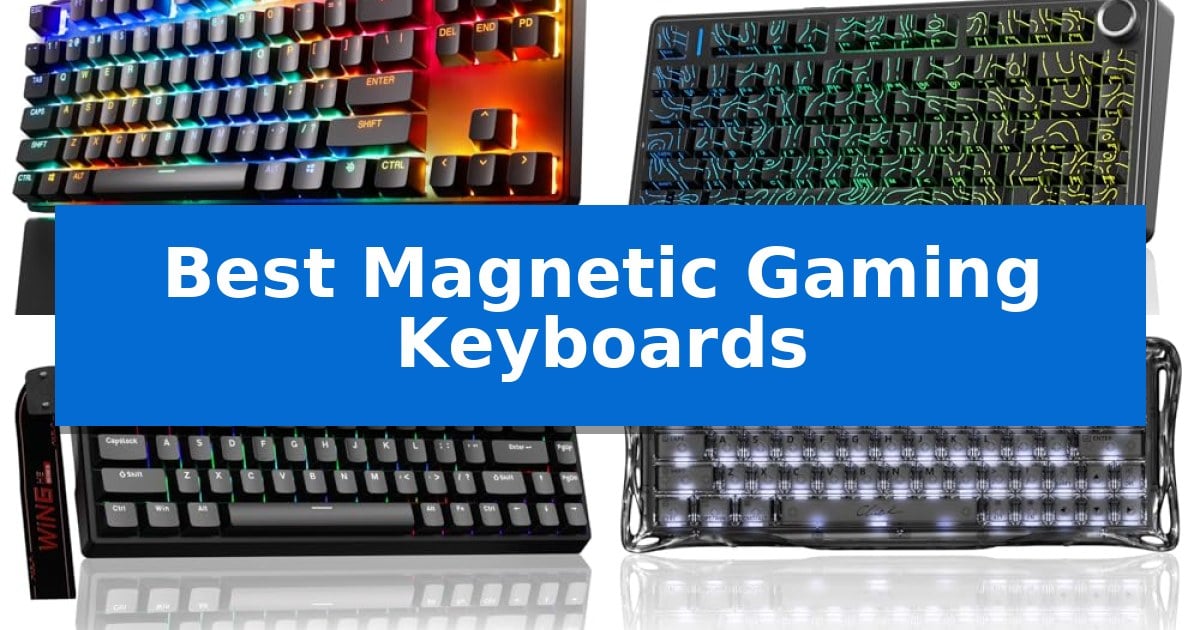
Competitive gaming demands hardware that keeps pace with your reflexes, and traditional mechanical switches often struggle to provide the granular control required for high-stakes movement. The Best Magnetic Gaming Keyboards utilize Hall Effect technology to offer adjustable actuation and rapid trigger capabilities, allowing you to customize exactly how your keys register inputs.
By moving away from physical contact points, these keyboards provide a smoother, more durable typing experience while enabling features like rapid tap and SOCD. Whether you are looking for a compact 60% layout to maximize desk space or a full-featured TKL model, understanding how magnetic switches can refine your gameplay is essential for any serious enthusiast.
You may also want to compare Best Magnetic Gaming Keyboard, Best Magnetic Driveway Alarm, and Best Magnetic Door Locks.
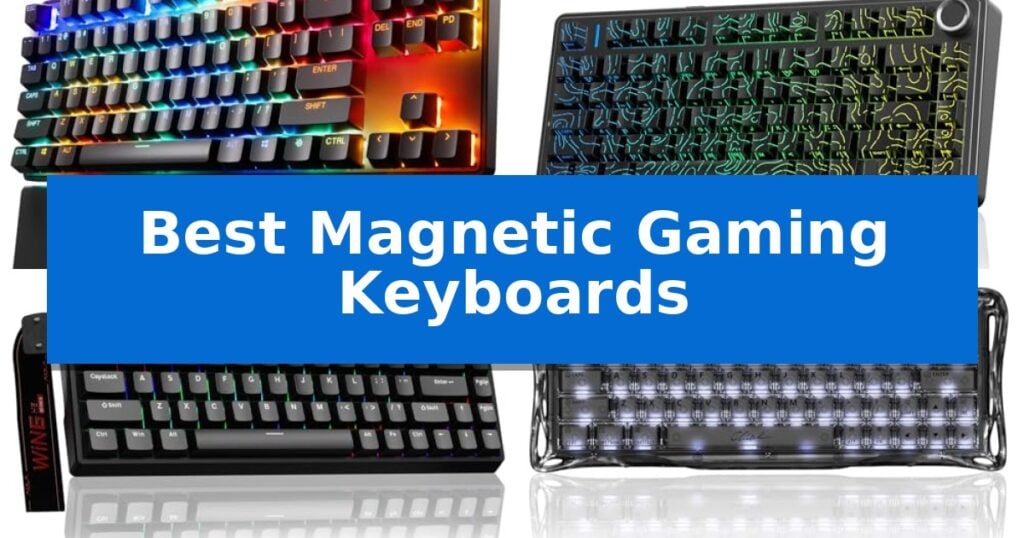
Best Magnetic Gaming Keyboards
Quick Comparison
| Product | Best For | Key Strength | Score |
|---|---|---|---|
| SteelSeries Apex Pro TKL Gen 3 | Best Overall | Adjustable actuation from 0.1mm to 4.0mm | 4.9 |
| Aula F75 HE Wireless Keyboard | Versatile Tri-Mode Wireless Connectivity | Hall Effect magnetic switches for precise, adjustable actuation. | 4.6 |
| AULA WIN68 HE Gaming Keyboard | Ultra-Low Latency Competitive Edge | 8,000Hz polling rate for rapid input registration. | 4.8 |
| GravaStar Mercury V60 HE Keyboard | High-Precision 8K Polling Performance | Ultra-low 0.125ms latency via 8000Hz polling rate | 4.7 |
| Aula WIN60 HE Gaming Keyboard | Compact 60 Percent Rapid Trigger | Rapid Trigger technology with 0.02mm actuation distance | 4.8 |
How We Chose
- Switch Performance: We analyzed the precision of Hall Effect magnetic switches, focusing on adjustable actuation ranges and rapid trigger responsiveness.
- Software Customization: We assessed the ease of use and depth of the driver software for remapping keys, setting macros, and adjusting per-key sensitivity.
- Build and Layout: We considered the physical footprint, keycap materials, and overall chassis durability to ensure long-term reliability.
- Connectivity and Polling: We reviewed the polling rates and connection options, including wired and wireless capabilities, to ensure minimal input latency.
- Feature Set: We looked for specialized gaming features like SOCD, rapid tap, and onboard OLED displays that provide a competitive edge.
1 SteelSeries Apex Pro TKL Gen 3 — Advanced Rapid Trigger Customization
Precision control defines the SteelSeries Apex Pro TKL Gen 3, a keyboard engineered for competitive responsiveness through its OmniPoint 3.0 Analog Magnetic Switches. These Hall Effect switches allow for 40 levels of adjustable actuation, ranging from a hair-trigger 0.1mm to a standard 4.0mm, enabling users to fine-tune the physical distance required for a keypress to register.
The keyboard introduces a suite of performance-oriented features, including Rapid Trigger, which resets the key the moment it is released, and Rapid Tap, which prioritizes the latest input to facilitate faster strafing. A Protection Mode is also integrated to minimize accidental inputs on adjacent keys, a useful utility for maintaining focus during intense gameplay.
Usability is enhanced by the OLED Smart Display, which allows for on-the-fly configuration changes without exiting the game environment. Settings are saved directly to the device's onboard memory, ensuring that custom profiles remain consistent across different systems. The inclusion of PBT keycaps provides a durable surface, while the USB-C connection ensures modern compatibility.
Designed with a Pro TKL form factor, this keyboard balances a compact footprint with the essential keys required for gaming. The QuickSet auto-presets feature simplifies the setup process by automatically loading optimized configurations when specific games are launched, reducing the time spent in software menus.
Best for: Competitive gamers who require granular actuation control and rapid input reset capabilities for high-speed movement.
Skip if: Users who prefer the distinct tactile bump and audible feedback of traditional mechanical switches, as magnetic switches offer a linear feel.
PROS
- Adjustable actuation from 0.1mm to 4.0mm
- Rapid Trigger and Rapid Tap for faster input response
- OLED Smart Display for onboard settings management
- Durable PBT keycaps for long-term use
CONS
- Linear switch feel may not suit users who prefer tactile or clicky feedback
2 Aula F75 HE Wireless Keyboard — Versatile Tri-Mode Wireless Connectivity
Precision input is the hallmark of the Aula F75 HE Wireless Gaming Keyboard, which utilizes advanced Hall Effect magnetic switches to provide contactless sensing for consistent, durable performance. This 75% layout keyboard is engineered for users who demand high-speed responsiveness, featuring an 8000Hz polling rate in wired mode and a 1000Hz polling rate via 2.4GHz wireless connectivity.
The keyboard offers significant customization through its web-based driver, allowing for fine-tuned adjustments to Rapid Trigger settings, actuation points, and Dynamic Keystrokes (DKS). These features enable users to map multiple actions to a single key, providing a distinct advantage in competitive gaming scenarios where speed and accuracy are critical.
Designed for versatility, the Aula F75 HE Wireless Gaming Keyboard supports tri-mode connectivity, including Bluetooth 5.0, 2.4GHz wireless, and USB-C wired connections. The integrated 4000mAh battery ensures extended usage, while the hot-swappable PCB allows for personalized switch replacement to suit individual typing preferences.
The compact 80-key layout includes a multifunction control knob for quick volume and RGB adjustments, maximizing desk space without sacrificing essential controls. With its high-speed scanning rates and low-latency input, this keyboard is a robust choice for gamers and professionals seeking a reliable, high-performance peripheral.
Best for: Competitive gamers and power users who require precise, customizable actuation and high-speed input performance.
Skip if: Users who prefer a full-sized keyboard layout with a dedicated number pad or those who do not require advanced magnetic switch customization.
PROS
- Hall Effect magnetic switches for precise, adjustable actuation.
- 8000Hz polling rate in wired mode for minimal input latency.
- Tri-mode connectivity for seamless multi-device integration.
- Hot-swappable design allows for easy switch customization.
CONS
- 75% compact layout lacks a dedicated number pad.
- Browser-based driver requires internet access for advanced configuration.
3 AULA WIN68 HE Gaming Keyboard — Ultra-Low Latency Competitive Edge
The AULA WIN68 HE Gaming Keyboard distinguishes itself through an industry-leading 8,000Hz polling rate and 0.3ms ultra-low latency, providing a technical advantage for competitive gaming. By utilizing Hall Effect magnetic switches, this keyboard allows for highly granular adjustable actuation points ranging from 0.02mm to 3.44mm, which can be customized in 0.1mm increments to suit specific gameplay styles.
Designed with a 60% compact layout, this wired keyboard maximizes desk real estate while maintaining essential functionality through FN-layer combinations. The inclusion of south-facing RGB LEDs provides 16.8 million colors with 14 preset effects, ensuring clear illumination that does not interfere with keycap compatibility. A detachable USB cable further enhances the unit's portability, making it a viable option for users who require a high-performance peripheral that is easy to transport.
System management is handled via a customizable web driver, which enables users to configure advanced features like RT (Rapid Trigger), SOCD, and DKS without the need for local software installation. This driver provides a centralized interface for macro editing and key mapping on Windows systems. While the hardware offers significant customization, users should note that the web driver is exclusively compatible with Windows environments.
The AULA WIN68 HE Gaming Keyboard balances professional-grade responsiveness with a space-saving design. Its combination of high-speed polling and precise magnetic actuation makes it a specialized tool for those prioritizing input speed and personalization in their gaming or coding workflows.
Best for: Competitive gamers and power users who prioritize ultra-low latency and precise, customizable actuation points in a compact form factor.
Skip if: Users who require macOS software support or those who prefer a full-sized keyboard layout with dedicated media keys and a number pad.
PROS
- 8,000Hz polling rate for rapid input registration.
- Adjustable Hall Effect switches with 0.1mm precision.
- Compact 60% design saves significant desk space.
- Web-based driver eliminates the need for bulky local software.
CONS
- Windows-only driver compatibility.
- 60% layout lacks dedicated arrow keys and function row as physical keys.
4 GravaStar Mercury V60 HE Keyboard — High-Precision 8K Polling Performance
Competitive gaming demands hardware that translates intent into action without delay. The GravaStar Mercury V60 HE Gaming Keyboard addresses this need by incorporating a true 8000Hz polling rate and a 256kHz scan rate, which work together to achieve an ultra-low 0.125ms latency. This technical foundation is designed to provide faster reaction times in high-stakes titles like Valorant and CS2.
At the heart of the GravaStar Mercury V60 HE Gaming Keyboard are Hall Effect magnetic switches. These allow for adjustable actuation ranging from a hair-trigger 0.005mm to 3.5mm, giving users granular control over their keypress sensitivity. The inclusion of Rapid Trigger technology further enhances gameplay by dynamically resetting keys the moment they are released, which facilitates smoother strafing and more responsive movement in fast-paced FPS environments.
Beyond its performance metrics, the keyboard features a stunning Crystal Rose chassis that offers a distinct aesthetic for streamers and creators. The build quality is supported by multi-layer acoustic foam to produce a satisfying sound profile, while the hot-swappable nature of the switches ensures that users can customize the feel of their board or replace components for long-term maintenance.
This 60% compact layout is engineered for those who prioritize desk space and ergonomic positioning. While it is a wired device, the focus remains on maintaining consistent, high-speed data transmission required for competitive play. It is a specialized tool for gamers who demand precision and want a visually unique addition to their setup.
Best for: Competitive FPS gamers who require ultra-low latency, adjustable actuation, and Rapid Trigger functionality for high-level performance.
Skip if: Users who require a full-sized layout with a dedicated number pad or those who prioritize wireless connectivity over wired 8K polling performance.
PROS
- Ultra-low 0.125ms latency via 8000Hz polling rate
- Adjustable actuation from 0.005mm to 3.5mm
- Rapid Trigger technology for instant key reset
- Hot-swappable Hall Effect switches for customization
CONS
- 60% compact layout lacks dedicated navigation and number keys
- Wired-only connection limits desk placement flexibility
5 Aula WIN60 HE Gaming Keyboard — Compact 60 Percent Rapid Trigger
Precision gaming requires hardware that eliminates the gap between intention and action. The Aula WIN60 HE Gaming Keyboard addresses this by utilizing advanced Hall Effect magnetic switches, which allow for an ultra-low 0.02mm rapid trigger step distance. This technology enables near-instantaneous input registration, providing a distinct advantage in competitive FPS titles where millisecond-level timing for peeking or stopping is essential.
By leveraging magnetic sensors instead of traditional mechanical contacts, the keyboard ensures consistent actuation without the physical wear typically associated with mechanical switches. This design is paired with an 8000Hz polling rate, facilitating high-speed data transmission to your PC to minimize input lag. The result is a setup that maintains performance integrity even during intense, high-stakes gaming sessions.
The Aula WIN60 HE Gaming Keyboard features a space-saving 60% layout, which maximizes your desk real estate for better ergonomic positioning or portability. Despite its compact footprint, it includes 16.8 million customizable RGB colors and a lower light position design that effectively illuminates the PBT keycaps. This aesthetic customization is managed through a web-based driver, which removes the need for bulky, system-heavy software installations.
Because the configuration interface is web-based, you can remap keys, build macros, and adjust lighting profiles from any internet-connected device. This streamlined approach ensures that your personalized settings remain accessible without worrying about software compatibility or background resource usage, making it a practical choice for both gaming and productivity tasks.
Best for: Competitive FPS gamers who require rapid trigger functionality and a compact 60% form factor.
Skip if: Users who rely on a dedicated number pad or function row for productivity tasks will find the 60% layout restrictive.
PROS
- Rapid Trigger technology with 0.02mm actuation distance
- 8000Hz polling rate for high-speed input
- Web-based driver eliminates the need for software downloads
- Hall Effect magnetic switches for increased durability
CONS
- 60% compact layout lacks dedicated arrow keys and function row
Best Magnetic Gaming Keyboards Buying Guide
Understanding Hall Effect Switches
Hall Effect switches function using magnetic sensors rather than physical metal contacts. This contactless design allows the keyboard to detect exactly how far a key is pressed, enabling adjustable actuation points that can be tuned to your specific preference, from ultra-sensitive for fast movement to deeper presses for typing.
Because there is no physical wear on metal contacts, these switches are generally more durable than traditional mechanical alternatives. The ability to reset the key the moment it is released, known as Rapid Trigger, is a game-changer for players who need to strafe or perform rapid inputs in fast-paced titles.
The Importance of Rapid Trigger
Rapid Trigger technology allows the keyboard to register a key release instantly, rather than waiting for the key to travel back up to a specific reset point. This minimizes the delay between stopping one movement and starting another, which is critical for precise character positioning in FPS games.
When paired with features like Rapid Tap or SOCD, players can achieve more fluid movement. These features effectively prioritize the most recent input, preventing the common issue of overlapping keys that can slow down your character's response time during intense combat scenarios.
Layouts and Desk Space
Choosing between a 60% compact layout and a TKL (Tenkeyless) design often comes down to your available desk space and how much you rely on dedicated function keys. A 60% keyboard removes the number pad and navigation cluster, providing significantly more room for large mouse sweeps.
If you frequently use function keys or arrow keys for productivity outside of gaming, a TKL layout might be the better compromise. It retains essential navigation keys while still offering a smaller footprint than a standard full-sized keyboard, making it a popular choice for competitive setups.
Software and Customization
The effectiveness of a magnetic keyboard is heavily tied to its driver software. A robust driver allows you to calibrate the actuation distance for every single key, save multiple profiles for different games, and manage complex macros without needing to navigate through cumbersome menus.
Some modern keyboards now offer web-based drivers, which provide the benefit of customization without requiring you to install heavy software on your system. This is particularly useful if you move between different PCs or prefer to keep your operating system free of unnecessary background processes.
Polling Rates and Latency
A high polling rate, such as 8000Hz, ensures that your computer receives input data from the keyboard as frequently as possible. While the difference between 1000Hz and 8000Hz may be subtle for casual users, it can provide a measurable reduction in input latency for competitive players.
When selecting a keyboard, ensure that the high polling rate is supported in the connection mode you plan to use. While wired connections are the standard for maximum performance, some wireless models now offer stable high-polling performance through dedicated 2.4GHz dongles.
Frequently Asked Questions
Are magnetic switches better than mechanical switches?
Magnetic switches offer unique advantages like adjustable actuation and rapid trigger, which are not possible with traditional mechanical switches. They are generally more durable due to the lack of physical contact points.
Do I need special software for these keyboards?
Most magnetic keyboards require driver software to calibrate the actuation points and customize features like Rapid Trigger. Some models offer web-based drivers to simplify this process.
Can I use these keyboards on a Mac?
Compatibility varies by model. While many support basic typing on Mac, advanced features like driver-based customization are often restricted to Windows systems. Always check the manufacturer's specifications.
What is SOCD?
SOCD (Simultaneous Opposing Cardinal Directions) is a feature that helps manage input when two opposing keys are pressed at the same time, often used to improve movement control in competitive games.
Are these keyboards hot-swappable?
Many, but not all, magnetic keyboards feature hot-swappable sockets. This allows you to replace the magnetic switches if you want to customize the feel or if a switch fails, though you must ensure the replacement switches are compatible with the keyboard's magnetic sensing technology.
Conclusion: Our Top Pick
For gamers seeking the absolute best in responsiveness and customization, the SteelSeries Apex Pro TKL Gen 3 stands out as the premier choice. Its integration of OmniPoint 3.0 switches provides an industry-leading range of actuation, while the inclusion of advanced features like Protection Mode and Rapid Tap ensures you have every competitive advantage at your fingertips.
While other options offer excellent portability or specific layout benefits, the overall performance and software ecosystem of the Apex Pro TKL Gen 3 make it the most well-rounded solution for serious players. If you are ready to upgrade your setup, this keyboard provides the precision and reliability needed to elevate your performance in any title.