
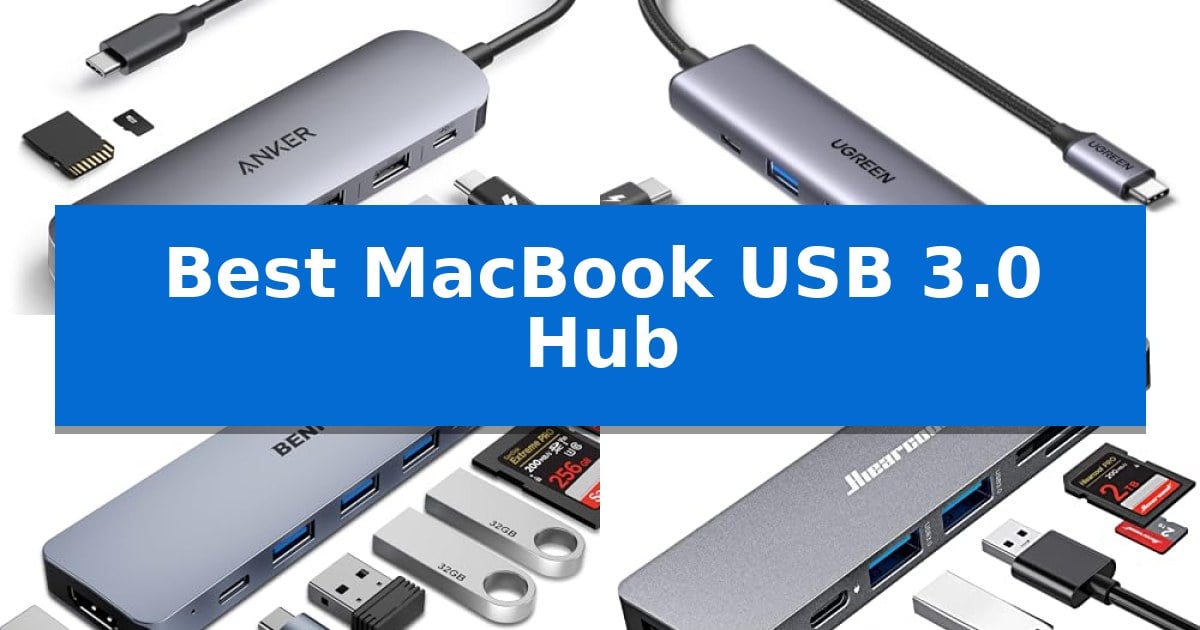
Modern MacBooks offer sleek designs, but their limited port selection often requires users to rely on external adapters to connect legacy peripherals, monitors, or memory cards. Finding the Best MacBook USB 3.0 Hub involves balancing the number of available ports with the specific data transfer and power delivery needs of your workstation.
Whether you are a creative professional needing high-speed card readers or a student requiring simple USB-A expansion for a mouse and keyboard, the right hub can transform your setup. This guide evaluates five distinct options, focusing on their technical specifications, build quality, and practical utility for your daily workflow.
You may also want to compare Best MacBook Upgrades for Video Editing, Best MacBook Under $1000, and Best MacBook Thunderbolt 4 Dock.
Best MacBook USB 3.0 Hub
Quick Comparison
| Product | Best For | Key Strength | Score |
|---|---|---|---|
| Anker 7-in-1 USB-C Hub | Best Overall | Supports 4K@60Hz HDMI output for high-resolution displays. | 4.9 |
| UGREEN 5-in-1 USB-C Hub | Reliable Power Delivery and HDMI | 100W Power Delivery for efficient device charging. | 4.9 |
| BENFEI 7-in-1 USB-C Hub | Versatile Multi-Card Reader Support | 100W Power Delivery enables pass-through charging for laptops and tablets. | 4.4 |
| Hiearcool 7-in-1 USB-C Hub | Compact Design for Frequent Travel | 100W USB-C PD pass-through charging for stable power. | 4.8 |
| Anker 4-Port USB 3.0 Hub | Simple Expansion for Peripherals | 5Gbps data transfer speeds for efficient file management. | 4.4 |
How We Chose
- Port Versatility: Assessing the mix of USB-A 3.0, HDMI, and card reader slots available.
- Data Transfer Speeds: Verifying support for 5Gbps throughput to ensure efficient file management.
- Power Delivery: Confirming pass-through charging capabilities to keep your MacBook powered during use.
- Build and Portability: Evaluating the physical footprint and material quality for desktop or travel use.
- Display Support: Checking resolution and refresh rate capabilities for external monitor connectivity.
1 Anker 7-in-1 USB-C Hub — Best for High-Speed 4K Displays
Managing multiple peripherals with a modern laptop often requires a reliable bridge for connectivity, and the Anker 7-in-1 USB-C Hub provides a versatile solution for users needing to expand their port selection. This compact adapter integrates seven distinct functions into a single, portable device, allowing for simultaneous data transfer, video output, and power delivery.
The hub features an HDMI port capable of 4K@60Hz output, ensuring high-definition visuals for external monitors or projectors. For data-heavy tasks, it includes two USB-A 3.0 ports and a USB-C data port, all supporting transfer speeds of up to 5Gbps. This allows for efficient file management between external drives and your computer.
Beyond data and video, the device supports 85W Power Delivery (PD), enabling users to charge their laptops while using the hub. It also includes dual slots for SD and TF cards, providing a direct way to access media from cameras or mobile devices without needing separate card readers.
Measuring approximately 5.17 x 1.46 x 0.47 inches, the hub is designed for portability, making it suitable for travel or desk setups where space is limited. It comes with an 18-month warranty, reflecting the manufacturer's support for the hardware's longevity.
Best for: Users who need to connect a 4K display, external drives, and memory cards to a USB-C laptop while simultaneously charging the device.
Skip if: Users who require more than one video output port or those who need Thunderbolt-specific features not supported by this standard USB-C hub.
PROS
- Supports 4K@60Hz HDMI output for high-resolution displays.
- Includes 85W Power Delivery to charge laptops while in use.
- Features 5Gbps data transfer speeds across three ports.
- Compact 7-in-1 design saves desk space.
CONS
- The USB-C port is for data only and does not support video projection.
- Requires a separate charger to utilize the 85W PD pass-through capability.
2 UGREEN 5-in-1 USB-C Hub — Reliable Power Delivery and HDMI
The UGREEN 5-in-1 USB-C Hub provides a versatile solution for expanding connectivity on modern devices, featuring a 4K HDMI port, a 100W USB-C PD port, and three USB-A ports. This compact adapter is designed to bridge the gap between limited laptop ports and the need for peripheral integration, making it a practical addition for users requiring external displays and legacy USB devices.
Equipped with a 4K HDMI port that supports output at 30Hz, this hub allows for high-definition video connections to monitors or projectors. The inclusion of a 100W USB-C Power Delivery port enables efficient pass-through charging, ensuring your laptop remains powered while other peripherals are in use. This combination of display and power capabilities is central to its utility in both office and mobile environments.
Data management is handled through a dedicated 5Gbps USB-A 3.0 port, which facilitates rapid file transfers, while two additional 480 Mbps USB-A 2.0 ports offer convenient connections for keyboards, mice, or other low-speed accessories. The hub maintains broad compatibility with devices supporting USB-C with DP Alt Mode, including various MacBooks, tablets, and smartphones, ensuring it fits into diverse hardware ecosystems.
Measuring roughly 4.79 inches in length and weighing approximately 0.2 pounds, the hub is engineered for portability without sacrificing essential port variety. Its 24-month warranty provides long-term support, reflecting the manufacturer's commitment to the device's durability and functional integrity for daily professional or personal tasks.
Best for: Users needing to connect a 4K display and multiple USB peripherals to a USB-C laptop while maintaining pass-through charging.
Skip if: Users who require high-speed data transfer across all three USB-A ports or those needing higher than 30Hz refresh rates for 4K displays.
PROS
- 100W Power Delivery for efficient device charging.
- Includes a 4K HDMI port for high-resolution display output.
- Features a 5Gbps USB-A 3.0 port for fast data transfers.
- Compact and lightweight design for easy portability.
CONS
- HDMI output is limited to 4K at 30Hz.
- Two of the three USB-A ports are restricted to 480 Mbps speeds.
3 BENFEI 7-in-1 USB-C Hub — Versatile Multi-Card Reader Support
The BENFEI 7-in-1 USB-C Hub provides a comprehensive connectivity solution by utilizing a single USB-C port to deliver an HDMI output, three USB 3.0 ports, and dedicated SD/TF card readers. This lightweight accessory is built with a premium aluminium alloy casing designed to improve heat insulation, ensuring the device remains stable during extended use.
Performance is driven by an integrated IC chip that supports data transfer speeds up to 5Gbps through its USB 3.0 ports. For display needs, the hub supports high-definition video output at resolutions up to 4K@60Hz, provided the host device supports DisplayPort Alt Mode. The inclusion of a 100W Power Delivery (PD) port allows users to charge their laptops or tablets while simultaneously running peripherals.
Compatibility is a primary focus, as the hub is engineered to work with a wide range of hardware including the iPhone 15 series, modern MacBook Pro models, and various Windows-based laptops like the Dell XPS series. Users should note that when connecting power-intensive devices such as tablets or smartphones, connecting a charger to the PD port is necessary to maintain stable video output functionality.
The device is backed by an 18-month unconditional warranty, reflecting a commitment to long-term reliability. Its compact form factor makes it a practical choice for those needing to manage multiple peripherals or external displays while traveling or working in a desk-bound environment.
Best for: Users who need to connect multiple USB 3.0 peripherals and an external 4K display to a single USB-C port while maintaining laptop charging.
Skip if: Users whose host devices do not support DisplayPort Alt Mode, as the HDMI functionality will not operate without this specific hardware capability.
PROS
- 100W Power Delivery enables pass-through charging for laptops and tablets.
- 4K@60Hz HDMI output supports high-definition external displays.
- Premium aluminium alloy casing aids in effective heat dissipation.
- Integrated SD/TF card readers provide convenient media access.
CONS
- Requires PD power connection for stable video output on mobile devices.
- Sync speeds may vary on older USB 3.1 Gen 1 devices.
4 Hiearcool 7-in-1 USB-C Hub — Compact Design for Frequent Travel
The Hiearcool 7-in-1 USB-C Hub provides a versatile expansion solution for users needing to connect multiple peripherals to a MacBook or USB-C laptop. Its aluminum build is specifically engineered to enhance heat dissipation during extended use, making it a reliable choice for office environments, presentations, or home setups.
Equipped with 4K@30Hz HDMI output, this hub enables clear video connections to projectors, monitors, or TVs, which is beneficial for design reviews or professional meetings. The inclusion of 100W USB-C PD pass-through charging allows for stable power delivery to the laptop, ensuring that performance remains consistent even when multiple devices are connected simultaneously.
For data management, the hub features USB 3.0 ports capable of 5Gbps transfer speeds, alongside dedicated SD/TF card readers. These ports facilitate quick access to media files, serving the needs of photographers and content creators who require efficient file transfers without needing additional adapters.
Designed with portability in mind, the Hiearcool 7-in-1 USB-C Hub is lightweight and compact, fitting easily into bags for travel. Its plug-and-play functionality ensures compatibility across various devices, including MacBook, Dell, HP, Lenovo, Microsoft, and Asus laptops, providing a straightforward interface for daily multitasking.
Best for: Professionals and creators who require a portable, multi-port expansion solution for high-speed data transfer and external display connectivity.
Skip if: Users who require higher refresh rates than 30Hz for 4K displays or those who need Thunderbolt 3/4 specific bandwidth for high-end external GPUs.
PROS
- 100W USB-C PD pass-through charging for stable power.
- Durable aluminum design for improved heat dissipation.
- High-speed 5Gbps USB 3.0 data transfer.
- Integrated SD/TF card readers for media access.
CONS
- 4K output limited to 30Hz refresh rate.
5 Anker 4-Port USB 3.0 Hub — Simple Expansion for Peripherals
Managing multiple peripherals on a workstation often leads to port congestion, particularly when relying on a single connection point. The Anker 4-Port USB 3.0 Hub addresses this by transforming one USB-A port into four, providing a straightforward solution for users who need to connect multiple devices simultaneously without constant cable swapping.
Engineered for efficiency, this hub supports SuperSpeed data transfer rates up to 5Gbps, which allows for the rapid movement of large files. The device features a 2-foot cable, offering enough reach to position the hub conveniently on a desk surface while keeping your primary port accessible.
The build focuses on longevity and thermal management, utilizing a precision-designed construction that emphasizes heat resistance. This ensures the unit remains stable during extended use. It is important to note that this specific model is strictly a data transfer tool and is not designed to charge devices, which helps maintain a dedicated focus on peripheral connectivity.
With its slim profile and durable design, the hub is a practical addition to any setup requiring additional USB-A connectivity. It comes with an 18-month warranty, reflecting the manufacturer's commitment to the product's functional reliability.
Best for: Users needing to expand a single USB-A port into four for data-heavy peripherals like external drives and input devices.
Skip if: Users requiring a hub that can charge mobile devices or those who need USB-C connectivity, as this model is limited to USB-A data transfer.
PROS
- 5Gbps data transfer speeds for efficient file management.
- Four USB-A ports providing significant expansion from a single connection.
- Heat-resistant design for improved durability during operation.
- 2-foot cable length for flexible desk placement.
CONS
- Charging not supported, limiting the hub to data tasks only.
Best MacBook USB 3.0 Hub Buying Guide
Understanding Port Requirements
Before selecting a hub, identify the specific devices you need to connect simultaneously. If you frequently transfer large files from cameras, a hub with dedicated SD and TF card slots is essential. Conversely, if your primary goal is connecting a mouse, keyboard, and printer, a hub focused on multiple USB-A 3.0 ports will be more practical.
Consider the total number of devices you plan to plug in at once. Some compact hubs may limit the number of high-power devices you can connect, so check if the hub requires an external power source or if it relies solely on the MacBook's power output.
Power Delivery and Charging
Many USB-C hubs feature Power Delivery (PD), which allows you to plug your MacBook's original charger into the hub. This enables you to charge your laptop through the hub while simultaneously using its other ports. Ensure the hub's wattage rating matches or exceeds your MacBook's requirements to maintain optimal charging speeds.
Not all hubs support pass-through charging. If you plan to use the hub for long work sessions, a model with a high-wattage PD port is highly recommended to prevent your battery from draining while connected to external peripherals.
Video Output and Display Quality
If you intend to connect your MacBook to an external monitor or projector, the HDMI port specifications are critical. Look for support for 4K resolution to ensure crisp image quality. Note that some hubs support 4K at 30Hz, while others offer 60Hz for smoother motion, which is preferable for video editing or high-definition presentations.
Always verify that your specific MacBook model supports video output over its USB-C or Thunderbolt ports. While most modern MacBooks are compatible, older or entry-level devices may have limitations regarding external display support.
Data Transfer Speeds
For users who frequently move large files, the speed of the USB ports is a major factor. Most modern hubs offer USB 3.0 (or 3.1 Gen 1), which provides data transfer rates up to 5Gbps. This is significantly faster than older USB 2.0 standards and is sufficient for most external hard drives and flash drives.
Be aware that connecting multiple high-speed devices to a single hub can sometimes lead to bandwidth sharing. If you are performing intensive data tasks, ensure your hub is designed to handle simultaneous high-speed transfers without significant performance drops.
Build Quality and Heat Management
Hubs often generate heat during operation, especially when handling high-speed data or video signals. Models constructed from aluminum alloy generally offer better heat dissipation than plastic alternatives, which can help maintain consistent performance over long periods.
Portability is another consideration. If you travel frequently, look for a compact, lightweight design that fits easily into a laptop bag. Conversely, if the hub is for a permanent desk setup, a slightly larger unit with more ports and a longer cable might offer better convenience.
Frequently Asked Questions
Will these hubs work with all MacBook models?
Most of these hubs are compatible with MacBooks equipped with USB-C or Thunderbolt ports. However, always check your specific MacBook's port compatibility and OS requirements.
Can I charge my MacBook through the hub?
Yes, if the hub features a USB-C Power Delivery (PD) port, you can connect your MacBook's charger to the hub to pass power through to your laptop.
Why does my hub get warm during use?
It is normal for USB-C hubs to get warm, especially when transferring large amounts of data or outputting 4K video, as the internal components dissipate heat.
Do I need to install drivers for these hubs?
Most of these hubs are plug-and-play, meaning they should be recognized by your MacBook immediately without the need for additional software or drivers.
Can I use all ports at the same time?
Yes, these hubs are designed for multi-port use, though bandwidth may be shared between ports depending on the total power and data load of the connected devices.
Conclusion: Our Top Pick
For most users seeking a balance of connectivity, speed, and reliability, the Anker 7-in-1 USB-C Hub stands out as the most versatile option. Its combination of 4K@60Hz HDMI output, dual USB 3.0 ports, and high-capacity 85W pass-through charging makes it an excellent companion for both office productivity and home entertainment setups.
While other options in this list offer specific advantages like extreme portability or simple peripheral expansion, the Anker model provides the most comprehensive feature set for a wide range of MacBook users. Ensure your specific monitor and charging needs align with the hub's capabilities to get the most out of your purchase.