
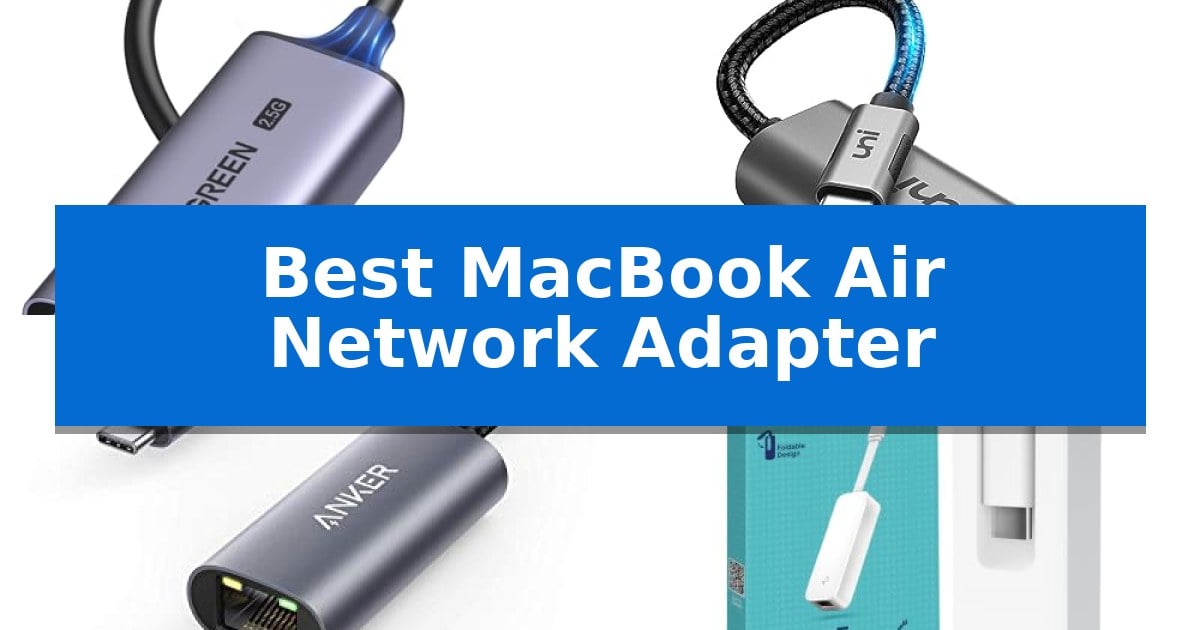
Modern ultra-thin laptops often sacrifice physical ports for sleek designs, leaving users without a reliable way to connect to wired networks. If you rely on a stable, high-speed connection for large file transfers or uninterrupted video streaming, finding the Best MacBook Air Network Adapter is essential to bridge that gap.
These compact accessories transform your device's USB-C port into a high-performance RJ45 Ethernet connection. Whether you are working from a home office, traveling, or managing a network-attached storage device, the right adapter ensures you maintain consistent speeds without the potential latency or interference often associated with wireless networks.
You may also want to compare Best MacBook Air M5 Accessories, Best MacBook Air M4 Docking Station for Ultrawide Monitors, and Best MacBook Air M4 Docking Station.
Best MacBook Air Network Adapter
Quick Comparison
| Product | Best For | Key Strength | Score |
|---|---|---|---|
| UGREEN USB C to Ethernet Adapter | Best Overall | Supports high-speed 2.5Gb Ethernet connectivity. | 4.9 |
| uni USB C to Ethernet Adapter | Durable Braided Cable Design | 1Gbps Gigabit Ethernet support for high-speed data transfer | 4.5 |
| Anker USB C to Ethernet Adapter | Compact Portable Connectivity | Supports stable connection speeds up to 1 Gbps. | 4.8 |
| TP-Link USB C to Ethernet Adapter | Reliable Plug and Play Setup | Plug-and-play setup with no driver requirements. | 4.7 |
| UtechSmart USB C Multiport Hub | All-in-One Docking Solution | 1000M Ethernet port for reliable wired internet connectivity. | 4.3 |
How We Chose
- Data transfer speeds and support for Gigabit or 2.5Gb network standards.
- Physical build quality, including materials like aluminum for heat dissipation.
- Compatibility with various operating systems and USB-C/Thunderbolt interfaces.
- Portability and design considerations such as cable length and form factor.
- Ease of use, focusing on plug-and-play functionality without complex driver requirements.
1 UGREEN USB C to Ethernet Adapter — Best for Ultra-Fast 2.5Gb Networks
Modern ultra-thin laptops often sacrifice physical ports for portability, leaving users without a reliable wired connection. The UGREEN USB C to Ethernet Adapter bridges this gap by providing a high-speed 2.5Gb RJ45 interface through a single USB-C connection, ensuring consistent network stability for demanding tasks like 4K streaming or large file transfers.
At the heart of this adapter is the RTL8156BG chip, which is engineered to maintain peak network performance while managing power consumption to reduce heat. This design choice ensures that the device remains cool and reliable during extended use, whether you are connected to a high-speed NAS or a standard office network.
Built with a durable aluminum exterior, the adapter is designed to withstand frequent plugging and unplugging. It also features integrated indicator lights that provide immediate visual confirmation of your connection status, removing the guesswork when troubleshooting network issues.
Compatibility is a primary focus, as the adapter functions seamlessly with a wide range of devices, including modern MacBook Air and Pro models, iPads, and even smartphones. It offers a straightforward plug-and-play experience, allowing you to transition from a standard 1Gb network to a faster 2.5Gb setup simply by pairing it with compatible hardware.
Best for: Users requiring a high-speed, stable 2.5Gb wired network connection for USB-C laptops and tablets.
Skip if: Users who only require basic 1Gb connectivity and do not have 2.5Gb-capable routers or switches to utilize the higher bandwidth.
PROS
- Supports high-speed 2.5Gb Ethernet connectivity.
- Durable aluminum housing for improved longevity.
- Equipped with an efficient RTL8156BG chip for stable performance.
- Includes LED status indicators for clear connection monitoring.
CONS
- Requires 2.5Gb-capable network hardware to achieve maximum speed benefits.
2 uni USB C to Ethernet Adapter — Durable Braided Cable Design
Reliable wired internet access is essential for maintaining a stable connection when wireless signals are inconsistent or congested. The uni USB C to Ethernet Adapter provides a straightforward solution for MacBook Air users, offering a plug-and-play interface that requires no additional drivers for operation.
This adapter is built with a premium aluminum casing designed for effective heat dissipation during extended use. Its braided nylon cable adds a layer of durability, while the compact, lightweight form factor ensures it remains portable for travel or office setups. The design specifically accounts for peripheral management, ensuring the connector does not obstruct adjacent USB-C ports on your device.
Performance is defined by its support for 1Gbps Gigabit Ethernet speeds, which allows for efficient large file transfers and stable streaming. It remains downward compatible with 100Mbps and 10Mbps networks, providing versatility across different infrastructure environments. To achieve the maximum 1Gbps throughput, the use of CAT6 or higher Ethernet cables is required.
Compatibility extends across a wide range of USB-C devices, including MacBook Air models from 2018 and later, as well as various tablets and smartphones. The unit is backed by an 18-month warranty and professional support, ensuring long-term utility for your workstation.
Best for: Users requiring a stable, high-speed wired network connection for MacBook Air and other USB-C devices.
Skip if: Users who require compatibility with the Nintendo Switch or those who exclusively rely on high-speed wireless networking.
PROS
- 1Gbps Gigabit Ethernet support for high-speed data transfer
- Plug-and-play functionality with no driver installation required
- Premium aluminum casing for improved heat management
- Braided nylon cable for enhanced physical durability
CONS
- Not compatible with Nintendo Switch consoles
- Requires CAT6 or higher cables to reach full gigabit speeds
3 Anker USB C to Ethernet Adapter — Compact Portable Connectivity
The Anker USB C to Ethernet Adapter provides a streamlined solution for users needing stable, wired internet connectivity on modern devices that lack a native RJ45 port. Measuring just over half an inch thick and weighing about the same as a AA battery, this adapter is designed for portability, making it a practical addition for MacBook Air users who require reliable network access on the go.
Engineered to support stable connection speeds of up to 1 Gbps, this adapter ensures high-speed data transfer for demanding tasks. It features a sleek aluminum exterior and a braided-nylon cable, which are chosen to complement the aesthetic of high-end hardware while providing durability for daily use.
Compatibility is a core strength of this device, as it works with most laptops, tablets, and smartphones equipped with a USB-C or Thunderbolt 4/3 port. Whether you are connecting a MacBook Air, iPad, or other USB-C enabled hardware, the plug-and-play design allows for instant internet access without complex configuration.
This adapter is an effective tool for those who prioritize a stable, wired connection over wireless alternatives. It balances a compact, lightweight form factor with the performance requirements of modern gigabit networks, offering a straightforward hardware bridge for devices limited by their physical port selection.
Best for: Users who need a reliable, high-speed wired internet connection for a USB-C enabled laptop or tablet.
Skip if: Users who exclusively rely on high-speed Wi-Fi and do not require a physical Ethernet port for their workflow.
PROS
- Supports stable connection speeds up to 1 Gbps.
- Compact and lightweight design for easy portability.
- Durable aluminum exterior and braided-nylon cable.
- Broad compatibility with Thunderbolt 4/3 and USB-C devices.
CONS
- Requires a USB-C port, which may be limited on devices with few available inputs.
4 TP-Link USB C to Ethernet Adapter — Reliable Plug and Play Setup
The TP-Link USB C to Ethernet Adapter provides a direct, stable wired connection for devices lacking a dedicated RJ45 port. By utilizing a USB-C 3.0 interface, this adapter enables 10/100/1000 Mbps Gigabit Ethernet performance, which is essential for users requiring consistent connectivity for high-bandwidth tasks like media streaming or large file transfers.
Designed with portability in mind, the unit measures just 2.8 x 1.0 x 0.6 inches, allowing it to fit into most laptop bags or pockets. Its plug-and-play functionality ensures compatibility across major operating systems including macOS, Windows, Chrome OS, and Linux, eliminating the need for manual driver installations during setup.
This adapter is built to support a wide range of modern hardware, including MacBook Air, MacBook Pro, iPad Pro, and various Windows-based laptops like the Dell XPS and Surface series. As a signatory of the CISA Secure-by-Design pledge, TP-Link emphasizes security in the device's architecture, providing a reliable networking solution for both home and office environments.
While the adapter offers high-speed connectivity, users should note that achieving the full 1Gbps potential requires the use of CAT6 or higher Ethernet cables. Its lightweight, compact build is ideal for mobile professionals, though it occupies one of the limited USB-C ports on thinner devices, which may necessitate a hub if multiple peripherals are in use simultaneously.
Best for: Users needing a reliable, portable, and plug-and-play wired network connection for USB-C laptops or tablets.
Skip if: Users who require a multi-port hub for simultaneous charging and peripheral connectivity, as this is a single-function adapter.
PROS
- Plug-and-play setup with no driver requirements.
- Supports Gigabit Ethernet speeds for stable connections.
- Ultra-compact and lightweight design for travel.
- Broad compatibility with Thunderbolt 3/4 and USB-C devices.
CONS
- Occupies a single USB-C port on the host device.
- Requires CAT6 or higher cables to reach maximum 1Gbps speeds.
5 UtechSmart USB C Multiport Hub — All-in-One Docking Solution
Expanding the connectivity of a modern laptop often requires a reliable bridge between legacy ports and high-speed data standards. The UtechSmart USB C Multiport Hub addresses this by consolidating multiple interfaces into a single, compact device that connects directly to a USB-C port.
This adapter features a 1000M Ethernet port for stable wired networking, which is essential for users requiring consistent speeds for large file transfers or streaming. Beyond networking, it includes a 4K HDMI port for external display output and three USB 3.0 ports capable of 5 Gbps data transfer speeds, allowing for the simultaneous connection of multiple peripherals.
Power management is handled through a 100W Power Delivery (PD) port, enabling pass-through charging for compatible laptops and devices. The hub is designed with advanced heat dissipation to maintain stable performance during heavy usage. Its plug-and-play design ensures compatibility across various operating systems, including macOS and Windows, without the need for additional driver installations.
Measuring approximately 4.06 by 6.46 inches, the device maintains a slim profile suitable for travel or desk organization. While it provides a comprehensive suite of ports, users should ensure their specific laptop supports USB-C Power Delivery to take full advantage of the charging capabilities.
Best for: Users who need to add wired Ethernet, external display support, and multiple USB-A peripherals to a laptop with limited USB-C ports.
Skip if: Users who require specialized ports like Thunderbolt 3/4, SD card slots, or an integrated audio jack, as this hub does not include those specific interfaces.
PROS
- 1000M Ethernet port for reliable wired internet connectivity.
- 100W Power Delivery enables high-speed pass-through charging.
- 4K HDMI output for high-resolution external display support.
- Plug-and-play compatibility with no driver installation required.
CONS
- Limited port selection compared to larger, more expensive docking stations.
- No integrated SD or MicroSD card slots for media transfer.
Best MacBook Air Network Adapter Buying Guide
Understanding Network Speeds
Most standard adapters support Gigabit Ethernet (1Gbps), which is sufficient for the vast majority of home and office internet connections. However, if you use a NAS (Network Attached Storage) or have a high-speed fiber plan, a 2.5Gb adapter can provide a significant performance boost by removing the bottleneck found in standard 1Gb connections.
Always ensure your router and network cables, preferably CAT6 or higher, are capable of handling the speeds your adapter provides. Using an older cable with a high-speed adapter will limit your actual throughput to the lowest common denominator in your network chain.
Build Materials and Heat Management
Network adapters generate heat when processing high-speed data. Models constructed from aluminum generally offer better heat dissipation than plastic alternatives, which helps maintain stable performance during long, data-intensive tasks like backing up large drives or streaming high-bitrate media.
Durability is another factor, especially for mobile users. Adapters with braided nylon cables or reinforced strain relief are less prone to fraying or internal wire damage, making them better suited for frequent travel and storage in crowded laptop bags.
Compatibility and Plug-and-Play
The primary advantage of modern USB-C network adapters is their broad compatibility with various operating systems, including macOS, Windows, and Chrome OS. Most high-quality adapters are driver-free, meaning they function immediately upon connection without requiring you to install additional software.
When shopping, verify that the adapter is compatible with your specific Thunderbolt 3 or 4 port. While most USB-C adapters are backward compatible, ensuring the device is designed for modern standards guarantees the most stable signal transfer.
Portability vs. Multiport Functionality
Decide whether you need a dedicated Ethernet dongle or a multiport hub. A dedicated adapter is usually more compact and lightweight, making it ideal for users who only need to add an Ethernet port. These are often the size of a AA battery and fit easily into any pocket.
Conversely, a multiport hub adds value by including additional ports like HDMI or USB-A, which is useful if you frequently connect to external monitors or legacy peripherals. The trade-off is a larger physical footprint and potentially higher power consumption.
Reliability and Warranty
A reliable network connection is critical for professional tasks. Look for brands that offer clear warranty periods, typically ranging from 12 to 18 months. This provides peace of mind that the manufacturer stands behind the longevity of the internal chipsets and physical connectors.
Customer support availability is also a factor. Brands that offer responsive service can be helpful if you encounter connectivity issues or have questions regarding specific device compatibility, ensuring you get the most out of your purchase.
Frequently Asked Questions
Do I need to install drivers for these adapters?
Most modern USB-C to Ethernet adapters are plug-and-play, meaning they do not require manual driver installation on macOS, Windows, or Chrome OS.
Will a 2.5Gb adapter work with my 1Gb router?
Yes, these adapters are backward compatible. You will be limited to the speed of your router, but you will still maintain a stable, high-quality connection.
What cable should I use for Gigabit speeds?
To reliably reach 1Gbps or higher, it is recommended to use CAT6 or higher Ethernet cables.
Can I use these adapters with my smartphone?
Many of these adapters are compatible with modern smartphones that feature a USB-C port, provided the device's operating system supports external network hardware.
Why does my adapter get warm?
It is normal for network adapters to become warm during operation as they process data. Aluminum housings help dissipate this heat effectively.
Conclusion: Our Top Pick
For users seeking the best performance and future-proofing, the UGREEN USB C to Ethernet Adapter stands out as the top choice. Its ability to support up to 2.5Gb speeds makes it an excellent investment for those working with NAS devices or high-speed fiber internet, while its aluminum build ensures durability and effective heat management.
While other options like the Anker or TP-Link adapters are excellent for standard 1Gb connectivity, the UGREEN model provides the most flexibility for transitioning to faster network standards. It is a robust, reliable solution that ensures your MacBook Air remains connected with maximum efficiency.