
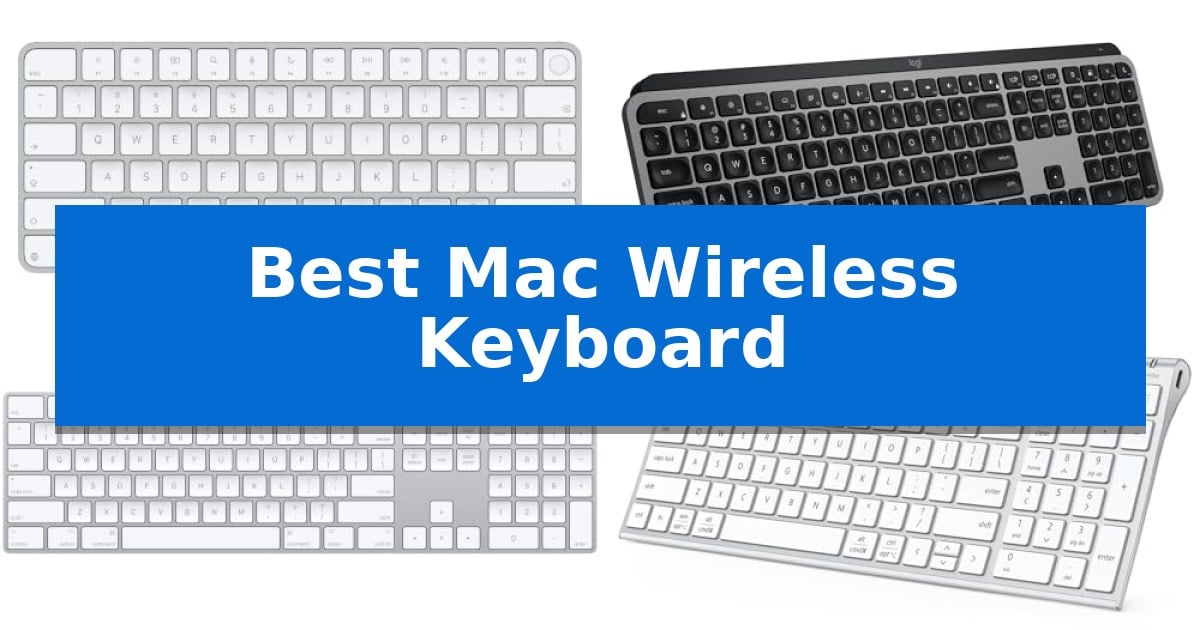
Finding the Best Mac Wireless Keyboard requires balancing your specific workflow needs with the seamless integration that Apple users expect. Whether you prioritize biometric security for quick logins or a full-sized layout for intensive data entry, the right hardware can significantly improve your daily interaction with macOS.
We have evaluated the latest wireless options to help you identify which keyboard aligns with your desk setup and typing preferences. From slim, minimalist designs to extended layouts with numeric keypads, these selections focus on connectivity, battery efficiency, and the tactile experience essential for long hours of work.
You may also want to compare Best Mac Vertical Mouse, Best Mac USB-C Docking Station, and Best Mac USB-C Adapter.
Best Mac Wireless Keyboard
Quick Comparison
| Product | Best For | Key Strength | Score |
|---|---|---|---|
| Apple Magic Keyboard with Touch ID | Best Overall | Integrated Touch ID for secure and fast authentication. | 4.9 |
| Logitech MX Keys S Mac Keyboard | Fluid typing with smart backlighting | Mac-specific layout and aesthetic design for seamless Apple integration. | 4.6 |
| Apple Magic Keyboard Numeric Keypad | Extended layout for data entry | Extended layout with a dedicated numeric keypad for efficient data entry. | 4.5 |
| iClever BK10 SE Bluetooth Keyboard | Slim profile for minimalist setups | Multi-device switching across three platforms with automatic key mapping. | 4.4 |
| Macally Wireless Bluetooth Keyboard | Budget-friendly multi-device connectivity | Multi-sync connectivity allows for seamless switching between 3 devices. | 4.8 |
How We Chose
- Compatibility with macOS and Apple silicon integration
- Typing comfort, including key travel and layout ergonomics
- Connectivity options such as Bluetooth stability and multi-device switching
- Battery life and charging convenience via USB-C or Lightning
- Build quality and physical footprint for different desk environments
1 Apple Magic Keyboard with Touch ID — Secure biometric login for Mac
The Apple Magic Keyboard with Touch ID integrates biometric authentication directly into your workspace, allowing for fast and secure logins or purchases on Mac models equipped with Apple silicon. This keyboard streamlines daily tasks by removing the need to manually type passwords for system access or authorized transactions, providing a significant efficiency boost for users who frequently authenticate across their operating system.
Designed for a remarkably comfortable and precise typing experience, the keyboard features a low-profile aesthetic that complements the Apple ecosystem. It connects wirelessly to your Mac and pairs automatically, ensuring you can begin working immediately upon setup without navigating complex configuration menus.
Power management is handled by an internal rechargeable battery that provides enough energy for about a month or more of use between charges. When the battery level is low, the included woven USB-C Charge Cable allows you to connect directly to your Mac to continue working while the device charges, effectively eliminating downtime.
This model is specifically engineered for users who prioritize security and seamless integration with their existing Apple hardware. Its compact dimensions and wireless functionality make it a versatile addition to any desk setup, though it is optimized specifically for Mac systems with Apple silicon, which is a necessary requirement for the Touch ID functionality to operate.
Best for: Users of Mac models with Apple silicon who require secure, integrated biometric authentication and a reliable wireless typing experience.
Skip if: Users who do not own a Mac with Apple silicon or those who prefer mechanical switches with high-travel keys will find this keyboard's specific features and design unsuitable.
PROS
- Integrated Touch ID for secure and fast authentication.
- Automatic pairing with Mac devices for immediate setup.
- Long-lasting rechargeable battery lasting a month or more.
- Woven USB-C cable included for convenient charging and pairing.
CONS
- Limited compatibility restricted to Mac models with Apple silicon.
- Non-mechanical key switches may not suit users preferring high-travel tactile feedback.
2 Logitech MX Keys S Mac Keyboard — Fluid typing with smart backlighting
The Logitech MX Keys S Mac Keyboard is engineered specifically for the Apple ecosystem, featuring a dedicated Mac key layout and a sleek finish designed to integrate seamlessly with your existing hardware. This full-size wireless keyboard prioritizes a refined typing experience through its low-profile design and spherically dished keys, which are shaped to match the natural contours of your fingertips for increased precision.
Beyond its physical design, the keyboard introduces advanced productivity features like Smart Actions shortcuts, which allow you to automate repetitive tasks with a single keystroke via the Logi Options+ app. The smarter illumination system is a standout utility, as the backlit keys automatically adjust to environmental lighting and activate as your hands approach the device, ensuring visibility in various workspaces.
For users managing multiple devices, the keyboard supports Bluetooth Low Energy connectivity, enabling you to pair and switch between up to three Apple devices, including macOS, iPadOS, and iOS products. When paired with an MX Master 3S for Mac, users can leverage the software to transfer text and files across these connected systems, streamlining complex workflows.
The device is built for long-term comfort, utilizing an optimum keyboard angle that promotes better wrist posture during extended sessions. It is also designed with sustainability in mind, incorporating certified post-consumer recycled plastic in its construction. The unit is USB-C rechargeable, offering a battery life of up to 10 days on a single charge to keep your workspace clutter-free.
Best for: Users deeply integrated into the Apple ecosystem who require a high-precision, multi-device keyboard with customizable automation features.
Skip if: Users who prefer mechanical switches with high-travel actuation or those who require a wired-only connection for their workflow.
PROS
- Mac-specific layout and aesthetic design for seamless Apple integration.
- Spherically dished keys provide a comfortable, fluid typing experience.
- Smart Actions automation via Logi Options+ app increases productivity.
- Multi-device pairing allows switching between three Apple devices.
CONS
- Non-mechanical keys may not satisfy users seeking tactile click feedback.
- 10-day battery life requires more frequent charging compared to some non-backlit alternatives.
3 Apple Magic Keyboard Numeric Keypad — Extended layout for data entry
The Apple Magic Keyboard with Numeric Keypad provides an extended layout designed specifically for users who require frequent data entry, featuring dedicated document navigation controls and full-size arrow keys. This wireless peripheral integrates seamlessly with Mac, iPad, and iPhone ecosystems, offering a streamlined experience for those managing spreadsheets or finance applications.
Engineered for convenience, the device connects via Bluetooth and eliminates the need for disposable power sources by utilizing a rechargeable internal battery. Users can expect to go about a month or more between charges, with the included Lightning to USB cable allowing for simultaneous pairing and charging when connected to a Mac.
The physical design emphasizes a low-profile, comfortable typing experience. Measuring approximately 16.48 inches in length, the keyboard maintains a slim footprint while accommodating the full numeric keypad. It is compatible with macOS 10.12.4 or later, iPadOS 13.4 or later, and iOS 10.3 or later, ensuring broad utility across Apple hardware.
While the keyboard offers significant utility for productivity, it is a dedicated Apple-centric accessory. Its functionality is optimized for the specific software and hardware standards of the Apple ecosystem, making it a specialized tool rather than a universal peripheral.
Best for: Users who require a full-sized keyboard with a dedicated numeric keypad for spreadsheet work and data entry on Apple devices.
Skip if: Users who prefer a compact, tenkeyless design or those who require a keyboard compatible with non-Apple operating systems.
PROS
- Extended layout with a dedicated numeric keypad for efficient data entry.
- Rechargeable internal battery eliminates the need for disposable batteries.
- Wireless Bluetooth connectivity for a clutter-free workspace.
- Long-lasting battery life capable of lasting a month or more on a single charge.
CONS
- Limited compatibility primarily restricted to Apple hardware and specific software versions.
- Larger footprint compared to compact or tenkeyless keyboard models.
4 iClever BK10 SE Bluetooth Keyboard — Slim profile for minimalist setups
The iClever BK10 SE Bluetooth Keyboard prioritizes a clean, minimalist desk aesthetic by combining a premium stainless steel and ABS construction with an ultra-slim 0.16-inch profile. This full-size keyboard is engineered for users who require a numeric keypad and dedicated navigation keys without the bulk of traditional mechanical boards, making it a practical choice for streamlined workspaces.
Functionality is centered on a multi-device connectivity system that allows users to pair up to three devices simultaneously. A dedicated button enables seamless switching between Windows, MacOS, iOS, and Android platforms, with the hardware automatically adjusting key mapping to match the active operating system. This cross-platform flexibility is supported by an advanced Nordic chipset designed for high power efficiency.
Typing comfort is managed through low-profile scissor-switch keys and 15mm standard full-size keycaps. The design emphasizes quiet operation and consistent tactile feedback, which can improve accuracy during extended typing sessions. To maintain its slim footprint, navigation controls like Home and End are integrated directly into the numeric keypad area.
Power management is handled via a rechargeable battery that supports up to 180 days of use on a single charge. The keyboard includes an automatic sleep mode that triggers after two hours of inactivity, waking instantly upon the next keystroke. A perforated base design ensures consistent Bluetooth signal stability, addressing potential interference concerns often associated with metal-bodied peripherals.
Best for: Users who need a slim, multi-device wireless keyboard that maintains a full-size layout with a numeric keypad for Mac and cross-platform environments.
Skip if: Users who prefer the deep travel and mechanical feedback of traditional high-profile mechanical switches.
PROS
- Multi-device switching across three platforms with automatic key mapping.
- Ultra-slim design featuring a durable stainless steel and ABS build.
- Long-lasting battery life rated for up to 180 days on a single charge.
- Quiet typing experience provided by low-profile scissor-switch keys.
CONS
- Integrated navigation keys within the numeric keypad may require an adjustment period for users accustomed to dedicated clusters.
5 Macally Wireless Bluetooth Keyboard — Budget-friendly multi-device connectivity
Managing multiple devices in a modern workspace often leads to cluttered desks and constant input switching. The Macally Wireless Bluetooth Keyboard addresses this by enabling seamless transitions between up to three connected devices, allowing users to toggle between a primary computer, tablet, and smartphone with ease. This multi-device capability is engineered for users who need to maintain productivity across different operating systems without the hassle of re-pairing hardware.
Despite its full-sized 110-key layout, which includes a dedicated numeric keypad and 20 shortcut keys, the keyboard maintains an ultra-slim 15mm profile. This compact footprint is designed to save valuable desk space while ensuring that essential functions remain accessible. The inclusion of a full numeric pad is particularly beneficial for data entry tasks, providing a standard typing experience within a thin, portable form factor.
Typing comfort is facilitated by fast scissor flexors paired with thin keycaps. These components are designed to deliver a responsive, tactile touch while maintaining a quiet acoustic profile, making the device suitable for shared office environments or quiet home workspaces. The keyboard requires no additional drivers for operation, offering broad compatibility with Bluetooth-enabled technology including Apple, Windows, and Chrome devices.
Power management is supported by a built-in rechargeable battery that provides up to 3 months of usage based on a standard 3-hour daily cycle. This longevity reduces the need for frequent charging, whether the keyboard is used in a fixed desktop setup or during travel. The device offers a reliable, driver-free connection, ensuring that users can focus on their tasks rather than technical setup.
Best for: Users who need a slim, full-sized keyboard to switch between multiple devices like an iMac, MacBook, and tablet.
Skip if: Users who prefer mechanical switches with high-travel keys or those who require a wired-only connection for specific security or latency requirements.
PROS
- Multi-sync connectivity allows for seamless switching between 3 devices.
- Ultra-slim 15mm profile saves desk space while including a numeric keypad.
- Rechargeable battery provides up to 3 months of usage on a single charge.
- Quiet scissor-switch keys offer a responsive and low-noise typing experience.
CONS
- Bluetooth-only connectivity lacks a wired USB mode for environments where wireless signals are restricted.
- Thin keycap design may not provide the tactile depth preferred by mechanical keyboard enthusiasts.
Best Mac Wireless Keyboard Buying Guide
Connectivity and Multi-Device Support
Modern wireless keyboards often support multi-device pairing, allowing you to switch between your Mac, iPad, or iPhone with a single button press. This is essential for users who maintain a multi-screen or multi-device workspace and need to transition their typing focus instantly.
Reliable Bluetooth connectivity is the standard for these peripherals, ensuring a stable link without the need for dongles. When selecting a keyboard, verify if it supports your specific macOS version to ensure all function keys and shortcuts map correctly to your system.
Layout and Ergonomics
The choice between a compact layout and a full-size keyboard with a numeric keypad depends on your primary tasks. If you work extensively with spreadsheets or financial data, an extended layout provides the necessary navigation controls and number entry speed.
Ergonomics also play a vital role in comfort. Look for low-profile designs that encourage a natural wrist angle, reducing strain during extended typing sessions. Some keyboards feature spherically dished keys that match the shape of your fingertips, which can improve accuracy and reduce fatigue.
Battery Life and Charging
Wireless convenience is only as good as the battery life. Most modern Mac keyboards are rechargeable, eliminating the need for disposable batteries. Look for models that offer USB-C charging, as this standard is becoming universal across the Apple ecosystem.
Consider the frequency of charging required. Some high-efficiency models can last for months on a single charge, while backlit keyboards may require more frequent power top-ups. Always check if the keyboard can be used while charging, which ensures you are never left without a functional input device.
Backlighting and Customization
Backlit keyboards are a significant advantage for those who work in low-light environments. Smart illumination features, which detect your hands as they approach the keys, can help conserve battery life while providing visibility exactly when you need it.
Advanced software integration allows for further customization, such as creating shortcut macros for repetitive tasks. If you rely on specific workflows, ensure the keyboard's companion software is compatible with your version of macOS to unlock these productivity-enhancing features.
Build Quality and Materials
The materials used in a keyboard affect both its durability and its aesthetic appeal on your desk. Stainless steel and high-quality ABS plastics are common, offering a sturdy feel that prevents the keyboard from sliding during use.
A slim profile often complements a minimalist desk setup, but ensure that the build quality does not compromise the stability of the device. A well-constructed keyboard should feel weighted and secure, providing a consistent typing experience without unwanted flex.
Frequently Asked Questions
Do all these keyboards work with Windows?
Many of the listed keyboards are designed for macOS but offer multi-OS support, allowing them to map keys correctly for Windows, iOS, and Android devices.
What is the benefit of Touch ID on a keyboard?
Touch ID provides fast, secure biometric authentication, allowing you to log in to your Mac and authorize purchases with a single touch, similar to using it on a MacBook.
How do I know if a keyboard is compatible with my Mac?
Most wireless keyboards use standard Bluetooth protocols. However, for specific features like Touch ID or custom shortcut software, check the manufacturer's system requirements for your specific macOS version.
Are these keyboards quiet?
Most models featured here use scissor-switch mechanisms, which are generally designed to provide a quiet, responsive typing experience suitable for office environments.
Can I use these keyboards while they are charging?
Yes, most rechargeable wireless keyboards allow you to continue typing while connected to a USB-C cable for charging.
Conclusion: Our Top Pick
Choosing the right peripheral depends on your specific needs, but for most Mac users, the Apple Magic Keyboard with Touch ID stands out as the premier choice. Its seamless integration with Apple silicon, combined with the convenience of secure biometric login, makes it an essential tool for maintaining both security and productivity.
While other models offer benefits like multi-device switching or extended numeric layouts, the native support and reliable performance of the Apple Magic Keyboard ensure it remains the most cohesive addition to any Mac-centric workspace.