
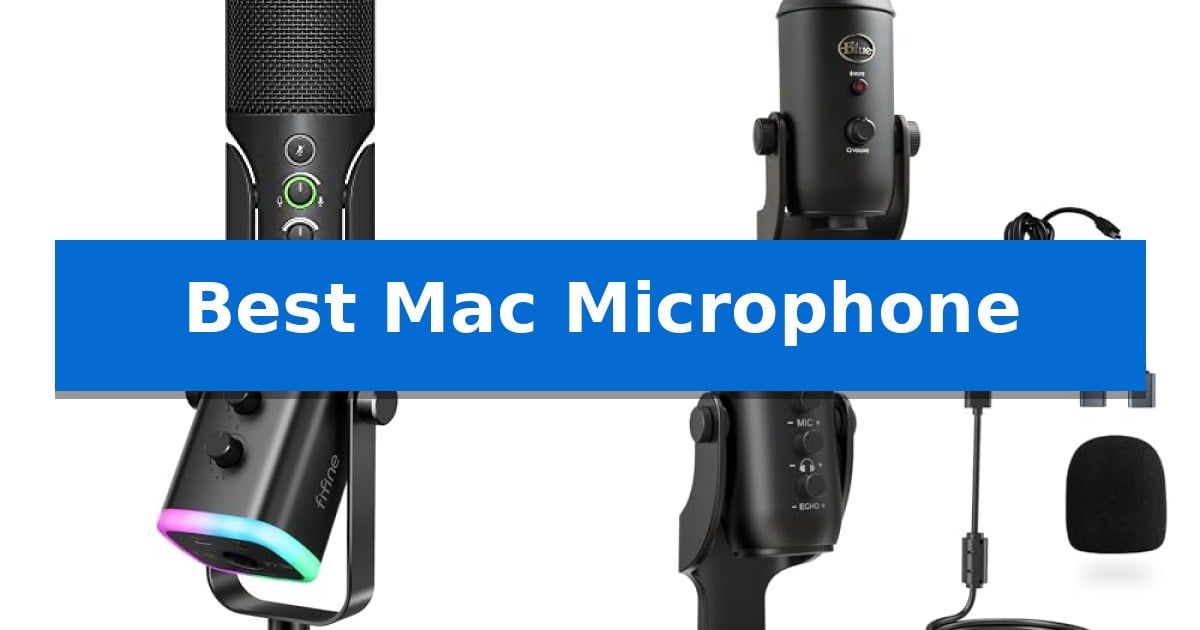
Finding the Best Mac Microphone requires balancing your specific recording environment with the technical requirements of macOS. Whether you are hosting remote meetings, recording podcasts, or streaming content, the right hardware ensures your voice remains the focal point without unnecessary complexity.
Our selection focuses on microphones that offer reliable connectivity and intuitive controls, ensuring you spend less time troubleshooting and more time creating. We have analyzed these models based on their feature sets and compatibility to help you identify which device best integrates into your existing desktop or mobile workflow.
You may also want to compare Best Mac Mice, Best Mac M1 Docking Station, and Best Mac M1 Dock.
Best Mac Microphone
Quick Comparison
| Product | Best For | Key Strength | Score |
|---|---|---|---|
| Sennheiser Profile USB Microphone | Best Overall | German-engineered cardioid condenser capsule for natural vocal reproduction | 4.9 |
| Logitech Blue Yeti USB Microphone | Versatile Patterns for Any Setup | Four pickup patterns for versatile recording scenarios | 4.4 |
| FIFINE AmpliGame AM8 Dynamic Microphone | Dual Connection Flexibility | Dual-connection flexibility with both USB and XLR outputs. | 4.5 |
| ZealSound K66 Podcast Microphone | All-in-One Mobile and Desktop Solution | Zero-latency monitoring via a built-in 3.5mm jack. | 4.9 |
| FIFINE K669B USB Microphone | Reliable Entry-Level Recording | Plug-and-play setup via USB-A connection. | 4.5 |
How We Chose
- Connectivity and Driver Compatibility: We prioritized plug-and-play devices that function reliably with macOS without requiring complex driver installations.
- Onboard Control Accessibility: We assessed the availability of physical dials for gain, volume, and mute, which allow for real-time adjustments without navigating software menus.
- Build Quality and Form Factor: We considered the durability of the chassis and the footprint of the included stands to ensure they fit various desk configurations.
- Versatility of Use: We evaluated whether the microphone supports multiple pickup patterns or connection types, such as XLR, to accommodate different recording environments.
- Monitoring Capabilities: We checked for integrated headphone jacks that provide zero-latency monitoring, a critical feature for professional vocal recording.
1 Sennheiser Profile USB Microphone — Natural Warmth for Vocal Clarity
Achieving professional-grade vocal clarity for your Mac setup often comes down to the quality of the microphone capsule and the accessibility of your controls. The Sennheiser Professional Profile features a German-engineered cardioid condenser capsule housed in a durable metal chassis, designed to capture the natural warmth and presence of the human voice without requiring complex external interfaces.
This microphone prioritizes a streamlined workflow through its plug-and-play USB-C connectivity, making it an immediate solution for Mac users who need to bypass complicated audio routing. By integrating essential functions directly onto the device, it allows you to manage your audio environment in real-time. You can adjust your gain, mix between your microphone and computer audio, and set your headphone volume using tactile dials located on the front of the unit.
Designed for versatility in both podcasting and streaming, the unit includes a built-in headphone jack for direct monitoring, ensuring you hear exactly what your audience hears. The included table stand provides a stable, compact footprint, allowing for precise microphone placement while maintaining a clean desk aesthetic. With a dedicated mute button, you retain immediate control over your broadcast, providing a reliable hardware-based solution for professional vocal recording.
While the Sennheiser Professional Profile excels in simplicity and build quality, it is a dedicated cardioid condenser microphone. It is best suited for users who prioritize voice-focused applications like streaming or voiceovers, where the natural, warm sound profile of the German-engineered capsule can be fully utilized.
Best for: Content creators and podcasters who need a high-quality, plug-and-play USB microphone with tactile hardware controls for their Mac.
Skip if: Users who require an XLR-based professional studio setup or those who need a multi-pattern microphone for recording omnidirectional sound sources.
PROS
- German-engineered cardioid condenser capsule for natural vocal reproduction
- Tactile on-board controls for gain, mix, and volume adjustments
- Plug-and-play USB-C connectivity for seamless Mac integration
- Durable metal housing for long-term reliability
CONS
- Fixed cardioid polar pattern limits versatility for non-vocal recording scenarios
2 Logitech Blue Yeti USB Microphone — Versatile Patterns for Any Setup
The Logitech Blue Yeti USB Microphone provides a versatile audio solution for Mac users by incorporating a custom three-capsule array designed to capture broadcast-quality sound. This condenser microphone is built to handle diverse recording environments, from podcasting and streaming to music production, without requiring complex external interfaces.
Flexibility is a core component of this device, featuring four distinct pickup patterns: cardioid, omni, bidirectional, and stereo. These settings allow users to adapt the microphone to specific scenarios, such as isolating a single voice or capturing a group conversation, effectively replacing the need for multiple specialized microphones.
Control and monitoring are integrated directly into the hardware. The unit includes onboard adjustments for headphone volume, pattern selection, instant mute, and mic gain. Users can utilize the adjustable desktop stand to pivot the microphone toward the sound source, while the no-latency monitoring feature allows for real-time audio tracking during recording sessions.
For enhanced vocal processing, the included Blue VO!CE software offers advanced modulation, HD audio samples, and broadcast-quality effects. This software integration allows creators to refine their audio output directly on their computer, providing a streamlined workflow for those producing content for platforms like Twitch or YouTube.
Best for: Creators and podcasters who require a versatile, all-in-one USB microphone with multiple pickup patterns and integrated software effects.
Skip if: Users who require a highly portable, ultra-compact microphone or those who already possess a professional XLR-based audio interface setup.
PROS
- Four pickup patterns for versatile recording scenarios
- Onboard audio controls for immediate adjustments
- Blue VO!CE software for broadcast-quality vocal effects
- Plug and play connectivity for Mac systems
CONS
- Large physical footprint may occupy significant desk space
- Weight of 3.51 pounds limits portability
3 FIFINE AmpliGame AM8 Dynamic Microphone — Dual Connection Flexibility
Achieving professional-grade audio for your Mac setup requires a versatile tool that adapts to your specific workflow. The FIFINE AmpliGame AM8 Dynamic Microphone offers a unique dual-connection design, allowing you to switch between USB for plug-and-play convenience and XLR for integration into more complex audio interfaces.
This microphone utilizes a cardioid dynamic capsule with a frequency response of 50Hz-16KHz, which is engineered to isolate your voice while rejecting off-axis background noise. For creators who prioritize privacy and control, the unit features a tap-to-mute button with an integrated LED indicator, ensuring you always know your status during live streams.
Usability is enhanced through thoughtful hardware additions, including a headphone jack for real-time monitoring and a dedicated gain knob that provides tactile resistance for precise adjustments. The inclusion of controllable RGB lighting with three modes and multiple color options allows the device to visually integrate with existing gaming peripherals.
Designed for flexibility, the FIFINE AmpliGame AM8 Dynamic Microphone includes built-in 3/8'' and 5/8'' metal threads, making it compatible with most standard microphone stands without requiring additional adapters. Whether you are recording vocals or streaming, the included windscreen helps mitigate unwanted hum from nearby electronics for a cleaner output.
Best for: Creators who need a flexible microphone that can transition from a simple USB setup to a professional XLR interface.
Skip if: Users who require a purely portable, battery-powered microphone, as this unit is corded and designed for stationary desktop use.
PROS
- Dual-connection flexibility with both USB and XLR outputs.
- Integrated tap-to-mute button with LED status indicator.
- Built-in headphone jack for zero-latency monitoring.
- Universal mounting via integrated 3/8'' and 5/8'' threads.
CONS
- RGB and function keys are inactive when using the XLR connection.
- XLR cable not included in the package.
4 ZealSound K66 Podcast Microphone — All-in-One Mobile and Desktop Solution
The ZealSound K66 Podcast Microphone distinguishes itself with a top-addressed design that prioritizes direct voice capture, paired with a weighted metal base for stability during intense recording sessions. This microphone is engineered for creators who require a reliable, all-in-one solution that transitions effortlessly between desktop and mobile environments.
Performance is driven by a high-performance condenser capsule featuring a cardioid pickup pattern that focuses on the user's voice while minimizing ambient noise. The device offers a 40Hz–18kHz frequency response, ensuring a broad range of sound reproduction. For challenging environments, an Intelligent Noise Reduction Mode can be toggled via the mute button to suppress common distractions like fan hum or keyboard clicks.
Usability is enhanced by a suite of physical controls that eliminate the need for external software. Users can adjust microphone gain, headphone monitoring volume, and echo levels directly on the device. The inclusion of a 3.5mm headphone jack provides zero-latency monitoring, allowing for precise audio feedback in real-time. A dedicated instant mute button with a clear red LED indicator ensures privacy and control during live broadcasts or meetings.
Compatibility is a core strength of this Best Mac Microphone candidate. It functions as a true plug-and-play device, requiring no drivers for Mac, Windows, or mobile platforms. The package includes USB-C and Lightning adapters, facilitating immediate connection to modern tablets and smartphones. With its durable construction and comprehensive accessory kit—including a foam windscreen—it provides a stable, professional-grade setup for podcasters, streamers, and educators alike.
Best for: Creators who need a versatile, plug-and-play microphone that works seamlessly across desktop computers and mobile devices without requiring complex software.
Skip if: Users who require an XLR-based microphone setup or those who prefer a side-addressed studio microphone with a dedicated boom arm mount.
PROS
- Zero-latency monitoring via a built-in 3.5mm jack.
- Broad device compatibility with included USB-C and Lightning adapters.
- Physical adjustment knobs for gain, volume, and echo control.
- Intelligent noise reduction mode for cleaner audio in noisy environments.
CONS
- Top-addressed orientation may require specific positioning compared to side-address microphones.
- Fixed stand design limits mounting options compared to traditional boom arm setups.
5 FIFINE K669B USB Microphone — Reliable Entry-Level Recording
The FIFINE K669B USB Microphone simplifies audio capture for Mac users through a plug-and-play design that connects directly to a USB-A port, eliminating the need for complex external interfaces or phantom power. This condenser microphone is built with a solid metal construction, providing a durable foundation for desktop recording, whether you are managing voice-overs, streaming, or participating in online meetings.
Equipped with a dedicated volume knob on the microphone body, this unit allows for immediate sensitivity adjustments, ensuring your audio levels remain consistent during live sessions. The cardioid polar pattern is specifically engineered to focus on the sound source directly in front of the mic, which helps in reducing unwanted background noise during broadcasts or team calls.
The included stable tripod stand provides a reliable base for desk placement, making it a practical choice for users who need a compact, all-in-one solution. While it is designed for wide compatibility with Mac OS and Windows, users should note that it is not compatible with phones or Xbox consoles, and it performs best when software-based automatic gain controls are disabled.
This microphone offers a straightforward, functional approach to recording without requiring additional hardware. By focusing on essential controls and a robust build, it serves as a dependable entry-level tool for daily digital communication and content creation.
Best for: Users seeking a simple, plug-and-play USB microphone for Mac-based voice recording, streaming, and online meetings.
Skip if: Users who require compatibility with mobile devices or Xbox consoles, or those who need an XLR-based professional studio setup.
PROS
- Plug-and-play setup via USB-A connection.
- Durable metal construction for long-term use.
- Integrated volume knob for quick sensitivity control.
- Cardioid pickup pattern to minimize background noise.
CONS
- Not compatible with phones or Xbox systems.
- Requires manual adjustment of software settings to prevent volume fluctuations.
Best Mac Microphone Buying Guide
Understanding Pickup Patterns
The pickup pattern determines how a microphone captures sound from different directions. A cardioid pattern is the most common for solo creators, as it focuses on the sound directly in front of the capsule while rejecting noise from the sides and rear.
For those recording interviews or group discussions, microphones offering omnidirectional or bidirectional patterns provide more flexibility. Understanding your primary recording environment is essential to choosing a microphone that isolates your voice effectively.
USB vs. XLR Connectivity
USB microphones offer the simplest path to high-quality audio, as they connect directly to your Mac and handle the analog-to-digital conversion internally. They are ideal for users who want a streamlined, plug-and-play experience.
XLR microphones require an external audio interface, which provides more control over the signal chain and allows for the use of professional-grade cables. This setup is generally preferred by those looking to expand their studio capabilities over time.
The Importance of Monitoring
Zero-latency monitoring allows you to hear your own voice through headphones in real-time as you record. This feature is vital for maintaining consistent volume and tone, as it helps you identify and correct issues immediately.
Look for microphones with a dedicated 3.5mm headphone jack and independent volume controls. This ensures you can balance the playback from your computer with your own voice without needing additional hardware.
Gain Control and Signal Levels
Gain control allows you to adjust the sensitivity of the microphone's input. Proper gain staging is necessary to ensure your audio is loud enough to be clear without introducing clipping or distortion.
Physical gain knobs are superior to software-based sliders because they allow for tactile, instantaneous adjustments. This is particularly useful during live streams or recordings where you need to react to changes in volume quickly.
Desk Space and Mounting
Consider the physical footprint of your microphone and its included stand. A compact, stable base is essential for smaller desks, while some users may prefer microphones that feature standard threading for use with boom arms.
If you plan to move your microphone frequently, look for models with durable, all-metal construction. A well-built microphone is less likely to pick up mechanical vibrations from your desk, resulting in a cleaner recording.
Frequently Asked Questions
Do I need special software to use these microphones on a Mac?
Most of these microphones are plug-and-play, meaning they are recognized by macOS as standard audio input devices without requiring additional software.
Can I use these microphones with an iPad or iPhone?
Some models include adapters or support USB-C connectivity, making them compatible with mobile devices, but you should verify the specific requirements for each model.
What is the benefit of a mute button on the microphone?
A physical mute button provides an immediate way to silence your input, which is useful during meetings or live streams to protect your privacy without needing to interact with your computer.
Is a dynamic microphone better than a condenser microphone?
Dynamic microphones are generally better at rejecting background noise in untreated rooms, while condenser microphones are more sensitive and capture more detail, making them ideal for quiet, controlled environments.
How do I reduce background noise in my recordings?
Proper microphone placement, using a cardioid pickup pattern, and utilizing built-in noise reduction modes or physical pop filters can significantly improve the clarity of your recordings.
Conclusion: Our Top Pick
When selecting the Sennheiser Profile USB Microphone, you are choosing a device that prioritizes both vocal warmth and ease of use. Its German-engineered capsule and intuitive physical controls make it an excellent choice for creators who want professional sound without the complexity of an external interface.
While other options offer more pickup patterns or hybrid connectivity, the focus on a natural, body-rich sound profile makes this microphone a standout for vocal-centric tasks. It provides a reliable, high-quality foundation for any Mac-based recording setup.