
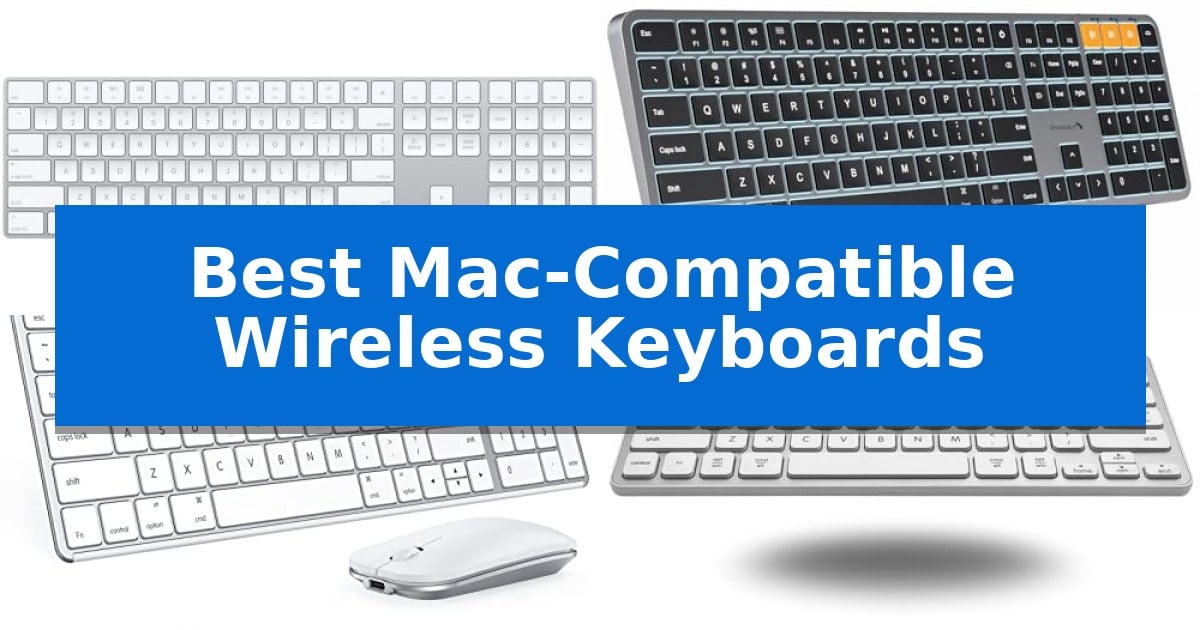
Finding the right input device for your Apple setup requires balancing specific layout needs with reliable connectivity. Whether you are managing complex spreadsheets or writing long-form content, the Best Mac-Compatible Wireless Keyboards must offer seamless integration with macOS to ensure your shortcuts and media keys function exactly as expected.
Our selection focuses on devices that prioritize the Apple user experience, ranging from full-size layouts with numeric keypads to compact, portable designs. By evaluating key features like multi-device switching and rechargeable battery efficiency, we help you identify the hardware that best fits your specific desk environment and daily workflow.
You may also want to compare Best Mac-Compatible Wireless Gaming Mouse, Best Mac-Compatible Webcams, and Best Mac-Compatible USB Voice Recorders.
Best Mac-Compatible Wireless Keyboards
Quick Comparison
| Product | Best For | Key Strength | Score |
|---|---|---|---|
| Apple Magic Keyboard with Numeric Keypad | Best Overall | Integrated numeric keypad for efficient data entry | 4.9 |
| ProtoArc KM100-A Keyboard and Mouse | Backlit Full-Size Productivity | Triple Bluetooth connectivity for seamless switching between three devices. | 4.9 |
| seenda SKM64-2 Keyboard and Mouse | Ultra-Slim Portable Design | Multi-device Bluetooth switching across three channels. | 4.3 |
| Macally Bluetooth Keyboard | Compact Layout with Kickstand | Multi-device connectivity allows switching between three Bluetooth devices. | 4.8 |
| Macally Wireless Bluetooth Keyboard for Mac | Aluminum Build for Mac Desktops | Multi-device pairing for up to three devices. | 4.8 |
How We Chose
- macOS layout compatibility including dedicated function keys and shortcuts.
- Wireless connectivity reliability and multi-device switching capabilities.
- Battery longevity and charging convenience via USB-C or Lightning.
- Ergonomic design and build materials for long-term comfort.
- Portability and footprint relative to desk space requirements.
1 Apple Magic Keyboard with Numeric Keypad — Seamless Apple Ecosystem Integration
The Apple Magic Keyboard with Numeric Keypad offers a streamlined typing experience specifically engineered for the Apple ecosystem. By providing an extended layout that includes document navigation controls and full-size arrow keys, this peripheral is designed to improve efficiency for users who frequently manage spreadsheets or data-heavy applications.
Connectivity is handled via Bluetooth, allowing for a wireless workspace that pairs quickly with Mac, iPad, or iPhone devices. The device features a built-in rechargeable battery that eliminates the need for disposable cells, with a capacity that supports weeks of use on a single charge. A Lightning to USB cable is included to facilitate both pairing and charging through a Mac port.
The design prioritizes a low-profile, stable typing feel, ensuring precision during extended sessions. Its numeric keypad integration makes it a practical choice for finance-focused tasks, while the lightweight construction maintains a minimal footprint on your desk. Compatibility is straightforward, requiring macOS 10.12.4, iPadOS 13.4, or iOS 10.3 or later.
While the keyboard excels in integration and battery convenience, users should note that it is optimized primarily for Apple hardware. The reliance on a Lightning cable for charging may require an adapter if your specific Mac setup only utilizes USB-C ports, though the wireless Bluetooth functionality remains the primary method of operation.
Best for: Users deeply integrated into the Apple ecosystem who require a dedicated numeric keypad for data entry and spreadsheet management.
Skip if: Users who prefer mechanical switches, require multi-device switching via hardware buttons, or primarily use non-Apple operating systems.
PROS
- Integrated numeric keypad for efficient data entry
- Rechargeable internal battery with long-lasting performance
- Seamless Bluetooth pairing with Mac, iPad, and iPhone
- Extended layout including dedicated document navigation controls
CONS
- Lightning charging interface may require specific cables or adapters
- Fixed ergonomic profile lacks adjustable tilt legs
2 ProtoArc KM100-A Keyboard and Mouse — Backlit Full-Size Productivity
The ProtoArc KM100-A Keyboard and Mouse features a flat, low-profile design engineered to maintain a neutral wrist position, helping to minimize discomfort during extended typing sessions. This full-size setup includes a dedicated numeric keypad and soft-touch scissor switches, providing a quiet typing experience tailored for Mac users.
Designed for versatility, this peripheral set supports connectivity across three different devices simultaneously via Bluetooth 5.1. Users can toggle between connected hardware using a dedicated mode switch button, making it a practical choice for multi-device workflows on macOS, iPadOS, or iOS. The keyboard is equipped with white LED backlighting featuring three adjustable brightness levels, ensuring visibility in low-light environments.
Efficiency is supported by built-in rechargeable batteries for both the keyboard and mouse, with a 60-minute idle sleep mode to conserve power. The included mouse offers three adjustable DPI sensitivity levels—1000, 1600, and 2400—allowing for customizable cursor control. While the full-size layout enhances productivity, its footprint requires more desk space than compact alternatives.
This hardware is compatible with Mac OS 10.12 or later and iPadOS 13.0 or above. It is important to note that the device relies exclusively on Bluetooth connectivity, as no USB dongle is included, and it is not compatible with Linux or Windows operating systems.
Best for: Mac users who require a full-size, backlit keyboard and mouse set for multi-device productivity.
Skip if: Users with limited desk space or those who require a wired connection or Windows/Linux compatibility.
PROS
- Triple Bluetooth connectivity for seamless switching between three devices.
- Adjustable white LED backlighting for improved visibility in dim conditions.
- Ergonomic flat design promotes a neutral wrist position.
- Rechargeable batteries eliminate the need for disposable replacements.
CONS
- Requires significant desk space due to the full-size layout.
- Bluetooth-only connection lacks a USB dongle option.
- Incompatible with Windows and Linux operating systems.
3 seenda SKM64-2 Keyboard and Mouse — Ultra-Slim Portable Design
The seenda SKM64-2 Keyboard and Mouse offers a dedicated solution for Apple users by integrating a standard Mac layout with a slim, metal-reinforced chassis. This combo prioritizes desk efficiency through its multi-device connectivity, allowing users to toggle between three distinct devices using dedicated Bluetooth channels.
Engineered for the Apple ecosystem, this set supports macOS 10.12+, iPadOS 13.0+, and iOS 13.0+. The keyboard features whisper-quiet keys designed to maintain tactile responsiveness while minimizing noise, making it suitable for shared workspaces or quiet environments. Its ultra-thin profile, measuring just 0.12 inches for the keyboard, ensures it remains highly portable for users who frequently move between locations.
Power management is handled via Type-C rechargeability, eliminating the need for disposable batteries. The inclusion of an auto-sleep function and a physical on/off switch helps extend the standby time to 200 hours. The mouse complements the keyboard's aesthetic with a matching slim design, ensuring a cohesive look for any modern workstation.
Compatibility is strictly limited to Bluetooth-enabled devices, as the unit lacks a USB receiver or wired connection option. Because it is optimized specifically for Apple hardware, it does not offer full functionality for Windows systems, making it a specialized tool for those embedded in the Mac, MacBook, or iPad workflow.
Best for: Professionals and students who exclusively use Apple devices and require a portable, multi-device wireless setup.
Skip if: Users who require a wired connection, a USB receiver, or full compatibility with Windows-based operating systems.
PROS
- Multi-device Bluetooth switching across three channels.
- Type-C rechargeable design with 200-hour standby.
- Whisper-quiet keys for noise-sensitive environments.
- Ultra-slim, durable metal construction.
CONS
- No USB receiver or wired connectivity options.
- Not fully compatible with Windows systems.
4 Macally Bluetooth Keyboard — Compact Layout with Kickstand
Maintaining a clean, efficient workspace often requires minimizing cable clutter while ensuring seamless input across multiple devices. The Macally Bluetooth Keyboard addresses this by offering multi-device connectivity, allowing users to pair and switch between up to three Bluetooth-enabled devices, such as a MacBook, iPad, or smartphone, within a 30-foot range.
Designed with a compact 78-key layout, this keyboard incorporates 13 dedicated shortcut keys to streamline navigation and task management on macOS. To enhance ergonomics during extended typing sessions, the device features a built-in kickstand that promotes a more comfortable wrist and hand posture.
Compatibility is handled through auto OS detection, which facilitates instant connections across Mac, PC, iOS, iPadOS, Android, and SmartTV platforms. This versatility ensures that the keyboard functions as a reliable peripheral regardless of the operating system in use, requiring no complex setup procedures.
For sustained productivity, the Macally Bluetooth Keyboard is equipped with an 800 mAh rechargeable battery. This power source is rated to provide up to 2 months of use on a single charge, and the included USB-C cable allows for efficient replenishment when the battery levels are low.
Best for: Users who need a compact, multi-device wireless keyboard that can quickly toggle between Mac, iPad, and other mobile platforms.
Skip if: Users who require a full-sized keyboard with a dedicated numeric keypad or those who prefer a mechanical switch feel.
PROS
- Multi-device connectivity allows switching between three Bluetooth devices.
- Built-in kickstand improves typing ergonomics.
- Long-lasting 800 mAh battery provides up to 2 months of use.
- Auto OS detection ensures broad compatibility across platforms.
CONS
- Compact 78-key layout lacks a dedicated numeric keypad.
5 Macally Wireless Bluetooth Keyboard for Mac — Aluminum Build for Mac Desktops
Maintaining a clean, professional workspace often starts with the right peripherals, specifically those designed to integrate seamlessly with your existing hardware. The Macally Wireless Bluetooth Keyboard for Mac is engineered with a sophisticated aluminum body and thin black keys that mirror the aesthetic of modern Apple devices, ensuring a cohesive look for your desk setup.
Beyond its appearance, this keyboard prioritizes functional versatility through its multi-device connectivity. Users can pair up to three devices simultaneously, such as a laptop, tablet, or smart TV, and switch between them on the fly. This capability is supported by a reliable Bluetooth connection, reducing cable clutter while maintaining a stable link across different operating systems including Mac, PC, iOS, and Android.
The typing experience is defined by 110 scissor flex keys that provide a quiet and smooth tactile response. To enhance productivity, the layout includes 20 dedicated MacOSX shortcuts and a full numeric keypad, which are essential for data entry and efficient navigation. These features ensure that the keyboard functions as a direct extension of your Mac environment.
Power management is handled by a rechargeable battery that offers up to 3 months of use based on an average of 3 hours per day. When the battery eventually depletes, the unit requires only 1 hour of charge time to return to full capacity, minimizing downtime during busy workdays.
Best for: Users who require a multi-device, full-sized keyboard that matches the aesthetic of Apple hardware.
Skip if: Users who prefer a compact, tenkeyless design or those who require a wired-only connection for specific high-security environments.
PROS
- Multi-device pairing for up to three devices.
- Aluminum body design that complements Apple aesthetics.
- Rechargeable battery with long-lasting performance.
- Includes a numeric keypad and 20 MacOSX shortcuts.
CONS
- Full-sized layout may be too large for minimalist or travel-focused workspaces.
Best Mac-Compatible Wireless Keyboards Buying Guide
Understanding macOS Layouts
A true Mac-compatible keyboard features the specific command and option keys that macOS users rely on daily. While many generic keyboards work with Mac, those designed specifically for the ecosystem often include pre-mapped media keys and brightness controls that function without additional software.
When choosing, look for the standard Apple layout to avoid remapping keys in your system settings. This ensures that your muscle memory remains consistent across your MacBook, iPad, and external desktop setup.
Connectivity and Multi-Device Use
Most modern wireless keyboards for Mac utilize Bluetooth to maintain a clean, cable-free desk. If you work across multiple devices, such as a desktop, a tablet, and a phone, prioritize models that support multi-device pairing.
These keyboards allow you to switch between connected devices with a single button press. This is particularly useful for users who frequently transition from their primary workstation to an iPad for quick tasks or communication.
Battery Life and Charging
Rechargeable internal batteries are the standard for high-quality wireless peripherals, eliminating the need for disposable batteries. Look for models that offer several weeks or months of usage on a single charge to minimize downtime.
Charging standards also matter; keyboards that use USB-C allow you to use the same cables you likely already have for your Mac or iPad, simplifying your charging setup.
Ergonomics and Build Quality
The physical design of your keyboard impacts your typing comfort over long sessions. Features like a low-profile design or an integrated kickstand can help maintain a neutral wrist position, reducing strain.
Materials like aluminum or high-grade ABS plastic provide a stable typing surface that prevents the keyboard from sliding or flexing during use. A sturdy build is essential for a professional workspace.
Size and Desk Footprint
Your choice between a full-size keyboard and a compact model should depend on your specific tasks. A full-size keyboard with a numeric keypad is indispensable for data entry and finance applications.
Conversely, a compact keyboard saves valuable desk space and is easier to transport. If you do not use the number pad frequently, a smaller footprint can allow for better mouse placement and improved posture.
Frequently Asked Questions
Do I need special software to use these keyboards with my Mac?
Most Mac-compatible keyboards are plug-and-play. They utilize standard Bluetooth protocols and macOS-specific key mappings, meaning you can connect them directly through your System Settings without additional drivers.
Can I use these keyboards with Windows or Linux?
Compatibility varies by model. While many support multiple operating systems, some are optimized exclusively for the Apple ecosystem. Always check the manufacturer's specifications if you intend to use the keyboard across different platforms.
How do I know if a keyboard is compatible with my specific Mac model?
Check the macOS version requirement listed for the keyboard. Most modern wireless keyboards require macOS 10.12 or later, but verifying your current system version ensures full functionality of all shortcut keys.
Are these keyboards better than the built-in MacBook keyboard?
External keyboards offer different typing experiences, such as deeper key travel or a full-size layout. They are primarily used to improve ergonomics when your MacBook is connected to an external monitor.
How often will I need to charge a wireless keyboard?
Battery life depends on usage and backlighting. Many rechargeable models last for several weeks or months on a single charge. Using backlighting will typically reduce the time between charges.
Conclusion: Our Top Pick
Selecting the right keyboard depends on whether you prioritize the native Apple experience or need specific productivity features like multi-device switching. For those deeply integrated into the Apple ecosystem, the Apple Magic Keyboard with Numeric Keypad remains the most reliable choice for its seamless pairing and consistent performance.
While other options offer unique features like backlighting or multi-device connectivity, the Apple Magic Keyboard provides the most cohesive experience for Mac users. Its extended layout and long-lasting battery make it a dependable centerpiece for any professional or creative workstation.