
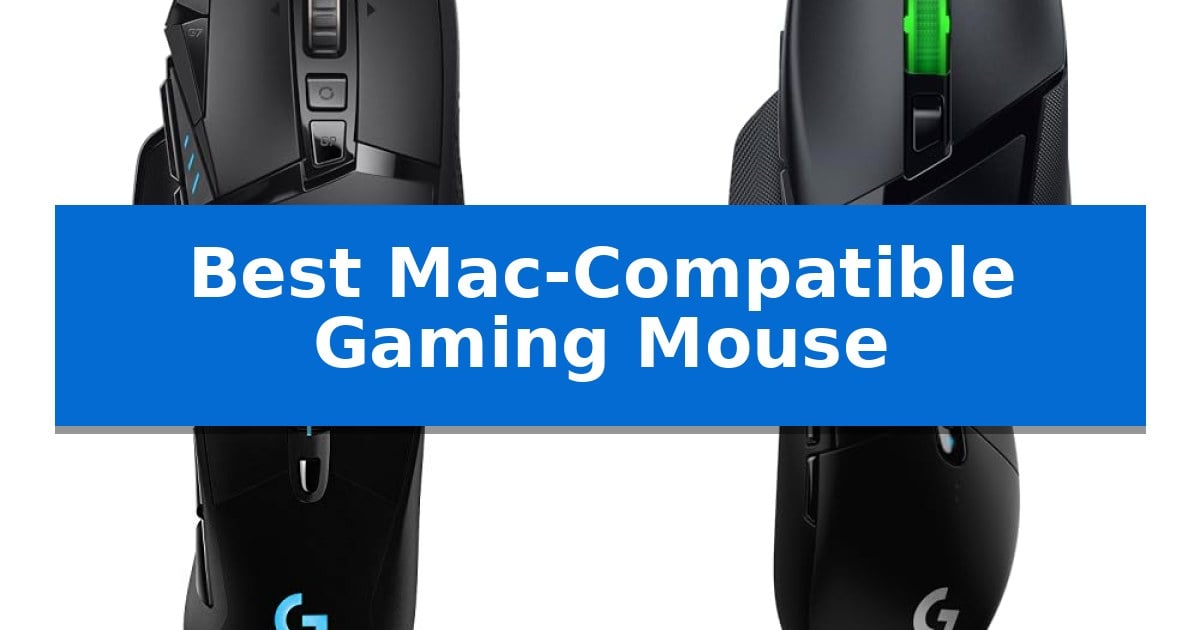
Finding the Best Mac-Compatible Gaming Mouse requires balancing high-performance sensor technology with the specific software requirements of the macOS ecosystem. While many mice function as basic pointers, true gaming performance depends on seamless driver support and the ability to map complex macros to your specific workflow or gaming needs.
Our guide evaluates top-tier wireless options that bridge the gap between Windows-centric gaming hardware and the unique interface of your Mac. We prioritize models that offer reliable connectivity, programmable button layouts, and ergonomic designs to ensure your setup remains responsive and comfortable during extended sessions.
You may also want to compare Best Mac-Compatible Gaming Mice, Best Mac-Compatible External Hard Drives, and Best Mac Wireless Keyboard and Mouse Combos.
Best Mac-Compatible Gaming Mouse
Quick Comparison
| Product | Best For | Key Strength | Score |
|---|---|---|---|
| Logitech G502 LIGHTSPEED Gaming Mouse | Best Overall | HERO 25K sensor provides high-accuracy tracking up to 25,600 DPI. | 4.9 |
| Razer Basilisk V3 X HyperSpeed Mouse | Dual Wireless for Versatile Connectivity | Dual-mode connectivity allows for seamless switching between low-latency wireless and Bluetooth. | 4.7 |
| Logitech G703 LIGHTSPEED Gaming Mouse | Ergonomic Comfort for Long Sessions | HERO 25K sensor provides high-accuracy tracking with zero smoothing. | 4.6 |
| Logitech G305 LIGHTSPEED Gaming Mouse | Compact Design for Travel Gaming | LIGHTSPEED wireless technology for low-latency performance | 4.6 |
| SOLAKAKA SM600 Wireless Gaming Mouse | Lightweight Honeycomb Shell Design | Tri-mode connectivity allows for switching between four devices. | 4.4 |
How We Chose
- Connectivity stability across 2.4GHz wireless and Bluetooth standards.
- Availability of macOS-compatible configuration software for button mapping.
- Sensor precision and DPI range for accurate tracking on various surfaces.
- Ergonomic design and weight distribution for long-term comfort.
- Battery efficiency and charging methods to minimize downtime.
1 Logitech G502 LIGHTSPEED Gaming Mouse — Advanced Customization for Pro Performance
The Logitech G502 LIGHTSPEED Wireless Gaming Mouse integrates a high-performance HERO 25K sensor capable of 400+ IPS tracking speed across a 25,600 DPI range, providing sub-micron level movement detection. This model retains the classic G502 shape while utilizing a 1.2mm thin-wall endoskeleton to achieve a weight reduction of 7 grams compared to previous iterations, making it a refined choice for Mac users seeking a high-precision peripheral.
Designed for versatility, the mouse features 11 programmable buttons with metal-spring tensioning for consistent actuation. The hyper-fast scroll wheel offers both free-spinning and notched modes, allowing for rapid navigation or precise control. For users who prioritize balance, the included six adjustable weights allow for custom configuration to suit specific tracking and targeting preferences.
Connectivity is handled through the LIGHTSPEED wireless ecosystem, which is engineered for reliable, pro-grade performance. The device is also POWERPLAY compatible, enabling continuous charging during use when paired with a compatible mat. With on-board memory, users can save their preferred configurations directly to the mouse, ensuring consistent performance across different Mac workstations without needing constant software adjustments.
While the mouse offers extensive customization, its ergonomic shape is fixed, which may not suit all grip styles. The reliance on the LIGHTSPEED wireless technology ensures a stable connection, though users requiring a wired-only interface may find the wireless-first design a departure from traditional setups.
Best for: Gamers and productivity users on macOS who require high-precision tracking, extensive button programmability, and a customizable weight system.
Skip if: Users who prefer an ambidextrous mouse shape or those who do not require a high-button-count layout for their specific workflow.
PROS
- HERO 25K sensor provides high-accuracy tracking up to 25,600 DPI.
- 11 programmable buttons allow for extensive macro and command customization.
- Adjustable weight system enables fine-tuning of the mouse's physical balance.
- POWERPLAY compatibility supports continuous wireless charging.
CONS
- Fixed ergonomic shape may not accommodate all hand sizes or grip preferences.
- Wireless-focused design may be unnecessary for users who strictly prefer wired peripherals.
2 Razer Basilisk V3 X HyperSpeed Mouse — Dual Wireless for Versatile Connectivity
Finding a reliable gaming peripheral that integrates seamlessly with a macOS environment requires balancing specific connectivity needs with high-performance tracking. The Razer Basilisk V3 X HyperSpeed Customizable Wireless Gaming Mouse addresses this by offering dual-mode wireless connectivity, allowing users to switch between ultra-low-latency HyperSpeed Wireless for intensive tasks and Bluetooth for extended battery efficiency across different hardware setups.
Engineered for precision, this mouse features the Razer 5G Advanced 18K Optical Sensor, which provides pixel-precise aim and customizable sensitivity settings. The inclusion of Razer Mechanical Mouse Switches Gen-2 ensures consistent actuation, with a durability rating of up to 60 million clicks. These switches utilize gold-plated contact points to minimize wear, supporting long-term reliability for both gaming and productivity workflows.
The ergonomic design supports multiple grip styles, complemented by 9 programmable controls that can be mapped via Razer Hypershift to execute complex macros or shortcuts. This customization is particularly useful for streamlining creative or professional tasks on a Mac. Additionally, the device is built for sustained use, offering up to 285 hours of battery life on HyperSpeed Wireless or up to 535 hours via Bluetooth, depending on usage conditions.
For users who prioritize aesthetic integration, the mouse is powered by Razer Chroma RGB, providing access to 16.8 million colors that can synchronize with other compatible devices. The physical construction includes 100% PTFE mouse feet to facilitate smooth gliding, while the onboard profile storage allows users to maintain their preferred settings without needing constant software adjustments.
Best for: Users who require a versatile, ergonomic wireless mouse with multi-device connectivity and extensive button customization for both gaming and productivity.
Skip if: Users who prefer a lightweight, symmetrical mouse design or those who require a wired-only connection for absolute zero-latency performance.
PROS
- Dual-mode connectivity allows for seamless switching between low-latency wireless and Bluetooth.
- 9 programmable controls provide significant flexibility for macros and productivity shortcuts.
- Long battery life reaching up to 535 hours in Bluetooth mode minimizes charging frequency.
- Ergonomic shape supports multiple grip styles for improved comfort during extended sessions.
CONS
- AA battery power requires physical battery replacement rather than internal rechargeable cells.
- Weight and dimensions may feel substantial for users accustomed to ultra-lightweight gaming mice.
3 Logitech G703 LIGHTSPEED Gaming Mouse — Ergonomic Comfort for Long Sessions
The Logitech G703 LIGHTSPEED Gaming Mouse prioritizes high-performance responsiveness through its proprietary LIGHTSPEED wireless technology, providing a reliable connection for demanding gameplay. This mouse is engineered for precision, featuring the HERO 25K sensor which supports a sensitivity range of 100-25,600 DPI and offers 1:1 tracking without smoothing, filtering, or acceleration.
Designed for extended use, the device includes rubber side grips and an optional 10g removable weight to tailor the handling to personal preference. The chassis incorporates metal-spring button tensioning on the primary left and right clicks, which reduces the force required for actuation and ensures consistent, tactile feedback during rapid inputs.
For users seeking to eliminate battery management, the mouse is compatible with the POWERPLAY wireless charging system, allowing for continuous power delivery during both rest and active play. When used independently, the internal battery supports up to 35 hours of continuous gameplay with the default LIGHTSYNC RGB lighting enabled.
This mouse offers six programmable buttons that can be configured to suit specific workflows or gaming requirements. Its ergonomic shape and lightweight 95g construction make it a practical choice for long sessions, while the advanced sensor technology ensures that performance remains consistent across various surfaces.
Best for: Gamers and power users who require a high-precision, ergonomic wireless mouse with the option for continuous charging via a compatible mousepad.
Skip if: Users who prefer an ultra-lightweight mouse under 90g or those who require a high number of side buttons for complex macro-heavy workflows.
PROS
- HERO 25K sensor provides high-accuracy tracking with zero smoothing.
- LIGHTSPEED wireless connectivity ensures pro-level responsiveness.
- Metal-spring button tensioning improves click consistency and feel.
- POWERPLAY compatibility allows for seamless, continuous wireless charging.
CONS
- Battery life is limited to 35 hours when using default RGB lighting.
- POWERPLAY charging system must be purchased separately.
4 Logitech G305 LIGHTSPEED Gaming Mouse — Compact Design for Travel Gaming
The Logitech G305 LIGHTSPEED Wireless Gaming Mouse prioritizes mobility and efficiency, featuring a compact, durable design with integrated nano receiver storage that makes it a practical choice for users who frequently move between desktop and laptop setups. Weighing only 3.4 oz, this mouse is engineered for high maneuverability without sacrificing the responsiveness required for competitive play.
At the core of its performance is the HERO sensor, which provides up to 12,000 DPI sensitivity and 400 IPS precision. This sensor is designed for power efficiency, allowing the device to operate for up to 250 hours of continuous gameplay on a single AA battery. Users can further extend this longevity to nine months by switching to Endurance mode via the Logitech G HUB software.
Connectivity is handled by LIGHTSPEED wireless technology, which maintains a 1 ms report rate to minimize lag. The mouse includes six programmable buttons and on-board memory, allowing for customized control schemes that persist across different computers. Its lightweight mechanical design ensures that the device remains comfortable for extended sessions.
While the mouse is compatible with both PC and Mac, its reliance on a single AA battery and its specific compact shape are key considerations for those prioritizing portability. The Logitech G305 LIGHTSPEED Wireless Gaming Mouse balances these features to provide a reliable, cable-free experience for gamers who value a streamlined, travel-friendly setup.
Best for: Gamers and professionals who need a highly portable, lag-free wireless mouse that works across multiple devices.
Skip if: Users who prefer a rechargeable internal battery or a larger, more ergonomic shape for specific palm-grip styles.
PROS
- LIGHTSPEED wireless technology for low-latency performance
- HERO sensor with high power efficiency and precision
- Compact, portable design with built-in receiver storage
- Long battery life with up to 250 hours of continuous gameplay
CONS
- Requires a replaceable AA battery rather than an internal rechargeable one
- Compact dimensions may not suit all hand sizes or grip preferences
5 SOLAKAKA SM600 Wireless Gaming Mouse — Lightweight Honeycomb Shell Design
The SOLAKAKA SM600 Wireless Gaming Mouse features a distinct honeycomb shell design that reduces weight and improves heat dissipation, making it a practical choice for extended gaming sessions. This mouse is engineered to support diverse setups through a tri-mode connection, offering 2.4G wireless, dual Bluetooth 5.1, and Type-C wired options, allowing users to save and switch between up to four devices seamlessly.
Performance is managed through 7 programmable buttons and a high-precision sensor capable of 6-level adjustable DPI settings ranging from 800 up to 13,200. The device supports a 1000Hz return rate, which is designed to maintain consistent input responsiveness during gameplay. For users who prioritize aesthetics, the mouse includes 14 RGB rainbow backlight modes that can be toggled via a dedicated top button.
Power management is handled by a built-in 600 mA lithium battery, which supports operation even while the device is plugged in via the included USB-C cable. A low battery indicator provides a visual alert with a flashing red light when it is time to recharge. The ergonomic, hollowed-out structure is constructed from high-quality ABS material, balancing durability with a lightweight feel to minimize fatigue during prolonged use.
Best for: Gamers and multi-device users who need a lightweight, programmable mouse that connects to PCs, tablets, and mobile devices simultaneously.
Skip if: Users who prefer a solid, non-hollow chassis or require a high-end sensor with specifications beyond the 13,200 DPI range.
PROS
- Tri-mode connectivity allows for switching between four devices.
- Lightweight honeycomb shell enhances comfort and heat dissipation.
- 7 programmable buttons enable custom macro configurations.
- Rechargeable 600 mA battery supports wired usage while charging.
CONS
- Honeycomb design may allow dust or debris to enter the internal components.
- RGB lighting requires software for advanced customization.
Best Mac-Compatible Gaming Mouse Buying Guide
Connectivity and macOS Integration
The primary hurdle for many gaming mice on Mac is the lack of dedicated configuration software. When selecting a mouse, ensure it supports onboard memory, which allows you to save DPI settings and button assignments directly to the device. This ensures your preferences remain active even when switching between different Mac machines.
Wireless connectivity is another critical factor. Look for models that offer both a dedicated 2.4GHz USB receiver for low-latency gaming and Bluetooth support for convenience. This dual-mode capability provides the flexibility to use the mouse with a MacBook or iMac without needing extra adapters.
Sensor Performance and DPI
Gaming sensors are designed for high-speed tracking and precision. A high DPI (dots per inch) sensor allows for faster cursor movement, which is beneficial for high-resolution displays common on modern Macs. However, the ability to adjust these settings on the fly is what makes a mouse truly versatile.
Look for sensors that offer consistent tracking across different surfaces. Features like zero smoothing or acceleration ensure that your physical movements translate directly to the screen without software-induced lag, which is essential for both competitive gaming and precision creative work.
Button Customization and Macros
Programmable buttons are a significant advantage for both gamers and power users. By mapping complex key combinations to side buttons, you can streamline your workflow or gain a competitive edge in-game. Ensure the mouse software is compatible with your current version of macOS.
Consider the physical layout of the buttons. Ergonomic placement ensures that you can reach every command without straining your hand. If you frequently use macros, look for mice that offer at least 6 to 11 programmable controls to accommodate a wide range of inputs.
Ergonomics and Build Quality
The shape of your mouse dictates how your hand rests during long sessions. Ergonomic designs that support your palm and fingers can significantly reduce fatigue. Materials like rubberized side grips and textured surfaces provide better control, especially during intense, fast-paced movements.
Weight is a personal preference, but many modern gaming mice now offer adjustable weight systems. This allows you to fine-tune the balance of the device, making it feel either lighter for rapid flick-shots or heavier for more controlled, deliberate movements.
Battery Life and Charging
Wireless gaming mice have evolved to offer impressive battery longevity. When choosing a mouse, consider whether you prefer a model that uses replaceable AA batteries for instant swaps or a rechargeable lithium-ion battery that can be charged via USB-C.
Some advanced models are compatible with wireless charging systems that keep the mouse powered while you play. If you prefer a traditional approach, look for power-efficient sensors that can provide hundreds of hours of usage on a single charge.
Frequently Asked Questions
Do I need special drivers to use a gaming mouse on a Mac?
Most gaming mice work as standard plug-and-play devices on macOS. However, to access advanced features like custom macros, RGB lighting, and specific DPI adjustments, you will need to install the manufacturer's software, provided it is compatible with your macOS version.
Can I use a wireless gaming mouse via Bluetooth on my Mac?
Yes, many modern gaming mice offer dual-mode connectivity, including Bluetooth. While Bluetooth is convenient for general use and travel, the 2.4GHz wireless receiver is typically recommended for gaming to ensure the lowest possible latency.
How do I save my button settings to the mouse?
Many high-end gaming mice feature onboard memory. You can configure your button mappings and DPI settings on a computer using the manufacturer's software, and the mouse will save these profiles internally, allowing them to work on your Mac without the software running.
Are honeycomb shell mice better for Mac users?
Honeycomb shell designs are primarily focused on reducing weight for faster movement. They are not inherently better or worse for Mac users, but they do offer excellent heat dissipation, which can be comfortable during long gaming or work sessions.
Will a gaming mouse improve my productivity on a Mac?
Yes, the additional programmable buttons on a gaming mouse can be mapped to system shortcuts, media controls, or application-specific commands, which can significantly speed up your workflow on macOS.
Conclusion: Our Top Pick
For users seeking the ultimate balance of performance and compatibility, the Logitech G502 LIGHTSPEED Gaming Mouse stands out as the premier choice. Its combination of a high-precision HERO 25K sensor, extensive button customization, and the ability to fine-tune weight makes it a versatile tool for both gaming and professional tasks on macOS.
While other options like the Razer Basilisk V3 X or the compact Logitech G305 offer unique benefits for specific travel or connectivity needs, the G502 remains the most comprehensive solution. Its robust build and reliable wireless performance ensure it remains a staple for any Mac-based setup.