
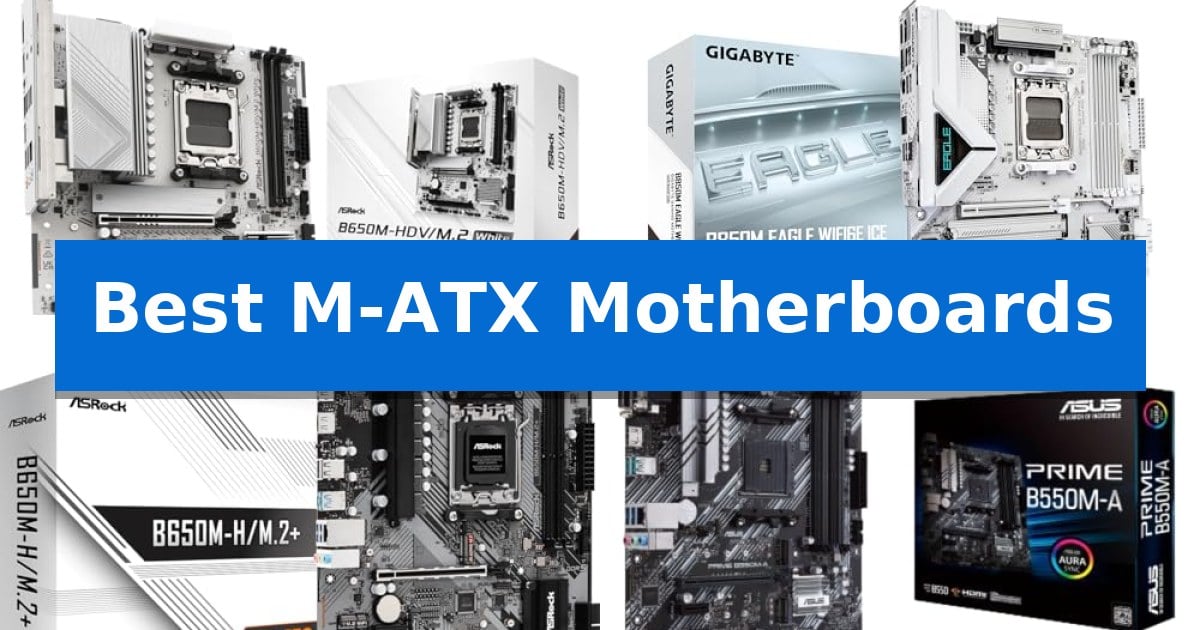
Selecting the right foundation for your computer is a critical step that dictates your system's long-term utility and expansion potential. When space is at a premium, Best M-ATX Motherboards offer an ideal balance, providing more expansion capacity than ITX boards while maintaining a smaller footprint than full-sized ATX alternatives.
Our guide evaluates current market options to help you identify a board that aligns with your specific CPU socket, memory requirements, and peripheral needs. Whether you are prioritizing a clean aesthetic or robust connectivity, understanding the trade-offs between these platforms ensures your build remains functional and efficient.
You may also want to compare Best Luxury Wireless Speakers, Best Luxury Wireless Earbuds, and Best Luxury Travel Photography Cameras.
Best M-ATX Motherboards
Quick Comparison
| Product | Best For | Key Strength | Score |
|---|---|---|---|
| ASRock B650M-HDV M.2 Motherboard | Best Overall | PCIe 5.0 x16 support for next-generation graphics cards. | 4.9 |
| GIGABYTE B850M Eagle Motherboard | Modern AM5 Performance | PCIe 5.0 support for next-generation storage and graphics bandwidth. | 4.5 |
| ASRock B650M-HM.2+ Motherboard | Budget Friendly AM5 Entry | PCIe 5.0 M.2 slot for high-performance storage. | 4.7 |
| ASUS Prime B550M-A WiFi II Motherboard | Reliable AM4 Foundation | PCIe 4.0 support for high-speed graphics and storage performance. | 4.5 |
| ASRock B560M-C Motherboard | Versatile Intel Connectivity | Extensive storage connectivity with 8 SATA3 ports and dual M.2 slots. | 4.9 |
How We Chose
- Socket and CPU generation support to ensure compatibility with current processor families.
- Memory architecture, specifically focusing on DDR5 or DDR4 support and maximum frequency capacity.
- Expansion slot configuration, including the availability of PCIe 5.0 or 4.0 lanes for graphics and storage.
- I/O connectivity, prioritizing the number of USB ports, networking speeds, and display outputs.
- Power delivery design to assess stability for sustained workloads and moderate overclocking.
1 ASRock B650M-HDV M.2 Motherboard — Striking White Aesthetic
The ASRock B650M-HDV M.2 Motherboard centers its design around a striking white aesthetic, providing a distinct visual foundation for modern AM5 builds. This Micro-ATX board is engineered to support AMD Ryzen 9000, 8000, and 7000 Series processors, utilizing an 8+2+1 phase Dr.MOS power design to manage CPU stability.
Expansion capabilities are highlighted by a Blazing PCIe 5.0 x16 slot, which prepares the system for high-bandwidth GPUs. For storage, the board includes dual M.2 slots, specifically one PCIe Gen5x4 and one PCIe Gen4x4, alongside four SATA3 ports to accommodate diverse drive configurations. Memory support is equally robust, with compatibility for DDR5 RAM reaching speeds of 8200+ (OC).
Connectivity options are extensive for a compact form factor, featuring both front and rear USB 3.2 Gen2 Type-C ports, multiple USB 3.2 Gen1 headers, and Realtek 2.5G LAN for high-speed networking. Audio is handled by a Nahimic 7.1-CH system, and the board includes an M.2 Key E slot for users who wish to add optional WiFi modules.
Practicality is addressed through the inclusion of BIOS Flashback for streamlined updates and a compact 9.6-inch by 9.6-inch footprint. While this board offers significant modern connectivity, users should verify their specific case and peripheral requirements, as it is not compatible with all pre-built proprietary systems.
Best for: Builders seeking a white-themed Micro-ATX motherboard with PCIe 5.0 support for modern AMD Ryzen processors.
Skip if: Users requiring built-in WiFi connectivity or those attempting to upgrade proprietary pre-built computer systems.
PROS
- PCIe 5.0 x16 support for next-generation graphics cards.
- Dual M.2 slots including one Gen5x4 interface for high-speed storage.
- DDR5 8200+ (OC) memory support for high-performance RAM.
- Striking white PCB design suitable for themed PC builds.
CONS
- No integrated WiFi included, requiring an M.2 Key E module for wireless connectivity.
- Proprietary system incompatibility limits use in some pre-built computer chassis.
2 GIGABYTE B850M Eagle Motherboard — Modern AM5 Performance
Building a compact yet powerful PC requires a foundation that balances space efficiency with modern connectivity. The GIGABYTE B850M Eagle WIFI6E ICE provides a streamlined mATX form factor designed to support the latest AMD Ryzen 9000, 8000, and 7000 series processors, making it a versatile choice for those aiming to maximize performance within a smaller footprint.
This motherboard centers its utility on a robust 8+2+2 power phase design, ensuring stable power delivery for demanding tasks. It integrates DDR5 memory support across four DIMM slots, allowing for high-bandwidth system performance. For storage and expansion, the board includes PCIe 5.0 capability and two M.2 slots, providing the necessary bandwidth for current and future high-speed components.
Usability is a primary focus of the board's design, highlighted by the EZ-Latch system for both M.2 and PCIe slots, which simplifies component installation and removal. The inclusion of Wi-Fi 6E and 2.5GbE LAN ensures high-speed networking options, while the integrated USB-C port offers modern peripheral connectivity. The board's white aesthetic provides a distinct visual style for custom builds.
With a 3-year manufacturer warranty, this board is built to serve as a reliable core for a variety of system configurations. Whether you are assembling a workstation or a gaming rig, the combination of its compact size and comprehensive feature set makes it a practical solution for modern AM5 builds.
Best for: Users building a compact, high-performance PC using AMD AM5 processors who require modern connectivity like Wi-Fi 6E and PCIe 5.0.
Skip if: Users who require an ATX form factor for additional expansion slots or those who do not need the specific feature set of the AM5 platform.
PROS
- PCIe 5.0 support for next-generation storage and graphics bandwidth.
- EZ-Latch design for tool-less installation of M.2 drives and PCIe cards.
- Integrated Wi-Fi 6E and 2.5GbE LAN for fast, reliable networking.
- 8+2+2 power phase for stable processor performance.
CONS
- mATX form factor limits the number of available expansion slots compared to full ATX boards.
3 ASRock B650M-HM.2+ Motherboard — Budget Friendly AM5 Entry
The ASRock B650M-HM.2+ Motherboard provides a streamlined foundation for modern AMD builds by supporting Ryzen 9000, 8000, and 7000 Series processors on the AM5 socket. This micro-ATX board balances essential connectivity with advanced storage capabilities, making it a practical choice for users looking to leverage next-generation computing without unnecessary complexity.
Engineered with a 6+1+1 power phase design utilizing Dr.MOS components, the board ensures stable power delivery for standard workloads. Memory performance is supported through two DDR5 DIMM slots, capable of reaching speeds up to 6400+ (OC) in dual-channel configurations. For storage, the inclusion of a Blazing M.2 (PCIe Gen5x4) slot allows for high-speed NVMe SSD performance, complemented by an additional PCIe 4.0 M.2 slot and four SATA3 ports.
Connectivity is managed via Realtek Gigabit LAN and a selection of USB 3.2 Gen1 ports, including a Type-C interface for modern peripheral compatibility. The board also features integrated graphics support through HDMI and DisplayPort outputs, contingent on the installed processor. ASRock has focused on ease of use by incorporating BIOS Flashback for straightforward updates and an automated driver installer to simplify the initial system setup process.
As a micro-ATX form factor, this motherboard is designed to fit into a variety of compact chassis, though users should verify their case dimensions before assembly. With a three-year manufacturer warranty, the ASRock B650M-HM.2+ Motherboard offers a reliable, feature-focused solution for those prioritizing core performance and storage speed in an efficient, space-saving footprint.
Best for: Users building a compact, modern AMD AM5 system who prioritize PCIe 5.0 storage support and efficient power delivery.
Skip if: Users requiring more than two memory slots, advanced overclocking headroom, or specialized high-end networking features.
PROS
- PCIe 5.0 M.2 slot for high-performance storage.
- DDR5 memory support with overclocking capabilities.
- BIOS Flashback for simplified maintenance.
- Compact micro-ATX form factor for versatile case compatibility.
CONS
- Limited to two DIMM slots, restricting total memory capacity.
- Micro-ATX size may not fit all standard ATX-only chassis configurations.
4 ASUS Prime B550M-A WiFi II Motherboard — Reliable AM4 Foundation
Building a compact yet powerful PC requires a foundation that does not compromise on modern standards, and the ASUS Prime B550M-A WiFi II AMD Micro ATX DDR4 Motherboard delivers exactly that. Designed to support 3rd Gen AMD Ryzen CPUs, this board integrates the AMD AM4 Socket with PCIe 4.0 support, ensuring your graphics card and high-speed storage operate at their full potential.
Connectivity is a highlight of this model, featuring WiFi 6 (802.11ax) for stable wireless networking and a PCIe 4.0 x16 SafeSlot for reinforced GPU support. The board also includes dual M.2 slots, with one dedicated to PCIe 4.0 x4 speeds, allowing for rapid NVMe SSD performance. For display output, the inclusion of HDMI 2.1 supports 4K resolution at 60Hz, making it a versatile choice for integrated graphics setups.
Thermal management and system stability are addressed through Comprehensive Cooling, which utilizes dedicated VRM and PCH heatsinks alongside hybrid fan headers controlled by the Fan Xpert 2 utility. To protect your components, the board incorporates 5X Protection III, a suite of safeguards including LANGuard, overvoltage protection, and stainless-steel back I/O.
Memory performance is further enhanced by ASUS OptiMem technology, a proprietary trace layout that allows memory kits to run at higher frequencies with lower voltages. This focus on signal integrity ensures that your system remains responsive under load, providing a reliable backbone for both productivity and gaming builds in a space-saving Micro ATX form factor.
Best for: Users building a high-speed, compact AMD Ryzen system who require integrated WiFi 6 and PCIe 4.0 support.
Skip if: Users requiring support for newer CPU generations beyond the AM4 socket or those needing more than two M.2 slots for extensive storage arrays.
PROS
- PCIe 4.0 support for high-speed graphics and storage performance.
- Integrated WiFi 6 (802.11ax) for reliable wireless connectivity.
- ASUS OptiMem trace layout for improved memory stability.
- Robust 5X Protection III hardware safeguards.
CONS
- Limited to the AM4 socket, restricting future CPU upgrade paths.
- Only two M.2 slots available for storage expansion.
5 ASRock B560M-C Motherboard — Versatile Intel Connectivity
The ASRock B560M-C Micro-ATX Motherboard provides a versatile foundation for 10th and 11th Gen Intel Core processors, utilizing the LGA1200 socket to support a wide range of computing configurations. Its 9.6-inch by 9.6-inch form factor is engineered for compatibility with Micro-ATX and larger chassis, making it a practical choice for space-conscious builds that still require robust expansion capabilities.
Performance-focused users can leverage the four DDR4 DIMM slots, which support dual-channel memory configurations and overclocked speeds reaching up to 4800MHz (OC). For graphics and peripheral expansion, the board features a dedicated PCIe 4.0 x16 slot alongside three additional PCIe 3.0 x16 slots, ensuring modern hardware integration for both business and commercial applications.
Storage flexibility is a primary strength, highlighted by eight SATA3 ports and dual M.2 slots—one Hyper M.2 (PCIe Gen4x4) and one Ultra M.2 (PCIe Gen3x4 & SATA3). This array allows for high-speed SSD support and massive storage expansion. Connectivity is equally comprehensive, featuring integrated Intel 802.11ac WiFi and Bluetooth 5.1, complemented by Intel Gigabit LAN for reliable wired network stability.
Peripheral management is streamlined through a total of 15 USB ports, including seven USB 3.2 Gen1 ports with a front-panel Type-C header and eight USB 2.0 ports. Note that this unit arrives in a white box without a physical user manual; users are required to download documentation directly from the ASRock official website to ensure proper installation and configuration.
Best for: Users requiring a versatile, high-connectivity Micro-ATX platform for 10th or 11th Gen Intel processors with extensive storage and peripheral needs.
Skip if: Users planning to use 12th Gen or newer Intel processors, as this board is strictly limited to the LGA1200 socket.
PROS
- Extensive storage connectivity with 8 SATA3 ports and dual M.2 slots.
- High-speed memory support up to 4800MHz (OC) across four DIMM slots.
- Integrated wireless networking via Intel 802.11ac WiFi and Bluetooth 5.1.
- Comprehensive peripheral support with 15 total USB ports including front Type-C.
CONS
- Manual not included in the box, requiring a digital download.
- Form factor constraints require verification of chassis compatibility.
Best M-ATX Motherboards Buying Guide
Socket Compatibility and CPU Support
The most fundamental decision in your build is matching the motherboard socket to your chosen processor. Current platforms like AM5 for AMD Ryzen 9000, 8000, and 7000 series offer longevity, while older AM4 or LGA1200 boards remain viable for specific budget-oriented or legacy builds.
Always verify that the motherboard BIOS is compatible with your specific CPU model. Many modern boards include BIOS Flashback features, which allow you to update the firmware even without a processor installed, providing a safety net for newer chip architectures.
Form Factor and Case Clearance
While Micro-ATX is a standardized size, the physical dimensions can vary slightly between manufacturers. It is essential to check your case specifications to ensure the board mounting points align and that there is sufficient clearance for your cooling solution.
Consider the layout of the board, particularly the placement of SATA ports and USB headers. A well-organized board makes cable management significantly easier, especially in smaller chassis where airflow and space are restricted.
Memory and Storage Expansion
Modern systems are increasingly moving toward DDR5 memory, which provides higher bandwidth and efficiency compared to DDR4. Check the number of DIMM slots available; some compact boards limit you to two slots, which may restrict your ability to upgrade RAM capacity later.
For storage, prioritize boards with multiple M.2 slots, ideally supporting PCIe Gen5 or Gen4 speeds. These slots allow for high-speed NVMe SSDs, which are essential for reducing load times and improving system responsiveness.
Connectivity and Networking
Evaluate the rear I/O panel for the number and type of USB ports. USB 3.2 Gen2 Type-C ports are becoming standard for high-speed external drives and modern peripherals, offering better throughput than older USB 2.0 or 3.0 connections.
Networking is another critical factor. Look for integrated 2.5G LAN for faster wired connections, and consider whether you require built-in Wi-Fi and Bluetooth modules. If a board lacks these, ensure there is an available M.2 Key E slot to add a wireless card later.
Power Delivery and Thermal Management
The power phase design, often referred to as Dr.MOS, determines how efficiently the motherboard delivers power to your CPU. A higher number of power phases generally leads to better stability, especially under heavy loads or when utilizing high-performance processors.
Heatsinks over the VRMs (Voltage Regulator Modules) are vital for maintaining performance. These components can get hot during operation, and adequate cooling prevents thermal throttling, ensuring your system maintains consistent speeds during intensive tasks.
Frequently Asked Questions
Can I use an M-ATX motherboard in a full-sized ATX case?
Yes, most ATX cases are designed with mounting holes that accommodate the smaller M-ATX form factor, making them highly versatile for future upgrades.
What is the difference between PCIe 4.0 and PCIe 5.0?
PCIe 5.0 offers double the bandwidth of PCIe 4.0, which is primarily beneficial for high-end graphics cards and the fastest NVMe SSDs, though it is currently an emerging standard.
Do I need to worry about the BIOS version?
If you are using a newer CPU on an older chipset, you may need a BIOS update. Boards with BIOS Flashback allow you to perform this update easily using a USB drive.
How many RAM slots do I need?
Two slots are usually sufficient for most users, but if you anticipate needing more than 64GB of RAM in the future, a board with four DIMM slots is recommended.
Is built-in Wi-Fi necessary?
If you do not have access to an Ethernet cable, built-in Wi-Fi is essential. If your board lacks it, ensure it has an M.2 Key E slot to add a Wi-Fi card later.
Conclusion: Our Top Pick
Choosing the right motherboard depends on balancing your current hardware requirements with your future upgrade path. For those building on the latest AMD platform, the ASRock B650M-HDV M.2 Motherboard stands out as a highly capable option, offering support for modern Ryzen processors, PCIe 5.0 expansion, and high-speed DDR5 memory in a clean, white aesthetic.
While this board provides excellent connectivity and power delivery, always confirm that your chosen case supports the Micro-ATX form factor and that your power supply has the necessary connectors for your specific CPU configuration.