
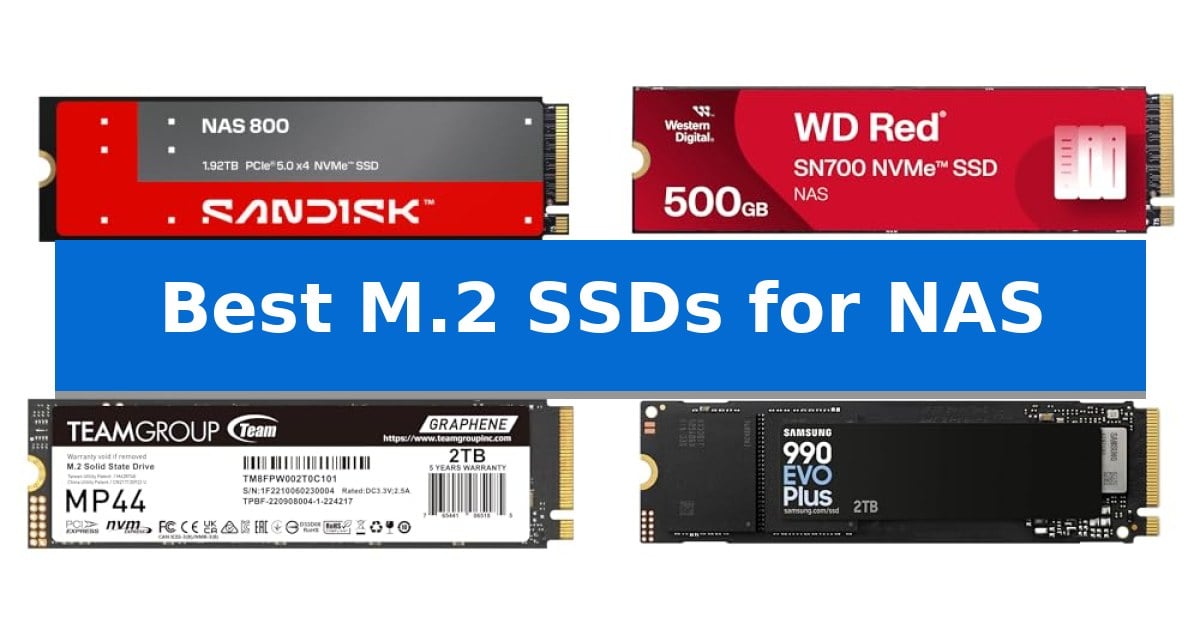
Choosing the right storage media for a network-attached storage system is critical for maintaining data integrity and system responsiveness. Whether you are building an all-flash array or adding a caching layer to your existing setup, the Best M.2 SSDs for NAS must balance high endurance with consistent throughput to handle 24/7 workloads.
Our guide evaluates current NVMe options based on their specific utility in server environments, focusing on thermal management, write-intensive endurance, and interface compatibility. By selecting the appropriate drive for your specific NAS deployment, you can significantly reduce latency and improve overall system performance for collaborative tasks and media streaming.
You may also want to compare Best M.2 SSDs for Gaming, Best M.2 SSDs, and Best M.2 SSD with DRAM.
Best M.2 SSDs for NAS
Quick Comparison
| Product | Best For | Key Strength | Score |
|---|---|---|---|
| Sandisk NAS 800 NVMe SSD | Best Overall | PCIe 5.0 interface for industry-leading sequential throughput. | 4.9 |
| Western Digital Red SN700 NVMe SSD | Built for high-endurance NAS workloads | High endurance specifically optimized for 24/7 NAS workloads. | 4.7 |
| TEAMGROUP MP44 M.2 SSD | High-speed caching for NAS arrays | Heat-dissipating graphene label for improved thermal management | 4.3 |
| Samsung 990 EVO Plus NVMe SSD | Efficient thermal control for servers | Nickel-coated controller for improved thermal regulation. | 4.5 |
| Sandisk Optimus 5100 NVMe SSD | Reliable performance for media libraries | PCIe 4.0 interface for high-speed read and write performance. | 4.3 |
How We Chose
- Endurance and TBW ratings for 24/7 write-intensive workloads.
- Thermal control efficiency to maintain performance under sustained server loads.
- Interface compatibility with PCIe 3.0, 4.0, and 5.0 M.2 slots.
- Throughput consistency for caching and primary storage applications.
- Capacity scalability for growing media libraries and datasets.
1 Sandisk NAS 800 NVMe SSD — Engineered for 24/7 NAS systems
Optimizing a network-attached storage system for high-intensity workloads requires hardware that balances raw throughput with consistent reliability. The Sandisk 1.92TB NAS 800 PCIe 5.0 M.2 2280 NVMe SSD is engineered specifically for these 24/7 environments, utilizing PCIe 5.0 connectivity to deliver sequential read speeds up to 14,900 MB/s and write speeds up to 13,200 MB/s.
Designed for versatility, this drive functions effectively as a cache, a dedicated storage tier, or primary storage in all-flash NAS deployments. It features high endurance ratings to support write-intensive tasks, ensuring the drive maintains performance during continuous operation. The integration of TLC 3D NAND allows for scalable capacity, accommodating large project files, virtualization datasets, and media libraries.
Responsiveness is a critical metric for collaborative workspaces and database management. This model achieves random read/write speeds up to 2.3M/2M IOPS, significantly reducing latency in multi-user environments. Furthermore, the drive has been tested for compatibility with a wide range of NAS systems, supporting backward compatibility with PCIe 4.0 and 3.0 interfaces to facilitate seamless integration into existing hardware.
The physical design follows the standard M.2 2280 form factor, measuring 3.15 inches in length and 0.09 inches in height. With a 5-year limited warranty, it provides a stable foundation for both consumer and business-grade NAS upgrades, focusing on sustained data integrity and system uptime.
Best for: Users requiring high-speed caching or primary storage for write-intensive, 24/7 NAS workloads.
Skip if: Users with NAS hardware limited to older PCIe generations or those who do not require the high-endurance, high-throughput capabilities of PCIe 5.0 storage.
PROS
- PCIe 5.0 interface for industry-leading sequential throughput.
- High endurance rating engineered for continuous 24/7 operation.
- Broad compatibility with PCIe 5.0, 4.0, and 3.0 NAS deployments.
- High random IOPS for improved responsiveness in virtualization and databases.
CONS
- Premium performance tier may exceed the requirements of basic home media storage.
- PCIe 5.0 heat generation requires adequate NAS chassis cooling.
2 Western Digital Red SN700 NVMe SSD — Built for high-endurance NAS workloads
Maintaining high-performance storage in a network-attached storage environment requires hardware built for constant operation. The Western Digital Red SN700 NVMe SSD is engineered specifically to handle the demands of 24/7 NAS workloads, providing a robust foundation for systems that require consistent data availability.
This drive utilizes the Gen3 PCIe interface to deliver robust system responsiveness and exceptional I/O performance. By prioritizing endurance, it is designed to tackle intensive tasks such as virtualization and collaborative editing without compromising the integrity of your stored data. The drive's architecture is optimized to maintain stability during high-demand periods, making it a suitable candidate for multitasking environments with multiple users.
With a compact M.2 2280 form factor, the drive integrates easily into compatible NAS bays, allowing for efficient space management. Users can scale their storage capacity as needed, with options available up to 4TB. The inclusion of a 5-year manufacturer limited warranty provides additional assurance for long-term deployment in critical storage configurations.
Choosing the right drive for a NAS involves balancing speed against the necessity for sustained reliability. While this drive excels in endurance-heavy scenarios, users should ensure their NAS chassis supports NVMe M.2 slots before installation, as this interface is distinct from traditional 2.5-inch SATA bays.
Best for: The Western Digital Red SN700 NVMe SSD is best for NAS users requiring high-endurance storage for virtualization, collaborative editing, and multi-user multitasking.
Skip if: Skip this drive if your NAS enclosure lacks dedicated M.2 NVMe slots or if you only require basic, low-intensity file storage where SATA-based drives would be more cost-effective.
PROS
- High endurance specifically optimized for 24/7 NAS workloads.
- Exceptional I/O performance for demanding applications like virtualization.
- Compact M.2 2280 form factor for efficient space utilization.
- 5-year manufacturer limited warranty for long-term reliability.
CONS
- Requires NVMe-compatible M.2 slots, limiting use in older SATA-only NAS units.
3 TEAMGROUP MP44 M.2 SSD — High-speed caching for NAS arrays
Optimizing a network-attached storage system often requires balancing high-speed data throughput with thermal management. The TEAMGROUP MP44 M.2 SSD addresses this by incorporating a unique heat-dissipating graphene label, which serves as an efficient thermal interface layer when paired with existing motherboard or NAS heatsinks. This design choice is particularly beneficial for users who need to maintain consistent performance during sustained file transfers without the bulk of traditional, thicker heatsinks.
Engineered for demanding workloads, this drive leverages PCIe Gen 4 ultra-speed performance to achieve read and write speeds reaching up to 7,000MB/s and 6,000MB/s respectively. These specifications make it a robust candidate for caching operations where rapid data access is essential for maintaining system responsiveness. By offloading frequently accessed data to this high-speed drive, NAS users can significantly reduce latency in multi-user environments.
The drive maintains a standard M.2 2280 form factor, ensuring broad compatibility across various NAS enclosures, NUCs, and desktop configurations. With a 5-year limited warranty, it provides a reliable foundation for users looking to integrate high-capacity storage into their storage arrays. The inclusion of recyclable packaging further reflects a focus on environmental impact without compromising the structural integrity or performance capabilities of the hardware.
When integrating this drive into a NAS, the primary trade-off involves thermal management. While the graphene label is effective, it is designed to work in tandem with the host system's cooling solution. Users should ensure their NAS or motherboard provides adequate airflow or a compatible heatsink to prevent thermal throttling during peak operations.
Best for: Users seeking a high-performance PCIe Gen 4 caching drive for NAS arrays that benefits from advanced thermal dissipation.
Skip if: Users whose NAS hardware is limited to PCIe Gen 3 slots or those requiring specialized enterprise-grade power loss protection features.
PROS
- Heat-dissipating graphene label for improved thermal management
- PCIe Gen 4 ultra-speed performance up to 7,000MB/s
- 5-year limited warranty for long-term reliability
- Recyclable packaging for reduced environmental impact
CONS
- Requires compatible heatsink for optimal sustained performance
4 Samsung 990 EVO Plus NVMe SSD — Efficient thermal control for servers
Reliable data management requires storage solutions that balance high-speed throughput with consistent thermal efficiency. The Samsung 990 EVO Plus NVMe SSD addresses these needs by utilizing a nickel-coated controller designed to maintain optimal temperatures during intensive data operations, making it a candidate for demanding environments where heat management is critical.
Engineered for versatility, the drive supports both PCIe 4.0 x4 and PCIe 5.0 x2 interfaces. This dual-compatibility allows it to integrate into various hardware configurations while providing sequential read/write speeds up to 7,250/6,300MB/s. These specifications ensure that large file transfers are handled with efficiency, reducing wait times during heavy data processing tasks.
Maintenance is simplified through the Samsung Magician Software, which provides users with tools for firmware updates, drive health monitoring, and additional encryption options. This software suite ensures the drive remains current and functional over its operational lifespan, offering a proactive approach to storage management.
With a focus on performance and longevity, the Samsung 990 EVO Plus NVMe SSD includes a 5-year manufacturer warranty. Its design prioritizes power efficiency, allowing it to deliver high performance while consuming less power, which is a significant advantage for systems running continuously.
Best for: Users requiring high-speed data throughput and efficient thermal management for intensive storage tasks.
Skip if: Users who require specific PCIe 5.0 x4 bandwidth, as this drive is optimized for PCIe 5.0 x2.
PROS
- Nickel-coated controller for improved thermal regulation.
- Dual-interface compatibility with PCIe 4.0 x4 and 5.0 x2.
- High sequential read/write speeds up to 7,250/6,300MB/s.
- Comprehensive drive health monitoring via Samsung Magician Software.
CONS
- PCIe 5.0 interface limited to x2 lanes, which may not maximize all high-end server backplanes.
5 Sandisk Optimus 5100 NVMe SSD — Reliable performance for media libraries
Managing large media libraries requires reliable storage that can keep pace with high-resolution workflows. The Sandisk Optimus 5100 NVMe SSD is built for this purpose, utilizing PCIe 4.0 architecture to deliver high-speed data access for demanding creator applications. Its M.2 2280 form factor ensures it fits into modern hardware, making it a viable candidate for those seeking to upgrade their storage capacity.
Designed with efficiency in mind, this drive features an all-new power-efficient design that balances high performance with lower power consumption. This is particularly beneficial for users who require consistent operation without excessive heat or energy draw. The drive is constructed with 8th generation SANDISK BiCS QLC 3D CBA NAND, providing a balance of density and reliability for storing 4K videos and high-resolution imagery.
Reliability is a core focus for this model, which carries an endurance rating of up to 1,200 TBW on the 4TB model. To assist with long-term maintenance, users can utilize the downloadable SANDISK Dashboard application to monitor drive health and perform necessary firmware updates, ensuring the storage remains optimized over its lifespan.
Choosing the right drive involves balancing capacity needs against the specific interface requirements of your system. With a 5-year limited warranty, this SSD provides a level of manufacturer support that adds peace of mind for professional setups. It is a straightforward, high-capacity solution for users who prioritize sustained data throughput and modern interface compatibility.
Best for: Creators and professionals who need high-capacity, power-efficient storage for large media files and 4K video editing.
Skip if: Users with older systems that lack PCIe 4.0 support or those who require specialized enterprise-grade features not present in this consumer-focused M.2 drive.
PROS
- PCIe 4.0 interface for high-speed read and write performance.
- High endurance rating up to 1,200 TBW for heavy workloads.
- Includes SANDISK Dashboard software for performance monitoring.
- Power-efficient design suitable for sustained productivity.
CONS
- QLC NAND architecture may not be ideal for extreme, constant write-heavy enterprise environments compared to TLC alternatives.
Best M.2 SSDs for NAS Buying Guide
Understanding NAS Endurance Requirements
Unlike standard desktop drives, NAS-specific SSDs are designed to handle constant read/write operations. The most important metric to check is the Total Bytes Written (TBW) rating, which indicates how much data can be written to the drive before it reaches its wear limit. For a 24/7 server, prioritizing drives with higher endurance is essential to avoid premature failure.
Many consumer-grade drives may offer high peak speeds but lack the firmware optimization required for the sustained, random I/O patterns typical of a NAS. Always look for drives that explicitly mention high-endurance workloads or server-grade reliability to ensure your data remains protected over years of continuous operation.
Thermal Management in Compact Servers
M.2 drives are prone to thermal throttling if they become too hot, which can significantly degrade performance during large file transfers or heavy virtualization tasks. Drives with efficient thermal controllers or integrated heat-dissipation designs are critical, especially in compact NAS enclosures where airflow might be restricted.
If your NAS does not provide active cooling for the M.2 slots, consider using an SSD with a low-power controller or one that features advanced nickel-coated heat management. Keeping your drive temperatures within the manufacturer's recommended range is a simple way to extend the lifespan of your storage array.
Interface Compatibility and Future-Proofing
Before purchasing, verify the PCIe interface supported by your NAS hardware. While many modern systems support PCIe 4.0 or 5.0, installing a high-speed drive into a legacy PCIe 3.0 slot will limit the drive's performance to the slot's maximum bandwidth. However, this is often acceptable if the drive is primarily used for caching.
Compatibility testing is a major factor for enterprise and prosumer NAS units. Many leading manufacturers provide a compatibility list for their devices. Checking this list ensures that the SSD firmware will communicate correctly with your NAS operating system, preventing potential issues with drive recognition or RAID array stability.
Caching vs. Primary Storage Roles
Decide whether your M.2 SSD will serve as a read/write cache or as primary storage. Caching drives experience extremely high write cycles, making endurance the absolute priority. If you are using the SSD as a primary storage tier, capacity and sequential throughput become more relevant for handling large project files and media libraries.
Using an NVMe drive as a cache can dramatically improve the responsiveness of your NAS for multi-user environments. In this scenario, look for drives that offer high IOPS (Input/Output Operations Per Second), as this directly correlates to how quickly the system can access frequently used data.
Capacity Planning for Scalability
NAS storage needs often grow over time as your dataset expands. Choosing a drive with a higher capacity from the start can prevent the need for complex array migrations later. Many modern M.2 SSDs are available in capacities up to 4TB or 8TB, providing enough headroom for large application datasets and high-resolution media.
Remember that filling an SSD to its maximum capacity can sometimes impact its performance and longevity. It is generally recommended to leave some over-provisioning space on the drive to allow the controller to manage wear leveling effectively, which is particularly important for drives used in a NAS.
Frequently Asked Questions
Can I use a standard gaming SSD in my NAS?
While technically possible, gaming SSDs are often optimized for burst performance rather than the sustained, 24/7 write-intensive workloads of a NAS. You may experience faster wear on the NAND cells compared to drives specifically engineered for NAS environments.
What is the benefit of using an M.2 SSD for caching?
An M.2 cache stores frequently accessed data on high-speed flash memory, allowing the NAS to serve that data much faster than it could from traditional mechanical hard drives. This reduces latency for users and improves system responsiveness.
Do I need a heatsink for my NAS M.2 SSD?
If your NAS enclosure has limited airflow, a heatsink is highly recommended to prevent thermal throttling. Many modern high-performance NVMe drives include their own heat-dissipating labels or controllers, but an additional heatsink can provide extra peace of mind.
How do I know if an SSD is compatible with my NAS?
Most NAS manufacturers maintain a compatibility list on their official website. Always check this list using your specific NAS model number to ensure the SSD firmware and interface are fully supported.
What does TBW mean for NAS drives?
TBW stands for Total Bytes Written. It is a measure of the drive's endurance, representing the total amount of data that can be written to the SSD before it reaches its rated lifespan. Higher TBW ratings are better for NAS systems.
Conclusion: Our Top Pick
Selecting the right storage for your server is a balance of endurance, thermal performance, and interface compatibility. For users seeking a robust solution for 24/7 operations, the Sandisk NAS 800 NVMe SSD stands out due to its high endurance rating and design specifically tailored for write-intensive NAS workloads.
While other options like the Western Digital Red SN700 or the Samsung 990 EVO Plus offer excellent performance for specific caching or thermal-sensitive needs, the Sandisk NAS 800 NVMe SSD provides the most comprehensive feature set for users who prioritize reliability and long-term stability in their storage array.