
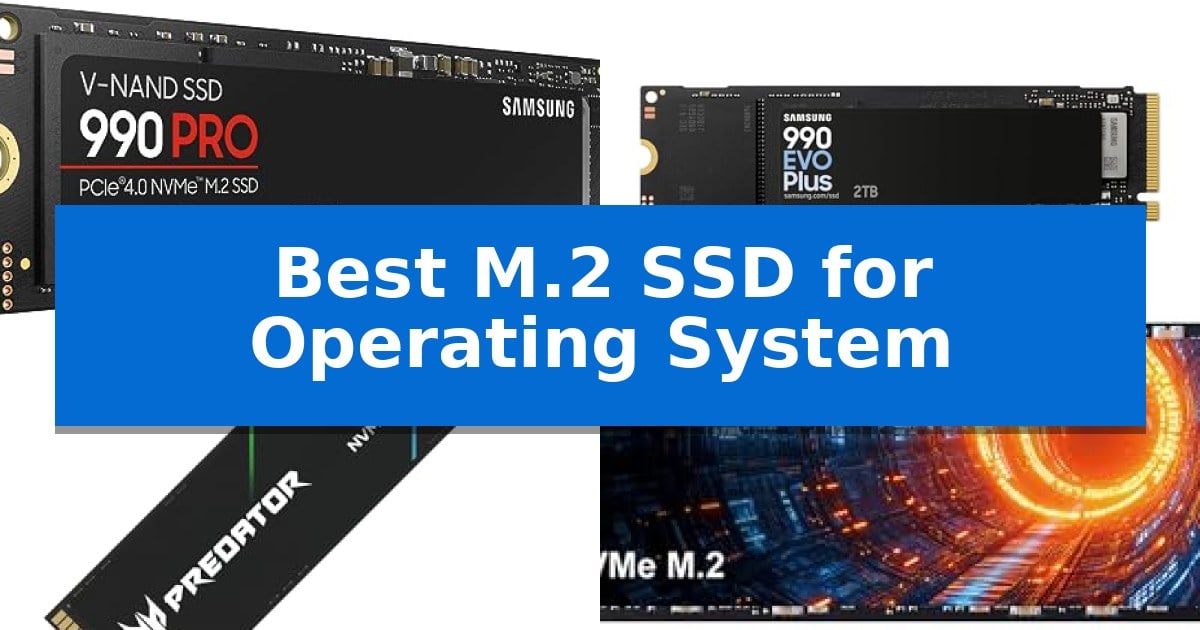
Choosing the right storage for your primary drive is the most effective way to improve system responsiveness. The Best M.2 SSD for Operating System needs to balance rapid boot times, high-speed file access, and consistent thermal performance to ensure your computer remains stable during intensive tasks.
Whether you are building a high-end workstation or upgrading a daily driver, the interface and controller technology determine how quickly your applications launch and your OS updates. We have evaluated the latest M.2 NVMe options to help you identify which drive provides the necessary throughput and endurance for a reliable system foundation.
You may also want to compare Best M.2 SSD for Laptops, Best M.2 SSD for Laptop Gaming, and Best M.2 SSD for Gaming PC.
Best M.2 SSD for Operating System
Quick Comparison
| Product | Best For | Key Strength | Score |
|---|---|---|---|
| Samsung 990 PRO SSD | Best Overall | High-performance PCIe 4.0 interface with speeds up to 7,450 MB/s. | 4.9 |
| Samsung 990 EVO Plus SSD | Efficient Power for Daily Tasks | High sequential read/write speeds up to 7,250/6,300 MB/s. | 4.7 |
| Acer Predator GM7 SSD | Fast Bootups for Enthusiasts | High-performance PCIe 4.0 Gen4 interface with read speeds up to 7400 MB/s. | 4.4 |
| SIX X7400 SSD | High Bandwidth for Heavy Workloads | High-speed PCIe Gen4x4 interface supporting read speeds up to 7350MB/s. | 4.5 |
| Western Digital Blue SN5000 SSD | Reliable Multitasking for Creators | PCIe Gen 4 interface for modern system responsiveness. | 4.7 |
How We Chose
- Sequential read and write speeds for fast OS loading.
- Thermal management and efficiency to prevent throttling.
- PCIe interface generation and backward compatibility.
- Endurance ratings and manufacturer warranty support.
- Software utility availability for drive health monitoring.
1 Samsung 990 PRO SSD — Peak Performance for System Drives
System responsiveness often hinges on the storage drive's ability to handle high-bandwidth tasks, and the Samsung 990 PRO SSD is engineered to address this through its advanced PCIe 4.0 interface. By delivering read and write speeds up to 7,450/6,900 MB/s, this drive provides the necessary throughput for high-end computing environments where rapid data access is essential for an operating system and demanding applications.
Beyond raw speed, the drive focuses on efficiency, offering up to 50% improved performance per watt compared to its predecessor. This power efficiency is a critical consideration for workstations and gaming rigs that require sustained performance without excessive power draw. The drive is available in capacities ranging from 1TB to 4TB, providing flexibility for different storage requirements.
The Samsung 990 PRO SSD utilizes a standard M.2 2280 form factor, ensuring broad compatibility with modern motherboards and laptops. With a 5-year manufacturer warranty, it is designed for reliability in heavy-duty workloads, including video editing and complex data analysis, making it a robust choice for a primary system drive.
Best for: High-end computing, gaming, and professional workstations requiring maximum PCIe 4.0 throughput and power efficiency.
Skip if: Users with older systems lacking PCIe 4.0 support, as the drive's full speed potential will be limited by older interfaces.
PROS
- High-performance PCIe 4.0 interface with speeds up to 7,450 MB/s.
- Improved power efficiency offering 50% better performance per watt.
- Versatile capacity options ranging from 1TB to 4TB.
- 5-year manufacturer warranty for long-term support.
CONS
- Requires PCIe 4.0 compatibility to achieve advertised maximum speeds.
2 Samsung 990 EVO Plus SSD — Efficient Power for Daily Tasks
Reliable system performance starts with high-speed storage, and the Samsung 990 EVO Plus SSD is engineered to provide a responsive foundation for any operating system. By utilizing advanced NAND memory, this drive achieves sequential read and write speeds of up to 7,250 MB/s and 6,300 MB/s, respectively, which significantly accelerates boot times and large file transfers for demanding workflows.
Versatility is a core design principle of this drive, as it features compatibility with both PCIe 4.0 x4 and PCIe 5.0 x2 interfaces. This dual-standard support allows the hardware to adapt to various motherboard configurations, ensuring that users can leverage efficient data processing bandwidth regardless of their specific system architecture.
To maintain consistent performance during intensive tasks, the drive incorporates an efficiency-boosting nickel-coated controller. This thermal management solution helps regulate operating temperatures without the need for bulky external heatsinks, preserving system stability and drive longevity during prolonged use.
The Samsung 990 EVO Plus SSD also integrates seamlessly with the Samsung Magician Software. This centralized utility provides essential tools for firmware updates, drive health monitoring, and security encryption, allowing users to keep their storage optimized and secure over the life of the product.
Best for: Users seeking a high-speed, power-efficient storage solution for an operating system that supports both PCIe 4.0 and PCIe 5.0 interfaces.
Skip if: Users requiring extreme PCIe 5.0 x4 speeds for specialized workstation tasks, as this drive is optimized for PCIe 5.0 x2 bandwidth.
PROS
- High sequential read/write speeds up to 7,250/6,300 MB/s.
- Flexible compatibility with PCIe 4.0 x4 and PCIe 5.0 x2 interfaces.
- Efficient thermal control via a nickel-coated controller.
- Comprehensive drive management through Samsung Magician Software.
CONS
- Limited to PCIe 5.0 x2 bandwidth rather than full x4 lane utilization.
3 Acer Predator GM7 SSD — Fast Bootups for Enthusiasts
Upgrading your primary drive to the Acer Predator GM7 1TB SSD offers a significant boost for system responsiveness, leveraging the PCIe 4.0 Gen4 interface to achieve read speeds up to 7400 MB/s. This high-speed capability is essential for enthusiasts who demand rapid boot times and near-instant application loading, making it a strong candidate for the Best M.2 SSD for Operating System upgrades in modern desktop and laptop configurations.
The drive utilizes NVMe 2.0 architecture, incorporating HMB (Host Memory Buffer) and SLC Cache to streamline data transmission. By offloading memory tasks and using high-speed cache, the drive ensures consistent performance during demanding workloads. The internal hardware, including the high-efficiency controller and advanced NAND flash, is specifically tuned to maintain lower power consumption, which helps in managing heat output during intensive operations.
Thermal stability is maintained through integrated Thermal Throttling and Power Management systems. These features work automatically to regulate the drive's temperature, preventing performance degradation during heavy use. This makes the drive a versatile choice for various environments, including high-performance gaming PCs and the PS5, where consistent thermal regulation is critical for sustained operation.
Users can maintain the drive's longevity and performance using the Biwin Intelligence software. This utility provides a centralized interface for monitoring drive health, executing data migration, and performing cloning tasks, which simplifies the process of transitioning an operating system to a new drive. With a 5-year warranty, this SSD provides a reliable, long-term storage solution for users prioritizing system stability and speed.
Best for: Enthusiasts and gamers requiring high-speed storage for operating systems and demanding applications on PCIe 4.0-compatible systems.
Skip if: Users with older systems limited to PCIe 3.0 or lower interfaces will not be able to utilize the drive's maximum rated speeds.
PROS
- High-performance PCIe 4.0 Gen4 interface with read speeds up to 7400 MB/s.
- Integrated Thermal Throttling for automatic temperature regulation.
- Includes Biwin Intelligence software for drive management and data migration.
- Backed by a 5-year warranty for long-term reliability.
CONS
- Requires a PCIe 4.0 slot to achieve advertised maximum performance.
4 SIX X7400 SSD — High Bandwidth for Heavy Workloads
System performance relies heavily on storage throughput, and the SIX X7400 SSD is engineered to address this by utilizing a PCIe Gen4x4 High Speed Interface. This internal drive is designed to facilitate rapid bootups and high-bandwidth data transfers, making it a candidate for users looking to upgrade their primary operating system storage. By leveraging this interface, the drive provides the necessary bandwidth to support demanding workflows, including data analytics and intensive content creation.
The drive achieves read speeds up to 7350MB/s, which provides significant throughput for heavy-duty applications. This level of performance is particularly beneficial for users who require fast load times during gaming or when managing large datasets. To maintain consistent performance during sustained operations, the drive includes a pre-installed heatsink that manages thermal output, ensuring the drive remains stable during intensive tasks like large file transfers or prolonged gaming sessions.
Designed for versatility, the SIX X7400 SSD is compatible with laptops, desktops, and PS5 consoles. The manufacturer includes a complete installation kit, featuring the necessary screws and screwdrivers, which simplifies the upgrade process for users regardless of their technical experience. This focus on accessibility ensures that the drive can be integrated into various system environments without requiring additional hardware purchases.
To ensure long-term usability, the manufacturer provides a 5-year limited warranty. This support coverage offers a layer of security for the drive's lifecycle, reinforcing its role as a reliable component for critical system operations. For users seeking a balance of speed, thermal management, and long-term support, this drive serves as a robust solution for modern computing needs.
Best for: Users seeking a high-speed PCIe Gen4x4 storage upgrade for operating systems, gaming, or heavy-duty content creation.
Skip if: Users with systems limited to PCIe Gen3 interfaces or those requiring a form factor other than M.2 2280.
PROS
- High-speed PCIe Gen4x4 interface supporting read speeds up to 7350MB/s.
- Includes a pre-installed heatsink for effective thermal management.
- Comprehensive 5-year limited warranty for long-term support.
- Complete installation kit provided, including tools and screws.
CONS
- Requires PCIe Gen4 compatibility to reach maximum rated speeds.
- Fixed 1TB capacity may be limiting for users with massive storage requirements.
5 Western Digital Blue SN5000 SSD — Reliable Multitasking for Creators
Upgrading your primary storage to the Western Digital Blue SN5000 NVMe Internal Solid State Drive provides a foundation for system responsiveness by leveraging PCIe Gen 4 technology. Designed for users who demand efficiency in their daily workflow, this drive integrates nCache 4.0 Technology to maintain consistent performance during multitasking and application switching.
The Western Digital Blue SN5000 SSD is built to handle intensive creative tasks, offering up to 4TB of capacity and an endurance rating of up to 1,200TBW on the 4TB model. This high endurance ensures that your operating system and frequently accessed files remain protected during heavy drafting and finalizing stages of creative work.
Installation and data migration are streamlined through the inclusion of Acronis True Image for Western Digital software, which is available for download to assist in transferring your existing files. The drive utilizes the standard M.2 2280 form factor, ensuring broad compatibility with most modern motherboards and laptops that support NVMe storage.
With a 5-year limited warranty, this drive offers a balance of reliability and speed for those looking to improve their system's boot times and overall data handling. It serves as a practical choice for creators who require a dependable storage solution that can keep pace with demanding software environments.
Best for: Creators and power users who need a high-endurance, reliable NVMe drive for their operating system and demanding multitasking workflows.
Skip if: Users who require extreme high-speed performance beyond PCIe Gen 4 limits or those with older systems lacking M.2 2280 compatibility.
PROS
- PCIe Gen 4 interface for modern system responsiveness.
- High endurance rating of up to 1,200TBW for long-term reliability.
- Includes Acronis True Image for simplified data migration.
- Available in capacities up to 4TB to accommodate large libraries.
CONS
- Performance ceiling is limited to PCIe Gen 4 specifications.
- Requires M.2 2280 slot compatibility.
Best M.2 SSD for Operating System Buying Guide
Understanding PCIe Generations
The PCIe interface is the highway your data travels on. Most modern systems utilize PCIe 4.0, which offers significant bandwidth improvements over older standards. When selecting the Best M.2 SSD for Operating System, ensure your motherboard supports the drive's specific generation to avoid bottlenecking your hardware.
While PCIe 5.0 drives are entering the market, PCIe 4.0 remains the sweet spot for most users, providing more than enough speed for OS operations without the extreme heat output associated with the newest, fastest drives.
Thermal Management and Throttling
Operating systems perform constant background read and write tasks, which can generate significant heat. A drive that lacks thermal control may trigger thermal throttling, intentionally slowing down its speed to protect internal components from overheating.
Look for drives that feature advanced nickel-coated controllers or integrated heat spreaders. Proper airflow in your case is equally important to maintain the longevity of your M.2 drive, especially in compact builds.
Capacity and Endurance
For an OS drive, capacity is not just about storage space; it is about NAND flash longevity. Larger drives often have better TBW (Total Bytes Written) ratings because they have more cells to distribute wear across, extending the life of the drive.
We recommend a minimum of 1TB for a modern OS drive to accommodate the operating system, essential applications, and future updates without performance degradation caused by a nearly full drive.
Software and Drive Maintenance
The Best M.2 SSD for Operating System should be supported by robust management software. Tools like Samsung Magician or Biwin Intelligence allow you to monitor drive health, perform firmware updates, and manage encryption settings.
Regular firmware updates are critical for maintaining compatibility with new OS patches and fixing potential bugs that could affect system stability or data integrity.
Form Factor Compatibility
The M.2 2280 form factor is the industry standard for desktop and laptop motherboards. While the size is consistent, the physical installation can vary based on whether your motherboard includes pre-installed heatsinks.
Always check your motherboard manual to see if you need a drive with an integrated heatsink or if you should use the one provided by your motherboard manufacturer to ensure a proper fit.
Frequently Asked Questions
Is a Gen 5 SSD necessary for an OS drive?
For most users, a Gen 4 SSD is more than sufficient. The performance gains of Gen 5 are primarily seen in massive file transfers rather than standard OS boot times or daily application usage.
Does the SSD brand matter for OS stability?
Yes, established brands often provide better firmware support and more reliable management software, which is essential for the long-term stability of your primary system drive.
Can I use an M.2 SSD with a heatsink in a laptop?
Most laptops have very tight clearance. You should verify your laptop's internal space before purchasing a drive with a pre-installed heatsink, as it may prevent the back panel from closing.
What happens if my OS drive gets full?
SSDs require some free space for 'garbage collection' and wear leveling. If your drive is nearly full, you will likely notice a significant drop in system performance and responsiveness.
Do I need to install drivers for my M.2 SSD?
Most modern operating systems include native NVMe drivers. However, installing the manufacturer's specific software is recommended for firmware updates and performance optimization.
Conclusion: Our Top Pick
For users seeking the highest level of performance and reliability for their primary system drive, the Samsung 990 PRO SSD stands out as the premier choice. Its combination of high-speed PCIe 4.0 throughput and exceptional power efficiency makes it ideal for heavy-duty workstations and gaming rigs that demand consistent performance.
While other options offer excellent value for specific multitasking needs, the 990 PRO's proven track record and advanced controller technology ensure that your operating system remains responsive and stable under any workload. It is a foundational component that provides the speed and endurance necessary for a modern, high-performance computing experience.