
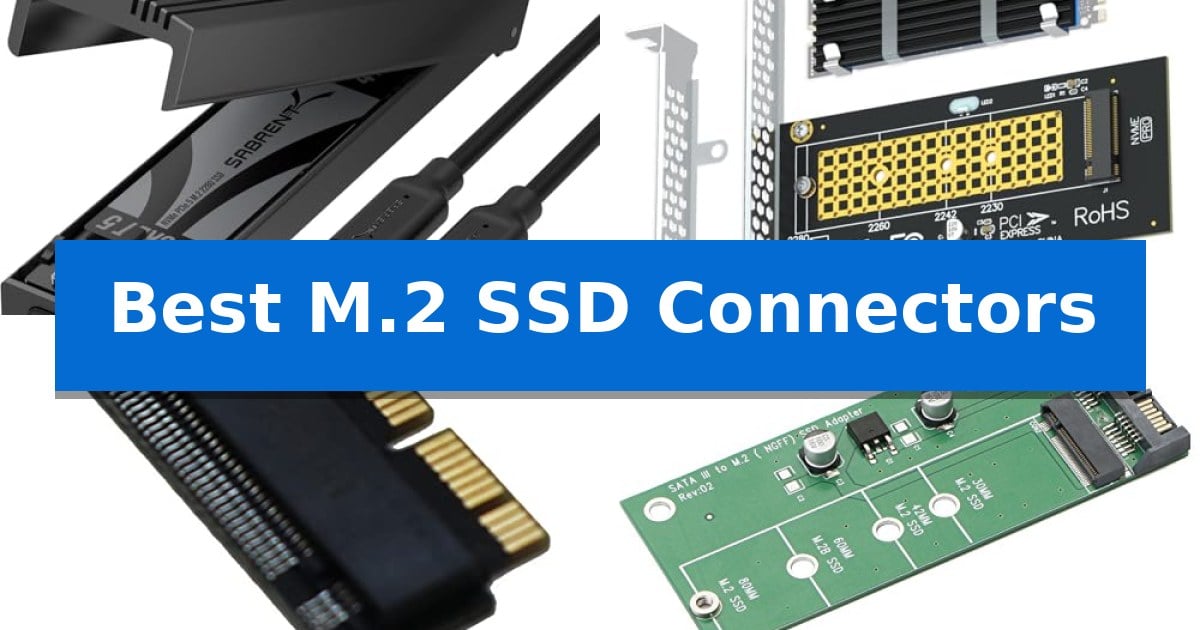
Upgrading your storage requires more than just picking a drive; you need the right hardware to bridge the gap between your M.2 SSD and your system. Whether you are repurposing an older drive, expanding internal capacity, or needing portable high-speed access, choosing the Best M.2 SSD Connectors is essential for maintaining data integrity and transfer speeds.
The market for M.2 interfaces can be confusing, with different keys, protocols, and form factors determining what will actually work in your machine. This guide breaks down the most reliable adapters, enclosures, and cooling solutions to help you make an informed decision for your specific hardware setup.
You may also want to compare Best M.2 SSD Brands, Best M.2 SSD Boot Drive, and Best M.2 SSD.
Best M.2 SSD Connectors
Quick Comparison
| Product | Best For | Key Strength | Score |
|---|---|---|---|
| Sabrent USB-C NVMe SSD Enclosure | Best Overall | Tool-free installation allows for rapid drive swapping without hardware. | 4.9 |
| Glotrends M.2 NVMe PCIe Adapter | Internal high-speed expansion | Includes a dedicated heatsink for effective thermal management. | 4.4 |
| Sintech M.2 NVMe SSD Adapter | Upgrade legacy Mac storage | Broad compatibility with various high-performance NVMe SSD brands. | 4.4 |
| Jiuwu M.2 SATA to SATA Adapter | Reuse older SATA drives | Broad compatibility with multiple M.2 SATA drive lengths (2230 to 2280). | 4.8 |
| Glotrends M.2 SSD Heatsink | Prevents thermal throttling | Tool-less installation that does not require adhesives or permanent modifications. | 4.6 |
How We Chose
- Interface Compatibility: Verifying support for NVMe vs. SATA protocols to prevent installation errors.
- Form Factor Versatility: Assessing support for common M.2 sizes including 2230, 2242, 2260, and 2280.
- Thermal Management: Evaluating the inclusion of heatsinks or aluminum housing to mitigate heat-related throttling.
- Installation Ease: Prioritizing tool-free designs for portable enclosures and standard bracket support for internal adapters.
- System Integration: Confirming support for OS booting and compatibility with specific motherboard or laptop slots.
1 Sabrent USB-C NVMe SSD Enclosure — Tool-free portable storage
Managing high-speed portable storage requires a reliable interface that balances rapid data transfer with effective thermal management. The SABRENT USB-C NVMe SSD Enclosure simplifies this process by utilizing a flip-open tool-free design, allowing users to install or swap M.2 NVMe drives instantly without the need for screws or specialized hardware. This accessibility is particularly beneficial for professionals who frequently perform drive cloning, system troubleshooting, or data migration tasks.
Engineered for performance, this enclosure supports USB 3.2 Gen 2 connectivity, enabling data transfer speeds up to 10Gbps. To maintain operational stability during heavy workloads, the device features an aluminum alloy top that functions as a heat sink. By pressing a thermal pad directly against the installed SSD, the enclosure facilitates efficient heat dissipation, preventing the thermal throttling that can occur in less robust designs.
Compatibility is a core strength, supporting M.2 NVMe SSDs in 2230, 2242, 2260, and 2280 form factors with capacities up to 8TB. The plug-and-play interface ensures immediate connectivity with laptops, desktops, and gaming handhelds via USB-C, requiring no external power or additional drivers. While the unit is built with a reinforced ABS frame for durability, it remains slim and lightweight, making it a practical solution for users who need high-capacity storage on the go.
When selecting the best M.2 SSD connectors, it is essential to prioritize thermal efficiency and physical accessibility. This enclosure offers a balanced approach for those who require a portable, high-speed interface for NVMe drives. Users should note that this device is strictly for NVMe technology and does not support M.2 SATA drives, making it a specialized tool for modern PCIe-based storage setups.
Best for: Users needing a portable, tool-free solution for high-speed NVMe SSD data transfers and external storage.
Skip if: Users who specifically require compatibility with M.2 SATA SSDs, as this enclosure is strictly for NVMe drives.
PROS
- Tool-free installation allows for rapid drive swapping without hardware.
- Aluminum cooling design improves thermal management for stable 10Gbps speeds.
- Broad compatibility with multiple M.2 NVMe form factors up to 8TB.
- Plug-and-play functionality works across various USB-C devices without drivers.
CONS
- NVMe-only support excludes compatibility with M.2 SATA drives.
2 Glotrends M.2 NVMe PCIe Adapter — Internal high-speed expansion
Upgrading your storage performance often requires more than just a faster drive; it requires a reliable bridge between your system and the latest NVMe technology. The Glotrends M.2 NVMe PCIe Adapter serves as a high-speed interface, converting a standard PCIe X4, X8, or X16 slot into a functional M.2 Key M slot. This allows users to integrate high-capacity NVMe SSDs into systems that may lack native M.2 support or require additional high-speed storage lanes.
Thermal management is a critical component of this adapter's design. It includes a dedicated 22x70x3mm heatsink engineered to reduce operating temperatures by 5-20°C, helping to maintain consistent performance during sustained data transfers. The adapter supports a wide range of drive sizes, including 2230, 2242, 2260, and 2280, ensuring broad compatibility with most modern M.2 NVMe modules.
Installation flexibility is prioritized through the inclusion of both 12cm regular and 8cm low-profile brackets, making the unit suitable for a variety of PC chassis sizes. While the adapter supports PCIe 4.0/3.0 speeds, users should verify that their CPU, motherboard slots, and SSD all support the desired PCIe 4.0 standard to achieve maximum throughput. It is also capable of supporting OS booting on most modern systems, provided the motherboard firmware allows it.
This adapter is compatible with Windows 11, 10, 8, Linux, and Mac OS environments. It is important to note that the device is strictly for M.2 NVMe SSDs and does not support M.2 SATA drives. For those running older operating systems like Windows 7, users may need to manually source specific NVMe drivers to ensure proper recognition and functionality.
Best for: Users looking to add or upgrade M.2 NVMe storage in a desktop PC with an available PCIe expansion slot.
Skip if: Users requiring M.2 SATA support or those with systems limited to PCIe X1 slots.
PROS
- Includes a dedicated heatsink for effective thermal management.
- Supports OS booting from NVMe drives on compatible systems.
- Includes both regular and low-profile brackets for versatile case compatibility.
- Compatible with a wide range of M.2 NVMe form factors from 2230 to 2280.
CONS
- Does not support M.2 SATA SSDs.
- Requires a PCIe X4 slot or higher; PCIe X1 slots are not supported.
3 Sintech M.2 NVMe SSD Adapter — Upgrade legacy Mac storage
Reviving a legacy MacBook Air or Pro often hinges on overcoming proprietary storage limitations, and the Sintech M.2 NVMe SSD Adapter provides a direct physical bridge for this upgrade. By converting the proprietary Apple connector to a standard M.2 NVMe interface, this adapter allows users to install modern, high-capacity solid-state drives into machines from 2013 through 2016.
The adapter is engineered specifically for compatibility with a wide range of NVMe SSDs, including popular models from brands like Samsung, WD, Crucial, and Intel. It features a slim profile designed to fit within the constrained internal dimensions of MacBook chassis, ensuring that the drive sits securely once installed.
Installation requires careful attention to the system environment, as the adapter does not support internet recovery. Users must prepare a bootable USB disk driver to install the operating system, as the new M.2 drive will arrive unformatted. Additionally, the adapter includes specific guidance for resolving hibernation issues common to 2013-2014 models, ensuring stable power management after the hardware transition.
While the Sintech M.2 NVMe SSD Adapter offers a practical path to expanded storage, it is not a universal solution. It explicitly excludes certain drives like the Samsung 950 Pro and WD Blue SN570/SN770, making it essential to verify specific SSD model compatibility before attempting the upgrade.
Best for: Owners of 2013-2016 MacBook Air or late 2013-2015 MacBook Pro models looking to replace or upgrade their internal storage with standard NVMe SSDs.
Skip if: Users who require a plug-and-play solution without the need to create a bootable USB installer or those using incompatible SSD models like the WD Blue SN770.
PROS
- Broad compatibility with various high-performance NVMe SSD brands.
- Slim form factor designed for precise fitment in legacy MacBook chassis.
- Includes installation guidance for managing hibernation and system boot requirements.
CONS
- Incompatible with specific SSD models such as the WD Blue SN570 and 950 Pro.
- Requires manual preparation of a bootable USB drive for OS installation.
4 Jiuwu M.2 SATA to SATA Adapter — Reuse older SATA drives
Repurposing an older M.2 SATA drive is a straightforward process with the Jiuwu M.2 SATA to SATA Adapter, which bridges the gap between compact M.2 form factors and standard 2.5-inch SATA drive bays. This adapter is specifically engineered to convert a SATA-based M.2 SSD into a standard SATA 6Gbps drive, allowing you to integrate it into desktops or enclosures that lack native M.2 slots.
The hardware is built for reliability, featuring large-capacity filter capacitors and high-power LDO voltage regulator ICs to maintain consistent power delivery. It supports a wide range of drive sizes, including 2230, 2242, 2260, and 2280 lengths, providing broad compatibility for various M.2 SATA modules. Because it is a passive conversion interface, it is driver-free, meaning it functions immediately upon connection once the drive is properly partitioned and formatted.
It is important to note that this device is strictly for SATA-based M.2 SSDs. It does not support PCIe-based NVMe SSDs, and attempting to use an incompatible drive will result in a failure to recognize the storage. Users should also be aware that the adapter may generate heat during operation, which is a standard characteristic of these components, especially when paired with higher-speed drives.
By mounting your M.2 SATA drive into this adapter, you gain a stable link for storage expansion or system performance. The package includes mounting screws to secure the drive, ensuring a firm physical connection within your chassis or external drive bay.
Best for: Users looking to repurpose an existing M.2 SATA SSD as a standard 2.5-inch SATA drive for storage expansion.
Skip if: Users who possess PCIe-based NVMe SSDs, as this adapter is incompatible with those protocols.
PROS
- Broad compatibility with multiple M.2 SATA drive lengths (2230 to 2280).
- Enhanced stability provided by integrated high-power LDO voltage regulators.
- Driver-free installation for immediate system recognition.
- Includes necessary mounting screws for secure assembly.
CONS
- No support for NVMe SSDs, limiting its use to SATA-based modules only.
- Heat generation is a normal operational factor that requires consideration.
5 Glotrends M.2 SSD Heatsink — Prevents thermal throttling
Managing high-performance storage temperatures is essential for maintaining consistent data transfer speeds and extending the lifespan of your hardware. The Glotrends M.2 SSD Heatsink provides a passive cooling solution designed to mitigate thermal throttling by pulling heat away from the controller and memory modules of 2280 NVMe and SATA drives.
This low-profile heatsink is engineered to fit within tight spaces, including the internal expansion slots of the PS5 and PS5 Slim, as well as standard desktop motherboards and M.2 riser cards. By utilizing aluminum fins, the unit facilitates a 5-20°C cooling gain under sustained workloads, which helps prevent the performance drops often associated with high-heat scenarios like 4K video exports or large file transfers.
Installation is simplified through a tool-less design that avoids the need for adhesives or screwdrivers, ensuring the drive warranty remains intact. The kit includes two heatsinks, thermal pads, and a choice of metal clasps or rubber bands, allowing for a secure fit on various drive thicknesses. It is a straightforward, noise-free way to manage drive thermals without requiring additional power or complex setup.
While highly effective for desktop and console environments, this heatsink is not compatible with laptops due to its physical dimensions. Users should ensure their specific motherboard or console layout has sufficient clearance for the 3mm height of the heatsink before installation.
Best for: Desktop PC and PlayStation 5 users looking to prevent thermal throttling on 2280 M.2 SSDs.
Skip if: Laptop users, as the physical dimensions and mounting mechanism are not designed for the restricted space of portable computer chassis.
PROS
- Tool-less installation that does not require adhesives or permanent modifications.
- Provides 5-20°C cooling to maintain stable write speeds during heavy usage.
- Includes a complete kit for two drives, offering high value for multi-drive systems.
- Compatible with both NVMe and SATA 2280 M.2 SSDs.
CONS
- Not suitable for laptops due to height and mounting constraints.
- Requires adequate clearance in the host device for the 3mm aluminum profile.
Best M.2 SSD Connectors Buying Guide
Understanding M.2 Interfaces
The most critical factor when selecting an M.2 connector is identifying whether your SSD is NVMe (PCIe) or SATA. These two protocols are not interchangeable; an NVMe drive will not function in a SATA-only adapter, and vice versa. Always check your drive's label or manual to confirm its interface before purchasing a connector.
Beyond the protocol, pay attention to the Keying of the connector. While most modern adapters are designed for M-Key or B+M Key drives, ensuring your specific SSD matches the physical notch layout of the adapter is the first step toward a successful installation.
Thermal Management for High-Speed Drives
NVMe SSDs, particularly those using PCIe 4.0 or 5.0, generate significant heat during sustained data transfers. If this heat is not dissipated, the drive will trigger thermal throttling, intentionally slowing down its performance to prevent damage. Using an adapter or enclosure with an integrated heatsink or aluminum housing is vital for maintaining peak speeds.
For internal desktop setups, a dedicated M.2 heatsink can reduce operating temperatures by 5-20°C. If you are using a portable enclosure, look for models that utilize the outer shell as a heat spreader, as this provides more stable performance during large file transfers compared to plastic alternatives.
Form Factor and Size Compatibility
M.2 SSDs come in various lengths, typically denoted by a four-digit number like 2280 (22mm wide, 80mm long). Most adapters are designed to accommodate the standard 2280 size, but many also include mounting points for shorter drives like 2230 or 2242.
If you are installing an adapter into a compact PC case, ensure the device includes a low-profile bracket. This small hardware addition allows the adapter to fit into smaller chassis or server racks where standard-height expansion cards would be too large.
Internal Expansion vs. Portable Enclosures
Your choice between an internal adapter and an external enclosure depends on your primary goal. Internal PCIe adapters are designed for permanent storage expansion, often allowing the drive to function as a bootable OS disk. These provide the fastest possible speeds by connecting directly to the motherboard's PCIe lanes.
Portable enclosures, by contrast, are designed for flexibility and data migration. These connect via USB-C and are ideal for cloning drives, troubleshooting, or carrying large amounts of data between different devices. Ensure your enclosure supports the USB 3.2 Gen 2 standard if you want to take full advantage of 10Gbps transfer speeds.
Installation and Maintenance
Modern M.2 connectors have moved toward tool-free designs, which use rubber clasps or locking mechanisms instead of tiny, easily lost screws. This is particularly beneficial for portable enclosures where you might swap drives frequently.
For internal installations, always ensure the drive is properly seated and secured. If you are using a thermal pad, remove the protective film from both sides to ensure efficient heat transfer between the SSD and the heatsink. A proper, flat contact is necessary for the cooling solution to function as intended.
Frequently Asked Questions
Can I use an NVMe SSD in a SATA M.2 adapter?
No. NVMe and SATA are different protocols. Using an NVMe drive in a SATA-only adapter will result in the drive not being recognized by your system.
Why is my SSD slowing down during large file transfers?
This is likely caused by thermal throttling. High-speed NVMe drives get very hot; if they lack a heatsink or proper airflow, they will reduce their speed to cool down.
Do I need a special driver for these adapters?
Most M.2 adapters are plug-and-play and do not require specific drivers. However, you may need to initialize and format a new drive in your OS disk management settings before it appears as a usable drive.
Can I boot my operating system from an M.2 adapter?
Many internal PCIe adapters support booting, but this depends on your motherboard's BIOS/UEFI support. Check your motherboard manual to see if it supports booting from PCIe-connected storage.
Are these adapters compatible with all M.2 sizes?
Most adapters support the common 2280 size. Many also feature adjustable standoffs or multiple mounting holes to support shorter 2230, 2242, and 2260 drives.
Conclusion: Our Top Pick
When selecting the right hardware for your storage needs, the Sabrent USB-C NVMe SSD Enclosure stands out for its combination of tool-free convenience and effective thermal management. Its aluminum design ensures that your NVMe drive remains cool during heavy workloads, while the 10Gbps USB 3.2 Gen 2 support provides the speed necessary for modern file transfers.
While other options like internal PCIe adapters are better suited for permanent system expansion, this enclosure offers the most versatility for users who need to swap drives, clone data, or carry high-speed storage on the go. Its compatibility with various M.2 sizes makes it a reliable choice for most NVMe-based storage tasks.