
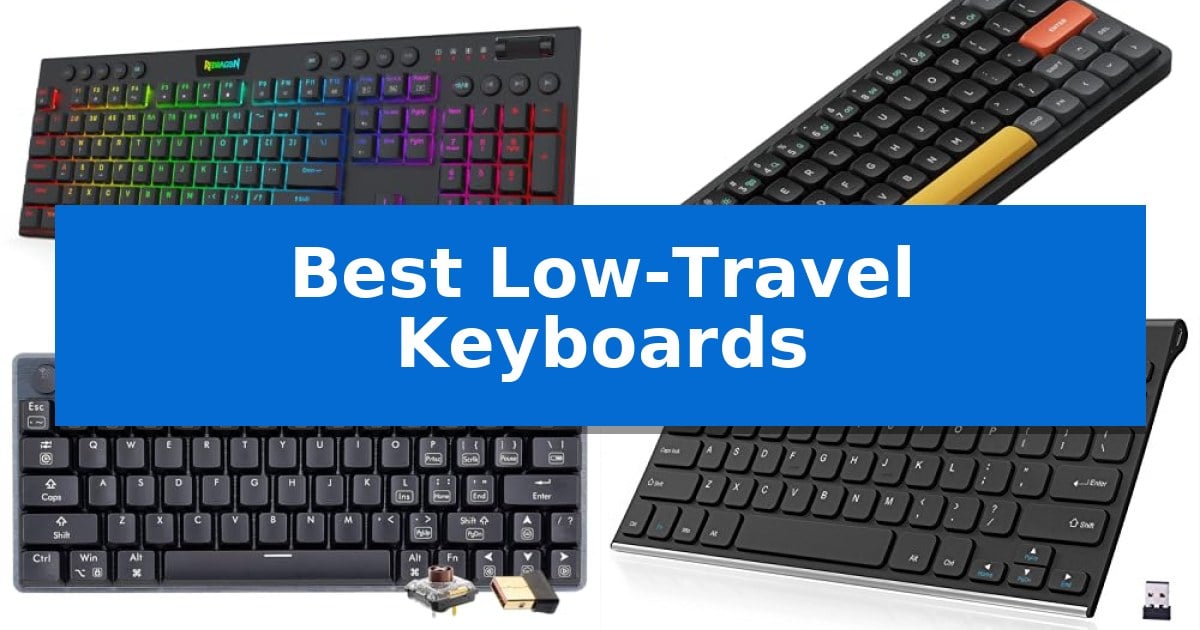
Finding the right typing experience often comes down to the distance your fingers travel with every keystroke. Best Low-Travel Keyboards offer a distinct advantage for users who prioritize speed, reduced wrist strain, and a compact desk footprint, making them ideal for both high-stakes gaming and rapid-fire office productivity.
Whether you are looking for the tactile feedback of a mechanical build or the whisper-quiet operation of a slim membrane design, selecting the right model requires balancing your specific workflow needs. We have analyzed the leading options to help you identify which keyboard aligns with your typing style and connectivity requirements.
You may also want to compare Best Low-TDP GPU, Best Low-Sensitivity Gaming Mouse, and Best Low-Sensitivity Gaming Mice.
Best Low-Travel Keyboards
Quick Comparison
| Product | Best For | Key Strength | Score |
|---|---|---|---|
| Redragon K618 HE Low-Profile Keyboard | Best Overall | Magnetic switches enable ultra-short travel and rapid actuation. | 4.9 |
| nuphy Air60 V2 Wireless Keyboard | Premium mechanical feel in ultra-slim | Ultra-slim 0.53-inch profile for enhanced portability. | 4.9 |
| Hexgears A1 Low-Profile Keyboard | Hot-swappable switches for custom typing | Triple-mode connectivity for versatile device integration. | 4.3 |
| Arteck Stainless Wireless Keyboard | Durable metal build for travel | Stainless steel construction offers a heavy-duty, durable feel. | 4.4 |
| Logitech MK470 Slim Wireless Keyboard | Whisper-quiet keys for shared spaces | Whisper-quiet scissor keys for a low-noise typing environment. | 4.4 |
How We Chose
- Switch Actuation: We prioritized models with short travel distances and rapid response times for improved typing efficiency.
- Form Factor and Portability: We assessed the physical dimensions and weight to determine suitability for mobile setups and small desk spaces.
- Connectivity Versatility: We examined the range of wired, Bluetooth, and 2.4GHz wireless options to ensure seamless device switching.
- Build Quality and Materials: We reviewed the chassis construction and keycap durability to ensure long-term reliability.
- Customization and Software: We looked for programmable macro support and software-based tuning that allows users to tailor the keyboard to their specific needs.
1 Redragon K618 HE Low-Profile Keyboard — Fastest actuation for competitive gaming
Precision timing in competitive gaming often comes down to the distance a switch travels before registering a command. The Redragon K618 HE Low-Profile Keyboard addresses this by utilizing magnetic switches that sense keypresses without physical contact, allowing for ultra-short travel distances that aim to improve reaction times in fast-paced titles like Valorant or Apex Legends.
Beyond its primary switches, the device features a 30% slimmer design compared to standard mechanical boards, which helps keep the typing angle lower and potentially reduces wrist strain during extended sessions. The inclusion of 20 on-the-fly macro keys arranged in a dedicated 4×5 zone provides immediate access to complex inputs without the need for external software installation, keeping your workflow streamlined.
Customization is handled through software-powered precision tuning, where users can calibrate actuation points between 0.1mm and 2.8mm. This flexibility allows for consistent performance across different genres, while the integrated multi-function control wheel offers a tactile way to adjust media volume and backlight brightness without interrupting gameplay.
While the board is packed with competitive features, its wired-only nature and 104-key full-size layout mean it occupies a significant footprint on a desk. It is a specialized tool built for those who prioritize rapid actuation and granular switch control over wireless freedom or compact portability.
Best for: Competitive FPS gamers who require rapid, customizable actuation points and dedicated macro controls.
Skip if: Users who prioritize a wireless connection or a compact, tenkeyless form factor for limited desk space.
PROS
- Magnetic switches enable ultra-short travel and rapid actuation.
- Dedicated 4×5 macro zone allows for instant combo recording without software.
- Adjustable actuation from 0.1mm to 2.8mm for personalized precision.
- Low-profile design provides a slimmer, more ergonomic typing height.
CONS
- Wired-only connectivity limits desk layout flexibility.
- Full-size 104-key layout requires more desk space than compact alternatives.
2 nuphy Air60 V2 Wireless Keyboard — Premium mechanical feel in ultra-slim
The nuphy Air60 V2 Wireless Keyboard prioritizes a streamlined workspace by utilizing a compact 60% layout that removes the dedicated function row while retaining full functionality. This ultra-slim mechanical keyboard measures just 0.53 inches in height, making it a viable choice for users who require a portable typing solution without sacrificing the tactile feedback of mechanical switches.
Connectivity is a primary focus for this model, offering support for Bluetooth 5.1, 2.4GHz wireless, and wired USB-C connections. It allows for simultaneous pairing with up to four devices, facilitating quick transitions between different workstations. The inclusion of a 2500mAh battery provides a claimed working time of up to 150 hours with the backlighting disabled, or between 30 and 90 hours with lights active.
Customization is handled through QMK/VIA support, which enables users to remap keys and configure lighting effects across multiple operating systems including Windows, macOS, and Linux. The aluminum frame features integrated RGB light bars on both sides, which serve as functional indicators for connection status, battery levels, and system modes alongside their aesthetic role.
For those prioritizing responsiveness, the keyboard supports a 1000Hz polling rate in wireless mode. This specification is intended to minimize input delay, providing a consistent experience for both office tasks and gaming scenarios. The Gateron Aloe switches offer a specific mechanical feel tailored to the low-profile design of the chassis.
Best for: Users who need a highly portable, low-profile mechanical keyboard that supports multi-device workflows and deep customization via QMK/VIA.
Skip if: Users who rely heavily on a dedicated function row or a full-sized number pad for their daily productivity tasks.
PROS
- Ultra-slim 0.53-inch profile for enhanced portability.
- QMK/VIA compatibility allows for extensive key remapping.
- Tri-mode connectivity supporting up to four devices.
- 1000Hz polling rate in wireless mode for reduced input delay.
CONS
- 60% layout lacks a dedicated function row and number pad.
- Battery life varies significantly based on RGB lighting usage.
3 Hexgears A1 Low-Profile Keyboard — Hot-swappable switches for custom typing
The Hexgears A1 Low-Profile Keyboard utilizes Kailh Choc Low-Profile Tactile switches to provide a shorter travel distance, facilitating faster typing and precise feedback without the need for audible clicks. This mechanical keyboard is built with a robust aluminum alloy frame and a minimalist 60% layout, making it a space-saving option for professionals and gamers who prioritize portability.
Connectivity is handled through a triple-mode interface, offering stable Bluetooth 5.0, high-performance 2.4GHz wireless, and a reliable wired USB-C connection. This versatility allows for seamless switching between multiple devices, including PCs, Macs, laptops, and tablets, ensuring consistent performance across different hardware setups.
Customization is a core component of this device, featuring per-key RGB backlighting with 16.8 million color options and hot-swappable PCB technology. Users can replace switches without soldering, tailoring the tactile feel to their specific preferences. The inclusion of N-Key Rollover (NKRO) and dedicated macro programming via the official Hexgears driver further enhances its utility for complex workflows and gaming.
Designed for durability and ergonomic comfort, the unit includes magnetic feet that allow for adjustable typing angles. Its compact dimensions of 11.5 by 4.4 inches ensure it fits easily into travel bags, while the internal architecture is engineered to support long-term use for both competitive play and intensive typing tasks.
Best for: Users who require a compact, highly customizable, and portable mechanical keyboard with multiple connectivity options for both work and gaming.
Skip if: Users who require a full-sized keyboard layout with a dedicated number pad or those who prefer traditional, high-profile mechanical switches.
PROS
- Triple-mode connectivity for versatile device integration.
- Hot-swappable PCB allows for easy switch customization.
- Ultra-slim 60% design is highly portable and space-efficient.
- N-Key Rollover ensures accurate input registration during fast typing.
CONS
- 60% layout lacks dedicated function keys and a number pad.
- Low-profile switches offer a different tactile experience than standard mechanical switches.
4 Arteck Stainless Wireless Keyboard — Durable metal build for travel
The Arteck Stainless Wireless Keyboard is engineered for portability, featuring an ultra-slim 0.16-inch profile and a lightweight 10.2-ounce chassis. Its stainless steel construction provides a rigid, durable feel that stands up to the demands of travel while maintaining a compact footprint of 11.1 by 5.3 inches.
Designed for efficiency, this keyboard utilizes a 2.4G wireless connection via a nano USB receiver, ensuring a straightforward, plug-and-play setup across various devices including desktops, laptops, and smart TVs. The inclusion of full-size keys within this small frame allows for a comfortable typing experience, while the low-profile design minimizes noise during use.
Power management is a core strength of this model. It houses a rechargeable lithium battery that offers an industry-high capacity, rated for up to 6 months of use based on a standard routine of 2 hours per day. This longevity reduces the need for frequent charging, making it a reliable companion for mobile workspaces.
The package includes the necessary USB charging cable and a 24-month warranty, providing long-term support for the device. Its combination of a robust metal build and high-capacity battery makes it a practical choice for users who prioritize durability and minimal maintenance in their peripheral setup.
Best for: Users who require a durable, ultra-slim, and long-lasting wireless keyboard for frequent travel or compact desk setups.
Skip if: Users who require Bluetooth connectivity or a full-sized layout with a dedicated number pad.
PROS
- Stainless steel construction offers a heavy-duty, durable feel.
- 6-month battery life on a single charge reduces maintenance.
- Ultra-thin and lightweight design is optimized for portability.
- Full-size keys maintain typing comfort despite the compact size.
CONS
- 2.4G wireless only, lacking Bluetooth connectivity for tablets or phones.
- No dedicated number pad due to the compact, ultra-slim form factor.
5 Logitech MK470 Slim Wireless Keyboard — Whisper-quiet keys for shared spaces
The Logitech MK470 Slim Wireless Keyboard is designed for those who prioritize a clean, minimalist workspace, featuring a compact layout that includes a number pad despite its slim profile. Its low-profile scissor keys are engineered for a quiet typing experience, making it a practical choice for shared environments where noise reduction is a priority.
This keyboard is part of a wireless combo that includes an ambidextrous mouse with high-precision optical tracking. The system relies on a simple plug-and-play USB nano receiver to establish a 2.4 GHz connection, providing a reliable link within a 10-meter range. To support long-term use, the device includes an auto-sleep feature that helps preserve battery life for up to 36 months for the keyboard and 18 months for the mouse.
For users who want to tailor their workflow, the keyboard supports personalized productivity through 12 customizable FN keys. By using the Logi Options software, you can assign specific shortcuts to these keys to better fit your daily tasks. The overall design is optimized for Windows and ChromeOS, ensuring that the layout remains familiar and functional for standard office or home setups.
While the slim, ultra-thin design is excellent for small desk spaces, it is important to note that the keyboard uses a fixed, low-travel scissor mechanism rather than mechanical switches. This makes it ideal for users who prefer a quiet, laptop-like typing feel, though it may not satisfy those looking for the tactile feedback of deeper-travel alternatives.
Best for: Users who need a quiet, space-saving keyboard and mouse combo for a minimalist office or home workspace.
Skip if: Users who prefer the tactile feedback and deeper key travel found in mechanical keyboards.
PROS
- Whisper-quiet scissor keys for a low-noise typing environment.
- Compact, ultra-thin design that saves valuable desk space.
- Long battery life with auto-sleep functionality.
- Customizable FN keys to streamline personalized workflows.
CONS
- Fixed low-travel keys may not suit users who prefer mechanical tactile feedback.
- USB receiver dependency requires an available USB-A port.
Best Low-Travel Keyboards Buying Guide
Understanding Switch Travel Distance
The travel distance of a key refers to the total vertical movement from the resting position to the bottom of the switch. Low-travel keyboards typically feature shorter distances, which can lead to faster actuation and less fatigue during extended typing sessions.
For gamers, this often translates to quicker inputs, while professionals may find that a shorter stroke allows for a more fluid, rhythmic typing experience. It is important to consider whether you prefer a tactile bump or a linear feel, as this significantly impacts your comfort.
Connectivity and Multi-Device Support
Modern workflows often involve switching between a desktop, laptop, and tablet. Keyboards that support Bluetooth 5.1 or 2.4GHz wireless connections provide the flexibility to move between these devices without the clutter of extra cables.
When choosing a wireless model, check for the number of devices it can pair with simultaneously. Some keyboards allow for instant switching via dedicated keys, which is a major productivity booster for those managing multiple systems.
Layout and Ergonomics
The layout of a keyboard—whether it is a full-size, TKL (Tenkeyless), or a compact 60% design—determines how much desk space you have for your mouse. A compact layout is generally more portable and keeps your hands closer together, which can improve ergonomic posture.
However, consider whether you rely on a dedicated number pad or function row. If you frequently use spreadsheets or specific software shortcuts, a 60% layout might require you to learn new key combinations to access missing functions.
Build Materials and Durability
The chassis material plays a vital role in both the sound profile and the longevity of the keyboard. Aluminum alloy frames offer a premium, rigid feel that prevents deck flex, while high-quality plastics can be lighter and more affordable.
If you plan to travel with your keyboard, look for a model with a robust frame that can withstand being tossed into a bag. Additionally, check if the switches are hot-swappable, as this allows you to replace individual keys if they fail rather than replacing the entire unit.
Software and Customization
Advanced keyboards often include driver software that allows for precision tuning of actuation points and RGB lighting. This is particularly useful for users who want to create custom macros or save specific profiles for different applications.
While some users prefer a plug-and-play experience, having access to software can unlock the full potential of your device. Ensure the software is compatible with your operating system, whether you are using Windows, macOS, or Linux.
Frequently Asked Questions
Are low-travel keyboards better for gaming?
Yes, many gamers prefer them because the shorter travel distance allows for faster key registration, which is critical in fast-paced titles where every millisecond counts.
Can I use a wireless keyboard on multiple devices?
Many modern wireless keyboards support multi-device pairing, allowing you to switch between a PC, tablet, or phone with a simple key press.
What does hot-swappable mean?
A hot-swappable keyboard allows you to remove and replace the mechanical switches without needing to solder them, making it easy to customize the feel or repair a faulty key.
Do low-travel keyboards feel different than laptop keyboards?
While they share a similar slim profile, mechanical low-travel keyboards often provide a more satisfying tactile response and better build quality than standard membrane laptop keyboards.
How do I know if a keyboard is compatible with my OS?
Most modern keyboards are compatible with Windows, macOS, and Linux, but it is always best to check the manufacturer's specifications to ensure full support for specific function keys and software.
Conclusion: Our Top Pick
Selecting the right keyboard depends on your unique balance of gaming performance and daily utility. For those seeking the most responsive experience, the Redragon K618 HE Low-Profile Keyboard stands out due to its magnetic switches and rapid trigger technology, which offer unparalleled precision for competitive play.
If your priority is portability and multi-device versatility, other options like the nuphy Air60 V2 or Hexgears A1 may better suit your mobile lifestyle. Regardless of your choice, focusing on switch type and connectivity will ensure you find a keyboard that enhances your productivity and gaming performance for years to come.