
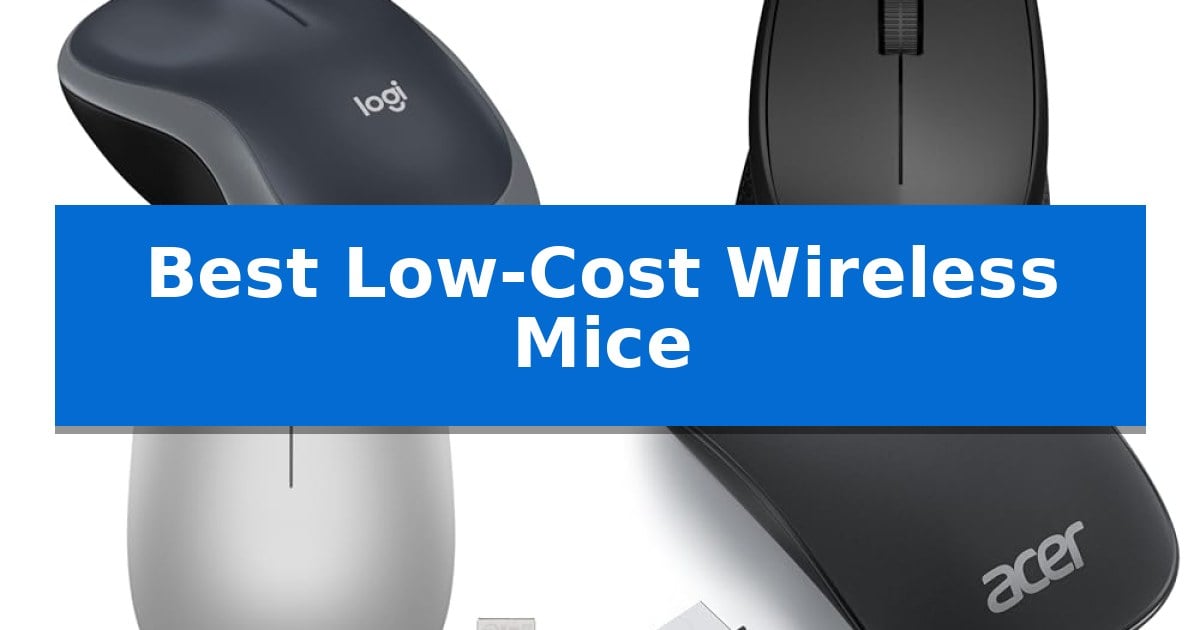
Finding the right peripheral shouldn't require a large investment, especially when you need reliable navigation for daily tasks. Whether you are working from a home office or traveling frequently, the Best Low-Cost Wireless Mice provide essential functionality without the clutter of cables.
Our guide focuses on practical features like ergonomic shapes, silent operation, and long battery life to help you identify which model best suits your specific workspace needs. We have analyzed these affordable options to ensure you get consistent performance and comfort for your daily computing.
You may also want to compare Best Low-Cost Wireless Keyboard and Mouse, Best Low-Cost Wireless Inkjet Printer, and Best Low-Cost Wireless In-Ear Headphones.
Best Low-Cost Wireless Mice
Quick Comparison
| Product | Best For | Key Strength | Score |
|---|---|---|---|
| Logitech M185 Wireless Mouse | Best Overall | Ambidextrous design ensures comfort for both left and right-handed users. | 4.9 |
| Logitech M330 Silent Plus Mouse | Ultra-Quiet Click Performance | SilentTouch Technology significantly reduces clicking noise. | 4.8 |
| Lenovo 530 Wireless Mouse | Ergonomic Comfort for Daily Work | Ambidextrous design accommodates both left and right-handed users. | 4.6 |
| Acer Wireless Mouse | Slim Profile for Travel | Ultra-portable 56g design ideal for travel. | 4.3 |
| Uciefy Q5 Rechargeable Wireless Mouse | Convenient USB-C Charging | Silent click buttons reduce noise in quiet environments. | 4.4 |
How We Chose
- Ergonomic design and hand-feel for extended daily use.
- Reliability of the 2.4 GHz wireless connection and plug-and-play ease.
- Battery longevity and power-saving features like auto-sleep modes.
- Portability factors including size, weight, and receiver storage.
- Specialized functionality such as silent clicking or rechargeable batteries.
1 Logitech M185 Wireless Mouse — Reliable Plug-and-Play Simplicity
Reliable navigation and consistent connectivity are the primary requirements for any daily workspace, and the Logitech M185 Compact Ambidextrous 2.4 GHz Wireless Mouse addresses these needs through its plug-and-play architecture. By utilizing a tiny nano USB receiver, this device establishes a stable connection up to 33 feet away, ensuring that your cursor movements remain responsive across various desktop environments.
Designed with a contoured, ambidextrous shape, this mouse provides a comfortable grip for both left- and right-handed users. Its compact dimensions make it an ideal companion for small to medium hands or tight workspaces where desk real estate is limited. The inclusion of optical tracking ensures smooth cursor control, which serves as a significant upgrade over standard laptop touchpads for those seeking increased efficiency.
Efficiency is further supported by the device's power management system, which offers up to 12 months of battery life on a single AA battery. The integrated smart sleep mode helps conserve energy when the mouse is not in use, reducing the frequency of maintenance. Furthermore, the construction incorporates certified post-consumer recycled plastic, reflecting a focus on material sourcing.
Compatibility remains a core strength of this model, as it functions seamlessly with Windows PCs, Macs, and laptops without requiring complex software installations. Whether you are managing a busy desktop or working on the go, the Logitech M185 provides a straightforward, durable solution for daily computing tasks.
Best for: Users needing a reliable, compact, and ambidextrous wireless mouse for general office productivity and laptop use.
Skip if: Users who require advanced programmable buttons, high-DPI gaming sensors, or Bluetooth connectivity for devices lacking USB-A ports.
PROS
- Ambidextrous design ensures comfort for both left and right-handed users.
- Plug-and-play simplicity via a convenient nano USB receiver.
- Long battery life of up to 12 months with smart sleep mode.
- Compact and portable form factor suitable for small workspaces.
CONS
- USB-A receiver requires an adapter for laptops that only feature USB-C ports.
- Lacks advanced features such as programmable side buttons or adjustable DPI settings.
2 Logitech M330 Silent Plus Mouse — Ultra-Quiet Click Performance
Maintaining a quiet workspace often requires minimizing repetitive mechanical noise, and the Logitech M330 Silent Plus Mouse addresses this with proprietary SilentTouch Technology. This feature is engineered to reduce clicking sounds by over 90 percent compared to standard mice, allowing for focused work without auditory distraction.
Designed specifically for right-handed users, the mouse features naturally shaped contoured plastic grips to support long-term comfort during extended use. Its lightweight construction and compact dimensions of 1.5" x 2.7" x 4.2" make it a practical choice for those who prioritize ergonomics in a portable peripheral.
Connectivity is handled via a 2.4 GHz USB-A Nano Receiver, providing a wireless range of up to 33 feet. The device utilizes advanced optical tracking rated at 1000 dpi, ensuring consistent cursor control across most surfaces. Setup is straightforward with plug-and-play compatibility across Windows, macOS, ChromeOS, and Linux systems.
Efficiency is a core component of the design, highlighted by an 18-month battery life supported by an integrated power-saving auto-sleep mode. The inclusion of a single AA battery allows for immediate use, while the use of certified post-consumer recycled plastic in its construction reflects a focus on material sourcing.
Best for: Users who require a quiet, ergonomic wireless mouse for office or home environments where noise reduction is a priority.
Skip if: Users who require a mouse with side buttons for productivity shortcuts or those who prefer a symmetrical, ambidextrous design.
PROS
- SilentTouch Technology significantly reduces clicking noise.
- Ergonomic contoured shape designed for right-handed comfort.
- 18-month battery life with auto-sleep functionality.
- Plug-and-play compatibility with major operating systems.
CONS
- Right-handed only design limits usability for left-handed users.
- Lacks programmable side buttons for advanced productivity tasks.
3 Lenovo 530 Wireless Mouse — Ergonomic Comfort for Daily Work
The Lenovo 530 Wireless Mouse is designed for users seeking a lightweight, portable input device that prioritizes comfort during extended work sessions. Weighing just 65g, this mouse features a contoured, ambidextrous shape that accommodates both left- and right-handed users, making it a versatile choice for various workspaces.
Equipped with a 1200 DPI optical sensor, the device provides responsive tracking for standard office tasks, web browsing, and document navigation. The mouse connects via a 2.4 GHz nano USB receiver, which ensures a reliable wireless connection without the clutter of cables, allowing for a cleaner desktop setup.
Built for longevity, the Lenovo 530 Wireless Mouse is rated for up to 8 million clicks on its primary buttons, supporting consistent daily use. Its power-efficient design allows for a battery life of up to 12 months, reducing the frequency of battery replacements and maintaining productivity over time.
The soft-touch finish adds a tactile quality to the exterior, enhancing the overall feel during use. Whether you are working from a home office or traveling, its compact dimensions and lightweight build allow it to fit easily into laptop bags or pockets, serving as a practical accessory for mobile professionals.
Best for: Users who need a lightweight, ambidextrous, and reliable wireless mouse for daily office tasks and travel.
Skip if: Users who require high-DPI sensors for precision gaming or those who prefer Bluetooth connectivity over a USB receiver.
PROS
- Ambidextrous design accommodates both left and right-handed users.
- Lightweight 65g build enhances portability for travel.
- Long battery life of up to 12 months reduces maintenance.
- Durable construction rated for 8 million clicks.
CONS
- Requires a USB port for the 2.4 GHz receiver, which may be a limitation for devices without USB-A ports.
- Fixed 1200 DPI resolution lacks adjustable sensitivity settings.
4 Acer Wireless Mouse — Slim Profile for Travel
Maintaining a clutter-free workspace while traveling requires gear that prioritizes a slim, unobtrusive profile. The Acer Wireless Mouse addresses this need with an ultra-portable design that weighs just 56g, allowing it to slide into bags without adding significant bulk to a mobile setup.
Functionality remains a priority despite the compact form factor. This device features customizable DPI settings (800, 1200, 1600), enabling users to adjust tracking precision for different screen sizes, from compact laptop displays to larger external monitors. The plug-and-play connectivity via a 2.4GHz USB-A receiver ensures compatibility across Windows, macOS, and Linux environments without the need for additional software installation.
Efficiency is managed through a built-in power-saving feature that automatically triggers sleep mode after 10 minutes of inactivity. This design choice helps extend battery life to an estimated 3-6 months, depending on usage patterns. The receiver stores conveniently within the battery compartment, preventing loss during transit.
For those seeking a reliable, low-cost input device, the Acer Wireless Mouse offers a straightforward solution for daily productivity. Its 32.8ft wireless range provides sufficient flexibility for various desk configurations, making it a practical choice for home offices or on-the-go computing.
Best for: Travelers and office users who need a lightweight, portable mouse for small-sized hands and basic productivity tasks.
Skip if: Users who require advanced programmable buttons, ergonomic vertical designs, or Bluetooth connectivity for devices lacking USB-A ports.
PROS
- Ultra-portable 56g design ideal for travel.
- Adjustable DPI levels for versatile screen tracking.
- Automatic sleep mode to conserve battery life.
- Plug-and-play setup with broad OS compatibility.
CONS
- Requires AAA batteries which are not included.
- USB-A receiver necessitates an adapter for modern USB-C only laptops.
5 Uciefy Q5 Rechargeable Wireless Mouse — Convenient USB-C Charging
Maintaining a quiet workspace is often a priority for professionals and students alike, and the Uciefy Q5 Rechargeable Wireless Mouse addresses this with a specialized silent click design. By minimizing the audible feedback of the left and right buttons, this device allows for focused productivity without the distraction of repetitive clicking sounds in shared environments.
Beyond its acoustic profile, the Uciefy Q5 Rechargeable Wireless Mouse emphasizes portability through its slim and portable design. Measuring approximately 4.4 x 2.25 x 0.79 inches, it fits easily into laptop bags, making it a practical choice for those who frequently travel or work from multiple locations. The device is powered by a built-in rechargeable battery, which eliminates the need for disposable batteries and includes a charging cable for convenience.
Setup is straightforward thanks to the included USB Nano receiver, which stores directly within the bottom of the mouse when not in use. The device is driver-free, requiring only a simple plug-and-play connection to a PC. For users with modern laptops lacking standard USB-A ports, the package includes a Type C adapter, ensuring broad compatibility across Windows, macOS, ChromeOS, and Linux systems.
The mouse features an ambidextrous shape and an optical sensor rated at 1600 DPI, providing consistent tracking for general navigation tasks. While it excels in compact, quiet, and mobile use cases, users should note that the charging process requires connecting the mouse to a computer's USB interface, rather than a wall outlet, to maintain proper power management.
Best for: This mouse is best for mobile professionals and students who require a quiet, slim, and rechargeable input device for travel or shared office spaces.
Skip if: Skip this mouse if you require a full-sized ergonomic shape for extended daily use or advanced programmable buttons for gaming or specialized software workflows.
PROS
- Silent click buttons reduce noise in quiet environments.
- Slim and portable form factor saves space in laptop bags.
- USB-C charging capability with included adapter for modern devices.
- Driver-free plug-and-play setup via USB Nano receiver.
CONS
- Charging limited to computer USB interfaces.
- Compact dimensions may not suit users preferring larger, ergonomic mice.
Best Low-Cost Wireless Mice Buying Guide
Understanding Connectivity and Compatibility
Most budget wireless mice utilize a 2.4 GHz USB-A nano receiver to establish a stable connection. This plug-and-play approach is highly reliable because it does not rely on complex software pairing, making it compatible with most Windows, macOS, and Linux systems immediately upon connection.
When choosing a mouse, consider your computer's available ports. If you are using a modern laptop that only features USB-C ports, you may need an adapter to use a standard USB-A receiver. Always check if the receiver can be stored inside the mouse body, which is a critical feature for preventing loss during travel.
Ergonomics and Hand Comfort
The physical shape of a mouse significantly impacts comfort during long work sessions. Ambidextrous designs are versatile and work well for both left- and right-handed users, while contoured models are often specifically shaped to support the natural arch of the hand.
Consider the size of your hands when selecting a model. Compact or slim mice are excellent for portability and smaller workspaces, but users with larger hands might find a full-size mouse more comfortable for preventing fatigue over several hours of continuous use.
Power Management and Battery Life
Wireless mice typically run on AA or AAA batteries, with many models offering an auto-sleep function to conserve energy during inactivity. This feature is essential for extending battery life, often allowing a single battery to last anywhere from 12 to 18 months depending on usage patterns.
Some modern budget mice now include rechargeable batteries with USB-C charging ports. This eliminates the need for disposable batteries, offering a more sustainable and convenient solution, though it requires occasional tethering to a power source.
Silent Operation and Noise Reduction
In shared office environments or quiet home settings, the sound of clicking buttons can become a distraction. Mice featuring SilentTouch technology or specialized silent switches are engineered to reduce clicking noise by over 90% compared to standard models.
This noise reduction does not typically compromise the tactile feedback of the button. If you frequently work in libraries, cafes, or shared workspaces, prioritizing a silent model can significantly improve your focus and the comfort of those around you.
DPI and Tracking Precision
DPI (dots per inch) determines the sensitivity of your mouse cursor. While most standard office mice operate at a fixed 1000 or 1200 DPI, some models offer adjustable DPI settings. This allows you to toggle between different speeds to match your screen size or specific task requirements.
Higher DPI settings allow the cursor to move across the screen with less physical movement of the mouse, which is beneficial for multi-monitor setups. Lower settings provide more control for detailed tasks, such as basic photo editing or precise document navigation.
Frequently Asked Questions
Do these wireless mice work with MacBooks?
Yes, most of these mice are compatible with macOS. However, if your MacBook only has USB-C ports, you will need a USB-A to USB-C adapter to connect the included nano receiver.
How do I know when the battery is low?
Many budget mice do not have a dedicated battery indicator light. Instead, they are designed for high efficiency, often lasting over a year. If the cursor becomes unresponsive or jumpy, it is usually a sign that the battery needs to be replaced.
Are these mice suitable for gaming?
These models are designed primarily for productivity and office tasks. While they will function for basic computer use, they lack the high-end sensors, low latency, and extra programmable buttons typically required for competitive gaming.
Can I connect multiple devices to one receiver?
The standard 2.4 GHz receivers included with these models are generally paired specifically to the mouse they come with. They are not designed to connect multiple different devices to a single receiver.
What should I do if the mouse stops tracking?
First, ensure the battery is fresh and the power switch on the bottom is turned on. Verify that the USB receiver is securely plugged into your computer and that the optical sensor on the bottom of the mouse is free of dust or debris.
Conclusion: Our Top Pick
For those seeking a balance of reliability and simplicity, the Logitech M185 Wireless Mouse stands out as the most consistent performer. Its compact, ambidextrous design makes it a versatile choice for various hand sizes and workspace setups, while the long battery life and plug-and-play connectivity ensure it is ready to work whenever you are.
While other options offer specific benefits like silent clicking or rechargeable power, the M185 remains the go-to recommendation for users who need a dependable, no-fuss tool for daily productivity. Its proven track record and straightforward functionality make it an excellent investment for any standard computing environment.