
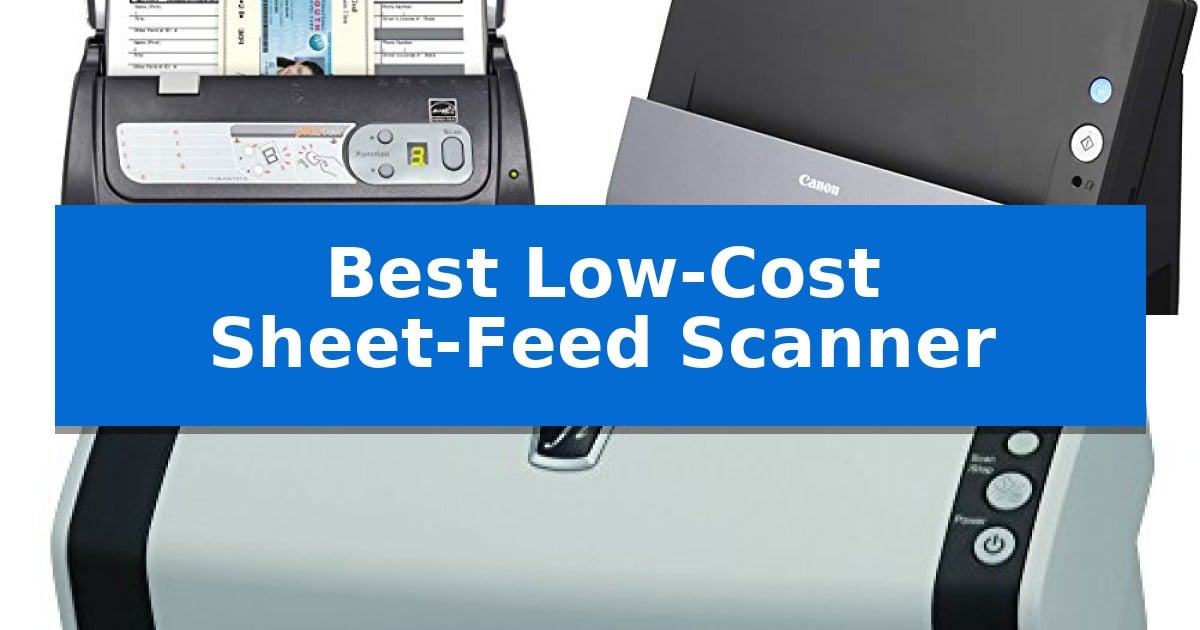
Managing physical paperwork often creates unnecessary clutter in home and small office environments. Finding the Best Low-Cost Sheet-Feed Scanner can significantly reduce this burden by allowing you to digitize stacks of documents quickly and efficiently.
Whether you need to archive receipts, process multi-page contracts, or organize business cards, selecting the right hardware ensures your workflow remains productive. We have evaluated several models based on their core capabilities to help you identify which device best fits your specific document management needs.
You may also want to compare Best Low-Cost Self-Powered Speakers, Best Low-Cost Security Camera Systems, and Best Low-Cost RMS Multimeter.
Best Low-Cost Sheet-Feed Scanner
Quick Comparison
| Product | Best For | Key Strength | Score |
|---|---|---|---|
| Plustek PS188 Document Scanner | Best Overall | High-speed duplex scanning at 30 pages-per-minute. | 4.9 |
| Canon imageFormula DR-C225 Scanner | Compact Vertical Design | Space-saving upright design allows for placement flush against walls. | 4.9 |
| Fujitsu fi-6130Z Document Scanner | Reliable High-Volume Handling | Ultrasonic Double-feed Detection ensures document integrity during high-speed scanning. | 4.6 |
How We Chose
- Scanning speed measured in pages-per-minute for batch efficiency.
- Automatic Document Feeder (ADF) capacity for handling multi-page stacks.
- Physical footprint and orientation to ensure compatibility with limited desk space.
- Software integration features such as customizable scan profiles and file naming automation.
- Media versatility, including the ability to process cards and various document lengths.
1 Plustek PS188 Document Scanner — Fast Batch Processing
Managing high-volume document digitization requires a device that balances throughput with organizational efficiency. The Plustek PS188 Document Scanner addresses this by integrating a 50-sheet automatic document feeder capable of processing up to 30 pages-per-minute in duplex mode, allowing users to capture both sides of a document in a single pass.
Beyond raw speed, the device emphasizes workflow automation through its DocAction II software. This system supports up to 255 customizable scan profiles, enabling users to assign specific resolutions, file formats, and destination folders to a single push-button command. This reduces the time spent manually configuring settings for recurring tasks.
Data management is further streamlined by the scanner's barcode recognition capability, which can automatically use barcode data to name files, and an embedded full-text search engine that allows for keyword-based document retrieval. The hardware is built for versatility, handling a range of media from standard cards to documents up to 200 inches in length.
Designed for desktop environments, the unit measures 11 inches in width and 6 inches in height, with a weight of 5.86 pounds. It provides a reliable solution for those needing to convert large stacks of paper into searchable digital archives without complex manual intervention.
Best for: Small to medium office environments requiring high-speed batch scanning and automated file naming.
Skip if: Users who require wireless connectivity or mobile device integration, as this model relies on a wired connection.
PROS
- High-speed duplex scanning at 30 pages-per-minute.
- Barcode-based file naming for automated organization.
- 50-sheet automatic document feeder for efficient batch processing.
- Customizable scan profiles via DocAction II software.
CONS
- Wired-only connectivity limits placement flexibility.
- No integrated wireless or cloud-direct scanning features.
2 Canon imageFormula DR-C225 Scanner — Compact Vertical Design
Maximizing desk space while maintaining document management efficiency is a common challenge in home offices. The Canon imageFormula DR-C225 Home Office Document Scanner addresses this with a unique upright design that features a top-feeding and default top-eject path, allowing the device to be placed flush against a wall to minimize its footprint.
Beyond its compact physical profile, this scanner is built for streamlined operation. It utilizes front-side-forward top-up feeding, which removes the need to manually flip documents during the scanning process. For users handling diverse paperwork, the Full Auto Mode automatically adjusts multiple settings with a single click, simplifying the transition between text documents and photographs.
The device is equipped with high-quality image processing features, including shadow cropping, deskewing, and auto-color detection. These tools ensure that scanned output remains clear and professional. It also includes Optical Character Recognition (OCR) capabilities, making it a practical choice for digitizing physical files into searchable formats.
Connectivity and compatibility are handled through Canon CaptureOnTouch software, which includes ISIS & TWAIN drivers for Windows and TWAIN support for Mac. The unit is designed for energy efficiency, consuming 12.8W or less during active scanning and dropping to 1.9W in sleep mode, ensuring it remains a sustainable addition to a small office setup.
Best for: Home office users with limited desk space who require a compact, efficient solution for digitizing documents.
Skip if: Users who require high-speed batch scanning for large industrial volumes or those who need a flatbed scanner for scanning books and bound materials.
PROS
- Space-saving upright design allows for placement flush against walls.
- Front-side-forward feeding eliminates the need to flip documents.
- Full Auto Mode simplifies complex scanning adjustments.
- Energy-efficient operation with low power consumption in sleep mode.
CONS
- Vertical feed path may not be suitable for thick or bound materials.
- Limited to sheet-fed scanning functionality.
3 Fujitsu fi-6130Z Document Scanner — Reliable High-Volume Handling
The Fujitsu fi-6130Z Document Scanner is engineered for high-volume environments, featuring an Ultrasonic Double-feed Detection sensor that acts as a critical safeguard against lost images during batch processing. This device is specifically built to handle diverse media, including the ability to perform continuous hard and embossed card scanning up to 1.4mm in thickness, making it a versatile tool for offices that process identification or membership cards alongside standard paperwork.
Efficiency is central to its design, utilizing an Intelligent Multi-Feed Function that allows the scanner to recognize and bypass overlapped documents, such as taped receipts or sticky notes, without interrupting the workflow. The integration of One Touch operation with ScanSnap mode simplifies complex tasks, providing an enhanced automatic job separation function that helps organize digital files into logical batches with minimal manual intervention.
Measuring 18.3 inches in length and 11.1 inches in width, this sheet-fed scanner occupies a stable footprint on a workspace while providing the necessary throughput for demanding document management. It is designed to bridge the gap between heavy-duty industrial hardware and the streamlined, user-friendly requirements of modern office environments.
While this unit offers robust handling for mixed media, users should note its specific focus on sheet-fed operations. It is an ideal choice for businesses seeking a reliable, high-volume document management solution, provided their primary need is for rapid, automated digitization of paper records and cards.
Best for: Offices and businesses requiring reliable, high-volume digitization of mixed documents and embossed cards.
Skip if: Users who require a portable scanner or those who primarily need to scan bound books or oversized items that cannot be fed through a sheet-fed mechanism.
PROS
- Ultrasonic Double-feed Detection ensures document integrity during high-speed scanning.
- Continuous hard and embossed card scanning capability adds versatility for ID processing.
- Intelligent Multi-Feed Function manages taped receipts and overlapped documents efficiently.
- One Touch operation simplifies job separation and workflow management.
CONS
- Sheet-fed design limits the ability to scan bound materials or non-standard flat items.
Best Low-Cost Sheet-Feed Scanner Buying Guide
Understanding Scan Speed and Capacity
The primary advantage of a sheet-feed scanner is its ability to process multiple pages without manual intervention. Look for models that offer a consistent pages-per-minute (ppm) rate, which dictates how quickly you can clear your desk of physical paper.
The capacity of the Automatic Document Feeder (ADF) is equally important. A larger feeder allows you to load more documents at once, reducing the frequency of manual reloads during large batch jobs.
Space and Ergonomics
Office space is often at a premium, making the physical dimensions of your scanner a critical factor. Some models feature a vertical design or top-eject paths that allow the device to sit flush against a wall, significantly reducing its footprint.
Consider how the paper path is oriented. Front-loading designs can be more convenient in tight spaces, as they eliminate the need to reach behind the device to retrieve scanned documents.
Software and Workflow Automation
Modern scanners are more than just hardware; they rely on software to make digitized files useful. Features like customizable scan profiles allow you to save settings for specific tasks, such as resolution, file format, and destination folder, accessible with a single button press.
Advanced software can also automate file management by recognizing barcodes to name files or utilizing full-text search engines to make your documents searchable by content, which is a major time-saver for long-term archiving.
Media Versatility
Not all documents are standard letter-sized paper. If your workflow involves scanning identification cards, embossed plastic, or exceptionally long documents, ensure the scanner's transport mechanism is rated for these specific media types.
Some devices include specialized sensors, such as ultrasonic double-feed detection, which prevents errors by alerting you if two pages are pulled through the scanner simultaneously, ensuring no data is lost during the process.
Connectivity and Compatibility
Before purchasing, verify that the scanner supports the operating systems used in your office. Standard drivers like TWAIN and ISIS are essential for ensuring the scanner communicates correctly with your existing document management software.
Check for cable routing options, especially if you plan to place the scanner in a specific corner of your desk. Flexible cable management can help maintain a clean and organized workspace.
Frequently Asked Questions
What is the difference between a flatbed and a sheet-feed scanner?
A sheet-feed scanner is designed for high-speed, multi-page document processing using an automatic feeder, whereas a flatbed scanner is better suited for single pages, books, or fragile items that cannot be fed through a mechanism.
Do I need special software to use these scanners?
Most scanners come with proprietary software to manage scan profiles and file destinations. Additionally, they typically support standard TWAIN or ISIS drivers, allowing them to work with a wide range of third-party document management applications.
Can these scanners handle thick paper or plastic cards?
Many sheet-feed scanners are capable of handling hard or embossed cards, but you should check the specific thickness rating for each model to ensure it can safely process your specific media.
How do I prevent paper jams in a sheet-feed scanner?
Regular maintenance of the rollers and ensuring that documents are properly aligned before feeding are the best ways to prevent jams. Some models also feature sensors to detect double-feeds or misaligned paper.
Can I scan directly to the cloud?
Many modern scanners allow you to configure scan profiles that send documents directly to specific folders on your computer, which can then be synced to cloud storage services like Dropbox, Google Drive, or OneDrive.
Conclusion: Our Top Pick
Selecting the right scanner depends on your specific volume and space requirements. For those prioritizing speed and advanced file management, the Plustek PS188 Document Scanner stands out due to its 50-sheet capacity and robust software suite that includes barcode recognition and full-text search capabilities.
While the Plustek model offers excellent batch processing, users with extremely limited desk space might prefer the compact vertical design of the Canon imageFormula DR-C225, or those needing specialized card handling might look toward the Fujitsu fi-6130Z. Evaluate your primary document types and desk layout before making your final choice.