
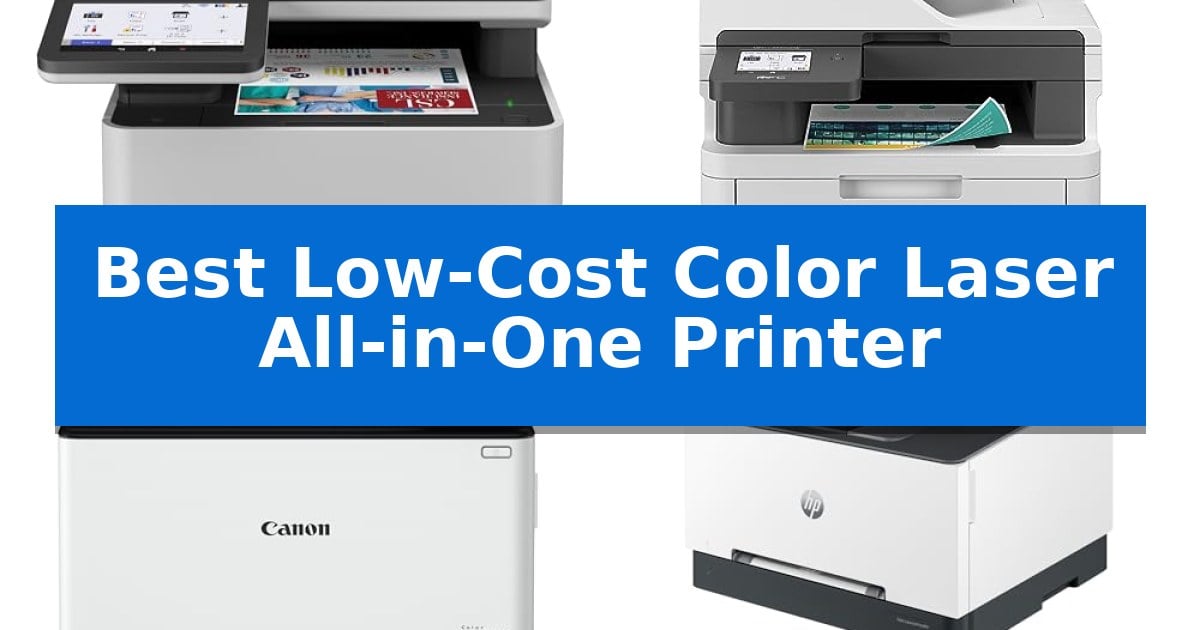
Finding the right balance between high-quality color output and operational expenses is a common challenge for small businesses and home offices. A Best Low-Cost Color Laser All-in-One Printer must handle diverse tasks—from scanning documents to producing crisp color reports—without inflating your monthly supply budget.
Our selection focuses on models that prioritize long-term value, offering features like duplex printing and efficient toner management. Whether you need a compact unit for a tight workspace or a high-speed machine for a busy team, these printers provide the essential functionality required to keep your workflow moving smoothly.
You may also want to compare Best Low-Cost Color Inkjet Printer, Best Low-Cost CNC Wood Machines, and Best Low-Cost CNC Router.
Best Low-Cost Color Laser All-in-One Printer
Quick Comparison
| Product | Best For | Key Strength | Score |
|---|---|---|---|
| Brother MFC-L8930CDW Color Laser Printer | Best Overall | High-yield toner support significantly lowers long-term printing costs. | 4.9 |
| Brother MFC-L3720CDW Color Laser Printer | Compact Choice for Small Offices | Dual-band wireless connectivity for flexible office integration. | 4.7 |
| Canon Color imageCLASS MF753Cdw II | Reliable Long-Term Warranty | 3 Year Limited Warranty for long-term peace of mind. | 4.5 |
| HP Color LaserJet Pro MFP 3301sdw | Vivid Output for Professional Teams | Fast print speeds of up to 26 ppm for both color and black documents. | 4.4 |
| Brother MFC-L3780CDW Color Laser Printer | Fast Single-Pass Scanning | Single-pass duplex copy and scan for faster document processing. | 4.3 |
How We Chose
- Print and scan speeds to ensure daily productivity.
- Toner yield efficiency and availability of high-capacity cartridges.
- Connectivity options including dual-band Wi-Fi and mobile integration.
- Physical footprint and paper handling capabilities.
- Security features for document protection and network safety.
1 Brother MFC-L8930CDW Color Laser Printer — Best for High-Volume Efficiency
Efficiency in a busy office environment often hinges on the ability to handle high-volume tasks without constant maintenance. The Brother MFC-L8930CDW Business Color Laser All-in-One Printer addresses this by offering fast print and copy speeds up to 33ppm, paired with a durable, compact design that is 25% smaller than its predecessor.
For businesses looking to manage operational costs, this model provides significant value through its support for super high-yield toner cartridges. By utilizing the TN635XXL replacement cartridges, users can achieve up to 7,500 pages for black and 6,500 pages for color, which helps in maximizing printing budgets over the long term.
Scanning capabilities are equally robust, featuring high-speed, two-sided scanning at up to 104ipm. The integrated 80-page auto document feeder and legal-size glass allow for seamless digitization of documents directly to cloud services, email, or SharePoint via the 7-inch color touchscreen, which also supports the creation of editable Microsoft Office files.
Security and connectivity are prioritized through a triple-layer security system that protects data in transit and at rest. The inclusion of an integrated NFC card reader enables secure badge authentication, while dual-band wireless and Gigabit Ethernet networking ensure flexible integration into existing office infrastructures.
Best for: High-volume office environments requiring fast, secure, and cost-effective color printing and document digitization.
Skip if: Users with limited desk space or those who do not require high-speed, enterprise-grade scanning and security features.
PROS
- High-yield toner support significantly lowers long-term printing costs.
- Fast 33ppm print speeds and 104ipm duplex scanning boost productivity.
- Advanced security features including integrated NFC badge authentication.
- Compact footprint that is 25% smaller than previous models.
CONS
- High initial weight of 71.2 pounds may require a sturdy surface for installation.
2 Brother MFC-L3720CDW Color Laser Printer — Compact Choice for Small Offices
Managing high-volume office tasks requires hardware that balances speed with space efficiency, and the Brother MFC-L3720CDW Color Laser Printer is engineered specifically for this demand. This all-in-one unit integrates printing, scanning, copying, and faxing into a compact footprint, making it a practical choice for environments where desk real estate is at a premium.
Performance is driven by a print engine capable of reaching speeds up to 19 ppm, ensuring that multi-page documents are handled with consistent laser-quality output. To maintain workflow continuity, the device includes a 250-sheet adjustable paper tray and a 50-sheet auto document feeder, which automates the processing of larger scanning or copying jobs without requiring constant manual intervention.
Connectivity is a primary focus for modern office integration, featuring dual-band wireless networking (2.4GHz/5GHz) and Wi-Fi Direct. These options allow multiple users to connect securely from various devices. For those who prefer direct interaction, the 3.5-inch color touchscreen provides access to 48 customizable shortcuts and direct cloud connectivity for services like Google Drive, Dropbox, and OneNote.
The Brother MFC-L3720CDW Color Laser Printer also functions as a mobile command center. Through the companion app, users can monitor toner levels and manage printer settings remotely. With automatic duplex printing included as a standard feature, this model offers a comprehensive set of tools for businesses looking to streamline their document management processes.
Best for: Small offices and workgroups requiring a compact, connected all-in-one solution for frequent color laser printing and document scanning.
Skip if: Users who require ultra-high-speed industrial output or those who primarily print large-format graphics, as this unit is optimized for standard business document workflows.
PROS
- Dual-band wireless connectivity for flexible office integration.
- 3.5-inch color touchscreen with customizable shortcuts.
- Automatic duplex printing to reduce paper consumption.
- 50-sheet auto document feeder for efficient multi-page scanning.
CONS
- 19 ppm print speed may be slower than larger enterprise-grade laser printers.
3 Canon Color imageCLASS MF753Cdw II — Reliable Long-Term Warranty
Managing high-volume document workflows requires a device that balances versatility with long-term reliability. The Canon Color imageCLASS MF753Cdw II is engineered for this exact demand, offering a comprehensive 4-in-1 functionality that handles printing, scanning, copying, and faxing in a single footprint.
This model is built to support busy environments with a focus on efficiency and ease of use. It features wireless connectivity and is mobile ready, allowing for streamlined integration into modern office networks. The inclusion of an auto document feeder further simplifies multi-page tasks, reducing the manual effort required for scanning and copying.
Durability is a core component of this machine, backed by a 3 Year Limited Warranty. With a 35 PPM print speed, it is designed to maintain consistent output without sacrificing quality. Its duplex capability ensures that double-sided printing is handled automatically, which is a practical feature for reducing paper consumption in professional settings.
Measuring 22 inches in height and 21 inches in both width and length, this unit occupies a medium-sized footprint suitable for dedicated office spaces. While it weighs 50 pounds, this substantial build reflects its robust construction, ensuring stability during high-speed operation.
Best for: Small to medium-sized offices requiring a reliable, all-in-one color laser solution with a long-term warranty.
Skip if: Home users with limited desk space or those who require a highly portable, lightweight printing solution.
PROS
- 3 Year Limited Warranty for long-term peace of mind.
- 4-in-1 versatility covering print, scan, copy, and fax.
- Auto document feeder for efficient multi-page processing.
- Wireless and mobile-ready connectivity for flexible office integration.
CONS
- 50-pound weight makes it less suitable for frequent relocation.
- Medium footprint requires dedicated office space.
4 HP Color LaserJet Pro MFP 3301sdw — Vivid Output for Professional Teams
The HP Color LaserJet Pro MFP 3301sdw is designed to streamline document workflows for small teams by integrating high-speed printing, scanning, and copying into a single, compact footprint. Measuring approximately 13.44 inches in width and 16.5 inches in height, this device fits into professional environments where space is at a premium but high-volume output is required.
Equipped with next-generation TerraJet toner, this printer aims to produce vivid color quality for reports and business documents. It supports efficient office operations through auto 2-sided printing and an auto document feeder, which reduces manual intervention during multi-page tasks. The unit includes a 250-sheet input tray, providing sufficient capacity to handle the daily demands of a busy workgroup.
Performance is driven by print speeds reaching up to 26 ppm for both black and color documents. Connectivity is handled via wireless capabilities, allowing for flexible placement within an office layout. The printer is engineered for reliability, ensuring consistent output quality across repeated print jobs.
Users should note that this printer is intended to operate exclusively with Original HP 218A standard and 218X high yield LaserJet toner cartridges. The system includes security measures that block cartridges utilizing non-HP chips or circuitry, and it is subject to periodic firmware updates to maintain these compatibility standards.
Best for: Small teams requiring a compact, reliable all-in-one solution for high-speed color document printing and scanning.
Skip if: You require the flexibility to use third-party or remanufactured toner cartridges, as this device is restricted to Original HP supplies.
PROS
- Fast print speeds of up to 26 ppm for both color and black documents.
- Integrated auto 2-sided printing and auto document feeder for improved productivity.
- Compact design suitable for small office environments.
- Uses high-yield toner options to support higher volume printing needs.
CONS
- Restricted to Original HP toner with HP chips, limiting supply choices.
- Firmware updates may enforce ongoing compatibility requirements.
5 Brother MFC-L3780CDW Color Laser Printer — Fast Single-Pass Scanning
Efficiency in a small office environment often hinges on the ability to handle high-volume document tasks without sacrificing desk space. The Brother MFC-L3780CDW addresses this by integrating a single-pass duplex copy and scan system, which allows users to process double-sided documents in one motion, significantly reducing the time spent waiting at the machine.
Designed for professional output, this wireless digital color all-in-one printer delivers consistent laser-quality text and graphics. It supports print speeds up to 31 ppm, ensuring that multi-page reports or marketing materials are completed rapidly. The inclusion of dual-band Wi-Fi (2.4GHz / 5GHz), Gigabit Ethernet, and Wi-Fi Direct provides flexible connectivity, allowing the device to integrate seamlessly into various network configurations or connect directly to individual workstations via USB.
Usability is enhanced through its multi-functionality, which combines printing, scanning, and faxing into a single footprint measuring approximately 18.2 inches in width and 15.8 inches in height. For ongoing maintenance, the system is compatible with Brother Genuine TN229 toner series, including high-yield and super high-yield options, and supports the Refresh EZ Print Subscription Service to help manage supply levels.
While the device offers a robust feature set for small businesses, its physical footprint and weight of 47.8 pounds require a dedicated, stable surface. It is a specialized tool for those who prioritize high-speed document digitization and laser-quality color output over ultra-compact, portable printing solutions.
Best for: Small businesses requiring high-speed, single-pass duplex scanning and consistent laser-quality color printing.
Skip if: Users with limited desk space or those who primarily need a lightweight, portable printer for occasional, low-volume tasks.
PROS
- Single-pass duplex copy and scan for faster document processing.
- High print speeds of up to 31 ppm for increased productivity.
- Versatile connectivity including dual-band Wi-Fi and Gigabit Ethernet.
- Professional laser-quality output for documents and graphics.
CONS
- Substantial physical footprint and weight may not suit smaller home offices.
- Requires specific Brother Genuine toner for optimal performance and subscription compatibility.
Best Low-Cost Color Laser All-in-One Printer Buying Guide
Evaluating Print Quality and Speed
When selecting a laser printer, the balance between print speed and output quality is paramount. Laser technology is inherently superior for text-heavy documents, providing sharp, smudge-free characters that inkjet printers often struggle to replicate.
Consider the pages per minute (ppm) rating, but also look at the first-page-out time. For professional teams, a faster output speed significantly reduces downtime during high-volume print jobs, ensuring that reports and presentations are ready when needed.
Understanding Toner Costs and Yields
The initial purchase price of a printer is only one part of the equation. The cost per page is largely determined by the toner yield of the cartridges the machine supports. Look for models that offer high-yield or super high-yield toner cartridges.
While these cartridges have a higher upfront cost, they drastically lower the cost per page over time. This is a critical consideration for any office that prints frequently, as it prevents the need for constant, expensive replacements.
Connectivity and Workflow Integration
Modern offices require seamless wireless connectivity to support multiple users and mobile devices. Features like dual-band Wi-Fi (2.4GHz/5GHz) and Wi-Fi Direct allow for reliable printing from smartphones and tablets without needing a complex network setup.
Additionally, look for cloud integration capabilities. The ability to scan directly to services like Google Drive, Dropbox, or SharePoint streamlines document management and reduces the need for manual file transfers between the printer and your computer.
Paper Handling and Duplexing
An auto document feeder (ADF) is essential for any all-in-one device, as it allows for hands-free scanning and copying of multi-page documents. Ensure the ADF capacity meets your typical workload requirements to avoid frequent reloading.
Automatic duplex printing is another vital feature that saves paper and reduces waste. By printing on both sides of the sheet automatically, you can cut your paper consumption in half, which is both an economic and environmental benefit.
Security and Network Safety
As printers become more integrated into office networks, they also become potential entry points for security threats. Look for devices that offer advanced security features, such as NFC card readers for badge authentication or encrypted document transmission.
These measures ensure that sensitive documents remain protected while in transit to the printer and that only authorized personnel can access the device's functions, safeguarding your office network from unauthorized access.
Frequently Asked Questions
What is the main advantage of a laser printer over an inkjet?
Laser printers use toner powder rather than liquid ink, resulting in faster print speeds, sharper text quality, and documents that are resistant to smudging and fading.
Does a higher print speed always mean better quality?
Not necessarily. While high-speed printing is beneficial for productivity, quality is determined by the printer's resolution and the quality of the toner used. Most modern laser printers maintain high quality even at their maximum rated speeds.
How can I lower my printing costs?
The most effective way to lower costs is to use high-yield or super high-yield toner cartridges, which provide a lower cost per page compared to standard-yield options.
Are all-in-one printers difficult to set up on a network?
Most current models feature intuitive touchscreens and mobile apps that simplify the connection process to Wi-Fi or Ethernet networks, making setup straightforward for most users.
What is duplex printing?
Duplex printing is the ability of a printer to automatically print on both sides of a sheet of paper, which helps reduce paper consumption and waste.
Conclusion: Our Top Pick
For offices prioritizing high-volume efficiency and long-term cost management, the Brother MFC-L8930CDW Color Laser Printer stands out as the most capable choice. Its combination of rapid print speeds, high-yield toner support, and advanced security features makes it a robust solution for demanding professional environments.
While other models offer specific benefits like a more compact frame or extended warranty periods, this unit provides the best overall balance of performance and value. It is designed to handle heavy workloads reliably, ensuring that your document management remains efficient and cost-effective over the long term.