
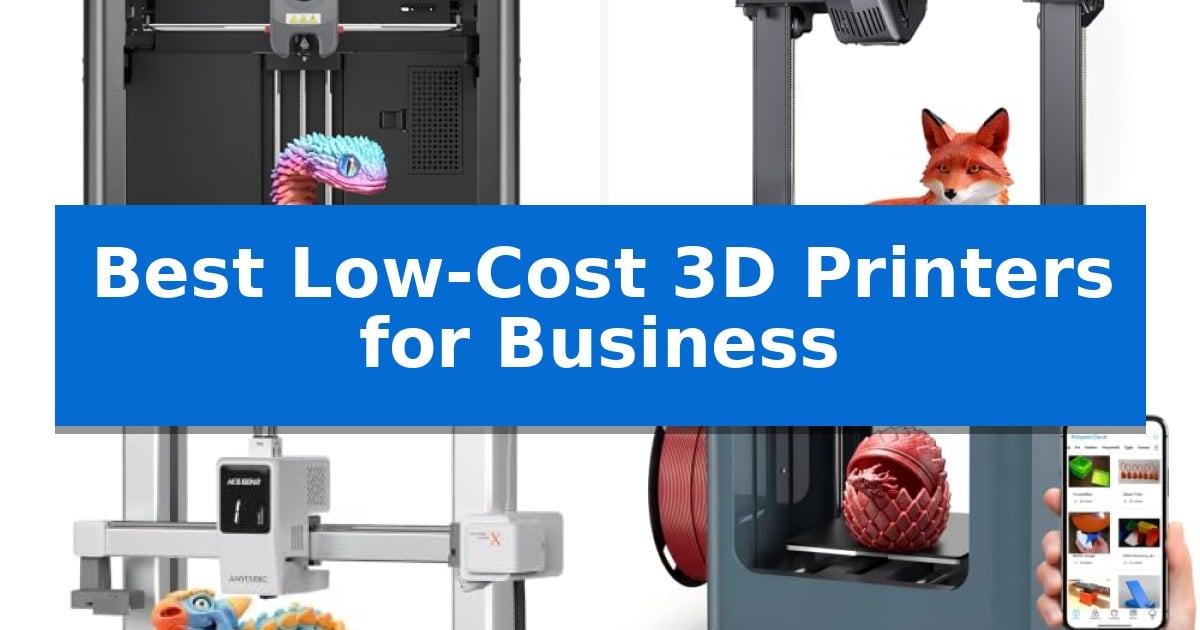
Small businesses and professional studios often require rapid iteration cycles without the overhead of industrial-grade machinery. Finding the Best Low-Cost 3D Printers for Business involves balancing print speed, material versatility, and the reliability needed for consistent production runs.
Whether you are developing functional prototypes or small-batch components, the right desktop 3D printer can significantly reduce your time-to-market. This guide evaluates current market options based on their technical specifications and suitability for professional, high-frequency use cases.
You may also want to compare Best Low-Cost 3D Printers, Best Low-Cost 3D Printer Kits, and Best Low-Cost 2-in-1 Tablets.
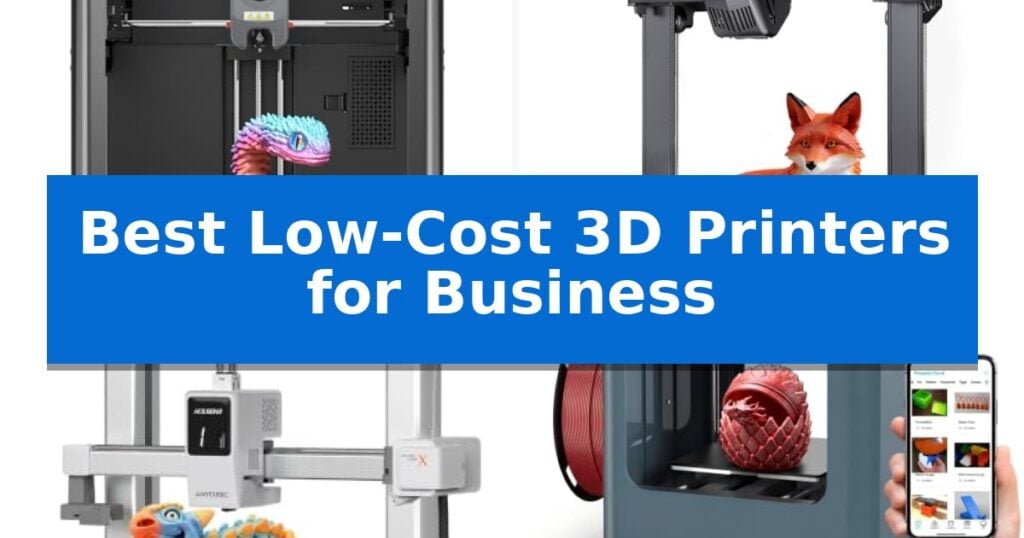
Best Low-Cost 3D Printers for Business
Quick Comparison
| Product | Best For | Key Strength | Score |
|---|---|---|---|
| Flashforge Adventurer 5M 3D Printer | Best Overall | High-speed printing capabilities reaching 600mm/s for rapid production. | 4.9 |
| Creality Ender 3 V3 SE 3D Printer | Reliable Production on a Budget | 250mm/s high-speed printing for faster project completion. | 4.6 |
| Anycubic Kobra X Multicolor 3D Printer | Advanced Multi-Material Business Printing | Native 4-color printing expandable to 19 colors. | 4.7 |
| Entina Tina2 Plus 3D Printer | Compact Desktop Workhorse | Fully assembled design allows for immediate use without complex calibration. | 4.4 |
| AOSEED X-MAKER JOY AI+ 3D Printer | Automated Workflow for Quick Iteration | High-speed printing with peaks up to 400mm/s for rapid iteration. | 4.9 |
How We Chose
- Print Speed and Acceleration: We prioritized machines capable of high-speed throughput to minimize project turnaround times.
- Build Volume and Structural Integrity: We assessed the physical build area and the rigidity of the motion system to ensure long-term reliability.
- Material Compatibility: We examined the extruder temperature limits and filament support to ensure the printer can handle diverse engineering materials.
- Automation and Workflow: We looked for features like automatic bed leveling and remote monitoring that reduce manual intervention and downtime.
- Ease of Maintenance: We evaluated the accessibility of components, such as quick-swap nozzles, which are essential for continuous business operations.
1 Flashforge Adventurer 5M 3D Printer — Rapid Prototyping for Small Business
Efficiency in a professional environment often hinges on the ability to iterate rapidly, and the Flashforge Adventurer 5M 3D Printer is engineered to minimize downtime through its high-speed CoreXY structure. Capable of reaching a travel speed of 600mm/s with 20000mm/s² acceleration, this machine is built to accelerate production cycles for small businesses and rapid prototyping workflows.
The printer prioritizes a streamlined user experience with its One-Click Automatic Printing system. By utilizing fully automatic bed leveling, it ensures consistent first-layer adhesion without requiring manual intervention. This reliability is complemented by a 280°C direct drive extruder, which provides the thermal capacity necessary to handle a variety of materials, while the dual-fan cooling system and vibration compensation work to maintain print quality during high-speed operation.
Maintenance and adaptability are central to its design. The 3S Detachable Nozzle allows for quick 3-second changes, and the system supports nozzle sizes ranging from 0.25mm to 0.8mm to accommodate different detail requirements. The 220x220x220mm build volume sits on a dual-sided PEI platform, facilitating easy part removal once the print is complete.
For remote management, the printer integrates with the Flash Studio app. This allows users to monitor print progress, adjust settings, and receive status alerts, providing a level of oversight that is essential for maintaining productivity in a busy workspace.
Best for: Small businesses and professionals requiring rapid prototyping and high-speed production with minimal manual setup.
Skip if: Users who require a significantly larger build volume than 220x220x220mm or those who prefer a fully enclosed chamber for advanced industrial-grade materials.
PROS
- High-speed printing capabilities reaching 600mm/s for rapid production.
- Fully automatic bed leveling eliminates manual calibration time.
- Quick-swap nozzle system allows for 3-second maintenance.
- Remote monitoring via mobile app for efficient workflow management.
CONS
- Fixed build volume of 220x220x220mm may limit larger-scale projects.
2 Creality Ender 3 V3 SE 3D Printer — Reliable Production on a Budget
Efficiency in a small-business environment often hinges on how quickly you can iterate on designs or produce functional components. The Creality Ender 3 V3 SE 3D Printer addresses this need by offering 250mm/s high-speed printing capabilities, allowing for faster turnaround times on prototypes and everyday projects compared to standard entry-level machines.
Beyond speed, this printer focuses on minimizing downtime through its easy setup with auto leveling. By utilizing CR Touch Auto Leveling and automatic Z-offset calibration, the system ensures a reliable first layer, which is critical for maintaining consistency across multiple print jobs. This reduces the need for manual intervention, making it a practical choice for teams that need to focus on production rather than constant machine calibration.
Reliability is further supported by the Sprite Direct Drive Extruder, which provides consistent filament feeding for common materials like PLA, PETG, and TPU. The printer also features a stable motion system with dual synchronized Z-axis lead screws and precision Y-axis linear shafts, designed to reduce vibration and Z wobble for more accurate layer alignment during long-duration prints.
For a professional workspace, the 32-bit silent mainboard helps maintain a quieter environment, while the flexible PC spring steel build plate simplifies the post-printing process by allowing for quick and effortless model removal. These features collectively support a more streamlined workflow for businesses operating on a budget.
Best for: Small businesses and creators requiring a fast, reliable, and easy-to-maintain 3D printer for prototyping and functional parts.
Skip if: Users who require a large build volume or advanced materials that necessitate an enclosed printing chamber.
PROS
- 250mm/s high-speed printing for faster project completion.
- CR Touch Auto Leveling ensures consistent first-layer quality.
- Sprite Direct Drive Extruder supports a variety of common filaments.
- 32-bit silent mainboard reduces noise in office environments.
CONS
- Open-frame design lacks the environmental control of enclosed printers.
3 Anycubic Kobra X Multicolor 3D Printer — Advanced Multi-Material Business Printing
Scaling production for small businesses or makerspaces requires equipment that balances speed with material versatility. The Anycubic Kobra X Multicolor 3D Printer addresses this by integrating a native 4-color system, which can be expanded to support up to 19 colors using compatible ACE 2 Pro units, allowing for complex, multi-material prototypes without manual filament swaps.
Efficiency is central to its design, featuring a 600mm/s maximum print speed and vibration compensation technology to maintain layer quality during rapid movement. By reducing machine travel paths by over 81%, the printer significantly cuts down on purging time and material waste, making it a practical choice for businesses looking to optimize their workflow and reduce operational overhead.
Precision and reliability are supported by the LeviQ 3.0 auto bed leveling system, which utilizes a 49-point calibration process to ensure a flat foundation for every print. The inclusion of a hardened steel nozzle capable of reaching 300°C allows for the use of diverse materials, including rigid and flexible filaments like PLA, PETG, TPU, PVA, and ASA, providing the flexibility needed for varied professional applications.
For remote management, the printer offers dual-band Wi-Fi (2.4G/5G) and LAN connectivity, enabling users to monitor prints via an AI-powered camera that includes spaghetti and foreign object detection. With a generous build volume of 260mm x 260mm x 260mm and a quiet operating noise level of 45dB, it is well-suited for professional environments where space and noise management are considerations.
Best for: Small businesses and makerspaces requiring high-speed, multi-color, and multi-material 3D printing capabilities with remote monitoring.
Skip if: Users who do not require multi-color printing or advanced AI monitoring may find a simpler, single-material FDM printer more cost-effective.
PROS
- Native 4-color printing expandable to 19 colors.
- High-speed performance up to 600mm/s with vibration compensation.
- Versatile material compatibility including TPU and ASA with a 300°C nozzle.
- Smart AI monitoring with remote app control and spaghetti detection.
CONS
- Filament not included in the package.
- ACE 2 Pro units are required for expanded color capabilities and sold separately.
4 Entina Tina2 Plus 3D Printer — Compact Desktop Workhorse
For businesses and educational settings requiring a streamlined, space-efficient fabrication tool, the Entina Tina2 Plus 3D Printer offers a fully assembled, out-of-the-box solution. Its compact footprint is specifically engineered to fit on standard desks or classroom tables, making it a practical choice for rapid prototyping or STEM-focused project environments.
Performance is driven by a 250mm/s high-speed printing capability, which significantly reduces turnaround time for iterative designs. The system incorporates a 40-second fast-heat ceramic hotend to minimize downtime, while the quick-swap nozzle design simplifies routine maintenance tasks essential for continuous operation.
Reliability is supported by a dual Z-axis structure and auto-leveling technology, which work together to maintain print consistency and reduce failure rates. The inclusion of a PEI spring steel build plate ensures strong adhesion and easy removal of finished parts, providing a professional-grade surface in a small-scale package.
Connectivity and ease of use are managed through WiFi and app control via the Poloprint Cloud, granting access to a library of over 3,500 models. The partially enclosed frame design adds a layer of safety by separating moving parts from direct contact, making it suitable for supervised environments where beginners or students are present.
Best for: Small businesses, classrooms, or home offices needing a compact, pre-assembled 3D printer for rapid prototyping and STEM education.
Skip if: Users requiring large-format build volumes or specialized industrial-grade materials will find the compact dimensions and entry-level design of this unit restrictive.
PROS
- Fully assembled design allows for immediate use without complex calibration.
- High-speed printing up to 250mm/s improves project turnaround.
- Auto-leveling and dual Z-axis improve print stability and success rates.
- WiFi and app integration simplifies remote management and model access.
CONS
- Compact build volume limits the size of individual parts that can be printed.
5 AOSEED X-MAKER JOY AI+ 3D Printer — Automated Workflow for Quick Iteration
The AOSEED X-MAKER JOY AI+ 3D Printer streamlines small-scale production through an automated, leveling-free platform that allows for rapid iteration. By integrating a high-speed printing capability of up to 400mm/s with a user-friendly app interface, this device minimizes the technical overhead typically associated with additive manufacturing.
Designed for efficiency, the printer features a quick-release nozzle and filament runout detection, which help maintain consistent output by preventing failed prints during long cycles. The enclosed, pinch-resistant chassis ensures a controlled environment, while the built-in camera provides real-time monitoring, allowing users to track progress remotely without needing to be physically present at the machine.
The system supports a wide range of creative workflows through its AI-powered software, which can transform voice, text, or image prompts into 3D models. This capability is particularly useful for businesses or educational settings that require rapid prototyping of custom accessories, avatars, or small-scale components without requiring advanced CAD expertise.
While the unit is optimized for speed and ease of use, it is important to note that it is a single-color printer. Users needing multi-color results must print individual components separately for assembly. The included all-in-one starter kit provides everything necessary for immediate operation, including a magnetic build plate and essential tools, making it a practical entry point for those prioritizing a streamlined, low-maintenance workflow.
Best for: Small businesses or educational environments requiring a compact, automated, and easy-to-use 3D printer for rapid prototyping of single-color components.
Skip if: Users who require multi-color printing capabilities or large-format build volumes will find the single-color limitation and compact size restrictive.
PROS
- High-speed printing with peaks up to 400mm/s for rapid iteration.
- Leveling-free platform and one-tap app control simplify the setup process.
- Enclosed, safe design with real-time monitoring via a built-in camera.
- AI-powered model generation reduces the need for complex design skills.
CONS
- Single-color printing only, requiring manual assembly for multi-color designs.
- Compact build volume limits the size of individual parts that can be printed.
Best Low-Cost 3D Printers for Business Buying Guide
Understanding Print Speed and Throughput
In a business context, time is a critical resource. High-speed printing, often measured in mm/s, directly impacts how many iterations you can complete in a single workday. Look for printers that utilize CoreXY structures or advanced motion systems, as these are designed to maintain precision even at higher speeds.
However, speed must be balanced with vibration compensation technology. Without proper calibration, high-speed printing can lead to ghosting or layer misalignment, which may render a prototype unusable for functional testing.
Material Versatility and Extruder Performance
Business applications often require more than just standard PLA. If your projects involve functional parts, you may need to print with PETG, TPU, or ASA. A direct drive extruder is generally preferred for these materials because it provides better control over filament retraction and flow.
Check the maximum nozzle temperature of the printer. A higher temperature rating, typically around 280°C to 300°C, opens up the possibility of using more durable, heat-resistant filaments that are necessary for real-world testing environments.
The Importance of Automated Calibration
Manual bed leveling is a significant source of downtime and failed prints. For a business, automatic bed leveling is not just a convenience; it is a necessity for maintaining a consistent, repeatable workflow.
Systems that use sensors to map the build plate surface ensure that the first layer adheres perfectly every time. This reliability allows staff to start a print and move on to other tasks without needing to monitor the initial stages of the process.
Connectivity and Remote Management
Managing a fleet of printers or even a single machine from a remote location can improve office efficiency. Look for printers that offer Wi-Fi connectivity and dedicated mobile applications for status monitoring.
Advanced features like spaghetti detection or built-in cameras allow you to catch failures early, saving both time and expensive filament. These tools are essential for businesses that need to run prints overnight or while the team is focused on other projects.
Maintenance and Long-Term Reliability
3D printers are mechanical devices that require regular maintenance. Features like quick-swap nozzles drastically reduce the time spent on routine upkeep. If a nozzle clogs, being able to replace it in seconds rather than minutes keeps your production line moving.
Consider the build plate surface as well. PEI spring steel plates are a standard in professional environments because they offer excellent adhesion during printing and allow for easy, tool-free removal of finished parts once they have cooled.
Frequently Asked Questions
Do these printers require a specialized software environment?
Most modern 3D printers are compatible with standard open-source slicers, though some manufacturers provide proprietary software that integrates with their specific cloud features and remote monitoring tools.
Can these printers handle engineering-grade filaments?
It depends on the specific model's maximum nozzle temperature and extruder type. Models with direct drive extruders and higher temperature capabilities (280°C+) are generally better suited for materials like PETG or TPU.
How do I ensure consistent print quality for small batches?
Consistency is achieved through automatic bed leveling, a rigid motion system (like CoreXY), and proper calibration of vibration compensation settings to ensure each part matches the previous one.
Is an enclosed printer necessary for my business?
Enclosures are beneficial if you plan to print materials that are prone to warping, such as ABS or ASA, as they maintain a stable ambient temperature around the print.
What is the benefit of a direct drive extruder?
A direct drive extruder places the motor directly above the hotend, which provides more precise control over filament feeding and retraction, leading to fewer clogs and better performance with flexible filaments.
Conclusion: Our Top Pick
For businesses prioritizing speed and reliability, the Flashforge Adventurer 5M 3D Printer stands out as the most capable option. Its CoreXY structure and high-speed capabilities significantly reduce production cycles, making it ideal for rapid prototyping environments where time is of the essence.
While other models offer specific advantages like multi-color capabilities or compact footprints, the Adventurer 5M provides the best balance of professional-grade features and ease of use. Its automatic leveling and quick-swap nozzle system ensure that your team spends more time designing and less time troubleshooting, providing a solid foundation for any business workflow.