
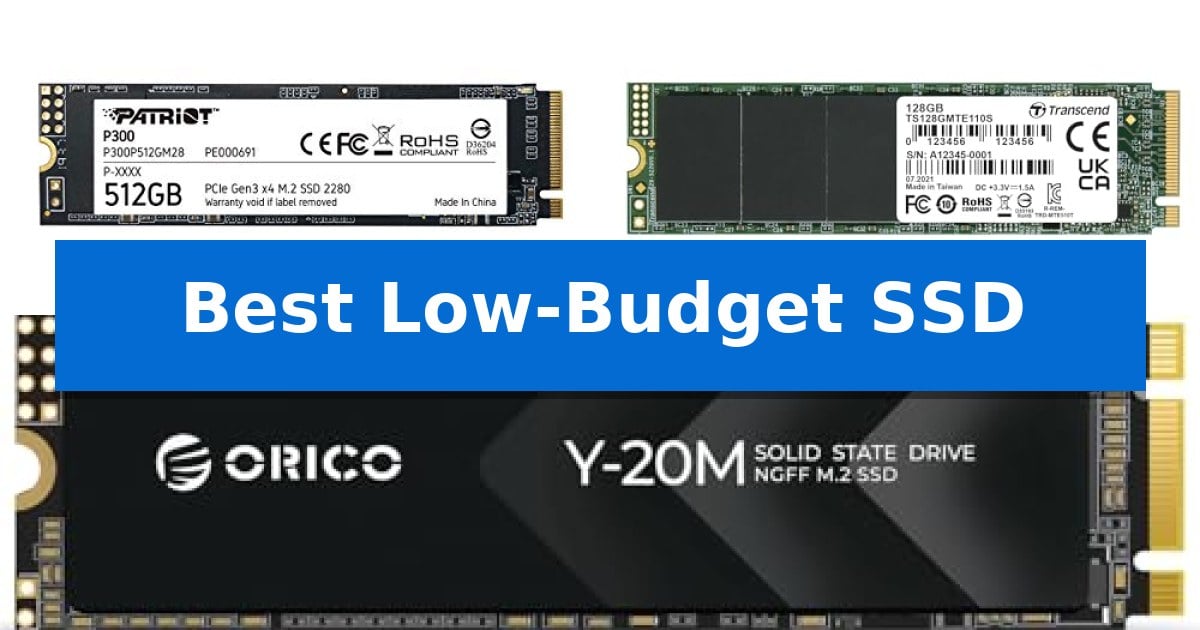
Upgrading to a solid-state drive is one of the most effective ways to revitalize an aging computer or build a responsive new system. Finding the Best Low-Budget SSD requires balancing your specific hardware interface requirements with the storage capacity needed for your operating system and essential applications.
Our analysis focuses on entry-level drives that prioritize reliable data transfer and power efficiency. By understanding the differences between NVMe and SATA interfaces, you can ensure you select a drive that is fully compatible with your motherboard while staying within your budget.
You may also want to compare Best Low-Budget Soundbars for TV, Best Low-Budget Projectors, and Best Low-Budget Printer Brand.
Best Low-Budget SSD
Quick Comparison
| Product | Best For | Key Strength | Score |
|---|---|---|---|
| Patriot P300 SSD | Best Overall | Low-power consumption design for energy efficiency | 4.9 |
| Transcend MTE110S SSD | Reliable entry-level NVMe speed | PCIe Gen3 x4 interface for efficient data throughput | 4.5 |
| ORICO Y20M SSD | Budget SATA interface upgrade | SATA III 6Gbps interface provides a significant speed upgrade over traditional hard drives. | 4.3 |
How We Chose
- Interface Compatibility: Verifying support for M.2 PCIe NVMe or SATA protocols to ensure a proper fit for your motherboard.
- Sequential Performance: Comparing read and write speed claims to determine real-world utility for booting and file loading.
- Data Integrity Features: Assessing built-in error correction and thermal management technologies that protect your files.
- Form Factor and Capacity: Evaluating the physical 2280 dimensions and available storage space for standard desktop and laptop upgrades.
1 Patriot P300 SSD — Efficient power-saving performance
Managing storage costs while maintaining system responsiveness is a common challenge for budget-conscious builders. The Patriot P300 M.2 PCIe Gen 3 x4 512GB Low-Power Consumption SSD addresses this by integrating a low-power design with the SMI 2263XT Series Controller, providing a balance between energy efficiency and reliable data handling for standard computing tasks.
This drive utilizes PCIe Gen 3 x4 connectivity to deliver sequential read speeds up to 1,700MB/s and write speeds up to 1,100MB/s. To ensure data integrity, it features end-to-end data path protection and SmartECC technology. These built-in safeguards, combined with thermal throttling technology, help maintain consistent operation during sustained workloads.
Longevity and error correction are prioritized through the inclusion of LDPC (Low Density Parity Check) and NANDXtend ECC technology, which work to extend the lifespan of the NAND Flash. The drive is compatible with a wide range of operating systems, including Windows 7, 8.0, 8.1, 10, and 11, making it a versatile choice for various system upgrades.
Designed for the 2280 M.2 form factor, this SSD is compact and easy to install in most modern motherboards. With a 5-year warranty, it provides a long-term support window for users looking to maximize the value of their storage investment without needing high-end performance tiers.
Best for: Budget-conscious users seeking an energy-efficient storage upgrade for general computing and multitasking.
Skip if: Users requiring high-speed data transfer for professional video editing or gaming who would benefit from PCIe Gen 4 or Gen 5 NVMe drives.
PROS
- Low-power consumption design for energy efficiency
- Comprehensive data integrity features including SmartECC and LDPC
- Includes a 5-year warranty for long-term reliability
- Compact 2280 M.2 form factor for broad compatibility
CONS
- PCIe Gen 3 interface limits maximum potential speeds compared to newer standards
2 Transcend MTE110S SSD — Reliable entry-level NVMe speed
Upgrading an older desktop or laptop with the Transcend 128GB MTE110S PCIe 3.0 M.2 2280 SSD provides a direct path to faster data access through its PCIe Gen3 x4 interface and NVMe 1.3 standard. This drive is engineered for users who need a reliable, compact storage solution that balances power efficiency with essential performance for everyday computing tasks.
The drive features built-in SLC caching technology, which works to maintain consistent transfer speeds during operation. To ensure long-term reliability and data integrity, the Transcend MTE110S SSD incorporates a RAID engine alongside LDPC (Low-Density Parity check) coding. These integrated technologies actively manage data health, making it a robust choice for entry-level system builds.
Thermal management is handled by an engineered dynamic thermal throttling mechanism, which helps the drive maintain stability during sustained workloads. With a compact M.2 2280 form factor, it fits easily into most modern laptops and PC desktops, occupying minimal space while delivering sequential read speeds up to 1,500 MB/s.
Backed by a 5-year limited warranty, this drive offers a secure entry point for those looking to move away from slower mechanical storage. It is a straightforward, no-nonsense component designed to provide a noticeable boost in system responsiveness without requiring complex configuration.
Best for: Budget-conscious users looking to improve system responsiveness in laptops or desktops with an available M.2 NVMe slot.
Skip if: Users requiring high-capacity storage for large media libraries or professional-grade video editing, as the 128GB capacity is limited.
PROS
- PCIe Gen3 x4 interface for efficient data throughput
- Built-in SLC caching for improved transfer speeds
- Dynamic thermal throttling to maintain stability
- 5-year limited warranty for long-term peace of mind
CONS
- Limited 128GB capacity restricts use for large file storage
3 ORICO Y20M SSD — Budget SATA interface upgrade
Revitalizing an aging computer system does not always require a complete hardware overhaul. The ORICO M.2 2280 SATA SSD offers a practical, entry-level path to improved system responsiveness, specifically for devices that rely on the M.2 SATA interface. By replacing a mechanical hard drive with this solid-state solution, users can achieve a noticeable reduction in wait times during file transfers and general system operations.
Engineered for efficiency, this drive utilizes the SATA III 6Gbps interface to deliver sequential read speeds of up to 500MB/s and sequential write speeds of up to 480MB/s. This performance profile provides a significant upgrade over traditional spinning disks, which are often the primary bottleneck in older laptop and desktop configurations. The drive is built with a focus on long-term stability, incorporating Garbage Collection, TRIM, Bad Block Management, and ECC (Error Correction Code) to maintain data integrity and consistent drive health over its lifespan.
Installation is straightforward for compatible hardware, as the drive is designed for systems featuring an M.2 SATA B+M Key interface. It is essential to verify your motherboard or enclosure specifications before purchase, as this drive is not compatible with PCIe NVMe slots. This distinction is critical for ensuring a successful upgrade, as the interface standards are physically and electrically incompatible. With a 3-year manufacturer warranty, this drive provides a reliable storage expansion option for those working within the constraints of older hardware standards.
Best for: Users looking to upgrade an older laptop or desktop that specifically requires an M.2 SATA interface for improved storage performance.
Skip if: Users with modern motherboards or enclosures that only support the faster PCIe NVMe interface, as this drive will not function in those slots.
PROS
- SATA III 6Gbps interface provides a significant speed upgrade over traditional hard drives.
- Includes advanced health management features like TRIM and ECC for long-term reliability.
- Wide compatibility with standard M.2 SATA B+M Key slots in desktops and laptops.
- Backed by a 3-year manufacturer warranty.
CONS
- Incompatible with PCIe NVMe slots, limiting its use to older or SATA-specific hardware.
Best Low-Budget SSD Buying Guide
Understanding Interface Standards
The most critical step in selecting an SSD is identifying your motherboard's interface. PCIe NVMe drives, such as those using the Gen 3 x4 standard, provide significantly faster data transfer rates compared to legacy storage. These are ideal for modern systems that support M.2 slots.
Conversely, SATA M.2 drives are designed for older systems that lack NVMe support. While they share the same physical M.2 form factor, they operate on the slower SATA III protocol. Always check your device manual to confirm whether your M.2 slot is keyed for SATA or NVMe to avoid compatibility issues.
The Role of Thermal Management
High-performance storage generates heat during intensive read and write operations. Many modern drives include thermal throttling technology to automatically adjust performance and prevent overheating, which protects the internal components from damage.
If you are installing an SSD in a compact laptop with limited airflow, look for drives that emphasize low-power consumption. These models typically run cooler, which can help maintain consistent speeds during prolonged usage without requiring bulky external heatsinks.
Data Integrity and Longevity
Reliability is a primary concern for any storage device. Features like LDPC (Low Density Parity Check) and SmartECC are essential for correcting errors during data reads, ensuring that your files remain intact over time.
Additionally, NANDXtend ECC technology is often employed to extend the lifespan of the NAND flash memory. These built-in management systems work in the background to handle bad block management and garbage collection, which helps maintain drive performance even as the storage fills up.
Capacity Requirements
For a budget-focused build, 512GB is often the sweet spot for a primary boot drive. This capacity provides enough space for your operating system, essential software, and a few frequently used games or large files without the cost of high-capacity storage.
If you are using the drive as secondary storage for media or archives, larger capacities are available. However, for a primary system drive, prioritize speed and reliability over raw capacity to ensure your computer remains responsive during daily tasks.
Installation and Setup
Installing an M.2 SSD is generally straightforward, requiring only a small screwdriver to secure the drive into the M.2 slot. Once physically installed, you may need to initialize the drive within your operating system's disk management utility before it appears as a usable volume.
Always ensure your system BIOS is updated to the latest version before installation. This can resolve potential recognition issues and ensure that your motherboard correctly identifies the drive's full capabilities and power-saving features.
Frequently Asked Questions
Can I use an NVMe SSD in a SATA M.2 slot?
No, NVMe and SATA are different communication protocols. An NVMe drive will not be recognized by a slot that only supports SATA, and vice versa.
What does the 2280 designation mean?
The 2280 number refers to the physical dimensions of the M.2 drive, specifically 22mm wide and 80mm long. This is the most common size for desktop and laptop motherboards.
Do I need a heatsink for these budget SSDs?
Most low-budget SSDs are designed with low-power consumption in mind and do not require an aftermarket heatsink. They typically manage heat through internal thermal throttling.
Will an SSD make my computer faster?
Yes, replacing a traditional hard disk drive with an SSD significantly reduces boot times, application launch times, and overall system responsiveness.
How do I check if my laptop supports M.2 SSDs?
Consult your laptop's service manual or manufacturer website. Look for specifications regarding the M.2 slot, noting whether it supports PCIe NVMe or SATA interfaces.
Conclusion: Our Top Pick
When selecting the right storage for your budget, the Patriot P300 SSD stands out for its balance of efficient power consumption and solid PCIe Gen 3 x4 performance. Its inclusion of advanced data protection features like SmartECC and thermal throttling makes it a reliable choice for those looking to upgrade their system without overspending.
While other options like the Transcend MTE110S or the ORICO Y20M offer specific advantages for entry-level NVMe or SATA-only systems, the Patriot P300 provides the most versatile feature set for general users. Ensure you verify your motherboard's interface compatibility before finalizing your purchase to guarantee a seamless installation.