
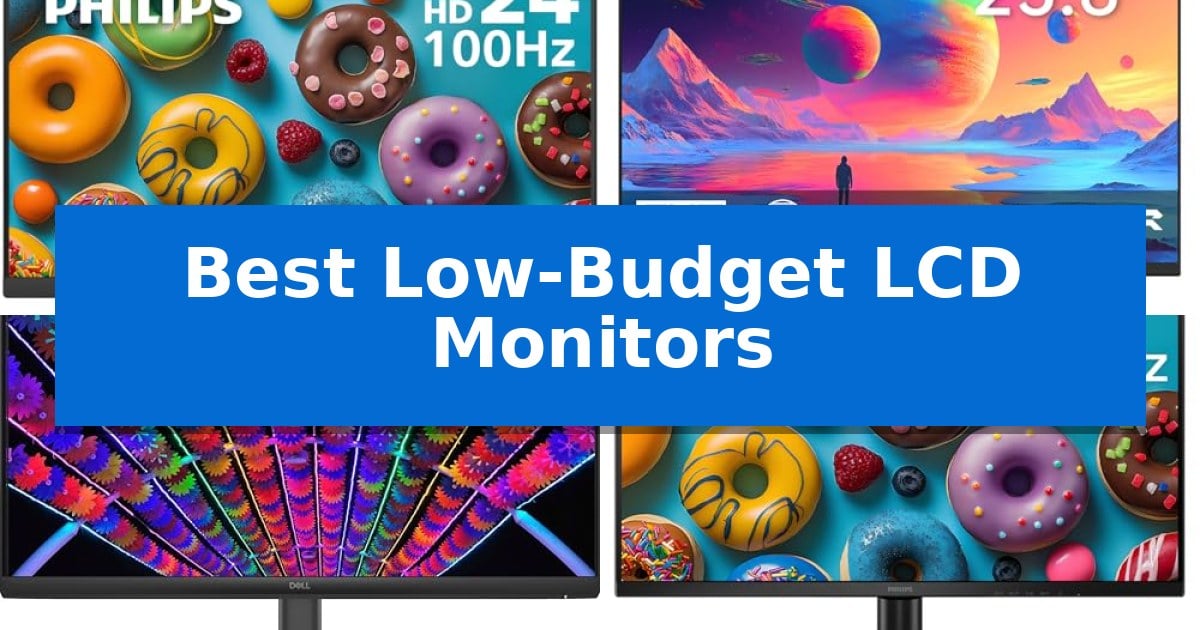
Finding the right display without overspending requires balancing essential features like resolution, refresh rate, and panel technology. Whether you are upgrading a home office or setting up a secondary screen for productivity, the Best Low-Budget LCD Monitors offer reliable performance without the premium price tag.
This guide examines five distinct models to help you identify which display fits your specific workflow. By focusing on core specifications like response times and connectivity options, we ensure you can make an informed decision that enhances your daily computing experience.
You may also want to compare Best Low-Budget Laptops for Work, Best Low-Budget Laptops for College, and Best Low-Budget Keyboards.
Best Low-Budget LCD Monitors
Quick Comparison
| Product | Best For | Key Strength | Score |
|---|---|---|---|
| Philips 241V8LB Computer Monitor | Best Overall | VA panel technology provides excellent contrast with deep blacks. | 4.9 |
| KTC H24V27 Computer Monitor | Smooth Visuals on a Budget | 100Hz refresh rate for smoother visual motion | 4.3 |
| Dell S24 Series Monitor | Responsive Display for Home Offices | 144Hz refresh rate for smooth motion | 4.6 |
| Philips 27E2N2100 Computer Monitor | Expansive Screen for Productivity | 120Hz refresh rate for fluid motion and responsiveness. | 4.4 |
| Philips 27E2G2200 Gaming Monitor | High Refresh Rate Performance | 180Hz overclocked refresh rate for fluid gameplay | 4.3 |
How We Chose
- Panel Technology: Evaluating VA and IPS options for contrast, color accuracy, and viewing angles.
- Refresh Rate and Motion: Assessing how higher refresh rates contribute to smoother scrolling and fluid visual transitions.
- Connectivity Standards: Checking for essential ports like HDMI, VGA, and DisplayPort to ensure compatibility with various devices.
- Ergonomic Features: Identifying VESA mount support and tilt adjustability for comfortable workspace integration.
- Eye Comfort Technologies: Reviewing the inclusion of flicker-free and low blue light modes to reduce strain during extended use.
1 Philips 241V8LB Computer Monitor — Reliable Value for Daily Tasks
Achieving a clean, productive workspace often starts with the display, and the Philips 241V8LB Computer Monitor offers a balanced approach for those prioritizing clarity and desk space. This 23.8-inch monitor utilizes a VA panel to deliver Full HD 1920×1080 resolution, ensuring that text and media appear with distinct detail.
The monitor is built for versatility in both professional and home settings. Its virtually bezel-free design on three sides not only provides a sleek aesthetic but also facilitates seamless multi-monitor configurations. For users who spend long hours reading, the integrated EasyRead mode adjusts the display to provide a more paper-like experience, reducing eye strain during document-heavy tasks.
Visual consistency is maintained through a 178/178 degree extra wide viewing angle, which minimizes color shifting when looking at the screen from off-center positions. The VA panel technology further enhances the experience by producing deeper blacks and brighter whites, contributing to a high-contrast image that remains sharp across 16.7 million colors.
Functionality is supported by a 100Hz refresh rate and Adaptive Sync technology, which help maintain smooth visuals during daily use. The unit includes a tilt-adjustable stand for ergonomic positioning and is VESA mount compatible, allowing for flexible mounting options. Backed by a 4-year advance replacement warranty, this monitor provides a reliable solution for standard computing needs.
Best for: Office workers and home users seeking a reliable, high-contrast display for productivity and document-focused tasks.
Skip if: Users requiring professional-grade color accuracy for creative design or high-speed gaming performance beyond standard office applications.
PROS
- VA panel technology provides excellent contrast with deep blacks.
- Virtually bezel-free design supports efficient multi-monitor setups.
- EasyRead mode creates a comfortable, paper-like viewing experience.
- 4-year advance replacement warranty offers long-term peace of mind.
CONS
- Limited connectivity options restricted to HDMI 1.4.
2 KTC H24V27 Computer Monitor — Smooth Visuals on a Budget
The KTC H24V27 Computer Monitor provides a balanced 23.8-inch display that delivers full HD resolution, ensuring clear text and visuals for daily tasks. This monitor is designed to address the needs of home offices and students by combining a functional, frameless aesthetic with practical performance features.
Equipped with a 100Hz refresh rate, this display offers fluid motion for scrolling through documents and casual gaming, reducing the appearance of motion blur compared to standard 60Hz panels. The inclusion of a low blue light mode specifically targets eye comfort, helping to mitigate fatigue during extended work or study sessions.
Connectivity is handled via HDMI and VGA ports, allowing for versatile integration with laptops, PCs, and gaming consoles. The unit supports a -5° to 15° tilt range and is compatible with 100mm x 100mm VESA mounts, providing flexibility for desk setups or wall-mounted configurations.
With a 4000:1 contrast ratio and 103% sRGB color gamut, the display is built to provide distinct visual quality for a variety of media. The package includes a 3-year manufacturer warranty, offering long-term support for users seeking a reliable, budget-conscious display solution.
Best for: Home office users and students who need a reliable, smooth-refresh display for productivity and casual entertainment.
Skip if: Users requiring high-end color accuracy for professional creative work or those needing high-speed connectivity like DisplayPort.
PROS
- 100Hz refresh rate for smoother visual motion
- Low blue light mode to assist with eye comfort
- Frameless design for a modern aesthetic
- 3-year manufacturer warranty included
CONS
- Limited connectivity options restricted to HDMI and VGA
- Basic ergonomic adjustments limited to tilt only
3 Dell S24 Series Monitor — Responsive Display for Home Offices
Achieving a smooth visual experience on a limited budget often requires balancing refresh rates with panel quality. The Dell S24 Series Monitor addresses this by combining a high 144Hz refresh rate with a 1ms MPRT response time, ensuring that motion remains fluid for both gaming and general desktop navigation.
Designed for versatility, this 24-inch IPS LED display provides consistent color reproduction and wide viewing angles. The inclusion of AMD FreeSync technology helps synchronize the monitor's refresh rate with compatible graphics cards, which can assist in reducing screen tearing during fast-paced tasks.
Practicality is a core focus of this model, featuring an anti-glare coating and Low Blue Light technology to support extended use. The VESA mountable design allows for flexible placement, while the integrated cable holder and built-in power supply unit help maintain a clean, organized workspace by minimizing clutter.
Connectivity is handled via dual HDMI ports, making it a straightforward choice for users who need to toggle between a laptop and a desktop or other peripheral devices. The small-footprint design ensures it fits easily into compact home offices without sacrificing screen real estate.
Best for: Users seeking a responsive, high-refresh-rate display for a mix of productivity and casual gaming on a budget.
Skip if: Users requiring higher resolutions like 1440p or 4K for professional creative work or those needing DisplayPort connectivity.
PROS
- 144Hz refresh rate for smooth motion
- 1ms MPRT response time
- IPS panel for accurate colors and wide viewing angles
- Built-in cable management for a tidy desk
CONS
- Lacks DisplayPort connectivity
- 1080p resolution may appear less sharp on larger screens
4 Philips 27E2N2100 Computer Monitor — Expansive Screen for Productivity
Upgrading your workspace with a display that balances fluid motion and visual clarity is a practical way to enhance daily productivity. The Philips 27E2N2100 Computer Monitor centers its design around a 120Hz refresh rate, providing a noticeably smoother experience for scrolling, window management, and casual gaming compared to standard 60Hz panels.
This 27-inch display utilizes an IPS panel with 1920×1080 resolution, ensuring consistent color reproduction and wide viewing angles. The ultra-narrow, 3-sided frameless design is specifically engineered to minimize visual distractions, making it a strong candidate for users who rely on multi-monitor configurations to manage complex workflows.
To support extended periods of use, the monitor integrates LowBlue Mode and flicker-free technology, which are intended to help mitigate eye fatigue. Connectivity is handled through HDMI, DisplayPort, and VGA inputs, offering broad compatibility with both modern workstations and legacy hardware. The inclusion of an audio out port further simplifies desk cable management.
Backed by a 4-year advance replacement warranty, this monitor provides a reliable solution for office environments and home setups. While it lacks the high pixel density of 4K displays, its focus on high-refresh-rate performance and ergonomic comfort makes it a functional choice for those prioritizing responsiveness and screen real estate on a budget.
Best for: Office professionals and home users seeking a smooth, high-refresh-rate display for multi-tasking and general productivity.
Skip if: Users requiring high-resolution 4K detail for professional photo editing or those needing an integrated height-adjustable stand.
PROS
- 120Hz refresh rate for fluid motion and responsiveness.
- 3-sided frameless design ideal for multi-monitor setups.
- 4-year advance replacement warranty for long-term support.
- LowBlue Mode and flicker-free technology for eye comfort.
CONS
- 1080p resolution may appear less sharp on a 27-inch screen compared to higher-density displays.
- Limited ergonomic adjustments compared to premium stands.
5 Philips 27E2G2200 Gaming Monitor — High Refresh Rate Performance
The Philips 27E2G2200 Gaming Monitor offers a high-performance visual experience by combining a 180Hz overclocked refresh rate with a 0.5ms MPRT response time, ensuring fluid motion for competitive gaming. This 27-inch Full HD IPS display is built to minimize motion blur and ghosting, providing a clear picture for both fast-paced action and everyday productivity.
Designed with versatility in mind, the monitor includes Adaptive Sync technology to prevent screen tearing and HDR10 support for enhanced contrast. Users can connect various devices through the integrated HDMI 2.1 and DisplayPort 1.4 ports, making it a flexible choice for modern desktop setups.
Ergonomics and eye comfort are addressed through the inclusion of LowBlue Mode and Flicker-Free technology, which help reduce eye strain during extended sessions. The unit features an ultra-slim bezel design and supports VESA mounting, allowing for a clean, space-saving installation on a desk or wall.
Backed by a 4-year manufacturer warranty, this monitor provides long-term support for its display components. It balances gaming-focused specifications with practical features like wide viewing angles and a modern aesthetic, making it a robust option for users seeking a reliable display upgrade.
Best for: Gamers and professionals seeking a high-refresh-rate display with reliable motion handling and broad connectivity options.
Skip if: Users requiring a resolution higher than 1080p for professional-grade creative work or those with limited desk space who prefer a smaller screen size.
PROS
- 180Hz overclocked refresh rate for fluid gameplay
- 0.5ms MPRT response time to reduce motion blur
- Adaptive Sync and HDR10 support for improved visual quality
- 4-year manufacturer warranty for added peace of mind
CONS
- Full HD (1080p) resolution may appear less sharp on a 27-inch panel compared to higher-density displays
Best Low-Budget LCD Monitors Buying Guide
Understanding Panel Types
The choice between VA (Vertical Alignment) and IPS (In-Plane Switching) panels is critical. VA panels typically offer superior contrast ratios, making them excellent for viewing deep blacks and high-contrast content. This makes them a strong choice for general office work and media consumption.
Conversely, IPS panels are renowned for their consistent color reproduction and wide viewing angles. If your work involves shared viewing or color-sensitive tasks, an IPS display is generally the preferred standard, even within budget-conscious segments.
Refresh Rates and Productivity
While standard 60Hz monitors have been the norm, many modern budget displays now feature 100Hz or 120Hz refresh rates. Higher refresh rates provide a noticeably smoother experience when scrolling through long documents, web browsing, or navigating complex software interfaces.
For users who spend hours at a desk, this increased fluidity can reduce the visual fatigue associated with choppy motion. Even for non-gaming applications, a higher refresh rate is a significant quality-of-life upgrade that is increasingly accessible at lower price points.
Connectivity and Setup
Before purchasing, verify the available ports on your computer or laptop. Most modern monitors include HDMI 1.4 or higher, which is sufficient for 1080p resolution. Some models also include VGA for legacy hardware support or DisplayPort for more robust multi-monitor configurations.
Consider your desk layout as well. Monitors with VESA mount compatibility allow you to clear desk space by using monitor arms. Additionally, look for ultra-narrow bezels if you plan to use a dual-monitor setup, as this minimizes the gap between screens.
Prioritizing Eye Comfort
Extended screen time can lead to digital eye strain. Look for monitors that explicitly feature Low Blue Light modes and flicker-free technology. These features are designed to minimize the impact of harsh light emissions and screen flickering, which are common contributors to fatigue.
Many manufacturers also include specific reading modes, such as EasyRead, which adjust the display's color temperature and contrast to mimic the appearance of paper. This is particularly beneficial for users who spend their day reading or editing lengthy text documents.
Warranty and Reliability
Budget does not have to mean disposable. Many reputable manufacturers offer extended warranties, such as 4-year advance replacement programs, which provide peace of mind. A longer warranty period often indicates the manufacturer's confidence in the build quality of their components.
Always check the specific warranty terms for your region, as these can vary. Investing in a monitor with a strong support policy can save you from the hassle and cost of repairs or replacements down the line.
Frequently Asked Questions
What is the benefit of a 100Hz monitor for office work?
A 100Hz refresh rate makes cursor movement, window dragging, and scrolling through documents appear much smoother and more fluid compared to a standard 60Hz display, which can reduce visual fatigue.
Are these monitors compatible with VESA mounts?
Yes, many of the models listed, such as the KTC H24V27 and Dell S24 Series, support standard 100mm x 100mm VESA mounts, allowing for wall or monitor arm installation.
Do I need an IPS or VA panel?
Choose an IPS panel if you prioritize color accuracy and wide viewing angles. Choose a VA panel if you prefer higher contrast ratios and deeper black levels for media consumption.
Can these monitors be used for gaming?
While these are budget-oriented, models like the Philips 27E2G2200 feature high refresh rates (up to 180Hz) and low response times, making them suitable for casual and competitive gaming.
What does 'Low Blue Light' mode do?
Low Blue Light mode reduces the amount of high-energy blue light emitted by the screen, which can help minimize eye strain and discomfort during long work sessions.
Conclusion: Our Top Pick
When selecting from the Best Low-Budget LCD Monitors, the Philips 241V8LB Computer Monitor stands out as a balanced choice for daily productivity. Its combination of a crisp Full HD VA panel, 100Hz refresh rate, and a comprehensive 4-year advance replacement warranty provides excellent reliability for home and office environments.
While other models offer specific advantages—such as the higher refresh rates of the gaming-focused Philips 27E2G2200 or the IPS color accuracy of the Dell S24 Series—the Philips 241V8LB remains the most well-rounded option for users seeking a dependable, high-value display. Ensure your desk space accommodates the 24-inch form factor before finalizing your purchase.