
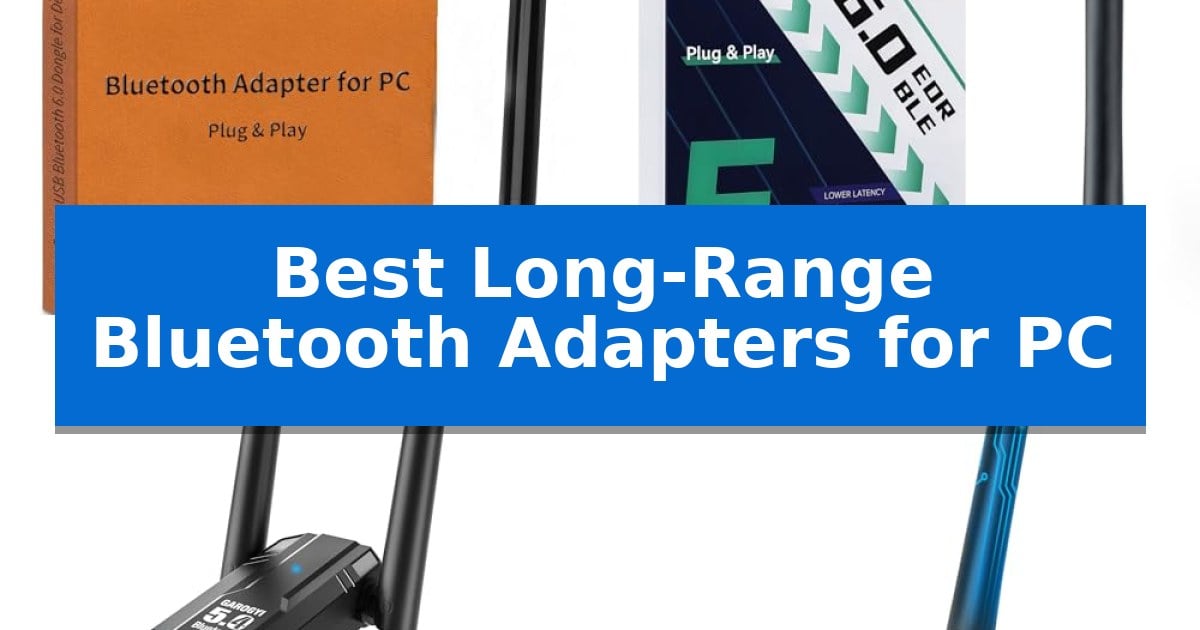
Finding a reliable wireless connection for your desktop can be frustrating when standard internal cards or short-range dongles fail to reach your peripherals. If you are tired of laggy mice, stuttering audio, or dropped keyboard inputs, you need a solution that prioritizes signal strength and stability.
We have analyzed the Best Long-Range Bluetooth Adapters for PC to help you extend your wireless reach. These adapters utilize high-gain antennas and advanced radio technology to ensure your devices stay connected, even when separated by distance or physical obstructions.
You may also want to compare Best Long-Range Battery Powered WiFi Video Doorbell, Best Long-Range Baofeng Walkie Talkies, and Best Long-Range Baby Monitor With Camera.
Best Long-Range Bluetooth Adapters for PC
Quick Comparison
| Product | Best For | Key Strength | Score |
|---|---|---|---|
| Techkey Bluetooth 6.0 Adapter | Best Overall | 600ft extended transmission range via high-gain 5dBi antenna. | 4.9 |
| ZEXMTE Bluetooth 6.0 Adapter | Stable Multi-Device Connectivity | Extended 492ft range via high-gain antenna | 4.6 |
| GAROGYI Bluetooth 5.4 Dual-Antenna Adapter | Enhanced Signal Stability | Dual external antennas for enhanced signal stability and extended range. | 4.4 |
| Hakimonoe Bluetooth 5.4 Adapter | Reliable Long-Distance Performance | Extended 150m range via 5dBi detachable antenna | 4.4 |
| KAIY Bluetooth 6.0 Adapter | Adjustable Reception Angle | 393ft long-range capability with an adjustable antenna. | 4.6 |
How We Chose
- Maximum transmission range in open-air environments.
- Antenna design and adjustability for signal optimization.
- Compatibility with Windows 11, 10, and 8.1 operating systems.
- Multi-device synchronization capacity for peripherals.
- Plug-and-play ease of use without complex driver requirements.
1 Techkey Bluetooth 6.0 Adapter — Best for Maximum Range
The Techkey Bluetooth 6.0 Adapter distinguishes itself with an extended 5dBi antenna designed to maintain connectivity across distances of up to 600 feet in open environments. This hardware-focused approach provides a significant reach advantage for desktop users who need to bridge the gap between their PC and wireless peripherals located across a room.
Utilizing Class 1 radio technology and Bluetooth 6.0+EDR, this adapter facilitates a stable wireless environment for up to 7 simultaneous connections. By incorporating Bluetooth Low Energy (BLE), it manages power consumption while maintaining data transmission speeds of up to 3Mbps, effectively reducing interference within the crowded 2.4GHz spectrum.
Installation is simplified through a Plug & Play architecture that eliminates the need for manual driver configuration on Windows 11, 10, and 8.1 systems. This makes it a practical solution for quickly adding wireless capabilities to a desktop without navigating complex software setups.
Beyond standard peripheral pairing, the device functions as a cost-effective print server. By plugging the adapter into a network-connected PC, users can transform standard USB-connected printers into shared nodes, allowing multiple devices to access printing services without requiring dedicated network hardware.
While the adapter offers extensive range and multi-device support, it is strictly limited to Windows environments. Users operating on Mac OS or Linux, or those attempting to connect to gaming consoles and televisions, will find this specific hardware incompatible with their existing setups.
Best for: Desktop PC users requiring extended-range connectivity for multiple wireless peripherals or a simple print-sharing solution.
Skip if: Users operating on Mac OS, Linux, or those needing Bluetooth connectivity for gaming consoles and smart TVs.
PROS
- 600ft extended transmission range via high-gain 5dBi antenna.
- Simultaneous connection support for up to 7 devices.
- Driver-free Plug & Play installation on Windows.
- Versatile print server functionality for shared office printing.
CONS
- No support for Mac OS, Linux, or gaming consoles.
- Range performance may be degraded by physical obstructions and interference.
2 ZEXMTE Bluetooth 6.0 Adapter — Stable Multi-Device Connectivity
The ZEXMTE Bluetooth 6.0 Adapter utilizes a high-gain antenna to achieve a rated range of up to 492 feet, providing a stable wireless connection for PC setups in larger environments. This adapter is designed to overcome the limitations of standard internal Bluetooth modules by offering extended reach and consistent signal strength.
Equipped with Bluetooth 6.0 technology, the device features BLE and BR/EDR dual-mode support to maintain connectivity across multiple peripherals. It is capable of pairing up to 7 devices simultaneously, such as keyboards, mice, and headphones, making it a practical solution for complex workstations or gaming configurations.
The adapter is engineered for low latency performance, which helps maintain audio and video synchronization during media playback or gaming. Its plug-and-play design allows for immediate use on Windows 10 and 11 systems without the need for additional driver installations, while Windows 7 users can complete a quick setup to enable functionality.
Built-in smart auto-reconnect capabilities ensure that previously paired devices are recognized instantly upon startup. The inclusion of an extended antenna is the primary design choice for users who require reliable, long-range wireless communication between their PC and various Bluetooth-enabled accessories.
Best for: Users needing to connect multiple peripherals simultaneously across a large room or office space.
Skip if: Users with limited USB port space or those who prefer a low-profile, antenna-free dongle design.
PROS
- Extended 492ft range via high-gain antenna
- Supports 7 simultaneous device connections
- Plug-and-play compatibility for Windows 10 and 11
- Low latency for synchronized audio and video
CONS
- Physical antenna size may be obtrusive in compact setups
- Driver installation required for Windows 7 systems
3 GAROGYI Bluetooth 5.4 Dual-Antenna Adapter — Enhanced Signal Stability
Maintaining a consistent connection to peripherals across a room requires hardware designed for reach and stability. The GAROGYI Bluetooth 5.4 Dual-Antenna Adapter utilizes dual external antennas to prioritize signal strength, making it a specialized tool for users who need to bridge the gap between a desktop PC and distant wireless devices like headsets or controllers.
Built around a Realtek 5.4 chip, this adapter supports the Bluetooth 5.4 specification and dual-mode low-energy transmission. The inclusion of the Class-1 protocol is intended to bolster range under optimal conditions, while the 3 Mbps transfer rate facilitates efficient data and audio movement. It is designed to be backward compatible with older standards, including 2.0, 3.0, 4.0, and 5.0, ensuring it integrates with a wide variety of legacy hardware.
Installation is streamlined for modern operating systems, offering a plug-and-play experience for Windows 11, 10, and 8.1. Users on Windows 7 may require a driver download from the manufacturer's website. The device connects via a standard USB 2.0 interface, which maintains compatibility with USB 3.0 ports, allowing it to function across most desktop and laptop configurations.
While the dual-antenna design provides a physical advantage for signal reception, users should account for the space requirements of the protruding hardware. This adapter is a practical choice for those who prioritize a stable, long-range wireless environment over the low-profile footprint of standard nano-sized Bluetooth dongles.
Best for: Users needing a stable, long-range Bluetooth connection for desktop PCs in larger rooms or environments with potential signal interference.
Skip if: Users requiring a low-profile, flush-mount adapter for travel or those who prefer not to have external antennas protruding from their USB ports.
PROS
- Dual external antennas for enhanced signal stability and extended range.
- Plug-and-play compatibility for Windows 11, 10, and 8.1.
- Broad backward compatibility with Bluetooth versions dating back to 2.0.
- Supports Bluetooth 5.4 and dual-mode low-energy transmission.
CONS
- Physical footprint is larger than standard nano-sized Bluetooth adapters due to the dual-antenna design.
4 Hakimonoe Bluetooth 5.4 Adapter — Reliable Long-Distance Performance
Maintaining a stable connection across significant distances is the primary challenge for wireless peripherals, and the Hakimonoe Bluetooth 5.4 Adapter addresses this with an enhanced 5dBi detachable antenna. This hardware configuration is designed to extend transmission range up to 492ft (150m) in open areas, providing a robust solution for users needing to bridge gaps between their PC and wireless devices.
Engineered with a Realtek Bluetooth 5.4 chipset, this adapter supports dual-mode connectivity (BR/EDR + BLE), which allows for simultaneous linking of multiple device types. The integration of Bluetooth 5.4 technology facilitates data transfer speeds of up to 3 Mbps, effectively doubling the capacity of older standards. This upgrade aims to improve connection stability and reduce signal interference in the crowded 2.4GHz spectrum.
The adapter is built for versatility, supporting the synchronization of up to 7 devices concurrently, such as mice, keyboards, and audio equipment. While it allows for multiple active connections, it is important to note that simultaneous audio playback is limited to a single device type at a time. The unit functions as a plug-and-play device for Windows 8.1, 10, and 11, requiring only an internet connection for automatic driver handling.
Practical design elements include a compact form factor and a detachable antenna for flexible positioning. Users should be aware that physical obstructions like walls and existing wireless interference can impact the maximum operational range. For those with built-in Bluetooth on their motherboards, it is necessary to disable the internal controller in the Device Manager to prevent conflicts with this external receiver.
Best for: Users needing to connect multiple wireless peripherals to a desktop PC over extended distances or through challenging office environments.
Skip if: Users with Mac, TV, or car-stereo systems, as this adapter is specifically engineered for Windows-based PC environments.
PROS
- Extended 150m range via 5dBi detachable antenna
- Bluetooth 5.4 technology for improved stability and 3 Mbps speeds
- Multi-device support for up to 7 simultaneous connections
- Plug-and-play compatibility with Windows 8.1, 10, and 11
CONS
- Not compatible with Mac, TV, or car-stereo systems
- Audio limitation allowing only one device of the same type to play music at once
5 KAIY Bluetooth 6.0 Adapter — Adjustable Reception Angle
Maintaining a stable wireless connection across multiple rooms requires hardware capable of overcoming physical obstructions. The KAIY Bluetooth 6.0 Adapter addresses this with a 360° rotatable high-gain antenna and Class 1 radio technology, designed to extend signal reach up to 393 feet in optimal conditions. This adjustable antenna allows users to physically orient the hardware to bypass interference, ensuring a more consistent link for peripherals located further from the computer.
Beyond its range capabilities, this adapter utilizes Bluetooth 6.0 with EDR + BLE dual-mode technology to support data speeds of up to 3Mbps. This configuration is engineered to reduce latency for tasks like gaming or audio streaming, while maintaining backward compatibility with older standards including Bluetooth 5.4, 5.3, 4.2, and 4.0. By supporting these legacy protocols, the adapter ensures that older wireless devices remain functional without requiring hardware upgrades.
For audio enthusiasts, the device supports AAC and SBC codecs at a 48kHz sampling rate, aiming to provide high-fidelity sound with minimized compression. It also functions as a central hub for your workspace, allowing you to connect up to 5 devices simultaneously, such as keyboards, mice, and headphones, without the need for constant re-pairing. This multi-device support is particularly useful for users managing a complex desktop setup with multiple wireless peripherals.
Installation is simplified through a true plug-and-play design that requires no additional downloads or software for Windows 11, 10, and 8.1 systems. The built-in LED indicator provides immediate visual confirmation of connection status, ensuring you can monitor your peripheral activity at a glance. This hardware-focused approach removes the need for driver management, making it accessible for users who prefer a straightforward setup process.
Best for: Users needing to connect multiple peripherals or audio devices to a Windows desktop PC from a significant distance.
Skip if: Users operating on Mac OS, Linux, or those requiring a transmitter for car stereos, gaming consoles, or televisions.
PROS
- 393ft long-range capability with an adjustable antenna.
- Supports 5 simultaneous device connections.
- Bluetooth 6.0 with low-latency EDR + BLE technology.
- Plug-and-play setup for Windows systems.
CONS
- Not compatible with Mac OS, Linux, or gaming consoles like Xbox and PS4.
Best Long-Range Bluetooth Adapters for PC Buying Guide
Understanding Bluetooth Classes and Range
Bluetooth adapters are categorized by power classes, with Class 1 devices being the standard for long-range performance. These adapters are designed to transmit signals at higher power levels, allowing for significantly greater coverage compared to the standard Class 2 adapters found in most laptops.
When selecting an adapter, consider that the advertised range is typically measured in open-air conditions. Physical obstructions like walls, furniture, and metal surfaces will reduce the effective distance. Choosing an adapter with an external, high-gain antenna provides the best chance of maintaining a stable link through these barriers.
The Importance of Antenna Design
The physical design of the antenna is a critical factor in signal reliability. Adapters featuring external 5dBi antennas offer superior reception compared to compact, flush-mount dongles. These antennas can often be adjusted or rotated to find the optimal reception angle for your specific workspace.
Some models offer dual-antenna configurations, which can further enhance signal stability and reduce interference. If your PC is located under a desk or in a corner, an adapter with a flexible or rotatable antenna is essential to ensure the signal is not blocked by the computer chassis itself.
Compatibility and Driver Requirements
Most modern long-range adapters are designed for Windows 11, 10, and 8.1, often utilizing plug-and-play functionality that requires no manual driver installation. This simplifies the setup process, allowing you to connect your devices immediately upon insertion.
Always check the compatibility list before purchasing, as many of these adapters are not compatible with macOS, Linux, or gaming consoles. If you are using an older version of Windows, such as Windows 7, you may need to download specific drivers from the manufacturer's website to ensure full functionality.
Multi-Device Connectivity
A primary benefit of upgrading your Bluetooth adapter is the ability to manage multiple peripherals simultaneously. High-quality adapters often support connecting up to 7 devices at once, including mice, keyboards, headsets, and printers.
This capability is particularly useful for users who want to consolidate their workspace. By using a single, high-performance adapter, you can ensure that all your wireless devices maintain a low-latency connection without competing for bandwidth or suffering from interference.
Data Transfer and Audio Quality
Beyond simple input devices, these adapters are capable of handling data transfers and high-fidelity audio streaming. Models supporting Bluetooth 6.0 or 5.4 with EDR (Enhanced Data Rate) can achieve speeds up to 3Mbps, which is sufficient for smooth, lag-free audio and quick file sharing.
For audio enthusiasts, look for adapters that support advanced codecs like AAC and SBC. These features ensure that your wireless headphones or speakers receive high-quality audio signals with minimal compression, providing a better listening experience for gaming and media consumption.
Frequently Asked Questions
Will these adapters work with my Mac or Linux computer?
Most of the long-range Bluetooth adapters listed are designed specifically for Windows 11, 10, and 8.1. They generally do not support macOS or Linux operating systems.
Does the antenna need to be in a specific position?
Yes, for best results, the antenna should be positioned to have a clear line of sight to your devices. If your adapter has a rotatable antenna, adjusting it can help overcome signal interference caused by your PC case or nearby furniture.
Can I use these adapters for gaming controllers?
Yes, these adapters are suitable for connecting Bluetooth game controllers to your PC. The low-latency performance of Bluetooth 5.4 and 6.0 standards helps ensure responsive gameplay.
Do I need to install drivers for these adapters?
Most of these adapters are true plug-and-play devices for Windows 11 and 10. However, some older operating systems like Windows 7 may require you to download and install drivers from the manufacturer's website.
Why is the actual range shorter than the advertised distance?
Advertised ranges are based on open-air testing. Walls, floors, metal objects, and other wireless interference (like Wi-Fi routers) will significantly reduce the effective range in a real-world home or office environment.
Conclusion: Our Top Pick
Selecting the right adapter depends on your specific range requirements and the number of devices you need to connect. For users seeking the most robust signal coverage and versatile peripheral support, the Techkey Bluetooth 6.0 Adapter stands out as the top choice due to its impressive 600ft range and reliable multi-device connectivity.
While all the models reviewed offer significant improvements over standard internal Bluetooth, the Techkey model's combination of Class 1 radio technology and ease of use makes it the most effective solution for overcoming distance limitations in a desktop setup. Ensure your PC is running a compatible version of Windows to take full advantage of its plug-and-play capabilities.