
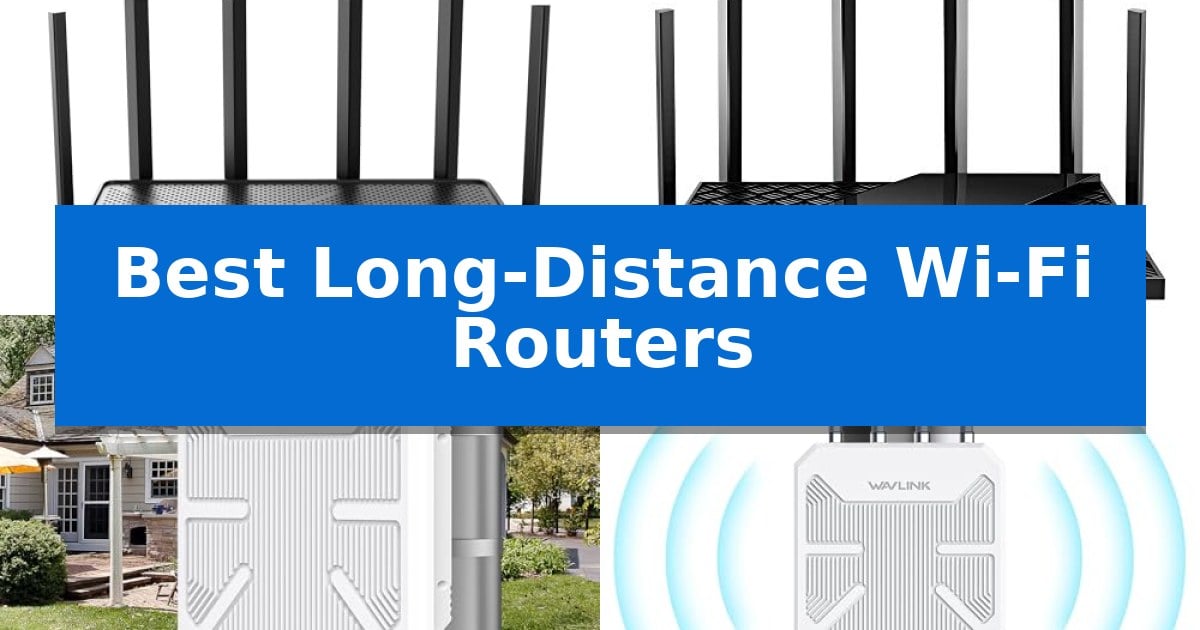
Struggling with dead zones in your home or office can be incredibly frustrating, especially when you need a stable connection for streaming, gaming, or remote work. Finding the Best Long-Distance Wi-Fi Routers is essential for ensuring that your signal remains strong even through walls and across large floor plans.
Our guide focuses on routers and outdoor access points that prioritize signal penetration and expansive coverage. Whether you need to blanket a large multi-story home or extend internet access to a detached garage or yard, the right hardware makes all the difference in maintaining consistent, high-speed connectivity.
You may also want to compare Best Long-Distance Wi-Fi Extender, Best Long-Distance Walkie Talkies for Logging, and Best Long-Distance Walkie Talkie.
Best Long-Distance Wi-Fi Routers
Quick Comparison
| Product | Best For | Key Strength | Score |
|---|---|---|---|
| TP-Link Archer BE600 WiFi 7 Router | Best Overall | Multi-gigabit connectivity with 10G and 2.5G ports. | 4.9 |
| TP-Link Archer AX73 WiFi 6 Router | High-Performance Long-Range Signal | Extensive coverage up to 2,000 sq. ft. using 6 antennas and Beamforming. | 4.5 |
| WAVLINK AX3000 Outdoor WiFi 6 Extender | Ideal for Expansive Outdoor Areas | IP67-rated weatherproofing for reliable outdoor deployment. | 4.5 |
| WAVLINK AX1800 Outdoor WiFi 6 Extender | Ruggedized for Harsh Environments | IP67 weatherproof rating for reliable outdoor operation. | 4.7 |
| TP-Link Archer AX80 WiFi 6 Router | Strong Multi-Gigabit Range | 2.5G Multi-Gigabit port for high-speed wired connectivity | 4.6 |
How We Chose
- Signal Coverage and Penetration: Assessing the rated square footage and antenna technology used to focus Wi-Fi signals.
- Wireless Standards and Throughput: Analyzing the Wi-Fi generation (e.g., WiFi 6 or 7) and maximum speed capabilities.
- Connectivity Options: Reviewing the inclusion of multi-gigabit ports for wired backhaul and high-speed modem integration.
- Environmental Durability: Evaluating the build quality and weatherproofing for outdoor-specific access points.
- Network Management and Security: Checking for integrated security suites and user-friendly setup applications.
1 TP-Link Archer BE600 WiFi 7 Router — Best for Large Home Coverage
Maintaining a stable, high-speed connection across a large floor plan requires hardware capable of pushing signals through multiple walls and obstacles. The TP-Link Archer BE600 WiFi 7 Router addresses this by utilizing six optimally positioned antennas paired with advanced Beamforming technology, which actively focuses Wi-Fi signals toward hard-to-cover areas within a 2,600 sq. ft. range.
This router leverages the latest Wi-Fi 7 standards, including Multi-Link Operation (MLO) and 320 MHz channels, to combine multiple bands into one robust stream. This architecture ensures that high-bandwidth activities like 8K streaming or AR/VR gaming remain uninterrupted, even as users move throughout the home. The device supports up to 120 connected devices simultaneously, making it suitable for modern households with extensive smart home ecosystems.
Connectivity options are designed for high-performance wired setups, featuring a 10 Gbps WAN/LAN port, a 2.5 Gbps WAN/LAN port, and three additional 2.5 Gbps LAN ports. These multi-gigabit ports allow for seamless integration with high-speed modems and wired backhaul for gaming consoles or workstations. Security is handled via the integrated HomeShield suite, which provides parental controls and real-time IoT protection, while the device itself adheres to CISA’s Secure-by-Design pledge.
Setup is managed through the Tether app, which simplifies the configuration process for both the router and its VPN client/server capabilities. While the router offers significant throughput and coverage, users should note that its physical footprint measures 11.29 x 6.02 x 1.87 inches, requiring adequate shelf or desk space for proper placement.
Best for: Large homes requiring high-speed multi-gigabit wired connectivity and extensive device capacity.
Skip if: Users living in small apartments who do not require multi-gigabit ports or the extended range provided by the six-antenna array.
PROS
- Multi-gigabit connectivity with 10G and 2.5G ports.
- Wi-Fi 7 performance featuring 320 MHz channels and MLO.
- Extensive coverage up to 2,600 sq. ft. with beamforming.
- Advanced security through HomeShield and CISA Secure-by-Design compliance.
CONS
- Physical footprint may be large for cramped entertainment centers.
2 TP-Link Archer AX73 WiFi 6 Router — High-Performance Long-Range Signal
Maintaining a stable network connection across a large home requires hardware that can adapt to physical obstacles and varying device density. The TP-Link Archer AX73 WiFi 6 Router addresses this by utilizing 6 antennas and Beamforming technology to concentrate signal strength directly toward connected devices, providing coverage for up to 2,000 sq. ft. This focused signal delivery helps ensure that devices at the edge of your network receive a more consistent connection compared to standard omnidirectional broadcasting.
This router leverages 4T4R and HE160 technologies on the 5 GHz band to support high-speed connections, reaching up to 5400 Mbps. These specifications are designed to handle bandwidth-intensive tasks like 8K streaming and large file downloads. To manage heavy traffic, it incorporates MU-MIMO and OFDMA, which work to reduce network congestion and increase throughput when multiple devices are streaming, gaming, or downloading simultaneously. This is particularly beneficial in households where many devices compete for bandwidth at the same time.
Design-wise, the unit features improved ventilation to maintain performance during intensive use, preventing thermal throttling that can occur in high-demand environments. It also includes a USB 3.0 port for media sharing and private cloud storage, alongside TP-Link HomeShield for integrated network security, IoT protection, and parental controls. These software features provide a layer of management for connected smart home devices and user access.
The device is designed for broad utility, offering universal compatibility with all major internet service providers. While it provides robust features for a single-unit setup, users should note that a separate modem is required for most ISP connections. This makes it an ideal upgrade for those looking to replace a basic ISP-provided gateway with a more powerful, feature-rich wireless solution.
Best for: Users seeking a high-performance, single-unit router to extend reliable Wi-Fi coverage across a large home or multi-room environment.
Skip if: Users who require a modular mesh system for complex, multi-story layouts or those who do not have a separate modem to pair with this router.
PROS
- Extensive coverage up to 2,000 sq. ft. using 6 antennas and Beamforming.
- High-speed performance with 5400 Mbps total Wi-Fi capacity.
- Reduced congestion via MU-MIMO and OFDMA technologies.
- Integrated security and parental controls through TP-Link HomeShield.
CONS
- Requires a separate modem for most internet service provider setups.
- Single-unit design may be less effective than a mesh system for very large or uniquely shaped floor plans.
3 WAVLINK AX3000 Outdoor WiFi 6 Extender — Ideal for Expansive Outdoor Areas
Extending reliable network connectivity to expansive outdoor environments requires hardware built to withstand environmental extremes while maintaining high-speed throughput. The WAVLINK AX3000 Outdoor WiFi 6 Extender addresses this need with an IP67-rated waterproof enclosure, ensuring consistent operation through rain, snow, and wind. Its ability to function in temperatures ranging from -20 to 50 degrees Celsius makes it a robust choice for farms, yards, or remote work sites.
Equipped with four 8dBi omni-directional detachable fiberglass antennas and dual built-in amplifiers, this device is engineered for long-range coverage, supporting up to 256 simultaneous connections. It utilizes WiFi 6 technology to deliver dual-band speeds up to 2402Mbps on the 5GHz band and 573Mbps on the 2.4GHz band, effectively managing network congestion in high-density scenarios.
Installation flexibility is a primary design focus, featuring 802.3AF/AT active PoE support. This allows for both data transmission and power delivery through a single Ethernet cable, simplifying deployments in locations where traditional power outlets are unavailable. The unit also offers multiple operational modes, including Mesh, AP, Router, and Repeater, allowing it to integrate into various existing network architectures.
Advanced wireless features such as MU-MIMO, Beamforming, and Band Steering work to optimize signal distribution and device management. Security is maintained through WPA2/WPA3-MIX encryption, providing a secure connection for outdoor cameras, Starlink systems, or mobile devices. With a two-year manufacturer warranty, it provides a stable solution for those requiring professional-grade outdoor networking.
Best for: Users needing to extend high-speed WiFi 6 coverage to large outdoor areas like farms or yards using a single-cable PoE installation.
Skip if: Users who require a simple plug-and-play indoor solution or those who do not have an existing PoE-capable network infrastructure.
PROS
- IP67-rated weatherproofing for reliable outdoor deployment.
- Active PoE support for simplified power and data cabling.
- High-capacity connection supporting up to 256 devices.
- Flexible operating modes including Mesh, AP, and Router.
CONS
- Mesh mode compatibility is limited to other Wavlink series products.
- PoE converter is not waterproof and requires protected installation.
4 WAVLINK AX1800 Outdoor WiFi 6 Extender — Ruggedized for Harsh Environments
Extending a reliable network to remote areas like farms, large estates, or detached garages requires hardware built for environmental extremes. The 2026 WAVLINK AX1800 Outdoor WiFi 6 Extender addresses this by combining high-gain signal hardware with a robust, weather-resistant design that functions where standard indoor routers fail.
This device features four 8dBi omni-directional detachable fiberglass antennas, engineered to provide a 200-300m radius of coverage in line-of-sight conditions. With WiFi 6 AX1800 technology, it supports speeds up to 1800 Mbps, ensuring sufficient bandwidth for 4K streaming and outdoor security cameras. It is also compatible with Starlink Gen 2/3 systems, making it a practical choice for off-grid or rural properties.
Durability is a core focus, evidenced by its IP67 weatherproof rating. The unit is fully sealed to resist moisture, dust, and static shock, and it remains operational in temperatures ranging from -20°C to 50°C. For installation flexibility, it supports 802.3 AF/AT active PoE and passive PoE, allowing power and data delivery through a single Ethernet cable, which simplifies deployment in locations lacking nearby power outlets.
The extender offers versatile operation modes, including Mesh, AP, Router, and Repeater, allowing it to adapt to various network architectures. While it provides a 2-year warranty and professional technical support, users should note that the included PoE adapter is not waterproof and must be installed indoors to prevent damage.
Best for: Users needing to extend high-speed wireless connectivity to large, exposed outdoor areas like farms, yards, or detached outbuildings.
Skip if: Users seeking a simple plug-and-play indoor solution or those who lack the ability to run Ethernet cabling for PoE power.
PROS
- IP67 weatherproof rating for reliable outdoor operation.
- High-gain 8dBi antennas for extended signal range.
- Flexible PoE power options allow installation without local AC outlets.
- WiFi 6 AX1800 performance supports high-bandwidth tasks.
CONS
- PoE adapter is not waterproof and requires indoor placement.
- Requires Ethernet cabling for power and network connectivity.
5 TP-Link Archer AX80 WiFi 6 Router — Strong Multi-Gigabit Range
Maintaining a stable network connection across a large home or office requires hardware capable of pushing signals through physical obstructions. The TP-Link Archer AX80 WiFi 6 Router addresses this by utilizing eight high-gain antennas integrated with Beamforming technology, which focuses wireless signals directly toward connected devices to ensure consistent coverage over greater distances.
Beyond its range capabilities, this router is built for high-demand environments. It supports Wi-Fi 6 technology, delivering combined speeds of up to 4804 Mbps on the 5.0 GHz band and 1148 Mbps on the 2.4 GHz band. The inclusion of MU-MIMO and OFDMA allows the device to manage multiple data streams simultaneously, which improves efficiency when handling numerous connected devices at once.
For users with high-speed internet plans, the 2.5G Multi-Gigabit WAN/LAN port removes potential bottlenecks, allowing for faster wired throughput. The router also features TP-Link HomeShield for integrated network security, including IoT device identification and basic parental controls, providing a layer of management for connected home ecosystems.
Flexibility is a core design element, as the TP-Link Archer AX80 WiFi 6 Router supports OneMesh, enabling users to expand their network by adding compatible range extenders for a seamless, single-network experience. It is also compatible with Amazon Alexa for voice-controlled management of guest networks, offering a practical solution for those seeking a balance of range, speed, and administrative control.
Best for: Users seeking to extend high-speed Wi-Fi coverage across larger homes while utilizing multi-gigabit wired connections.
Skip if: Users who require a pre-configured mesh system or those with limited physical space for a router with eight external antennas.
PROS
- 2.5G Multi-Gigabit port for high-speed wired connectivity
- Eight high-gain antennas with Beamforming for extended range
- Wi-Fi 6 efficiency via MU-MIMO and OFDMA
- OneMesh support for flexible network expansion
CONS
- Large physical footprint due to the eight-antenna design
Best Long-Distance Wi-Fi Routers Buying Guide
Understanding Wi-Fi Standards
Modern networking relies on current standards like Wi-Fi 6 and Wi-Fi 7 to manage traffic efficiently. These standards utilize technologies like OFDMA and MU-MIMO to reduce latency when multiple devices are connected, which is crucial for large homes with many smart devices.
When selecting a router, ensure it supports the latest standards to avoid bottlenecks. While older devices will still connect, a newer router provides the necessary infrastructure to support high-bandwidth activities like 8K streaming and AR/VR gaming without compromising range.
The Importance of Antenna Design
The physical design of a router, particularly the number and placement of antennas, significantly impacts its range. Beamforming technology is a critical feature that allows the router to concentrate the wireless signal directly toward your devices rather than broadcasting it uniformly in all directions.
For larger properties, look for routers with multiple high-gain antennas. These components are specifically engineered to push signals through obstacles like walls and floors, which are the primary causes of signal degradation in residential and outdoor settings.
Wired Connectivity and Multi-Gig Ports
Even the best wireless networks benefit from a strong wired foundation. Routers equipped with 2.5 Gbps or 10 Gbps WAN/LAN ports allow you to take full advantage of high-speed internet plans and provide a stable backhaul for mesh systems or wired access points.
If you have a home office or a media center, connecting these devices via Ethernet can free up wireless bandwidth for mobile devices. Always check the port configuration on a router to ensure it matches your current and future wired device requirements.
Outdoor vs. Indoor Coverage
Standard indoor routers are rarely designed to withstand the elements. If you need to extend coverage to a yard, farm, or garage, you should opt for an outdoor-rated access point with an IP67 weatherproof rating to protect against moisture, dust, and temperature extremes.
These outdoor units often support Power over Ethernet (PoE), which simplifies installation by allowing you to send both data and power through a single cable. This is particularly useful for mounting devices on exterior walls where power outlets are not readily available.
Security and Network Management
A secure network is just as important as a fast one. Look for routers that offer robust parental controls, VPN client support, and real-time security scanning to protect your connected devices from potential vulnerabilities.
Most modern routers include a dedicated mobile app for setup and management. These tools allow you to monitor your network, identify connected devices, and adjust settings on the fly, making it easier to maintain a secure and optimized home network.
Frequently Asked Questions
What is the difference between a router and an access point for long-distance coverage?
A router manages your network traffic and connects to your modem, while an access point is designed specifically to extend the wireless signal into areas where the main router cannot reach.
Do I need Wi-Fi 7 for a large home?
Wi-Fi 7 offers significant improvements in speed and efficiency, especially for high-density environments. If you have many modern devices, it is a worthwhile investment for future-proofing your network.
Can I use an outdoor extender indoors?
While technically possible, outdoor extenders are designed for open-air environments. They may not provide the same aesthetic or signal distribution patterns as a router intended for indoor use.
What is PoE and why does it matter for outdoor setups?
Power over Ethernet (PoE) allows a single cable to provide both data and power to a device, which is essential for installing outdoor access points in locations without nearby electrical outlets.
How many devices can a high-performance router handle?
High-performance routers can often manage over 100 devices simultaneously, though actual performance depends on the bandwidth requirements of those devices and your internet plan.
Conclusion: Our Top Pick
For those seeking the ultimate combination of speed, range, and advanced connectivity, the TP-Link Archer BE600 WiFi 7 Router stands out as the premier choice. Its support for the latest Wi-Fi 7 technology, combined with a 10 Gbps port and extensive coverage capabilities, makes it highly effective for large, modern homes with numerous connected devices.
While other options like outdoor extenders are better suited for specific exterior needs, the Archer BE600 provides the most comprehensive indoor performance. Its integration with HomeShield security and ease of management via the Tether app ensures that your network remains both powerful and protected.