
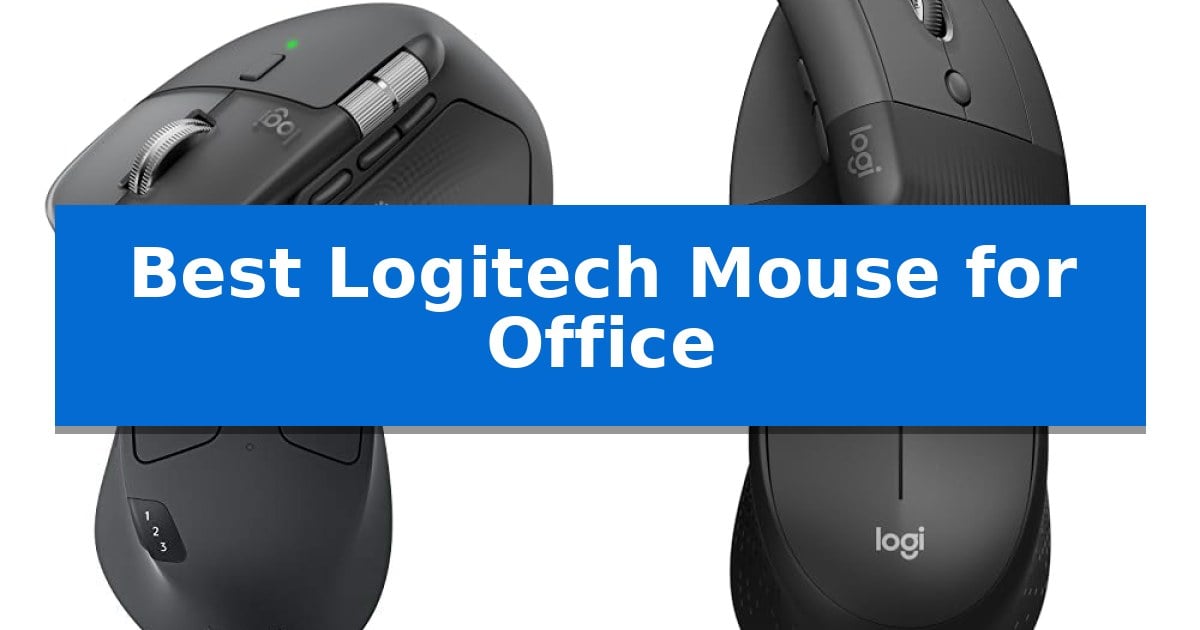
Finding the right peripheral can significantly impact your daily comfort and efficiency when spending hours at a desk. The Best Logitech Mouse for Office selection depends heavily on your specific workspace needs, whether you prioritize ergonomic wrist support, multi-device switching, or a quiet environment for shared spaces.
Our guide evaluates current Logitech offerings by focusing on how their specific design choices, connectivity options, and button configurations translate into practical benefits for your workday. By understanding the trade-offs between vertical shapes, compact designs, and advanced productivity features, you can select the tool that best aligns with your professional habits.
You may also want to compare Best Logitech Mouse for Mac, Best Logitech Mouse for Large Hands, and Best Logitech Mouse for Laptop.
Best Logitech Mouse for Office
Quick Comparison
| Product | Best For | Key Strength | Score |
|---|---|---|---|
| Logitech MX Master 4 Wireless Mouse | Best Overall | Haptic Sense Panel provides customizable tactile feedback for enhanced productivity. | 4.9 |
| Logitech Lift Vertical Wireless Mouse | Natural Wrist Posture | 57-degree vertical angle promotes a natural, ergonomic forearm posture. | 4.8 |
| Logitech M720 Triathlon Wireless Mouse | Multi-Device Workflow | Multi-device switching allows for seamless transitions between up to three computers. | 4.5 |
| Logitech M330 Silent Plus Wireless Mouse | Distraction-Free Quiet Clicking | SilentTouch Technology significantly reduces clicking noise. | 4.7 |
| Logitech M185 Wireless Mouse | Compact Portable Reliability | Ambidextrous design provides comfort for all users. | 4.7 |
How We Chose
- Ergonomic Design: Assessing how the shape and tilt promote natural hand and wrist posture.
- Connectivity Standards: Evaluating the reliability of Bluetooth versus dedicated USB receivers for various office setups.
- Productivity Features: Comparing customizable buttons, scroll wheel technology, and software-enabled shortcuts.
- Acoustic Performance: Identifying models with quiet-click technology for distraction-free environments.
- Battery Efficiency: Reviewing power management and longevity for consistent, uninterrupted use.
1 Logitech MX Master 4 Wireless Mouse — Advanced Haptic Productivity
The Logitech MX Master 4 Wireless Mouse introduces a tactile dimension to office navigation with its Haptic Sense Panel, providing customizable feedback for notifications and shortcuts. This ergonomic tool is engineered to maintain workflow continuity, featuring a natural tilt and a thumb-operated scroll wheel designed to minimize hand strain during extended periods of use.
Efficiency is central to the device's design, utilizing the MagSpeed scroll wheel to traverse 1,000 lines per second with pixel-level precision. Users can further streamline their tasks via the Actions Ring, a dynamic, app-specific overlay that places essential adjustments and filters directly at the cursor's location. These features are complemented by Quiet Clicks, which reduce operational noise by 90% to support a focused environment.
Connectivity is handled through a high-performance USB-C dongle with an optimized antenna or via Bluetooth, ensuring reliable performance across different setups. The mouse is built with sustainability in mind, incorporating recycled plastic and cobalt, and is fully compatible with Googlebook laptops. Each purchase includes a one-month subscription to Adobe Creative Cloud, providing immediate utility for creative workflows.
Balancing advanced functionality with physical comfort, this mouse is a comprehensive solution for professionals seeking to optimize their desk space. While its feature set is extensive, the ergonomic, high-profile design is specifically tailored for those who prioritize wrist support and advanced control options in their daily office equipment.
Best for: Professionals and creators who require high-precision navigation, haptic feedback, and advanced shortcut customization to manage complex office workflows.
Skip if: Users who prefer a low-profile, ambidextrous, or ultra-lightweight mouse design may find the ergonomic, high-profile shape of this model less suitable for their grip style.
PROS
- Haptic Sense Panel provides customizable tactile feedback for enhanced productivity.
- MagSpeed scroll wheel allows for both rapid scrolling and precise, pixel-by-pixel control.
- Actions Ring offers a dynamic, app-specific interface for quick access to tools.
- Quiet Clicks technology significantly reduces noise for a distraction-free workspace.
CONS
- Ergonomic, high-profile design may not suit all hand sizes or grip preferences.
2 Logitech Lift Vertical Wireless Mouse — Natural Wrist Posture
Maintaining a natural forearm posture during long work sessions is simplified by the 57-degree vertical angle of the Logitech Lift Vertical Ergonomic Wireless Mouse. This design is specifically engineered to reduce strain, providing a more comfortable, upright hand position that helps users stay focused throughout the day.
The Logitech Lift Vertical Ergonomic Wireless Mouse features a softly textured grip and a dedicated thumb rest, ensuring a secure and cozy feel for small to medium-sized right hands. Its whisper-quiet clicks and SmartWheel scrolling allow for seamless navigation without distracting noise, making it a practical addition to any quiet office environment.
Customization is a core strength of this device, offering four of its six buttons for user-defined shortcuts to streamline daily tasks. It is Ergo-certified, having been developed and tested against rigorous criteria set by leading ergonomists to ensure it meets professional standards for comfort and productivity.
Connectivity is highly flexible, allowing users to pair the mouse via Bluetooth Low Energy or the included Logi Bolt USB-A receiver. It is compatible with Windows, macOS, iPadOS, Chrome OS, and Linux, and it is designed for longevity with a battery life of up to two years. Furthermore, the graphite model is constructed with 70% certified post-consumer recycled plastic, reflecting a focus on sustainable material choices.
Best for: Small to medium-handed office users seeking an ergonomic, vertical design to improve wrist posture and comfort during extended work hours.
Skip if: Users with large hands or those who prefer a traditional, low-profile horizontal mouse design may find the vertical form factor less comfortable.
PROS
- 57-degree vertical angle promotes a natural, ergonomic forearm posture.
- Whisper-quiet clicks and SmartWheel for silent, efficient navigation.
- Flexible connectivity via Bluetooth or Logi Bolt USB receiver.
- Customizable buttons allow for personalized productivity shortcuts.
CONS
- Specific size constraint limited to small to medium right hands.
- Vertical form factor requires an adjustment period for those accustomed to traditional mice.
3 Logitech M720 Triathlon Wireless Mouse — Multi-Device Workflow
Managing multiple devices in a professional setting requires hardware that adapts to your workflow, and the Logitech M720 Triathlon Wireless Mouse is engineered specifically for this versatility. Featuring a sculpted, full-sized design with a rubberized body, it provides a stable palm rest grip intended for extended daily use.
The mouse offers dual connectivity options, allowing users to pair via Bluetooth or the included Logitech Unifying receiver. This receiver supports up to six compatible peripherals, helping to keep your workspace organized. For those managing multiple machines, the device supports multi-device switching across three computers or laptops with a single button press.
Productivity is further enhanced by Logitech FLOW technology, which enables the seamless movement of cursors, text, and files between different computers. Users can also utilize the 6 customizable buttons to assign specific shortcuts, tailoring the interface to their unique software requirements.
Navigation through long documents is simplified by the hyper-fast scroll wheel, which includes an instant-stop feature and a toggle for click-to-click scrolling. With a rated 24-month battery life, the mouse is built for long-term endurance in various office environments, including compatibility with Windows, macOS, Chrome OS, Linux, and iPadOS.
Best for: Professionals who need to control multiple computers and tablets from a single mouse while maintaining a comfortable, full-sized grip.
Skip if: Users who require a compact, travel-sized mouse or those who prefer a symmetrical, ambidextrous design.
PROS
- Multi-device switching allows for seamless transitions between up to three computers.
- Logitech FLOW enables file and text transfer across different operating systems.
- Hyper-fast scrolling wheel provides efficient navigation through long documents.
- Long-lasting 24-month battery life reduces the frequency of maintenance.
CONS
- Right-handed ergonomic design is not suitable for left-handed users.
- Full-sized dimensions may be less portable than dedicated travel mice.
4 Logitech M330 Silent Plus Wireless Mouse — Distraction-Free Quiet Clicking
Maintaining a quiet workspace is essential for focus, and the Logitech M330 Silent Plus Wireless Mouse addresses this with its SilentTouch Technology. By reducing clicking sounds by over 90 percent, this mouse allows for high-performance input without the repetitive noise that can distract in shared or quiet office environments.
Beyond its acoustic benefits, the mouse is built for long-term usability. It features a contoured design with soft rubber grips specifically shaped for right-handed users, promoting comfort during extended work sessions. The 1000 dpi optical tracking provides consistent cursor control across most surfaces, ensuring reliability for standard office tasks.
Connectivity and power management are streamlined for professional use. The device utilizes a 2.4 GHz USB-A Nano Receiver for a plug-and-play experience, maintaining a wireless range of up to 33 feet. With an 18-month battery life and an integrated auto-sleep power-saving mode, it minimizes the need for frequent maintenance.
Sustainability is also integrated into the build, as the plastic components contain a significant percentage of certified post-consumer recycled plastic. This model offers a balance of ergonomic design, quiet operation, and reliable wireless connectivity for those seeking a distraction-free office peripheral.
Best for: Office workers who require a quiet, comfortable, and reliable wireless mouse for daily productivity.
Skip if: Left-handed users or those who require advanced programmable buttons and multi-device Bluetooth switching.
PROS
- SilentTouch Technology significantly reduces clicking noise.
- Ergonomic contoured shape designed for right-handed comfort.
- Long 18-month battery life with auto-sleep functionality.
- Plug-and-play connectivity via a reliable 2.4 GHz USB receiver.
CONS
- Right-handed only ergonomic design.
- USB-A receiver requires a compatible port or adapter.
5 Logitech M185 Wireless Mouse — Compact Portable Reliability
Navigating a busy workspace requires reliable tools that minimize friction, and the Logitech M185 Wireless Mouse is engineered specifically to replace the limitations of a standard laptop touchpad. By offering a contoured, ambidextrous shape, this device ensures comfort for both left- and right-handed users while providing the precise cursor control necessary for efficient office tasks.
Connectivity is handled through a 2.4 GHz USB-A nano receiver, which facilitates a plug-and-play setup that remains stable at distances up to 33 feet. Because the receiver is compact, it can stay plugged into a laptop port without obstruction, making it a practical choice for professionals who frequently move between desks or travel.
Efficiency is a core design focus, as the mouse features a line-by-line scroll wheel and a smart sleep mode that extends the battery life up to 1 year on a single AA battery. This power management system reduces the frequency of maintenance, allowing for consistent use throughout the workday without unexpected downtime.
The Logitech M185 Wireless Mouse is built with sustainability in mind, incorporating certified post-consumer recycled plastic into its construction. Its compact dimensions make it an ideal fit for tight workspaces or crowded desktops where every inch of surface area matters, ensuring that functionality is not sacrificed for portability.
Best for: Office professionals and laptop users seeking a compact, reliable, and ambidextrous wireless mouse for daily productivity.
Skip if: Users who require advanced programmable buttons, high-precision gaming sensors, or Bluetooth connectivity for devices lacking a USB-A port.
PROS
- Ambidextrous design provides comfort for all users.
- Plug-and-play simplicity with a reliable 2.4 GHz connection.
- Long battery life of up to 1 year with smart sleep mode.
- Compact, portable size ideal for small workspaces.
CONS
- USB-A receiver requirement limits compatibility with devices lacking traditional ports.
- Lacks advanced features like side buttons or high-DPI adjustments.
Best Logitech Mouse for Office Buying Guide
Ergonomics and Wrist Health
The physical shape of your mouse is the most critical factor for long-term comfort. Vertical mice are specifically engineered to place the forearm in a more natural, handshake position, which can reduce muscle strain compared to traditional flat designs.
When choosing between a standard contoured mouse and a vertical model, consider your desk setup and the amount of time you spend clicking. If you experience wrist fatigue, an ergo-certified vertical design is often the superior choice for sustained daily tasks.
Connectivity and Multi-Device Support
Modern office workflows often involve switching between a laptop, a desktop, and a tablet. Look for mice that support dual connectivity, allowing you to pair via Bluetooth or a dedicated USB receiver.
Advanced models may include multi-device switching capabilities, enabling you to toggle between different computers with the touch of a button. This is essential for users who maintain separate workstations or frequently move between devices.
Button Customization and Productivity
Customizable buttons allow you to map frequently used shortcuts, such as copy, paste, or specific app functions, directly to your mouse. This reduces the need to reach for your keyboard, streamlining your workflow.
Evaluate whether a mouse offers software-based customization, which lets you create app-specific profiles. This feature is particularly beneficial for creative professionals or those who work with complex data sets and need quick access to specific tools.
Acoustics in Shared Workspaces
In open-plan offices or quiet home environments, the sound of constant clicking can become a distraction. Many modern Logitech mice now feature SilentTouch technology or quiet-click switches.
These models provide a tactile, satisfying feel without the audible snap of a standard switch. If you share your workspace or participate in frequent video calls, a silent mouse is a highly recommended upgrade.
Scroll Wheel Technology
The scroll wheel is one of the most frequently used components of an office mouse. Options range from standard line-by-line scrolling to hyper-fast scroll wheels that allow you to fly through long documents.
Some high-end wheels offer an instant-stop feature or the ability to toggle between smooth and ratcheted scrolling. Choose a wheel type that matches the intensity of your document navigation needs.
Frequently Asked Questions
What is the difference between Logi Bolt and standard Bluetooth?
Logi Bolt is a proprietary wireless protocol designed for faster, more secure, and more reliable connectivity in crowded wireless environments, whereas standard Bluetooth offers broader compatibility with various mobile devices.
Are vertical mice difficult to get used to?
Most users find that the adjustment period for a vertical mouse is short, typically taking a few days of consistent use to adapt to the different hand orientation and button placement.
Can I use these mice on any surface?
Many advanced Logitech sensors, such as the 8K DPI sensor found in the MX series, are designed to track accurately on most surfaces, including glass, providing more flexibility than standard optical sensors.
Do I need special software to customize buttons?
Yes, to fully utilize customizable buttons and app-specific profiles, you typically need to install the manufacturer's software on your computer.
How long do the batteries usually last?
Battery life varies significantly by model, with some office mice lasting up to two years on a single battery, while rechargeable models depend on usage intensity and haptic feedback settings.
Conclusion: Our Top Pick
For users seeking the most advanced features and ergonomic performance, the Logitech MX Master 4 Wireless Mouse stands out as the premier choice. Its combination of haptic feedback, customizable actions, and high-precision scrolling provides a level of control that is difficult to match in standard office peripherals.
While it represents a higher investment, the productivity gains and comfort features make it the best long-term solution for demanding professional workflows. If your needs are more specific—such as a focus on wrist posture or a need for a silent, compact device—the other models in our list offer excellent specialized alternatives.