
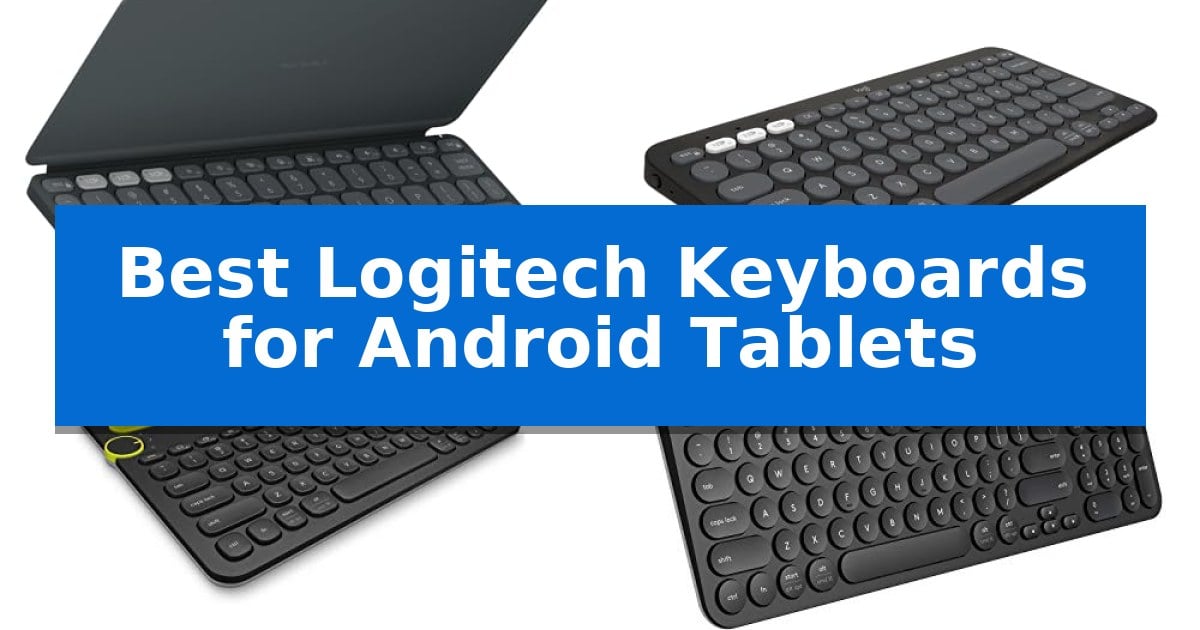
Finding the right input device for your mobile setup can significantly improve your workflow, especially when you need to transition from casual browsing to serious document creation. The Best Logitech Keyboards for Android Tablets offer a variety of form factors designed to bridge the gap between a touch-screen experience and a traditional desktop feel.
Whether you prioritize extreme portability for travel or a full-sized layout for extended work sessions, selecting the right hardware depends on how you balance mobility with typing comfort. This guide examines the most effective options currently available to help you find a reliable partner for your Android device.
You may also want to compare Best Logitech Keyboards, Best Logitech Keyboard and Mouse Combos, and Best Logitech Keyboard and Mouse Combo for Gaming.
Best Logitech Keyboards for Android Tablets
Quick Comparison
| Product | Best For | Key Strength | Score |
|---|---|---|---|
| Logitech Keys-to-Go 2 Keyboard | Best Overall | Built-in protective cover prevents damage during transit. | 4.9 |
| Logitech Pebble Keys 2 K380s | Quiet typing for minimalist setups | Easy-Switch buttons allow for rapid toggling between three paired devices. | 4.6 |
| Logitech K480 Multi-Device Keyboard | Built-in cradle for tablet viewing | Integrated cradle holds tablets up to 0.4 inches thick. | 4.5 |
| Logitech K780 Multi-Device Keyboard | Full-size layout with number pad | Integrated cradle holds smartphones and tablets at an ideal viewing angle. | 4.4 |
| Logitech K585 Slim Wireless Keyboard | Space-saving design with integrated stand | Integrated cradle supports tablets up to 10 inches in landscape mode. | 4.7 |
How We Chose
- Device Compatibility: Ensuring seamless Bluetooth pairing across Android and other mobile platforms.
- Portability and Weight: Assessing the ease of transport for users who frequently work on the go.
- Typing Experience: Evaluating key spacing, travel, and the overall feel of the layout.
- Multi-Device Functionality: Checking for the ability to switch between tablets, phones, and computers quickly.
- Power Management: Reviewing battery life and efficiency to ensure long-term reliability.
1 Logitech Keys-to-Go 2 Keyboard — Ultra-slim for mobile productivity
Maintaining productivity while traveling requires gear that minimizes bulk without sacrificing functionality. The Logitech Keys-to-Go 2 Keyboard addresses this by integrating a protective, built-in cover directly into its ultra-slim chassis, ensuring the device remains safe inside a bag while remaining ready for immediate use.
Designed for versatility across mobile ecosystems, this keyboard supports seamless connectivity with tablets and devices running Windows, Android, ChromeOS, and Googlebook OS. Users can pair up to three devices simultaneously and switch between them with a single tap, a feature that simplifies workflows for those managing multiple mobile screens.
The typing experience is defined by perfectly spaced scissor keys, which provide a comfortable tactile response despite the keyboard's compact footprint. For added convenience, a full row of shortcut keys allows for quick adjustments to media controls, volume, and screen brightness, keeping essential functions accessible without navigating through tablet menus.
Longevity is a core design priority, as the unit is powered by coin cell batteries that offer up to three years of autonomy. This extended battery life removes the need for frequent charging cables, making it a reliable choice for long-term travel or remote work setups where power access may be limited.
Best for: Mobile professionals and students who need a highly portable, protective keyboard for multi-device tablet workflows.
Skip if: Users who require a full-sized mechanical keyboard layout or prefer a backlit typing experience for low-light environments.
PROS
- Built-in protective cover prevents damage during transit.
- Multi-device pairing allows switching between three devices with one tap.
- Three-year battery life provided by included coin cell batteries.
- Ultra-slim and lightweight design for maximum portability.
CONS
- Lack of backlighting for use in dim environments.
- Customization limited to Windows, macOS, and Googlebook OS via the Logi Options+ app.
2 Logitech Pebble Keys 2 K380s — Quiet typing for minimalist setups
Maintaining a productive workflow on an Android tablet often requires a reliable physical input device that balances portability with a comfortable typing feel. The Logitech Pebble Keys 2 K380s addresses this need through its slim, compact design and scooped round keys that mimic a traditional laptop experience, making it a practical choice for mobile setups.
Connectivity is a primary strength of this keyboard, utilizing Bluetooth to pair with up to three devices simultaneously. Users can transition between an Android tablet, a phone, or a computer with a single click of the Easy-Switch buttons, facilitating a seamless multi-device environment. The inclusion of Fn shortcut keys provides quick access to essential functions like screen capture and search, which can be further customized via the Logi Options+ app.
Designed for longevity and sustainability, the keyboard features an auto-sleep power-saving mode and is rated for up to 3 years of battery life. Its construction incorporates a minimum of 49% certified post-consumer recycled plastic, offering a conscious design choice without sacrificing build quality. The unit remains highly portable, weighing less than one pound, which allows it to fit easily into most tablet sleeves or bags.
While the Logitech Pebble Keys 2 K380s excels in portability, its compact footprint means it lacks a dedicated number pad, which may be a trade-off for users who perform heavy data entry. However, for general productivity and typing on the go, it provides a stable and responsive interface that complements the mobile nature of Android tablets.
Best for: Users who need a highly portable, multi-device keyboard for typing on Android tablets and other mobile devices.
Skip if: Users who require a full-sized keyboard with a dedicated number pad for intensive spreadsheet or data entry tasks.
PROS
- Easy-Switch buttons allow for rapid toggling between three paired devices.
- Compact and lightweight profile is ideal for travel and mobile workspaces.
- Customizable Fn keys provide quick access to common tablet shortcuts.
- Long battery life rated for up to 3 years with power-saving features.
CONS
- Lacks a dedicated number pad due to its minimalist, space-saving design.
3 Logitech K480 Multi-Device Keyboard — Built-in cradle for tablet viewing
The Logitech K480 Multi-Device Keyboard is designed to streamline tablet-based workflows by integrating a physical cradle that holds your device at an optimal reading angle. This built-in stand eliminates the need for external accessories, allowing you to transition from a handheld tablet to a desktop-like typing experience instantly.
Central to its functionality is the Easy-Switch Dial, which enables you to toggle between three paired Bluetooth devices with a single physical turn. This feature supports seamless connectivity across Android, iPadOS, Windows, and macOS, making it a practical solution for users who frequently move between a tablet, smartphone, and laptop throughout the day.
The keyboard utilizes a familiar layout that prioritizes space-saving efficiency, which helps keep your mouse closer to the typing area to encourage better posture. It is also built to be spill-resistant, offering a layer of durability for use in various environments, from home offices to shared workspaces.
Power management is handled by two pre-installed AAA batteries, which are rated for a lifespan of up to 24 months. A built-in battery indicator light provides a clear status update, ensuring you can monitor power levels and avoid unexpected downtime during important tasks.
Best for: Users who need a stable, integrated stand for their tablet while switching between multiple devices.
Skip if: Users who require a full-sized keyboard with a dedicated number pad or those who prefer a mechanical typing feel.
PROS
- Integrated cradle holds tablets up to 0.4 inches thick.
- Easy-Switch Dial for seamless toggling between three devices.
- Spill-resistant design for increased durability.
- Long battery life of up to 24 months.
CONS
- Compact layout lacks a dedicated number pad.
- Heavier build at 1.81 pounds compared to ultra-slim portable keyboards.
4 Logitech K780 Multi-Device Keyboard — Full-size layout with number pad
Integrating a tablet into a workstation often creates a challenge for typing efficiency, but the Logitech K780 Multi-Device Wireless Keyboard addresses this by incorporating an integrated phone and tablet stand. This cradle design allows you to dock your mobile devices at an optimal angle for viewing while you type, effectively transforming your tablet into a desktop-like setup.
The keyboard features a full-size layout that includes a dedicated number pad, which is a rarity in compact mobile-focused keyboards. It connects via Bluetooth or a USB receiver, offering flexible pairing options for various hardware configurations. With its multi-device capability, you can pair up to three devices simultaneously and switch between them instantly using the dedicated easy-switch buttons.
Compatibility is broad, as the device is designed to work with Android, iOS, Windows, Mac, and Chrome OS. The keys are large and designed for quiet operation, providing a tactile experience that mimics a standard desktop keyboard. This makes it a practical choice for users who need to transition between tablet-based tasks and traditional computing without changing their input hardware.
While the Logitech K780 Multi-Device Wireless Keyboard offers significant utility, its full-size footprint and weight of 1.92 pounds mean it is less portable than dedicated ultra-slim tablet covers. It is best suited for users who prioritize a stable, permanent typing station over lightweight travel gear.
Best for: Users who require a full-size typing experience with a dedicated number pad and a stable cradle for multiple mobile devices.
Skip if: Users who need an ultra-portable or lightweight keyboard that fits inside a tablet sleeve for frequent travel.
PROS
- Integrated cradle holds smartphones and tablets at an ideal viewing angle.
- Multi-device switching allows toggling between three paired devices at the touch of a button.
- Full-size layout includes a convenient number pad for data entry.
- Broad compatibility across Android, iOS, Windows, and Mac platforms.
CONS
- Heavier design at 1.92 pounds reduces overall portability compared to slim tablet keyboards.
5 Logitech K585 Slim Wireless Keyboard — Space-saving design with integrated stand
The Logitech K585 Slim Wireless Keyboard simplifies mobile productivity by integrating a dedicated cradle that holds smartphones or tablets up to 10 inches in landscape mode. This design choice creates a stable, upright viewing angle, effectively turning an Android tablet into a compact workstation without requiring a separate stand.
Beyond its physical utility, the keyboard features a slim, minimalist profile that maintains a full number pad and 12 function keys. The keys are engineered for a quiet, fluid typing experience, making it suitable for environments where noise reduction is a priority. Users can connect via Bluetooth or the included 2.4GHz USB receiver, providing flexibility for both mobile devices and desktop computers.
Multi-device management is handled through the Easy Switch functionality, which allows for quick toggling between paired electronics. The device is compatible with a wide range of platforms, including Android, iOS, iPadOS, Chrome, and Windows. For those who prefer specific workflows, the Logi Options+ Software enables customization of the function keys to assign shortcuts tailored to individual needs.
Power management is supported by an auto-sleep feature designed to extend battery life during periods of inactivity. With a wireless range of up to 10 meters, the keyboard maintains a reliable connection for various desk configurations. The unit is backed by a 1-year limited hardware warranty, ensuring support for its core functionality.
Best for: Users who need a space-saving keyboard with an integrated stand for tablets and multi-device switching capabilities.
Skip if: Users who require a mechanical switch feel or a full-sized, non-compact layout for intensive data entry.
PROS
- Integrated cradle supports tablets up to 10 inches in landscape mode.
- Easy Switch technology allows seamless toggling between multiple devices.
- Dual connectivity options via Bluetooth and 2.4GHz USB receiver.
- Customizable function keys via Logi Options+ software.
CONS
- Compact layout may require an adjustment period for users accustomed to full-sized desktop keyboards.
Best Logitech Keyboards for Android Tablets Buying Guide
Understanding Connectivity Standards
Most modern mobile keyboards rely on Bluetooth to maintain a wireless connection with your tablet. When choosing a model, verify that it supports the specific version of Bluetooth required by your device to ensure a stable, low-latency link.
Some models also include a USB receiver for use with laptops or desktops. While this is less common for pure tablet use, it adds versatility if you intend to use the same keyboard across multiple computing environments.
The Importance of Form Factor
The physical dimensions of your keyboard dictate its primary use case. Ultra-slim designs are ideal for users who need to slide their gear into a small bag, whereas full-size layouts provide a more familiar experience for those who type for hours at a time.
Consider whether you need a number pad for data entry or if a compact, tenkeyless design is sufficient. A smaller footprint often allows for better mouse placement, which can improve your overall desk ergonomics.
Integrated Stands and Cradles
Many keyboards designed for tablets feature a built-in cradle or stand. This allows you to prop your Android tablet at an optimal viewing angle, effectively turning your mobile device into a mini-laptop workstation.
Check the thickness and width capacity of the cradle to ensure it accommodates your specific tablet model, especially if you use a protective case that adds bulk to the device.
Battery Life and Maintenance
Reliability is key for mobile accessories. Look for keyboards that offer multi-year battery life through efficient power-saving modes, such as auto-sleep, which helps preserve energy when the device is not in use.
Some models use standard replaceable batteries, while others may require specific coin cells. Knowing the power source helps you plan for long-term maintenance and avoid unexpected downtime.
Customization and Shortcuts
Modern keyboards often include a full row of shortcut keys that provide one-tap access to media controls, screen brightness, and volume. These features are essential for managing your Android tablet without needing to reach for the screen constantly.
Advanced software support, such as the Logi Options+ app, can allow you to customize these function keys to better suit your specific workflow, making your device more efficient for your unique tasks.
Frequently Asked Questions
Can I use these keyboards with devices other than Android tablets?
Yes, most of these keyboards are designed for multi-OS compatibility, including Windows, macOS, iPadOS, and ChromeOS.
Do I need a special app to connect the keyboard?
No, the keyboards connect via standard Bluetooth. However, optional software may be available on certain platforms to customize function keys.
How do I switch between my phone and tablet?
Models with Easy-Switch buttons or dials allow you to pair multiple devices and toggle between them with a single press or turn.
Are these keyboards spill-resistant?
Some models are designed with spill-resistant features to help protect against minor accidents, though you should check the specific model details.
Will the built-in cradle fit my tablet with a case?
Cradle compatibility depends on the thickness of your device. Most are designed to fit standard tablets, but very thick rugged cases may not fit.
Conclusion: Our Top Pick
For users seeking the ultimate balance of portability and functionality, the Logitech Keys-to-Go 2 Keyboard stands out as our top recommendation. Its ultra-slim, lightweight design makes it an effortless companion for any Android tablet, while the built-in cover ensures the keys remain protected during travel.
While other models in this list offer features like integrated cradles or full-size number pads, the Keys-to-Go 2 excels in its primary mission of providing a reliable, comfortable typing experience in a highly mobile package. It is the ideal choice for those who frequently move between workspaces and need a keyboard that is ready to go at a moment's notice.