
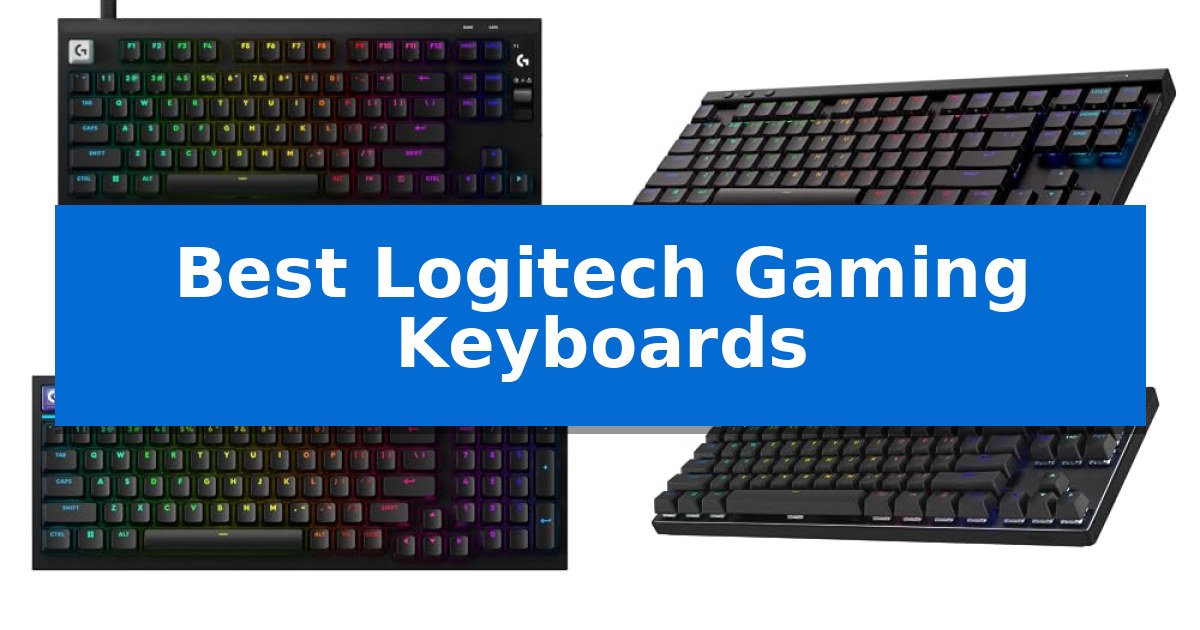
Selecting the right peripheral is essential for maintaining consistency in competitive gaming. Whether you prioritize rapid actuation for high-speed shooters or a wireless setup for a clean desk, the Best Logitech Gaming Keyboards offer a variety of configurations to suit different mechanical preferences and space constraints.
This guide examines current models, focusing on switch technology, connectivity options, and form factors. By understanding how these features translate into real-world utility, you can identify which keyboard aligns with your specific gaming requirements and desk environment.
You may also want to compare Best Logitech Gaming Headsets for Xbox One, Best Logitech Gaming Headsets for PS4, and Best Logitech Gaming Headsets for PC.
Best Logitech Gaming Keyboards
Quick Comparison
| Product | Best For | Key Strength | Score |
|---|---|---|---|
| Logitech G PRO X2 Rapid Keyboard | Best Overall | Rapid Trigger technology for near-instant key reset and reactivation. | 4.9 |
| Logitech G515 LIGHTSPEED TKL Keyboard | Wireless Low-Profile Freedom | Low-profile design saves desk space and promotes a natural wrist position. | 4.9 |
| Logitech G316 X 98 Keyboard | Compact Full-Size Layout | 8 kHz report rate for elite signal transmission speed. | 4.9 |
| Logitech G PRO TKL Keyboard | Esports-Ready Tournament Design | Compact tenkeyless design saves significant desk space. | 4.4 |
| Logitech G213 Prodigy Keyboard | Spill-Resistant Entry Option | Spill-resistant design for easy cleaning and durability | 4.5 |
How We Chose
- Switch responsiveness and actuation customization for competitive play.
- Connectivity options including wired, LIGHTSPEED wireless, and Bluetooth support.
- Form factor and layout efficiency, ranging from full-size to tenkeyless designs.
- Build quality, including keycap material and chassis durability.
- Onboard features such as dedicated media controls, OLED displays, and software-based customization.
1 Logitech G PRO X2 Rapid Keyboard — Fastest Magnetic Analog Switches
The Logitech G PRO X2 Rapid Wired Gaming Keyboard prioritizes speed through its custom 100% magnetic analog switches, allowing for adjustable actuation points ranging from 0.1mm to 4mm. This design choice enables a highly responsive feel tailored to specific gaming preferences, while the inclusion of Rapid Trigger technology allows keys to reset and reactivate with minimal movement, a significant advantage for fast-paced titles.
Engineered for competitive environments, this keyboard features an 8 kHz polling rate, which significantly increases the scan rate compared to standard peripherals to minimize input latency. To support precise movement, the device incorporates Key Priority (SOCD), ensuring that when opposing directional keys are pressed simultaneously, the most recent input takes precedence for immediate character control.
The build quality focuses on both acoustics and convenience, utilizing 6 layers of custom sound dampening materials to produce a solid, premium typing experience. An integrated OLED display provides a direct interface for on-the-fly configuration of rapid trigger settings and actuation points, eliminating the need to navigate software menus during active gameplay.
Connectivity is handled via a detachable USB-C cable, ensuring a stable, low-latency wired connection. While advanced customization is available through the Logitech G HUB software, the keyboard is designed to function as a high-performance tool for users who demand immediate, precise input registration in demanding gaming scenarios.
Best for: Competitive FPS gamers who require ultra-responsive, adjustable magnetic switches and rapid trigger functionality for precise movement.
Skip if: Users who prefer a wireless setup or those who do not require advanced analog switch customization and rapid trigger features for their specific gaming style.
PROS
- Rapid Trigger technology for near-instant key reset and reactivation.
- 8 kHz polling rate for minimal input latency.
- Customizable actuation from 0.1mm to 4mm to suit individual preferences.
- OLED display for quick, on-the-fly hardware adjustments.
CONS
- Wired-only connection limits desk placement flexibility.
- Requires Logitech G HUB software for accessing advanced configuration features.
2 Logitech G515 LIGHTSPEED TKL Keyboard — Wireless Low-Profile Freedom
The Logitech G515 LIGHTSPEED TKL Wireless Gaming Keyboard prioritizes a streamlined aesthetic by utilizing a low-profile design that measures less than an inch in height. This tenkeyless form factor removes the number pad to provide extra desk space for mouse movement, making it a practical choice for those who value a clean, minimalist setup without sacrificing mechanical performance.
Equipped with GL Brown Tactile Switches, this keyboard delivers discernible bump feedback with every keystroke. These switches are factory-lubed to promote a smoother feel during rapid inputs. The inclusion of double-shot PBT keycaps further enhances the build, offering an anti-oil surface that maintains its texture and appearance even after extended use.
Connectivity is handled through a tri-mode system, allowing users to switch between LIGHTSPEED wireless, Bluetooth, or a wired connection. When operating wirelessly, the internal battery supports up to 36 hours of continuous play, though actual duration depends on specific usage conditions and settings.
Advanced customization is managed through the KEYCONTROL feature, which enables users to program up to 15 distinct functions per key. This capability allows for the creation of a personalized control center, tailoring the layout to specific gaming requirements or productivity workflows. Integrated LIGHTSYNC RGB lighting provides additional visual customization to match the keyboard with other peripherals.
Best for: Gamers who require a compact, low-profile mechanical keyboard with flexible wireless connectivity and deep software-based key customization.
Skip if: Users who rely on a dedicated number pad for data entry or those who prefer the deeper travel distance of traditional full-height mechanical switches.
PROS
- Low-profile design saves desk space and promotes a natural wrist position.
- Tri-mode connectivity allows for easy switching between wireless and wired setups.
- KEYCONTROL functionality provides extensive per-key programmability.
- Double-shot PBT keycaps resist oil and wear over time.
CONS
- Tenkeyless layout lacks a dedicated number pad.
- 36-hour battery life may require frequent charging compared to some non-RGB alternatives.
3 Logitech G316 X 98 Keyboard — Compact Full-Size Layout
The Logitech G316 X 98 Mechanical Gaming Keyboard is engineered for competitive environments where every millisecond of input matters. By utilizing an 8 kHz report rate, this keyboard achieves near-instantaneous signal transmission, providing a distinct advantage for players who demand precise, game-ready response times during high-stakes matches.
Designed with a space-conscious 98% layout, the keyboard retains a full-size numpad while maintaining a compact footprint. This configuration offers the utility of a traditional full-size board while maximizing desk space for expansive mouse movements. The gasket-mounted structure, paired with internal sound-dampening silicone and foam layers, creates a refined, quiet typing experience that balances tactile feedback with acoustic comfort.
Customization is central to the user experience, featuring hot-swappable switches that allow for hardware modifications and double shot PBT keycaps designed for long-term durability and shine resistance. The integrated interactive LED dot-matrix display and dedicated dial provide real-time control over system settings like report rates, volume, and media playback, allowing adjustments without interrupting gameplay.
The LIGHTSYNC RGB system enhances the visual setup with an interactive light bar and 30 distinct lighting zones. Through G HUB software, users can configure per-key lighting, manage macros, and customize game mode keys to align the hardware with specific playstyles. The keyboard’s durable build, complete with translucent accents, ensures it remains a stable and stylish centerpiece for any gaming station.
Best for: Competitive gamers who require ultra-fast polling rates and a space-saving layout that still includes a full numpad.
Skip if: Users who prefer a traditional 100% full-size layout or those who do not require advanced on-board display controls and high-speed polling.
PROS
- 8 kHz report rate for elite signal transmission speed.
- Hot-swappable switches for easy hardware customization.
- Gasket-mounted design for improved typing acoustics and feel.
- 98% layout balances full-size utility with a compact footprint.
CONS
- Compact 98% footprint may require an adjustment period for users accustomed to standard 100% layouts.
4 Logitech G PRO TKL Keyboard — Esports-Ready Tournament Design
Competition-level precision defines the Logitech G PRO Mechanical TKL Tenkeyless Gaming Keyboard, a device engineered specifically for esports athletes who require consistent performance under pressure. Its compact tenkeyless footprint maximizes desk real estate, allowing for broader, unrestricted mouse movements during intense gaming sessions.
The keyboard utilizes GX Blue Click switches, which provide an audible and tactile response to ensure every keypress is deliberate and secure. For tournament environments where software installation is restricted, the LIGHTSYNC technology allows users to program static lighting patterns directly to the onboard memory, ensuring your preferred setup remains consistent across different systems.
Durability and transportability are central to its design, featuring a detachable Micro USB cable with a three-pronged connection for a secure fit during travel. The chassis includes 3-step angle adjustment and rubber feet, providing stability and ergonomic comfort regardless of the playing surface.
While the keyboard offers robust hardware, advanced customization such as F-key programming and macro execution requires the use of Logitech G HUB software. This model is a specialized tool for those prioritizing a streamlined, tournament-ready layout over full-sized keyboard features.
Best for: Competitive esports players and tournament gamers who prioritize a compact, portable, and tactile mechanical keyboard.
Skip if: Users who require a dedicated number pad for productivity tasks or those who prefer silent, linear switches over tactile, clicky mechanical feedback.
PROS
- Compact tenkeyless design saves significant desk space.
- GX Blue Click switches provide clear tactile and audible feedback.
- Onboard memory stores lighting profiles for use without software.
- Detachable three-pronged cable ensures secure transport.
CONS
- Requires G HUB software for macro and lighting configuration.
- Lacks a dedicated number pad for non-gaming tasks.
5 Logitech G213 Prodigy Keyboard — Spill-Resistant Entry Option
The Logitech G213 Prodigy Gaming Keyboard features a durable, spill-resistant construction designed to withstand everyday use while maintaining a slim profile. This full-sized keyboard incorporates specialized Mech-Dome keys that are tuned to provide a tactile experience with responsive feedback, catering to both gaming and productivity needs.
Customization is a core component of this model, offering 5 lighting zones with over 16.8 million colors. Users can manage these effects, along with game mode settings and macro programming, through the Logitech G HUB software. The integration of LIGHTSYNC RGB allows for synchronization with other compatible Logitech G devices to create a unified aesthetic.
For added convenience during extended sessions, the keyboard includes an integrated palm rest and adjustable feet to help maintain a comfortable typing angle. The layout also features dedicated media controls, allowing users to play, pause, mute, and adjust volume or skip tracks without interrupting their activity.
The device is built with an anti-ghosting gaming matrix specifically tuned for optimal performance, ensuring reliable input during intense gameplay. Its design is intended to repel liquids, crumbs, and dirt, making it straightforward to maintain and clean for users of all levels.
Best for: Gamers and professionals seeking a durable, spill-resistant, full-sized keyboard with customizable RGB lighting and dedicated media controls.
Skip if: Users who prefer the distinct mechanical switch feel or a compact, tenkeyless form factor will find this membrane-based, full-sized keyboard less suitable for their specific needs.
PROS
- Spill-resistant design for easy cleaning and durability
- Dedicated media controls for instant audio adjustment
- Customizable 5-zone RGB lighting via Logitech G HUB
- Integrated palm rest for improved ergonomics
CONS
- Non-mechanical keys may not satisfy users seeking traditional mechanical switch feedback
Best Logitech Gaming Keyboards Buying Guide
Understanding Mechanical Switch Types
Mechanical switches are the foundation of any gaming keyboard, dictating the feel and speed of every keystroke. Options like magnetic analog switches allow for adjustable actuation points, which is particularly beneficial for players who want to fine-tune how deep a key must be pressed to register.
Conversely, traditional mechanical switches, such as tactile brown or clicky variants, provide distinct physical feedback. These are often preferred by users who value a consistent, rhythmic typing experience over the ultra-fast, linear feel of magnetic or optical alternatives.
Connectivity: Wired vs. Wireless
Wired connections remain the standard for competitive esports due to their reliability and high polling rates, such as 8 kHz polling, which minimizes input latency. These setups are ideal for tournament environments where interference is a concern.
Wireless technology has evolved significantly, with protocols like LIGHTSPEED wireless offering performance that rivals wired connections. Wireless keyboards provide the benefit of a clutter-free desk, though they require battery management and charging routines.
Layout and Form Factor
The physical layout of a keyboard impacts both ergonomics and desk space. Tenkeyless (TKL) designs remove the number pad to provide more room for mouse movement, which is a common preference for low-sensitivity FPS players.
For those who need full functionality, 98% or full-size layouts retain the number pad while often incorporating space-saving measures. Choosing between these depends on whether you prioritize maximum mouse area or the utility of a dedicated numpad for productivity tasks.
Customization and Software
Modern gaming keyboards often integrate with software like Logitech G HUB, allowing users to remap keys, create complex macros, and synchronize RGB lighting across devices. This level of control is vital for players who use specific key bindings for different game genres.
Onboard features like OLED displays or dedicated dials can further enhance the experience by allowing for on-the-fly adjustments to volume, brightness, or actuation settings without needing to tab out of a game.
Durability and Keycap Quality
The materials used in a keyboard's construction directly affect its longevity. Double-shot PBT keycaps are highly regarded for their resistance to shine and wear, ensuring the keys remain textured and legible even after thousands of hours of use.
A sturdy chassis, often reinforced with internal materials for sound dampening, contributes to a more premium typing experience. This reduces hollow-sounding vibrations and creates a more solid, 'thocky' feel during intense gaming sessions.
Frequently Asked Questions
What is the benefit of rapid trigger technology?
Rapid trigger allows a key to reset the moment you release it, rather than waiting for it to pass a fixed reset point. This enables faster, more precise inputs, especially useful for movement-heavy games.
Are wireless gaming keyboards as fast as wired ones?
Modern wireless technologies like LIGHTSPEED are designed to match the performance of wired connections, providing near-instantaneous response times suitable for competitive play.
What does TKL mean in keyboard names?
TKL stands for 'Tenkeyless.' It refers to a keyboard layout that excludes the number pad, resulting in a more compact footprint that frees up space for mouse movement.
Can I swap the switches on these keyboards?
Some models feature hot-swappable switch sockets, allowing you to change the mechanical switches without soldering. Always check the specific product specifications to confirm if your model supports this.
Do I need software to use these keyboards?
While the keyboards function as plug-and-play devices, software like G HUB is typically required to access advanced features like custom actuation points, macro programming, and per-key RGB lighting.
Conclusion: Our Top Pick
For gamers seeking the highest level of responsiveness and customization, the Logitech G PRO X2 Rapid Keyboard stands out as the top choice. Its magnetic analog switches and rapid trigger capabilities provide a distinct advantage in fast-paced scenarios, while the 8 kHz polling rate ensures minimal input lag.
While other models offer benefits like wireless freedom or compact layouts, the performance-focused design of the Logitech G PRO X2 Rapid Keyboard makes it the most capable tool for competitive play. It is an excellent fit for those who prioritize technical precision and want to leverage the latest in switch technology.