
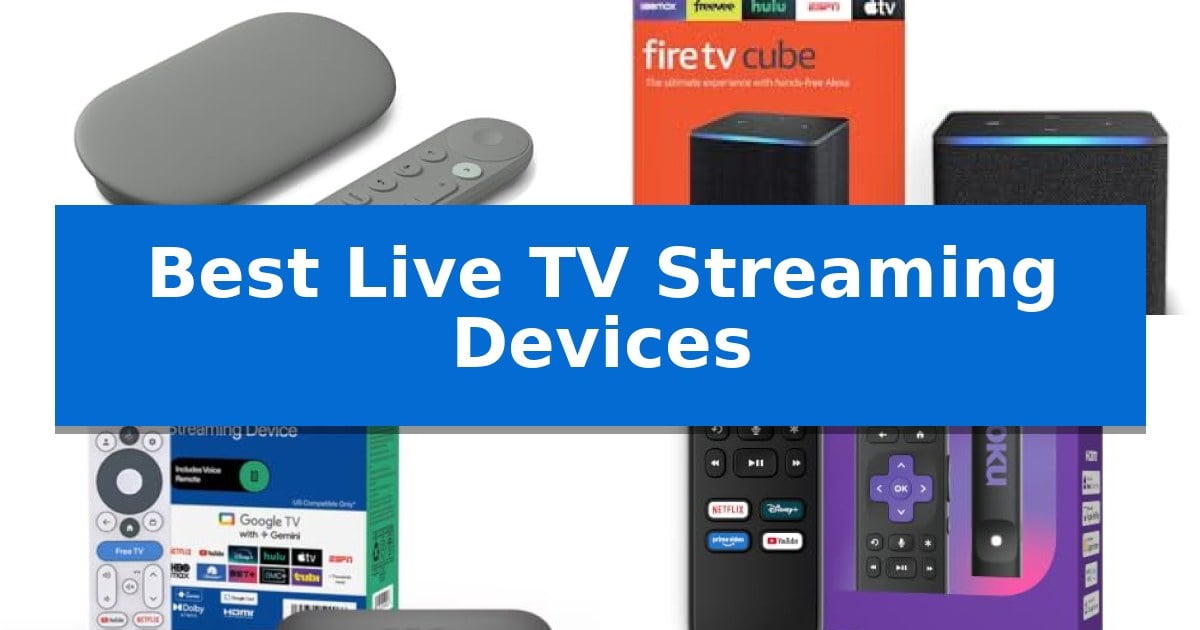
Finding the right hardware to manage your entertainment can be overwhelming, but the right equipment makes all the difference in how you access live broadcasts and on-demand content. Whether you are looking for a simple interface or advanced smart home integration, the Best Live TV Streaming Devices offer a range of solutions to bring your favorite services together in one place.
We have analyzed the latest hardware to help you navigate the options, focusing on performance, ease of use, and compatibility with your existing television setup. From compact sticks to powerful hubs, these devices are designed to streamline your viewing experience and provide quick access to the shows and sports you love.
You may also want to compare Best Live TV Streaming Boxes, Best Live TV Apps for Chromecast, and Best Live Streaming Video Recorders.
Best Live TV Streaming Devices
Quick Comparison
| Product | Best For | Key Strength | Score |
|---|---|---|---|
| Google TV Streamer 4K | Best Overall | Personalized recommendations based on individual viewing habits. | 4.9 |
| Amazon Fire TV Cube | Best Hands-Free Voice Control | Hands-free Alexa allows for voice-based control of TVs and connected devices without needing a remote. | 4.6 |
| ONN Android TV 4K | Best Value for 4K Streaming | 4K Ultra HD resolution support for enhanced visual clarity. | 4.7 |
| Roku Streaming Stick HD | Simplest Interface for Beginners | Compact design that hides behind the TV and leaves HDMI ports accessible. | 4.7 |
| Amazon Fire TV Stick 4K | Best Compact 4K Solution | Wi-Fi 6 support for improved streaming stability. | 4.8 |
How We Chose
- Resolution and HDR support for high-quality visuals.
- Interface speed and ease of navigation across multiple apps.
- Voice control capabilities and smart home integration.
- Physical form factor and ease of installation.
- Storage capacity for apps and local content.
1 Google TV Streamer 4K — Best for Personalized Recommendations
The Google TV Streamer 4K centralizes your entertainment by aggregating movies and shows from all your services directly onto a single home screen. This device is designed to simplify discovery, offering tailored recommendations for every member of your household based on their specific viewing habits and interests.
Beyond content aggregation, this streamer supports 4K HDR with Dolby Vision for high-fidelity visuals. For audio, it allows you to connect compatible speakers to enable Dolby Atmos for an immersive 3D sound experience. The system also includes 32 GB of storage, providing space for your apps and media.
Usability is a core focus, featuring a voice search remote that helps you find content quickly. If you discover a show or movie via a mobile app or Google search, you can add it to your watchlist so it is ready for viewing later. The device also functions as a smart home control hub, integrating with your existing ecosystem.
Setup requires an HDMI 2.1 cable, which is sold separately. Its compact design, measuring approximately 6.4 inches in length and 1 inch in height, allows it to fit discreetly into most entertainment setups while providing a personalized, high-definition streaming experience.
Best for: Users who want a centralized streaming hub that provides personalized content recommendations and integrates smart home control.
Skip if: Users who do not already own or plan to purchase an HDMI 2.1 cable, as it is not included in the box.
PROS
- Personalized recommendations based on individual viewing habits.
- Integrated smart home control capabilities.
- High-quality 4K HDR and Dolby Vision support.
- Generous 32 GB of internal storage.
CONS
- HDMI 2.1 cable must be purchased separately.
2 Amazon Fire TV Cube — Best Hands-Free Voice Control
Navigating between multiple streaming apps, cable boxes, and smart home controls often results in a cluttered living room setup. The Amazon Fire TV Cube simplifies this by acting as a centralized hub, featuring an octa-core processor designed for lightning-fast app starts and seamless navigation across your entertainment ecosystem.
This streaming device distinguishes itself with hands-free Alexa functionality, utilizing a built-in microphone and speaker array that allows you to control your TV, soundbar, and receivers from across the room. It supports Wi-Fi 6E for smoother streaming and delivers high-fidelity visuals and audio through 4K Ultra HD, Dolby Vision, HDR, and Dolby Atmos compatibility.
Beyond media consumption, the device integrates directly into your smart home, enabling you to view live feeds from Ring cameras, check weather updates, or initiate video calls directly on your screen. Privacy is prioritized through dedicated controls, including an electronic off button that physically disconnects the internal microphones.
The Amazon Fire TV Cube is built for users who want to consolidate their hardware. By connecting your existing cable box, game console, or webcam to the device, you can switch inputs using voice commands, reducing the need to juggle multiple remotes.
Best for: Users who want a centralized, hands-free voice control hub for their entire home entertainment and smart home ecosystem.
Skip if: Users who prefer a simple, compact streaming stick and do not require voice-controlled input switching or smart home integration features.
PROS
- Hands-free Alexa allows for voice-based control of TVs and connected devices without needing a remote.
- Wi-Fi 6E support ensures a more stable and efficient wireless connection for high-bandwidth streaming.
- Integrated smart home management provides on-screen access to security cameras and home automation.
- Octa-core processor provides faster app launching compared to standard streaming sticks.
CONS
- Larger physical footprint compared to traditional streaming sticks, requiring more shelf space.
- Complex setup may be required to fully integrate multiple external devices like cable boxes and consoles.
3 ONN Android TV 4K — Best Value for 4K Streaming
Accessing high-definition content is simplified with the ONN Android TV 4K, a compact streaming device that delivers 4K Ultra HD resolution. By providing four times the detail of standard Full HD, this unit ensures that compatible displays can render sharper images and more nuanced visuals for a variety of media.
The device operates on the Android TV platform, which opens the door to the expansive Google Play Store for downloading diverse applications. Navigation is streamlined through the included voice remote control, allowing users to leverage Google Assistant to search for content or manage playback without manual input. For those who prefer mobile control, Chromecast built-in functionality enables seamless casting of photos, shows, and movies directly from iOS or Android devices.
Installation is designed for efficiency, requiring only a connection to the TV's HDMI port using the included high-speed HDMI cable. Once plugged in, the setup process guides users through Google account configuration and network settings. The device is engineered to support a wide range of television brands, including Samsung, Sony, Vizio, and TCL, ensuring broad compatibility for existing home entertainment setups.
Beyond visual fidelity, the hardware supports high-quality audio output, specifically tuned to enhance dialogue clarity and volume levels. This focus on sound ensures a more balanced audio mix, which is particularly beneficial for clear speech during movies and programs. Its small physical footprint—measuring approximately 6.57 by 3.82 inches—allows it to remain unobtrusive behind most television displays.
Best for: Users seeking an affordable, easy-to-setup 4K streaming solution that integrates seamlessly with the Android TV ecosystem and voice-controlled search.
Skip if: Users who require advanced gaming features, specialized high-end audio passthrough formats, or a device with an Ethernet port for wired network stability.
PROS
- 4K Ultra HD resolution support for enhanced visual clarity.
- Integrated Google Assistant for convenient voice-based navigation.
- Chromecast built-in for easy media casting from mobile devices.
- Includes a high-speed HDMI cable for immediate out-of-the-box setup.
CONS
- Lacks an Ethernet port, relying entirely on Wi-Fi connectivity.
- No advanced gaming hardware or specialized high-performance processing features.
4 Roku Streaming Stick HD — Simplest Interface for Beginners
Finding a reliable way to access live television without the clutter of traditional cable boxes often leads to compact, plug-and-play solutions. The Roku Streaming Stick HD distinguishes itself with a sleek, compact design that plugs directly into the back of your TV, remaining completely out of sight while avoiding interference with neighboring HDMI ports.
This device simplifies the viewing experience by consolidating your entertainment into one uncluttered remote control. You can power your television, adjust volume, and navigate the interface using the included Roku Voice Remote, which allows for quick searches and playback control through voice commands. It is designed for those who prefer a straightforward, easy-to-navigate home screen.
Beyond its primary setup, the device offers significant portability for users who travel frequently. You can take your Roku Streaming Stick HD on the road and connect it to different displays without the need to log into secondary accounts, making it a practical choice for maintaining access to your preferred apps and live TV services while away from home.
Installation is designed to be efficient, requiring only a few minutes to get up and running. Because it draws power directly from the TV, it eliminates the need for extra cords or a dedicated wall outlet, keeping your entertainment area organized and free of cable clutter.
Best for: Users who want a minimalist, easy-to-setup streaming solution that stays hidden behind the TV and offers simple voice-controlled navigation.
Skip if: Users who require 4K resolution support or advanced wired connectivity, as this model is specifically optimized for HD streaming and wireless operation.
PROS
- Compact design that hides behind the TV and leaves HDMI ports accessible.
- Voice remote simplifies searching and device control.
- Easy portability for streaming while traveling.
- Simplified setup that does not require an external wall outlet.
CONS
- HD-only resolution limits performance on 4K displays.
- Wireless-only connectivity may not suit users preferring wired Ethernet.
5 Amazon Fire TV Stick 4K — Best Compact 4K Solution
Upgrading a standard television into a comprehensive entertainment hub is simplified with the Amazon Fire TV Stick 4K. This compact device plugs directly into an HDMI port and utilizes Wi-Fi 6 support to ensure stable, high-speed streaming performance for your favorite content.
Visual fidelity is a primary focus, as the device supports vivid 4K with HDR10+ to deliver enhanced contrast and color depth on compatible displays. Users can access a wide array of platforms including Prime Video, Netflix, and Disney+ through an interface that consolidates apps, live TV, and smart home controls in one location.
Navigation is handled by the all-new Fire TV Remote, which features dedicated buttons for the Shortcut Panel and Live TV. The remote also integrates Alexa+ intelligence, allowing for voice-activated search and smart home management, such as checking Ring cameras or adjusting lighting, without needing to navigate through multiple menus.
Practical design elements enhance the user experience, such as the ability to connect Bluetooth headphones for private listening. The device is also designed for convenience, offering Direct Power capabilities that allow it to be powered directly by the TV's USB port, reducing cable clutter behind your screen.
Best for: Users seeking a compact, voice-controlled 4K streaming solution that integrates easily with existing smart home ecosystems.
Skip if: Users who require an Ethernet port for wired internet connectivity or those whose television lacks an available HDMI port with sufficient power output.
PROS
- Wi-Fi 6 support for improved streaming stability.
- Alexa+ voice integration for hands-free navigation and smart home control.
- Direct Power design reduces the need for external wall adapters.
- Bluetooth headphone support for private listening.
CONS
- No dedicated Ethernet port for wired network connections.
- Requires a compatible 4K display to utilize the full resolution benefits.
Best Live TV Streaming Devices Buying Guide
Understanding Streaming Resolution and HDR
Most modern streaming devices support 4K Ultra HD resolution, which provides four times the detail of standard Full HD. When paired with a compatible television, this ensures that your movies and live sports appear sharp and clear.
High Dynamic Range, or HDR, is equally important for picture quality. Technologies like Dolby Vision and HDR10+ expand the color palette and contrast, allowing for more true-to-life detail in both bright and dark scenes.
Voice Control and Smart Home Integration
Many current streaming devices feature built-in voice assistants, such as Alexa or Google Assistant. These tools allow you to search for content, manage playback, and even control other smart home devices like lights or security cameras directly from your remote.
For those with extensive smart home setups, choosing a device that integrates seamlessly with your existing ecosystem is vital. Look for models that support hands-free commands or can act as a central hub for your connected home.
Interface and Ease of Use
The operating system is the heart of your streaming experience. A clean, intuitive interface ensures you spend less time scrolling through menus and more time watching your favorite shows.
Look for devices that allow you to pin your most-used apps to the home screen. This customization helps you jump straight into your preferred live TV or streaming services without navigating through multiple layers of menus.
Connectivity and Hardware Performance
Reliable wireless performance is essential for smooth streaming. Devices that support Wi-Fi 6 or Wi-Fi 6E offer faster, more stable connections, which is particularly important when streaming high-bitrate 4K content.
Consider the physical design of the device as well. Compact sticks are ideal for wall-mounted TVs where space behind the screen is limited, while more powerful hubs may offer additional ports and processing power for a more robust experience.
Storage and App Management
While streaming services rely on the cloud, the internal storage of your device determines how many apps you can install and how quickly they load. A device with higher storage capacity ensures you have room for all your favorite platforms.
If you frequently switch between many different apps, a device with a faster processor and ample storage will provide a snappier experience, preventing lag or stuttering during navigation.
Frequently Asked Questions
Do I need a 4K TV to use a 4K streaming device?
No, you can use a 4K streaming device with a 1080p TV, but you will be limited to the resolution of your television. The device will automatically adjust the output to match your screen's capabilities.
Can I use these devices to watch live TV?
Yes, these devices support various live TV streaming apps, allowing you to access cable-replacement services and local news channels directly through your internet connection.
What is the benefit of Wi-Fi 6 support?
Wi-Fi 6 provides a more stable and faster connection, which helps reduce buffering and improves the quality of 4K streaming, especially in households with multiple connected devices.
Are these devices compatible with all TVs?
Most streaming devices require an available HDMI port on your TV. As long as your television has an HDMI input, you should be able to connect and use the device.
Do I need a separate remote for my TV and streaming device?
Many modern streaming remotes include TV power and volume controls, allowing you to manage your television's basic functions with a single remote.
Conclusion: Our Top Pick
Choosing the right hardware depends on your specific needs for speed, smart home integration, and ease of use. For those seeking a balance of high performance and personalized content discovery, the Google TV Streamer 4K stands out as a versatile choice for any modern home theater.
While other models offer specific advantages like hands-free voice control or ultra-compact designs, the Google TV Streamer 4K provides a robust, future-ready platform that simplifies how you access your favorite entertainment. Ensure your TV has an available HDMI 2.1 port to take full advantage of its capabilities.