
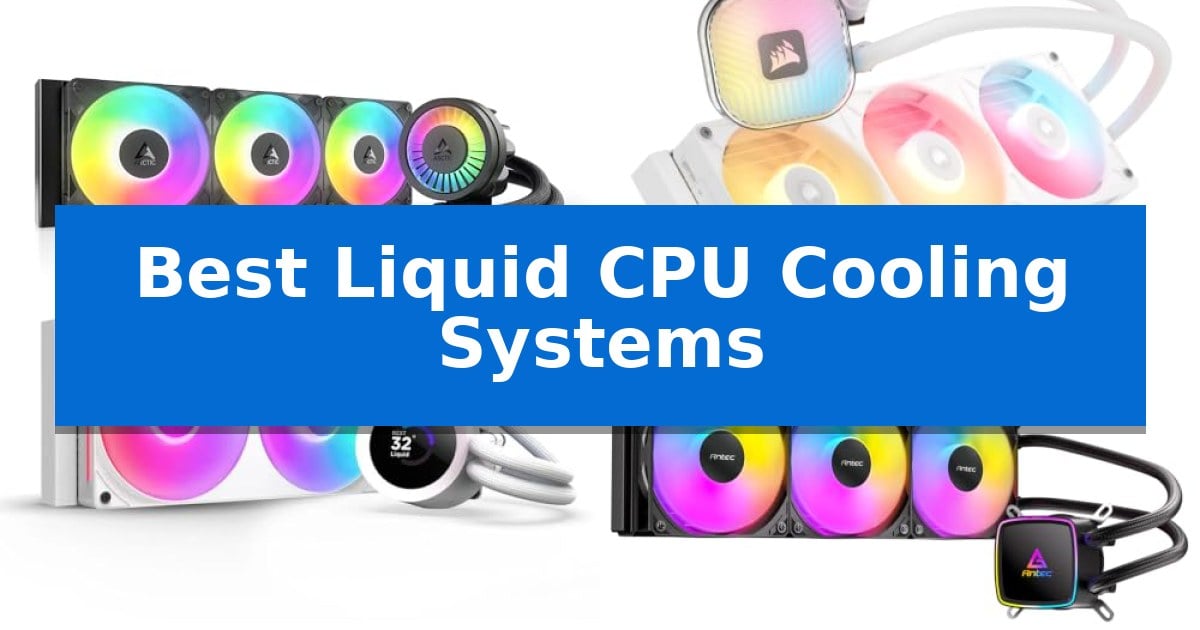
Managing high temperatures is essential for maintaining system stability and longevity, especially when pushing modern processors to their limits. Finding the Best Liquid CPU Cooling Systems requires balancing radiator size, pump efficiency, and the physical constraints of your PC case.
Whether you are building a high-end workstation or a compact gaming rig, the right cooling solution ensures your CPU maintains peak performance under heavy workloads. We have evaluated these systems to help you identify which model aligns with your specific hardware requirements and aesthetic preferences.
You may also want to compare Best Liquid Cooled Gaming PCs, Best LiPo Jump Starters, and Best Linux-Compatible Printer Scanners.
Best Liquid CPU Cooling Systems
Quick Comparison
| Product | Best For | Key Strength | Score |
|---|---|---|---|
| ARCTIC Liquid Freezer III Pro | Best Overall | Integrated VRM fan for improved motherboard component cooling | 4.9 |
| CORSAIR iCUE LINK TITAN II | Easiest to cable and maintain | Effortless connectivity via the iCUE LINK system reduces cable clutter. | 4.9 |
| NZXT Kraken Plus | Best for custom LCD monitoring | Integrated 1.54-inch LCD screen for real-time monitoring and customization. | 4.3 |
| Antec Ultra 360 | Striking mirror lighting aesthetics | Mirror lighting pump head design for unique visual aesthetics. | 4.7 |
| Thermalright Aqua Elite V3 | Budget-friendly cooling performance | Broad socket compatibility covering current Intel and AMD platforms. | 4.5 |
How We Chose
- Thermal efficiency and pump performance under load.
- Compatibility with current Intel and AMD socket standards.
- Ease of installation and cable management features.
- Noise levels and fan quality during operation.
- Build quality and manufacturer warranty coverage.
1 ARCTIC Liquid Freezer III Pro — Optimized for high-end thermal efficiency
Managing thermal output in high-performance computing requires precision, and the ARCTIC Liquid Freezer III Pro 360 A-RGB addresses this through a specialized contact frame for Intel LGA1851 and LGA1700. This design optimizes contact pressure distribution, which is engineered to support both extended CPU longevity and more consistent heat dissipation across the processor surface.
Efficiency is further bolstered by native offset mounting for both Intel and AMD platforms. By shifting the cold plate center directly toward the CPU hotspot, the system ensures more effective thermal transfer. To maintain stability across the motherboard, an integrated VRM fan provides active cooling to voltage converters, which is a critical consideration for maintaining reliable performance under sustained electrical loads.
The cooling loop utilizes the ARCTIC P12 PRO fan, which is designed to deliver increased static pressure and airflow compared to standard models. These fans operate with a higher maximum speed to handle high-load scenarios while remaining optimized for quieter operation at lower speeds. The system also simplifies installation through integrated cable management, routing radiator fan PWM cables directly through the hose sheathing to minimize clutter and ensure a single connection to the motherboard.
With a 6-year warranty, this AIO cooler is built to serve as a long-term thermal solution for modern desktop builds. The combination of active VRM cooling, offset mounting, and refined fan technology makes it a comprehensive choice for users prioritizing thermal management in high-wattage configurations.
Best for: Users seeking a high-performance AIO cooler with integrated VRM cooling and optimized mounting for modern Intel and AMD sockets.
Skip if: Users with compact PC cases that cannot accommodate a 360mm radiator or those who prefer a simpler installation without integrated hose-based cable management.
PROS
- Integrated VRM fan for improved motherboard component cooling
- Native offset mounting to maximize heat transfer from CPU hotspots
- Integrated cable management for a cleaner aesthetic and easier installation
- P12 PRO fans designed for high-performance airflow and quiet operation
CONS
- 360mm radiator size requires significant chassis clearance
- Integrated hose cabling may limit flexibility for custom routing in some cases
2 CORSAIR iCUE LINK TITAN II — Easiest to cable and maintain
Managing thermal output in high-performance builds requires a balance of efficient heat dissipation and installation simplicity. The CORSAIR iCUE LINK TITAN II 360 RX RGB AIO Liquid CPU Cooler addresses this through its FlowDrive Gen 2 pump, which is engineered to maintain high coolant circulation rates while minimizing operational noise.
Central to this system is the iCUE LINK ecosystem, which utilizes universal connectors to link components in sequence. By plugging everything into a single port on the included iCUE LINK System Hub, users can significantly reduce cable clutter and streamline the assembly process. The inclusion of a unified fan frame further simplifies the build by reducing the number of screws and cables required for the radiator setup.
Thermal management is handled by the RX II fans, which feature magnetic dome bearings and CORSAIR AirGuide technology. These fans are designed for efficient airflow and include built-in temperature sensors, allowing for real-time thermal monitoring through the iCUE software. This integration provides a cohesive way to track system thermals during operation.
Compatibility is a primary focus, as the unit comes preconfigured for AMD AM5 processors while maintaining support for AMD AM4 and Intel LGA 1954/1851/1700 sockets. This broad range of support ensures the cooler fits into a variety of modern desktop configurations, backed by a 6-year manufacturer warranty.
Best for: Builders prioritizing a clean, cable-managed aesthetic and simplified installation within the iCUE LINK ecosystem.
Skip if: Users who prefer a traditional, non-proprietary fan connection system or those with cases that lack space for a 360mm radiator.
PROS
- Effortless connectivity via the iCUE LINK system reduces cable clutter.
- Unified fan frame design allows for faster, simplified installation.
- FlowDrive Gen 2 pump provides efficient coolant circulation with low noise.
- Wide socket compatibility covering current AMD and Intel platforms.
CONS
- Proprietary ecosystem requires the use of the included iCUE LINK System Hub.
- 360mm radiator size may not fit in smaller or compact PC cases.
3 NZXT Kraken Plus — Best for custom LCD monitoring
Managing thermal output during intensive computing tasks requires a cooling solution that balances efficiency with aesthetic integration. The NZXT Kraken Plus 240 RGB distinguishes itself with a 1.54-inch square LCD screen mounted directly on the pump cap, allowing users to monitor real-time system temperatures or display custom animations and web integrations through NZXT CAM software.
At the heart of the system is the NZXT Turbine pump, which is engineered to maintain high flow and head pressure for effective heat dissipation. This design is paired with the F240 RGB Core fan, a single-frame unit that simplifies installation by reducing the number of cables required, while providing both airflow and lighting control in a single package.
Installation is streamlined for modern builds, featuring pre-applied thermal paste and a single breakout cable design. The unit includes tool-free mounting brackets that offer wide compatibility with current CPU sockets, including AM5 and LGA 1851, ensuring it fits into a variety of high-performance desktop configurations.
While the 240mm radiator provides a compact footprint suitable for many mid-tower cases, users should verify their chassis clearance to accommodate the radiator and fan assembly. This system offers a balance of functional thermal management and visual customization for those looking to personalize their internal hardware aesthetic.
Best for: Users who want a compact 240mm liquid cooler with an integrated, customizable LCD screen for system monitoring and visual flair.
Skip if: Users requiring maximum thermal dissipation for extreme overclocking may prefer a larger 360mm or 420mm radiator setup.
PROS
- Integrated 1.54-inch LCD screen for real-time monitoring and customization.
- Simplified cable management via the single-frame RGB Core fan design.
- Wide socket compatibility including AM5 and LGA 1851.
- Pre-applied thermal paste for faster installation.
CONS
- 240mm radiator size may be insufficient for high-wattage CPUs under extreme, sustained loads compared to larger AIO models.
4 Antec Ultra 360 — Striking mirror lighting aesthetics
Maintaining optimal thermal conditions for high-end processors requires a balance of efficient heat dissipation and aesthetic integration. The Antec Ultra 360 ARGB Liquid CPU Cooler addresses this through a distinctive mirror lighting pump head design that provides multi-angle visual effects while housing a high-performance pump.
Engineered for broad compatibility, this 360mm cooling system supports a wide range of current and legacy sockets, including Intel LGA 1200, 1851, 20XX, and AMD AM4/AM5 platforms. The unit utilizes a massive copper base plate to maximize thermal conductivity, ensuring efficient heat transfer from the CPU to the radiator assembly.
The cooling loop is completed by three 120mm ARGB PWM radiator fans. These fans are designed to provide strong airflow, allowing for practical thermal management during operation. The integration of PWM control enables the system to adjust fan speeds based on real-time thermal demands, balancing cooling output with system requirements.
With a focus on both form and function, the Antec Ultra 360 serves as a comprehensive solution for users seeking to manage thermal loads while incorporating addressable RGB lighting into their system build. Its 360mm radiator size requires sufficient chassis clearance, making it a robust choice for mid-to-full tower cases.
Best for: Users seeking a 360mm liquid cooling solution that combines high-performance thermal transfer with integrated ARGB lighting aesthetics.
Skip if: Users with compact PC cases that lack the necessary mounting space for a 360mm radiator.
PROS
- Mirror lighting pump head design for unique visual aesthetics.
- Broad socket compatibility covering major Intel and AMD platforms.
- Massive copper base plate for enhanced thermal conductivity.
- PWM-controlled fans for adjustable cooling performance.
CONS
- Large 360mm form factor requires significant chassis space.
- Two-year warranty period may be shorter than some competing cooling solutions.
5 Thermalright Aqua Elite V3 — Budget-friendly cooling performance
Managing thermal output in a compact PC build requires a reliable solution that balances space constraints with effective heat dissipation. The Thermalright Aqua Elite V3 addresses this by integrating a fourth-generation pump head with a 120mm aluminium fin heat sink, designed to maintain low vibration and high heat dissipation efficiency.
This system features dual TL-C12B-S V2 fans that operate at 1500RPM, utilizing a 4-pin PWM interface to automatically adjust speed based on real-time CPU temperatures. With a noise level rated at 25.6dBA or lower, it aims to provide strong airflow while keeping acoustic output manageable during operation.
Aesthetically, the unit incorporates ARGB lighting on both the fans and the pump head, which supports 5V 3-pin motherboard synchronization for unified color effects. The pump itself is rated for a lifespan of up to 40,000 hours, featuring a distinct octagonal design with an ARGB halo intended to provide a consistent visual experience alongside its cooling duties.
Installation is streamlined through broad compatibility with modern processor sockets, including Intel LGA1150, 1200, 1700, 1851 and AMD AM4, AM5 platforms. By including the necessary mounting accessories, the Thermalright Aqua Elite V3 offers a straightforward setup process for users looking to integrate liquid cooling into various motherboard configurations.
Best for: Users seeking a compact, budget-friendly liquid cooling solution for standard desktop builds with limited space.
Skip if: Users requiring high-end thermal headroom for extreme overclocking or those with large chassis that can accommodate 240mm or 360mm radiators.
PROS
- Broad socket compatibility covering current Intel and AMD platforms.
- Integrated ARGB lighting with motherboard synchronization support.
- PWM-controlled fans that adjust speed based on temperature.
- Compact 120mm form factor suitable for smaller PC cases.
CONS
- Single-fan radiator size limits total heat dissipation capacity compared to larger AIO models.
Best Liquid CPU Cooling Systems Buying Guide
Understanding Radiator Sizing
The size of the radiator is the most significant factor in cooling capacity. A 360mm radiator provides a larger surface area for heat dissipation compared to a 240mm or 120mm model, making it ideal for high-TDP processors that generate substantial heat.
Before purchasing, always verify your PC case clearance. Ensure the chassis supports the radiator length and that there is enough room for the fans without interfering with motherboard components or RAM modules.
Socket Compatibility and Mounting
Modern CPUs use specific mounting mechanisms, such as Intel LGA1851/1700 or AMD AM5. A high-quality cooler must include the correct brackets to ensure even contact pressure across the integrated heat spreader.
Look for systems that offer offset mounting, which shifts the cold plate to better align with the CPU's internal hotspot. This feature significantly improves heat transfer efficiency for modern processor architectures.
Pump and Fan Technology
The pump is the heart of the cooling loop, responsible for circulating coolant. High-performance pumps, such as those using FlowDrive technology, maintain consistent pressure while minimizing noise, which is critical for a quiet computing environment.
Fan quality also matters. PWM-controlled fans allow the system to automatically adjust speed based on real-time temperature data, providing a balance between airflow and acoustic comfort.
Cable Management and Aesthetics
Modern AIO systems often integrate cables into the tubing or use unified fan frames to reduce clutter. This simplifies the installation process and results in a cleaner, more professional-looking interior.
Aesthetics are a personal choice, ranging from mirror lighting effects to integrated LCD screens that display system metrics. Choose a design that complements your build's theme without sacrificing cooling performance.
Maintenance and Reliability
Liquid cooling systems are generally maintenance-free, but build quality is paramount to prevent leaks and pump failure. Always check the manufacturer warranty; a longer warranty period often reflects the brand's confidence in the longevity of their pump and seals.
Ensure the unit uses high-quality materials, such as a copper base plate for optimal thermal conductivity, which resists corrosion and ensures efficient heat transfer over several years of operation.
Frequently Asked Questions
Is a 360mm cooler always better than a 240mm cooler?
Not necessarily. While a 360mm radiator offers more surface area, a 240mm cooler is often sufficient for mid-range CPUs and is much easier to fit in smaller cases.
Do I need to replace the thermal paste included with the cooler?
Most modern AIO coolers come with high-quality thermal paste pre-applied. For most users, the included paste provides excellent performance and is perfectly adequate.
Can I use an AIO cooler with any PC case?
No, you must check your case specifications. Ensure the case has mounting points for the specific radiator size you intend to use and sufficient clearance for the tubing.
How long do liquid cooling systems typically last?
Most reputable AIO manufacturers offer warranties ranging from 2 to 6 years. With proper installation and airflow, these systems are designed to last for the duration of a typical PC upgrade cycle.
What is the benefit of an integrated VRM fan?
An integrated VRM fan helps cool the voltage regulator modules on your motherboard, which can improve system stability when overclocking or running high-power processors.
Conclusion: Our Top Pick
When selecting the right cooling system, prioritize compatibility with your CPU socket and ensure your case can accommodate the radiator size. Features like offset mounting and integrated cable management can significantly improve both performance and the ease of your build process.
For those seeking the best balance of thermal efficiency and advanced mounting features, the ARCTIC Liquid Freezer III Pro stands out. Its optimized contact pressure and native offset mounting make it a highly effective choice for modern high-performance processors.