
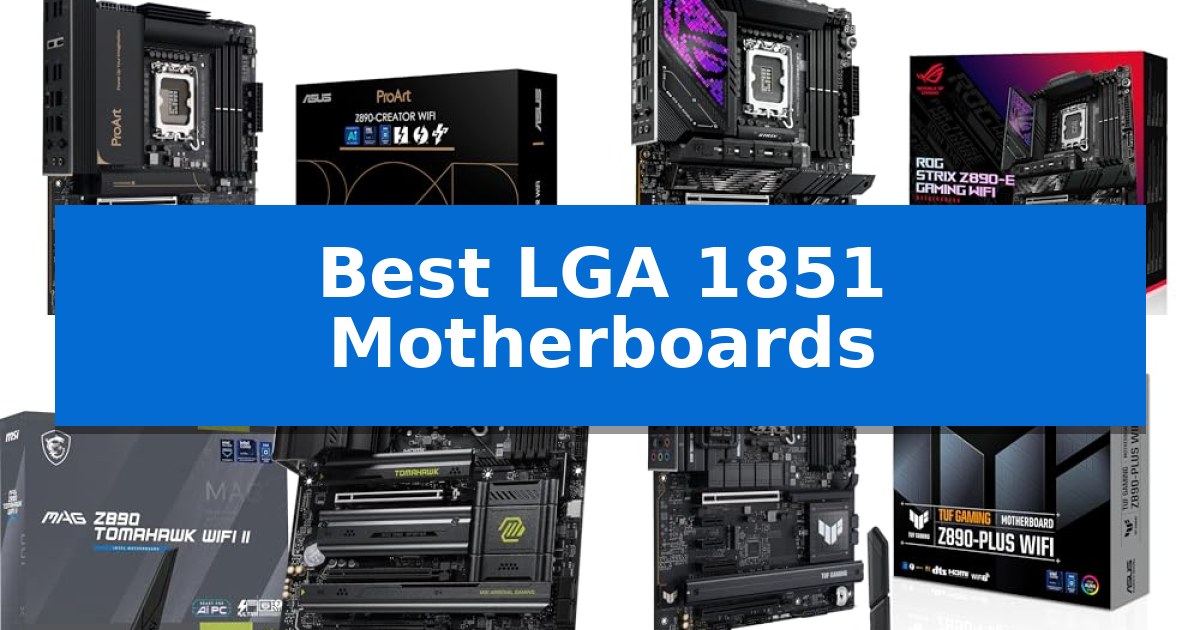
Building a high-performance system around the latest Intel Core Ultra processors requires a foundation that can handle modern power demands and high-speed data transfer. The Best LGA 1851 Motherboards offer the necessary socket compatibility and chipset features to unlock the full potential of these processors, whether you are focused on intensive creative workflows or gaming stability.
Selecting the right motherboard involves balancing your specific connectivity needs, such as Thunderbolt support or M.2 slot density, against your budget and intended use case. This guide examines the current landscape of LGA 1851 options to help you identify the board that best aligns with your hardware requirements and performance goals.
You may also want to compare Best LGA 1700 Z790 Motherboards, Best LGA 1700 Motherboards Under $200, and Best LGA 1700 Motherboards for Overclocking.
Best LGA 1851 Motherboards
Quick Comparison
| Product | Best For | Key Strength | Score |
|---|---|---|---|
| ASUS ProArt Z890-CREATOR WIFI Motherboard | Best Overall | Dual Thunderbolt 5 connectivity for high-speed peripheral support. | 4.9 |
| ASUS ROG Strix Z890-E Gaming Motherboard | Advanced AI Overclocking Performance | Robust 18+2+1+2 power stage design for stable power delivery. | 4.9 |
| MSI MAG Z890 Tomahawk WiFi II | High-Speed Connectivity with WiFi 7 | Wi-Fi 7 and 5G LAN for high-speed network connectivity. | 4.3 |
| ASUS TUF Gaming Z890-PLUS WiFi | Durable Build for Reliable Gaming | Robust 16+1+2+1 80A power stages for stable CPU performance. | 4.8 |
| GIGABYTE B860 Eagle WIFI6E Motherboard | Balanced ATX Value for Mainstream | Robust 12+1+2+1 power design for stable CPU operation. | 4.8 |
How We Chose
- Power Delivery: Evaluating the VRM stage count and quality to ensure stable power for high-end processors.
- Connectivity Standards: Prioritizing boards with support for WiFi 7, Thunderbolt 4 or 5, and high-speed Ethernet.
- Storage Expansion: Assessing the number and generation of M.2 slots to determine capacity for high-speed NVMe drives.
- DIY Features: Identifying boards with Q-Release mechanisms and intuitive BIOS tools that simplify the assembly and maintenance process.
- Chipset Versatility: Distinguishing between Z890 and B860 chipsets to match performance features with user budget constraints.
1 ASUS ProArt Z890-CREATOR WIFI Motherboard — Best for Professional Content Creators
The ASUS ProArt Z890-CREATOR WIFI Motherboard is engineered for high-demand workflows, featuring the new Intel LGA1851 socket to support the latest Intel Core Ultra Series 2 processors. This board is built for professional content creators who require a stable foundation for AI-driven applications and heavy multitasking, offering a robust 16+2+1+2 teamed power stage design to ensure consistent power delivery under load.
Connectivity is a primary focus of this motherboard, providing advanced options such as dual Thunderbolt 5 ports alongside a Thunderbolt 4 port for high-speed data transfer and display output. Networking capabilities are equally modern, with 10 Gb and 2.5 Gb Ethernet ports and WiFi 7 integration, ensuring that data-intensive tasks are not bottlenecked by network speeds.
For system builders, the board includes a suite of DIY-friendly features such as the PCIe Slot Q-Release Slim, M.2 Q-Release, and M.2 Q-Latch mechanisms, which simplify the installation and removal of GPUs and storage drives without requiring extra tools. The inclusion of the ProArt Creator Hub allows for centralized system management, including color management utilities that integrate with Pantone tools.
Security and stability are further enhanced through ASUS Control Center Express, which provides administrators with tools for USB port management and software blacklisting. With five M.2 slots—including PCIe 5.0 and 4.0 options—and support for next-gen GPUs via PCIe 5.0 slots, this motherboard provides a comprehensive platform for users building high-performance workstations.
Best for: Professional content creators and AI workstation builders who require high-speed connectivity and robust power delivery.
Skip if: Users who do not require high-bandwidth networking or professional-grade storage connectivity may find the premium feature set of this board unnecessary for standard home or gaming builds.
PROS
- Dual Thunderbolt 5 connectivity for high-speed peripheral support.
- 10 Gb and 2.5 Gb Ethernet for advanced networking capabilities.
- DIY-friendly design with tool-less M.2 and PCIe release mechanisms.
- Robust power delivery with 16+2+1+2 teamed power stages.
CONS
- Premium pricing associated with workstation-class features.
- Large ATX form factor may not fit in compact PC cases.
2 ASUS ROG Strix Z890-E Gaming Motherboard — Advanced AI Overclocking Performance
Building a high-performance system around the Intel LGA 1851 socket requires a foundation capable of managing the thermal and power demands of the latest Intel Core Ultra processors. The ASUS ROG Strix Z890-E Gaming Motherboard is engineered for this purpose, featuring a robust 18+2+1+2 power stage configuration that ensures stable delivery for demanding workloads.
Designed with the future of AI computing in mind, this motherboard integrates exclusive AI technologies including AI Overclocking, AI Cooling II, and AI Networking II. These tools automate complex tuning processes, allowing users to optimize system thermals and network traffic without manual intervention. The inclusion of NPU Boost further highlights its readiness for modern AI-driven applications.
Memory stability and speed are addressed through advanced technologies like DIMM Fit, DIMM Flex, and AEMP III. These features simplify the setup process for high-speed DDR5 memory, ensuring consistent performance. Connectivity is equally prioritized, offering WiFi 7 for high-bandwidth wireless networking and Thunderbolt 4 for high-speed peripheral integration.
With 7x M.2 slots available for storage expansion, the board offers significant flexibility for high-capacity builds. The ProCool II power connectors and premium metallic capacitors underscore the build quality, providing a reliable platform for users who require extensive connectivity and advanced power management in a single ATX package.
Best for: Enthusiasts and professionals building high-performance AI-ready systems using Intel Core Ultra Series 2 processors who require extensive M.2 storage and advanced automated tuning.
Skip if: Users who prefer a compact build, as this is a full-sized ATX motherboard, or those who do not require the extensive AI-driven tuning and multi-M.2 expansion capabilities.
PROS
- Robust 18+2+1+2 power stage design for stable power delivery.
- Comprehensive AI-exclusive technologies for automated overclocking and cooling.
- Future-ready connectivity with WiFi 7 and Thunderbolt 4.
- High storage capacity with 7x M.2 slots.
CONS
- Large ATX form factor may not fit in smaller PC cases.
- High feature density may be unnecessary for basic computing needs.
3 MSI MAG Z890 Tomahawk WiFi II — High-Speed Connectivity with WiFi 7
Building a high-performance system around the latest Intel Core Ultra Processors (Series 2) requires a foundation that balances power delivery with modern connectivity. The MSI MAG Z890 Tomahawk WiFi II centers its design on the LGA 1851 socket, utilizing a 16 Duet Rail Power System VRM managed by MSI Core Boost technology to maintain stability under load.
Thermal management is a priority for this ATX board, featuring the FROZR GUARD cooling suite. This includes 7W/mK MOSFET thermal pads, an extended heatsink, and a double-sided EZ M.2 Shield Frozr II to mitigate heat buildup during intensive tasks. The board also provides a 3A Combo-fan header to support both pump and system cooling configurations.
For memory and storage, the platform supports DDR5 modules with speeds reaching 9200+ MT/s via overclocking. Expansion is handled by a PCIe 5.0 x16 slot reinforced with Steel Armor II. Storage versatility is provided by a dedicated M.2 Gen5 x4 slot alongside three M.2 Gen4 x4 slots, all utilizing the EZ M.2 Clip II for tool-free installation.
Connectivity options are extensive, featuring an integrated Wi-Fi 7 module with Bluetooth 5.4 and Intel Killer 5G LAN for high-bandwidth networking. Rear I/O includes a Thunderbolt 4 Type-C port with display output capabilities and 7.1 channel audio support via Audio Boost 4, ensuring the board is equipped for both high-speed data transfer and multimedia requirements.
Best for: Users building a high-performance PC with Intel Core Ultra Series 2 processors who require advanced storage options and next-generation Wi-Fi 7 connectivity.
Skip if: Users who do not require the latest LGA 1851 platform or those who prefer a smaller form factor than standard ATX.
PROS
- Wi-Fi 7 and 5G LAN for high-speed network connectivity.
- PCIe 5.0 x16 slot with Steel Armor II for modern GPU support.
- Extensive M.2 storage options including one Gen5 and three Gen4 slots.
- FROZR GUARD cooling system with high-conductivity thermal pads.
CONS
- ATX form factor may be too large for compact PC builds.
4 ASUS TUF Gaming Z890-PLUS WiFi — Durable Build for Reliable Gaming
The ASUS TUF Gaming Z890-PLUS WiFi provides a foundation for high-performance builds by supporting the Intel LGA 1851 socket, specifically engineered for the latest Intel Core Ultra Processors (series 2). This motherboard is built to handle intensive tasks, including those required for advanced AI computing, through a robust power delivery system.
At the heart of its design is a 16+1+2+1 80A DrMOS power stage configuration. This setup, paired with ProCool power connectors, an 8-layer PCB, and durable alloy chokes, ensures consistent power delivery to the CPU even under heavy load. The board also features comprehensive thermal management, utilizing large VRM heatsinks alongside dedicated M.2 and PCH heatsinks to maintain stability.
For connectivity and expansion, the board is equipped with PCIe 5.0 support and Thunderbolt 4 Type-C ports, offering high-speed data transfer and peripheral compatibility. It includes four M.2 slots for storage and integrates Wi-Fi 7 for modern wireless networking. The system is further supported by AI Cooling II and AI Networking II, which are designed to automate thermal and network optimization.
The motherboard integrates with Fan Xpert 4, allowing for granular control over system cooling via hybrid fan headers. This focus on durability and thermal efficiency makes it a practical choice for users looking to build a stable system around the new Intel platform.
Best for: Users building a high-performance PC with Intel Core Ultra Series 2 processors who require robust power delivery and modern connectivity like Wi-Fi 7 and Thunderbolt 4.
Skip if: Users who do not require the specific LGA 1851 socket compatibility or those who prefer a more compact form factor than standard ATX.
PROS
- Robust 16+1+2+1 80A power stages for stable CPU performance.
- Advanced connectivity including Wi-Fi 7 and Thunderbolt 4.
- Comprehensive thermal design with large VRM and M.2 heatsinks.
- AI-driven optimization for cooling and networking.
CONS
- ATX form factor may be too large for small-chassis builds.
5 GIGABYTE B860 Eagle WIFI6E Motherboard — Balanced ATX Value for Mainstream
Building a high-performance system around the latest Intel Core Ultra processors requires a foundation that balances power delivery with modern connectivity. The GIGABYTE B860 Eagle WIFI6E Motherboard provides a stable platform for these chips, utilizing a robust 12+1+2+1 power design with 50A PPAK VRM components to handle demanding workloads efficiently.
This ATX motherboard is built for current and future hardware standards, featuring DDR5 memory support across four DIMM slots. To manage heat during intensive tasks, the board incorporates a dedicated MOSFET Heatsink and M.2 Thermal Guard, ensuring that high-speed storage remains within optimal operating temperatures.
Connectivity is a primary focus, with the board offering PCIe 5.0 support and three M.2 slots for high-bandwidth storage configurations. For external peripherals and networking, it includes integrated USB-C ports and WIFI6E capabilities, alongside a 2.5GbE LAN port for reliable wired connections.
The integration of the EZ-Latch mechanism simplifies the installation process for components, reducing the complexity often associated with building in an ATX chassis. This board serves as a practical choice for users who prioritize core functionality and modern interface standards without unnecessary bloat.
Best for: Mainstream users building a high-performance system with Intel Core Ultra processors who require DDR5 support and modern connectivity.
Skip if: Users who need specialized overclocking features or a smaller form factor than standard ATX.
PROS
- Robust 12+1+2+1 power design for stable CPU operation.
- Includes M.2 Thermal Guard to prevent storage throttling.
- Features EZ-Latch for simplified component installation.
- Comprehensive connectivity with PCIe 5.0 and WIFI6E.
CONS
- Limited to ATX form factor, which may not fit compact cases.
Best LGA 1851 Motherboards Buying Guide
Socket and Processor Compatibility
The LGA 1851 socket is specifically engineered for Intel Core Ultra Series 2 processors. Before purchasing, ensure your chosen motherboard explicitly lists support for your specific CPU model, as the chipset and socket architecture are not backwards compatible with older Intel generations.
When selecting a board, consider the VRM (Voltage Regulator Module) design. Boards with higher-rated power stages generally provide more stable voltage delivery during heavy multi-core workloads, which is essential for maintaining consistent performance under sustained load.
Connectivity and Expansion
Modern workflows often require high-speed peripherals. Look for boards featuring Thunderbolt 4 or 5 ports if you use external high-speed storage or professional-grade display setups. These interfaces provide the bandwidth necessary for rapid data transfers.
Network connectivity is another critical factor. Many current LGA 1851 boards include WiFi 7 for low-latency wireless performance, alongside 2.5Gb or 10Gb Ethernet ports for high-speed wired networking, which is vital for users who transfer large files across a local network.
Storage and M.2 Configuration
The number of M.2 slots determines how many NVMe SSDs you can install. High-end boards often include multiple Gen5 and Gen4 slots, allowing for massive, high-speed storage arrays. Check for integrated heatsinks on these slots to prevent thermal throttling during long read/write operations.
Consider the physical layout of the board to ensure that large graphics cards do not block access to your M.2 slots or other essential headers, as this can complicate future upgrades or maintenance.
DIY-Friendly Design Features
Building a PC should not be unnecessarily difficult. Features like PCIe Slot Q-Release and M.2 Q-Latch systems allow you to install or remove components without needing small screws or complex tools, significantly reducing the risk of accidental damage to the board.
Look for boards that include BIOS FlashBack functionality, which allows you to update your firmware using a USB drive even without a CPU installed. This is a crucial safety feature for ensuring your board is ready for the latest processor microcode.
Chipset Differences: Z890 vs. B860
The Z890 chipset is typically aimed at enthusiasts who require maximum overclocking potential, extensive PCIe lane support, and premium connectivity features. It is the preferred choice for high-end workstations and gaming rigs where every performance metric is critical.
The B860 chipset offers a more balanced approach for mainstream users. While it may offer fewer overclocking options or slightly reduced connectivity compared to the Z890, it provides a cost-effective path to the latest LGA 1851 platform without sacrificing essential performance for daily tasks or gaming.
Frequently Asked Questions
Are LGA 1851 motherboards compatible with older Intel CPUs?
No, the LGA 1851 socket is designed exclusively for Intel Core Ultra Series 2 processors and is not compatible with previous generations of Intel desktop CPUs.
What is the benefit of Thunderbolt 5 on a motherboard?
Thunderbolt 5 provides significantly higher bandwidth compared to previous generations, enabling faster data transfer speeds for external storage and support for high-resolution, high-refresh-rate display configurations.
Do I need a Z890 motherboard for gaming?
A Z890 motherboard is generally recommended for high-end gaming builds that require extensive overclocking, multiple high-speed M.2 drives, and premium connectivity. For standard gaming, a well-equipped B860 board may be sufficient.
What does 'AI PC-Ready' mean for these motherboards?
This indicates that the motherboard includes specific hardware and software features, such as NPU boost and AI-optimized cooling or networking, designed to support the processing demands of modern AI applications.
How do I know if my GPU will fit the PCIe slot?
Most modern ATX motherboards feature a PCIe 5.0 x16 slot with reinforced 'SafeSlot' designs to support heavy, modern graphics cards. Ensure your case has enough physical clearance for the length and width of your specific GPU model.
Conclusion: Our Top Pick
Choosing the right foundation for your system is essential for long-term stability and performance. For users who require a balance of professional-grade connectivity, robust power delivery, and advanced AI-ready features, the ASUS ProArt Z890-CREATOR WIFI Motherboard stands out as the most comprehensive option. Its inclusion of dual Thunderbolt 5 ports and 10Gb Ethernet makes it particularly well-suited for demanding creative workflows.
If your needs are more focused on mainstream gaming or general productivity, other models in this list offer excellent value and reliable performance. Always verify that your chosen motherboard's specific port configuration and storage capacity align with your current hardware setup to ensure a seamless building experience.