
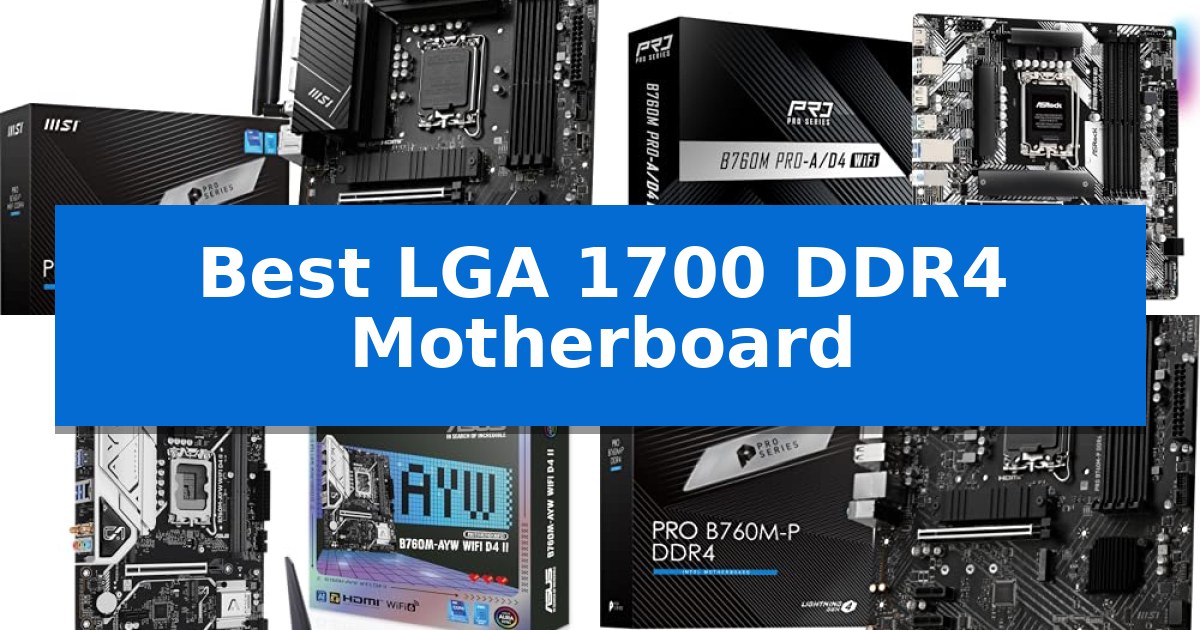
Building a PC on the LGA 1700 platform allows you to leverage existing DDR4 memory while supporting modern Intel processors. Finding the Best LGA 1700 DDR4 Motherboard requires balancing your specific expansion needs with the physical constraints of your chassis.
Whether you are prioritizing full-sized ATX connectivity or a compact micro-ATX footprint, selecting the right board ensures your system remains stable and compatible. We have analyzed five distinct models to help you navigate these choices based on your unique hardware requirements.
You may also want to compare Best LGA 1700 CPUs, Best LGA 1366 Motherboard for Gaming, and Best LGA 1200 Z490 Motherboards.
Best LGA 1700 DDR4 Motherboard
Quick Comparison
| Product | Best For | Key Strength | Score |
|---|---|---|---|
| MSI PRO B760-P WiFi Motherboard | Best Overall | Enhanced 12+1 Duet Rail Power System for stable CPU power delivery. | 4.9 |
| ASRock B760M Pro-A WiFi Motherboard | High-Speed Wireless Connectivity | High-speed DDR4 memory support up to 5333+ (OC) for responsive performance. | 4.5 |
| ASUS B760M-AYW WiFi II Motherboard | Modern PCIe 5.0 Support | DDR4 memory support allows for cost-effective builds using existing RAM. | 4.6 |
| MSI PRO B760M-P Motherboard | Streamlined Budget B760 Choice | Digital power design for stable multi-core processor support. | 4.3 |
| MSI PRO H610M-A Motherboard | Essential Entry-Level Value | Core Boost digital power design for stable processor performance | 4.8 |
How We Chose
- Socket and CPU compatibility with 12th, 13th, and 14th Gen Intel processors.
- Memory support for DDR4 modules, including overclocking capabilities.
- Form factor analysis to ensure proper fit in ATX or micro-ATX cases.
- Connectivity options such as PCIe generations, M.2 slots, and integrated networking.
- Power delivery design to support stable operation under varying workloads.
1 MSI PRO B760-P WiFi Motherboard — Full ATX for Expansion Needs
Building a reliable foundation for a modern Intel-based system requires balancing power delivery with thermal management. The MSI PRO B760-P WiFi DDR4 ProSeries Motherboard is designed to support 12th, 13th, and 14th Gen Intel processors using the LGA 1700 socket, providing a stable platform for users who prefer to utilize existing DDR4 memory modules.
At the heart of its performance is an enhanced 12+1 Duet Rail Power System utilizing P-PAK components. This architecture is complemented by Core Boost and Memory Boost technologies, which are engineered to optimize power delivery to the CPU and ensure stable signal transmission for memory overclocking up to 5333+MHz. The board is constructed with a 6-layer PCB featuring 2oz thickened copper and server-grade materials to improve electrical conductivity and durability.
Thermal efficiency is addressed through a comprehensive cooling solution. The board includes an extended heatsink design paired with MOSFET thermal pads rated for 7W/mK, ensuring that the power delivery components remain within safe operating temperatures during sustained loads. Additional thermal pads are applied to the chokes, and the M.2 Shield Frozr provides integrated cooling for high-speed storage drives.
Connectivity and expansion are well-represented for a standard ATX build. The board features PCIe 4.0 support for modern GPUs and storage, alongside 2.5Gbps LAN for high-speed wired networking. Wireless connectivity is provided via Wi-Fi 6E and Bluetooth 5.3, offering modern standards for peripheral and network integration. Rear I/O includes USB 3.2 Gen2 ports and both HDMI and DisplayPort outputs for integrated graphics support.
Best for: Users building a high-performance Intel LGA 1700 system who want to leverage existing DDR4 memory and require robust thermal management for sustained workloads.
Skip if: Users who require the latest DDR5 memory standard or those who need a compact motherboard, as this is a full-sized ATX form factor.
PROS
- Enhanced 12+1 Duet Rail Power System for stable CPU power delivery.
- Premium thermal solution with extended heatsinks and 7W/mK MOSFET pads.
- Wi-Fi 6E and Bluetooth 5.3 support for modern wireless connectivity.
- 6-layer PCB with 2oz thickened copper for improved durability and signal integrity.
CONS
- DDR4 memory limitation prevents the use of faster DDR5 modules.
- ATX form factor may be too large for small-form-factor PC builds.
2 ASRock B760M Pro-A WiFi Motherboard — High-Speed Wireless Connectivity
Building a compact yet powerful PC requires a foundation that balances modern connectivity with reliable power delivery. The ASRock B760M Pro-A/D4 WiFi offers a robust solution for users working within the Micro-ATX form factor, supporting 12th, 13th, and 14th Gen Intel Core processors through its LGA1700 socket.
At the heart of its design is a 7+1+1 power phase with Dr.MOS, which ensures stable energy distribution for demanding computing tasks. Memory performance is prioritized with four DIMM slots capable of reaching DDR4 5333+ (OC) speeds, providing significant bandwidth for multitasking and productivity workflows.
Connectivity is a standout aspect of this board, featuring Killer 802.11axe Wi-Fi 6E and Dragon 2.5G LAN for high-speed, low-latency networking. Storage flexibility is handled by two Hyper M.2 slots supporting PCIe Gen4x4 NVMe SSDs, with one slot including a dedicated heatsink to manage thermal output during intensive read/write operations.
The board is well-equipped for modern peripherals and display setups. It includes a rear USB 3.2 Gen1 Type-C port for fast data transfer and HDMI 2.1 and DisplayPort 1.4 outputs, enabling high-resolution multi-monitor configurations without requiring a dedicated graphics card for basic display needs.
Designed for versatility, the ASRock B760M Pro-A/D4 WiFi provides a comprehensive feature set for users who prefer the proven stability of DDR4 memory while utilizing the latest Intel platform capabilities. Its compact 9.6-in x 9.6-in footprint makes it an efficient choice for standard and space-constrained chassis alike.
Best for: Users building a compact Micro-ATX system who want to utilize existing DDR4 memory with the latest Intel 12th, 13th, or 14th Gen processors.
Skip if: Users who require DDR5 memory support or need a full-size ATX board for multi-GPU configurations and additional expansion slots.
PROS
- High-speed DDR4 memory support up to 5333+ (OC) for responsive performance.
- Advanced networking with integrated Wi-Fi 6E and 2.5G LAN.
- Efficient power delivery using a 7+1+1 Dr.MOS design.
- Dual Hyper M.2 slots with dedicated heatsink for fast NVMe storage.
CONS
- Micro-ATX form factor limits expansion compared to full-size ATX motherboards.
- DDR4 memory compatibility prevents the use of newer, faster DDR5 modules.
3 ASUS B760M-AYW WiFi II Motherboard — Modern PCIe 5.0 Support
Building a reliable foundation for your desktop requires hardware that balances modern connectivity with legacy memory support. The ASUS B760M-AYW WiFi D4 II Intel® B760 (LGA 1700) microATX Motherboard addresses this by pairing the versatile LGA 1700 socket with DDR4 memory compatibility, making it a practical choice for those transitioning to 13th or 14th Gen Intel processors without needing to replace existing RAM modules.
This motherboard is engineered for efficient data throughput and peripheral integration. It features PCIe 5.0 x16 support for high-bandwidth expansion cards and includes two M.2 slots for fast storage configurations. Connectivity is further bolstered by onboard Wi-Fi 6 and a Realtek 2.5Gb Ethernet port, ensuring stable network performance for both wired and wireless setups.
Thermal management is handled through a comprehensive cooling array, which includes dedicated heatsinks for the VRM and PCH. Users can fine-tune their thermal environment using hybrid fan headers and the integrated Fan Xpert 2+ software, which helps maintain system stability during sustained workloads.
For those who prioritize aesthetics alongside functionality, the board includes Aura Sync RGB Lighting with onboard Addressable Gen 2 headers. This allows for seamless synchronization of lighting effects with other compatible hardware, providing a cohesive look for your build within a compact microATX form factor.
Best for: Users upgrading to 13th or 14th Gen Intel processors who want to retain their existing DDR4 memory while gaining PCIe 5.0 and Wi-Fi 6 connectivity.
Skip if: Users who require DDR5 memory support or need a full-sized ATX motherboard for multi-GPU configurations or extensive expansion card requirements.
PROS
- DDR4 memory support allows for cost-effective builds using existing RAM.
- PCIe 5.0 x16 slot provides future-ready bandwidth for high-performance graphics cards.
- Integrated Wi-Fi 6 and 2.5Gb Ethernet offer versatile and fast networking options.
- Comprehensive cooling solution with dedicated VRM and PCH heatsinks.
CONS
- MicroATX form factor limits the number of available PCIe expansion slots compared to ATX boards.
- DDR4-only architecture prevents the use of faster, newer DDR5 memory modules.
4 MSI PRO B760M-P Motherboard — Streamlined Budget B760 Choice
Building a reliable desktop around Intel's latest processors requires a stable foundation, and the MSI PRO B760M-P DDR4 is engineered to handle 12th, 13th, and 14th Gen Intel Core, Pentium Gold, and Celeron CPUs. This mATX motherboard prioritizes signal integrity and power delivery, making it a practical choice for users who want to leverage existing DDR4 memory modules without sacrificing modern connectivity standards.
At the heart of its performance is a digital power design paired with Core Boost technology, which ensures consistent power delivery to the processor. This layout is specifically designed to maintain stability even under the load of multi-core configurations. Complementing this, the board features Memory Boost, an advanced circuit design that delivers pure data signals to the dual-channel DDR4 slots, supporting overclocked speeds of 4800+MHz for improved system responsiveness.
The board integrates a Lightning Gen4 x4 M.2 slot, providing the high-bandwidth interface necessary for modern NVMe storage drives. To maintain drive performance during sustained data transfers, MSI includes the M.2 Shield Frozr heatsink, which effectively manages thermal output. Additionally, the inclusion of a PCIe 4.0 interface ensures the motherboard remains compatible with current-generation graphics cards and high-speed peripherals.
Designed for efficiency, the MSI PRO B760M-P DDR4 offers a streamlined feature set in a compact form factor. By focusing on essential technologies like USB 3.2 Gen2 and high-speed storage support, it provides a balanced platform for users who prioritize functional, reliable hardware over complex, unnecessary expansion options.
Best for: Users building a compact, budget-conscious PC using 12th, 13th, or 14th Gen Intel processors who require DDR4 memory support.
Skip if: Users who require advanced overclocking features, integrated Wi-Fi, or a full-sized ATX layout for extensive expansion cards.
PROS
- Digital power design for stable multi-core processor support.
- M.2 Shield Frozr thermal protection for high-speed storage.
- Memory Boost technology for improved signal stability.
- PCIe 4.0 support for modern high-bandwidth components.
CONS
- mATX form factor limits total expansion slots compared to ATX boards.
5 MSI PRO H610M-A Motherboard — Essential Entry-Level Value
Building a reliable foundation for a modern Intel-based system requires balancing processor support with essential connectivity. The MSI PRO H610M-A DDR4 Motherboard centers its design on the LGA 1700 socket, providing a streamlined platform for 12th, 13th, and 14th Gen Intel Core processors, as well as Pentium Gold and Celeron chips.
Engineered for efficiency, this motherboard incorporates Core Boost technology, utilizing a specialized digital power design and premium layout to maintain stability under load. To ensure data integrity, the board features Memory Boost, an advanced signal-path optimization that supports DDR4 memory modules up to 3200 MHz, promoting consistent performance across various memory configurations.
The board prioritizes modern throughput with PCIe 4.0 support, enabling high-speed connectivity for compatible graphics cards and storage devices. Its mATX form factor makes it a practical choice for compact builds where space is at a premium, without sacrificing the core functionality required for daily productivity or standard computing tasks.
With a focus on essential features, the MSI PRO H610M-A DDR4 Motherboard provides a straightforward upgrade path for users transitioning to newer Intel architectures. It balances necessary interface standards with a robust power delivery system, ensuring that the hardware remains stable while supporting the performance demands of current-generation processors.
Best for: Budget-conscious builders seeking a reliable, compact foundation for 12th through 14th Gen Intel Core processors.
Skip if: Users requiring advanced overclocking features, multiple high-speed M.2 slots, or extensive PCIe expansion options found on higher-tier chipsets.
PROS
- Core Boost digital power design for stable processor performance
- Memory Boost technology for improved signal purity and stability
- PCIe 4.0 support for modern high-speed components
- Compact mATX form factor suitable for smaller PC cases
CONS
- Limited to DDR4 memory compatibility
- Standard 1Gbps LAN may be slower than 2.5Gbps alternatives
Best LGA 1700 DDR4 Motherboard Buying Guide
Understanding Form Factors
The physical size of your motherboard, known as the form factor, dictates which PC case you can use. ATX boards offer the most expansion slots and connectivity, making them ideal for users who plan to add multiple PCIe cards or extensive storage drives.
Conversely, micro-ATX (mATX) boards provide a more compact footprint. While they may have fewer expansion slots, they are often more cost-effective and perfectly suited for smaller builds that do not require excessive add-in cards.
Memory Compatibility
Since you are specifically looking for a DDR4 motherboard, ensure your RAM modules match the board's specifications. While many boards support high-frequency memory through XMP profiles, verify that your specific RAM kit is compatible with the motherboard's maximum supported speed.
Dual-channel memory support is standard across these boards, which helps maximize bandwidth for multitasking and gaming. Always check the motherboard's manual for the recommended DIMM slot configuration to enable this feature.
Power Delivery and Thermal Management
The power phase design of a motherboard is critical for maintaining system stability, especially when using higher-end processors. Boards with robust power delivery systems and extended heatsinks are better equipped to manage heat during sustained workloads.
Look for features like MOSFET thermal pads and dedicated M.2 Shield Frozr heatsinks if you plan on using high-performance NVMe SSDs. These components help prevent thermal throttling, ensuring your hardware runs at peak efficiency.
Connectivity and Expansion
Modern motherboards serve as the hub for all your peripherals. Consider the number of USB 3.2 Gen2 ports, 2.5Gbps LAN connectivity, and Wi-Fi 6E capabilities based on your networking and data transfer needs.
If you are planning to use the latest graphics cards, check for PCIe 4.0 or PCIe 5.0 support. These interfaces provide the necessary bandwidth for modern GPUs and high-speed storage devices to function without bottlenecks.
Storage Solutions
Most LGA 1700 boards include multiple M.2 slots for fast NVMe storage. Using these slots allows for a cleaner build with fewer cables compared to traditional SATA drives.
Ensure the board has enough SATA 6Gb/s ports if you still rely on mechanical hard drives or 2.5-inch SSDs for mass storage. A mix of M.2 and SATA connectivity provides the most flexibility for your storage array.
Frequently Asked Questions
Can I use a 14th Gen Intel processor with these boards?
Yes, many of these LGA 1700 motherboards support 12th, 13th, and 14th Gen Intel processors, though a BIOS update may be required depending on the specific board's manufacturing date.
Is DDR4 memory slower than DDR5?
DDR5 generally offers higher bandwidth and speeds, but DDR4 remains a cost-effective and capable choice for most gaming and productivity tasks, especially when paired with a compatible motherboard.
What is the difference between ATX and mATX?
ATX is a larger form factor offering more expansion slots and ports, while mATX is smaller and designed for more compact PC cases.
Do I need a Wi-Fi motherboard?
If you do not have easy access to an Ethernet cable, a motherboard with integrated Wi-Fi 6 or 6E is essential for reliable wireless connectivity.
What does the PCIe version mean for my GPU?
PCIe versions determine the bandwidth available to your graphics card. While most modern GPUs are backward compatible, using a PCIe 4.0 or 5.0 slot ensures you are not limiting the potential performance of your card.
Conclusion: Our Top Pick
When selecting the MSI PRO B760-P WiFi Motherboard, you are choosing a robust ATX platform that balances expansion capabilities with reliable power delivery. Its support for DDR4 memory, combined with high-speed networking and effective thermal management, makes it a versatile foundation for a wide range of Intel-based builds.
This board is particularly well-suited for users who need the extra space of an ATX layout for multiple components while maintaining compatibility with the LGA 1700 socket. By providing a stable environment for your processor and memory, it ensures your system remains responsive and efficient for years to come.