
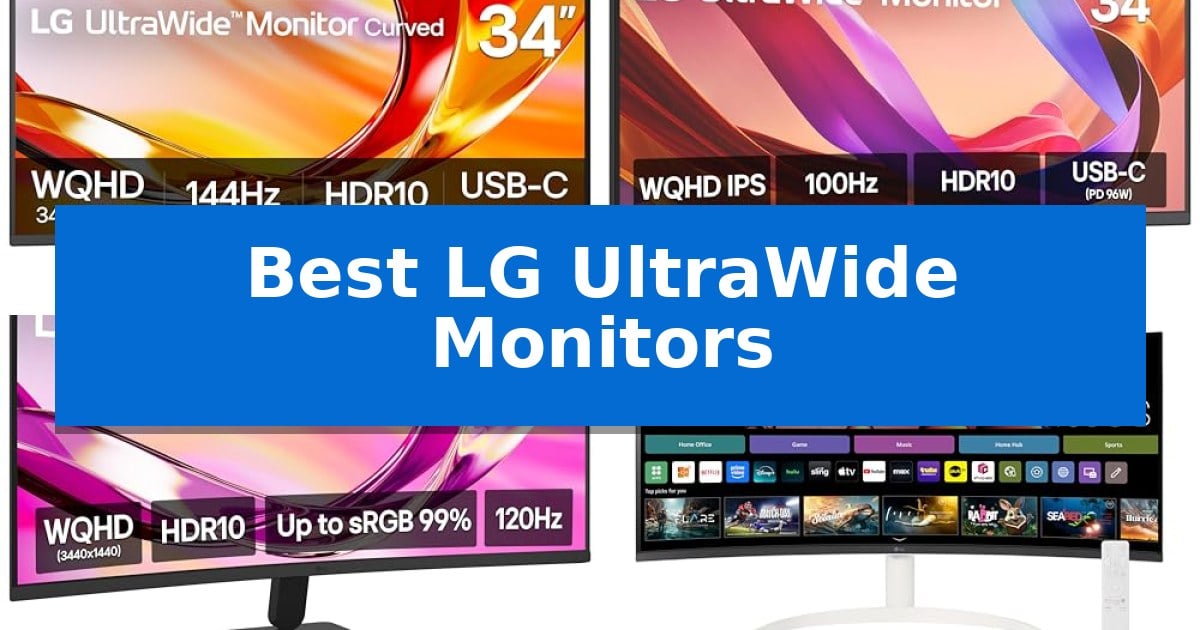
Finding the right display for a complex workspace often requires balancing screen real estate with desk footprint. The Best LG UltraWide Monitors provide a panoramic view that can replace dual-monitor setups, helping you manage multiple applications simultaneously without the distraction of a central bezel.
Whether you are editing video, managing spreadsheets, or streaming media, these displays offer specialized features like high refresh rates and integrated connectivity to streamline your workflow. We have evaluated the latest models to help you identify which configuration best fits your professional or creative requirements.
You may also want to compare Best LG Ultrawide Monitor, Best LG Ultra HD Blu-ray Player, and Best LG TVs for the Money.
Best LG UltraWide Monitors
Quick Comparison
| Product | Best For | Key Strength | Score |
|---|---|---|---|
| LG 34U640B-B UltraWide Monitor | Best Overall | USB-C connectivity with 65W power delivery for simplified cable management. | 4.9 |
| LG 34U650A-B UltraWide Monitor | High-Power USB-C Connectivity | 96W USB-C power delivery for streamlined laptop charging and connectivity. | 4.4 |
| LG 34U60ZB-B UltraWide Monitor | Curved 120Hz Visuals | 1800R curvature provides a comfortable viewing experience for long sessions. | 4.6 |
| LG 34SR60QC-W Smart Monitor | Built-in Streaming Apps | Built-in webOS23 allows for streaming and cloud productivity without a PC. | 4.4 |
| LG 29U511A UltraWide Monitor | Compact Multitasking Essential | 21:9 UltraWide aspect ratio provides a wider canvas for multitasking. | 4.8 |
How We Chose
- Screen resolution and aspect ratio for workspace density
- Refresh rate and response time for motion clarity
- Connectivity options including USB-C power delivery and KVM functionality
- Ergonomic adjustments and stand versatility
- Specialized features like smart OS integration or color accuracy
1 LG 34U640B-B UltraWide Monitor — Smooth 144Hz Productivity
The LG 34U640B-B UltraWide Monitor streamlines complex desktop workflows by combining a expansive 34-inch 21:9 curved display with integrated KVM functionality. This setup allows users to manage two distinct systems using a single keyboard and mouse, significantly reducing physical clutter while maximizing screen real estate for multitasking.
Engineered for both productivity and media consumption, the monitor features a 144Hz refresh rate and a 5ms response time, ensuring smooth motion for streaming and daily tasks. The 1800R curvature is designed to align with the natural field of view, which can assist in maintaining focus during extended work sessions. Visual clarity is supported by a 3440 x 1440 WQHD resolution and 99% sRGB color coverage, providing consistent color reproduction for creative projects.
Connectivity is handled through a versatile USB Type-C port that supports data transfer, display signal, and 65W power delivery for compatible laptops. This single-cable solution simplifies desk management, while additional DisplayPort and HDMI inputs ensure compatibility with various hardware configurations. The included stand offers both height and tilt adjustments, allowing for ergonomic positioning.
For specialized tasks, the monitor includes a dedicated Reader Mode that adjusts color temperatures to reduce blue light exposure. Users can further customize their workspace using the Switch app, which enables screen splitting into up to 6 sections. These features make the monitor a functional tool for users who require a high-resolution, multi-input display environment.
Best for: Professionals and creators who require a high-resolution, curved workspace with built-in KVM switching and single-cable laptop connectivity.
Skip if: Users who require a flat panel display or those whose desk space cannot accommodate a 34-inch ultrawide footprint.
PROS
- USB-C connectivity with 65W power delivery for simplified cable management.
- Integrated KVM switch allows control of two PCs with one set of peripherals.
- 144Hz refresh rate provides smooth visual performance for multitasking and media.
- 1800R curve enhances viewing comfort by following the natural line of sight.
CONS
- Large physical footprint may not fit on smaller or compact desk setups.
- Fixed curvature is not suitable for users who strictly prefer flat displays.
2 LG 34U650A-B UltraWide Monitor — High-Power USB-C Connectivity
Managing complex digital workflows requires a display that balances screen real estate with functional connectivity, and the LG 34U650A-B UltraWide Monitor addresses this by integrating a 34-inch 21:9 WQHD IPS panel with a 3800R curve. This design choice aligns with natural sightlines to minimize neck strain during extended sessions, while the 100Hz refresh rate ensures fluid motion for both professional tasks and media consumption.
The monitor simplifies desk management through its USB-C connectivity, which supports data transfer, display signal, and up to 96W of power delivery to compatible laptops via a single cable. This all-in-one approach is complemented by built-in DepthSound speakers, reducing the need for external audio hardware and maintaining a cleaner workspace.
For multitasking, the integrated Switch app allows users to split the screen into up to six distinct sections, providing granular control over window management. Color accuracy is supported by 99% sRGB coverage and HDR10, ensuring consistent tonal transitions, while the dedicated Reader Mode adjusts color temperature to reduce blue light exposure during document-heavy work.
The physical build includes a space-saving stand that offers tilt, swivel, and height adjustments to accommodate various ergonomic preferences. With its one-click mounting system, the display is designed for straightforward assembly, providing a stable foundation for a high-resolution, wide-format workspace.
Best for: Professionals and creators who require a high-resolution, curved workspace with single-cable laptop charging and advanced multitasking software.
Skip if: Users who require a flat screen for specialized design work or those who need a higher refresh rate than 100Hz for competitive gaming.
PROS
- 96W USB-C power delivery for streamlined laptop charging and connectivity.
- 3800R curved IPS display provides an immersive, ergonomic viewing experience.
- 100Hz refresh rate offers smoother motion than standard 60Hz monitors.
- Switch app multitasking allows for efficient screen splitting and layout customization.
CONS
- 100Hz refresh rate may be insufficient for high-end competitive gaming requirements.
- Curved panel design may not be suitable for users requiring a perfectly flat surface for precision drafting or graphic design.
3 LG 34U60ZB-B UltraWide Monitor — Curved 120Hz Visuals
The LG 34U60ZB-B UltraWide Monitor features an 1800R curvature designed to align with your natural field of view, providing a more immersive experience for extended work sessions compared to traditional flat panels. This 34-inch display utilizes a 21:9 aspect ratio and WQHD (3440 x 1440) resolution, offering significant screen real estate that allows users to manage multiple applications simultaneously without the need for constant window switching.
Engineered for both productivity and entertainment, the monitor supports 120Hz refresh rates and a 5ms response time to ensure fluid motion for streaming and gaming. Visual accuracy is supported by 99% sRGB color coverage and HDR10 compatibility, which assist in maintaining consistent color and tonal transitions. For gamers, the Black Stabilizer feature specifically enhances visibility in dark areas of the screen, providing a tactical advantage during gameplay.
Usability is enhanced through the LG Switch software, which enables users to adjust brightness and image settings directly from the desktop, as well as organize screen layouts into up to 11 configurations. The monitor includes a Reader Mode that shifts the display to warmer hues to reduce blue light exposure during long reading tasks, alongside Flicker Safe technology to minimize eye strain.
The physical design prioritizes desk organization with a slim, space-saving stand that features a square base. The screen is height and tilt adjustable, allowing for precise ergonomic positioning. Connectivity is handled via DisplayPort, HDMI, and a headphone jack, ensuring compatibility with a variety of modern peripherals and essential gear.
Best for: Professionals and gamers who require a large, immersive workspace for multitasking and high-refresh-rate media consumption.
Skip if: Users who require professional-grade color accuracy for high-end print production or those with limited desk space who prefer a smaller, non-curved display.
PROS
- 1800R curvature provides a comfortable viewing experience for long sessions.
- 120Hz refresh rate ensures smooth motion for gaming and video.
- LG Switch software allows for efficient screen splitting and desktop-based settings control.
- 99% sRGB coverage delivers reliable color performance for general media.
CONS
- 34-inch footprint requires significant desk space compared to standard monitors.
- 5ms response time may not meet the requirements of competitive esports professionals.
4 LG 34SR60QC-W Smart Monitor — Built-in Streaming Apps
The LG 34SR60QC-W Smart Monitor integrates a 34-inch curved 1800R display with native webOS23 functionality, allowing users to stream content directly from apps like Netflix and Disney+ without needing an external computer. This 21:9 UltraWide QHD (3440×1440) screen provides a panoramic workspace that is 34% wider than standard 16:9 displays, making it a versatile choice for both productivity and entertainment.
Designed for a clutter-free desk, this monitor features Apple AirPlay 2 and HomeKit compatibility, enabling wireless casting and mirroring from iOS or macOS devices. The inclusion of built-in speakers and support for the LG Magic Remote further simplifies navigation, while the 3-side virtually frameless design maintains a clean aesthetic for any workspace.
Performance is supported by a 99% sRGB color gamut and HDR10 enhancement, which helps improve picture quality for media consumption and creative tasks. With a 100Hz refresh rate, the monitor offers smooth motion for casual gaming and daily navigation. Connectivity is handled through two HDMI ports and three USB ports, ensuring compatibility with various peripherals and gaming consoles.
For professional workflows, the webOS interface provides direct access to cloud-based services like Microsoft 365 and Google applications, allowing for basic productivity tasks without a PC connection. While it excels as an all-in-one media and work hub, users requiring specialized color-critical professional calibration or high-end competitive gaming features should note its primary focus on smart integration and multitasking.
Best for: Users who want an all-in-one workspace that combines a wide-screen monitor with built-in streaming and cloud productivity apps.
Skip if: Professional designers requiring hardware-level color calibration or competitive gamers seeking high-refresh-rate panels beyond 100Hz.
PROS
- Built-in webOS23 allows for streaming and cloud productivity without a PC.
- 34-inch 1800R curved display provides an immersive, wide-angle viewing experience.
- Apple AirPlay 2 and HomeKit support for seamless wireless device integration.
- 99% sRGB color gamut and HDR10 support for vibrant visual output.
CONS
- Magic Remote is sold separately, limiting out-of-the-box voice control capabilities.
- 100Hz refresh rate may not meet the needs of high-end competitive gamers.
5 LG 29U511A UltraWide Monitor — Compact Multitasking Essential
Maximizing screen real estate for multitasking or creative workflows often requires a departure from standard aspect ratios. The LG 29U511A UltraWide Monitor addresses this by providing a 21:9 WFHD (2560×1080) display, offering a wider horizontal workspace that eliminates the need for dual-monitor setups in many home office environments.
Beyond its dimensions, the monitor utilizes an IPS panel that covers 99% sRGB color space and supports HDR10. These specifications ensure consistent color reproduction and brightness, which are essential for tasks ranging from document management to light video editing. The inclusion of a 100Hz refresh rate provides smoother motion during daily navigation and multitasking compared to standard 60Hz panels.
Ergonomics and workspace management are prioritized through the height-adjustable L-shaped stand. This design allows users to customize their viewing angle while maintaining a smaller footprint on the desk. To support extended periods of use, the display integrates Eye Comfort Features, specifically Reader Mode and Flicker Safe technology, which are designed to mitigate eye strain by reducing blue light and screen flickering.
The LG 29U511A UltraWide Monitor serves as a practical solution for those who require a wider canvas for productivity without the complexity of multiple displays. By combining color accuracy, a higher refresh rate, and an adjustable form factor, it provides a balanced set of tools for a streamlined, efficient workspace.
Best for: Home office users and multitaskers who need a wider horizontal workspace to manage multiple windows or creative projects simultaneously.
Skip if: Users who require higher vertical resolution for professional 4K video editing or those with limited desk width who prefer a standard 16:9 aspect ratio.
PROS
- 21:9 UltraWide aspect ratio provides a wider canvas for multitasking.
- 99% sRGB color accuracy and HDR10 support for consistent visuals.
- 100Hz refresh rate offers smoother motion than standard displays.
- Height-adjustable stand allows for ergonomic positioning.
CONS
- WFHD resolution may appear less sharp than higher-density QHD or 4K panels.
- 29-inch size is limited to a 21:9 format, which may not suit all software layouts.
Best LG UltraWide Monitors Buying Guide
Understanding Aspect Ratio and Resolution
The 21:9 aspect ratio is the defining feature of these monitors, offering a wider field of view than standard 16:9 displays. This extra horizontal space is ideal for side-by-side window management, allowing you to view timelines, documents, and communication tools without constant toggling.
WQHD (3440 x 1440) resolution is the standard for 34-inch models, providing a sharp pixel density that keeps text legible and images detailed. When choosing, ensure your computer's graphics output supports this resolution to avoid scaling issues or blurry visuals.
Connectivity and Power Delivery
Modern UltraWide monitors often act as a central hub for your desk. Models equipped with USB Type-C allow for a single-cable connection that handles video, data, and laptop charging simultaneously. This significantly reduces cable clutter and simplifies the transition between mobile and stationary work.
Check the power delivery wattage (PD) of the monitor to ensure it meets your laptop's requirements. If your laptop requires 96W, a 65W monitor may still charge it, but at a slower rate, which is an important trade-off for high-performance devices.
Refresh Rate and Motion Performance
While often associated with gaming, a higher refresh rate—such as 120Hz or 144Hz—improves the fluidity of everyday tasks. Scrolling through long documents or moving windows across a large screen feels more responsive and reduces eye fatigue compared to standard 60Hz panels.
If you plan to use your monitor for light gaming or fast-paced video editing, look for AMD FreeSync Premium support. This technology synchronizes the monitor's refresh rate with your GPU to prevent screen tearing and stuttering during high-motion sequences.
Ergonomics and Workspace Fit
The physical footprint of a 34-inch monitor is substantial. Consider the stand design, as many LG models utilize a square base that saves desk space compared to wide, V-shaped feet. Ensure your desk depth can accommodate the monitor's depth, especially if you prefer a specific viewing distance.
Height and tilt adjustability are essential for maintaining proper posture. A monitor that allows you to align the top of the screen with your eye level will prevent neck strain during long sessions. Some models also offer swivel capabilities, which are useful if you share your workspace or need to adjust the angle frequently.
Specialized Features: Smart OS and KVM
Some UltraWide monitors now include built-in smart operating systems, allowing you to stream content or access cloud-based productivity apps without a connected PC. This is a versatile option for users who want to use their monitor as a standalone media device.
For those working with multiple computers, a Dual Controller or KVM switch feature is invaluable. It allows you to use a single keyboard and mouse to control two separate systems, enabling seamless file transfers and efficient switching between work and personal environments.
Frequently Asked Questions
Can I use an UltraWide monitor with a laptop that only has HDMI?
Yes, most of these monitors include HDMI ports. However, you will lose the convenience of single-cable charging and data transfer that USB-C provides, requiring you to connect your laptop's power adapter separately.
What is the benefit of a curved screen on a 34-inch monitor?
The curve helps maintain a consistent viewing distance from your eyes to the edges of the screen. On a wide display, this reduces the need to turn your head as much, which can make long work sessions more comfortable.
Do I need a special graphics card for a 3440 x 1440 resolution?
Most modern integrated and dedicated graphics cards support this resolution. Ensure your computer's port (HDMI or DisplayPort) supports the required bandwidth for the monitor's native resolution and refresh rate.
Can I split the screen into multiple sections?
Yes, LG provides software like the Switch app that allows you to divide the screen into various layouts, making it easy to snap multiple windows into organized zones.
Is Reader Mode effective for long-term document work?
Reader Mode adjusts the color temperature to be warmer and reduces blue light output. This is designed to mimic the look of paper and can help reduce eye strain during extended reading or writing tasks.
Conclusion: Our Top Pick
For users seeking a balance of high-speed performance and professional utility, the LG 34U640B-B UltraWide Monitor stands out as the most capable choice. Its 144Hz refresh rate provides exceptionally smooth motion, while the inclusion of USB-C power delivery and a KVM switch makes it a highly efficient hub for complex, multi-device workflows.
While other models offer specific advantages like built-in streaming apps or higher power delivery, the 34U640B-B delivers the most consistent set of features for productivity. It is an excellent investment for those who prioritize a clean, responsive, and versatile workspace.