
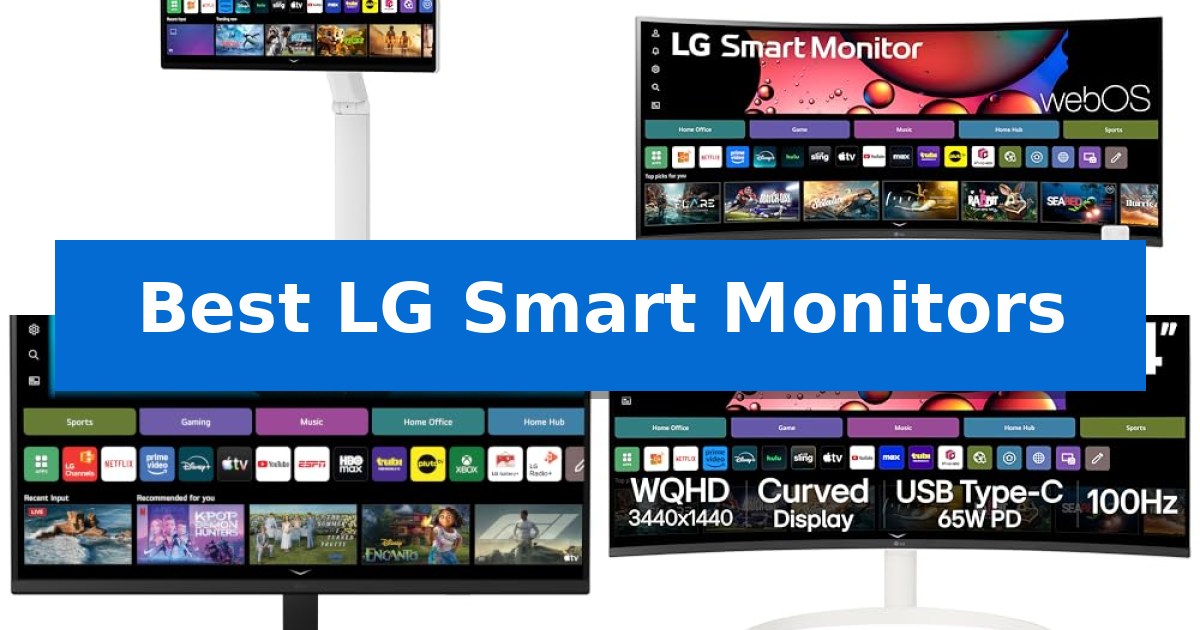
Finding the right display for a modern home office often means balancing professional productivity with the need for high-quality entertainment. The Best LG Smart Monitors bridge this gap by integrating webOS directly into the screen, allowing you to stream content, access cloud-based office applications, and mirror your mobile devices without needing a dedicated computer.
Whether you require a mobile, touchscreen-enabled display or a wide, curved screen for immersive multitasking, these monitors offer unique solutions for diverse workspaces. By combining high-resolution panels with smart connectivity, they simplify your desk setup while providing the flexibility to switch between work tasks and streaming services seamlessly.
You may also want to compare Best LG Projector, Best LG OLED TVs for the Money, and Best LG OLED TVs for Gaming.
Best LG Smart Monitors
Quick Comparison
| Product | Best For | Key Strength | Score |
|---|---|---|---|
| LG Smart Monitor Swing | Best Overall | Fully adjustable wheeled base for effortless mobility and 360-degree screen positioning. | 4.9 |
| LG 34-inch Curved Smart Monitor | Immersive Ultrawide Multitasking | Ultrawide 21:9 aspect ratio provides a 34% wider workspace for efficient multitasking. | 4.4 |
| LG 32-inch 4K Smart Monitor | AI-Enhanced Visual Clarity | Integrated webOS for PC-free productivity and streaming. | 4.8 |
| LG 34-inch Smart Curved Monitor | Panoramic Cinema for Home Offices | USB Type-C with 65W power delivery for streamlined device charging and connectivity. | 4.6 |
How We Chose
- Display resolution and panel technology for visual clarity.
- Smart platform integration, specifically the capabilities of webOS for streaming and cloud computing.
- Connectivity options, focusing on USB-C power delivery and port versatility.
- Ergonomic design features, including stand adjustability and mobility.
- Multitasking capabilities, such as screen splitting and device mirroring.
1 LG Smart Monitor Swing — Flexible Touchscreen on Wheels
The LG Smart Monitor Swing redefines workspace versatility by mounting a 32-inch 4K UHD touchscreen onto a fully adjustable, wheeled base. This design allows for effortless movement between rooms, while the torsion spring hinge supports tilt, swivel, height, and portrait mode adjustments to suit any task or environment.
Equipped with webOS, this monitor functions as an independent hub, enabling users to access cloud-based office services, video conferencing, and streaming platforms without needing a connected PC. For those who do use a computer, the monitor offers robust connectivity through three USB-C ports, which provide data transfer and up to 65W of power delivery via a single cable.
The 32-inch IPS touchscreen delivers vibrant visuals with 95% DCI-P3 color coverage and 350 nits of brightness. Users can optimize their workflow using the Switch app, which allows the screen to be split into up to six sections, facilitating efficient multitasking across various applications and inputs.
Managing cables is simplified by the integrated hidden adapter compartment within the wheeled base, maintaining a clean aesthetic. Whether mirroring mobile devices via AirPlay 2 or Screen Share, or utilizing the Quick Control feature for seamless switching between PC and smart modes, this monitor is engineered for dynamic, multi-device setups.
Best for: Users who require a highly mobile, all-in-one display solution that can transition between professional office tasks and entertainment without a dedicated PC.
Skip if: Users who require a fixed, ultra-high-refresh-rate gaming monitor or those with limited floor space who prefer a traditional desk-mounted display.
PROS
- Fully adjustable wheeled base for effortless mobility and 360-degree screen positioning.
- Integrated webOS allows for PC-free operation and cloud-based productivity.
- 65W USB-C power delivery simplifies cable management for connected laptops.
- Intuitive touchscreen interface with split-screen multitasking capabilities.
CONS
- Large physical footprint due to the wheeled stand, which may not fit all desk configurations.
- 350 nits brightness is sufficient for standard indoor environments but may be limited in very high-glare settings.
2 LG 34-inch Curved Smart Monitor — Immersive Ultrawide Multitasking
The LG 34-inch Curved Smart Monitor transforms the traditional desktop experience by integrating a 34-inch ultrawide 21:9 display with the versatile webOS23 platform. This combination allows users to transition seamlessly between professional multitasking and streaming entertainment without needing an external computer.
Engineered for visual immersion, the monitor features a 1800R curve and a 3440×1440 QHD resolution, providing a panoramic view that is 34% wider than standard 16:9 displays. The inclusion of HDR10 and 99% sRGB color gamut support ensures that content appears vibrant and detailed, whether you are managing complex spreadsheets or viewing cinematic media.
Connectivity is a primary focus, with the device offering two HDMI ports and three USB ports to accommodate various peripherals. For wireless users, the monitor supports Apple AirPlay 2 and HomeKit, enabling easy screen mirroring and control from compatible devices. The built-in webOS23 provides direct access to popular streaming services and cloud-based productivity tools like Microsoft 365, effectively turning the monitor into a standalone workstation.
The physical design maintains a clean aesthetic with a 3-side, virtually frameless build. While the monitor is compatible with the LG Magic Remote for voice-controlled navigation, users should note that the remote is sold separately. This unit is a practical choice for those looking to consolidate their workspace while maintaining high-resolution performance for both work and play.
Best for: Users who want to combine a high-resolution ultrawide workspace with built-in streaming and cloud productivity features in a single device.
Skip if: Users who require a high-refresh-rate gaming monitor or those who prefer a traditional display without integrated smart operating systems.
PROS
- Ultrawide 21:9 aspect ratio provides a 34% wider workspace for efficient multitasking.
- Built-in webOS23 allows for streaming and cloud PC access without a connected computer.
- 1800R curvature enhances immersion for both cinematic viewing and productivity tasks.
- Apple AirPlay 2 and HomeKit compatibility for seamless wireless content sharing.
CONS
- LG Magic Remote is not included and must be purchased separately for voice control.
- 100Hz refresh rate may not meet the needs of competitive gamers seeking higher frame rates.
3 LG 32-inch 4K Smart Monitor — AI-Enhanced Visual Clarity
The LG 32-inch 4K Smart Monitor distinguishes itself by integrating the alpha 7 AI Processor 4K Gen9, which serves as an intelligent engine to optimize picture sharpness, brightness, and audio clarity in real time. This 32-inch display offers a 4K UHD (3840×2160) resolution with HDR 10 support and a 90% DCI-P3 color gamut, providing a high-contrast visual experience suitable for both professional tasks and immersive entertainment.
Beyond its display capabilities, the monitor functions as a standalone productivity hub. With webOS built-in, users can access essential office applications and cloud-based services directly on the screen, effectively enabling a Home Office without a PC. For those who require more power, the system supports remote PC access, allowing for seamless transitions between local and cloud-based workflows.
Entertainment and gaming are central to its design. The LG Gaming Portal provides instant access to major cloud gaming services like Xbox Cloud Gaming, GeForce NOW, and Amazon Luna without requiring a console. Audio is equally prioritized through AI Sound Pro, which utilizes virtual 9.1.2 channel surround and AI Object Remastering to separate voices, music, and effects for enhanced clarity.
The monitor also features AI Picture Pro for 4K upscaling and Dynamic Tone Mapping Pro, ensuring that lower-resolution content is refined for better detail. For creative or aesthetic needs, LG Gallery+ offers access to over 4,500 curated artworks, allowing the monitor to serve as a digital canvas when not in use. The included tilt stand and Auto Brightness Control further ensure that the device adapts to various workspace environments.
Best for: Users who want a versatile, all-in-one display that combines high-resolution 4K productivity with integrated cloud gaming and streaming capabilities.
Skip if: Users who require specialized ergonomic adjustments like height, swivel, or pivot, as this model includes only a tilt-adjustable stand.
PROS
- Integrated webOS for PC-free productivity and streaming.
- AI-enhanced performance via the alpha 7 AI Processor 4K Gen9.
- Cloud gaming support for major platforms without a console.
- High color accuracy with 90% DCI-P3 coverage.
CONS
- Limited ergonomic flexibility due to the fixed-height tilt stand.
- Reliance on cloud connectivity for full smart feature functionality.
4 LG 34-inch Smart Curved Monitor — Panoramic Cinema for Home Offices
The LG 34-inch Smart Curved Monitor serves as a versatile desktop centerpiece, combining a 34-inch UltraWide 21:9 QHD (3440×1440) display with integrated webOS23 functionality. By merging a high-resolution workspace with native streaming capabilities, this monitor allows users to transition between professional tasks and entertainment without needing an external source.
Designed for efficiency, the display features a 1800R curve that provides a panoramic viewing experience. The integration of HDR10 and 99% sRGB color gamut coverage ensures visual clarity for both creative work and media consumption. Users can access cloud-based productivity tools like Microsoft 365 directly through the interface, effectively turning the monitor into a standalone workstation.
Connectivity is a primary focus, highlighted by a USB Type-C port that supports 65W power delivery to compatible laptops. This single-cable solution simplifies desk setups by handling data, video, and charging simultaneously. Additionally, the monitor includes Apple AirPlay 2 and HomeKit support, enabling wireless screen mirroring from iOS and macOS devices.
The physical design emphasizes a clean aesthetic with a 3-side, virtually frameless profile. While the monitor is compatible with the separately sold LG Magic Remote for voice-controlled navigation, users can also manage settings using a standard wireless keyboard and mouse, providing flexible control options for the built-in smart features.
Best for: Home office users who need a single, space-saving display for both professional productivity and streaming entertainment.
Skip if: Users who require a high-refresh-rate gaming monitor or a professional-grade color-accurate display for specialized design work.
PROS
- USB Type-C with 65W power delivery for streamlined device charging and connectivity.
- Built-in webOS23 provides direct access to streaming services and cloud productivity apps.
- 34-inch UltraWide 21:9 display offers a 34% wider workspace compared to standard 16:9 monitors.
- Wireless casting via Apple AirPlay 2 and HomeKit integration.
CONS
- Magic Remote sold separately, requiring an additional purchase for voice control and advanced navigation.
- 100Hz refresh rate may not meet the requirements for competitive gaming enthusiasts.
Best LG Smart Monitors Buying Guide
Understanding Smart Monitor Functionality
A smart monitor is essentially a hybrid device that combines a traditional computer display with the streaming capabilities of a smart TV. By utilizing an operating system like webOS, these monitors allow users to access popular streaming apps, browse the internet, and use cloud-based productivity suites directly on the screen.
This functionality is particularly beneficial for users who want to declutter their desk. By removing the need for a PC for basic tasks like video conferencing or watching media, you can create a cleaner, more efficient workspace that adapts to your daily needs.
The Importance of Display Resolution and Panel Type
Resolution determines the sharpness of your text and images. For a 32-inch or 34-inch monitor, 4K UHD or QHD resolutions are essential to ensure that details remain crisp and clear during both work and play.
IPS panels are often preferred for their wide viewing angles and accurate color reproduction. When choosing your monitor, consider whether you prioritize color accuracy for creative work or the immersive experience provided by curved, ultrawide displays.
Connectivity and Power Delivery
Modern smart monitors serve as a central hub for your devices. Look for models with USB-C ports that support Power Delivery (PD). This feature allows you to charge your laptop, transfer data, and send a video signal through a single cable, significantly reducing cable mess.
Additional ports like HDMI and USB-A are also critical if you plan to connect gaming consoles, external keyboards, or mice. Ensuring your monitor has enough inputs will prevent the need for extra adapters or hubs.
Ergonomics and Physical Adjustability
The physical design of your monitor impacts your comfort during long work sessions. Features like height adjustment, tilt, and swivel allow you to position the screen at eye level, which can help reduce neck and eye strain.
Some advanced models feature unique designs, such as wheeled bases or torsion spring hinges, which provide exceptional mobility. If you frequently move your workspace or need to share your screen with others, these ergonomic features are highly valuable.
Multitasking and Smart Features
Advanced smart monitors include software tools to enhance productivity. Features like screen splitting allow you to view multiple applications simultaneously, while remote PC access lets you connect to your main computer or cloud services from anywhere in your home.
Integration with mobile devices through AirPlay 2 or Screen Share further extends the monitor's utility, making it easy to display content from your phone or tablet on a much larger, higher-resolution screen.
Frequently Asked Questions
Do I need a PC to use an LG Smart Monitor?
No, you do not need a PC for many tasks. Thanks to webOS, you can access streaming services, cloud-based office applications, and remote PC services directly on the monitor.
Can I connect my gaming console to these monitors?
Yes, most LG Smart Monitors include HDMI ports, allowing you to connect gaming consoles, streaming sticks, and other external devices just like you would with a television.
What is the benefit of a curved screen?
A curved screen, particularly on ultrawide models, provides a more immersive viewing experience by wrapping the display around your field of vision, which can be helpful for multitasking and cinematic media consumption.
How does USB-C power delivery work?
USB-C power delivery allows the monitor to charge your connected laptop while simultaneously receiving video and data signals, enabling a single-cable connection for a cleaner desk.
Can I use these monitors for video calls?
Yes, many models support cloud-based video conferencing applications through webOS, allowing you to join meetings directly from the monitor without needing a connected computer.
Conclusion: Our Top Pick
When selecting the right display, the LG Smart Monitor Swing stands out as the most versatile option due to its unique wheeled base and 360-degree adjustability. Its ability to act as both a high-resolution 4K workstation and a mobile entertainment hub makes it an excellent choice for those who value flexibility in their home environment.
While other models in the lineup offer specialized benefits like ultrawide curved screens or AI-enhanced visuals, the LG Smart Monitor Swing provides the most comprehensive set of features for modern, dynamic workspaces. It effectively removes the constraints of a fixed desk setup, allowing you to move your screen wherever you need it most.