
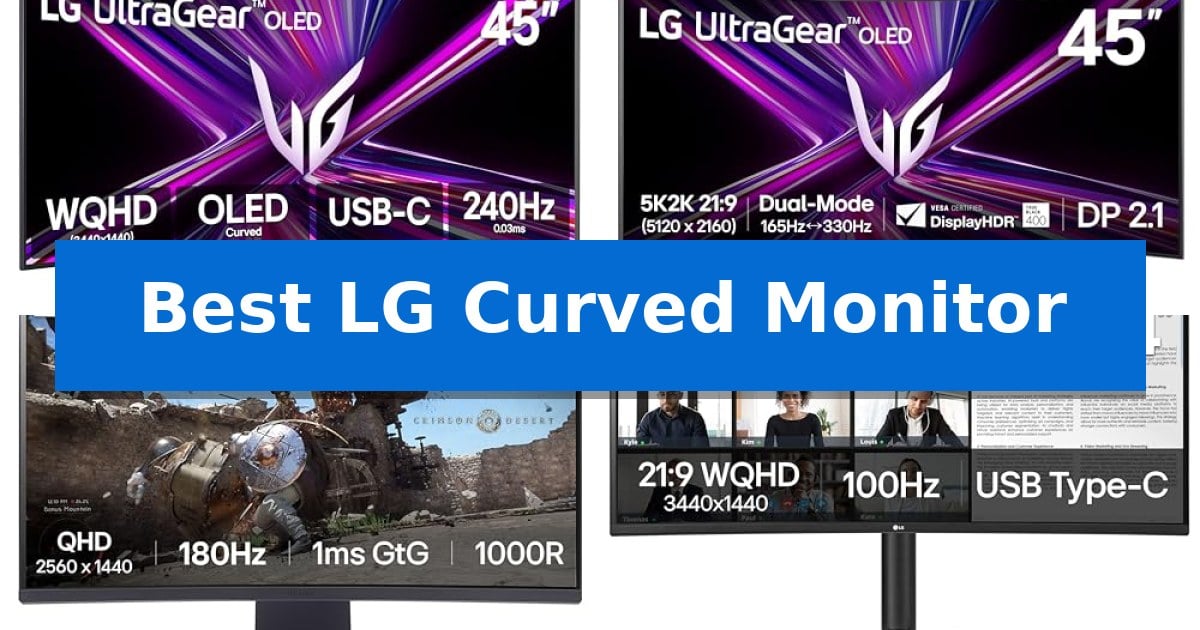
Finding the Best LG Curved Monitor requires balancing your specific needs for screen real estate, refresh rates, and color accuracy. Whether you are looking to maximize your competitive gaming edge with high-speed OLED panels or streamline a complex professional workflow with expansive ultrawide screen space, these displays offer distinct advantages for different types of users.
This guide examines the latest curved display technology from LG, focusing on how specific features like curvature radius, resolution, and connectivity standards impact your daily use. By understanding these technical trade-offs, you can select a monitor that integrates seamlessly into your existing setup while providing the visual clarity and performance you require.
You may also want to compare Best LG Computer Monitors, Best LG Bluetooth Soundbar, and Best LG Blu-ray Player.
Best LG Curved Monitor
Quick Comparison
| Product | Best For | Key Strength | Score |
|---|---|---|---|
| LG 45GX900A-B OLED Gaming Monitor | Best Overall | 800R steep curve for immersive peripheral coverage | 4.9 |
| LG 45GX950A-B OLED Gaming Monitor | Unmatched 5K2K Clarity | Dual-Mode switching between 5K2K 165Hz and WFHD 330Hz. | 4.9 |
| LG 32GS60QC-B Ultragear Gaming Monitor | Steep 1000R Curve Immersion | 1000R curvature for enhanced immersion | 4.9 |
| LG 34WR55QK-B UltraWide Monitor | Productivity-Focused Widescreen | 65W USB-C power delivery for streamlined single-cable connectivity. | 4.8 |
| LG 34SR60QC-W Smart Monitor | Streaming and Multitasking Hub | Built-in webOS 23 for direct streaming and cloud productivity. | 4.6 |
How We Chose
- Panel Technology: Assessing the visual benefits of OLED versus traditional display types.
- Curvature Radius: Evaluating how different curve depths affect immersion and viewing comfort.
- Refresh Rate and Response Time: Analyzing motion clarity for gaming and high-speed content.
- Connectivity and Integration: Checking for modern standards like HDMI 2.1, DisplayPort 2.1, and USB-C power delivery.
- Multitasking Features: Reviewing built-in software tools for window management and source switching.
1 LG 45GX900A-B OLED Gaming Monitor — Ultimate Immersive OLED Speed
The LG 45GX900A-B OLED Gaming Monitor centers its design around a steep 800R curve, which is engineered to wrap around your field of view for heightened immersion. This 45-inch ultra-wide display utilizes OLED technology to achieve a 1.5M:1 contrast ratio, ensuring deep blacks and vibrant color reproduction that covers up to 98.5% of the DCI-P3 color gamut.
Performance is driven by a high 240Hz refresh rate paired with a near-instantaneous 0.03ms (GtG) response time. These specifications are supported by NVIDIA G-SYNC compatibility and AMD FreeSync Premium Pro, which work to eliminate screen tearing and stutter during high-frame-rate gameplay. The monitor also features DisplayHDR True Black 400 certification for enhanced highlight detail.
Usability is prioritized through a suite of integrated gaming tools, including Dynamic Action Sync for reduced input lag, a Black Stabilizer to improve visibility in dark scenes, and an on-screen FPS counter. The display is also UL-verified for being flicker-free, discomfort glare-free, and featuring a low blue light hardware solution to support extended viewing sessions.
Connectivity options are robust, featuring HDMI 2.1, DisplayPort 1.4, and USB Type-C with 65W power delivery. The unit includes OLED Care tools such as pixel cleaning to maintain panel longevity, backed by a 2-year limited warranty that covers the OLED panel itself.
Best for: Gamers seeking an ultra-wide, high-refresh-rate OLED experience with a steep curvature for maximum immersion.
Skip if: Users who require a flat screen for professional color-critical design work or those with limited desk space for a 45-inch ultra-wide footprint.
PROS
- 800R steep curve for immersive peripheral coverage
- Ultra-fast 240Hz refresh rate and 0.03ms response time
- OLED panel with 1.5M:1 contrast and 98.5% DCI-P3 coverage
- Versatile HDMI 2.1 and 65W USB-C connectivity
CONS
- Large physical footprint requires significant desk space
- Ultra-wide aspect ratio may not be optimal for all productivity tasks
2 LG 45GX950A-B OLED Gaming Monitor — Unmatched 5K2K Clarity
The LG 45GX950A-B OLED Gaming Monitor introduces a specialized Dual-Mode functionality that allows users to toggle between a high-resolution 5K2K 165Hz experience and a high-refresh 330Hz mode for competitive titles. This flexibility, combined with a massive 45-inch display, provides a versatile workspace for both cinematic immersion and ultra-responsive gameplay.
Engineered with an 800R curve, the monitor is designed to wrap around the user's field of view, enhancing the sense of scale. The panel utilizes an updated subpixel layout to achieve 125 PPI, which improves text clarity and minimizes color fringing, addressing a common critique of large ultra-wide OLED displays. With DisplayHDR True Black 400 and a peak brightness of up to 1300 nits, the screen delivers high contrast and deep black levels.
Connectivity is handled by DisplayPort 2.1, which supports the high data throughput required for the monitor's resolution and refresh rate capabilities. Additionally, the inclusion of USB Type-C with 90W power delivery allows for streamlined single-cable connections to compatible laptops. The display is also NVIDIA G-Sync compatible and supports AMD FreeSync Premium Pro to maintain frame synchronization during intensive gaming sessions.
To ensure long-term usability, the monitor is triple UL-certified for anti-glare, flicker-free, and low blue light performance. These features are intended to reduce eye strain and minimize distracting reflections in various lighting environments, maintaining visual fidelity during extended sessions.
Best for: Gamers and professionals who require a large, high-resolution ultra-wide canvas with the ability to switch between high-fidelity visuals and high-refresh-rate performance.
Skip if: Users with limited desk space or those who prefer a flat display panel for color-critical work where curvature might introduce geometric distortion.
PROS
- Dual-Mode switching between 5K2K 165Hz and WFHD 330Hz.
- 800R curvature for enhanced immersion.
- 125 PPI subpixel layout for improved text clarity.
- DisplayPort 2.1 and 90W USB-C connectivity.
CONS
- Large 45-inch footprint requires significant desk space.
- Steep 800R curve may not suit all productivity workflows.
3 LG 32GS60QC-B Ultragear Gaming Monitor — Steep 1000R Curve Immersion
The LG 32GS60QC-B Ultragear Gaming Monitor features a dramatic 1000R curved screen designed to extend your periphery and create a more immersive viewing experience during gameplay. This 32-inch display is engineered for those who prioritize a wrap-around visual field that pulls the action into their line of sight.
Performance is driven by a 180Hz refresh rate and a 1ms GtG response time, which work together to provide fluid motion during fast-paced sequences. The monitor supports AMD FreeSync to assist in maintaining a tear-free experience, while Dynamic Action Sync is included to help reduce input lag, allowing for more responsive control during competitive play.
Visual quality is supported by HDR10 and a 99% sRGB color gamut, ensuring that games appear vibrant and detailed. The Black Stabilizer feature provides a tactical advantage by brightening dark scenes, making it easier to spot hidden details or opponents in low-light environments.
The physical design focuses on a three-side virtually borderless aesthetic that helps save space on your desk. Connectivity is handled through two HDMI ports and a DisplayPort, and the stand offers tilt adjustability to help you find a comfortable viewing angle. An Enhanced Gaming GUI allows you to toggle between specific modes like FPS or RTS to quickly optimize display settings for different genres.
Best for: Gamers who want an immersive, high-refresh-rate experience with a steep curve for a wider field of view.
Skip if: Users who require a flat screen for professional color-critical design work or those with limited desk depth for a 32-inch curved footprint.
PROS
- 1000R curvature for enhanced immersion
- 180Hz refresh rate with 1ms GtG response time
- 99% sRGB color gamut for vibrant visuals
- Black Stabilizer for visibility in dark scenes
CONS
- Large 32-inch footprint requires significant desk space
- Curved panel may not be ideal for non-gaming productivity tasks
4 LG 34WR55QK-B UltraWide Monitor — Productivity-Focused Widescreen
Maximizing desktop real estate requires a display that balances expansive screen space with functional design. The LG 34WR55QK-B UltraWide Monitor utilizes a 21:9 aspect ratio and a 3440 x 1440 WQHD resolution to provide a wide canvas, allowing for multiple windows to be viewed side-by-side without the need for a secondary monitor.
Connectivity is a central focus of this model, featuring USB Type-C integration that supports up to 65W power delivery. This allows users to connect and charge compatible laptops through a single cable, reducing desk clutter. The inclusion of Picture-by-Picture (PbP) functionality further enhances multitasking by enabling the display of content from two separate input sources simultaneously.
Visual fidelity is supported by HDR10 compatibility and a 99% sRGB color gamut, which assists in accurate color reproduction for creative tasks and media consumption. To support extended periods of use, the monitor includes Reader Mode, which adjusts color temperature to reduce blue light exposure, and an ergonomic stand that offers flexible height and tilt adjustments.
The physical design incorporates a 3-side virtually borderless aesthetic, which minimizes distractions and creates a cohesive look for modern workspaces. With a comprehensive port selection including two HDMI ports, a DisplayPort, and a headphone jack, this monitor is built to serve as a central hub for various peripherals and workstations.
Best for: Professionals and multitaskers who require an expansive, high-resolution workspace for managing multiple applications simultaneously.
Skip if: Users who require a high-refresh-rate display for competitive gaming or those with limited desk space who would prefer a standard 16:9 monitor.
PROS
- 65W USB-C power delivery for streamlined single-cable connectivity.
- 21:9 UltraWide WQHD resolution provides extensive screen real estate.
- Picture-by-Picture (PbP) support for efficient multi-source multitasking.
- Ergonomic stand with adjustable height and tilt for improved posture.
CONS
- 100Hz refresh rate may not meet the requirements of competitive high-speed gaming.
- Large physical footprint requires significant desk space.
5 LG 34SR60QC-W Smart Monitor — Streaming and Multitasking Hub
The LG 34SR60QC-W Smart Monitor integrates a 34-inch ultrawide display with a native webOS 23 interface, allowing users to stream content directly from services like Netflix and Disney+ without needing a connected computer. This 21:9 aspect ratio screen features a 1800R curve designed to provide a panoramic viewing experience that is 34% wider than standard 16:9 monitors.
Beyond its streaming capabilities, this display functions as a productivity hub. It supports cloud PC services such as Microsoft 365 and Google applications, enabling work-from-home tasks directly through the monitor's operating system. The 3440×1440 QHD resolution and 99% sRGB color gamut, paired with HDR10 support, ensure clear visuals for both professional workflows and media consumption.
Connectivity options include two HDMI ports and three USB ports, providing flexibility for external devices like gaming consoles or laptops. For Apple users, the monitor includes built-in AirPlay 2 and HomeKit compatibility, facilitating wireless screen mirroring and control. The virtually frameless three-sided design maintains a clean aesthetic, while the optional LG Magic Remote allows for voice-activated navigation.
The monitor operates at a 100Hz refresh rate, balancing smooth motion for casual gaming and video playback. While it offers a versatile feature set, users should note that the Magic Remote is sold separately. This unit is a practical solution for those who want to consolidate their workspace and entertainment setup into a single, curved ultrawide display.
Best for: Users who want to combine a high-resolution ultrawide workspace with built-in streaming and cloud-based productivity apps in one device.
Skip if: Competitive gamers requiring high-refresh-rate panels above 100Hz or users who prefer a flat screen for professional graphic design work.
PROS
- Built-in webOS 23 for direct streaming and cloud productivity.
- 34-inch 21:9 ultrawide curve for immersive multitasking.
- AirPlay 2 and HomeKit wireless integration.
- 99% sRGB color gamut with HDR10 enhancement.
CONS
- Magic Remote is not included and must be purchased separately.
- 100Hz refresh rate may not satisfy high-end competitive gaming needs.
Best LG Curved Monitor Buying Guide
Understanding Curvature Radius
The curvature radius, expressed in millimeters (e.g., 800R or 1000R), indicates how steep the arc of the screen is. A smaller number means a tighter, more pronounced curve, which is designed to keep the edges of a wide display at a consistent distance from your eyes.
For users of large 45-inch screens, a tighter 800R curve can significantly reduce eye strain by minimizing the need to shift focus across a wide field of view. Conversely, more moderate curves are often sufficient for standard 32-inch or 34-inch monitors where the screen width is less extreme.
OLED vs. Traditional Panels
OLED technology provides distinct advantages in contrast and response time, as each pixel is self-illuminating. This allows for true blacks and near-instantaneous response times, which are critical for eliminating ghosting in fast-paced gaming environments.
While OLED offers superior visual depth, users should consider the specific care tools provided by the manufacturer, such as pixel cleaning, to maintain panel longevity. Traditional panels may offer different benefits regarding peak brightness or resistance to image retention in static office environments.
Connectivity Standards
Modern monitors are increasingly serving as central hubs for multiple devices. Features like USB Type-C with power delivery allow you to connect a laptop and charge it with a single cable, reducing desktop clutter.
For high-end gaming, look for HDMI 2.1 or DisplayPort 2.1 support. These standards are essential for achieving high resolutions at high refresh rates, ensuring that your hardware can communicate effectively without bandwidth bottlenecks.
Resolution and Pixel Density
Resolution determines the sharpness of your text and images. On an ultrawide display, a higher resolution like 5K2K provides increased pixel density (PPI), which is particularly beneficial for professional tasks requiring fine detail and clear text rendering.
When choosing between resolutions, ensure your computer's graphics hardware can support the output. A higher resolution monitor will require more processing power to maintain smooth frame rates, especially in demanding gaming titles.
Ergonomics and Adjustability
Because curved monitors are often large, the quality of the stand is paramount. Look for models that offer height and tilt adjustments, as these allow you to align the center of the screen with your natural eye level.
A well-designed stand not only improves comfort during long sessions but also ensures the monitor remains stable on your desk. If your desk space is limited, check the footprint dimensions to ensure the stand fits comfortably alongside your other peripherals.
Frequently Asked Questions
What is the benefit of a 21:9 aspect ratio?
The 21:9 aspect ratio provides a wider field of view compared to standard 16:9 monitors. This is ideal for multitasking, as it allows you to place multiple windows side-by-side, and it provides a more cinematic experience for gaming and media consumption.
Do I need a curved monitor for productivity?
While not strictly necessary, many users find that curved monitors improve comfort during long work sessions by keeping the edges of the screen closer to their eyes, which can reduce the need for constant head movement.
How do I clean an OLED monitor screen?
Always follow the manufacturer's specific instructions. Generally, use a soft, dry microfiber cloth. Avoid harsh chemicals, alcohol, or abrasive materials that could damage the anti-glare coating on the panel.
Can I use a gaming monitor for office work?
Yes, high-end gaming monitors often feature excellent color accuracy and high resolution, making them very capable for professional tasks. Features like Reader Mode can also help reduce blue light exposure during document work.
What is the difference between G-SYNC and FreeSync?
Both are variable refresh rate technologies designed to eliminate screen tearing by syncing the monitor's refresh rate with your graphics card's output. Many modern LG monitors are compatible with both, ensuring a smooth experience regardless of your GPU brand.
Conclusion: Our Top Pick
Selecting the right display depends on how you prioritize speed, resolution, and screen real estate. For those seeking the pinnacle of immersive gaming performance, the LG 45GX900A-B OLED Gaming Monitor stands out due to its combination of a steep 800R curve, 240Hz refresh rate, and rapid 0.03ms response time, which together create an exceptionally fluid and engaging visual experience.
While this model is optimized for high-speed gaming, its expansive 45-inch workspace also provides significant benefits for productivity. If your primary goal is to combine competitive gaming capabilities with a massive, distraction-free display, this monitor offers the advanced features necessary to support a high-performance setup.