
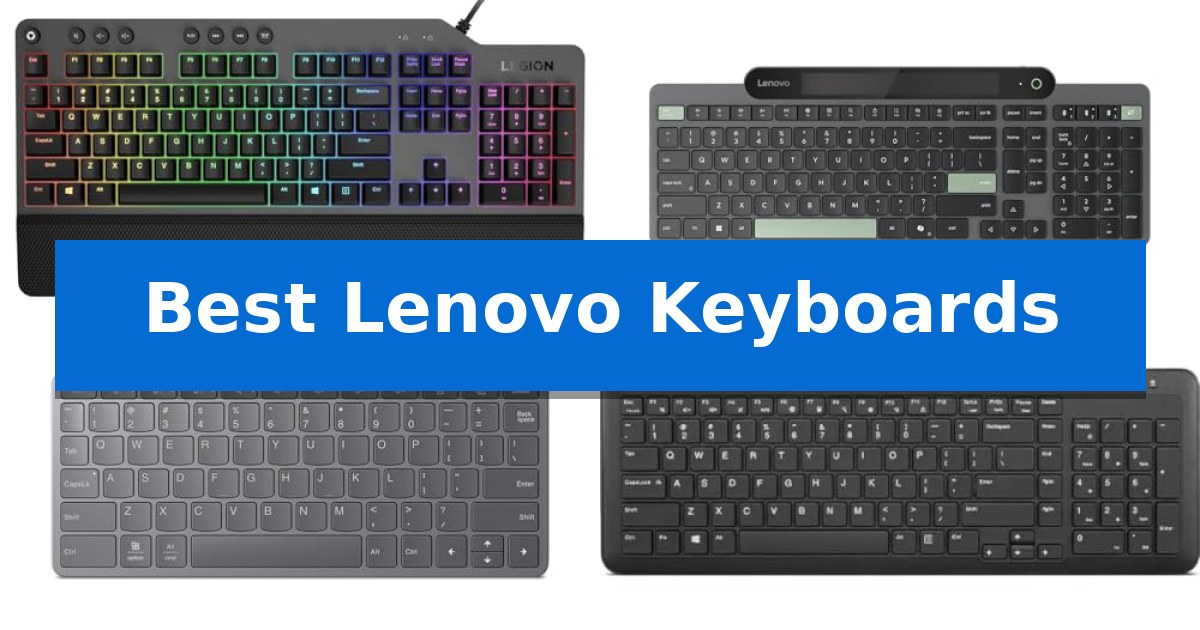
Selecting the right input device is essential for maintaining comfort and efficiency throughout your workday or gaming sessions. Whether you are looking for a tactile mechanical experience or a streamlined wireless setup, the Best Lenovo Keyboards offer a variety of designs tailored to different user requirements.
Our guide examines five distinct models, focusing on their unique connectivity options, switch technologies, and ergonomic features. By understanding how these specifications align with your specific environment, you can make an informed decision that enhances your daily computing experience.
You may also want to compare Best Lenovo IdeaPad Laptops, Best Lenovo Home Laptops, and Best Lenovo Gaming Tablet.
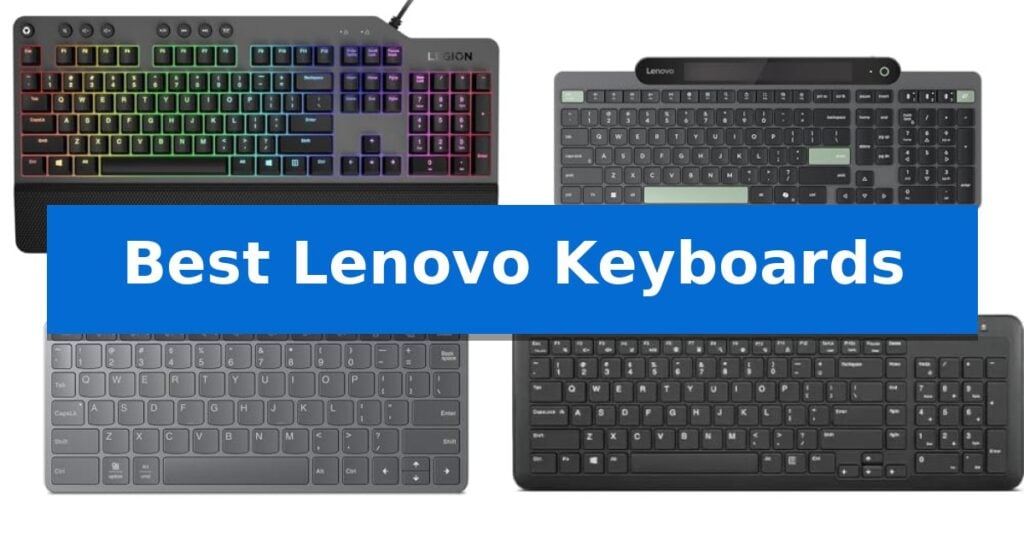
Best Lenovo Keyboards
Quick Comparison
| Product | Best For | Key Strength | Score |
|---|---|---|---|
| Lenovo Legion K500 Mechanical Keyboard | Best Overall | 50 million-click Red mechanical switches for consistent performance. | 4.9 |
| Lenovo 800 Self-Charging Keyboard | Battery-Free Ambient Light Power | Battery-free operation using ambient light harvesting. | 4.3 |
| Lenovo Multi-Device Wireless Keyboard | Portable Multi-Device Connectivity | Multi-device connectivity for up to three devices. | 4.6 |
| Lenovo 300 Wireless Keyboard | Compact Whisper-Quiet Typing | Whisper-quiet typing at 45 dB for distraction-free environments. | 4.3 |
| Lenovo Preferred Pro II Keyboard | Reliable Wired Full-Size Layout | Full-size layout including a dedicated number pad for efficient data entry. | 4.5 |
How We Chose
- Switch Technology: Assessing the tactile feedback of mechanical switches versus the quiet operation of membrane designs.
- Connectivity Standards: Evaluating the reliability of wired USB connections against Bluetooth and multi-device wireless pairing capabilities.
- Ergonomics and Layout: Considering the inclusion of full-size numeric keypads, palm rests, and overall physical dimensions for desk space management.
- Power Management: Analyzing battery life, rechargeable options, and innovative energy-harvesting features like ambient light collection.
- Programmability: Reviewing the availability of dedicated media keys and customizable hotkeys for workflow efficiency.
1 Lenovo Legion K500 Mechanical Keyboard — Responsive Red Mechanical Switches
The Lenovo Legion K500 Mechanical Gaming Keyboard prioritizes a minimalist aesthetic without sacrificing the mechanical responsiveness required for gaming. By focusing on a clean, no-frills design, it provides a sturdy foundation for both typing and competitive play, distinguishing itself from more cluttered peripheral options.
At the core of its performance are 50 million-click Red mechanical keys, which offer a balanced tactile feel. The keyboard ensures input accuracy through 100% anti-ghosting and 104-key rollover when connected via USB. A dedicated game mode is included to prevent accidental key presses during intense sessions, ensuring that your focus remains entirely on the screen.
Durability and comfort are central to its build. The unit features a detachable palm rest to support extended use and is constructed with high-quality materials to ensure longevity. The 1.8M tangle-free, braided cable adds to the overall build quality, providing a reliable connection that resists wear.
Customization is handled through 16.8 million RGB LED colors per key, allowing for personalized lighting setups. Additionally, the keyboard includes 7 user-programmable hot keys and media controls, providing quick access to essential functions without requiring complex software navigation.
Best for: Gamers who prioritize a minimalist, durable mechanical keyboard with responsive switches and essential customization features.
Skip if: Users who require wireless connectivity or a compact tenkeyless (TKL) form factor for limited desk space.
PROS
- 50 million-click Red mechanical switches for consistent performance.
- 100% anti-ghosting and full key rollover for accurate input.
- Detachable palm rest for improved typing ergonomics.
- Customizable 16.8 million RGB lighting per key.
CONS
- Full-size layout may be too large for some desk configurations.
- Wired-only connection limits placement flexibility.
2 Lenovo 800 Self-Charging Keyboard — Battery-Free Ambient Light Power
Eliminating the need for cables and disposable power sources, the Lenovo 800 Self-Charging Keyboard utilizes integrated ambient light collection panels to maintain its operation. This design allows the device to function entirely without batteries, relying on a supercapacitor to store energy harvested from light sources, which provides a sustainable alternative to traditional wireless peripherals.
Engineered for versatility, the keyboard supports Bluetooth 5.1 connectivity and can pair with up to three devices simultaneously. It features Microsoft Swift Pair for rapid connection, making it suitable for users who frequently switch between multiple workstations or mobile devices. The spill-resistant plunger switches offer a 2.0 mm key travel distance, designed to balance tactile feedback with durability, rated for up to 10 million clicks.
The device is built for consistent reliability, boasting ultra-low power consumption that is approximately 25% of a standard keyboard. Even in environments without light, it maintains an operating time of up to 1 month on a full charge. Its compact, lightweight construction—measuring 16.54 inches in length and weighing 1.95 pounds—ensures it fits easily into various desk setups while maintaining a slim profile.
Sustainability is a core focus of this model, evidenced by its 100% plastic-free and paper-based packaging. By removing the requirement for battery replacements, the keyboard reduces long-term environmental impact while ensuring that users are not interrupted by power failures during their workday.
Best for: Users seeking a sustainable, battery-free wireless keyboard for multi-device environments who have access to consistent ambient light.
Skip if: Users who work primarily in completely dark environments or those who require mechanical switches for specific typing preferences.
PROS
- Battery-free operation using ambient light harvesting.
- Supports multi-device connectivity for up to 3 devices.
- Spill-resistant design with durable 10-million-click lifecycle.
- Sustainable plastic-free packaging.
CONS
- Requires consistent ambient light exposure for optimal energy harvesting.
- Uses plunger switches rather than mechanical switches.
3 Lenovo Multi-Device Wireless Keyboard — Portable Multi-Device Connectivity
Maintaining a clean workspace while managing multiple devices requires hardware that minimizes physical footprint without sacrificing functionality. The Lenovo Multi-Device Wireless Keyboard addresses this by combining a slim 5.6 mm profile with a lightweight 177 g chassis, making it an efficient tool for professionals who frequently transition between workstations or travel between locations.
Central to its utility is the multi-device connectivity feature, which allows users to pair up to three devices simultaneously. This capability enables instant switching between a primary laptop, a tablet, and a smartphone, effectively consolidating input hardware. Connectivity is further bolstered by the choice between Bluetooth wireless pairing and a wired USB-C connection, ensuring compatibility with a wide range of operating systems including Windows, Android, and iOS.
Typing performance is supported by a 1.3 mm key travel distance and an 18 mm key pitch, which provide a balance between tactile response and compact design. The inclusion of 12 dedicated function keys allows for quick access to common system controls, reducing the need to navigate software menus. Powering these features is an integrated 300 mAh Li-ion polymer battery, which is rechargeable via USB-C and rated for up to 62 hours of use, depending on specific usage patterns.
Measuring 10.07" x 4.17" x 0.22", the keyboard is engineered for portability. Its compact dimensions allow it to fit easily into bags or small desk areas, serving as a practical solution for users who prioritize mobility or have limited surface space for their computing peripherals.
Best for: Mobile professionals and multi-taskers who need a compact, portable keyboard that can switch between three different devices.
Skip if: Users who require a full-sized layout with a dedicated number pad or those who prefer mechanical switches for tactile feedback.
PROS
- Multi-device connectivity for up to three devices.
- Slim and portable design weighing only 177 g.
- Flexible connection options via Bluetooth or USB-C.
- Rechargeable battery offering up to 62 hours of life.
CONS
- Compact dimensions lack a dedicated numeric keypad.
- Battery life is dependent on individual usage settings.
4 Lenovo 300 Wireless Keyboard — Compact Whisper-Quiet Typing
Maintaining a productive workspace often hinges on minimizing distractions and maximizing desk real estate. The Lenovo 300 Wireless Keyboard is engineered to address these needs by pairing a space-saving, compact footprint with a full-sized layout that includes a dedicated numeric keypad for efficient data entry.
Designed for environments where focus is paramount, this keyboard features whisper-quiet operation with key clicks rated at just 45 dB. This low-noise profile makes it a practical solution for shared offices or home setups where keeping ambient sound to a minimum is essential for concentration.
Workflow efficiency is bolstered by 11 dedicated Fn shortcut keys, which provide immediate access to common commands and application navigation. The setup is designed for simplicity, utilizing a plug-and-play USB receiver that eliminates the need for complex software installations or driver management.
The device is powered by a single AA battery, balancing portability with reliable, long-lasting usage. Measuring approximately 16.29 inches in length, the Lenovo 300 Wireless Keyboard fits easily into smaller desk areas or storage lockers, offering a flexible and organized approach to modern computing.
Best for: Professionals and students in compact or shared environments who require a quiet, space-efficient keyboard with a full numeric keypad.
Skip if: Users who prefer mechanical switches for tactile feedback or those whose devices lack a standard USB-A port for the required wireless receiver.
PROS
- Whisper-quiet typing at 45 dB for distraction-free environments.
- Compact, space-saving design that retains a full numeric keypad.
- 11 dedicated Fn shortcut keys for streamlined workflow management.
- Plug-and-play wireless connectivity via a simple USB receiver.
CONS
- Requires a USB-A port for the wireless receiver, which may limit compatibility with some modern laptops.
- Single AA battery power necessitates occasional manual battery replacements.
5 Lenovo Preferred Pro II Keyboard — Reliable Wired Full-Size Layout
The Lenovo Preferred Pro II Wired External USB Keyboard is a standard full-size peripheral designed for consistent office and home computing. It features a traditional 104/105/106/107/109 key layout, utilizing rubber dome switches that provide a tactile feel and a rated life cycle of 10 million clicks under normal operation.
This keyboard connects via a standard USB 2.0 interface, ensuring broad compatibility with Windows 10, 8.1, 7, and XP systems, as well as Linux. The upper right corner houses three dedicated operation mode LEDs, clearly labeling Number Lock, Caps Lock, and Scroll Lock status for immediate visual feedback during use.
Ergonomics are supported by adjustable tilt legs, allowing users to modify the typing angle to suit their desk setup. With a physical footprint of 19.09 inches by 6.65 inches and a height of 1.34 inches, it occupies a standard space on most workstations while maintaining a sturdy, one-pound build.
Designed for reliability in professional environments, this wired unit avoids the complexities of wireless connectivity or hotkey-dependent software. It serves as a direct, plug-and-play replacement for standard input devices, prioritizing a familiar QWERTY and NUMPAD configuration for daily data entry and word processing tasks.
Best for: Users seeking a reliable, full-size, plug-and-play wired keyboard for standard office and home computing tasks.
Skip if: Users who require specialized programmable hotkeys, wireless connectivity, or mechanical switch feedback for gaming.
PROS
- Full-size layout including a dedicated number pad for efficient data entry.
- Broad compatibility across multiple Windows versions and Linux operating systems.
- Adjustable tilt legs for improved ergonomic typing angles.
- Durable construction with a rated life cycle of 10 million clicks.
CONS
- Wired-only connection limits desk placement flexibility.
- No support for hotkeys on Linux operating systems.
- Rubber dome switches may not satisfy users preferring mechanical tactile feedback.
Best Lenovo Keyboards Buying Guide
Understanding Switch Types
The underlying switch mechanism determines the feel and longevity of your keyboard. Mechanical switches, such as the red switches found in gaming models, provide a consistent, tactile response and are rated for millions of clicks, making them ideal for high-intensity use.
Conversely, rubber dome or plunger switches offer a quieter, softer typing experience. These are often preferred in shared office environments where noise reduction is a priority, though they may lack the distinct actuation point found in mechanical alternatives.
Connectivity and Multi-Device Support
Modern workflows often involve switching between a primary workstation, a tablet, and a smartphone. Keyboards featuring Bluetooth 5.1 or multi-device pairing allow you to toggle between these devices seamlessly, reducing desk clutter.
For users who prioritize stability and zero latency, a wired USB connection remains the gold standard. Wired models eliminate the need for batteries or charging, ensuring the keyboard is always ready for use without signal interference.
Ergonomics and Desk Space
The physical footprint of your keyboard significantly impacts your posture and available workspace. Full-size layouts include a dedicated numeric keypad, which is essential for data entry and financial tasks, though they require more desk real estate.
Compact or slim designs are better suited for mobile professionals or those with limited desk space. When choosing a smaller model, ensure that it still includes necessary function keys or shortcuts to maintain your productivity levels.
Power Efficiency and Sustainability
Wireless keyboards rely on either replaceable batteries or internal rechargeable cells. Some advanced models now incorporate ambient light collection panels, which use light to power the device, effectively eliminating the need for traditional battery replacements.
When opting for a rechargeable model, consider the battery life per charge and the charging interface. USB-C charging is increasingly common, offering faster and more convenient power replenishment compared to older proprietary standards.
Customization and Media Controls
Many keyboards include dedicated media keys or programmable hotkeys that allow you to control volume, playback, or application shortcuts directly from the board. These features can significantly streamline your workflow by reducing the need to use a mouse.
For gamers, dedicated game mode keys and anti-ghosting technology are critical. These features prevent accidental interruptions during gameplay and ensure that every keystroke is registered accurately, even when multiple keys are pressed simultaneously.
Frequently Asked Questions
What is the benefit of a mechanical keyboard?
Mechanical keyboards offer superior durability and tactile feedback. Each key has its own switch, which provides a consistent feel and faster response time, making them highly favored for both gaming and heavy typing tasks.
Can I connect a wireless keyboard to multiple devices?
Yes, many modern wireless keyboards support multi-device connectivity via Bluetooth. This allows you to pair the keyboard with up to three devices simultaneously and switch between them using dedicated buttons or hotkeys.
Are quiet keyboards available?
Yes, keyboards using rubber dome or specialized silent switches are designed to minimize noise. Models like the Lenovo 300 Wireless Keyboard are specifically noted for their whisper-quiet operation, making them suitable for shared workspaces.
Do I need a full-size keyboard for office work?
A full-size keyboard is recommended if your work involves frequent data entry or calculations, as it includes a dedicated numeric keypad. If your work is primarily text-based, a compact keyboard may save valuable desk space.
How do self-charging keyboards work?
Self-charging keyboards, such as the Lenovo 800, use integrated photovoltaic panels to harvest energy from ambient light. This energy is stored in supercapacitors, allowing the keyboard to operate without the need for traditional batteries.
Conclusion: Our Top Pick
For users seeking a balance of durability, tactile response, and gaming-ready performance, the Lenovo Legion K500 Mechanical Keyboard stands out as the top recommendation. Its red mechanical switches provide a consistent and reliable typing experience, while the inclusion of a detachable palm rest and programmable hotkeys adds significant value for both work and play.
While other models in our list offer unique benefits like wireless portability or ambient light charging, the K500's robust build quality and responsive feel make it the most versatile choice for a wide range of users. If you prioritize a stable, high-performance input device that is built to last, this mechanical keyboard is an excellent investment.