
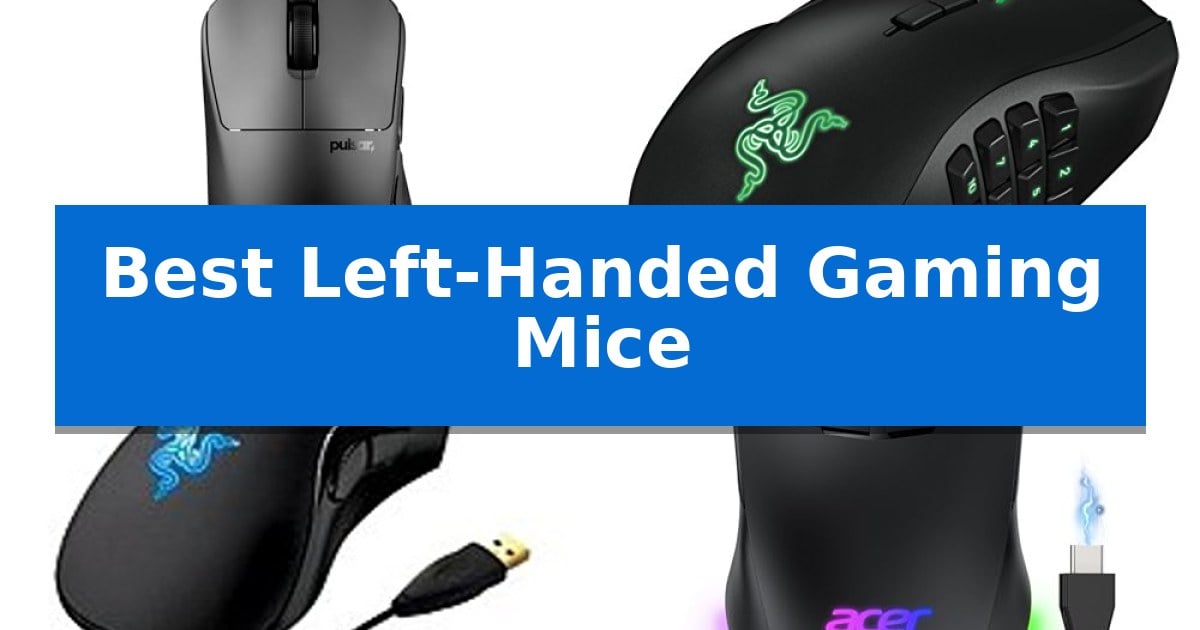
Finding reliable gaming hardware as a southpaw often feels like an uphill battle, as many manufacturers prioritize symmetrical or right-handed designs. However, specialized peripherals have emerged to bridge this gap, ensuring that left-handed players no longer have to compromise on comfort or button accessibility.
Our guide identifies the Best Left-Handed Gaming Mice currently available, focusing on sensor precision, ergonomic shapes, and programmable button layouts. Whether you need a featherweight design for competitive shooters or a multi-button layout for complex MMOs, these options provide the dedicated support you need for your setup.
You may also want to compare Best Left-Handed Ergonomic Mouse, Best Left-Handed Computer Mouse, and Best Left-Handed Bluetooth Mouse.
Best Left-Handed Gaming Mice
Quick Comparison
| Product | Best For | Key Strength | Score |
|---|---|---|---|
| Pulsar Gaming Gears X3 LHD Gaming Mouse | Best Overall | Ultra-lightweight 43g construction reduces wrist strain. | 4.9 |
| Razer Naga Left-Handed Gaming Mouse | Twelve programmable thumb buttons | Dedicated left-handed ergonomic design for natural hand placement. | 4.7 |
| Razer DeathAdder Essential Gaming Mouse | Classic ergonomic esports shape | Dedicated left-handed ergonomic design for improved comfort. | 4.8 |
| Acer Dual-Mode Wireless Gaming Mouse | Flexible wired and wireless connectivity | Symmetrical ergonomic shape accommodates both left- and right-handed users. | 4.6 |
| Elecom EX-G Left-Handed Trackball Mouse | Thumb-controlled ergonomic precision | Dedicated left-handed ergonomic design reduces hand and wrist fatigue. | 4.4 |
How We Chose
- Ergonomic shape and comfort for left-handed grip styles
- Sensor precision, including DPI range and tracking acceleration
- Programmability of buttons for macro assignment
- Connectivity options, comparing wired and wireless performance
- Weight and physical dimensions for handling and control
1 Pulsar Gaming Gears X3 LHD Gaming Mouse — Ultra-lightweight competitive performance
Achieving precision in competitive gaming requires hardware that aligns with your natural ergonomics, a challenge often overlooked for left-handed players. The Pulsar Gaming Gears X3 LHD Crazylight Gaming Mouse addresses this by offering a specialized, symmetrical-height design that contours specifically to the left hand, ensuring consistent control during intense matches.
At an ultra-lightweight 43g, this mouse minimizes physical fatigue, allowing for rapid, fluid movements that feel nearly weightless. The Hybrid Ergonomic Design supports both palm and relaxed claw grips, providing a stable, comfortable shape that remains effective throughout extended gaming sessions.
Performance is driven by the XS-1 Flagship Sensor, which supports up to 32,000 DPI and a tracking speed of 750 IPS. This high-end sensor, paired with Speed of Light Optical Switches, ensures that every click is registered with pinpoint accuracy while significantly reducing the risk of unintended double-clicks.
To maintain smooth performance across various surfaces, the mouse includes Pulsar Dot Skates made from UHMW-PE. These 16 individual dots offer low-friction gliding, making the device particularly responsive on glass or hard mousepads, while the TTC Golden dustproof structure adds a layer of durability to the internal components.
Best for: Left-handed competitive gamers who prioritize an ultra-lightweight build and high-precision sensor performance for palm or relaxed claw grips.
Skip if: Users who prefer a heavier mouse with adjustable weights or those who require a larger form factor for a full-palm grip may find this mini-sized, lightweight design less suitable.
PROS
- Ultra-lightweight 43g construction reduces wrist strain.
- XS-1 Flagship Sensor provides high-precision tracking up to 32K DPI.
- Optical switches minimize double-click issues for reliable inputs.
- UHMW-PE Dot Skates ensure smooth, low-friction movement.
CONS
- Mini size may not accommodate users with larger hands or full-palm grip preferences.
- Specialized left-handed shape limits use to a specific demographic.
2 Razer Naga Left-Handed Gaming Mouse — Twelve programmable thumb buttons
The Razer Naga Left-Handed Gaming Mouse is engineered specifically for left-handed users who require high-density input control, anchored by a dedicated 12-button programmable thumb grid. This layout is designed for complex macro execution and hotkey management, providing a significant advantage in MMO gaming where rapid, precise input is essential for managing multiple abilities simultaneously.
At the core of its performance is an 8,200 DPI 4G laser sensor, which delivers high-resolution tracking responsiveness. The mouse also features an integrated 32-bit ARM processor, which acts as an onboard computer to handle input processing tasks efficiently. This offloads computation from the system, ensuring that complex macros and button commands are executed without relying solely on the host computer's resources.
The device incorporates a four-way scroll wheel that supports left, right, up, down, and click inputs, effectively expanding the command surface beyond standard navigation. Its ergonomic form factor is designed to accommodate a variety of hand sizes, focusing on comfort during extended gaming sessions. Users can manage these features through an in-game configurator, which provides a non-intrusive overlay for real-time adjustments to macros and button assignments without the need to exit an active game session.
Best for: Left-handed gamers who play MMOs and require a high density of programmable buttons for complex macro management.
Skip if: Users who prefer a lightweight, minimalist mouse design or those who do not require a large number of thumb-accessible buttons.
PROS
- Dedicated left-handed ergonomic design for natural hand placement.
- 12 programmable thumb buttons for extensive macro support.
- Integrated 32-bit ARM processor for efficient input handling.
- Four-way scroll wheel adds additional command inputs.
CONS
- The high button count may require a significant learning curve for some users.
- The ergonomic, multi-button chassis results in a larger footprint compared to standard gaming mice.
3 Razer DeathAdder Essential Gaming Mouse — Classic ergonomic esports shape
Precision and comfort are the primary focus of the Razer DeathAdder Essential, a gaming-grade mouse engineered specifically for left-handed users. By shifting the ergonomic design to accommodate the left hand, this device aims to reduce wrist and hand tension during extended gaming sessions.
The mouse features a 3,500 DPI precision 3.5G infrared sensor, which is designed to provide accurate tracking compared to standard 800 DPI sensors. This higher sensitivity allows for finer control during gameplay, while the 1,000Hz ultrapolling technology facilitates a 1ms response time, ensuring rapid execution of commands.
Built for durability and long-term use, the device includes a 2-year warranty. Its physical dimensions of 8.7 by 6.3 by 2.6 inches and weight of 0.33 pounds are balanced to support a stable grip, making it a dedicated tool for those who require a left-handed layout for their competitive setup.
For users, the 3,500 DPI setting provides a balance between speed and control, though it remains fixed, which is a trade-off for those who frequently adjust sensitivity for different game genres. The ergonomic shape is specifically molded for the left hand, meaning it does not offer the versatility of ambidextrous designs, but it prioritizes a natural grip for its intended audience.
Best for: Left-handed gamers seeking an ergonomic, high-precision mouse designed specifically for their hand orientation.
Skip if: Users who prefer an ambidextrous design or require a higher DPI range than 3,500 for their specific gaming needs.
PROS
- Dedicated left-handed ergonomic design for improved comfort.
- High-precision 3.5G infrared sensor for accurate tracking.
- Fast 1,000Hz ultrapolling for 1ms response time.
- Includes a 2-year warranty for long-term support.
CONS
- Fixed 3,500 DPI limit may not suit all gaming styles.
- Specific left-handed form factor is not suitable for right-handed users.
4 Acer Dual-Mode Wireless Gaming Mouse — Flexible wired and wireless connectivity
Finding a gaming mouse that accommodates a left-handed grip without sacrificing performance can be a challenge, but the Acer Dual-Mode Wireless Gaming Mouse addresses this with a symmetrical ergonomic design. This shape ensures that both left- and right-handed users can maintain a natural, comfortable grip during extended gaming or work sessions.
The device is built around a high-performance optical sensor capable of reaching 24,000 DPI, providing consistent tracking for precise aim. Users can toggle between 6 DPI levels to suit different gameplay scenarios, while the 1000Hz polling rate and 35G acceleration support responsive movement. For added customization, the mouse features 8 programmable buttons that allow for macro editing and command remapping via the driver software.
Connectivity is handled through a flexible dual-mode system, allowing users to switch between a stable 2.4GHz wireless connection and a high-speed USB-A wired mode. The latter is particularly useful for continuous play, as it allows the mouse to function while the 650mAh rechargeable battery charges. The battery is rated for up to 40 hours of playtime, supported by smart power management features that include adjustable idle sleep timers.
Aesthetically, the mouse includes 9 dynamic RGB lighting modes with 16.8M color effects, which can be adjusted for brightness and speed through the driver. The lighting can also be toggled or cycled using the side buttons, allowing for integration with various desk setups. With its combination of ambidextrous ergonomics and high-DPI sensor performance, this mouse serves as a versatile tool for gamers who require a balanced, adaptable input device.
Best for: Left-handed and right-handed gamers who need a versatile mouse that supports both wireless freedom and reliable wired charging.
Skip if: Users who require Bluetooth connectivity or a specialized ergonomic shape designed exclusively for a single hand orientation.
PROS
- Symmetrical ergonomic shape accommodates both left- and right-handed users.
- Dual-mode connectivity allows for both 2.4GHz wireless and wired operation.
- High-precision 24,000 DPI optical sensor for granular sensitivity control.
- 8 programmable buttons enable extensive macro and command customization.
CONS
- No Bluetooth support limits connectivity options to the included USB-A receiver or wired cable.
- Sleep mode cannot be disabled, which may be a limitation for users preferring constant readiness.
5 Elecom EX-G Left-Handed Trackball Mouse — Thumb-controlled ergonomic precision
Finding specialized peripherals for left-handed users often presents a challenge, particularly when seeking ergonomic solutions that prioritize comfort during extended sessions. The Elecom EX-G Left-Handed Trackball Mouse addresses this by utilizing a thumb-controlled trackball design, which minimizes wrist and hand movement to help reduce strain during prolonged use.
This device features optical tracking technology paired with a specialized red ball sensor, engineered to provide high-performance accuracy. Users can toggle between 750 DPI and 1500 DPI settings using a dedicated button, allowing for adjustments in cursor speed based on the task at hand. The inclusion of 6 programmable buttons further enhances versatility, as these can be customized via the ELECOM Mouse Assistant Software to suit specific workflows.
Designed specifically for left-handed orientation, the mouse connects via 2.4 GHz USB wireless technology, ensuring a clutter-free workspace without the constraints of a physical cable. It is powered by a single AA battery and includes a convenient battery remaining light lamp to signal when a replacement is needed. With dimensions of approximately 3.7 inches by 4.9 inches and a weight of 4.5 ounces, it offers a stable footprint for desktop navigation.
The Elecom EX-G Left-Handed Trackball Mouse is a practical choice for those who prefer the stationary nature of a trackball over traditional sliding mice. While it requires a specific learning curve for thumb-based navigation, it serves as a dedicated ergonomic tool for left-handed users looking to optimize their desk setup.
Best for: Left-handed users seeking an ergonomic, thumb-controlled trackball to reduce wrist strain during extended computer use.
Skip if: Users who prefer the traditional sliding motion of a standard optical mouse or those who require a high-speed, multi-button layout specifically optimized for complex gaming macros.
PROS
- Dedicated left-handed ergonomic design reduces hand and wrist fatigue.
- 6 programmable buttons allow for customized workflow efficiency.
- Switchable 750/1500 DPI settings for adjustable cursor precision.
- Wireless 2.4 GHz connectivity eliminates cable clutter.
CONS
- Requires a learning curve to master thumb-controlled tracking.
- Limited to AA battery power rather than a rechargeable internal battery.
Best Left-Handed Gaming Mice Buying Guide
Understanding Grip Styles
Your grip style—whether palm, claw, or fingertip—significantly influences which mouse will feel most natural. A palm grip requires a mouse with a supportive hump, while claw and fingertip grips benefit from smaller, lighter designs that allow for rapid, precise movements.
When choosing from the Best Left-Handed Gaming Mice, consider how the mouse contours to your hand. Some models feature an asymmetrical shape that specifically supports the natural resting position of a left hand, reducing fatigue during long sessions.
Sensor Accuracy and DPI
The sensor is the heart of your gaming mouse, responsible for translating your physical movements into on-screen action. Higher DPI (Dots Per Inch) settings allow for faster cursor speed, which is often preferred in high-resolution environments, while lower settings provide the stability needed for precise aiming.
Look for sensors that offer adjustable DPI levels and high IPS (Inches Per Second) tracking speeds. These features ensure that your movements are registered accurately, even during rapid flicks or intense gameplay, preventing tracking errors.
Programmable Buttons and Macros
For players who enjoy MMOs or strategy games, the number of programmable buttons is a critical factor. Mice with multiple thumb buttons allow you to map complex macros and hotkeys, keeping essential commands within easy reach.
Ensure the software accompanying your mouse is intuitive. The ability to remap commands and save profiles directly to the device can save time and provide a consistent experience across different gaming titles.
Wired vs. Wireless Connectivity
Wired mice offer a consistent, lag-free connection and eliminate the need for battery management. They are ideal for competitive players who prioritize reliability and want to avoid the weight of an internal battery.
Modern wireless gaming mice have closed the performance gap, offering stable 2.4GHz connections that rival wired counterparts. If you prefer a clutter-free desk, a wireless model with a long-lasting battery is a convenient choice, provided it supports high-speed data transmission.
Weight and Glide
The weight of your mouse affects how quickly you can move it across your pad. Ultra-lightweight designs, often under 50g, are favored by competitive players for their agility and reduced wrist strain.
Don't overlook the importance of the mouse feet, or skates. High-quality materials like UHMW-PE provide low friction, allowing the mouse to glide smoothly across your surface. Durable skates ensure that your mouse maintains its performance over time.
Frequently Asked Questions
Are there true left-handed gaming mice or just ambidextrous ones?
Both exist. Ambidextrous mice have a symmetrical shape that can be used by either hand, while true left-handed mice are specifically contoured to fit the left hand's natural anatomy, often placing thumb buttons on the right side.
Does a higher DPI always mean a better mouse?
No. While high DPI is a marketing feature, most gamers only use a small fraction of a sensor's maximum capability. Consistency, tracking accuracy, and a comfortable shape are more important than reaching extremely high DPI numbers.
Can I use a right-handed mouse with my left hand?
You can, but it is generally not recommended for gaming. Right-handed mice are ergonomically designed for the right hand; using them with your left will likely result in discomfort and difficult access to side buttons.
What is the benefit of a trackball mouse for gaming?
A trackball mouse allows you to control the cursor without moving the entire device, which can reduce wrist strain. While less common for fast-paced shooters, they are a unique ergonomic alternative for specific gaming styles.
How do I know if a mouse will fit my hand size?
Check the physical dimensions provided in the product specifications. Compare the length and width of the mouse to your own hand measurements to gauge whether it will support your preferred grip style.
Conclusion: Our Top Pick
Choosing the right hardware is essential for any left-handed gamer looking to improve their comfort and performance. By focusing on ergonomic design, sensor quality, and the specific button layout required for your favorite genres, you can find a device that feels like a natural extension of your hand.
For those seeking the best balance of weight, precision, and ergonomic support, the Pulsar Gaming Gears X3 LHD Gaming Mouse stands out as the top choice. Its ultra-lightweight build and high-performance sensor make it a versatile tool for competitive play, while its specialized shape ensures lasting comfort during extended gaming sessions.